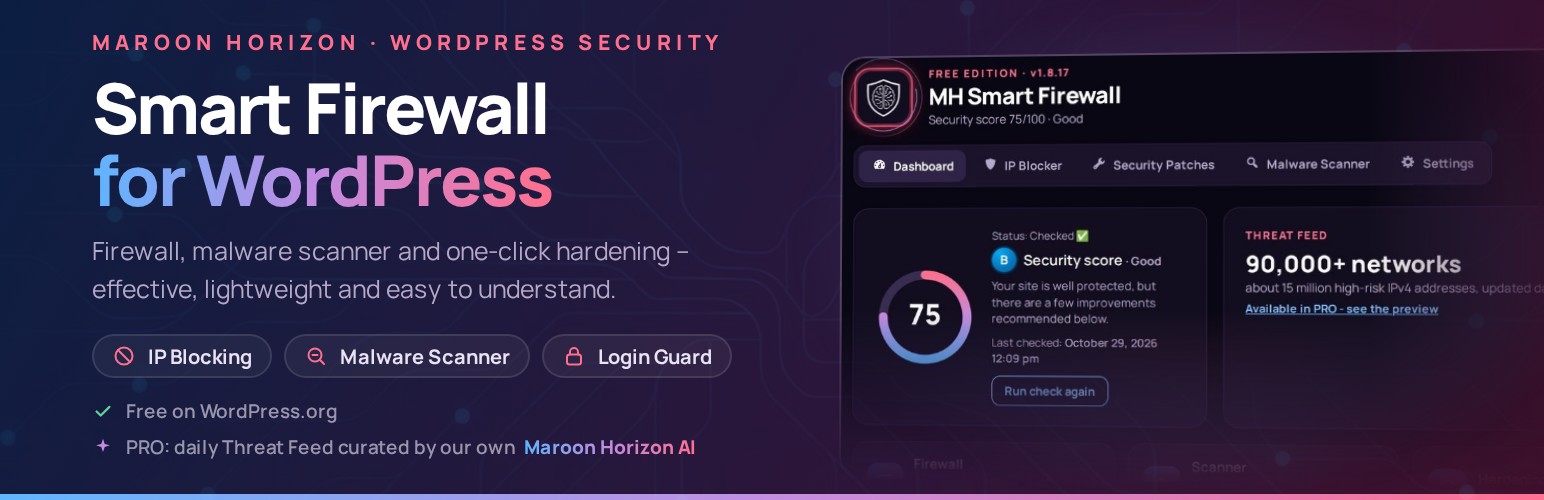
MH Smart Firewall – Security, Malware Scanner & Login Protection
by Maroon Horizon Ltd (Vladimir Marusic)
Maroon Horizon Smart Firewall is built for practical WordPress protection: block bad traffic, scan for malware, quarantine suspicious files, and reduce attack surface — without sending your site files off-server.
Advanced Security Check (Quick Scan) gives you an easy-to-understand Overall Security Rating, plus clear details and explanations for each check so you can quickly see what to improve and raise your security level. The free version can reach 100/100 on its own.
This WordPress.org (FREE) build is fully functional for the FREE feature set and is designed to run locally for those features. Advanced capabilities are provided by a separate commercial PRO plugin (not included in this WordPress.org build).
Outbound network requests (if any) are disclosed under “External Services” and “Privacy”.
What you get in the FREE plugin (local-only)
- Advanced Security Check (Quick Scan) with an Overall Security Rating and easy-to-follow explanations so you can improve your security level step by step – the score updates the moment you change something.
- Manual IP blocking and IP management (server rule in .htaccess plus the WordPress firewall; automatic Cloudflare support).
- Login Guard: 5 failed logins lock that address out for 30 minutes, with a safe e-mail unlock link for administrators.
- Security patch toggles for common hardening actions (hide the WordPress version, prevent directory browsing, disable XML-RPC, protect uploads, fix file permissions).
- Malware scanning of uploads and theme directories using local pattern detection (no external signatures).
- Quarantine management (restore / delete quarantined files) – quarantined files are stored encoded, so they can’t run.
- Quick file integrity check of WordPress core files against the official WordPress.org checksums.
- Recent activity log (the last 200 security events) and automatic clean-up, so the plugin never fills your hosting.
Local-first design (privacy & control)
- Malware scans run on your server.
- Scanned file contents are not uploaded by the plugin.
- External requests (if any) are limited and disclosed below.
Who it’s for
- Site owners who want simple, practical protection without complex configuration.
- Agencies and developers who need a clean hardening + scanning toolkit.
- Anyone who wants a transparent FREE build, with an optional PRO upgrade path.
PRO features (separate commercial plugin, optional)
- Maroon Horizon Threat Feed: a digitally signed feed of high-risk IP networks, curated daily by Maroon Horizon AI, with automatic daily sync.
- Deep Scan with the daily Maroon Horizon malware signatures (reviewed by Maroon Horizon AI) and scheduled e-mail reports.
- PRO security patches: disable file editing, block PHP in wp-content, Force HTTPS, protect wp-config.php, hide author enumeration.
Commercial PRO plugin
The PRO edition is a separate commercial plugin (not included in this WordPress.org build).
Learn more: https://mh.ie/maroon-horizon-smart-firewall/
External Services
This plugin may perform outbound network requests in the following cases:
1) WordPress.org Core Checksums API (FREE: Core Integrity Scan)
* Service provider: WordPress.org
* Endpoint: https://api.wordpress.org/core/checksums/1.0/
* When: Only when you manually run the Core Integrity Scan from Maroon Horizon -> Scanner.
* Data sent: WordPress version and locale via URL query parameters. Your server IP address is inherently shared as part of the HTTPS request.
* Data received: Official JSON containing WordPress core file checksums, used to verify your local core files. No site files or content are uploaded.
* Privacy: https://wordpress.org/about/privacy/
2) Freemius (checkout and licensing – only when you upgrade)
* Service provider: Freemius (freemius.com)
* When: Only when you open “Upgrade to PRO” (the secure Freemius checkout) or buy PRO. This free version has no opt-in and sends no usage or diagnostic data.
* Data sent: What you enter in the checkout; after a purchase, the technical information needed for your license and PRO updates, as described by Freemius.
* Data received: The checkout page, and after a purchase your license status and the PRO download.
* Terms: https://freemius.com/terms/
* Privacy: https://freemius.com/privacy/
3) Maroon Horizon service (mh.ie) (PRO only: digitally signed Threat Feed and malware signatures)
* Service provider: Maroon Horizon Ltd – https://mh.ie
* When: Only in the separate PRO plugin, once a day and when you click “Sync now”.
* Data sent: Site URL, install ID, license ID and key, plugin version, plus standard HTTPS request metadata (including your server IP).
* Data received: A short-lived access token, then the digitally signed Threat Feed and malware signature files used by the PRO plugin. No site files or content are uploaded.
* Terms: https://mh.ie/terms
* Privacy: https://mh.ie/privacy-policy
Privacy
Maroon Horizon Smart Firewall is designed to minimize data sharing.
- Most FREE features run locally and do not transmit your site content.
- Malware scanning runs locally on your server; scanned file contents are not uploaded by the plugin.
- Any outbound requests (and the data exchanged) are disclosed in the “External Services” section above.
- PRO-only services are not included in this WordPress.org build.
Credits
- Manrope font (admin screens): Copyright 2018 The Manrope Project Authors, licensed under the SIL Open Font License 1.1 – see admin/fonts/OFL.txt.
Screenshots
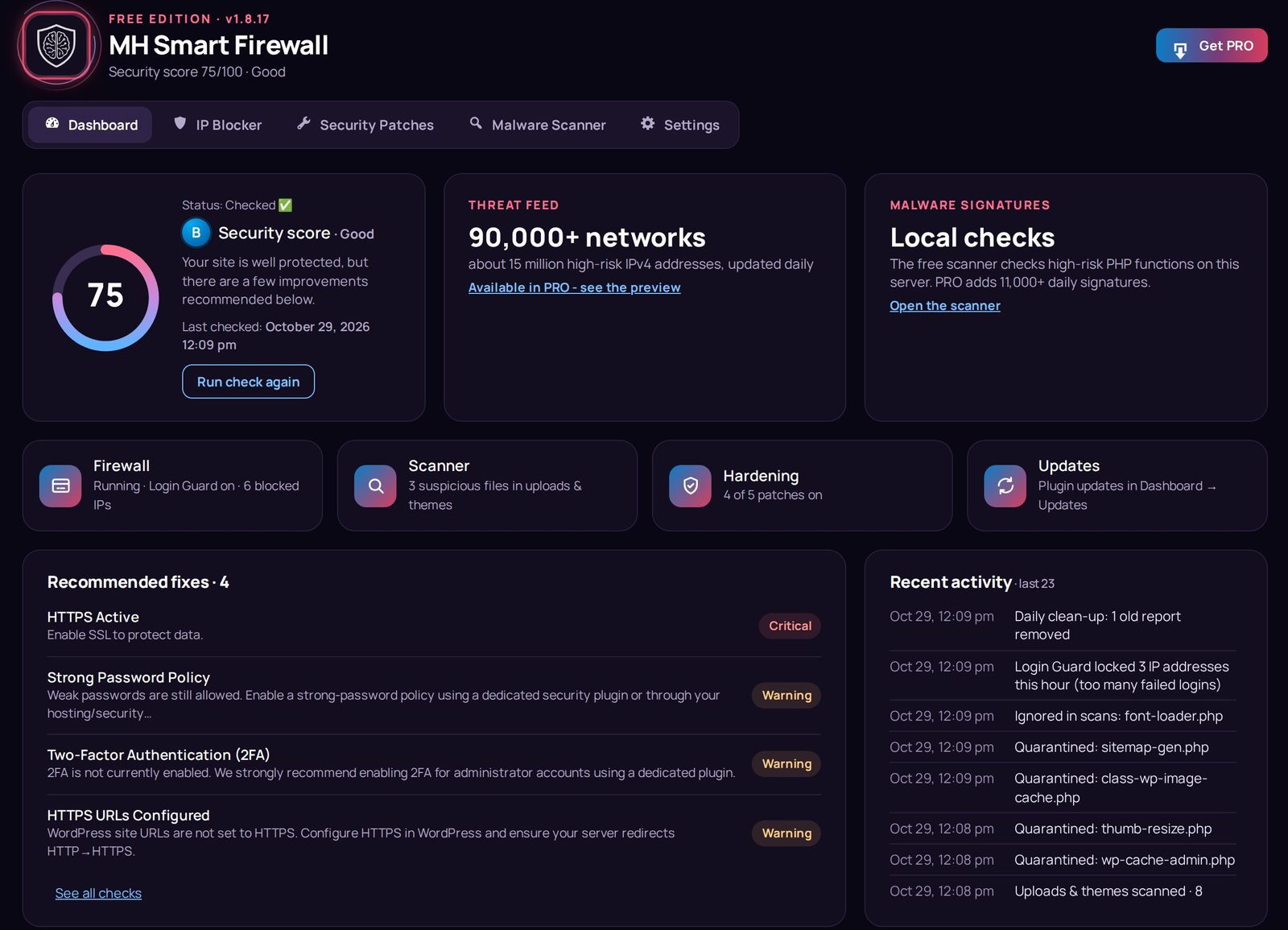
Dashboard – Overall Security Rating, recommended fixes and the Recent activity log at a glance.
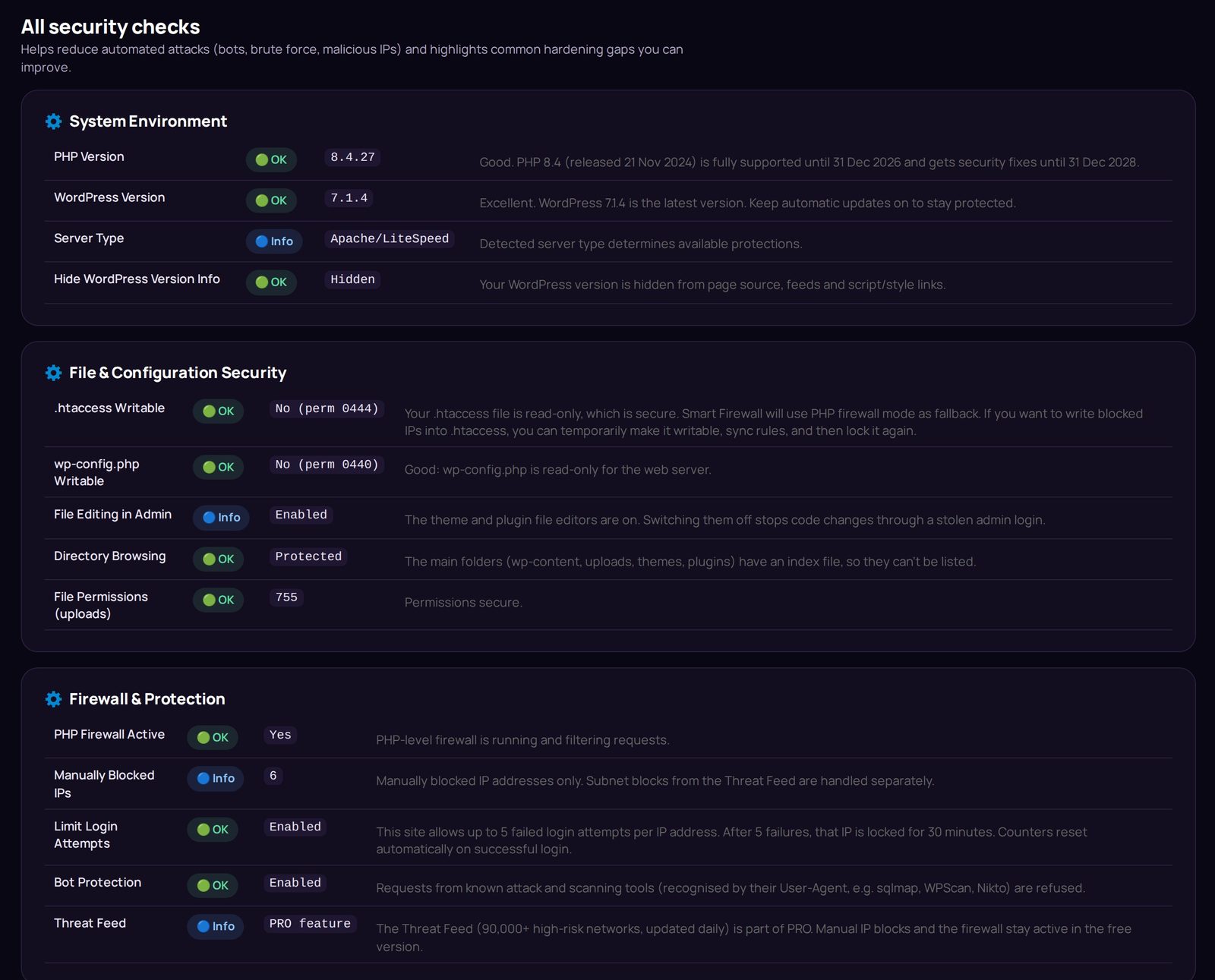
All security checks – every check with a clear OK / Warning / Critical status and what to do.
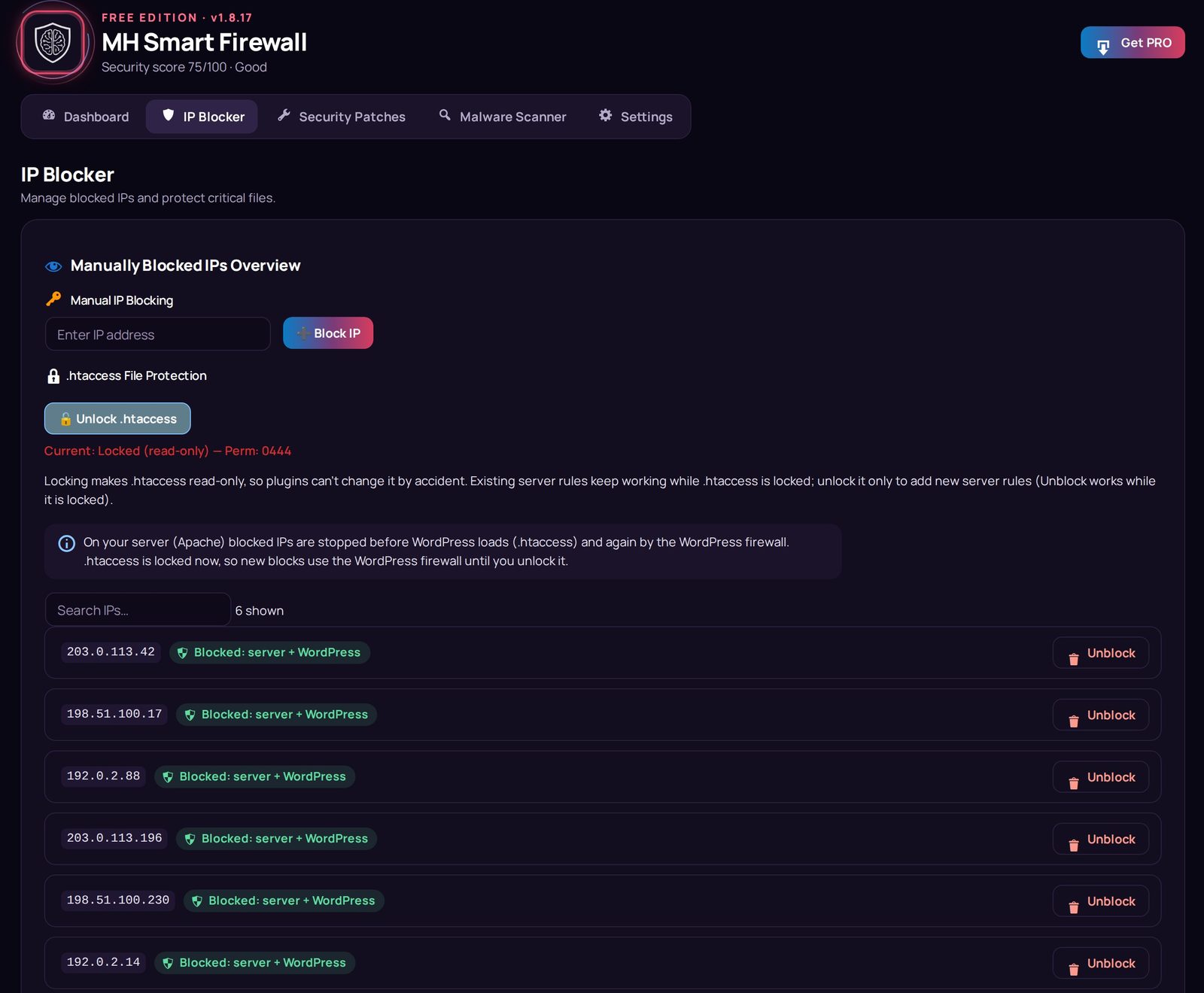
IP Blocker – blocked IPs stopped by the server rule (.htaccess) and the WordPress firewall.

Security Patches – one-click hardening switches with the result shown right under each patch.
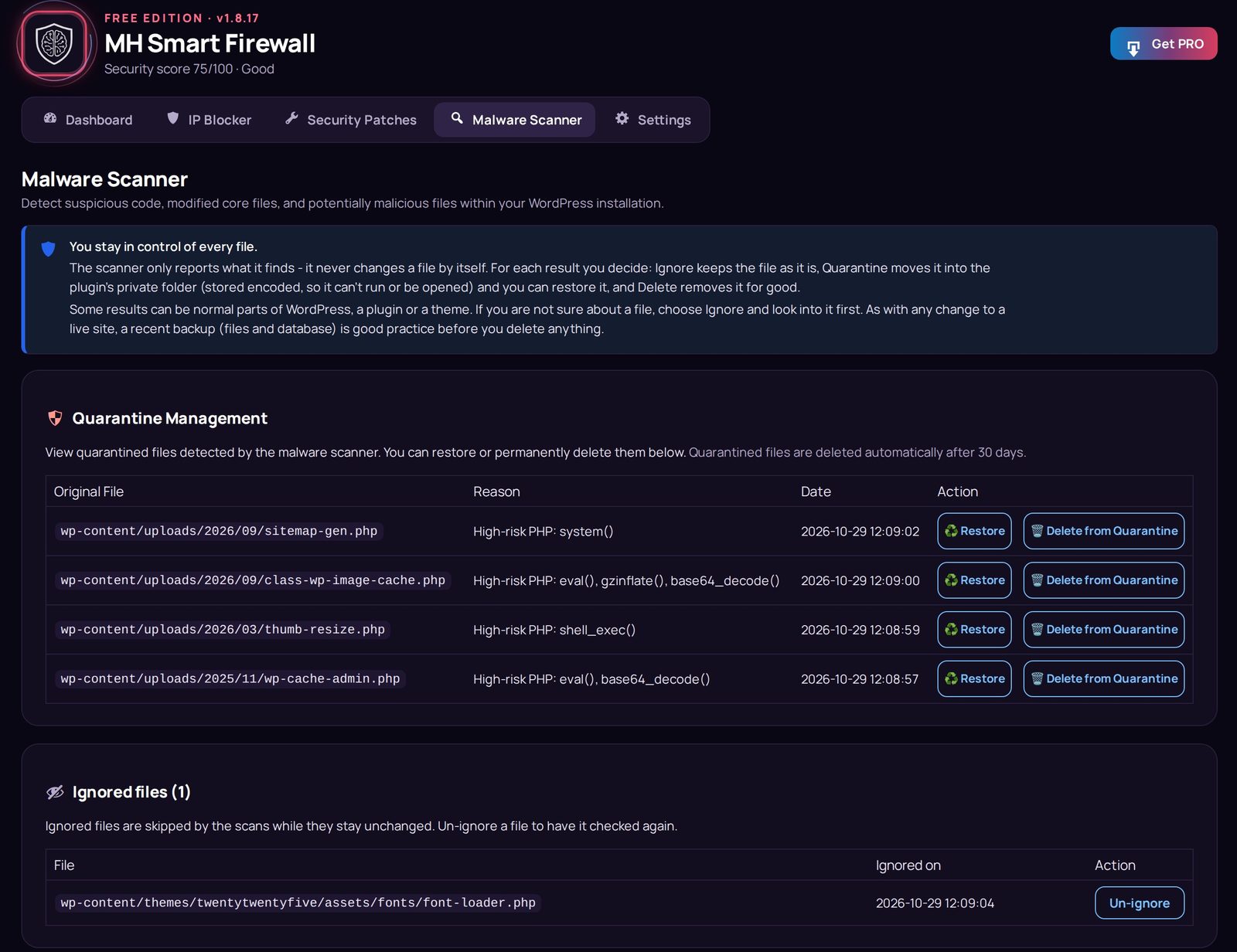
Malware Scanner – quarantined files (stored encoded, so they can't run) and ignored files.

Scans – the Quick File Integrity Check in progress and suspicious files found in uploads and themes.
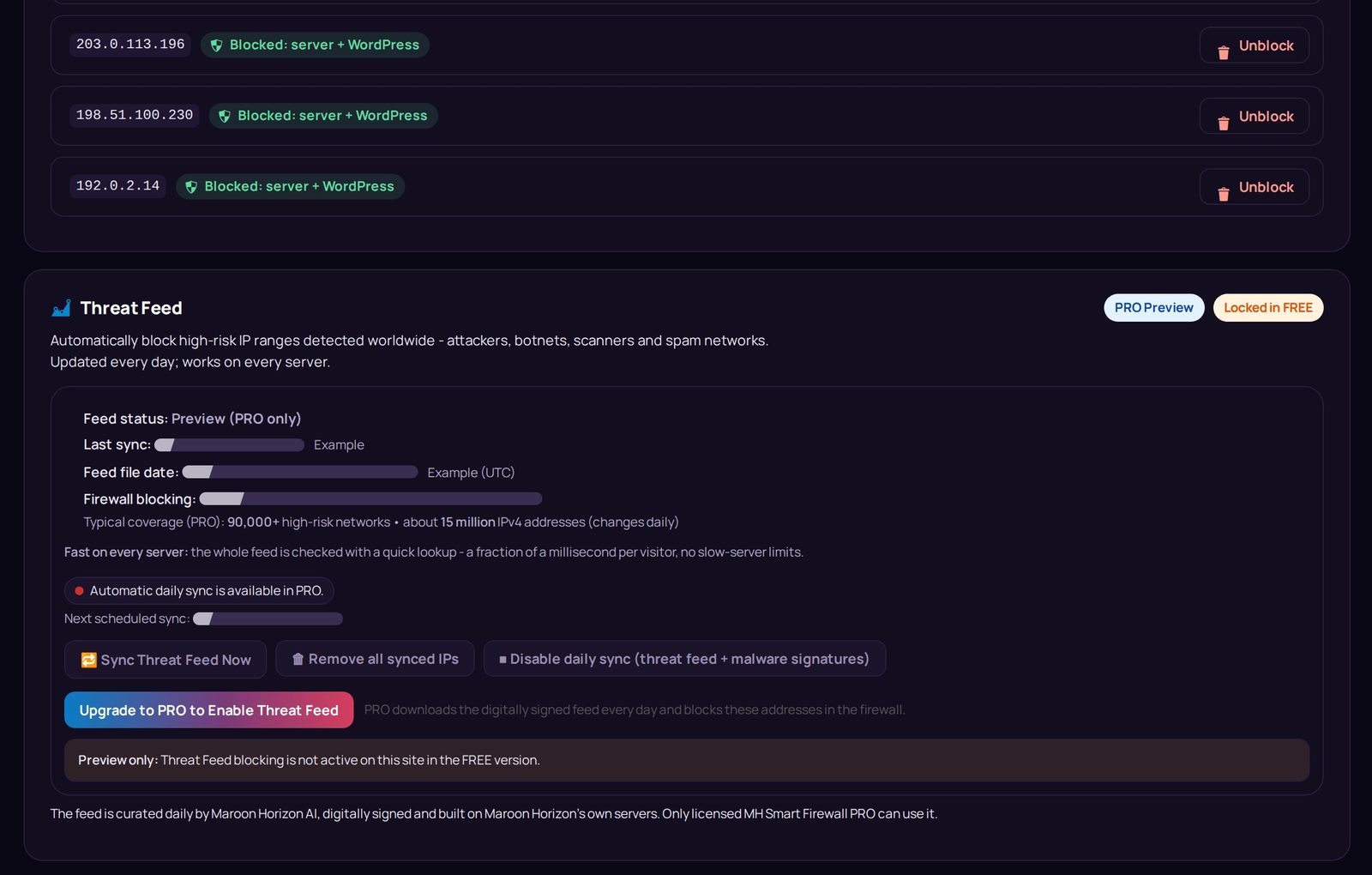
Threat Feed (PRO) – the daily, digitally signed feed of high-risk networks curated by Maroon Horizon AI.
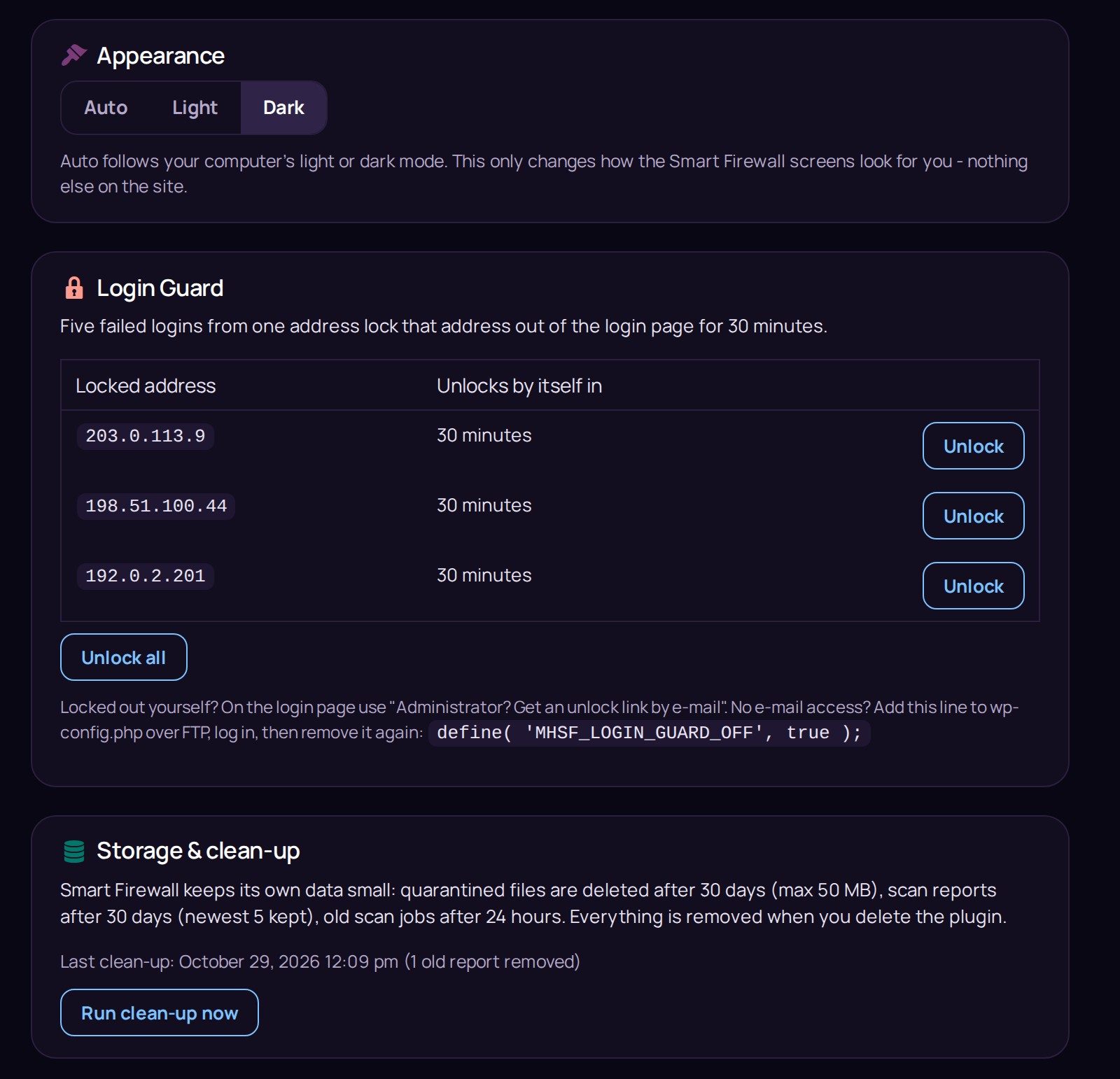
Settings – Login Guard lockouts with one-click unlock, Appearance and automatic Storage & clean-up.