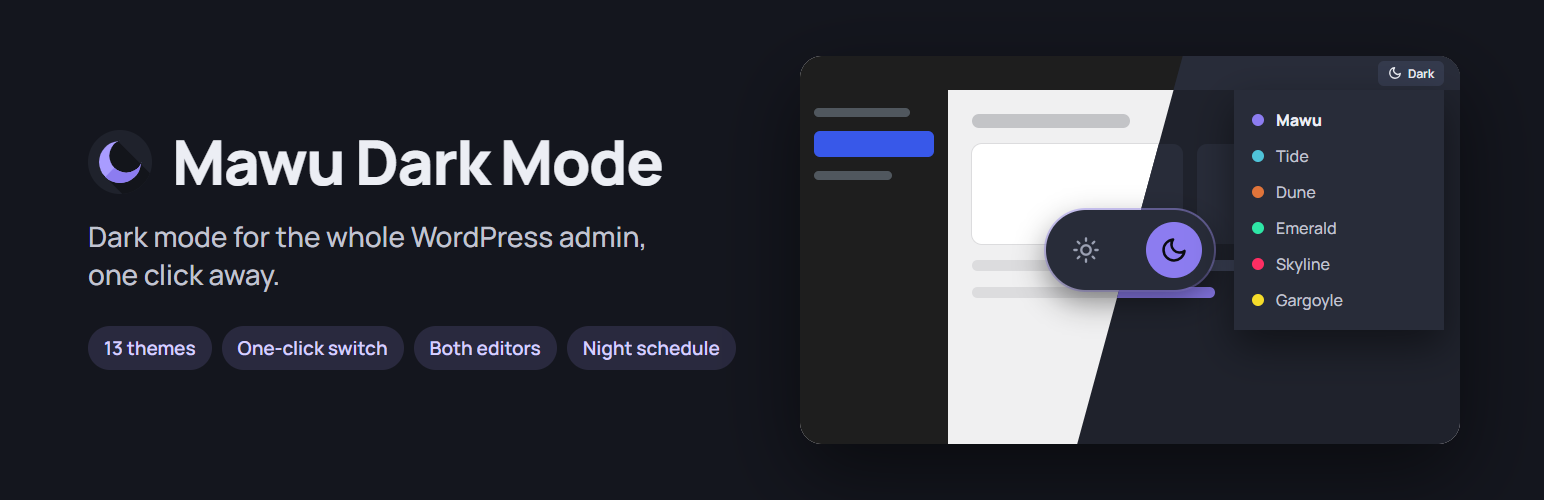
Mawu Dark Mode is a free admin dark mode for WordPress. It darkens the whole wp-admin: the dashboard, the menu and toolbar, the block editor (including the page you write on), the Classic Editor, and other plugins’ settings screens. It needs no account, and nothing is tracked unless you opt in.
Mawu is not a floating toggle. Its 23 themes are real WordPress admin color schemes, listed under Users Profile Admin Color Scheme next to “Default” and “Midnight”. Each person on your site picks their own, so your choice changes nothing for anyone else.
Why Mawu?
WordPress’s built-in color schemes only change the menu and toolbar. The rest of the dashboard stays bright, and so does the block editor’s writing canvas. Mawu covers both:
- The whole dashboard. Mawu reads each element’s real color and adjusts it, the way browser extensions such as Dark Reader do, so other plugins’ pages change too, not just a fixed list of core screens.
- The block editor, inside and out. The toolbar, sidebars, buttons and writing canvas all follow your theme. No separate editor plugin is needed.
- Readable text. Every theme is checked against WCAG AA contrast rules for text, links and buttons.
Features
- 23 themes in six collections: the original Mawu (violet), the Neutral collection (Graphite, grey with WordPress blue; Carbon, plain dark grey with no colour; Slate, blue-grey; Stone, warm grey), the Nature collection (Canopy, Tide, Dune, Ember, Fern), the Hero collection (Emerald, Gargoyle, Skyline, Forge, Onyx, Velocity, Abyss), the Halloween collection (Pumpkin, Haunt, Candle) and the Christmas collection (Pine, Frost, Cranberry).
- Quick switch: a button in the top admin bar turns dark mode on or off from any screen, with no page reload. Hover it to pick another theme, or press Ctrl+Alt+D (you can change or turn off this shortcut). An optional floating button can sit in the corner too.
- Match my device: the admin goes dark when your computer or phone is set to dark, and light again when it isn’t. It changes straight away, with no reload. Free, and set per person.
- Night-time schedule: set your own hours, for example 7pm to 7am, and your admin switches theme by itself, then back to your usual scheme in the morning.
- Block editor: writing canvas, toolbars, sidebars and panels.
- Classic Editor: the TinyMCE toolbar and writing area.
- Login page: an optional themed wp-login.php screen, with its own theme picker.
- Other plugins: their admin pages are adjusted automatically, and plugin authors can use Mawu’s color variables (see the FAQ).
- Settings page: preview any theme in a drawn preview, switch with one click, and see which themes people on your site use. The page itself follows your own theme.
- Dark mode for visitors (optional, off by default): offer the same themes on your public site. Visitors get a switch (floating button, shortcode or block), the site can follow their device setting, and their choice is remembered. Photos are dimmed, never inverted. You can exclude elements or whole pages. “Your site’s colours” makes a dark theme from your own theme’s colours. A live preview shows your changes before you save. Put the switch in any corner, set its size and text, show it on phones or desktops only, hide it on some pages, or add it to a menu.
- Photo brightness: choose how much photos dim in dark mode, from 50% to 100%, and lower their contrast a little if you like. Logos and icons are left alone.
- Dark mode links: add
?mawu=darkor?mawu=lightto any link to your site. The page opens in that mode and remembers it. - Elementor widget: a “Dark mode switch” widget with text, size and alignment, when Elementor is active.
- Your own shortcut: record any key combination for the quick switch, on the settings page or your profile. It never fires while you type, and common browser and editor shortcuts are refused.
- Export and import: copy your Mawu settings to another site in one small file.
- Private and light: no license key, and no data leaves your site unless you opt in (see External services). The dark-mode script is about 10 KB and only loads when dark mode is on.
How dark mode for visitors works
It is off until you turn it on under Mawu More settings Frontend. Mawu first uses your theme’s own color settings (block themes and many popular themes), so the result looks designed, not filtered. For other themes it adjusts each element’s color after the page loads. A tiny script in the page head applies the visitor’s choice before the first paint, so there is no white flash, and it works with page caching because nothing changes on the server.
External services
Dark mode itself runs entirely in your browser and your own WordPress install. Mawu uses the Freemius SDK for Mawu Pro licensing and updates:
Freemius (licensing) — on activation, Freemius shows its own opt-in screen. It asks permission before any data is shared, and you can skip it; skipping does not change how the plugin works. Only if you opt in, Freemius receives your site URL, WordPress, PHP and plugin versions, your admin email and name, plugin events such as activation, deactivation and uninstall, and (if you leave that option on) your list of plugins and themes. It contacts the Freemius API (api.freemius.com) to check license status and deliver Pro updates. See Freemius’s Privacy Policy: https://freemius.com/privacy/ and Terms of Service: https://freemius.com/terms/
Screenshots

The Mawu settings page: preview any of the 23 themes, use one with a click, and see when dark mode turns on.
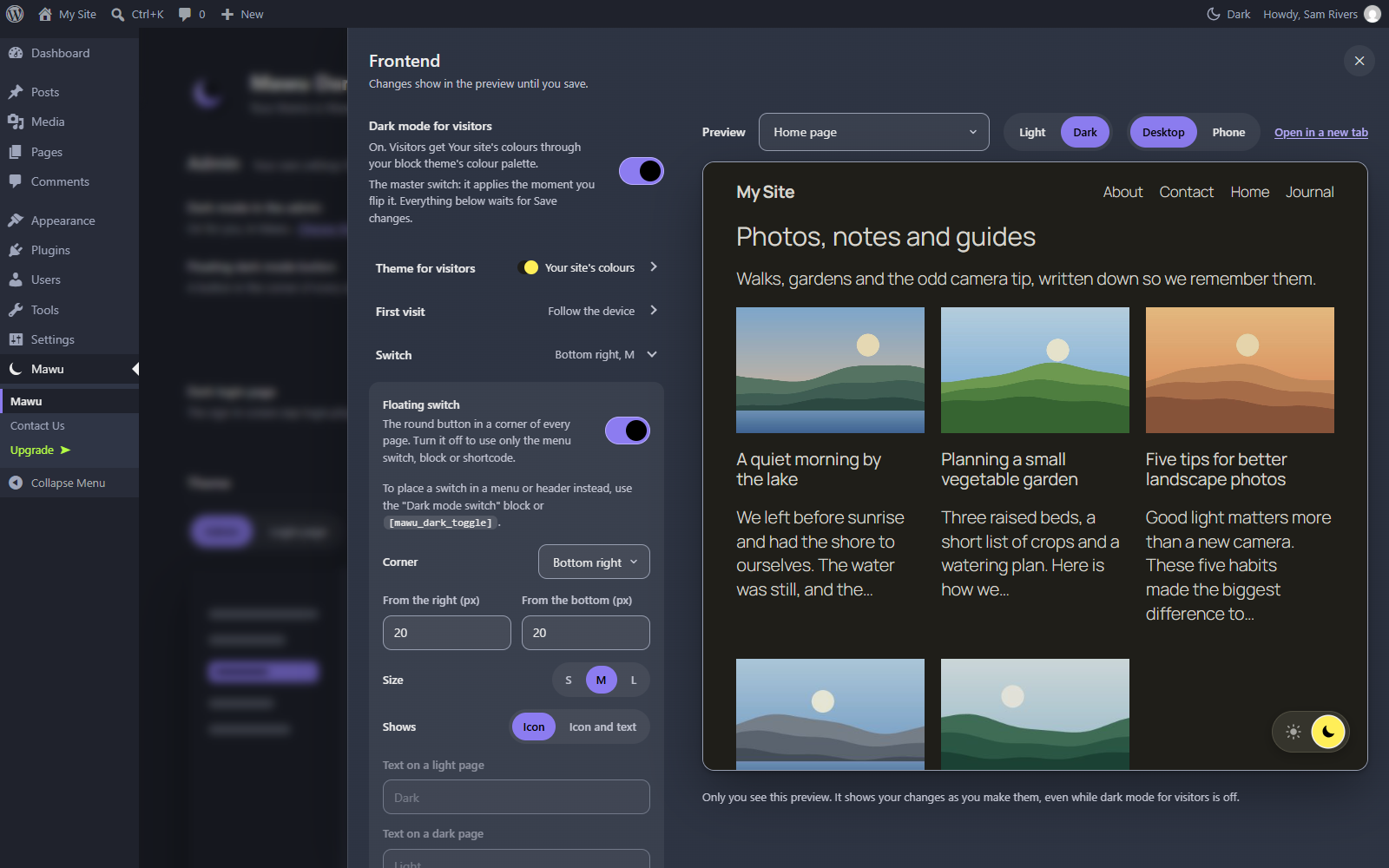
Dark mode for your visitors: a live preview of your site beside the settings, with nothing changed until you save.

Your website in dark mode with the free Sun and moon pair switch. Photos are dimmed, never inverted.

The dashboard in Graphite: grey with WordPress blue.
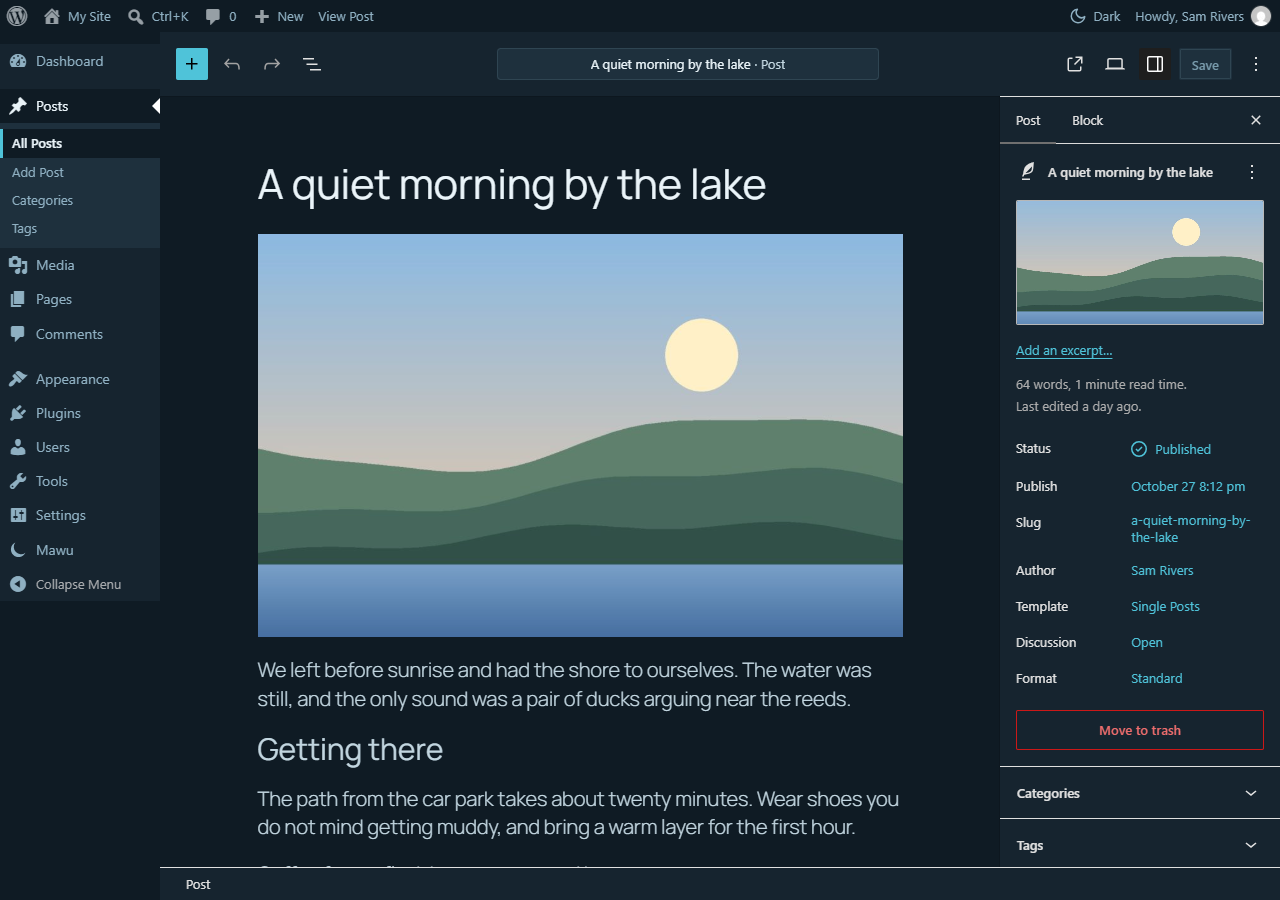
The block editor, including the page you write on.
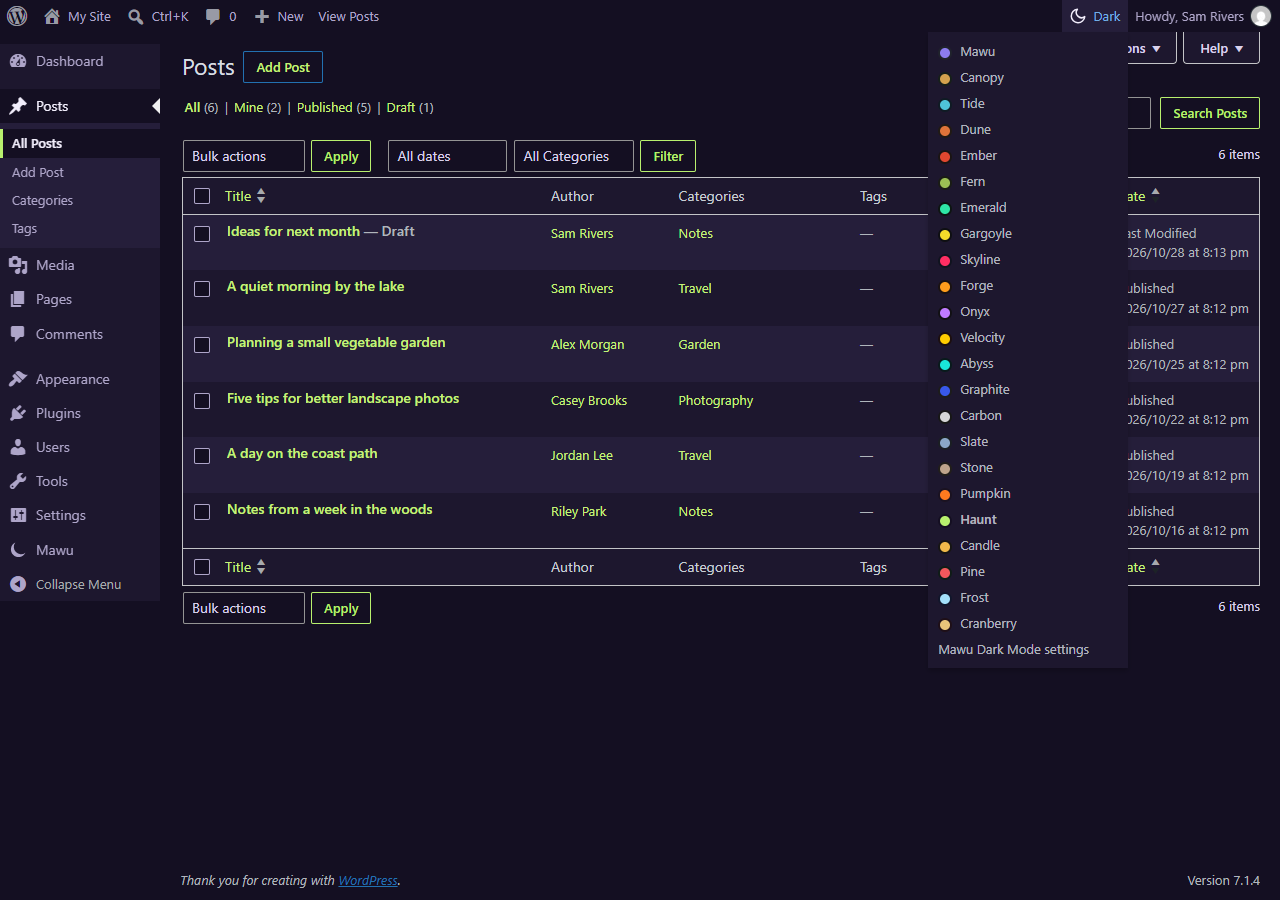
The dark mode button in the top admin bar: one click switches, and the list picks any of the 23 themes.
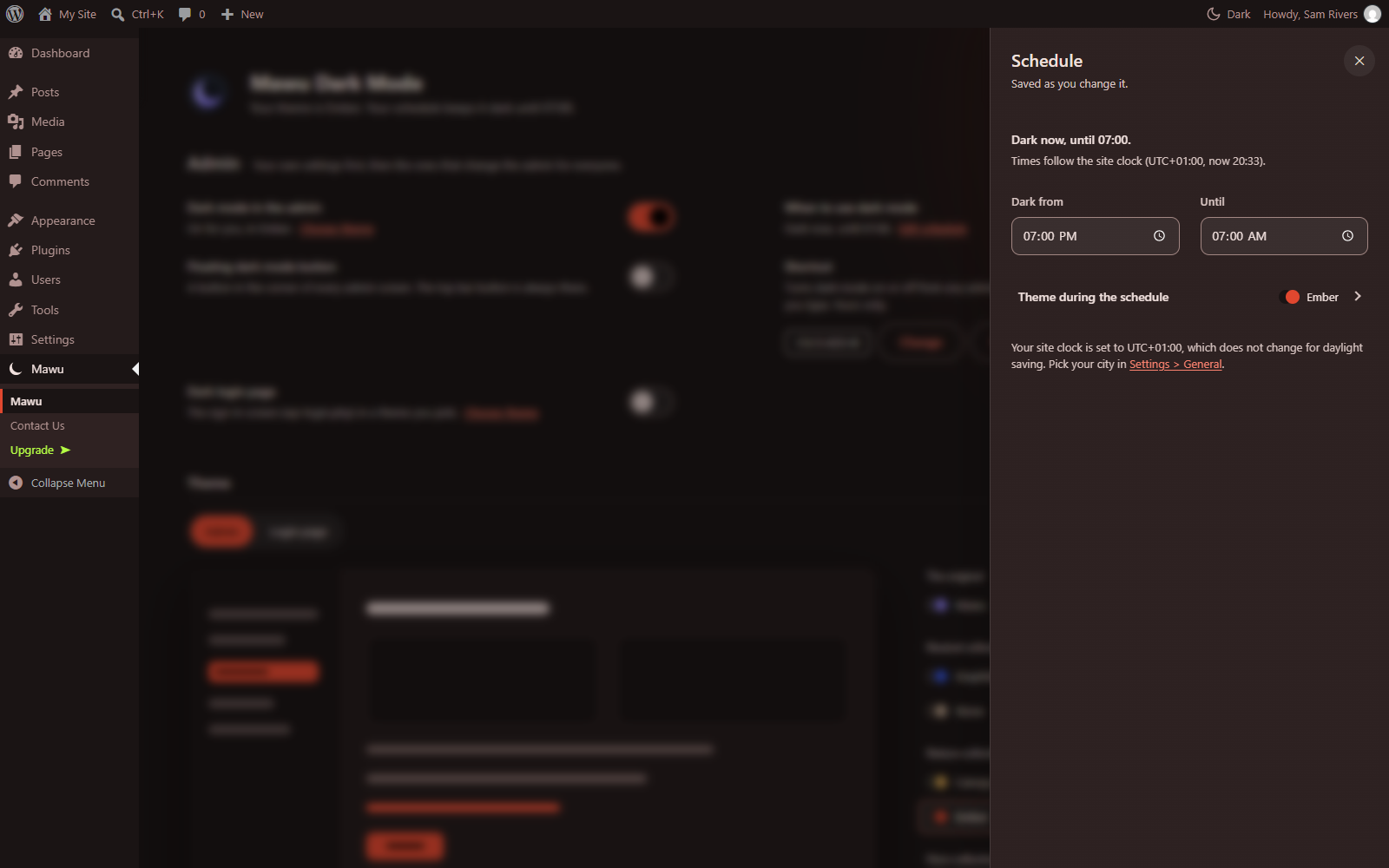
The schedule: set your hours and the theme, and Mawu warns you if your site clock ignores daylight saving.

All 23 Mawu themes in WordPress's own Admin Color Scheme picker.
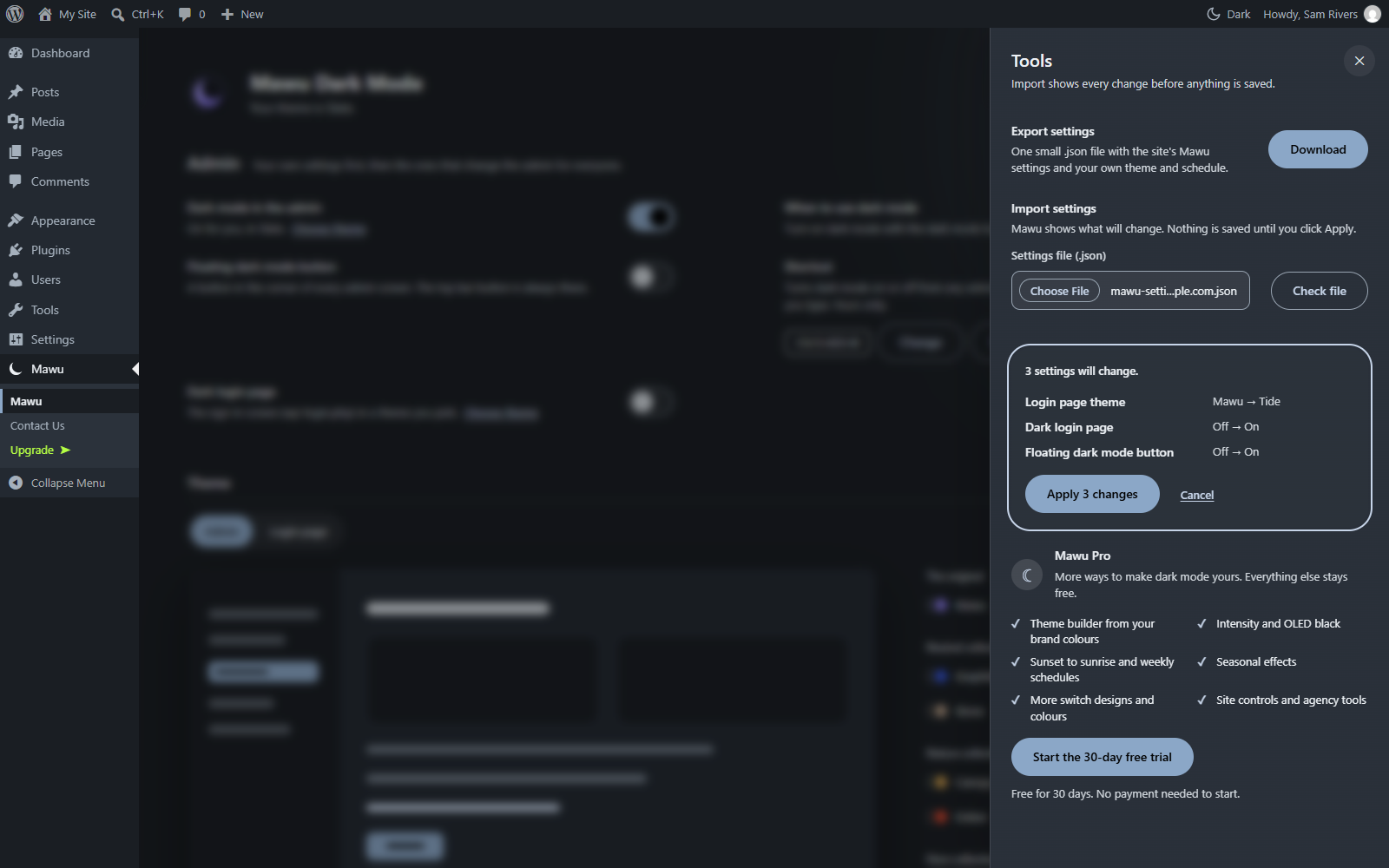
Export your settings and import them on another site, with a preview before anything is saved.