Media Library File Download adds practical file tools to your WordPress Media Library.
Free features
- Download an original file from its attachment details or edit screen.
- Export the complete media library you can manage as a ZIP.
- Replace a file with the same type and extension while preserving its attachment URL.
- Regenerate image sizes when replacing images.
Exports contain original local files, without generated image sizes or attachment metadata. Offloaded files that are unavailable locally cannot be exported. Archive creation requires the PHP ZIP extension and enough temporary disk space and request time for your library.
Pro features
- Download a selection of media files as a ZIP.
- Download directly from Media Library list rows and thumbnail controls.
- Import files selected with Google Picker into WordPress.
- Upload WordPress media to a Google Drive folder you choose.
- Remember your upload folder and review recent transfer results.
- Retry failed transfers and move your uploaded copies to Drive trash.
Google Drive access is limited to files you select and files this app creates. Choosing a folder does not authorize access to its existing contents. Select individual files to import them. Google Docs, Sheets, Slides, and Drawings import as PDFs; other Google-native file types and shortcuts are unsupported. Google export limits and your WordPress upload limits apply. Keep the transfer tab open until completion.
Pro requires a Freemius entitlement, including an eligible trial. Google Drive uses the WP Luna connection service and requires PHP OpenSSL. Each WordPress user clicks Connect Google Drive and signs in to their own Google account. Customers do not need a Google Cloud project or API credentials.
External services
Freemius provides licensing, updates, and optional account services. It communicates with Freemius according to the SDK’s consent and licensing flow. See https://freemius.com/privacy/ and https://freemius.com/terms/.
In Pro, the WP Luna connection service handles Google sign-in and hosts Google Picker. When you connect or select files, your site sends its Freemius installation ID, site URL, a pseudonymous WordPress user identifier, and a signed request to WP Luna. The service verifies Pro entitlement with Freemius and stores encrypted Google authorization per site and WordPress user. Pending connection and selection requests expire after 10 minutes; unused connections expire after 90 days. Disconnect removes the stored connection. No Google client secret or refresh token is distributed with the plugin.
The service returns a short-lived Google access token to WordPress and selected file IDs and names from Picker. File contents transfer directly between WordPress and Google Drive. Imports request selected Drive files and metadata; uploads send chosen WordPress file contents, names, and destination IDs. The plugin stores an encrypted connection per WordPress user, a selected folder, and up to 50 recent transfer records. The free package does not load the Google integration. Google policies: https://policies.google.com/privacy and https://policies.google.com/terms.
Screenshots
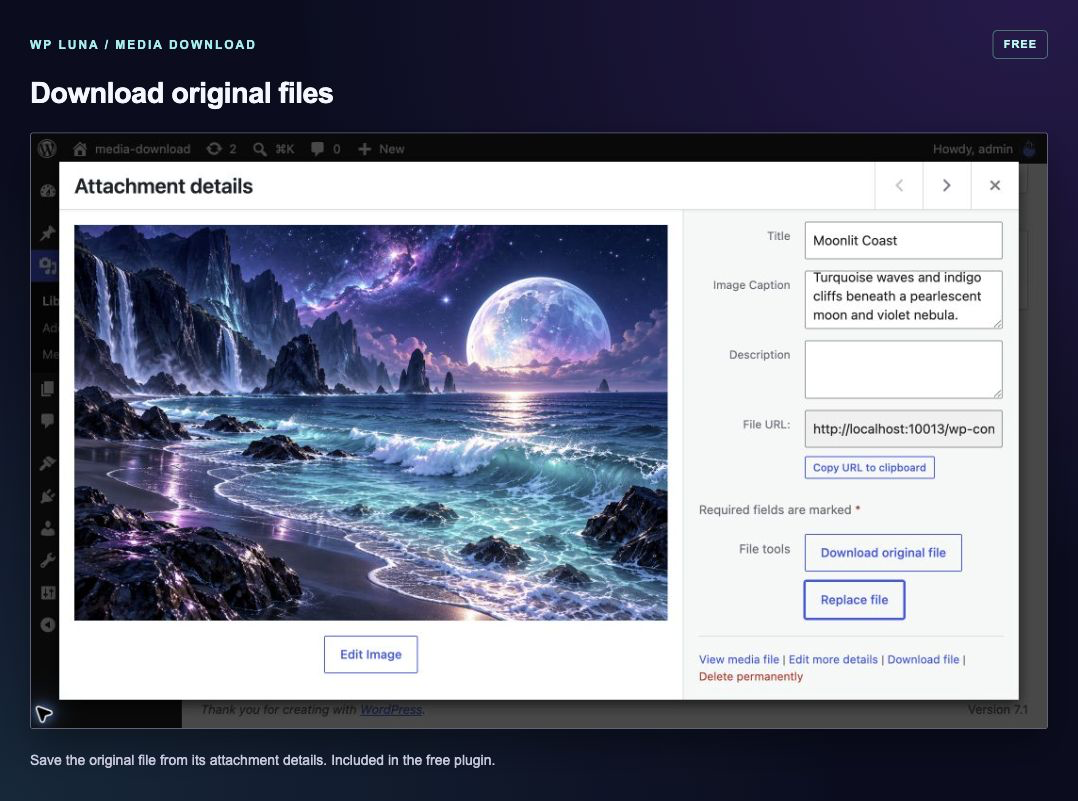
Free: download the original file from its attachment details.
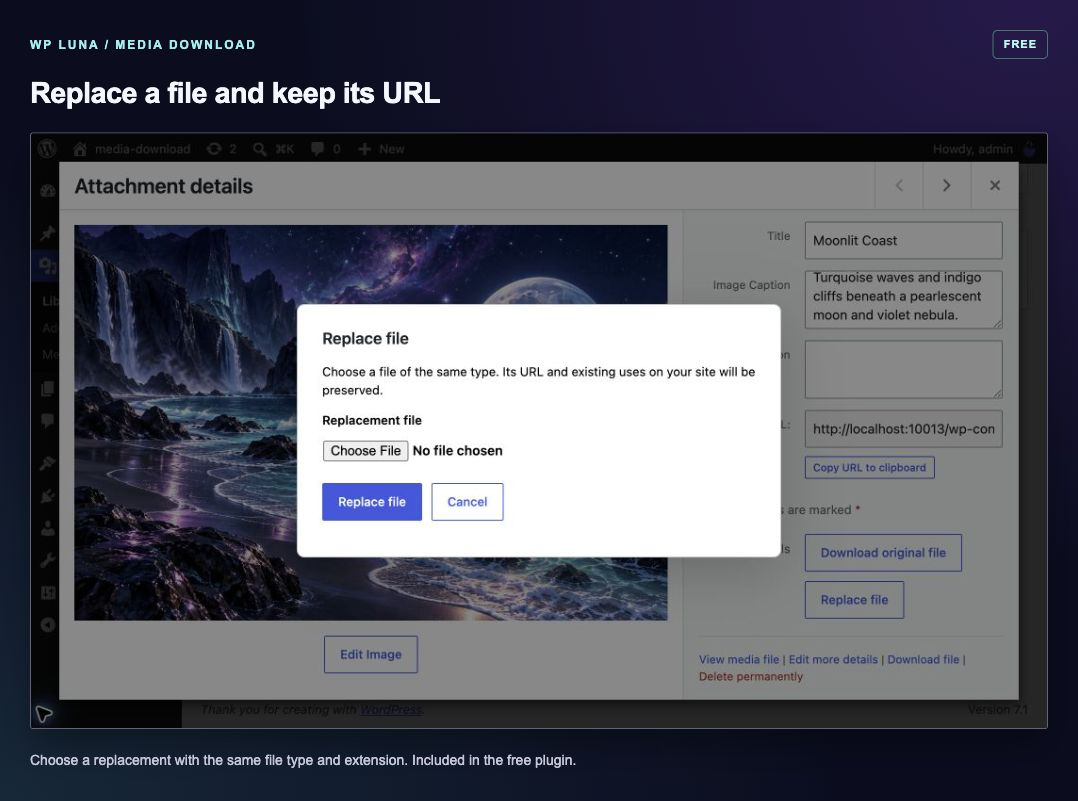
Free: replace a file with the same type and extension while keeping its URL.
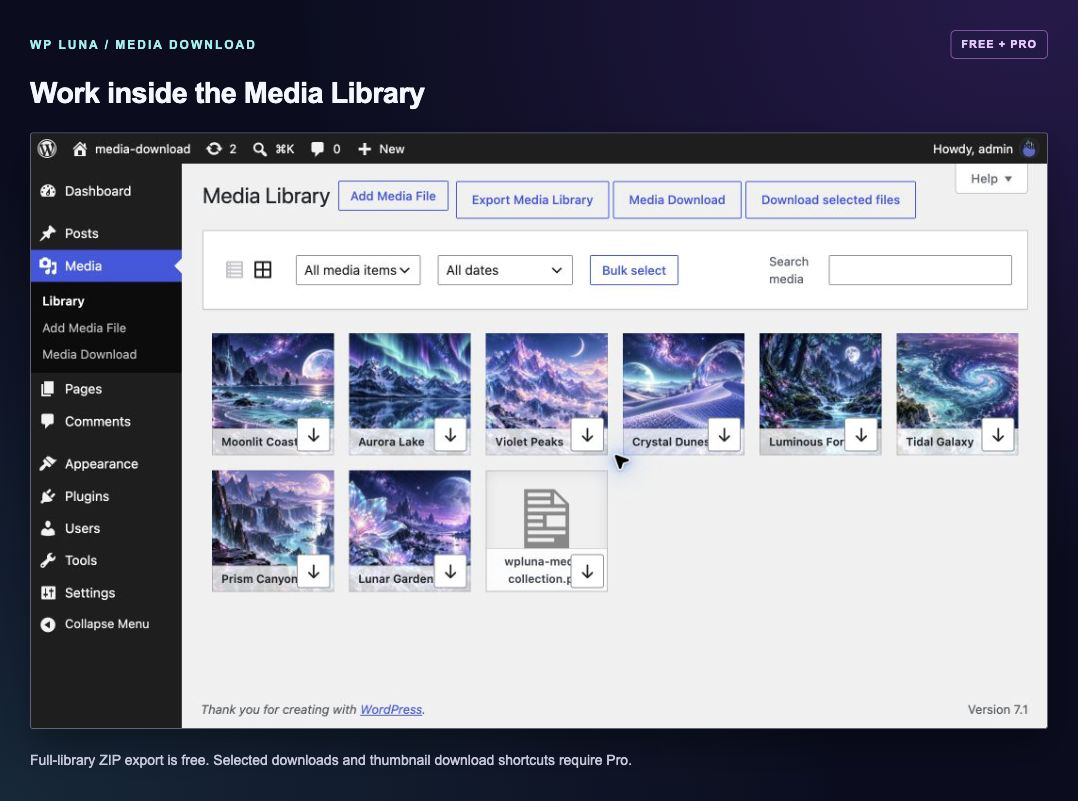
Media Library tools: full-library ZIP export is free; selected downloads and thumbnail shortcuts require Pro.
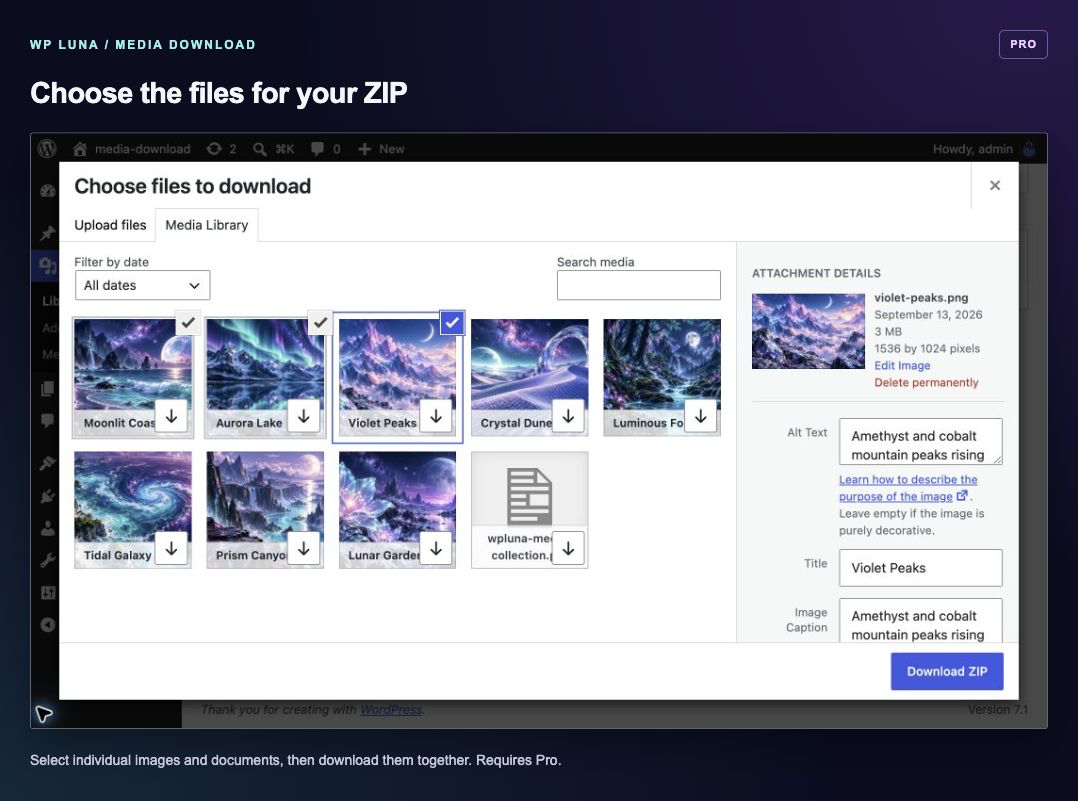
Pro: choose individual files to download together as a ZIP.
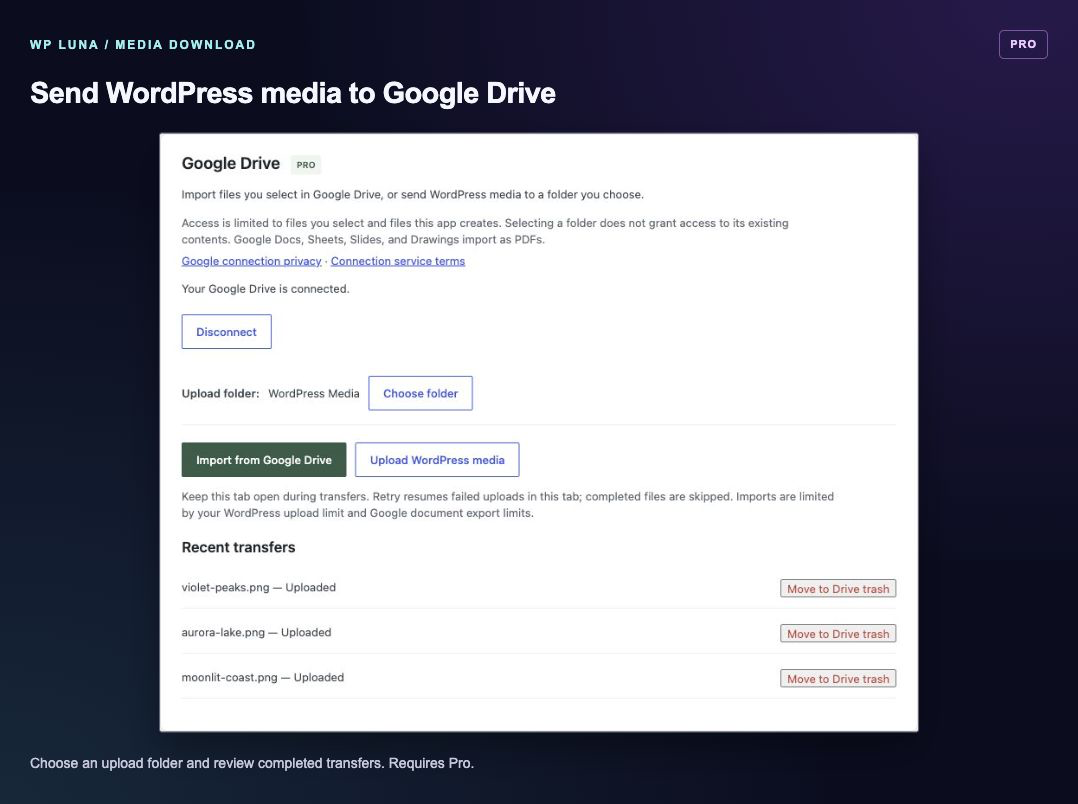
Pro: upload WordPress media to your chosen Google Drive folder and review transfers.
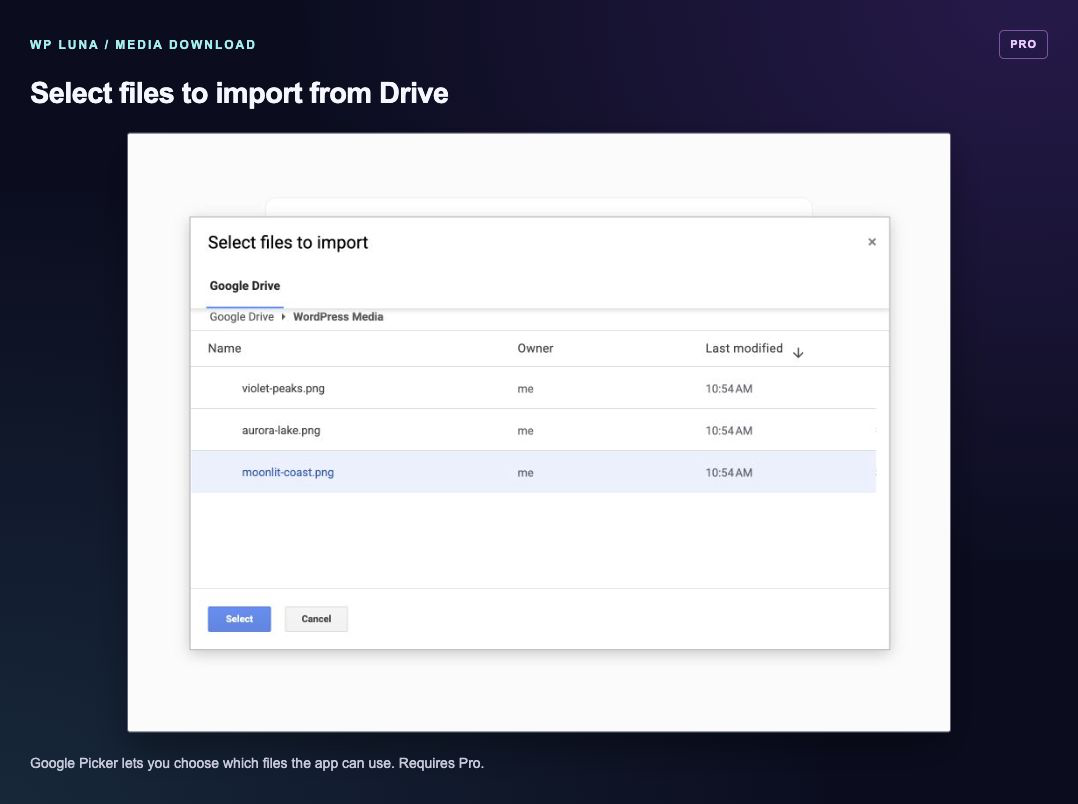
Pro: select individual Google Drive files to import with Google Picker.