
Media File Renamer is the smart, AI-powered solution for renaming your WordPress media files. It automatically gives your media files and their metadata (Title, ALT Text, Description) clean, SEO-friendly names. Whether you’re uploading new files or updating your entire media library, this plugin makes it easy.
It’s the perfect companion to SEO Engine for a complete SEO workflow! Explore our official site to get started.
Key Features
🤖 AI-Powered Renaming
Use AI Vision to analyze your images and generate meaningful filenames automatically. Smart suggestions help you pick the best name every time.
📁 Bulk Operations
Rename your entire media library at once, or work through files one by one. Filter by status (Pending, Renamed, Locked) to stay organized.
🔄 Metadata Sync
Automatically update Title, ALT Text, Caption, and Description after renaming. Keep everything consistent without the manual work.
🔒 Lock System
Lock files to prevent accidental renaming. Auto-lock after manual or automatic renames for extra safety.
Compatibility
Media File Renamer is compatible with a wide range of WordPress features and plugins, including support for Retina and WebP images, re-scaled images from WP 5.3 onwards, PDF Thumbnails, UTF8 files, and optimized images. It handles various encoding types, ensuring your media library is always organized. Some page builders like Avia Layout Builder may limit renaming due to encryption.
Pro Version
In the Pro Version, you’ll find many exciting features, like AI Vision and Suggestions for smart renaming, and anonymize your files for extra privacy. Easily move files across directories in bulk, sync metadata such as ALT texts and titles, and even number your files for better organization.
Important
Renaming or moving files can be risky, so it’s vital to take precautions and make a backup before using Media File Renamer. Start by renaming files individually to ensure page references update correctly, as some plugins might interfere with the process. If issues arise post-renaming, try clearing your cache to fix outdated references. Still facing problems? Use the Undo feature to revert filenames. For further assistance, visit our support page.
A Simpler Plugin
If you only need a simple field to modify the filename, you can also try Phoenix Media Rename. It’s simpler, and just does that. Yes, we are friends!
Screenshots

Files with meaningless camera names get a clean name built from their title: hover Auto to preview it.

Rename one file or all of them in one click, and undo any rename if you change your mind.
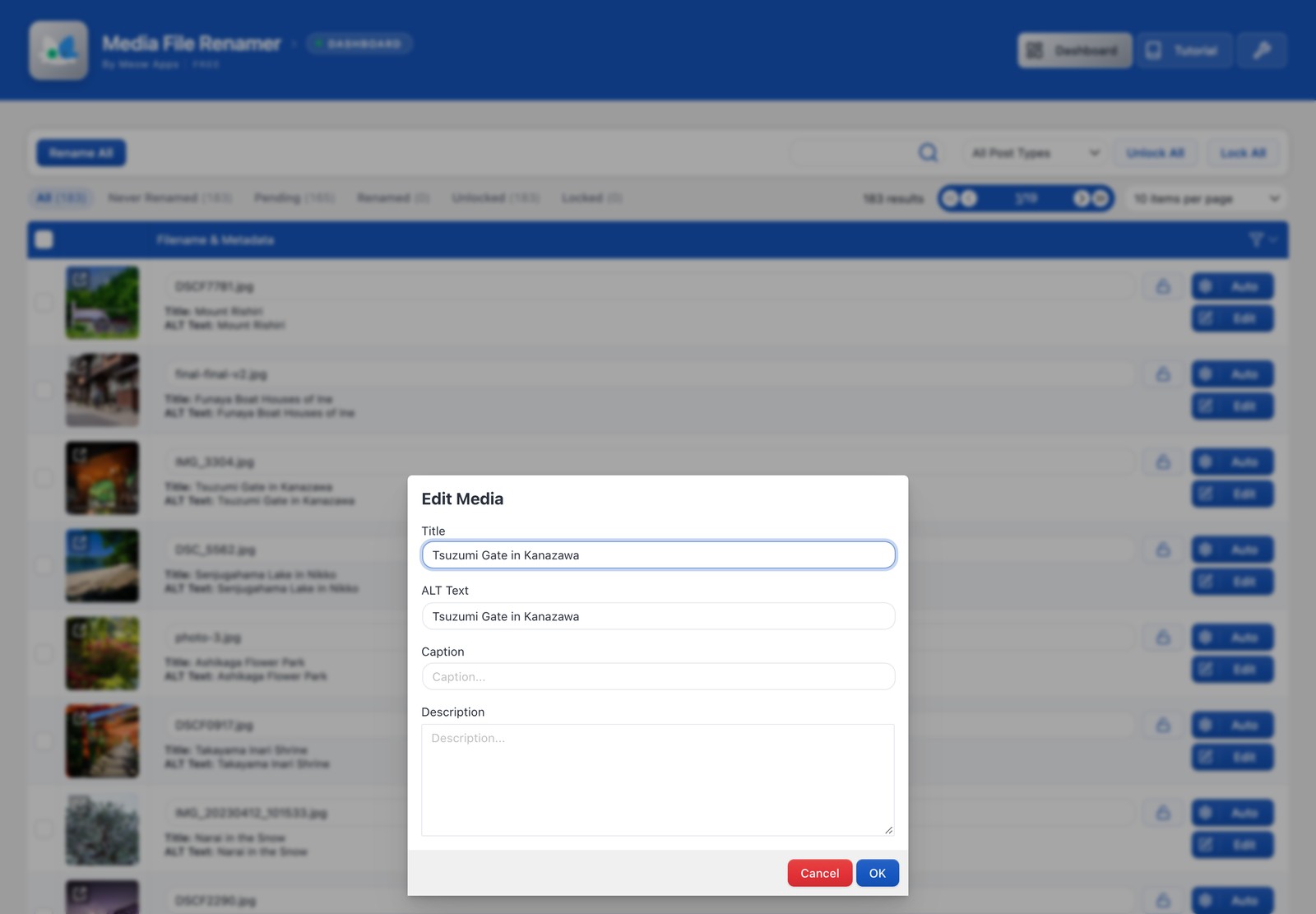
Edit the title, alt text, caption and description of any file without leaving the list.