
This plugin is all you need to turn your restaurant website into an online business. Using a simple and friendly interface you get a restaurant menu, online food ordering and restaurant booking system. All free, no fees, no hidden costs, no commissions – for unlimited food orders and restaurant reservations.
It is super easy to set up and there’s no coding required. Just follow the wizard, insert the food menu and publish the ordering button. You’ll be ready for the first food order within minutes.
Restaurant menu
- Visual, drag & drop online menu editor
- Support for uploading own images, plus a generous collection of food images available to use
- Customizable food menu items: sizes, choices and add-ons with multiple select
- Suitable for any type of cuisine, including complex pizza or burger menus
- With support for promotions
- Responsive design
Online food ordering for takeaway / food delivery
- User friendly, single page checkout
- Data auto-fill for returning customers
- Restaurant app for receiving orders (Android / iOS)
- Real time confirmation of the order and fulfilment time
- Different opening hours for pick-up and delivery
- Multiple delivery zones with different minimum order value / delivery fee
- Order for later with scheduled fulfilment
- Cash, online payments (premium feature) and other payment options
- Support for tips (for online payments)
Restaurant booking system
- Simple restaurant reservation form
- Receive and confirm table reservations from the restaurant app (Android / iOS)
- Order food ahead for dining in
The online food ordering system also includes
- Alerts when the ordering app is not reachable and follow ups call when the restaurant staff is not taking the orders
- Restaurant ordering stats, website analytics, delivery heatmap, exports of clients and orders
- Promotions engine: 11 templates, coupons support, customers segmentation and targeting
- Multi-location support
See how our online ordering system works:
Further Reading
For more info, check out the following links:
- The official plugin page
- The GloriaFood website
- Reviews from restaurant owners
- GloriaFood on Facebook, Twitter and YouTube
How to install and activate the plugin
Please see our step by step instructions guide on how to install and use this plugin.
From within WordPress
- Go to
Plugins > Add New - Search by Author for GloriaFood
- Activate the plugin from the Plugins page
Manually
- Upload the
restaurant-systemfolder to the/wp-content/plugins/directory - Activate the plugin from your Plugins page
How to set up your restaurant account
- Look for
Menu - Ordering - Reservationsin your WordPress menu - Create a restaurant account
- Go to
Dashboardand set up the restaurant profile - Insert the food menu
- Use the shortcodes to publish the ordering and table reservation buttons on your website
- Use the menu shortcode to publish your online menu on any page of your website
- You can start taking online orders and table reservations!
Screenshots
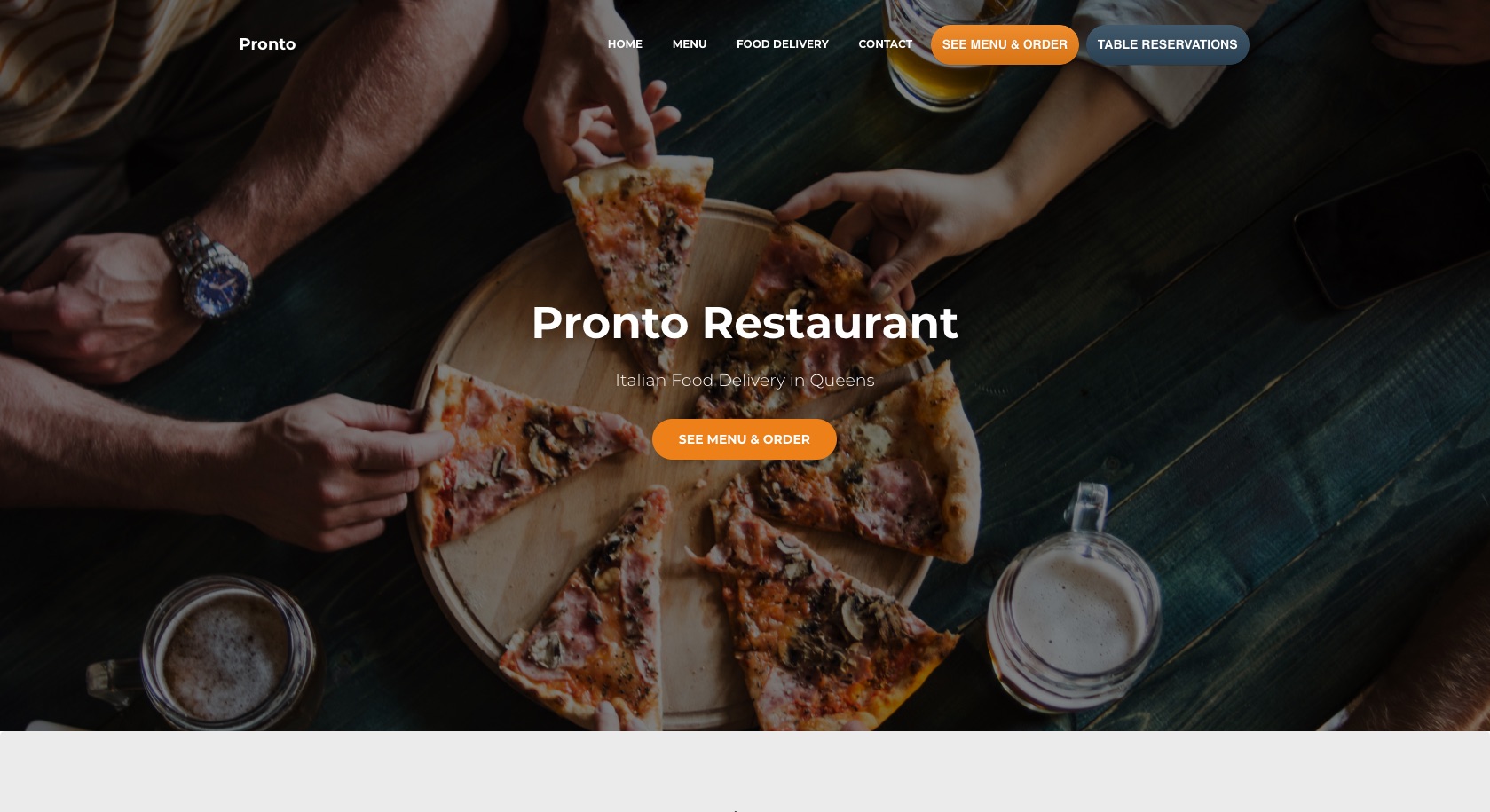
Example of website using this plugin
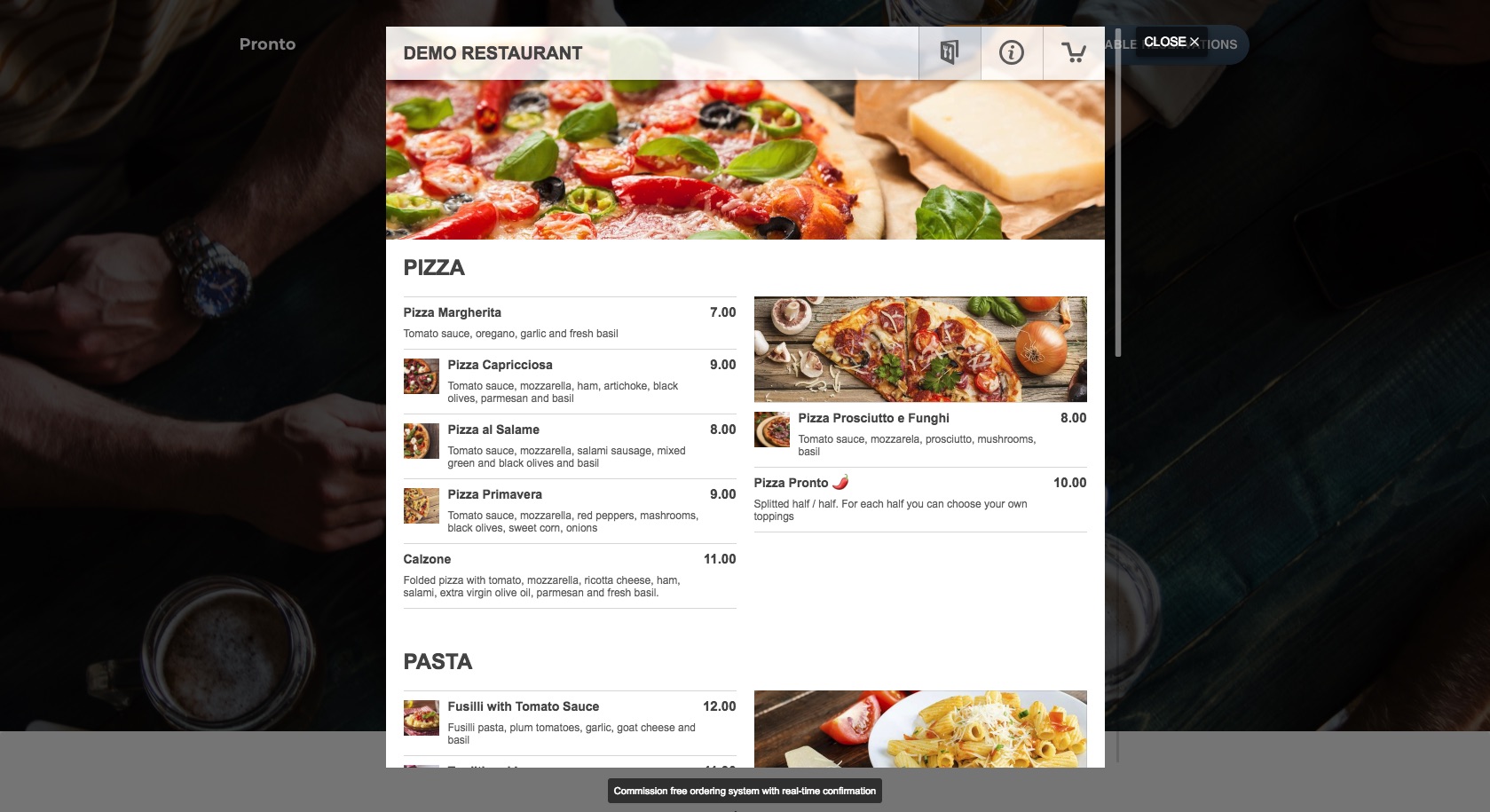
Example of the ordering widget on a live website
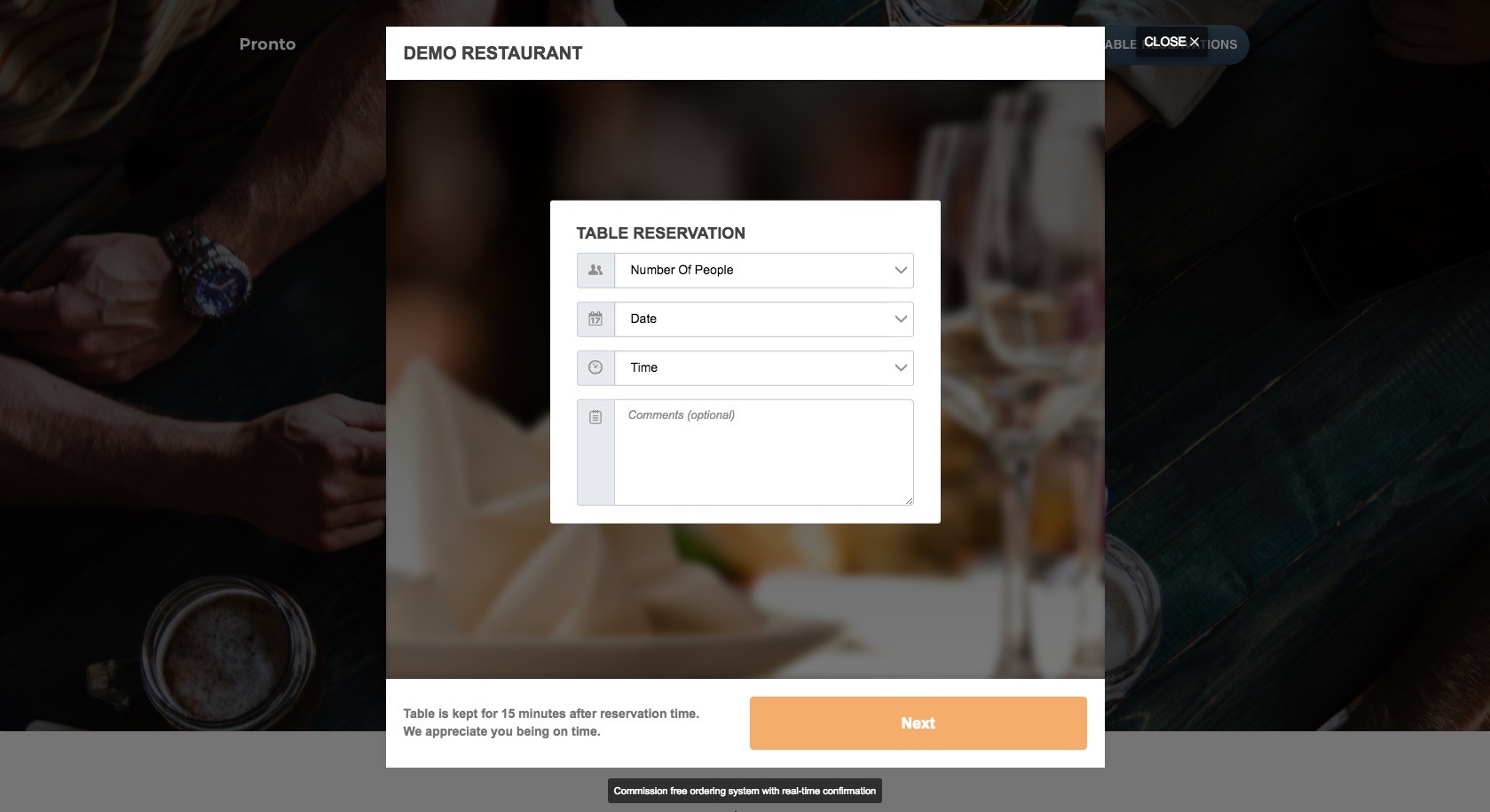
Example of the table reservation widget on a live website
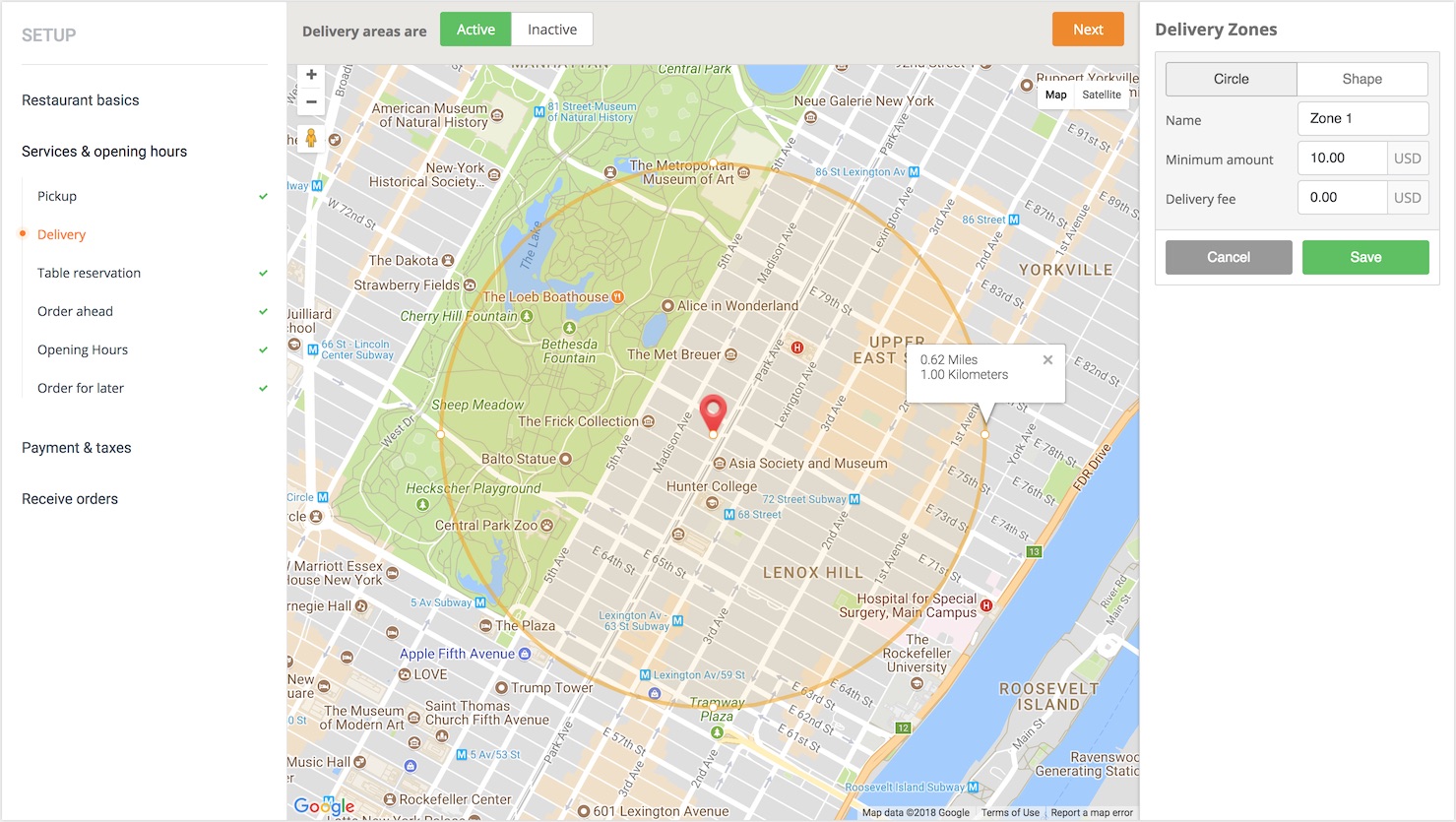
The restaurant setup - adding delivery areas

The restaurant setup - selecting the cuisines

The restaurant setup - table reservations

Easy installation of the restaurant app

The restaurant menu editor
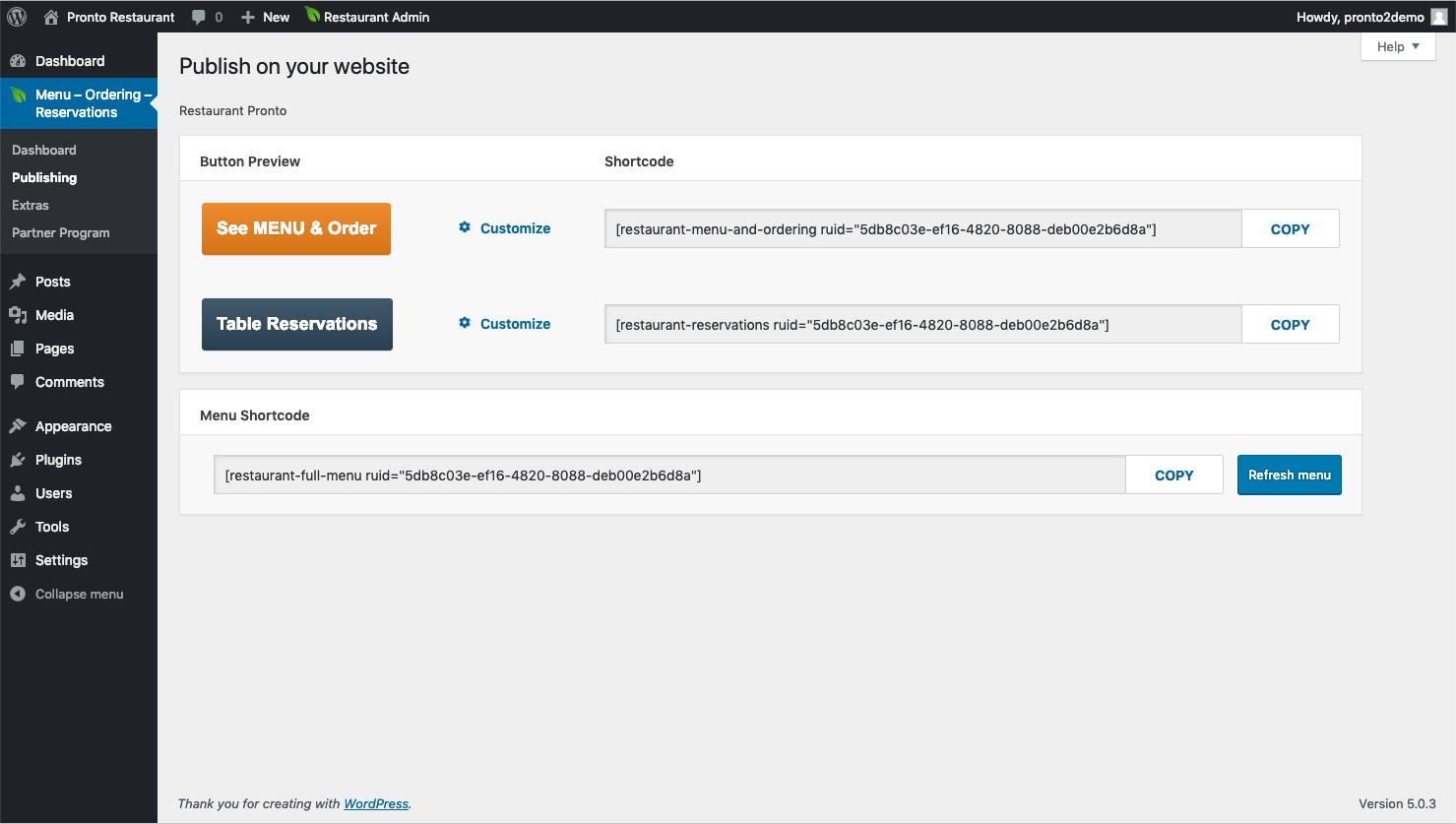
Shortcodes for publishing the buttons and food menu