
Two products with the same SKU throw off stock levels, integrations and every export file your store
produces. Two products with the same GTIN tell a shopping service they are the same item, so one of
them quietly disappears from search. A product with no identifier at all usually drops out of the
feed altogether.
None of this breaks your store, which is why it goes unnoticed for years. Nothing in the WooCommerce
admin points at any of it.
This plugin checks three things and nothing else:
- Two products share the same SKU. Translations of one product are not counted as a duplicate —
a multilingual store gives every translation the same code on purpose, and reporting that pair
would be a false alarm. We read the translation groups of Polylang and WPML. - Product with no GTIN, UPC, EAN or ISBN. Stays quiet in shops that do not use identifiers at
all: if not one product has the field filled, you get a single sentence saying so instead of a
list of your entire catalogue. Handmade goods, services and your own production carry no
manufacturer’s barcode and need none. - Two products share the same identifier.
When WooCommerce says “Invalid or duplicated SKU”
WooCommerce refuses an SKU or GTIN that another product or variation already has, but its message
does not say which one. This plugin adds one line under the message with the product that holds
the code and a link to edit it. Codes from elsewhere, for example from the product import log, can
be pasted on the plugin screen under Who has this code?.
It also finds the holders that the product search does not show: a variation whose product no
longer exists, a placeholder left by an import that did not finish, and an out-of-date row in the
WooCommerce product lookup table.
What it does not do
It never writes to your catalogue. There is no “Fix it” button, and there will not be one: a
bulk change to product data is not something a report should do on your behalf. Every finding shows
the value that was read, so you can check the claim before you act on it.
It reads no order data, which makes the scan far cheaper than a full audit. The scan still runs
in a single request, so on a very large catalogue it can run into your host’s time limit — the
screen says so when that becomes likely, and the WP-CLI command has no such limit.
Evidence, not adjectives
Every finding shows the field that was read and the value found, with a link straight to the product
in your admin. A rule that could not run says so by name — on WooCommerce older than 9.2 the
identifier field does not exist at all, and the report says that rather than reporting every product
as faulty.
A small part of Merchlint
These three checks come from Merchlint, a free audit of
the whole WooCommerce catalogue from the same author. Besides SKUs and identifiers it finds products
that sold in the past year and can no longer be bought, products with no price or no photo, sale
prices that should have ended and images with no alt text, each with the money at stake. This
plugin carries its own copy of the scanning engine with its own class names, so both can run side
by side.
Screenshots
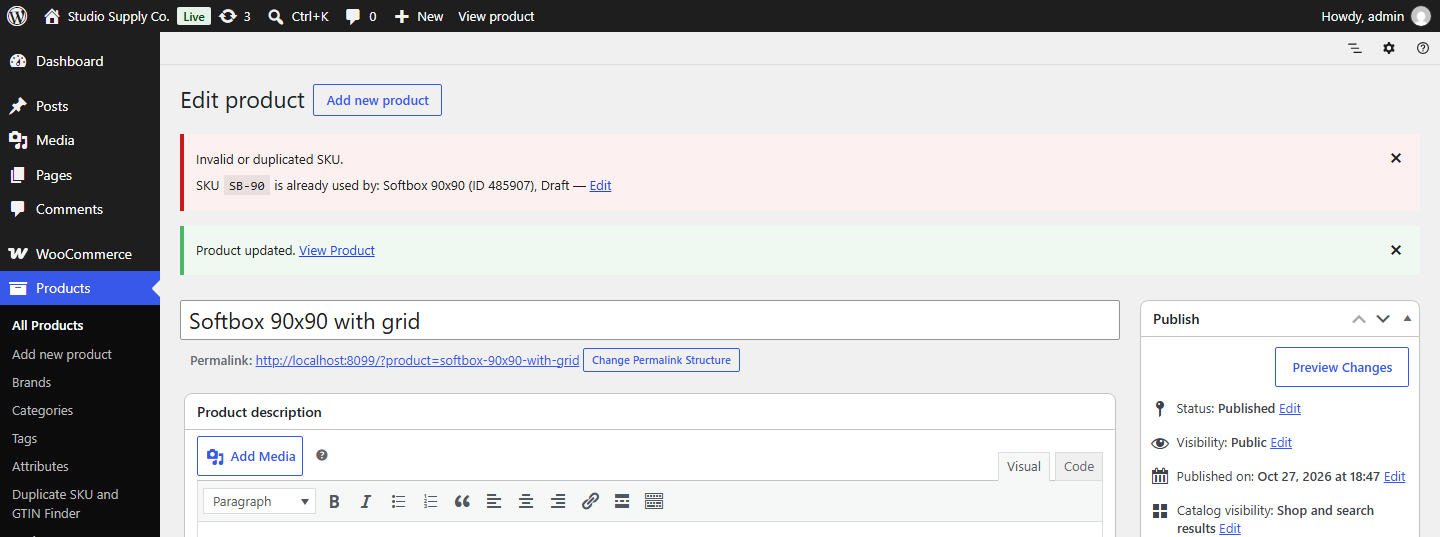
Saving a product with an SKU that is already taken: under the WooCommerce message, a line names the product that holds the code - here a forgotten draft - with a link to edit it.
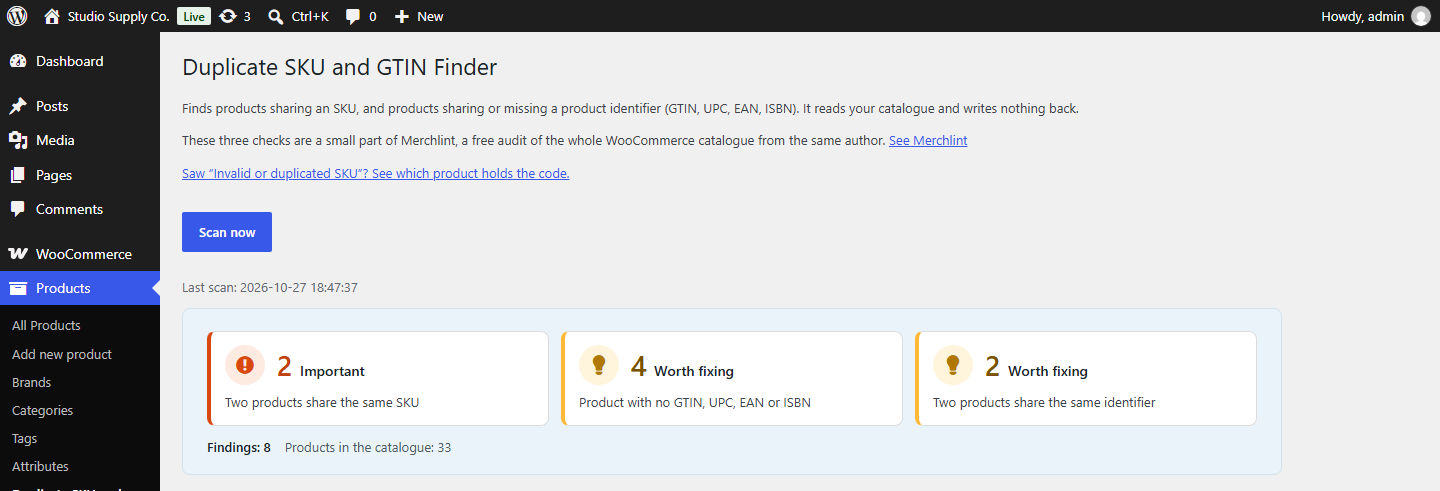
The summary at the top of the results: one tile per check with the number of products it found, in the colour and word of what that number means - Important, Worth fixing, Clean or Not checked.
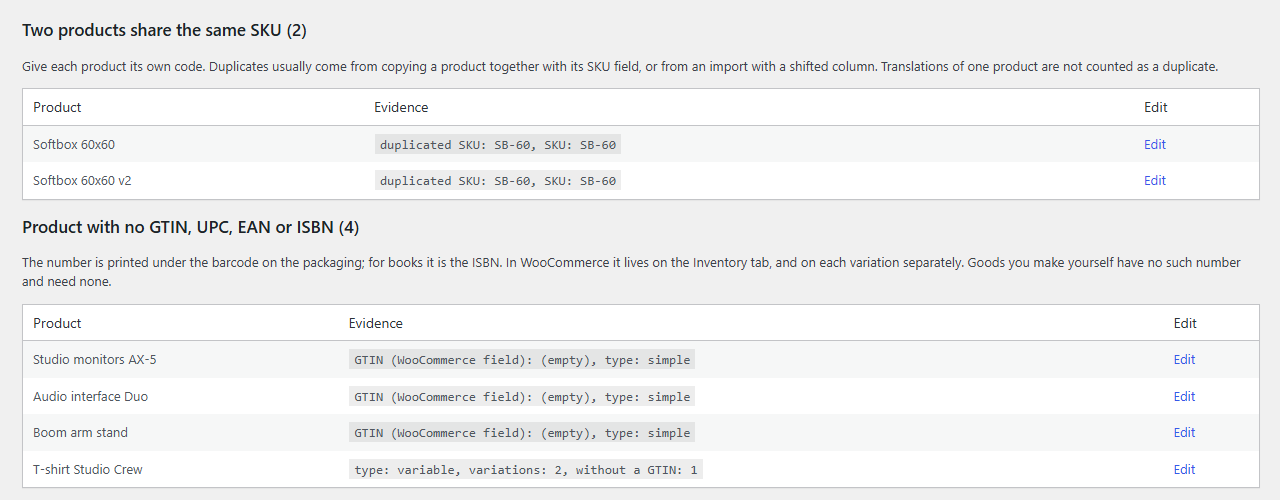
Two checks up close: every finding shows the value that was read, with a link straight to the product in your admin.

The whole results screen: the summary, the three checks and the CSV export.