
Mima Menu Builder 2.0 is a Digital Menu + Live Ordering solution for WordPress.
Build a modern, mobile-friendly digital menu and let customers place orders directly from your website. Mima Menu Builder is designed for restaurants, cafes, bakeries, dessert shops, juice bars, food trucks, cloud kitchens, hotels, and other hospitality businesses.
Version 2.0 brings the complete built-in ordering workflow to all users. Customers can browse your menu, select items and add-ons, proceed through checkout, submit an order, and view order status. Restaurant staff can receive and manage incoming orders from the WordPress dashboard.
Mima Menu Builder includes its own ordering system, so WooCommerce is not required for the built-in ordering workflow.
From one WordPress dashboard, you can manage business details, multiple menus, categories, menu items, add-ons, languages, currencies, menu design, ordering settings, delivery zones, working hours, live orders, and order history.
Use the shortcode [mimamenu] to display your default menu on any page, or use a menu-specific shortcode such as [mimamenu id="1"].
New in 2.0 — Live Ordering
- Built-in online ordering for all users
- Live Orders dashboard for incoming customer orders
- Customer checkout flow
- Order status tracking
- Order History
- Delivery Zones
- Working Hours
- Pre-orders
- Thank You screen after successful order submission
- Ordering settings and management tools
Digital Menu Features
- Business profile management
- Multiple menus for dine-in, delivery, catering, events, breakfast, and more
- Menu-specific item selection, active/inactive status, and shortcode
- Menu categories with images, sorting, visibility controls, filters, and bulk actions
- Menu items with images, prices, descriptions, filters, bulk actions, and duplicate tools
- Add-on groups and add-on items
- Multiple languages
- Multiple currencies and item pricing
- Theme Customizer with presets, colors, layout, card styles, category bar styles, badges, and top controls
- Reception Display with live tablet preview
- Import and export tools for menu data
- Separate import and export tools for add-ons
- Mobile-friendly front-end menu
- RTL support
- Default shortcode:
[mimamenu] - Menu-specific shortcode:
[mimamenu id="1"]
Built For
- Restaurants
- Cafes
- Bakeries
- Dessert shops
- Ice cream shops
- Juice bars
- Food trucks
- Cloud kitchens
- Hotels and hospitality businesses
- Other food and drink menu-based businesses
Shortcodes
Display your default active menu on any page or post:
[mimamenu]
Display a specific menu:
[mimamenu id="1"]
You can copy each menu shortcode from Mima Menu > Menus.
Screenshots
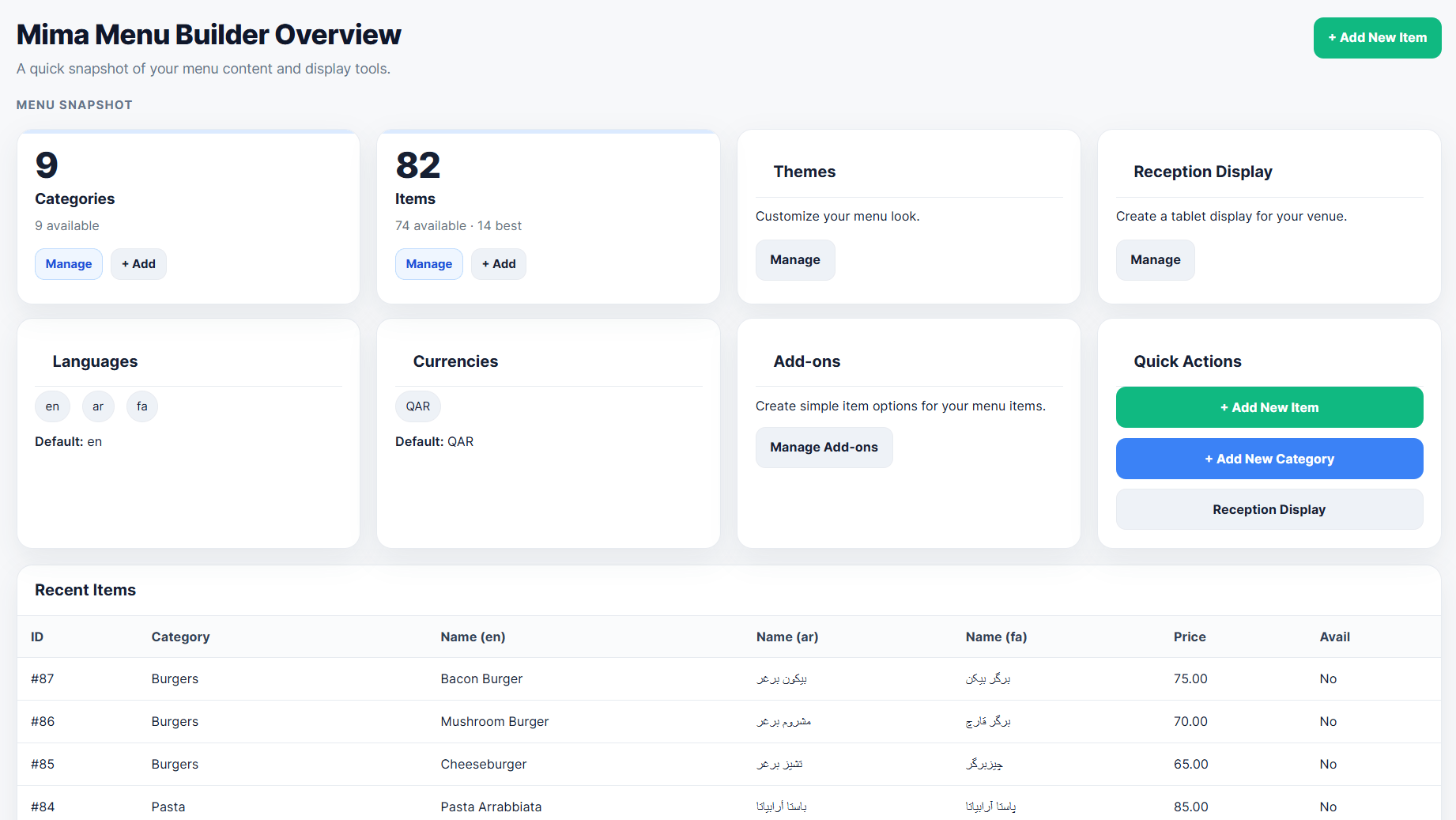
Overview dashboard with menu insights, quick actions, languages, currencies, and content statistics.
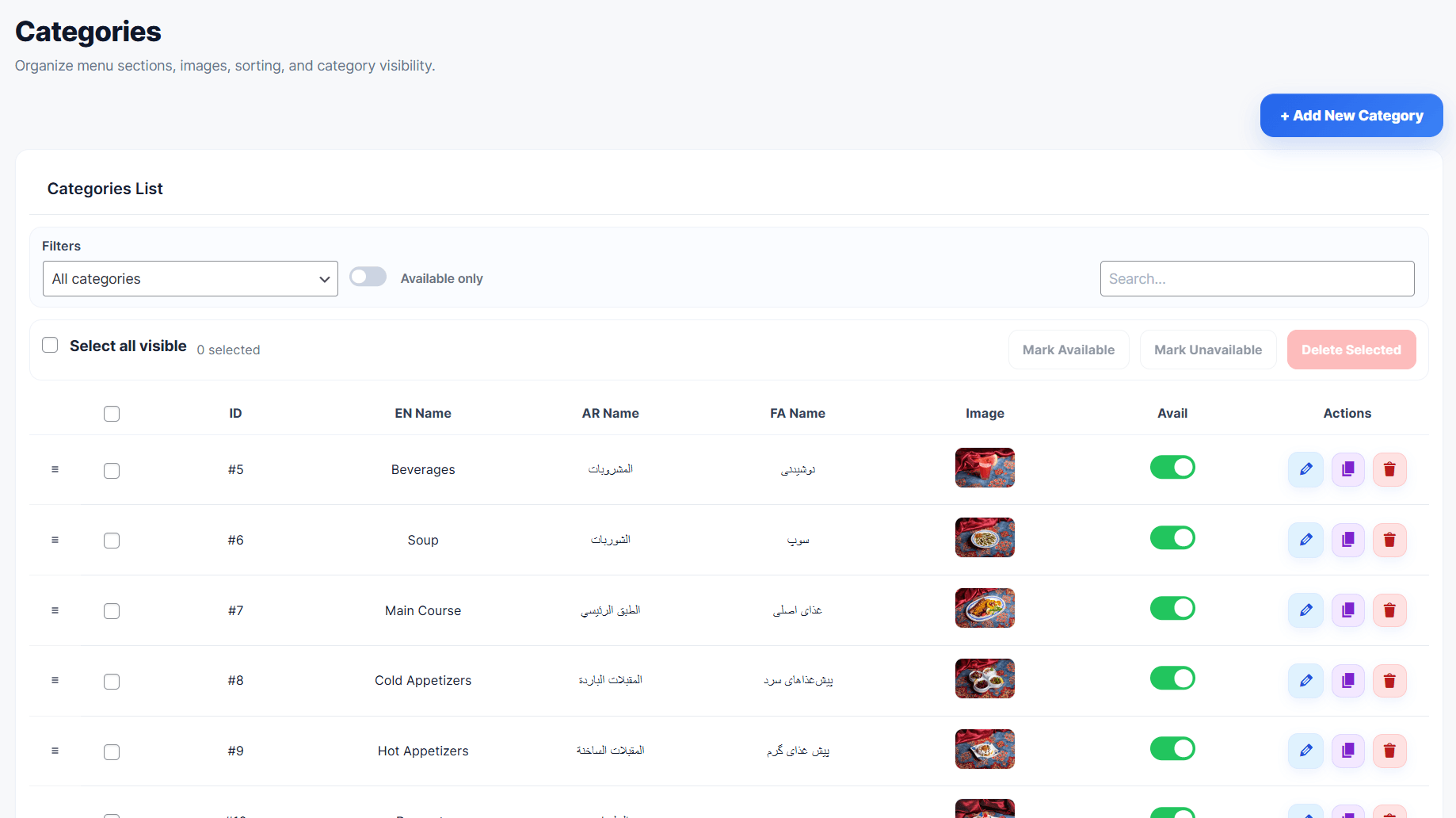
Organize menu categories with images, sorting, visibility controls, filters, and bulk actions.
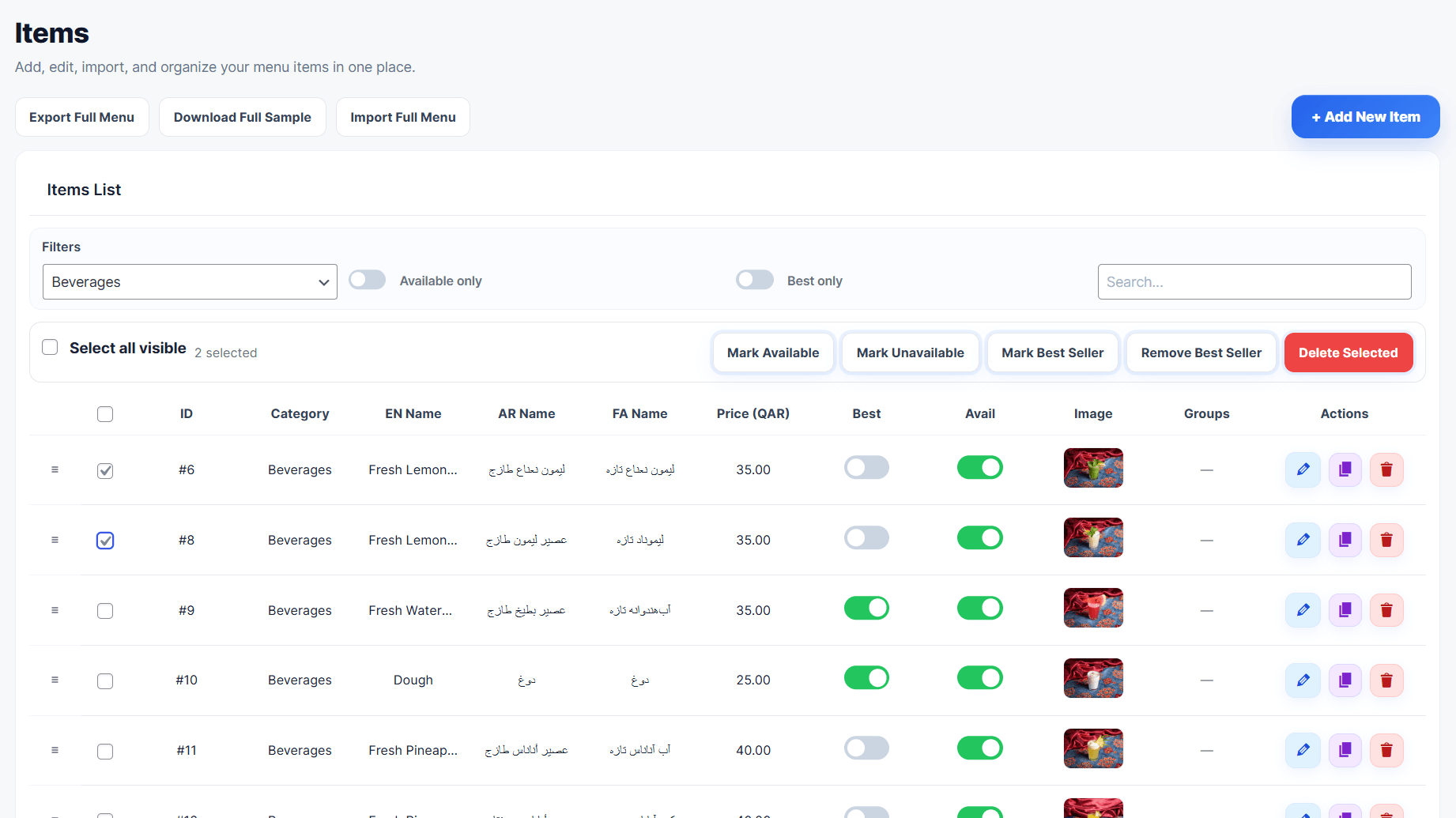
Manage menu items with images, prices, categories, filters, bulk actions, and duplicate tools.
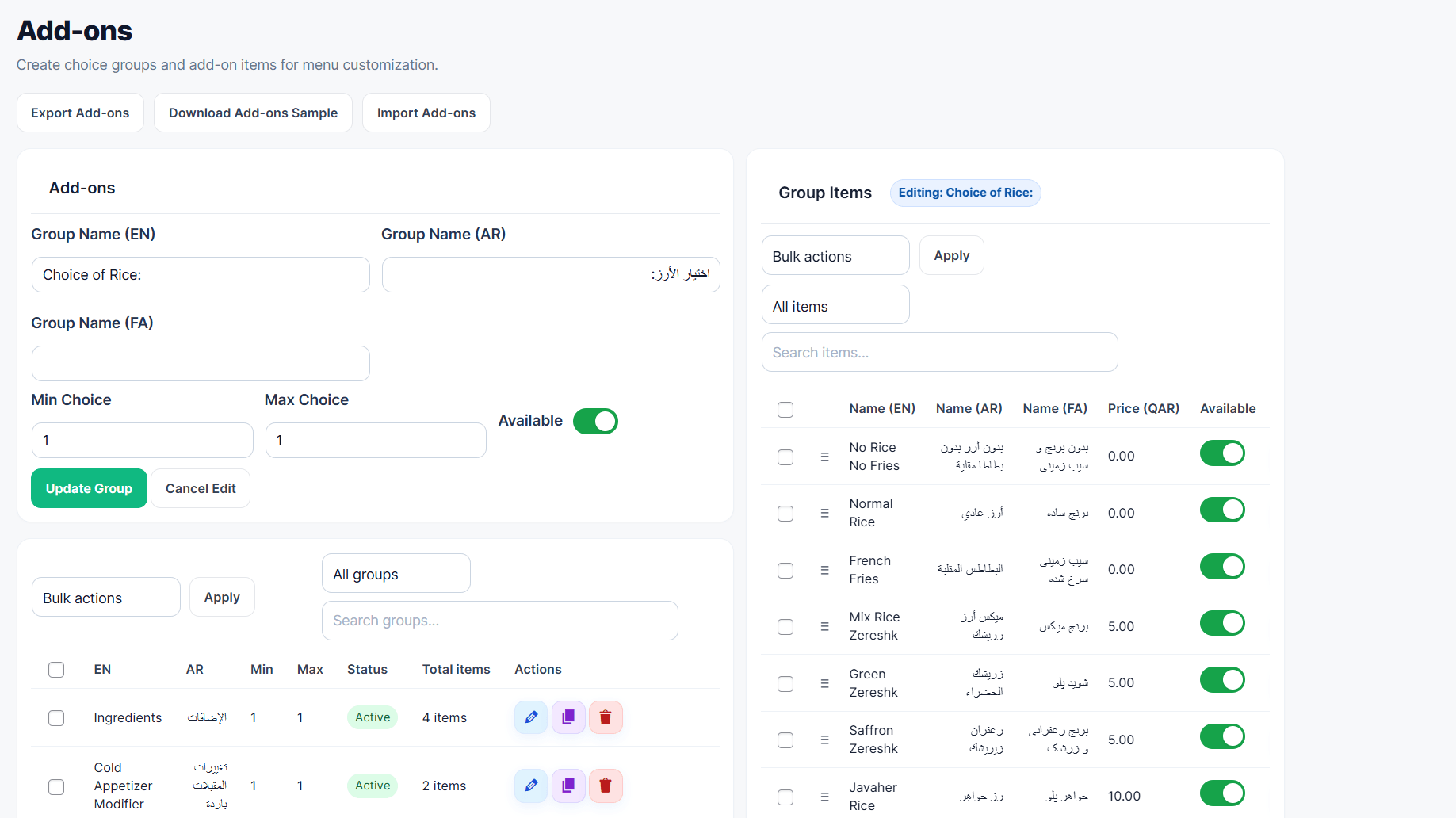
Create add-on groups and add-on items for extra menu choices.

Customize the menu with Theme Customizer presets, colors, layout, cards, category bar, badges, and top controls.
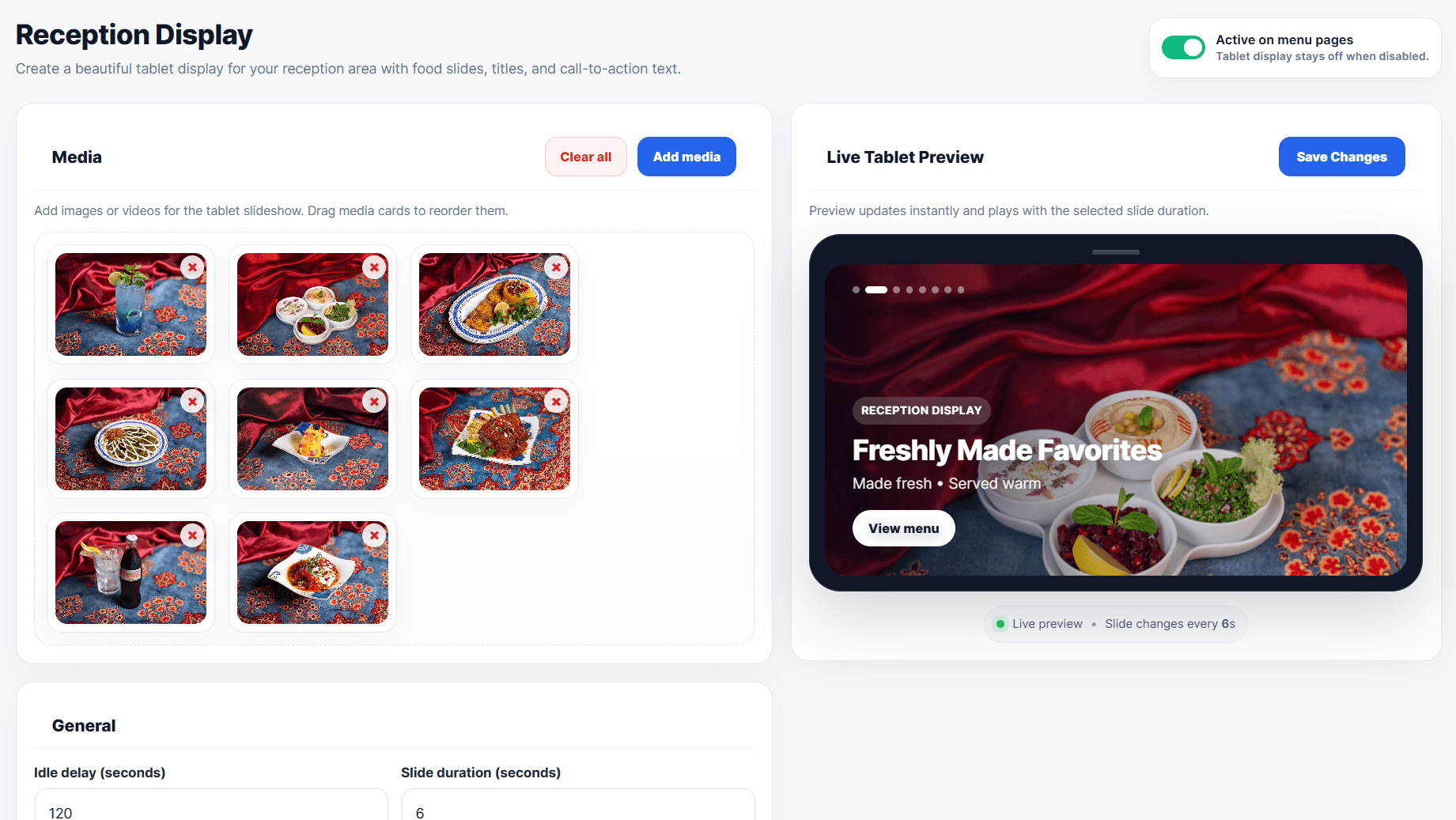
Reception Display with live tablet preview for showcasing menu highlights.
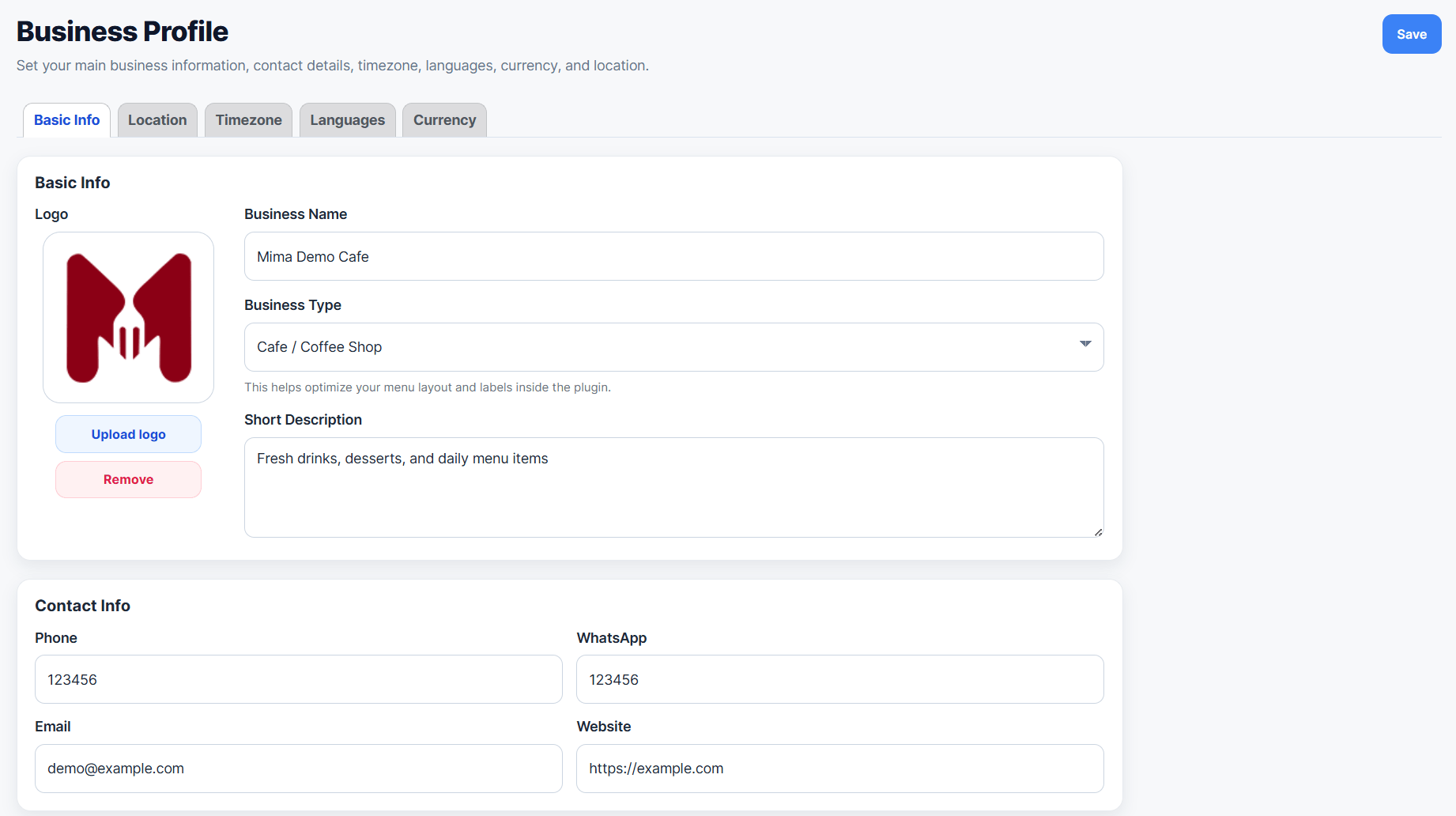
Business Profile settings for restaurant and hospitality menu information.
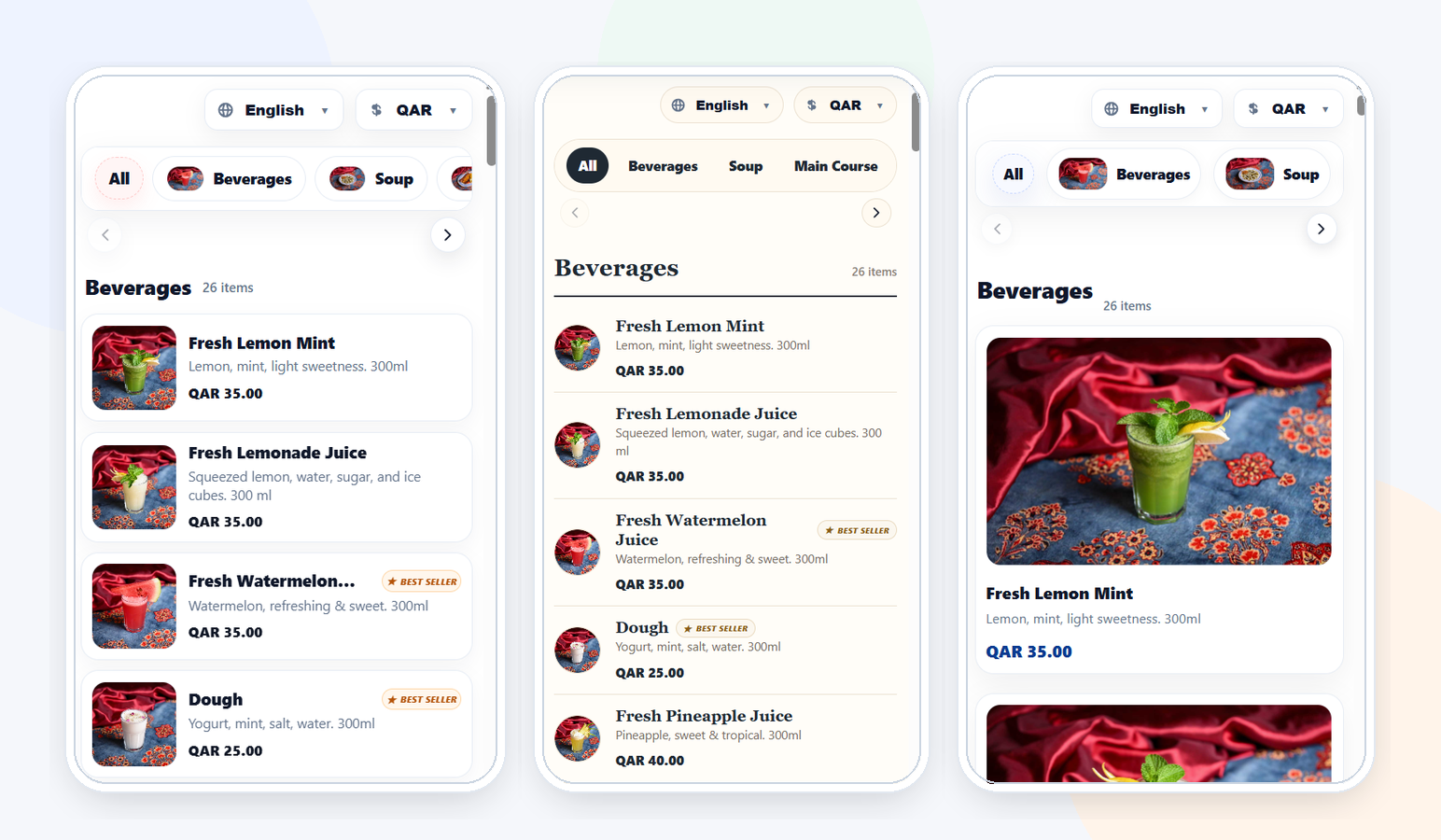
Mobile-friendly front-end digital menu displayed with the Mima Menu shortcode.

Live Orders dashboard for receiving and managing incoming customer orders.

Online ordering settings for configuring the customer ordering experience.

Order status management and customer order tracking workflow.

Delivery Zones with location-based delivery configuration.

Order History for reviewing and managing previous customer orders.