
WooCommerce’s default add-to-cart feedback is easy to miss. Cart Motion adds a small, polished flying-icon animation from the Add to Cart button to your cart icon, alongside an accessible confirmation message – on shop/archive grids, WooCommerce Blocks, and the single product page itself.
It doesn’t replace or change any WooCommerce cart or checkout behaviour – purely visual/accessible feedback layered on top.
Features (free)
- A flying-icon animation (plus symbol) from the Add to Cart button to your header cart icon
- Automatic cart-icon detection across common themes and page builders
- An accessible “Added to cart” confirmation message, with an adjustable duration
- Turn it on or off separately for desktop and mobile
- Icon and background colour controls
- Independent mobile icon size
- Three motion feels (gentle, smooth, snappy) and three flight paths
- Respects the browser’s reduced-motion preference, optionally
- A live preview right in the settings page
Free vs Pro
This is the full, free plugin – it is not a limited trial. A separate Pro plugin is sold at wpmints.com, as its own additional install (not unlocked with a key inside this plugin), and adds:
- Choice of flying icon – shopping cart, shopping bag, or the product’s own photo (free always uses a plus symbol)
- An independent desktop icon size (free uses one size for both desktop and mobile)
- A custom cart-icon CSS selector, for themes the automatic detection doesn’t find
The Pro-only fields are visible in this plugin’s own settings page (with a “PRO” label) so you can see what they do, but nothing behind them runs in this free version – no license check, no remote calls of any kind.
Source code
All JavaScript and CSS in the plugin’s assets/ folder is the original, human-readable source. There is no build step, bundler, transpiler or minifier involved, and no third-party libraries are bundled – the files are edited and shipped exactly as they appear in the plugin.
Screenshots
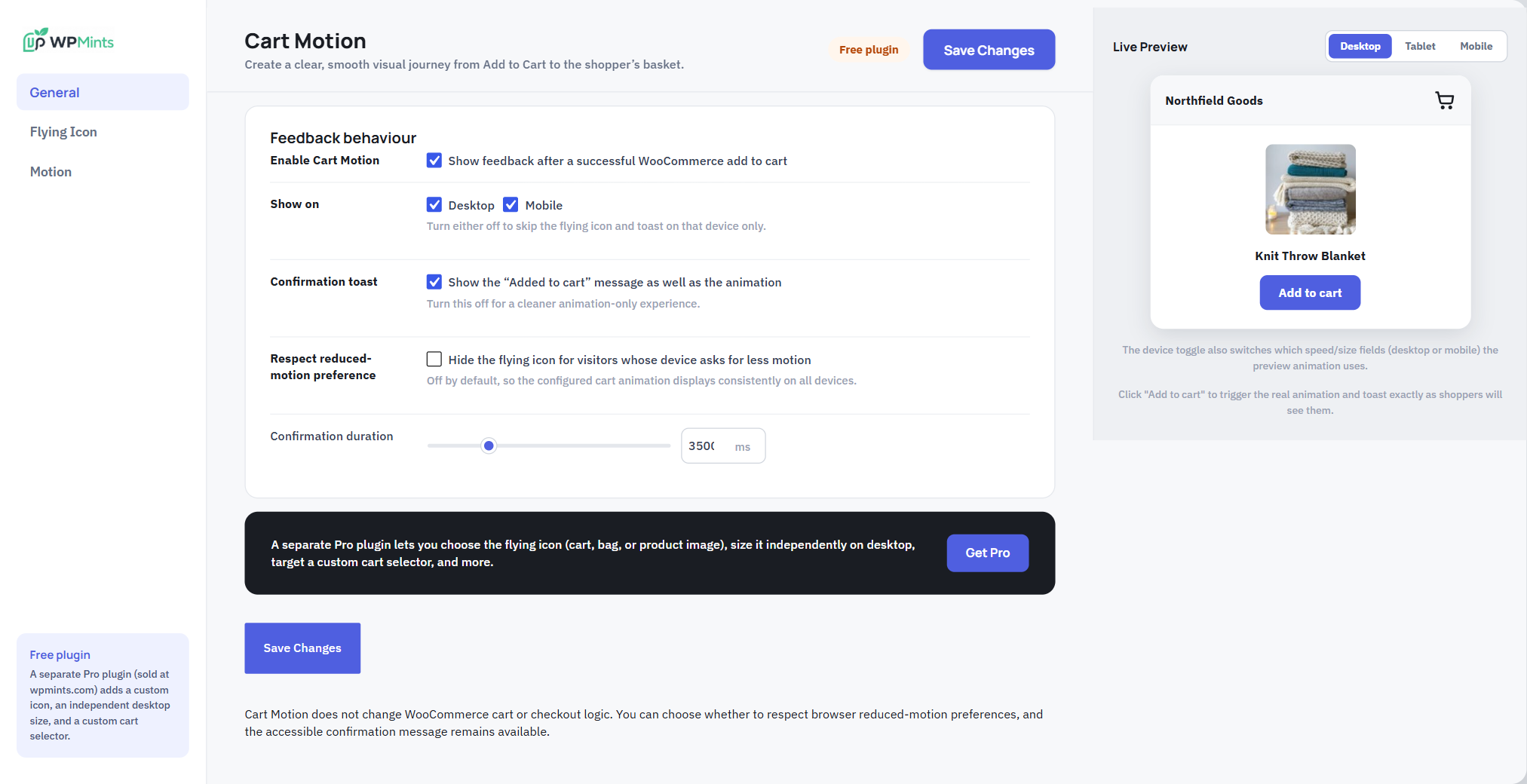
The General tab - turn Cart Motion on/off per device, the "Added to cart" confirmation, reduced-motion handling, and how long the confirmation stays, with a live preview.
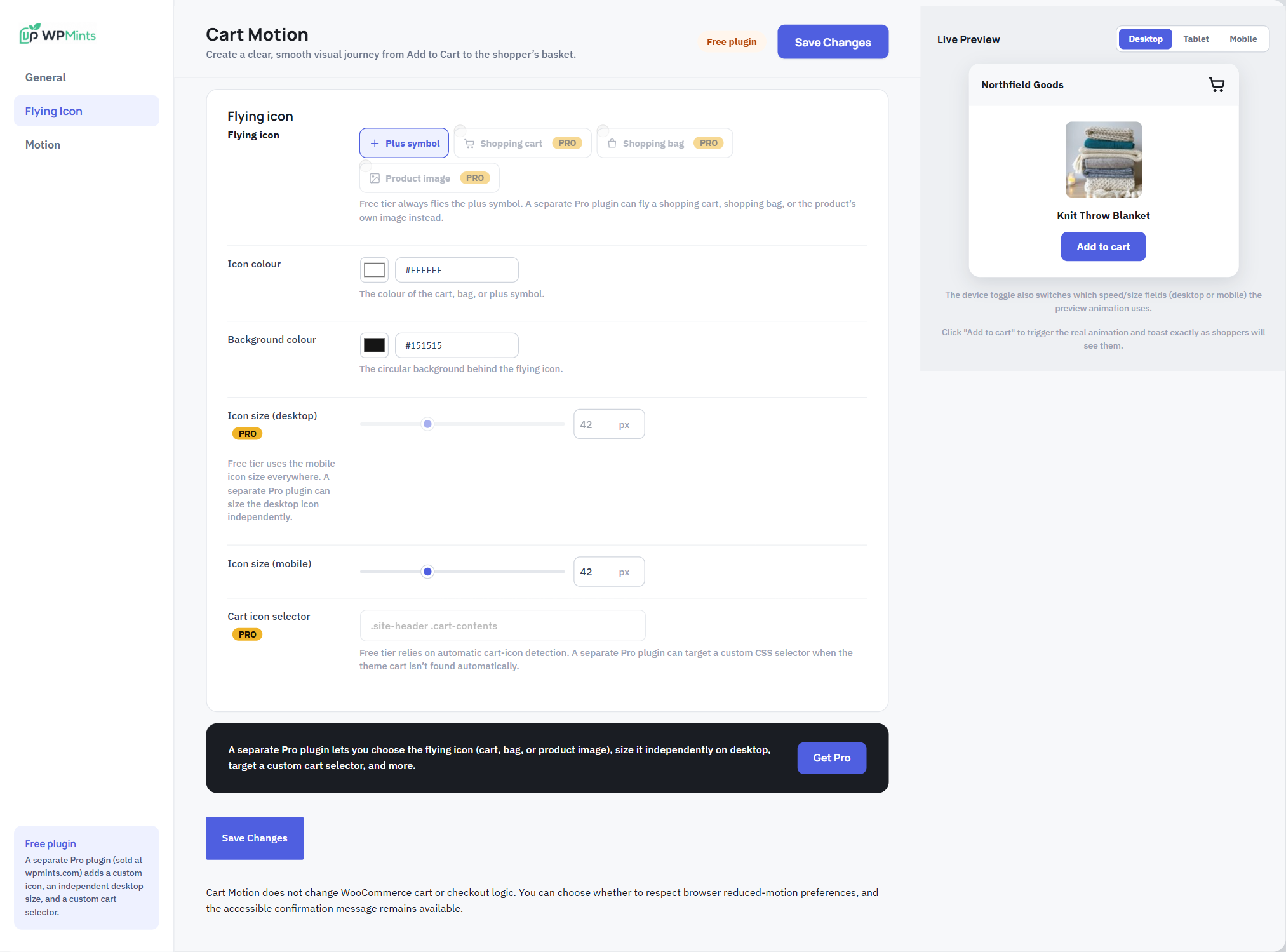
The Flying Icon tab - the free version flies the plus symbol in your chosen colours; the other icons, a separate desktop size, and a custom cart selector are Pro only.

The Motion tab - animation speed for desktop and mobile, motion feel, and flight path.