
Frustrated navigating around the latest WordPress admin whild building your site? Why does it take so many clicks to get to Editor Templates?
The Missing Menu Items for WordPress plugin adds useful Editor related links to the admin navigation.
Missing Menu Items can add the following links (each one can be turned on or off in Settings Missing Menu Items):
* Reusable Blocks, Navigation Menus, Templates, and Template Parts (Appearance)
* Site Editor, Styles, and Add New Theme (Appearance)
* Menus, Widgets, and Customizer — shown only when your theme hides them (e.g. block themes)
* Upload Plugin, Add New Plugin, and Plugin Updates (Plugins)
Plus:
* Choose whether links nest in their native menus or group together under Appearance
* Limit which user roles see the links
* Keep Site Editor content (templates, template parts, styles) reachable after switching to a classic theme, so you can copy or export it
Support
You can get support from the community here, or in our growing Facebook Group and find information in our documentation.
Direct support is offered to BlockStyles members.
Stay Connected
Stay up-to-date on Missing Menu Items updates and Gutenberg development, using the links below. The plugin is also being built transparently on GitHub, so give it a star and follow along! 😉
Missing Menu Items is a part of BlockStyles, a collection of tools that transforms the default WordPress Block Editor into a true page builder.
Screenshots

Missing menu items are added under the appearance menu.

Reusable blocks are accessible right from your WordPress admin area.
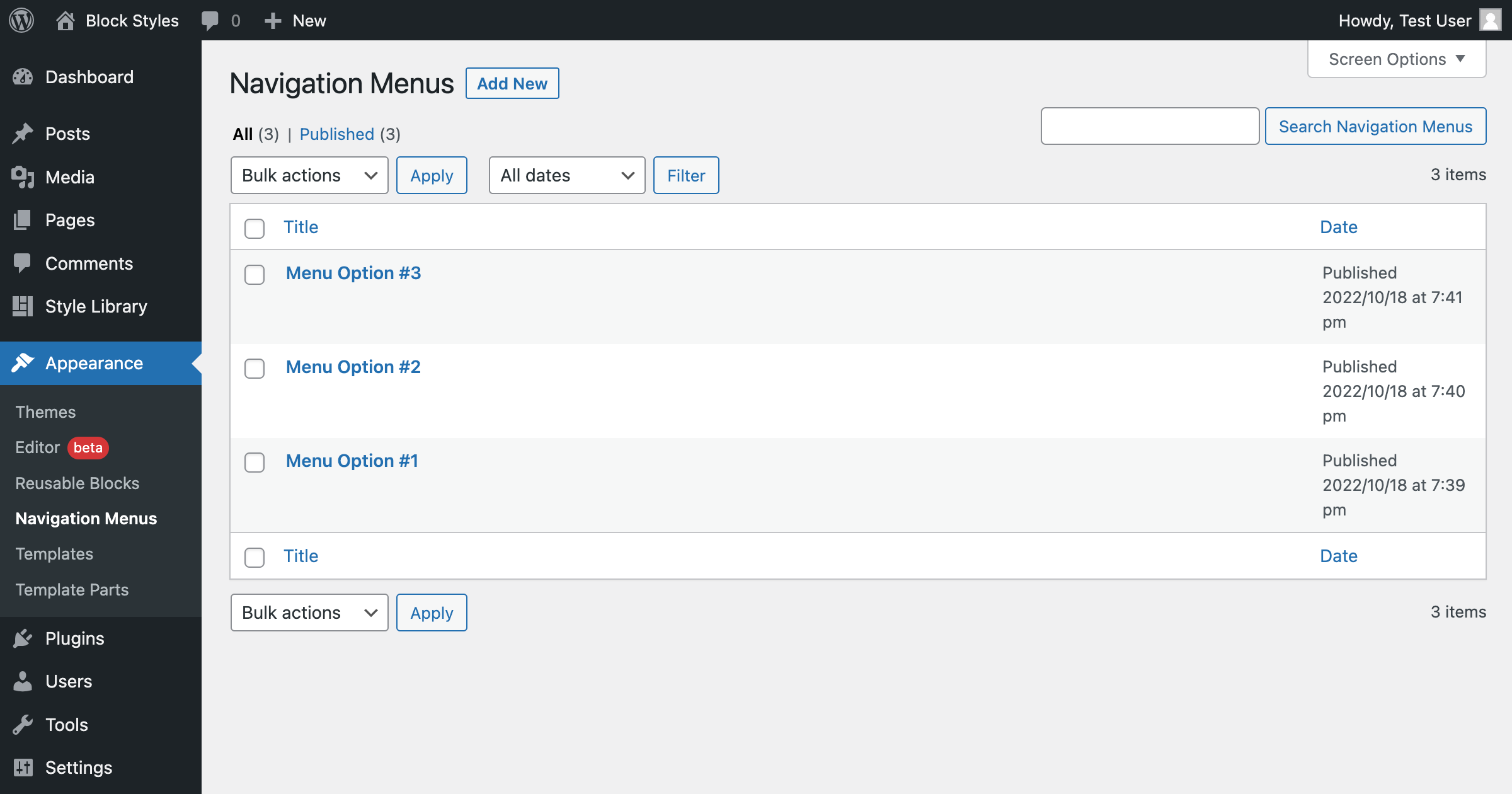
Navigation menus can be created from the WordPress admin area.

Access your theme template with one click.

View individual template parts easily.