
BACK TO DIRECTORY

Multilify

by kadirerman

0.0
(0 ratings)

Multilify is a lightweight yet powerful multilingual plugin for WordPress that allows you to create and manage content in multiple languages with ease.

Key Features

  • Unlimited Languages – Add as many languages as you need
  • Custom Slugs – Set a different URL for every language, including nested pages
  • hreflang Tagsrel="alternate" tags in <head>, plus x-default, so search engines index each language correctly
  • Correct Page Language<html lang> and a Content-Language header follow the language being viewed
  • Browser Language Detection – First-time visitors land in the language their browser asks for; their own choice is remembered afterwards
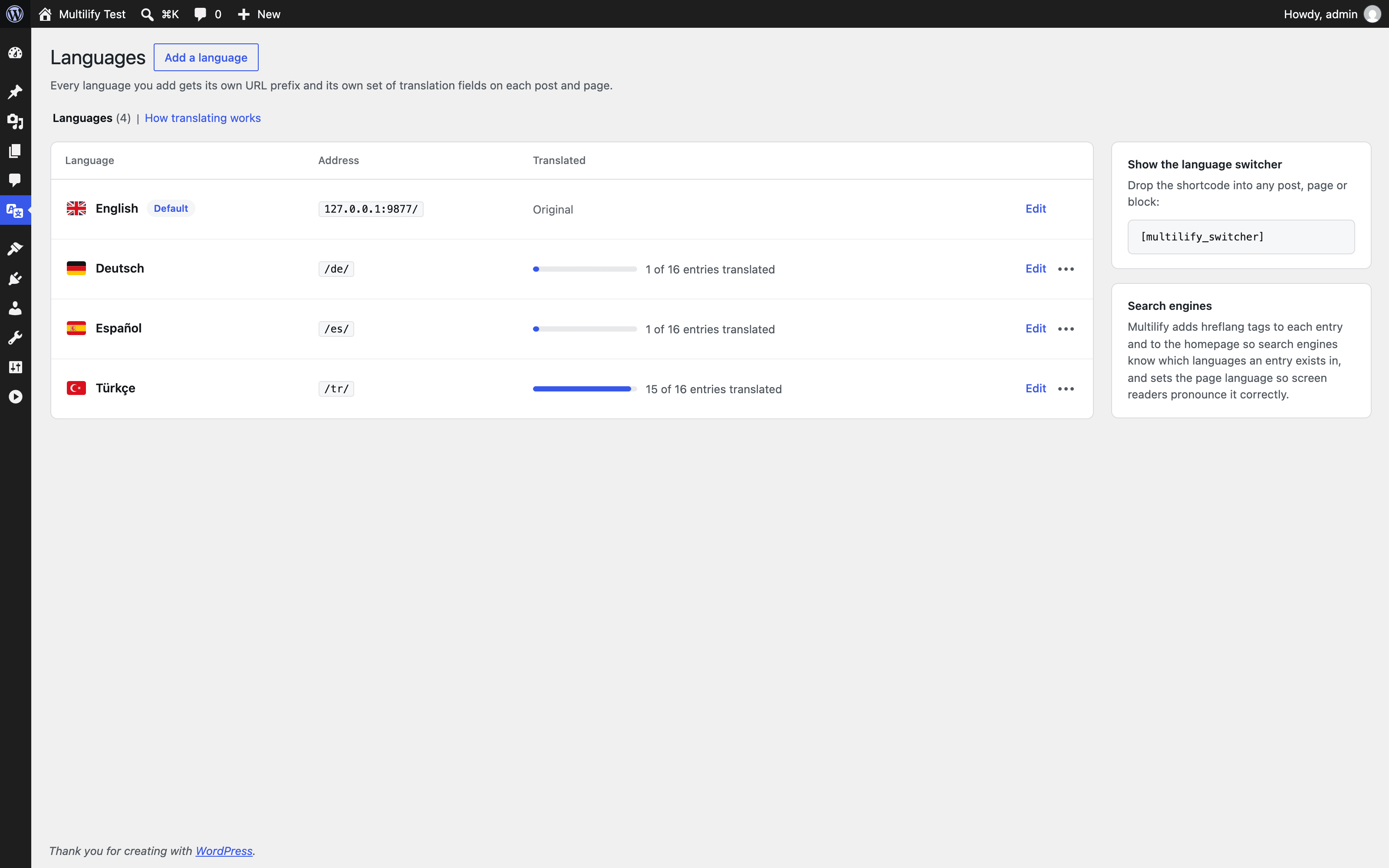
  • Translation Progress – The settings page shows how many entries each language still needs
  • Flag Picker – Choose a flag from a grid instead of hunting for the emoji
  • Performance First – Object caching on the slug lookup, with an index to match
  • Visual Editor – Translate content using the familiar WordPress editor
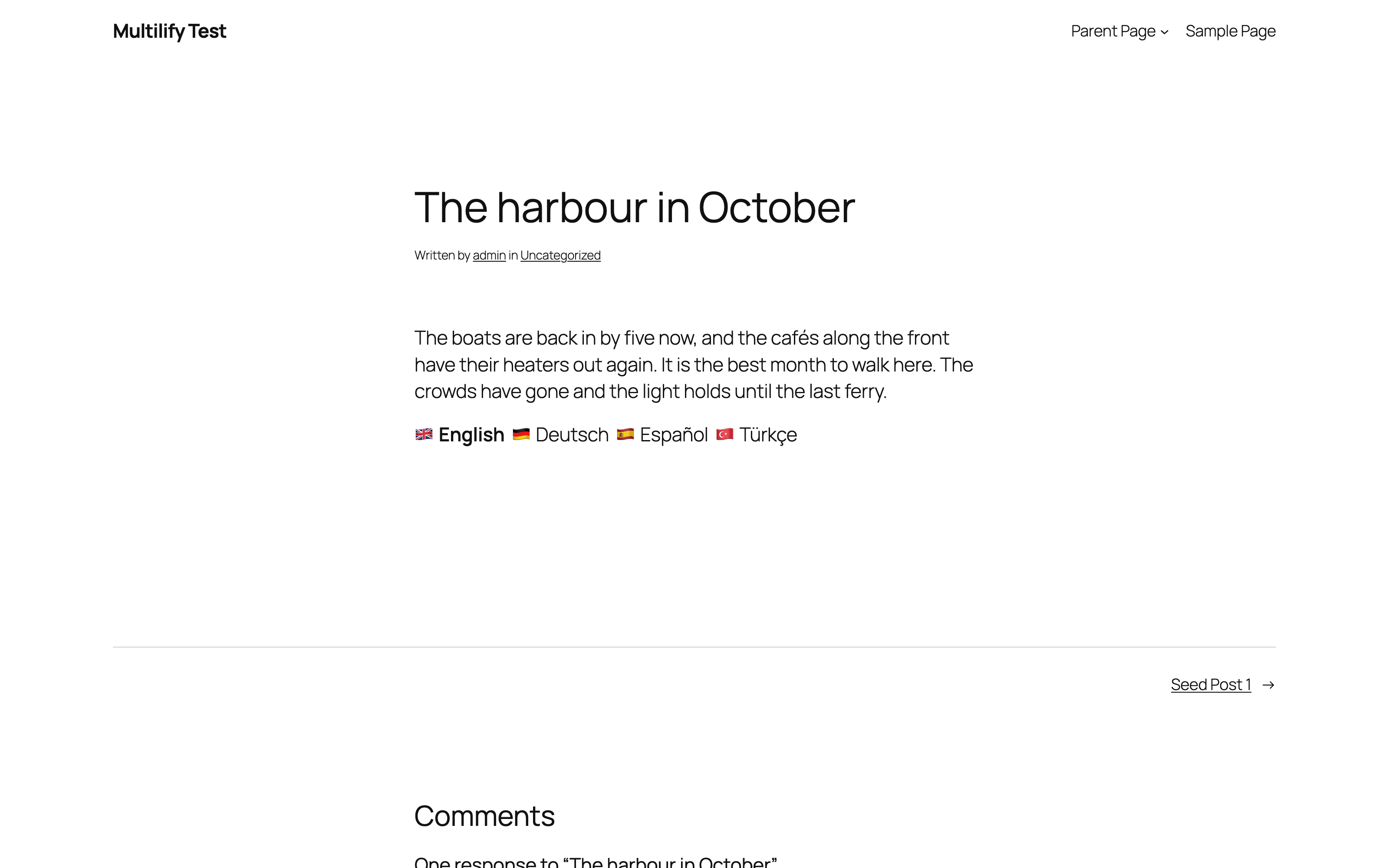
  • Language Switcher – Built-in switcher with flag-only or flag + name display
  • Any Post Type – Posts and pages out of the box, anything else through the multilify_post_types filter
  • Shortcode & Template Tag – Drop the switcher anywhere with [multilify_switcher]
  • Developer Friendly – Filters for the post type list, the translated title and content, the flag choices and the locale

Perfect For

  • Blogs and magazines
  • Business websites
  • E-commerce stores (works with WooCommerce)
  • Portfolio sites
  • Any WordPress site that needs multilingual support

Why Choose Multilify?

Unlike bloated translation plugins, Multilify focuses on performance and simplicity:

  • Lightweight – No impact on your site speed
  • Clean Database – Efficient data storage with proper indexing
  • No External Services – All translations stored locally
  • 100% Free – No premium features, no limitations
  • Privacy Focused – Your content stays on your server

How It Works

  1. Install and activate the plugin
  2. Add your languages from the Multilify settings page
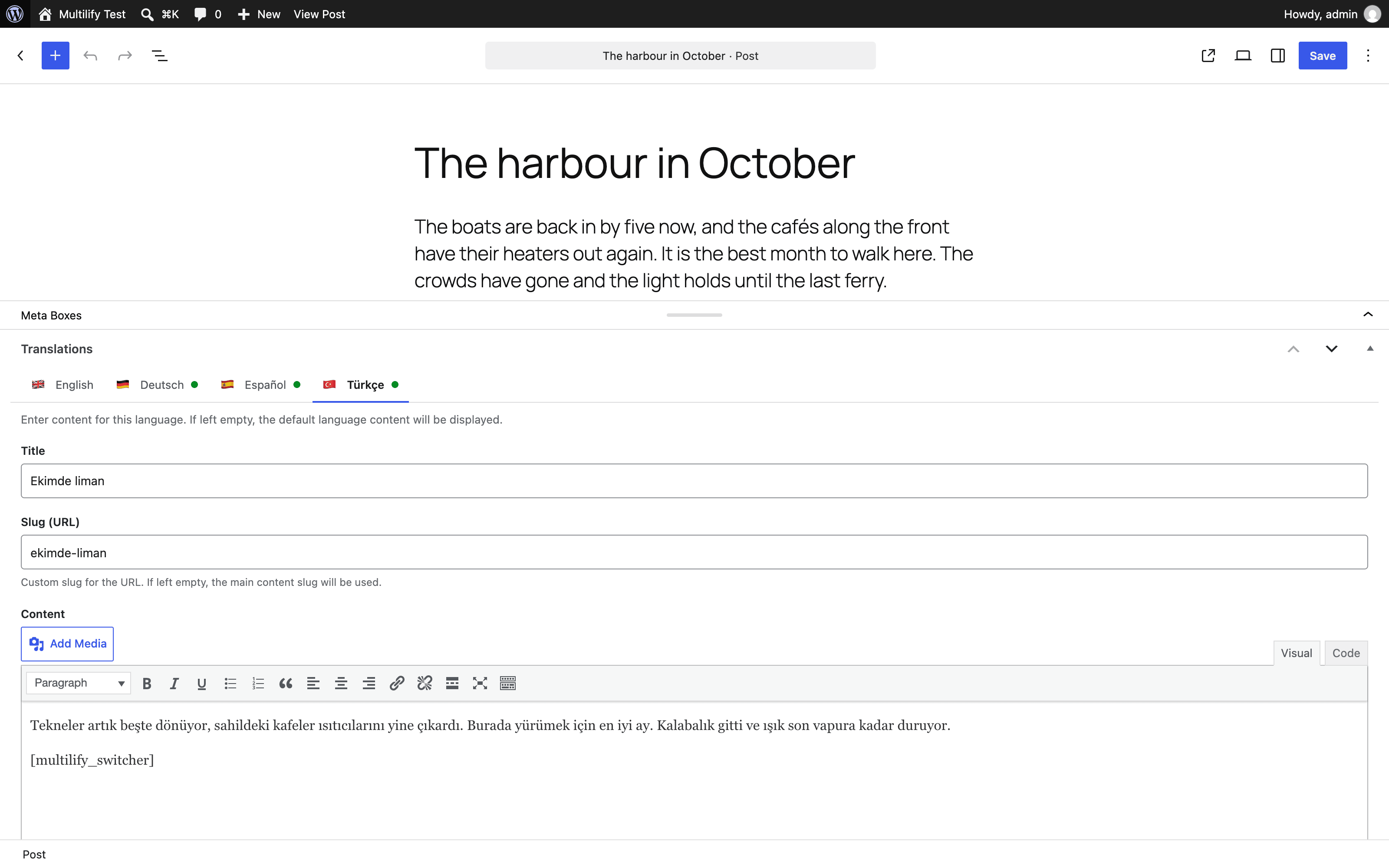
  3. Edit any post or page to see translation meta boxes
  4. Enter translations for each language
  5. Add the language switcher to your theme

Developer Features

  • Object caching on the slug lookup, invalidated when a slug changes
  • Transient API for optimized rewrite rule flushing
  • Filters: multilify_post_types, multilify_translated_title, multilify_translated_content, multilify_flag_choices, multilify_locale, multilify_enable_browser_detection
  • Clean, documented code following the WordPress Coding Standards

Translating Content

When editing a post or page, you’ll see meta boxes for each active language where you can:

  • Enter translated title
  • Add translated content using the WordPress editor
  • Set custom URL slugs for each language
  • All fields are optional – fallback to default language if not translated

Language Switcher

Add the language switcher to your theme using:

<?php if ( function_exists( 'multilify_switcher' ) ) multilify_switcher(); ?>

Or use the shortcode: [multilify_switcher]

To show flags only (no language name):

<?php if ( function_exists( 'multilify_switcher' ) ) multilify_switcher( array( 'show_name' => false ) ); ?>

Or with the shortcode:

[multilify_switcher show_name="false"]

The language name is optional. If you leave it empty when adding a language, the language code is used as a fallback. You can also edit a language’s name and flag at any time from the Multilify settings page.

Support

Contributing

Multilify is open source! Contribute on GitHub.

Plugin Details

Active Installs
0
Total Downloads
734
Version
1.2.0
Requires WP
5.8
Requires PHP
7.4
Tested Up To
7.1
Added
2025-11-18
Last Updated
2026-08-24 6:25pm GMT

Ratings

5
0
4
0
3
0
2
0
1
0