
Nemtly Booking lets your customers book appointments and events 24/7, with real-time availability, Stripe payments, Google Calendar sync, and automated email reminders. Whether you run workshops, manage client consultations, or schedule fitness classes, get a fully functional booking system on your WordPress site in minutes.
Appointment Scheduling
- Real-time availability with automatic conflict prevention
- Set business hours, buffer times, and capacity limits
- Slot-based events with recurring availability patterns
- Global business hours default: set once in Settings, inherited by all new events
- Manual approval: hold free, offline-paid, or card-paid bookings until you approve them, site-wide or per event
- Customer dashboard with booking history and magic link login
Multi-Staff Booking
- Let several staff members take bookings for the same service: stylists, doctors, trainers, tutors
- Each staff member has their own working hours, price, and appointment length
- Customers pick a specific person or choose “Any available”
- The calendar only shows days and times the chosen person actually works
- Staff dashboard: staff sign in and see only their own bookings
Event Management
- Create one-time, recurring, and slot-based events
- Category and tag organization for filtering
- Set pricing per event, free or paid with Stripe
- Google Calendar two-way sync: set it up once and forget it
Customer Experience
- Booking forms with real-time calendar and time slot selection
- Booking form builder: ask your own questions, site-wide or per event
- Add to calendar: confirmation emails include a calendar file, plus Google, Outlook, and download buttons after booking
- Automated email confirmations and reminders to reduce no-shows
- Timezone-aware display: visitors see available times in their local timezone automatically
- CAPTCHA spam protection: optional text math challenge or Cloudflare Turnstile
- Magic link login, no passwords for customers
- Mobile-friendly booking interface
Gutenberg Blocks, Elementor Widget, and Shortcodes
Build your booking pages with native WordPress blocks, an Elementor widget, or classic shortcodes.
Blocks
- Nemtly Events: Query Loop variation for event listings, with inner blocks for Event Date, Event Price, Event Location, and Booking Trigger (Button)
- Event Calendar: Interactive calendar with month, week, day, and list views
- Booking Calendar: Inline booking widget with date picker, time slots, and checkout
Shortcodes
[nemtly_event_list]: List of upcoming events[nemtly_event]: A single event with its inline booking form[nemtly_calendar]: Interactive event calendar[nemtly_booking_calendar]: Inline booking calendar for one event[nemtly_booking_form]: Booking form[nemtly_booking_dashboard]: Customer dashboard
Elementor Widget: The Event Calendar widget (month/week/day/list views) is available as a native Elementor widget with full style controls. Drag it onto any Elementor-powered page. Requires Elementor (free).
For Service Providers
Stop managing bookings via email or phone. Nemtly gives consultants, therapists, and personal trainers a fully automated booking system. Clients book and pay themselves. You get a dashboard of confirmed appointments. Running a salon, clinic, or studio with a team? Add your staff and let clients book the person they want.
For Event Organizers
Host workshops, meetups, or conferences. Manage capacity, pricing, recurring dates, and registrations in one place. Display a calendar on your website. Automated confirmations and reminders keep everyone on track.
For Fitness and Education
Schedule classes, training sessions, or courses. Set capacity limits, recurring slots, and pricing. Students and clients see real-time availability and book 24/7.
Quick Setup
- Install and activate the plugin
- Create your first event or service
- Add an Event Calendar block or shortcode to any page
- Start accepting bookings
Built with WordPress Standards
- WordPress security best practices and PCI-compliant Stripe integration
- Works with any properly coded WordPress theme
- WCAG accessible for an inclusive user experience
Video Tutorials
- Install to first booking
- Multi-staff booking
- Weekly group classes with a waitlist
- Take card payments with Stripe
- All tutorials on the Nemtly YouTube channel
Learn More
- Nemtly Booking Plugin Page: features and updates
- Documentation: setup guides, API reference, and tutorials
Screenshots
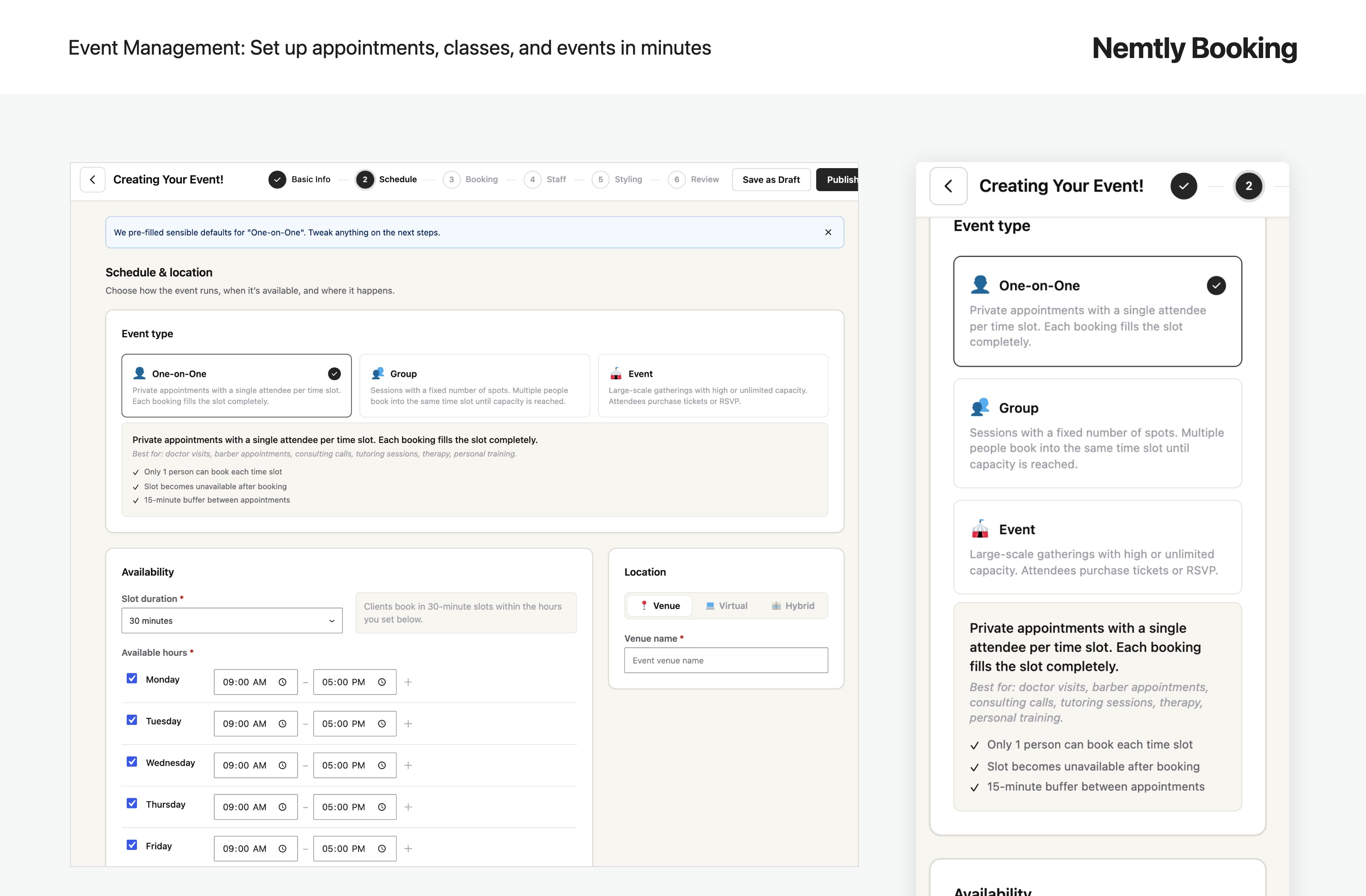
Set up one-on-one appointments, group classes, and date-based events in a guided wizard, on desktop or phone
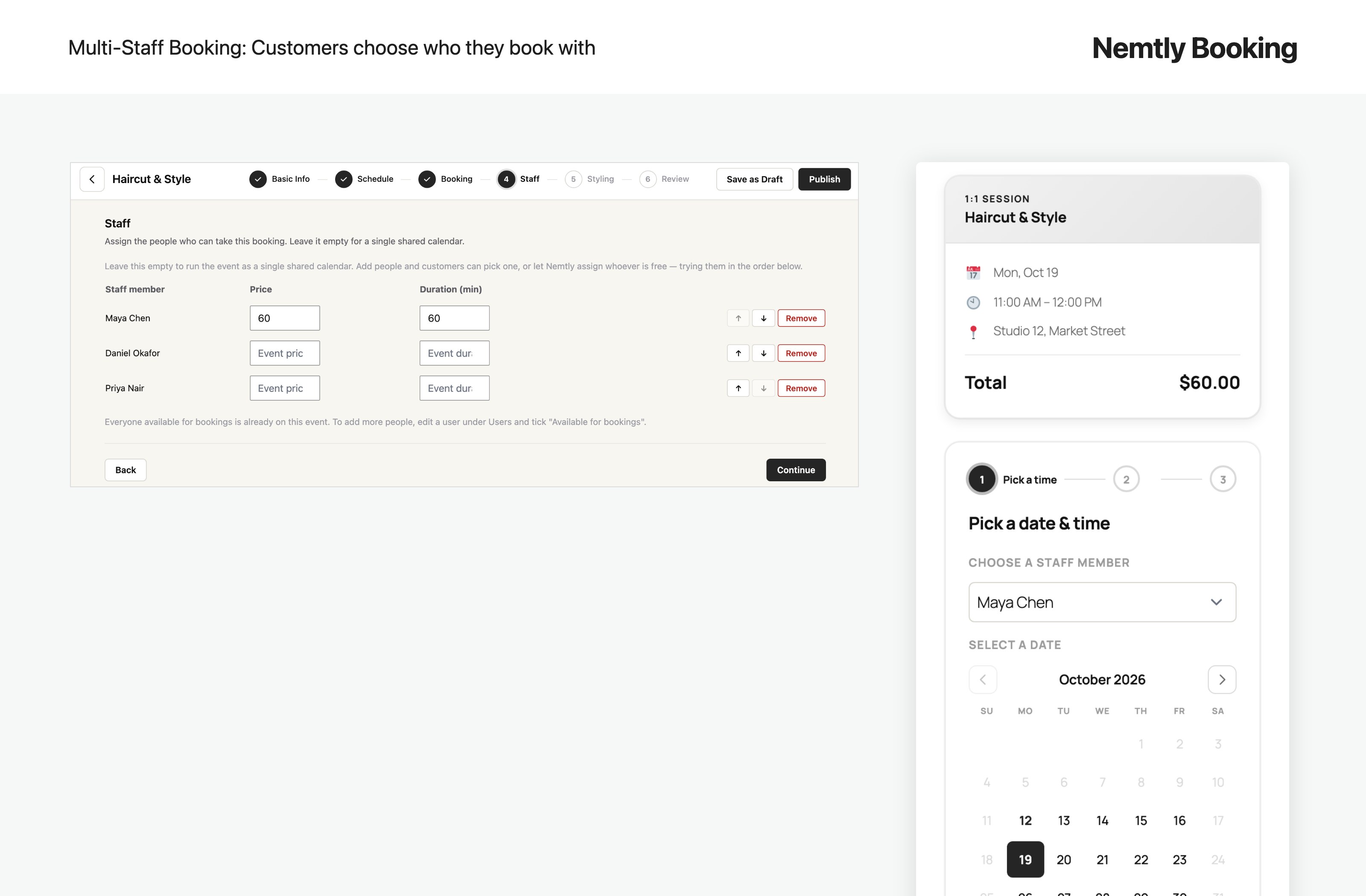
Multi-staff booking: give each staff member their own price and duration, and let customers choose who they book with
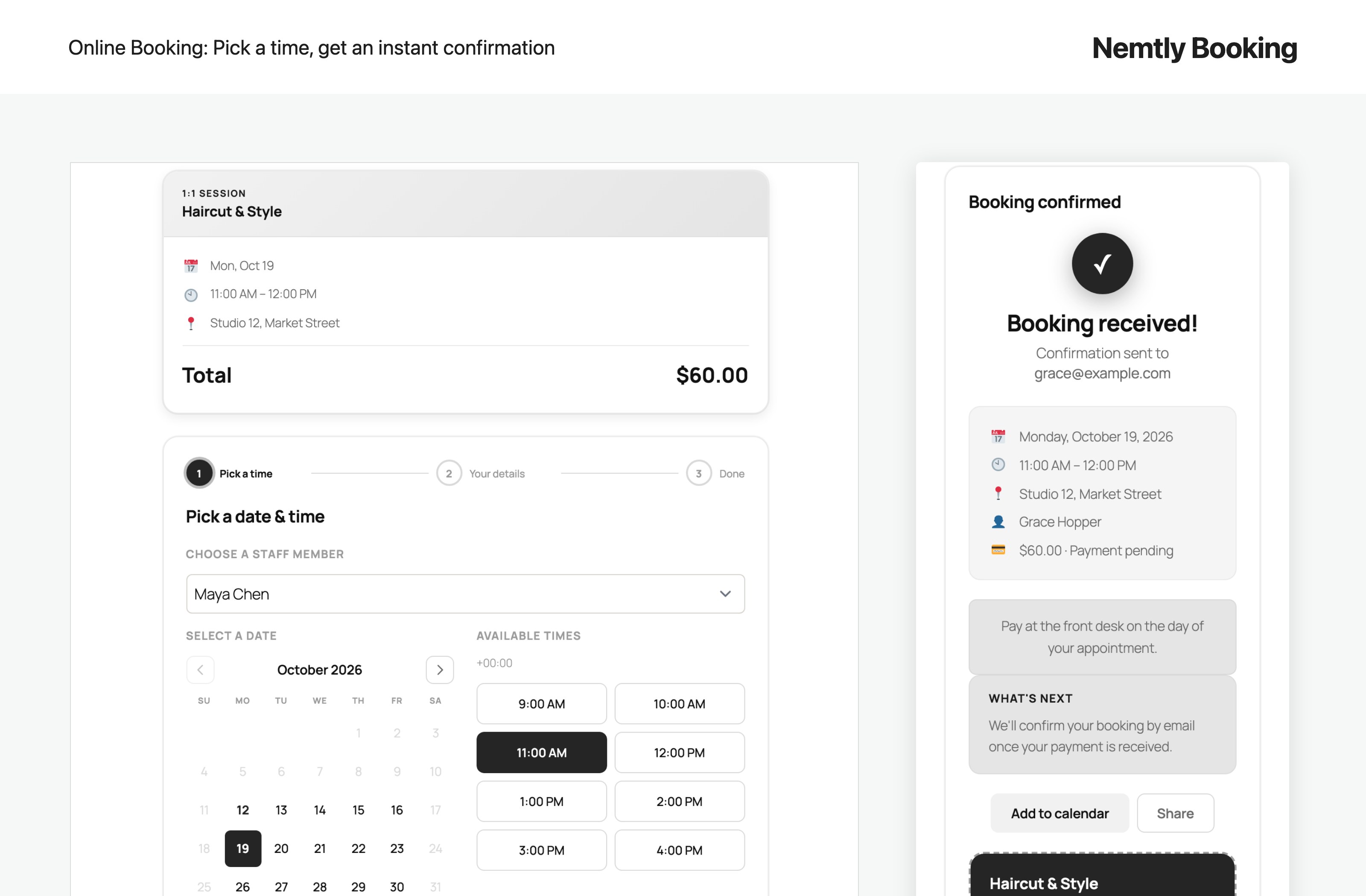
Customers pick a date and time, then get an instant confirmation with a booking ticket
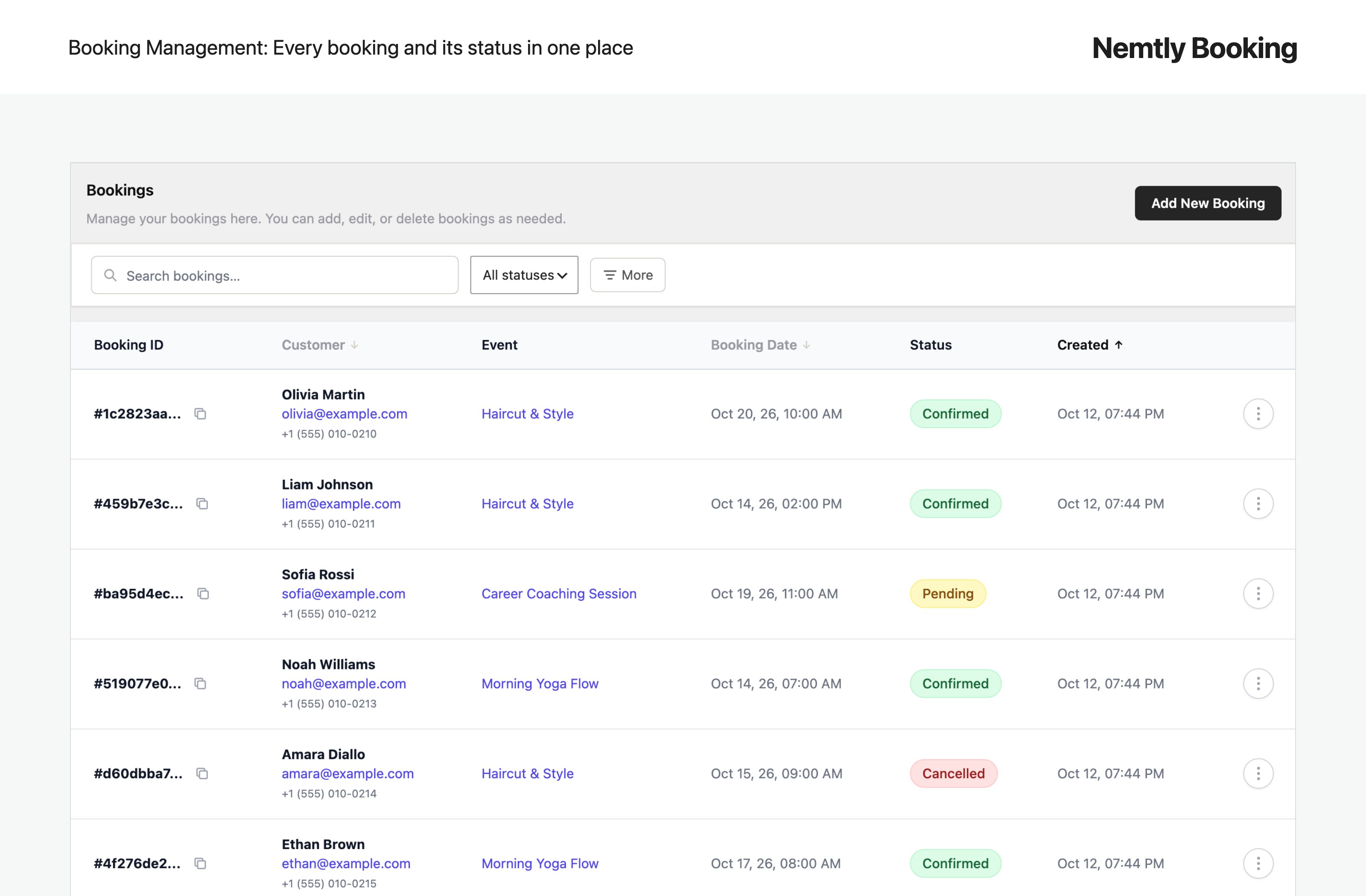
Manage every booking, customer, and status from one admin screen
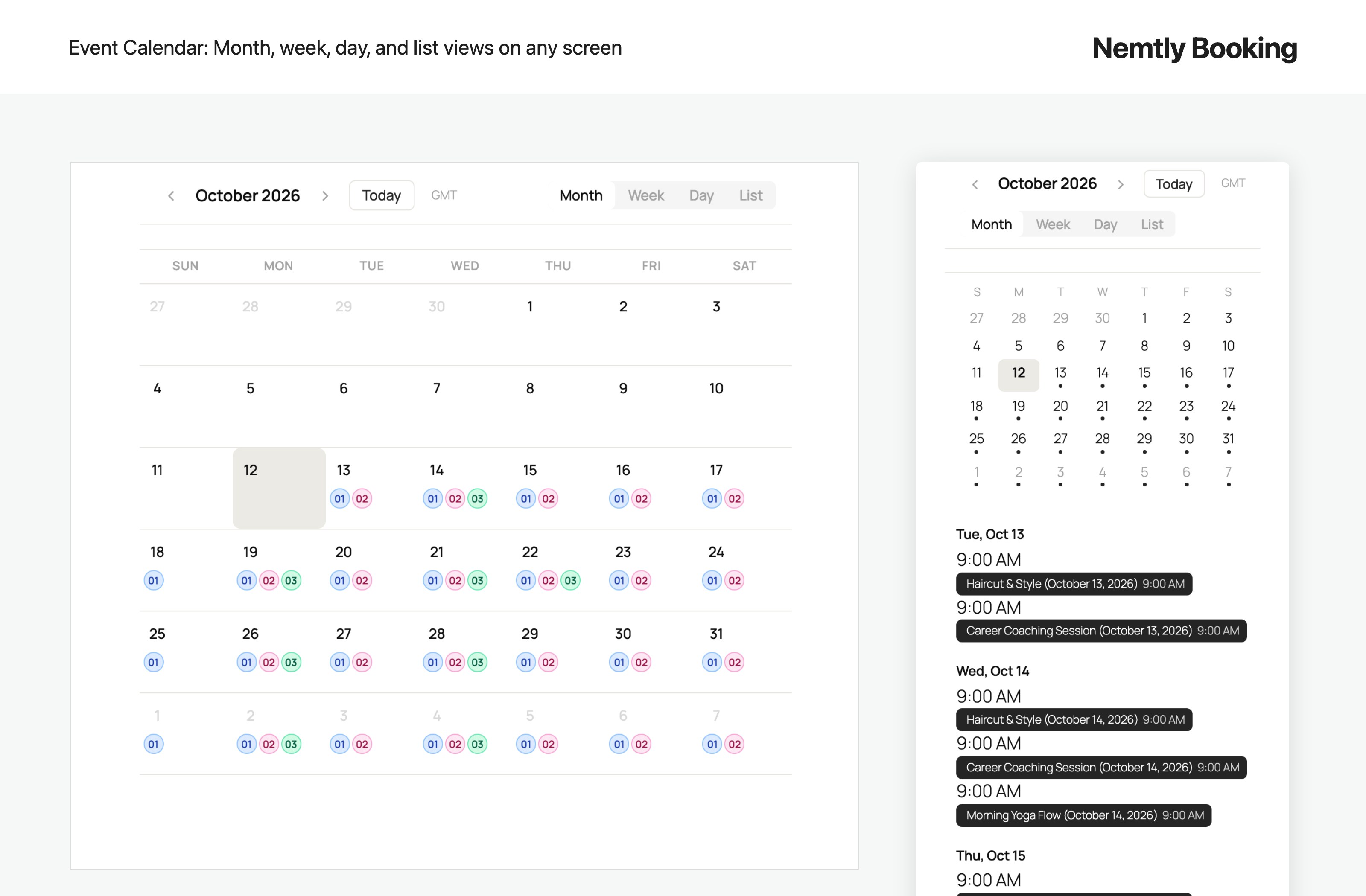
Interactive event calendar with month, week, day, and list views that adapts to any screen
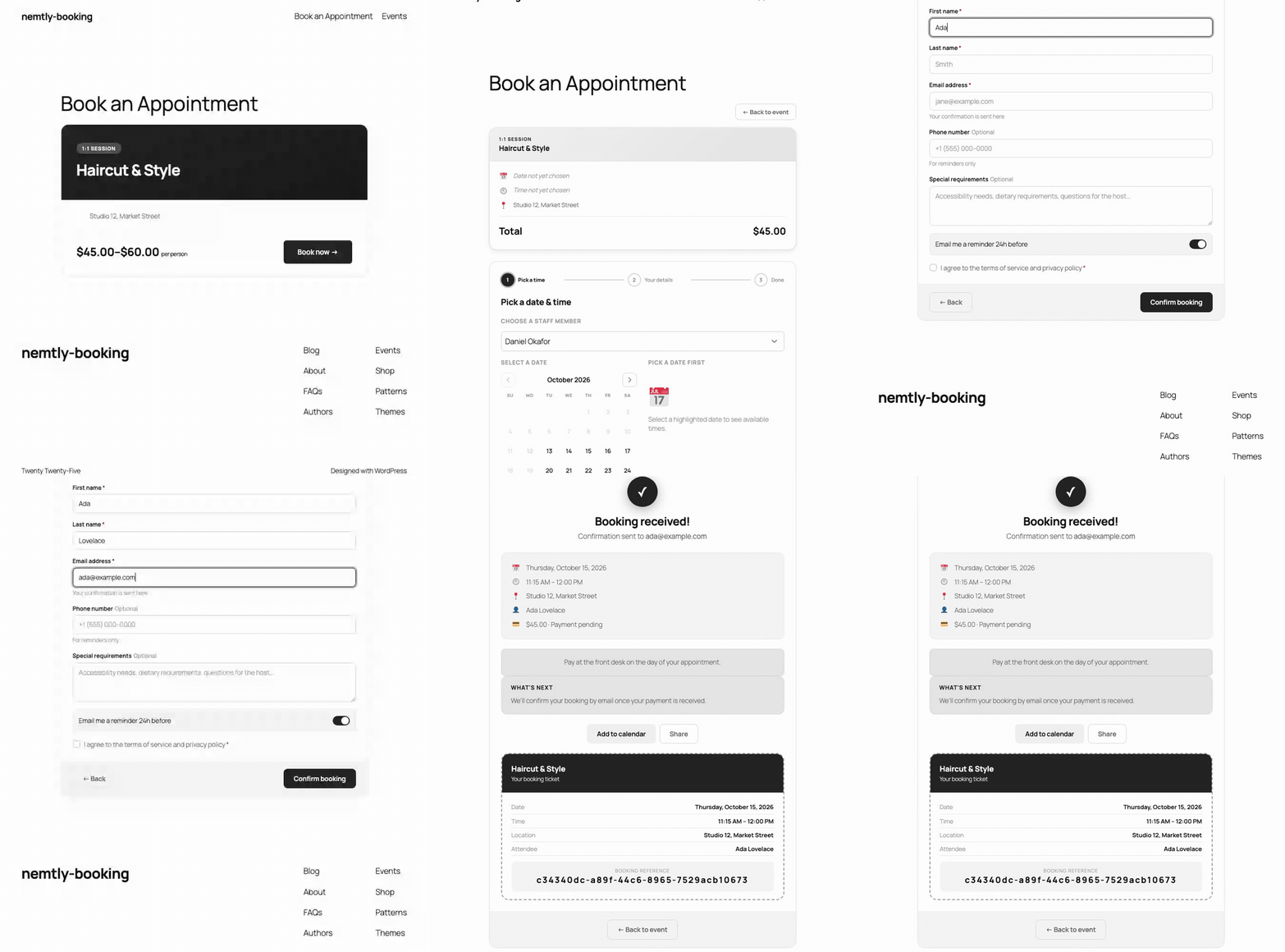
The booking flow on desktop, from choosing a staff member to confirmation
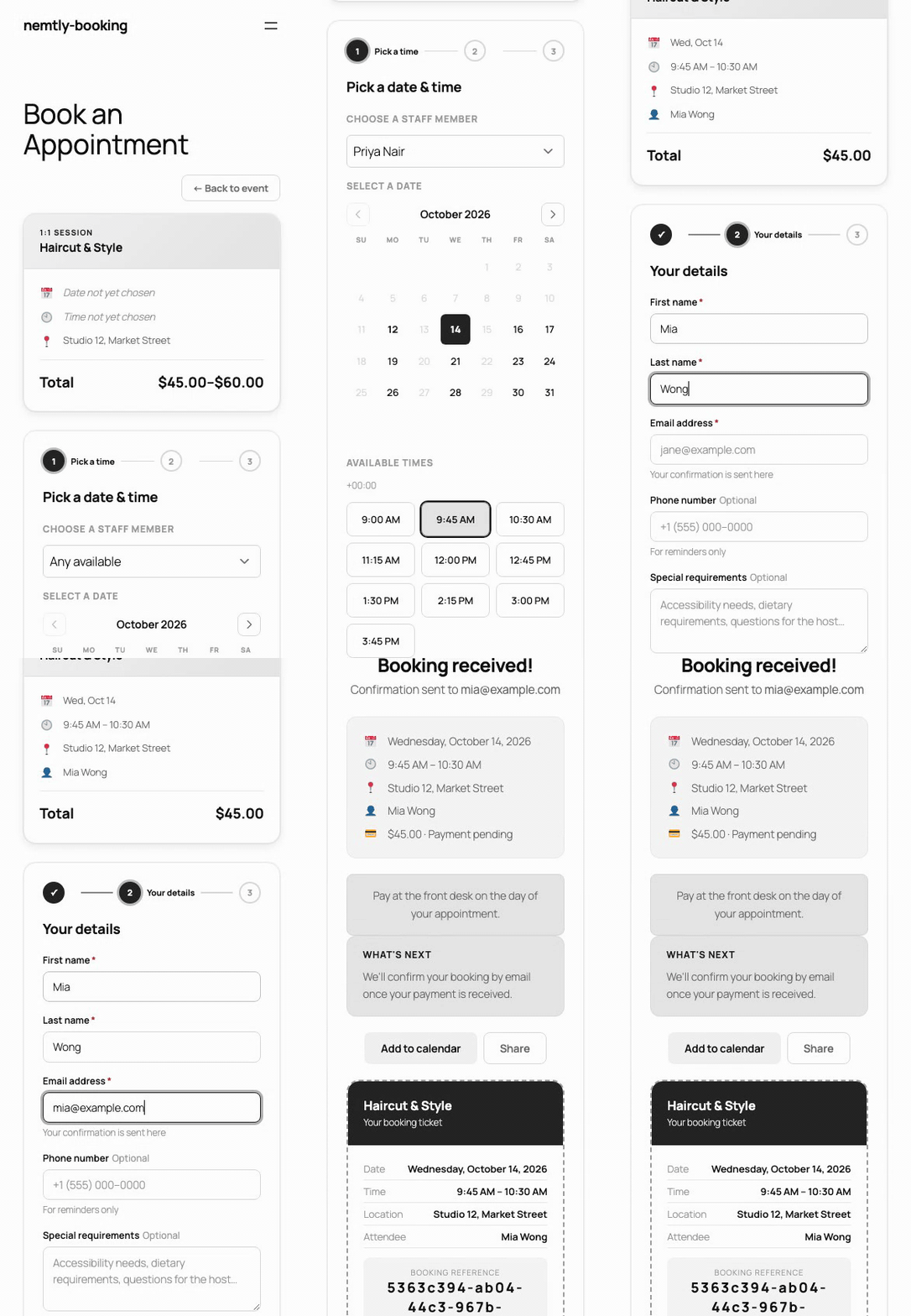
The same booking flow on a phone