
TranslateEase helps WordPress site owners create and manage English translations without turning the whole site into a complex multilingual system.
It is designed for small sites that want to translate a limited number of Japanese pages or posts into English, review the translation, and publish only when ready.
Main features
- Create paired English translations for pages and posts.
- Manage original and English content from a dedicated Content Translations screen.
- Search original and English content by title or slug, and start translating from post and page lists.
- Edit translations in a side-by-side Translation Workspace.
- Use manual translation without any external API key.
- Optionally create English draft translations with DeepL API.
- Keep automatic translation output as draft until reviewed.
- Show a JP / EN language switcher on paired published content.
- Output hreflang alternates for paired published content.
- Preserve Gutenberg block structure during automatic translation.
- Preserve list structure and shortcode-only blocks such as form embeds.
DeepL API and external service use
TranslateEase can be used without DeepL by manually editing English translations.
If you choose DeepL as the translation provider and enter a DeepL API key, TranslateEase sends the selected source title, content, and excerpt to the DeepL API only when an authorized administrator clicks an automatic translation action in the WordPress admin area.
TranslateEase does not send visitor data to DeepL. Automatic translation is not triggered by front-end visitors.
DeepL API service information:
- Service: DeepL API
- API endpoint used for Free keys: https://api-free.deepl.com/v2/translate
- API endpoint used for Pro keys: https://api.deepl.com/v2/translate
- DeepL Privacy Policy: https://www.deepl.com/privacy
- DeepL Terms: https://www.deepl.com/pro-license
You are responsible for your own DeepL account, API key, and usage limits.
Screenshots

Basic settings and language switcher style previews: pill, minimal, select, and floating.
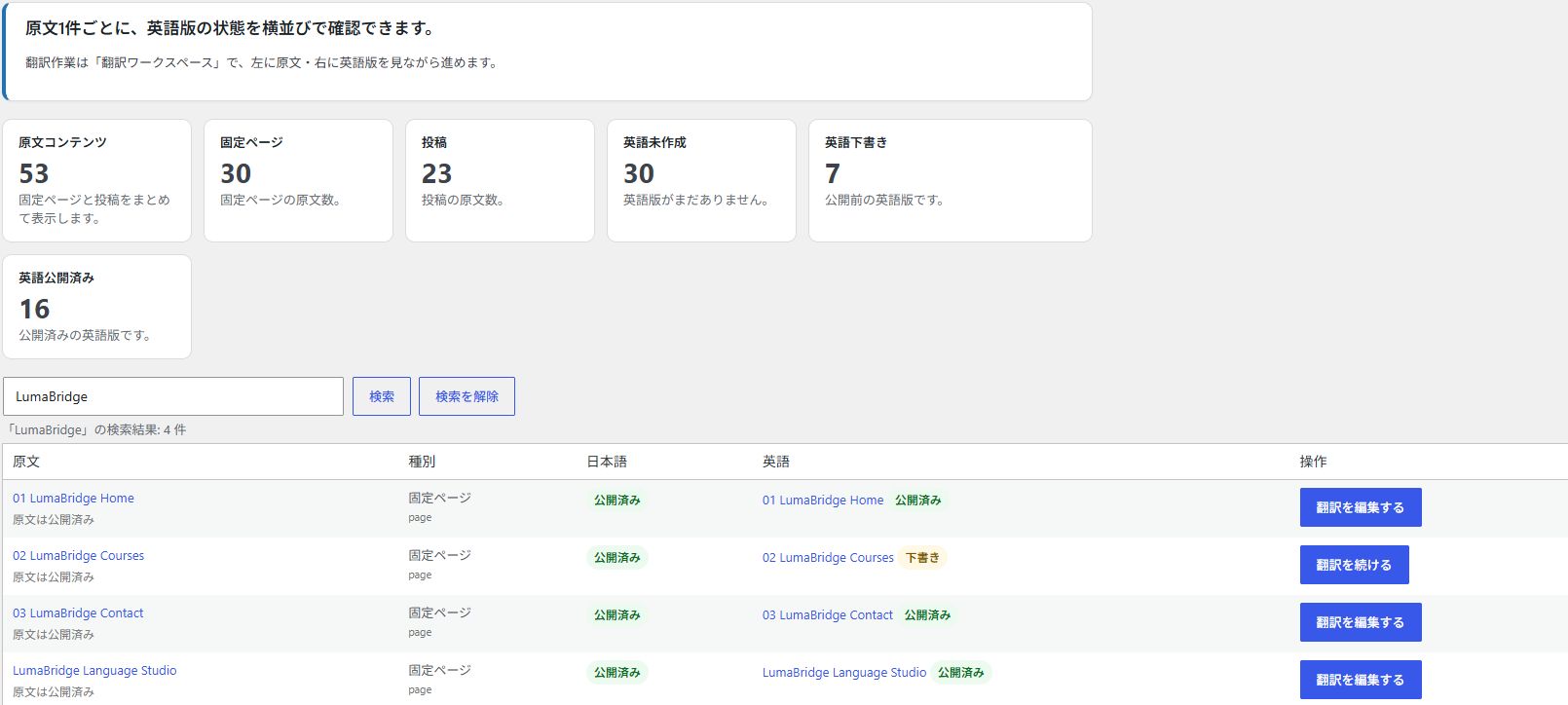
Content Translations screen with summary counts and Japanese / English publication status side by side for the LumaBridge demo pages.
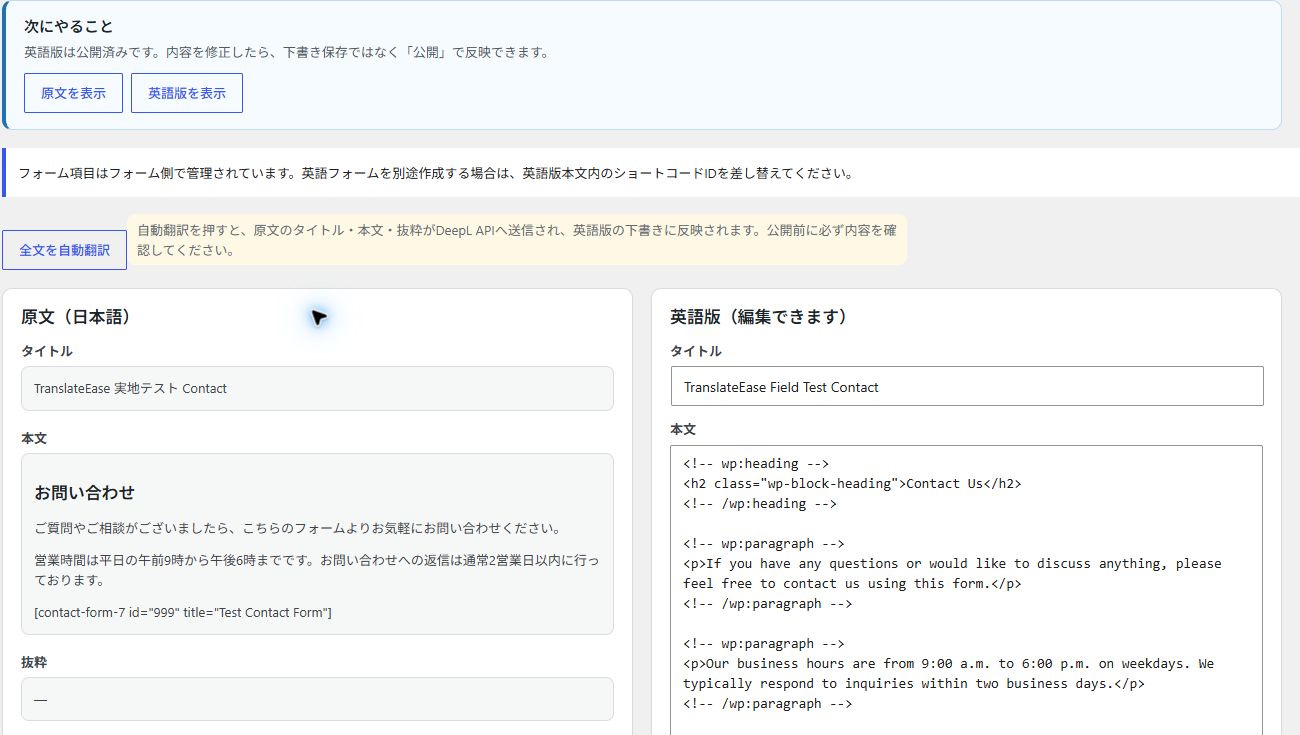
Translation Workspace with the Japanese original on the left and editable published English content on the right.

DeepL setup guidance when an API key is saved but the translation provider is "none". Saving the API key alone does not enable automatic translation: select "deepl" under Translation provider (翻訳サービス), then click Save Changes (変更を保存). You do not need to re-enter the saved API key.
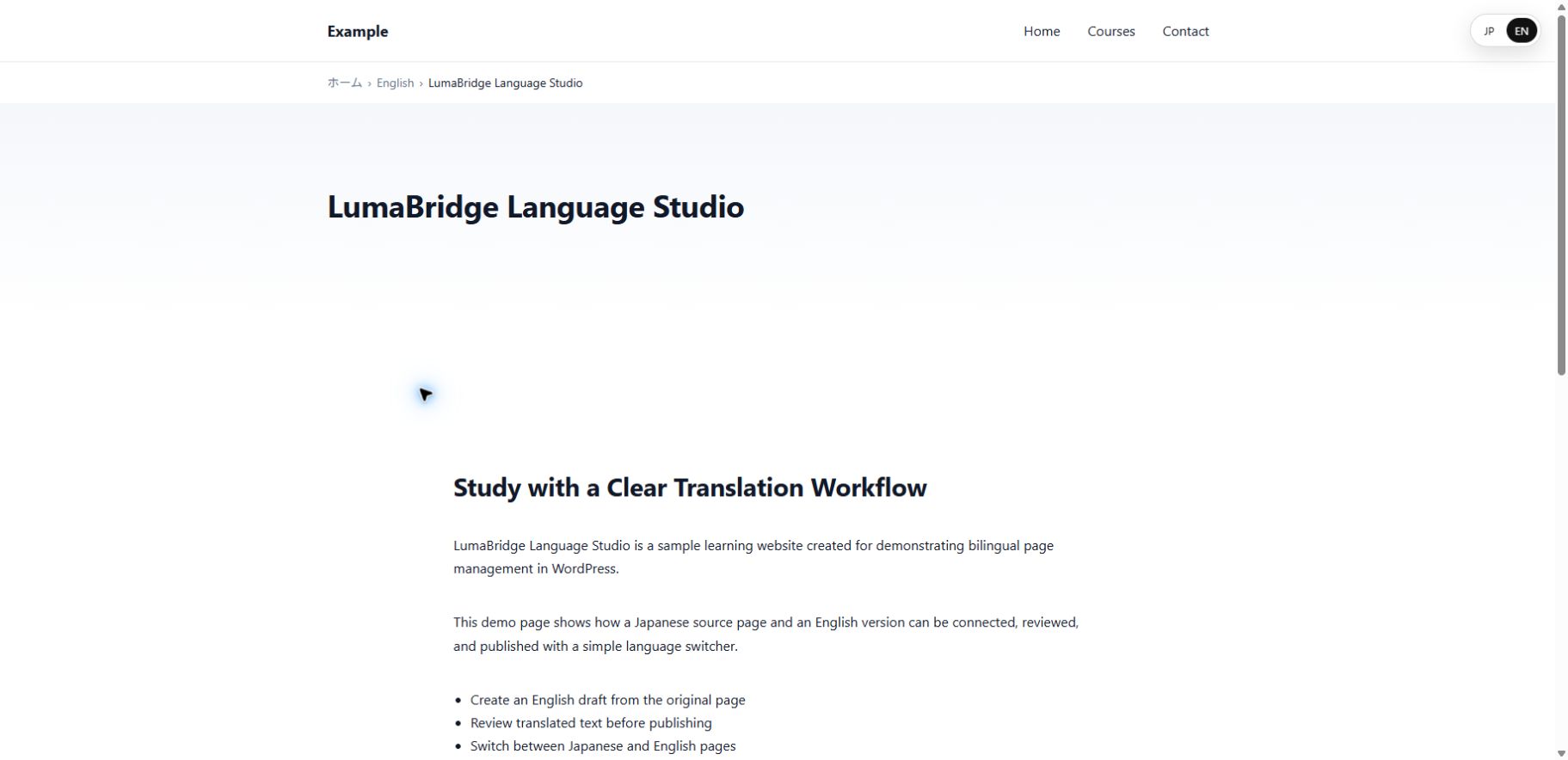
Front-end JP / EN language switcher on the demo English page, with EN selected.