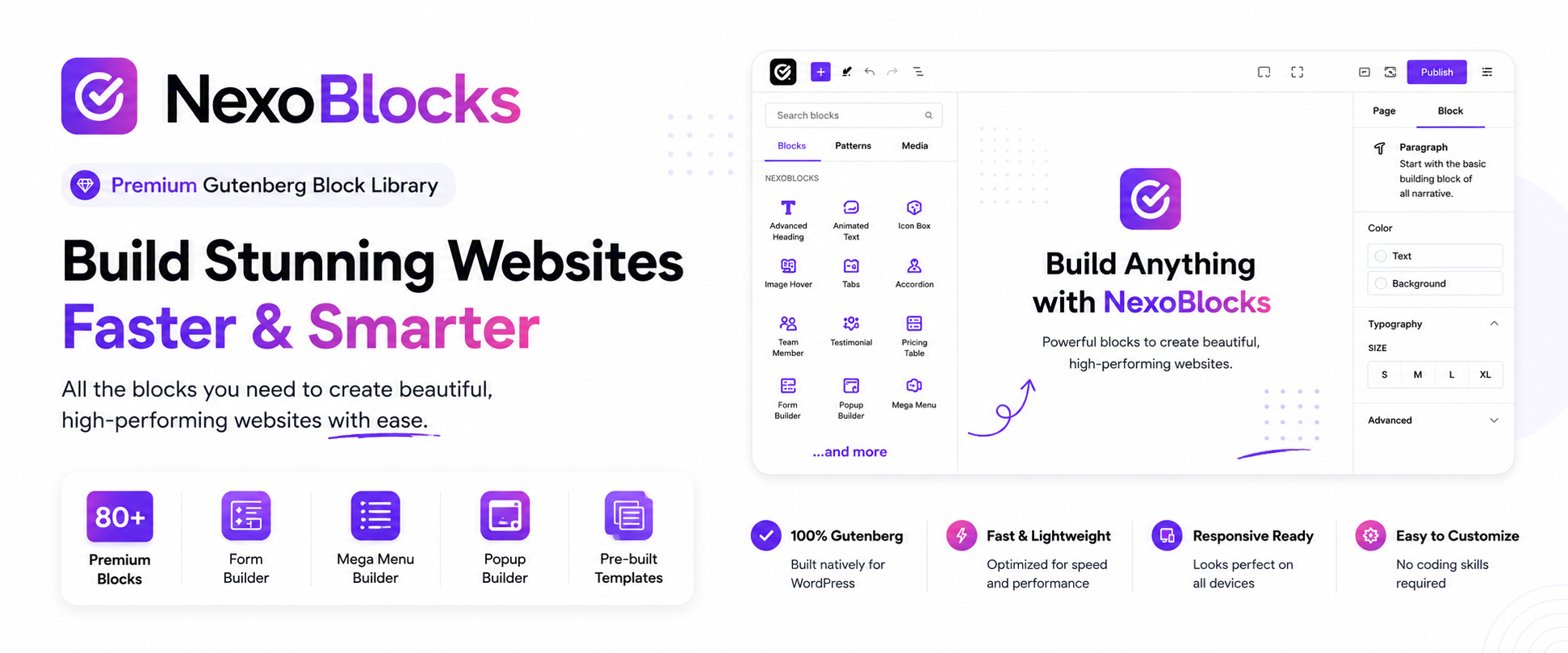
NexoBlocks – The Complete Gutenberg Toolkit: 80+ Blocks, Form Builder, Mega Menu & Popup Builder
by Nazmul Huda
The Only Block Library You’ll Ever Need — 100% Free
NexoBlocks turns the native WordPress Block Editor into a full website-building studio. With 80+ advanced Gutenberg blocks, a built-in Form Builder, WooCommerce blocks, Mega Menu, popups, custom fonts, and pro-level design controls, you can build anything — landing pages, business sites, portfolios, blogs, and online stores — without ever leaving Gutenberg.
No separate page builder. No coding. No Pro upgrade required.
Every block and feature currently in NexoBlocks is free — no paywalls, no locked features.
🚀 Why Site Owners & Agencies Choose NexoBlocks
- ✅ 85+ free Gutenberg blocks — one plugin instead of five
- ✅ Nothing locked behind Pro — the full toolkit is free today
- ✅ Built-in Form Builder — multi-step forms, spam protection, auto-responders
- ✅ WooCommerce ready — product grids, carts, checkout blocks, and more
- ✅ Mega Menu & advanced navigation — build agency-grade menus visually
- ✅ Popups & interactive tools — engage visitors without extra plugins
- ✅ True responsive control — fine-tune desktop, tablet, and mobile independently
- ✅ Custom fonts & Google Fonts — full typographic freedom
- ✅ Built-in SVG library — searchable icons, ready to drop in
- ✅ Ready-made templates & patterns — launch pages in minutes
- ✅ Developer-friendly — REST API, hooks, and filters included
🧱 Build Anything, Right Inside Gutenberg
From a single portfolio page to a full WooCommerce storefront, NexoBlocks covers it:
Business websites • Landing pages • Agency sites • Portfolios • Blogs • Online stores • Product pages • Marketing pages • Service websites • Content-rich sites
📦 85+ Blocks Across 10 Categories
Basic Blocks
Container, Heading, Paragraph, Button, Download Button, Image, Icon, Blockquote, Divider, Fancy List, Unfold
Content Blocks
Accordion, Tabs, Progress Bar, Rating, Testimonial, Team Member, Counter, Icon Box, Pros & Cons Box, Flip Box, Pricing Table, Price Menu, Image Comparison, Image Accordion, Image Hotspot, Table of Contents, Countdown, Marquee, News Ticker, Timeline, Table, Code Highlighter, Chart, Lottie Animation, Coupon Code
Media Blocks
Slider, Carousel, Horizontal Scroll Showcase, Filterable Gallery, Video, Video Gallery
Interactive Blocks
Modal, Toggle, Back To Top, WhatsApp Chat, Reading Progress Bar, Dark Mode Toggle, Sticky Promotion Bar, Live Chat
Navigation Blocks
Breadcrumb, Nav Menu, Offcanvas Menu, Mega Menu
Form Blocks
Form Builder, Newsletter, Mailchimp, Ajax Search, Login / Logout, Lead Capture Form
Social Blocks
Social Icons, Social Share, Facebook Feed, Telegram Join CTA
Blog & Post Blocks
Blog Post Grid/List, Post Slider, Post Tab, Query Builder, Dynamic Loop Carousel, Taxonomy List
Integration Blocks
Google Map, Google Review, PayPal Button, Stripe Button, QR Code
WooCommerce Blocks
Product Grid, Product Slider, Product Categories, Mini Cart, Floating Cart, Product Filter, Checkout, Account Pages
✍️ Form Builder
Build contact forms, inquiry forms, newsletter forms, and fully custom forms — directly inside the Block Editor:
- Multi-step forms
- Email notifications & auto-responders
- Honeypot spam protection
- Google reCAPTCHA support
- Form entry storage
🛒 Built for WooCommerce
Design store experiences visually with:
- Product Grids & Sliders
- Product Categories & AJAX Filtering
- Mini Cart & Floating Cart
- Checkout Layouts & Account Pages
🧭 Powerful Navigation
Breadcrumbs, Nav Menus, Offcanvas Menus, and true Mega Menus — build flexible navigation without a separate plugin.
🎨 Design Without Limits
- Typography — Google Fonts, custom fonts, advanced text controls
- Spacing — margin, padding, gap controls
- Colors & Gradients — full visual effects support
- Borders & Shadows — radius, outlines, box shadows
- Custom CSS — per-block CSS overrides
- Animations — entrance animations & hover states
- Transforms — scale, rotate, translate, skew
🔤 Custom Fonts
Upload WOFF, WOFF2, or TTF fonts, or pull directly from Google Fonts — with advanced typography controls across supported blocks.
🖼️ Built-in SVG Library
Browse, search, and insert SVG icons instantly — with full color customization and custom SVG uploads.
📁 Template Library
Skip the blank canvas. Import ready-to-use sections, layouts, and full page patterns, then customize everything directly in Gutenberg.
🎛️ Stay Organized
Enable or disable individual blocks from Settings to keep your editor lean and focused on what you actually use.
👨💻 Built for Developers
- REST API — endpoints for settings, blocks, and forms
- Actions & Filters — deep customization hooks
- Block Filters — modify block output
- Localization — fully translation-ready
- Clean architecture — namespaced code following WordPress Coding Standards
💯 Everything Is Free
No premium blocks. No Pro upgrade required. No hidden paywalls. NexoBlocks is built to give you a complete, professional website-building toolkit at zero cost.
Who Is NexoBlocks For?
WordPress users • Bloggers • Freelancers • Designers • Developers • Agencies • WooCommerce store owners • Anyone building with Gutenberg
Screenshots

Build complete WordPress websites using 85+ advanced blocks, flexible layouts, and powerful design controls.

Explore blocks for content, media, forms, navigation, blog content, integrations, WooCommerce, and more.

Customize layouts for desktop, tablet, and mobile with responsive controls.

Create contact forms and custom forms directly inside the WordPress Block Editor.

Build product grids, product sliders, filters, carts, and checkout layouts.

Build advanced navigation and Mega Menus directly with Gutenberg.