Definition: NextGEN ZCropper is a plugin that resizes and crops(!) your pictures while uploading. It will always match your selected width and height, trying to display as much as possible of the original image.
Why: I found several people like me requesting an instant crop functionality for NextGEN Gallery Images (not only the thumbnails). Here it is 😉 Any feature requests: Go to http://vogelundstrauss.de/blog
Required: This plugin requires Alex Rabe’s – NextGEN Gallery Plugin
To report bugs/give feedback/request support, please visit the vogelundstrauss.de/blog wordpress plugin support.
Tested with
NextGEN Gallery 1.8.2 and WP 3.2.x
How To
- Go to settings page of the plugin
- Switch ON/OFF
- Select target width and height inside image options tab of NextGEN Gallery Options (see second screenshot)
- Important: Keep the resize on upload option DE-activated inside image options tab
- Upload pictures to your galleries using NextGEN image upload menu
- DONE
NOTE: You require NextGEN Gallery Plugin by http://AlexRabe.de!
Screenshots
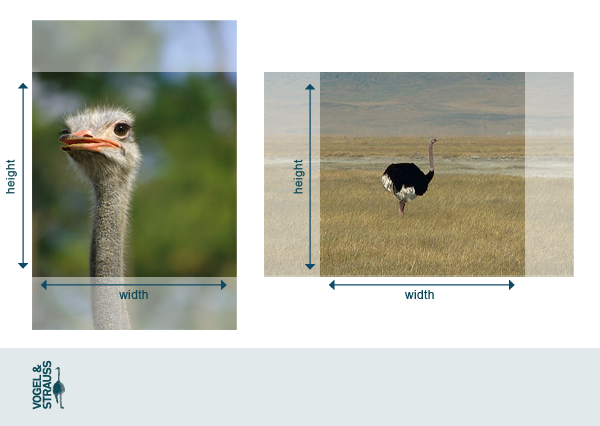
What Z Cropper does ...

How to setup Z Cropper ...