BACK TO DIRECTORY
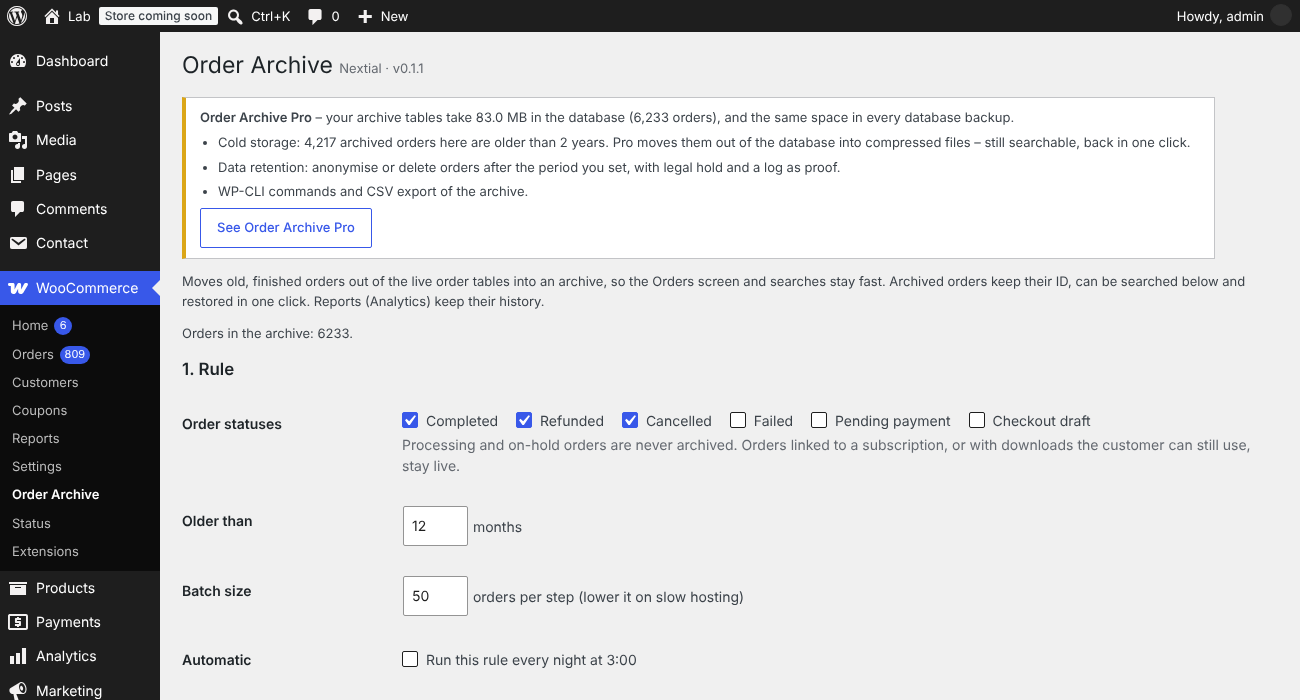

Stores with years of orders get a slow Orders screen, slow searches and heavy database queries. Nextial Order Archive moves old, finished orders out of the live WooCommerce order tables into archive tables, so WooCommerce works on the orders that matter today.
- Rules: choose the statuses (completed, refunded, cancelled, failed…) and the age, for example “completed orders older than 12 months”.
- Preview first: see how many orders match, and which ones stay live, before anything moves.
- Background batches: Action Scheduler moves small batches one after another, so the store never slows down. Stop at any time.
- Automatic: optionally run the rule every night.
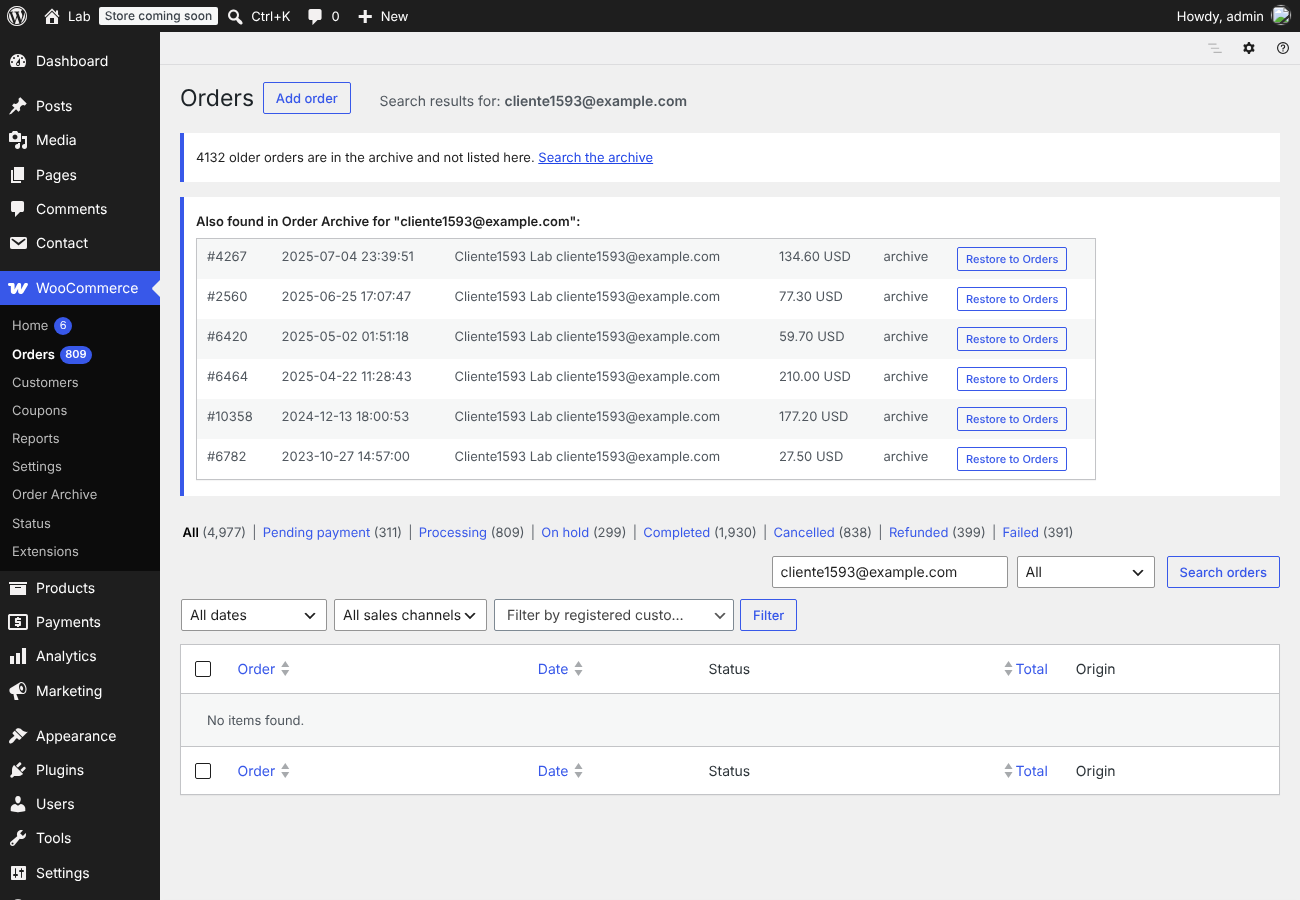
- Search the archive by order number, e-mail or customer name.
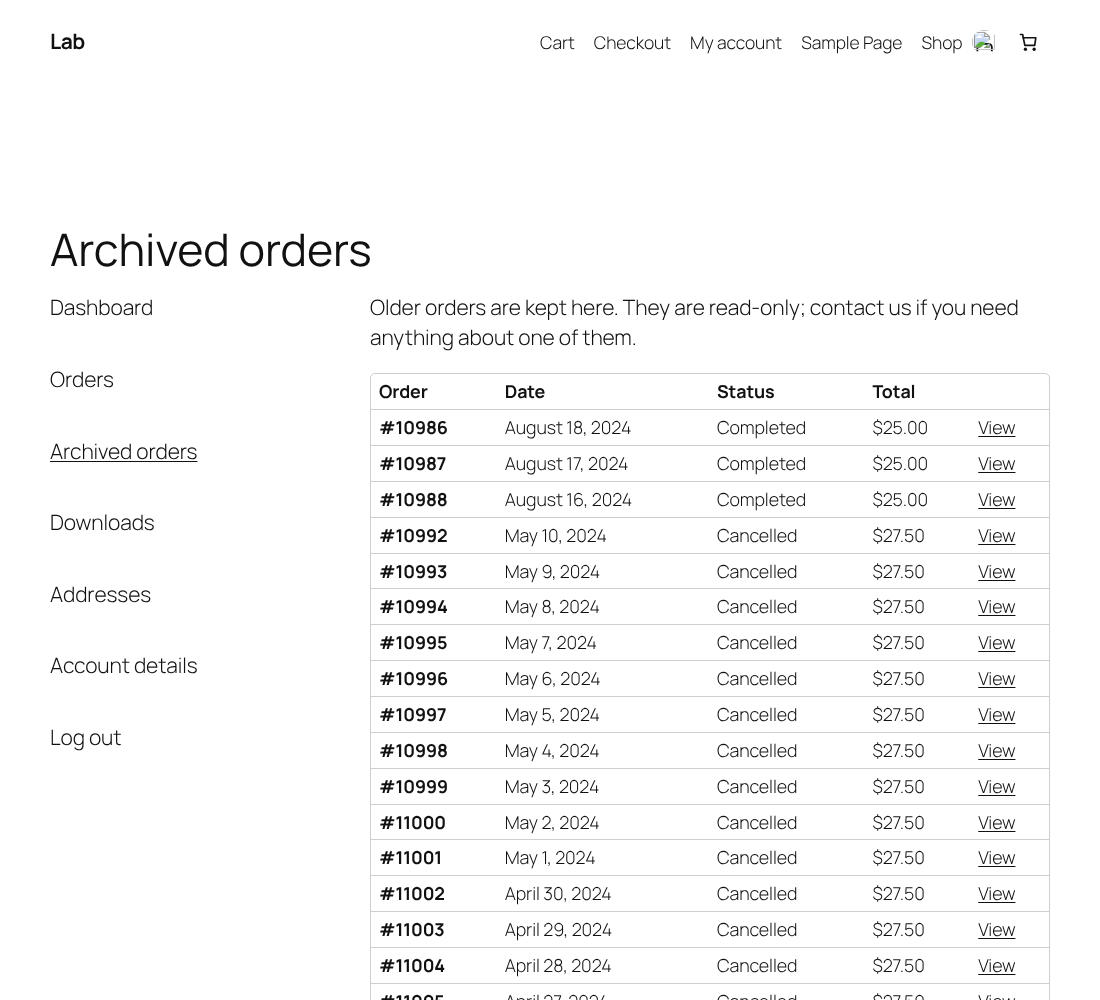
- Customers still see their old orders: an “Archived orders” tab in My Account lists them, read-only, with items, totals, refunds and addresses. Only the customer’s own orders, and only if they have any. You can switch it off.
- Restore in one click: the order comes back with the same ID, items, notes and refunds. A restored order is never archived again automatically.
- Reports keep their history: WooCommerce Analytics tables are not touched.
Safe by design
- Every batch runs inside one database transaction: rows are copied, every row count is checked, and only then are the live rows removed. Any difference rolls the batch back and nothing is moved.
- An order moves with everything that belongs to it: addresses, operational data, meta, line items and their meta, order notes and child refunds.
- Order IDs stay reserved (HPOS placeholder posts are kept), so a restored order gets its own ID back and no new order can take it.
- Orders linked to WooCommerce Subscriptions and orders with downloads the customer can still use are never archived. Processing and on-hold orders are never archived.
- Requires High-Performance Order Storage (HPOS) with compatibility mode off, so orders live in one place only. The plugin checks this and does nothing otherwise.
- Uninstalling the plugin never deletes the archive.
What to know
- Archived orders are not shown in WooCommerce Orders, and in My Account they appear only in the “Archived orders” tab (not under Orders). Guest orders (no customer account) are not shown to customers. Restore an order to show it everywhere again.
- Other plugins that keep their own data about orders (for example invoices or shipping labels) keep it; they will not find the order while it is archived.
- Make a database backup before the first run.
Screenshots
Settings and the Pro box: rules, preview and archived orders list.
"Archived orders" tab in the customer's My Account page.
Archived order detail in My Account (read-only).
Pro: archived orders found by the normal WooCommerce order search.
Plugin Details
Active Installs
0Total Downloads
43Version
0.1.1Requires WP
6.5Requires PHP
7.4Tested Up To
7.1.4Added
2026-10-31Last Updated
2026-10-31 11:16pm GMTRatings
5
0
4
0
3
0
2
0
1
0