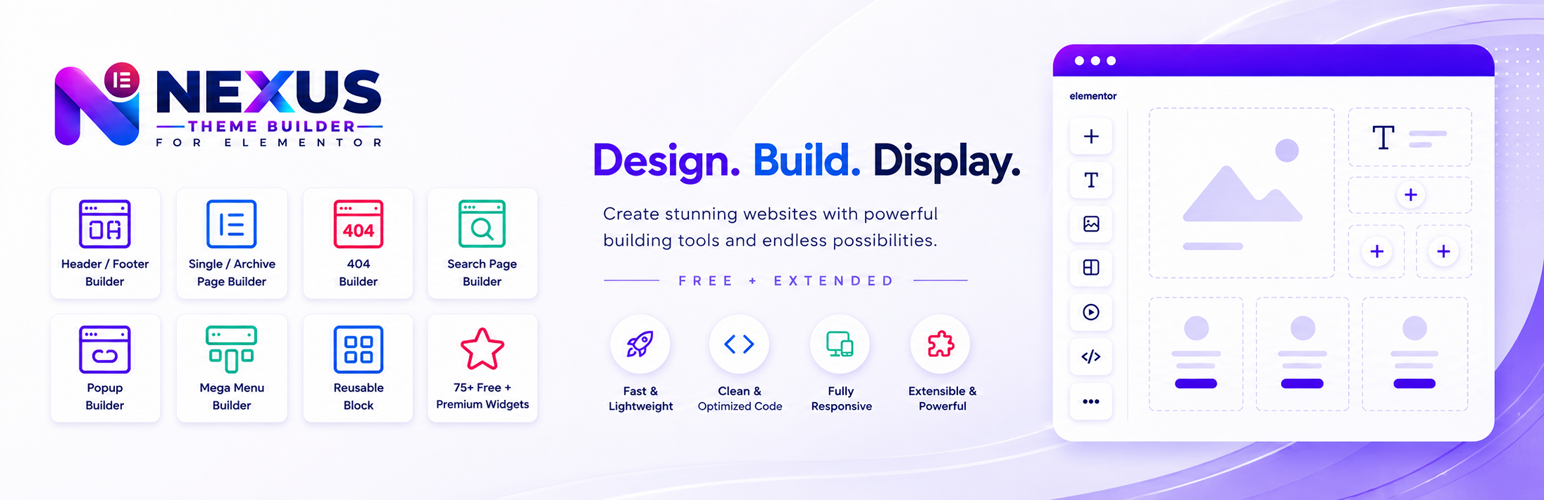
Nexus Theme Builder for Elementor lets you build Elementor headers, footers, single templates, archives, search results, 404 pages, and reusable blocks with display conditions.
Demo: View live demo
The free plugin also includes a focused Elementor widget library and a dashboard where individual widgets can be enabled or disabled. WooCommerce-dependent widgets are registered only when WooCommerce is active.
Free template types
The Free edition supports the following template types:
- Header — build a custom Elementor header and assign it to the entire site or selected locations.
- Footer — build a custom Elementor footer and assign it globally or conditionally.
- Single content templates — create Elementor layouts for posts and supported public custom post types.
- Archive — design archive layouts for supported WordPress archive contexts.
- Search Results Page — create an Elementor template for WordPress search-result pages.
- 404 Page — replace the normal theme 404 output with an Elementor-designed template.
- Custom Block — build reusable Elementor content that can be inserted where supported, including through the Nexus template shortcode.
The Theme Builder works with supported public post types and public taxonomies when they meet the plugin’s targetable-content requirements. This allows compatible third-party content types to participate without hard-coding every post type into the plugin.
Display conditions and template assignment
Use simple assignment rules to control where each published template appears:
- Display Location — choose where the template should appear.
- Exclude Location — prevent the template from appearing in selected locations.
- User Roles — show templates based on login state or WordPress role.
- Priority — lower numbers win when multiple templates match.
Custom Blocks and template shortcode
Published Nexus templates can be reused with [netb_template id="123"]. Replace 123 with the published Nexus template ID. Custom Blocks provide reusable Elementor-built content for supported locations.
Widget management
Use Nexus Builder > Dashboard to enable or disable Nexus widgets. Disabled Free widgets are not registered with Elementor, and WooCommerce-dependent widgets are available only when WooCommerce is active.
Free Elementor widgets
The Free edition includes these Elementor widgets:
- Site Logo — Displays your site logo dynamically in Elementor.
- Page Title — Displays context-aware page and content titles dynamically.
- Site Tagline — Displays the WordPress site tagline dynamically.
- Site Title — Displays the WordPress site title dynamically.
- Post Meta Info — Displays contextual post metadata in Elementor templates.
- Breadcrumbs — Displays contextual breadcrumb navigation for WordPress content.
- Copyright — Adds customizable copyright content to Elementor layouts.
- Reading Time Count — Shows estimated reading time for supported content.
- Search (Ajax/Normal Search) — Provides configurable Ajax or normal WordPress search.
- Dynamic Counter — Displays manual or dynamic numerical counters.
- Info Card — Creates flexible information cards with actions.
- Social Share — Adds configurable social sharing buttons.
- Static/Dynamic Table — Creates manual or dynamic data tables.
- Interactive Card — Creates interactive cards with visual effects.
- Post Grid — Displays queried WordPress content in responsive grids.
- Search Result Page Content — Displays the live WordPress search-results query with responsive layouts, meta, excerpts, term highlighting, and pagination.
- Archive Page Content — Displays the live WordPress archive query for category, tag, taxonomy, author, date, and post-type archives.
- Advanced Progress Bar — Displays customizable progress indicators with values.
- Animated Link — Creates styled links with configurable animations.
- Logo Grid — Displays logos in flexible responsive grids.
- Animated Heading — Creates headings with animated rotating text.
- Navbar — Builds responsive navigation with branding and actions.
- WooCommerce Categories — Displays WooCommerce product categories in configurable layouts.
- Static Carousel — Creates responsive static content carousels with flexible controls.
- Member — Displays team members with flexible layouts and social links.
- Image Stack — Creates layered image stacks with presets and interactions.
Pro Theme Builder extension
Mega Menu template type
- Mega Menu — Build reusable Elementor mega menu templates for advanced navigation.
Popup Builder template type
- Popup Builder — Create Elementor popups with targeting, triggers, and visit controls.
Pro Elementor widgets
The Pro extension adds these Elementor widgets:
- Testimonial — Displays testimonials from manual or dynamic content.
- Video Player — Adds a configurable video player to Elementor.
- Advanced Button — Creates advanced buttons with flexible content and effects.
- Custom/Dynamic Tabs — Creates tabs from custom or dynamic content.
- Custom/Dynamic FAQ — Creates FAQs from custom or dynamic content.
- Post / Custom Timeline — Displays posts or custom content as timelines.
- Post Gallery — Displays queried content in image-led galleries.
- Countdown Timer — Creates configurable countdown timers for Elementor.
- Comparison List — Builds structured feature, plan, or product comparisons.
- Price Table — Creates customizable pricing and plan tables.
- Custom/Dynamic Charts — Visualizes custom or dynamic data as charts.
- Logo Carousel — Displays logos in configurable carousel layouts.
- Dynamic Content — Queries and displays WordPress content dynamically.
- Advanced Image Gallery — Creates flexible image galleries with advanced layouts.
- Advanced Heading — Builds advanced headings with highlighted content.
- Advanced Icon Box — Creates feature boxes with icons, images, and actions.
- Post List — Displays queried WordPress content in flexible lists.
- Mega Menu — Builds advanced responsive navigation and mega menus.
- Offcanvas — Creates configurable slide-in offcanvas content panels.
- Vertical Menu — Builds responsive vertical navigation menus.
- Scrollnav — Creates navigation linked to page sections.
- Changelog — Displays structured release and update histories.
- Image Masking — Applies creative masking treatments to images.
- Custom Carousel — Creates flexible carousels for custom content.
Pro WooCommerce Theme Builder widgets
Pro adds dedicated Elementor widgets for WooCommerce single-product and archive templates:
- Woo single Breadcrumbs
- Woo single Sale Badge
- Woo single Product Title
- Woo single Product Gallery
- Woo single Product Price
- Woo single Product Rating
- Woo single Short Description
- Woo single Add To Cart
- Woo single Stock
- Woo single Product Meta
- Woo single Product Tabs
- Woo single Description
- Woo single Additional Information
- Woo single Reviews
- Woo single Upsells
- Woo single Related Products
- Woo single Product Navigation
- Woo Archive Breadcrumbs
- Woo Archive Title
- Woo Archive Description
- Woo Archive Products
- Woo Archive Categories
- Woo Archive Filters
Pro extended Elementor features
The Pro extension adds these Elementor-level features:
- Dynamic Text Highlight — Highlights matching text with configurable visual effects.
- Scroll Driven Motion — Adds scroll-responsive motion and visual effects.
- Animated Gradient BG — Adds animated gradient backgrounds to Elementor elements.
- Background Image Parallax — Adds scroll-based parallax movement to background images.
Getting started with Nexus Builder
A typical workflow is:
- Decide what part of the site you want to design, such as a Header or Footer.
- Create the corresponding Nexus template.
- Assign a Display Location, for example Entire Site.
- Add exclusions if certain pages should retain another template.
- Choose User Roles only when visitor-based targeting is required.
- Use Priority to control which template wins when rules overlap.
- Open the template in Elementor.
- Add normal Elementor widgets and/or Nexus widgets.
- Publish the template.
- Test the relevant pages on desktop, tablet, and mobile.
For reusable content rather than a site-level Header/Footer/Single/Archive assignment, create a Custom Block and use it where supported, including with the [netb_template id="..."] shortcode.
External services
Social Share connects to the selected sharing service only when used. Dynamic tables may load an administrator-provided CSV URL; the selected external provider’s terms and privacy policy apply.
Source code
Human-readable JavaScript and CSS are included in the plugin package under assets/js/ and assets/css/.
Screenshots

Nexus Builder Dashboard and Free widget management.

Theme Builder template list and template creation workflow.

Template Type, Priority, Display Location, Exclude Location, and User Role controls.

Elementor editing with Nexus Theme Builder templates.

Nexus Elements category inside the Elementor widget panel.

Free display widgets such as Site Logo, Page Title, Breadcrumbs, Post Meta Info, and Reading Time Count.

Free content widgets such as Search, Counter, Info Card, Table, Animated Heading, and Interactive Card.

Free layout/content widgets such as Navbar, Post Grid, Logo Grid, Advanced Progress Bar, and WooCommerce Categories.