
This plugin connects your store to NFE.io, a Brazilian service that issues electronic service invoices (NFS-e) with city halls across Brazil.
You configure which company issues the invoices and when they should be issued. From then on, an invoice can be requested automatically when an order reaches a given status, by you from the order screen, or by the customer from their account page. NFE.io issues the document with the city hall and reports back; the plugin records the result on the order and lets the customer download the PDF.
What it does
- Requests NFS-e for orders, automatically on an order status or manually
- Records the invoice number, verification code and issue date on the order
- Sends the customer an e-mail when the invoice is confirmed, with a link to download it
- Lets the customer download the invoice PDF from their account
- Supports the tax reform (RTC) fields:
nbsCode,ibsCbs.operationIndicatorandibsCbs.classCode, resolved per variation, per product, or from the global settings - Works with both WooCommerce order storages, including High-Performance Order Storage (HPOS)
What you need
- An account at NFE.io, with a company registered and a digital certificate uploaded
- The Brazilian Market on WooCommerce plugin, which collects the buyer’s CPF/CNPJ and address fields at checkout. Without it those fields are not captured, and an NFS-e cannot be issued for a buyer the invoice cannot identify.
External services
This plugin sends data to NFE.io, a third-party service, because that is what issuing an invoice requires: the document is produced by NFE.io and filed with the city hall. Nothing is sent unless an invoice is requested for an order.
api.nfe.io — issuing and managing invoices.
- What is sent: the buyer’s full name, e-mail address, tax identification number (CPF for individuals, CNPJ for companies) and complete address (street, number, complement, district, city, state, postal code); the order amount; and the service description and tax codes you configured.
- When: every time an invoice is requested for an order — automatically when the order reaches the status you configured, or when you or the customer ask for one.
- Also sent here: the invoice identifier alone, when downloading a PDF or cancelling an invoice; and, once, the address of your site when the plugin registers its notification endpoint.
open.nfe.io — postal code lookup.
- What is sent: the buyer’s postal code, and nothing else.
- When: while assembling an invoice, to resolve the city code that the invoice requires.
Notifications back to your site. After an invoice is requested, NFE.io reports the outcome to your site over HTTPS. These deliveries are authenticated with a shared secret the plugin generates; anything unsigned is rejected. No personal data leaves your site in this exchange — your site only receives.
Your use of the NFE.io service is governed by its terms of service and privacy policy. This plugin is published by NFE.io, the owner of the NFE.io service and trademark, to connect that service to WooCommerce.
Third-Party Licenses
This plugin is distributed under the GNU General Public License version 2 or later (GPLv2 or later), the same license declared in composer.json (GPL-2.0-or-later).
The plugin bundles the official NFE.io PHP SDK (nfe/nfe, version 3.5), which is distributed under the MIT License. The full license text ships with the plugin in vendor/nfe/nfe/LICENSE.
The MIT License is a permissive license and is compatible with the GPL: MIT-licensed code may be combined with and redistributed as part of a GPL-licensed work. The bundled library keeps its own MIT terms, while the plugin as a whole is distributed under GPLv2 or later.
WooCommerce and its associated designs are trademarks of Automattic Inc. This plugin is an independent integration and is not affiliated with, endorsed by, or sponsored by Automattic Inc.
Screenshots
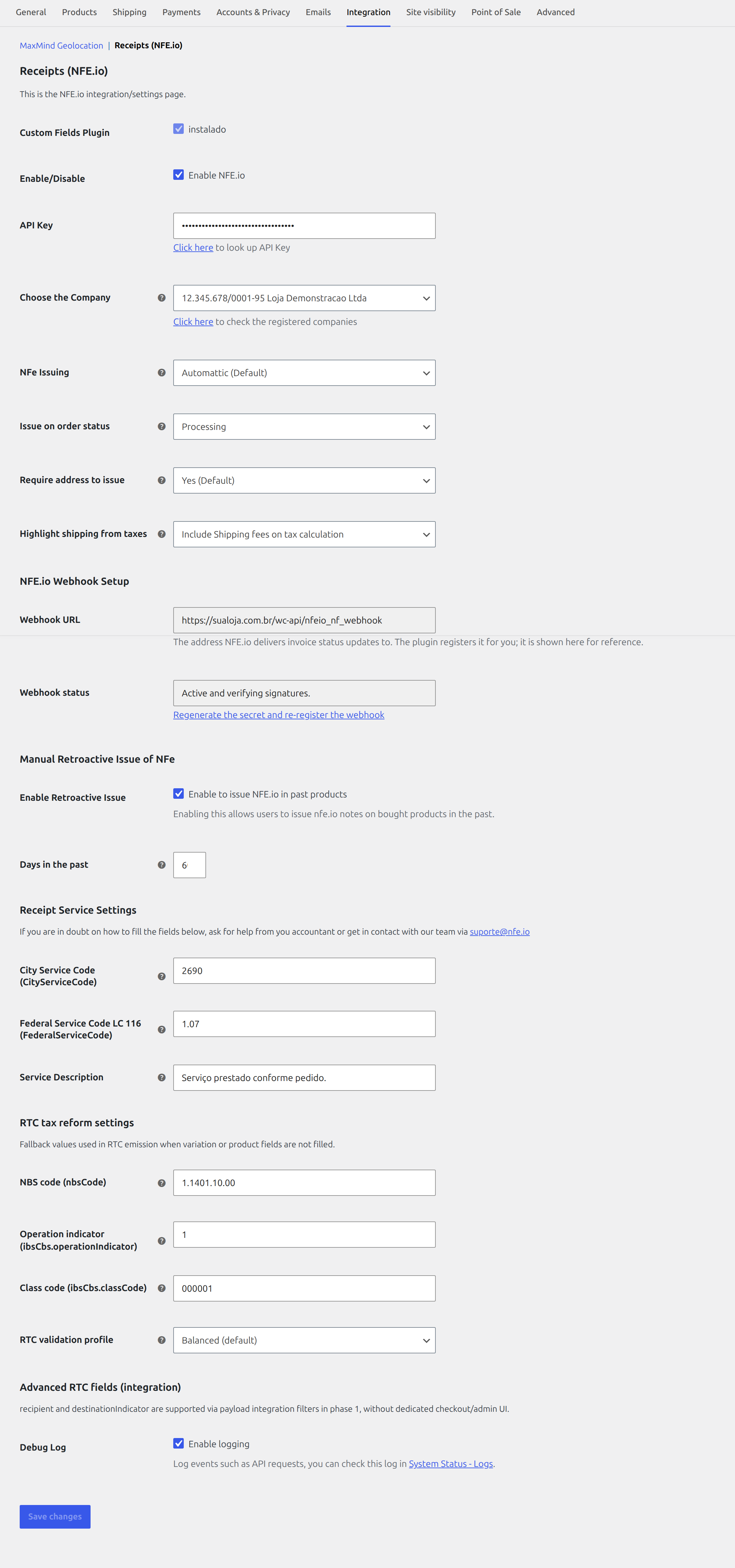
Integration settings: API key, issuing company, when to issue, the signed webhook, the service codes sent to the city hall and the RTC tax reform fallbacks.
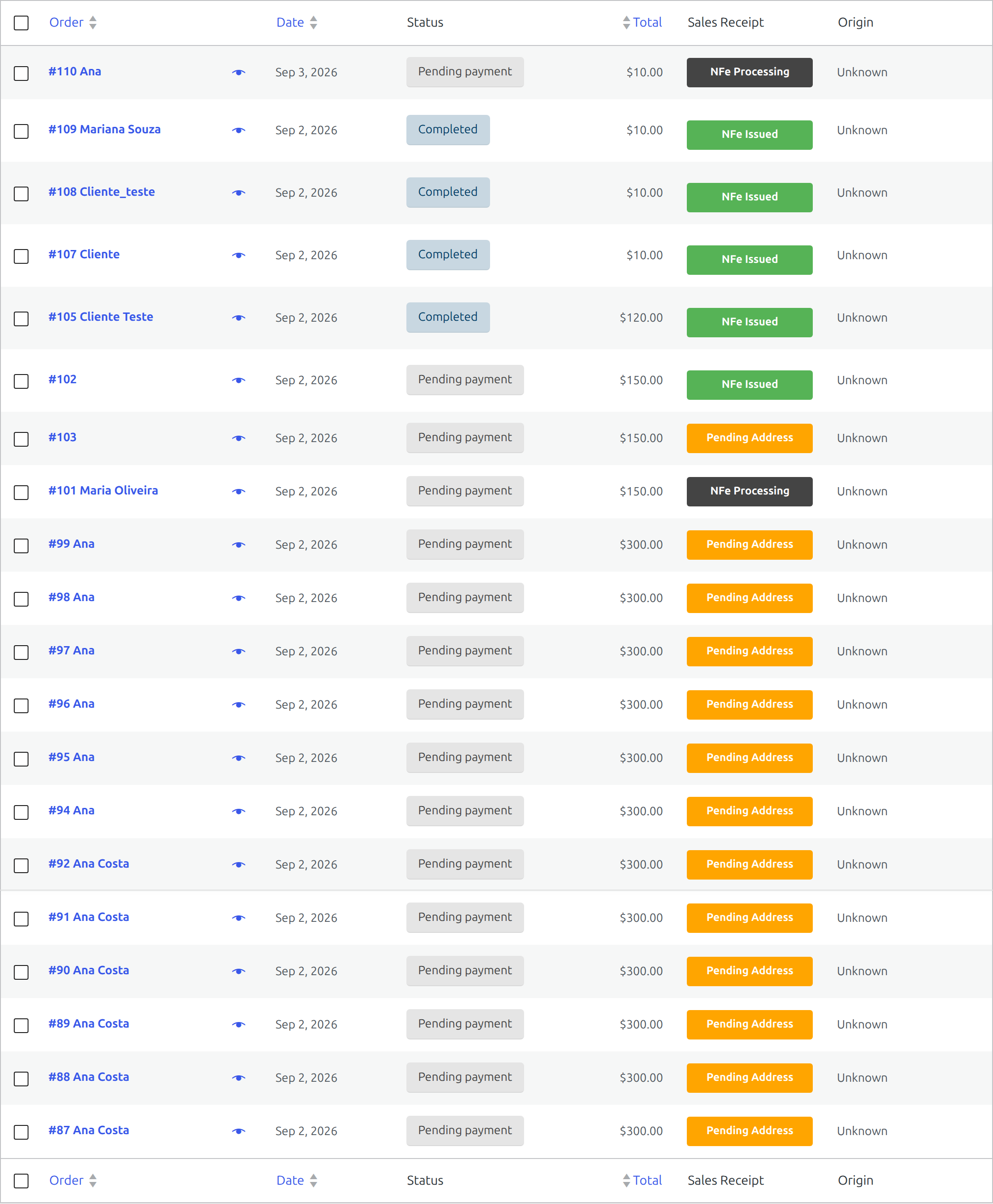
Order list with the receipt status of every order at a glance, and bulk actions to issue or cancel.
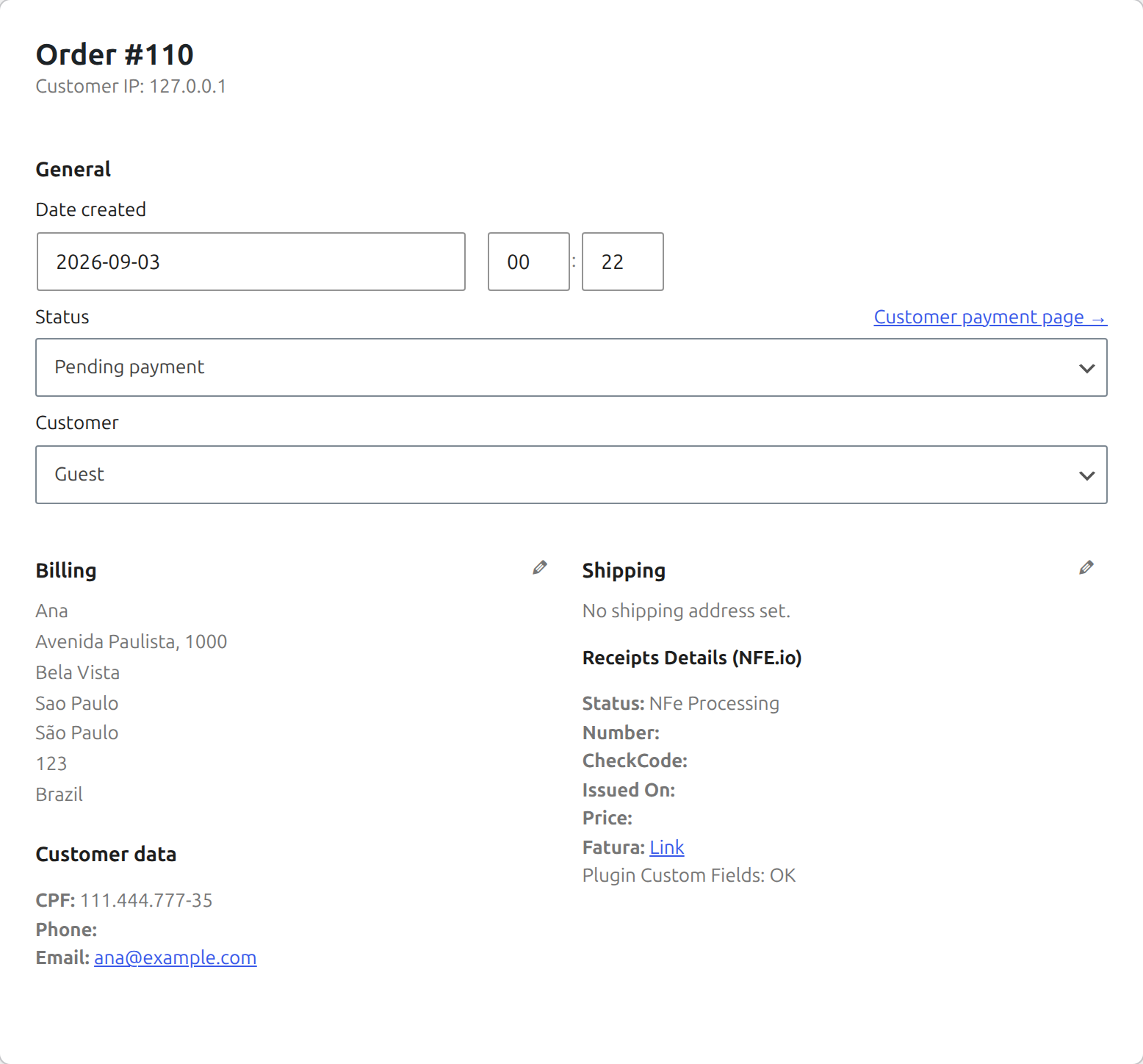
Order screen showing the issued receipt: number, verification code, issue date and a link to the document.

The customer's account page, where each order with a receipt offers the PDF for download.