
Ni WooCommerce Sales Report – Orders, Revenue & Sales Analytics Dashboard
by Anzar Ahmed
Ni WooCommerce Sales Report is a free WooCommerce sales report and analytics plugin that turns your raw order data into clear, actionable reports. Track sales, orders, revenue, tax, shipping, discounts, refunds, top products, categories and customers – all from a single WooCommerce reports dashboard inside your WordPress admin.
Whether you run a small shop or a high-volume store, this WooCommerce order report plugin helps you answer the questions that matter: How much did I sell today? Which products sell best? Where do my customers come from? How many new vs. repeat customers do I have? Which payment gateway drives the most revenue?
Key features of this WooCommerce sales report plugin
- Sales dashboard – total sales, this year / this month / this week / today / yesterday sales and order counts at a glance.
- Order Product report – line-item level sales with filters for date range, order number, billing name and billing email, plus a printable view.
- Summary Report – order count, order total, shipping, shipping tax, tax, cart discount, discount tax, sold product quantity, refund total, refund quantity, new customers and repeat customers for any period.
- Order Status report – orders, revenue, tax, shipping and discount broken down by WooCommerce order status.
- Category sales report – revenue by product category.
- Top Product report – best sellers for today, yesterday and the last 7 days.
- Monthly Sales report – month-by-month revenue and order count for the selected year.
- Analytical Sales report – current year vs. previous year sales comparison.
- Product Analysis report – per-product performance by year and by order status.
- Dashboard widgets – recent orders, order status chart, payment gateway chart, top 5 customers, top 5 countries and stock alerts (low, out of stock, most stocked).
- Flexible date filters – today, yesterday, last 7 / 10 / 15 / 30 / 60 days and this year.
WooCommerce HPOS compatible
Every report is fully compatible with WooCommerce High-Performance Order Storage (HPOS / custom order tables) as well as the classic post-based order storage. Reports return the same figures no matter which storage mode your store uses, so you can enable HPOS with confidence.
Why choose Ni WooCommerce Sales Report
- Free, lightweight and easy to use – no configuration required.
- Optimised reporting queries built for speed on large stores.
- Works alongside WooCommerce Analytics without conflicts.
- Translation ready (English and Italian included).
- Actively maintained and tested with the latest WordPress and WooCommerce.
Language support
- English (Default)
- Italiano/Italia
For more analytical report buy our pro version
Upgrade to the Pro version of the “Ni WooCommerce Sales Report” plugin and unlock even more powerful features to take your WooCommerce store to the next level:
Ni WooCommerce Sales Report Pro Version Feature
We have Ni WooCommerce Sales Report Pro that have more than 15+ reports and 20+ sales analytical count and amount.
- Dashboard Sales Report Analysis (Order Count, Sales, Product Sold, Discount, Tax)
- Sales Order Report, Filter By Date range, Order No, First Name and Order Status, Export,
- Bar chart show the Monthly sales amount on dashboard
- Line chart show the daily sales amount on dashboard
- Sold Product Sales Report
- Variation Product Report
- Order Status wise sales report
- Customer wise sales report
- Payment Gateway wise sales report
- Country wise sales report
- Coupon wise sales report
- Product wise sales report
- Filter all reports with date range, customer name, billing name, email address, order status and many more
- Ability to filter and CSV/Excel export the sold product report
Support/Feedback Email/New Report Requirement
- We are open to your suggestions and feedback – Thank you for using or trying out one of our plugins
- support@naziinfotech.com
Disclaimer
Users are fully responsible for their own use.
Screenshots
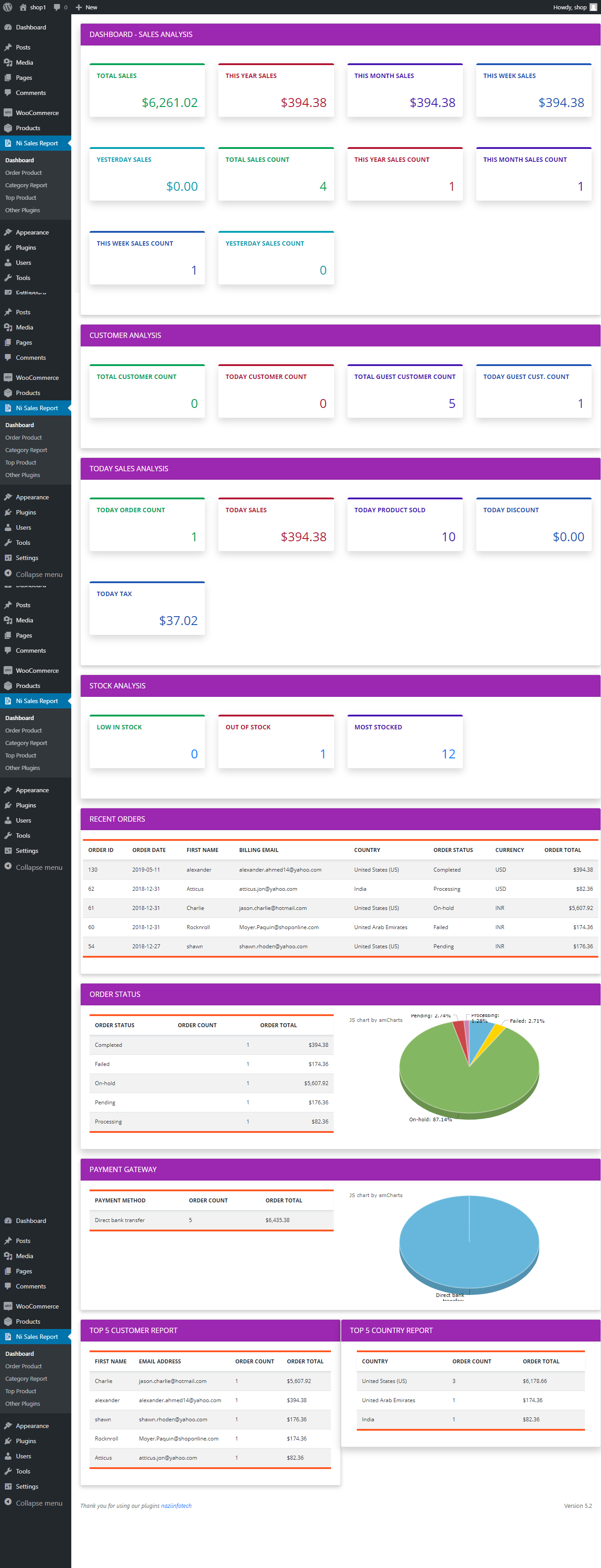
Dashboard show sales report and key sale indicator
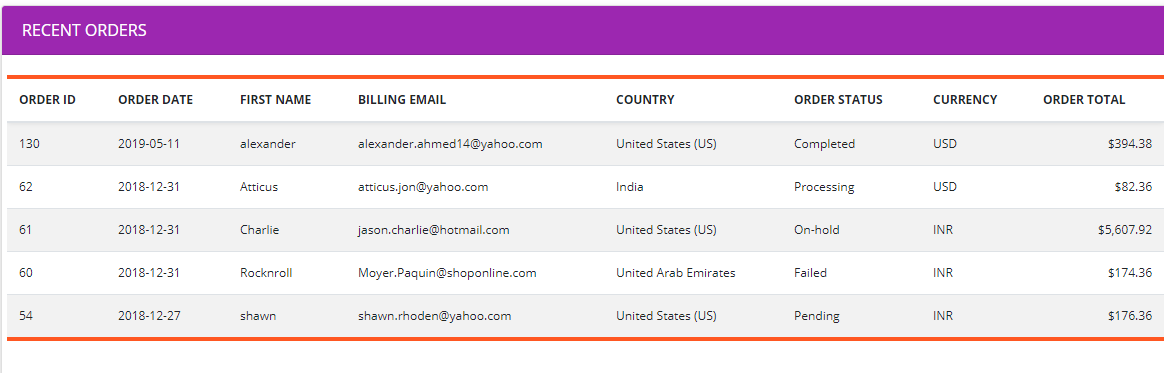
Recent order sales report
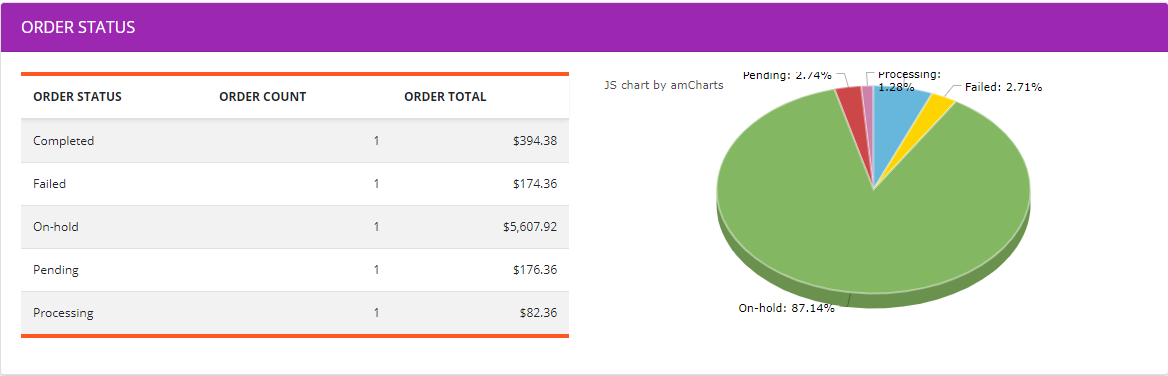
Order status reports on dashboard.
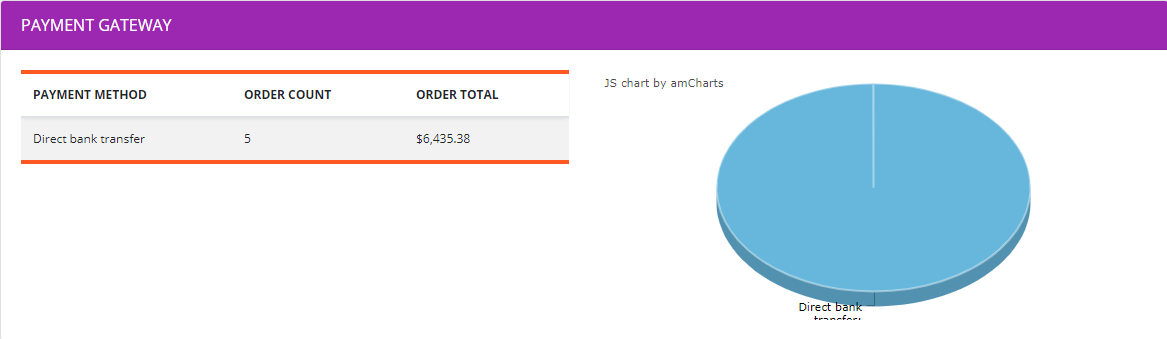
Payment method reports on dashboard
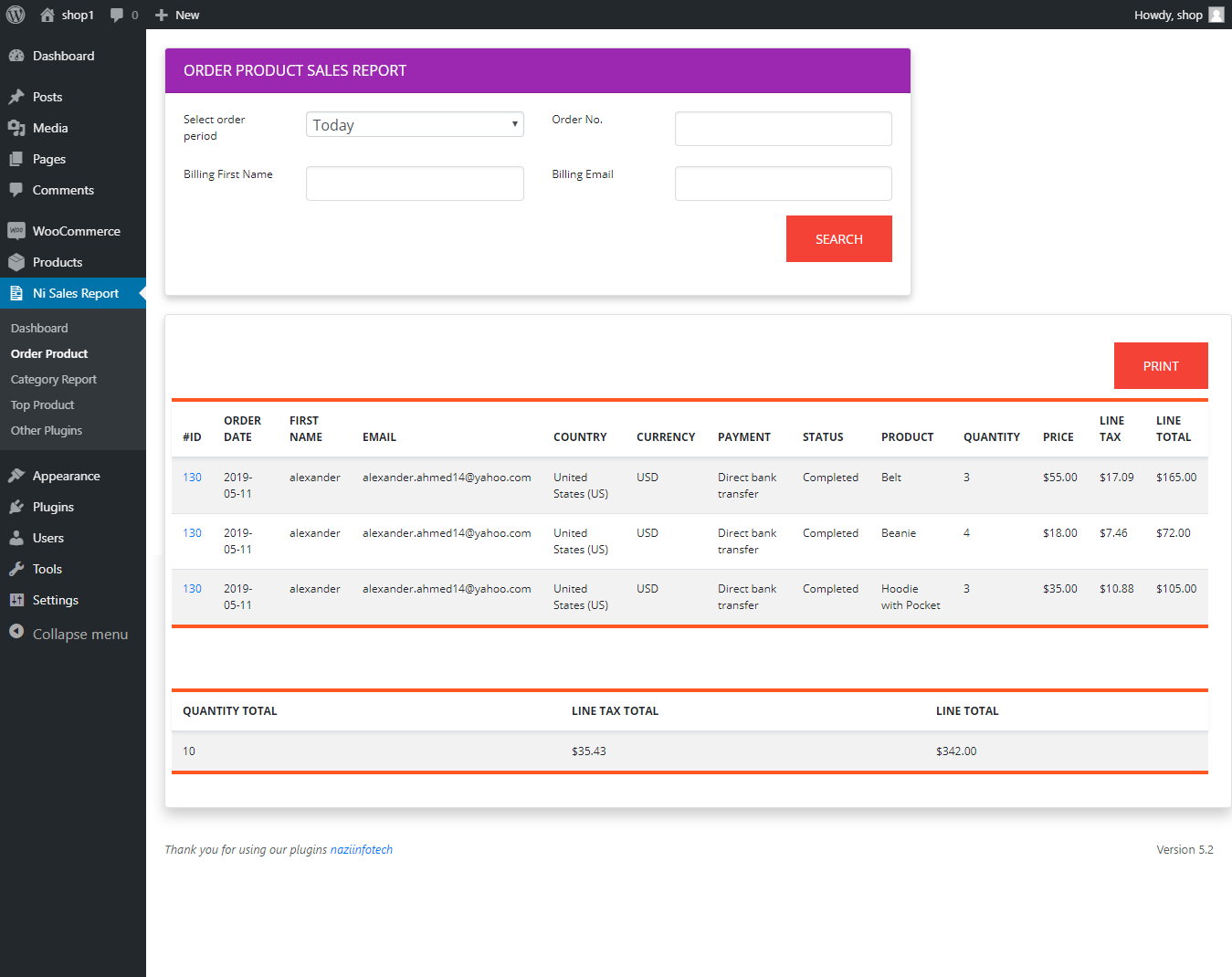
Sales order list with days filter option
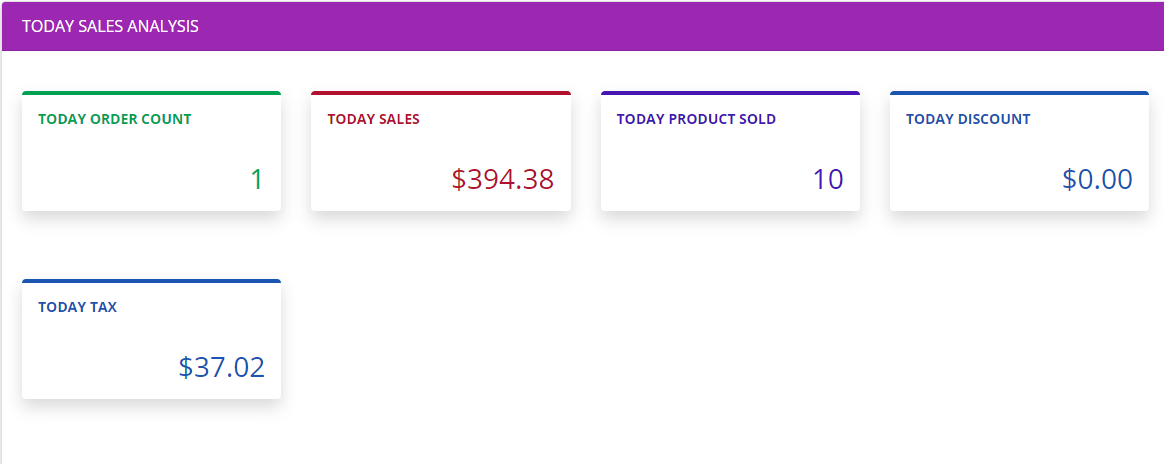
Today Sales analysis on dashboard (Order Count, Sales, Product Sold, Discount, Tax).
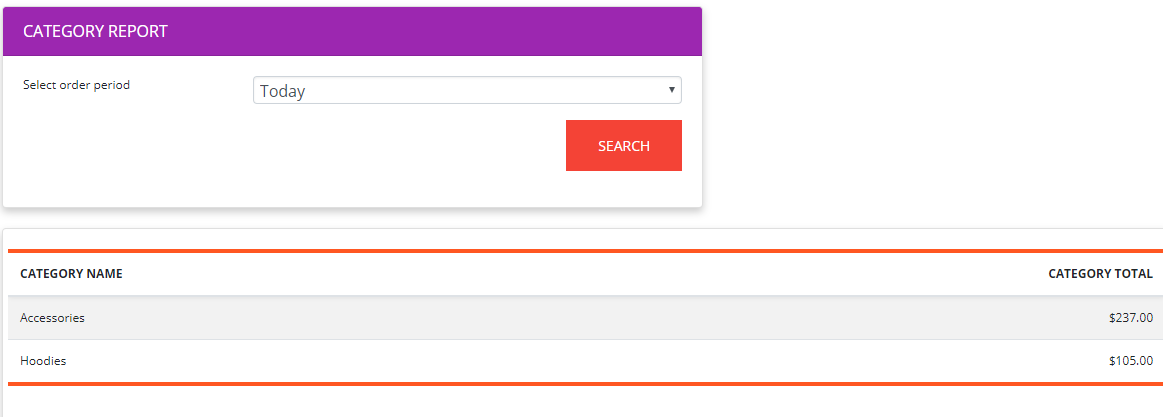
Category sales report.
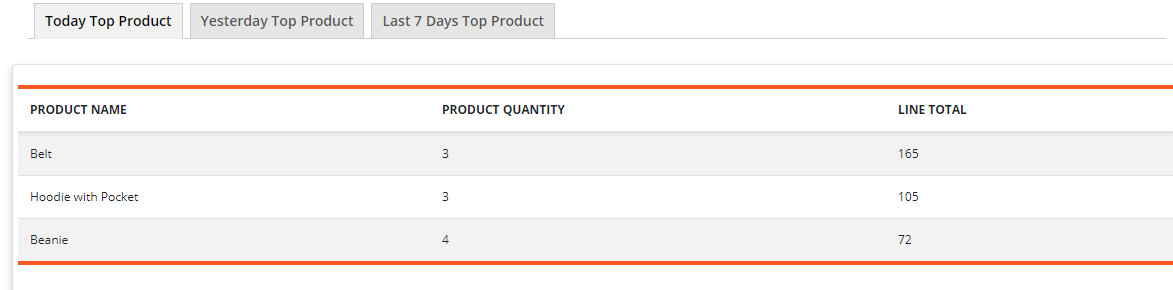
Top Product report (Today Top Product, Yesterday Top Product, Last 7 Days Top Product).
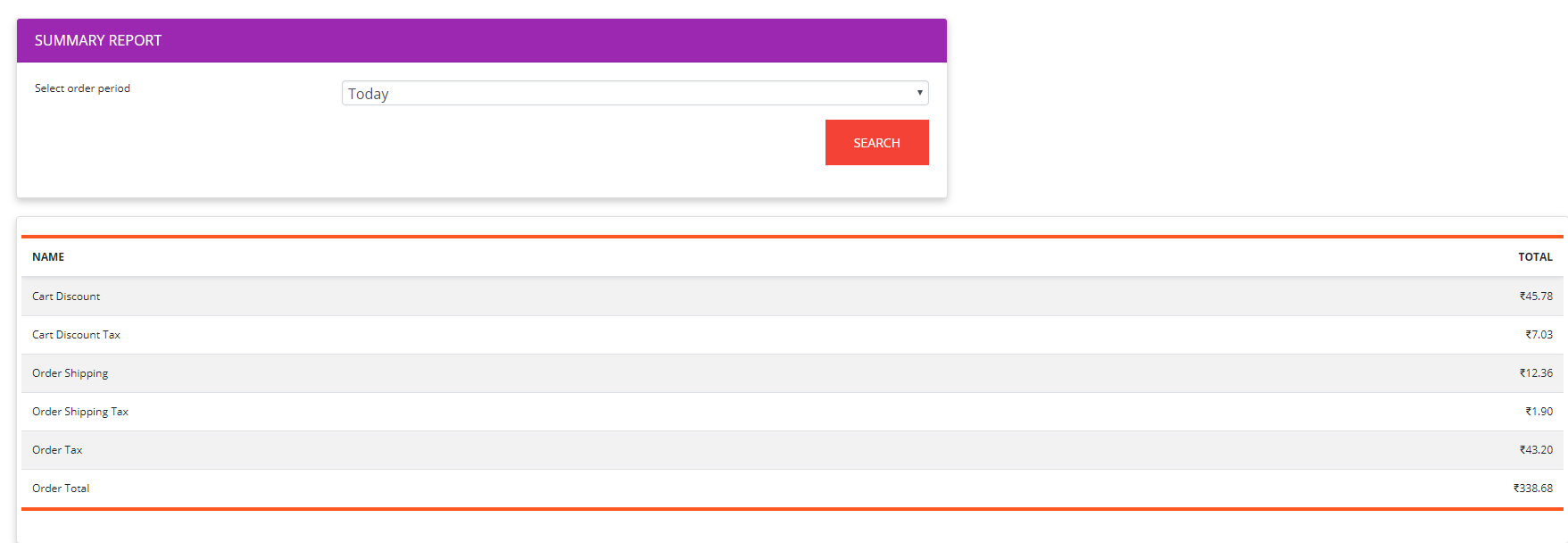
Summary Report (Order Count, Order Total, Shipping, Tax, Discount, Sold Product Qty, Refund Total, Refund Quantity, New Customer, Repeat Customer Count).
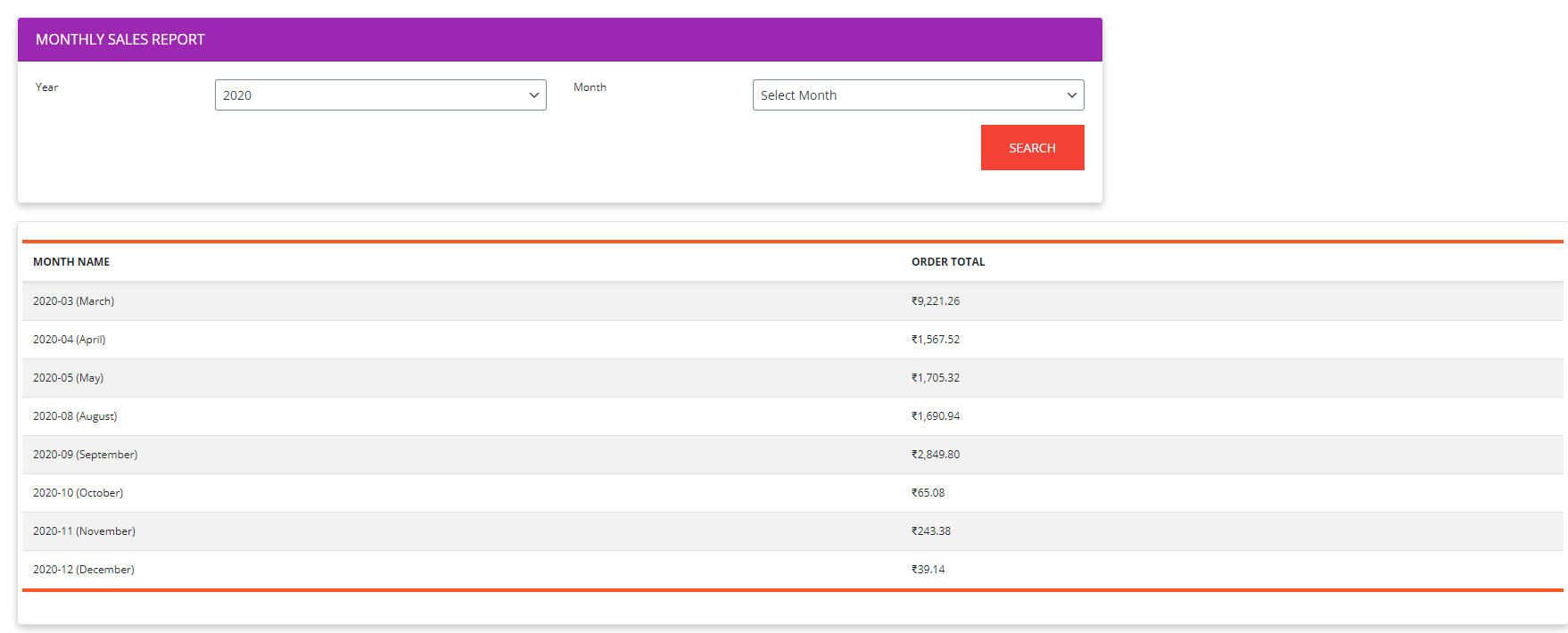
Monthly sales report
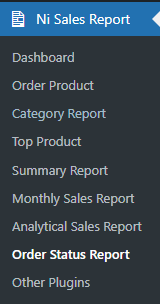
Sales report menu
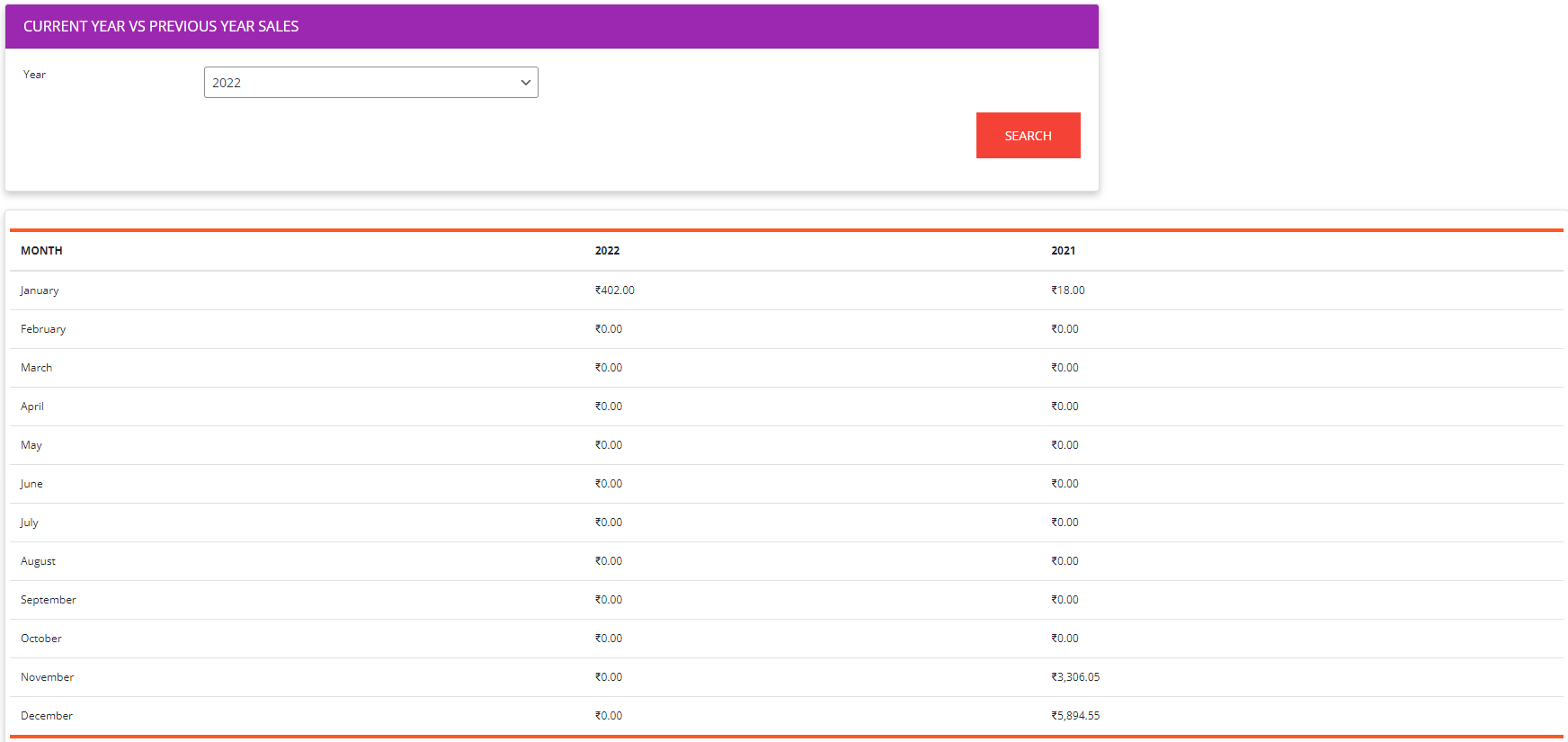
Current year vs previous sales
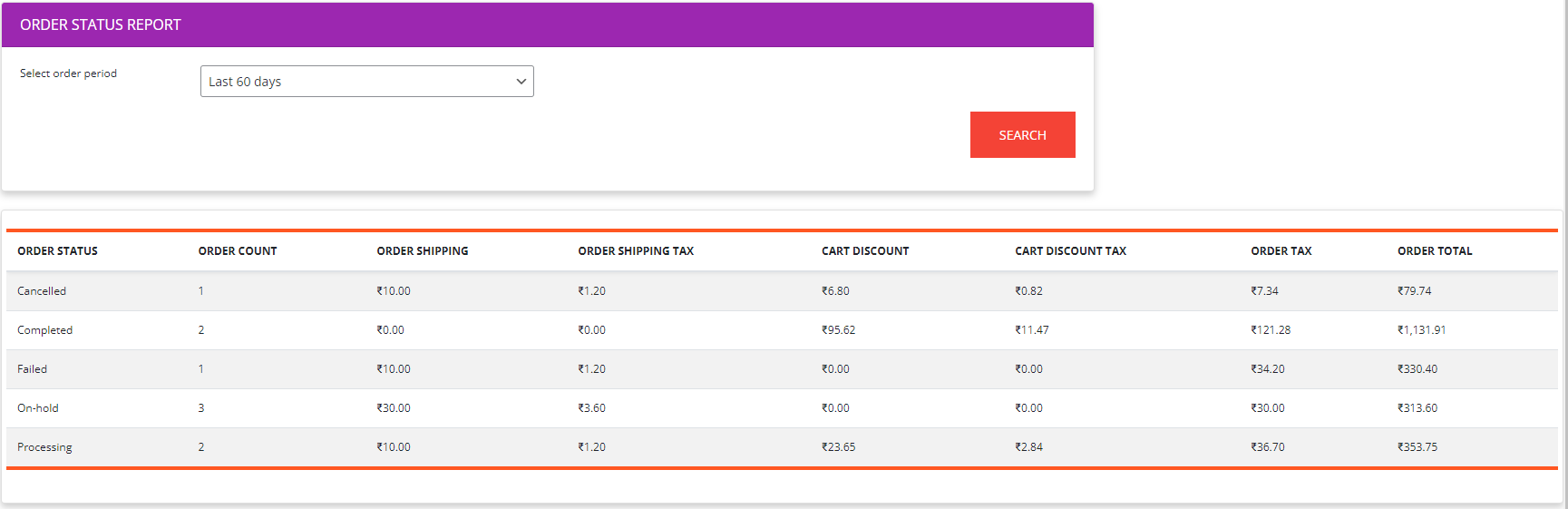
Order status report
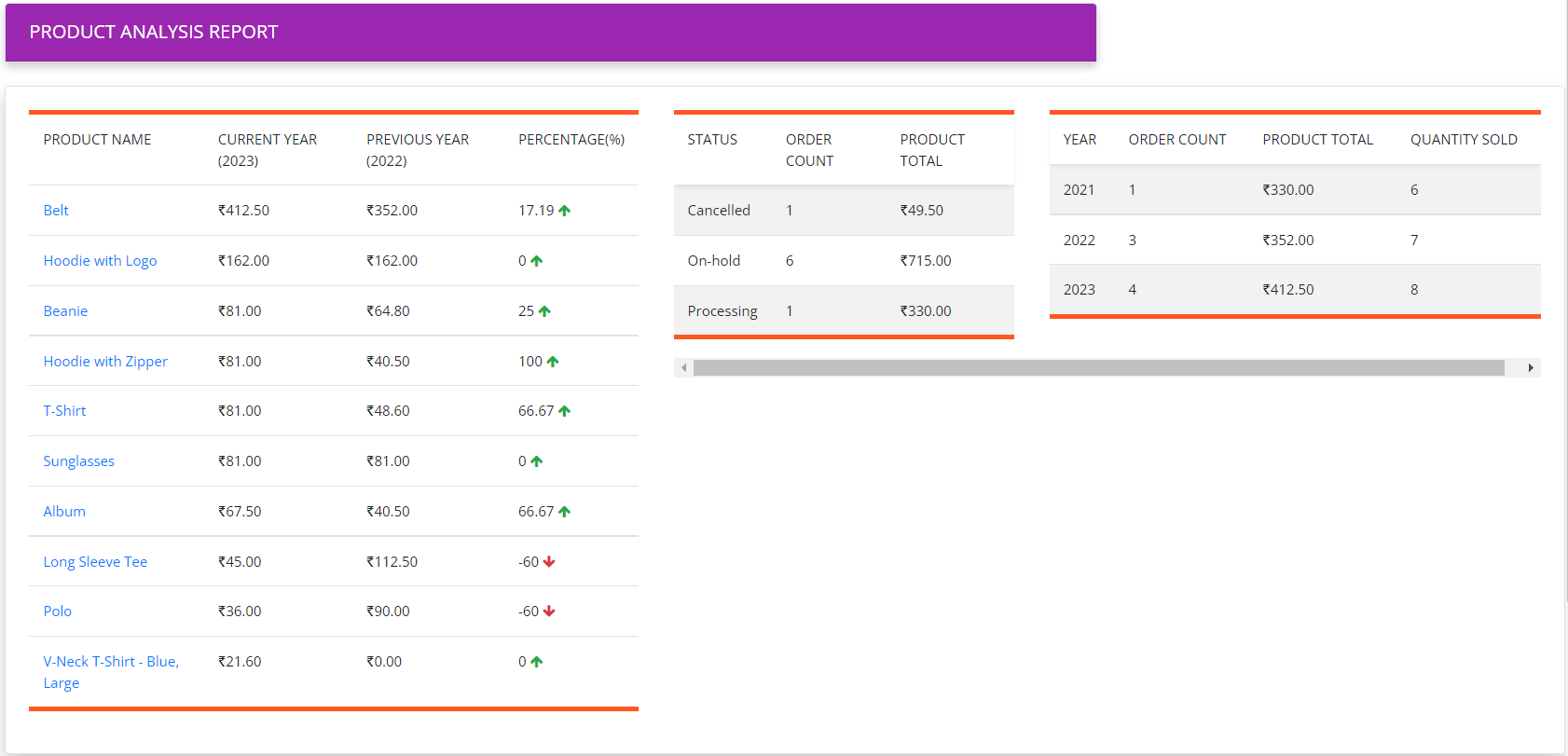
Product analysis