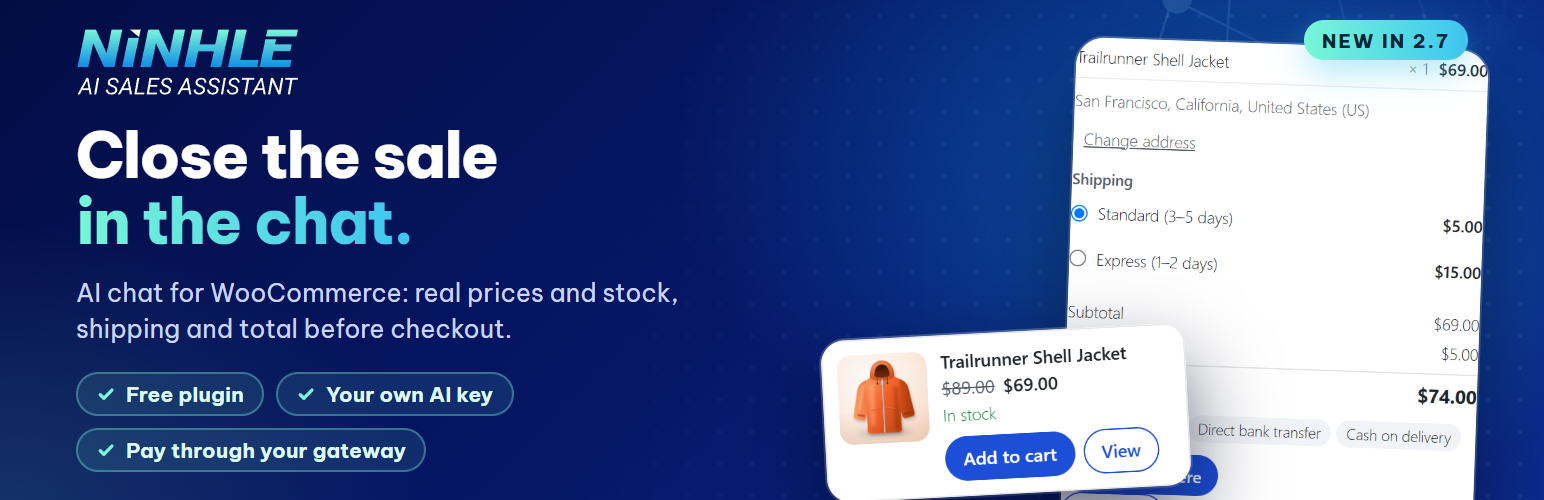
Turn shopper questions into orders. Ninhle AI Sales Assistant is an AI chatbot and shopping assistant for WooCommerce. It answers from your real catalog, adds products to the cart right in the chat, tracks orders, and shows you why shoppers ask but don’t buy.
Shoppers ask the same things all day: Is it in stock? Does it come in M? How long is shipping? Where is my order? When nobody answers, many of them leave. Unlike a generic ecommerce chatbot that only knows what it was trained on, this WooCommerce chatbot answers from live lookups against your store, and says so when it does not know.
Get started in three steps
- Connect an AI provider. Paste your own API key from OpenAI, Anthropic (Claude) or Google (Gemini), or use the AI connection built into WordPress 7.0 and later. You pay the provider directly. Or start in local-only mode with no key at all.
- Sync your catalog. One click, or
wp ninhle-ai-sales-assistant sync-products, and the assistant knows your products, prices and stock. - Go live. The chat appears on your store with your name, logo, colour and suggested questions.
Add to cart in the chat
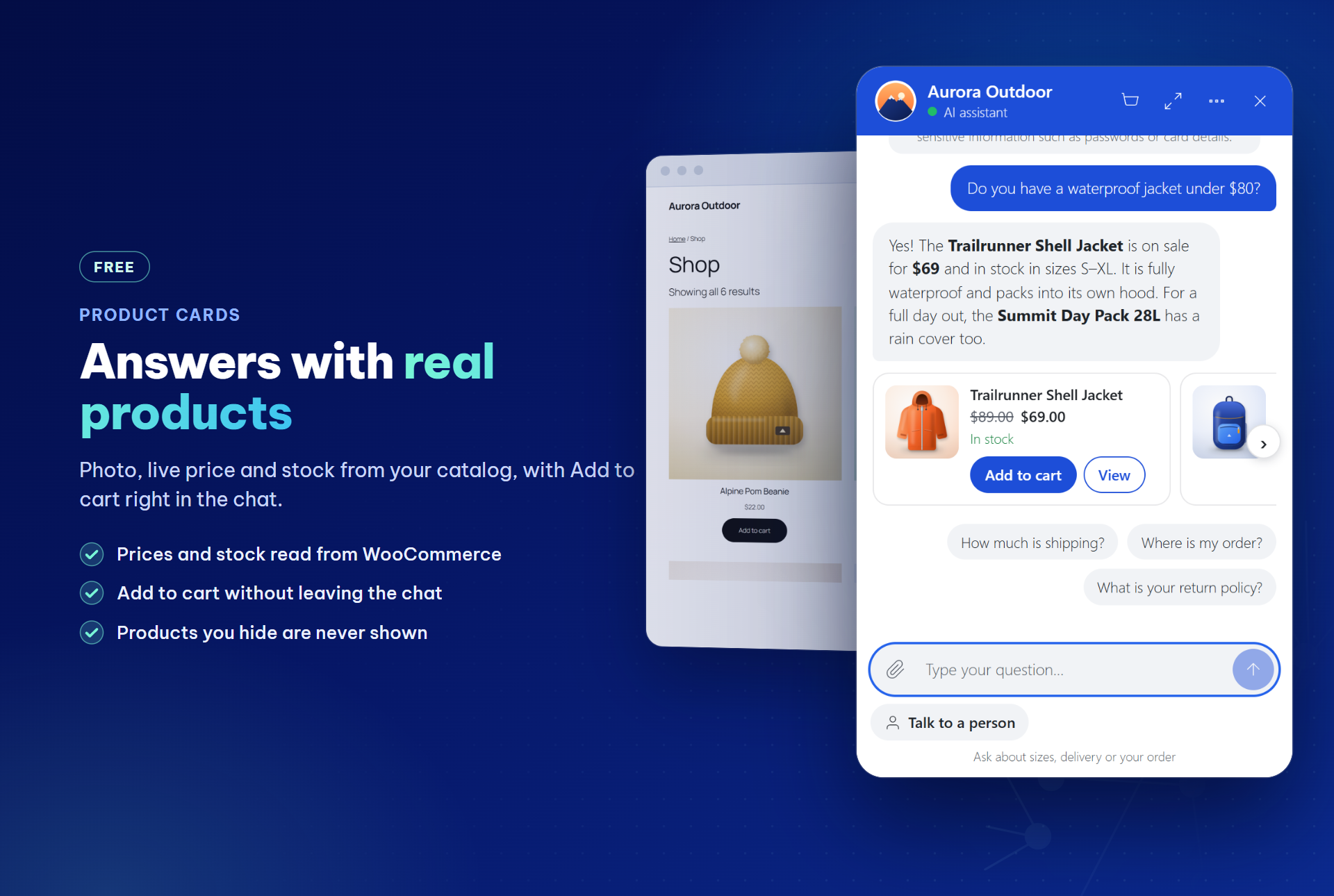
Product answers come with product cards: photo, current price, stock and rating, read from WooCommerce when the reply is shown. Shoppers tap Add to cart without leaving the chat. WooCommerce updates the cart in the shopper’s own browser, so your prices, stock rules and discounts apply as usual, and a cart view in the chat leads to Checkout.
In the free version, products with options link to the product page. The Starter plan lets shoppers pick options, change quantities and apply the discount codes you allow, right on the card.
Answers from your real catalog
Product facts come from your WooCommerce store: prices, stock, product details, store policies and your own pages. When a search finds nothing, the assistant suggests the nearest categories and asks one question instead of guessing. It never invents prices or stock, and products you hide from the catalog are never shown.
Order tracking in the chat
“Where is my order?” gets an order card in the chat: status, items, total and tracking number with a Track link (from WooCommerce Shipment Tracking, Advanced Shipment Tracking or an order field you choose). Logged-in customers see their recent orders straight away; guests give the order number with the email or phone number used for it. Without that proof, nothing is revealed.
Replies in the shopper’s language
The assistant detects the language of each message (15 languages, without an AI call) and answers in it, keeping product names, prices and order numbers exactly as in your store. You can keep every reply in your store’s language instead.
Sales Insights: why shoppers don’t buy
The Sales Insights tab lists the questions the assistant could not answer, grouped and ranked; type your answer there and the assistant uses it from the next reply. It also shows what shoppers searched for but could not find, and which products they wanted while out of stock. Contact details are hidden.
In the Starter plan, an AI labels each night why finished chats did not lead to an order (price, shipping, size, stock, missing information and more), with quotes, and a weekly summary can be emailed to you.
A person is one tap away
“Talk to a person” is always visible, and the assistant hands off complaints, explicit requests and questions your store data cannot answer. Your team replies from the Inbox in WP Admin, and a badge on the minimized chat button shows new replies. In the Starter plan, the Inbox shows a customer card for logged-in customers and those who proved an order: orders, total spent, last order and recent products.
See the orders the chatbot helped close
The AI Value & Performance tab shows what the AI cost, how many orders followed a chat and how conversations ended, each with its sample size, from the day you install. Leads left in the chat stay in your own database and export to CSV.
Ready for AI agents (MCP)
On WordPress 6.9 and later, turn on “AI agents” in Settings to register read-only abilities with the WordPress Abilities API: search products, product details and store policies. The MCP Adapter plugin can offer them to MCP clients. Only published, visible products and your store policies are shared, never orders, carts or customer data. Off by default, limited to 60 requests per hour per IP address.
Your key, your data, no per-conversation fee
Use your own OpenAI, Anthropic Claude or Google Gemini API key and pay the provider directly, or use the AI provider connected in WordPress 7.0+ (Settings > Connectors). There is no middleman server and no per-chat fee from us. Greetings, store policies, cart questions and order status are answered from store data without an AI call when the store has the answer, and AI replies run in the background so a slow provider does not hold up your pages.
Everything in the free WooCommerce chatbot
- Bring your own key: Anthropic Claude, OpenAI or Google Gemini, or the AI connection in WordPress 7.0+.
- Product cards and add to cart in the chat, with a cart view.
- Order tracking: order cards with tracking numbers; “my orders” for logged-in customers.
- Replies in the shopper’s language or always in your store’s language.
- Sales Insights: unanswered questions, searches with no result and out-of-stock demand.
- Store tools: product search and details, order status for the order’s owner, digital downloads, store policies and site content.
- Sales playbook and rules: persona, qualifying questions, objection handling, closing and keyword rules.
- Lead capture in the chat, stored in your database and exportable to CSV.
- Human handoff and Inbox: a clear status for visitors, a new-replies badge, take over and hand back, an optional webhook.
- AI Value & Performance: AI cost per request, AI-assisted orders and conversation outcomes.
- Formatted answers: lists, tables, links and product images.
- Voice input (optional, off by default).
- Your brand: name, logo, colour, font and suggested questions, with a live preview.
- Local-only mode: answers from store data without any AI provider.
- Ready for AI agents (WordPress 6.9+, off by default).
- Light, private and translation-ready: the chat loads only when needed; personal-data export and erasure; HPOS and Cart and Checkout blocks supported.
Optional paid plans
Ninhle AI Sales Assistant is free to install and use. Optional paid plans add extra code to the
plugin; nothing in the free version is locked or time-limited.
Starter — options, quantities and allowed discount codes on product cards in the chat;
nightly AI labels of why shoppers did not buy, with a weekly email summary; a customer card in
the Inbox; product variations with per-variation add-to-cart links; Telegram notifications for
new leads and handoffs; a sales dashboard; cached answers for repeated questions; and the
revenue of orders that followed a chat, per currency, on the AI Value & Performance tab.
Pro — everything in Starter, plus coupon validation, automatic failover to a
second AI provider, daily and monthly AI budget caps, rule-based lead scoring with
advanced analytics, price-output verification, and signed HMAC-SHA256 webhooks
for n8n, Make, Zapier and CRMs.
AI usage is never included: OpenAI, Anthropic and Google bill you directly for
your own API key, on every plan including Free.
External services
The plugin connects to the services below. Except for the AI provider you configure,
each one is used only when you turn the related setting on.
AI provider (the one you configure) — receives the visitor’s chat messages, recent
conversation history, your sales playbook and business information, and product data from
your own store, each time a visitor sends a message. Nothing is sent in local-only mode.
If you choose “WordPress AI connection” (WordPress 7.0+), the same data goes through WordPress
to the provider you connected in Settings > Connectors, under that provider’s terms.
- Anthropic (Claude) — https://www.anthropic.com/legal/privacy — https://www.anthropic.com/legal/consumer-terms
- OpenAI — https://openai.com/policies/privacy-policy — https://openai.com/policies/terms-of-use
- Google (Gemini) — https://policies.google.com/privacy — https://ai.google.dev/gemini-api/terms
Sales Insights AI labeling (Starter plan only, optional, off by default) — the free
version contains no code for this. If you turn it on, once a night the text of finished chats
that did not lead to an order is sent to your AI provider, with email addresses and phone
numbers replaced by placeholders, so the AI can label why the shopper did not buy. A monthly
spending limit you set stops the job.
Link reading (optional, off by default) — when you enable “Let the bot read links
customers send”, a URL a visitor pastes into the chat is sent to r.jina.ai to fetch its
text (https://jina.ai/legal/). YouTube links are read from youtube.com instead, to get the
video title and public transcript (https://policies.google.com/privacy,
https://www.youtube.com/t/terms). Leave this off if visitors might paste private links.
Google Fonts (optional) — only if you pick a Google font for the widget in the
settings. Visitors’ browsers then load that font from fonts.googleapis.com
(https://policies.google.com/privacy). The default font loads nothing from Google.
Voice input (optional, off by default) — only if you turn on “Let visitors speak their
message”. The microphone button uses the speech recognition built into the visitor’s own browser
(Web Speech API). Depending on the browser, the audio may be sent to the browser maker’s speech
recognition service, for example Google for Chrome (https://policies.google.com/privacy), Apple
for Safari (https://www.apple.com/legal/privacy/) or Microsoft for Edge
(https://privacy.microsoft.com/privacystatement). The plugin never receives, records or stores
audio; it only receives the text the visitor chooses to send.
Handoff webhook (optional) — only if you enter a webhook URL. On a handoff the plugin
sends the conversation ID, contact ID and handoff level to that URL, which you control.
Telegram (paid plans only, optional) — the free version contains no Telegram code. In
the Starter and Pro plans, if you enter a Telegram bot token and chat ID, new leads (name,
email, phone) and handoff requests (priority, issue, summary, conversation number) are sent
to api.telegram.org (https://telegram.org/privacy, https://telegram.org/tos).
Automation webhooks (Pro plan only, optional) — the free version contains no code for
this. In Pro, if you enter a webhook URL, lead and handoff events are posted to that URL,
which you control, signed with your secret.
Freemius (licensing, upgrades and affiliate program) — the plugin bundles the Freemius
SDK. Nothing is sent to Freemius from your storefront. The plugin contacts Freemius only
when an administrator does one of the following:
- Opts in to usage data: the WordPress user’s name and email, site URL and title, WordPress,
PHP and plugin versions, site language, and whether the plugin is active or uninstalled.
The list of plugins and themes is sent only if that permission is left on. - Opens the Upgrade (pricing) page, starts a trial, buys a plan or activates a license. With
an active license, the paid version then checks Freemius for updates and license status. - Opens the Affiliation page in the plugin menu: the affiliate program terms are loaded from
Freemius. - Submits the affiliate application form: the name, email, PayPal email, website domains and
promotion details entered in the form are sent to Freemius. If the site is not connected
to Freemius yet, it is connected with the email entered, with usage tracking off. - Clicks “Contact Us”: the Freemius contact form opens in a new browser tab.
Freemius terms: https://freemius.com/terms/ — privacy policy: https://freemius.com/privacy/ —
affiliate program terms: https://freemius.com/plugin/39395/ninhle-ai-sales-assistant/legal/affiliate-program/
Security
API keys are stored server-side and never sent to the browser; the settings screen
shows only a masked value. Every provider call is made from your server through the
WordPress REST API.
Database queries use $wpdb->prepare(). Every REST route declares a real
permission_callback, and the endpoints the AI uses as tools are internal-only –
they cannot be reached from outside the site. Visitor sessions use hashed tokens
and chat messages are rate limited per session. When a background AI reply is started
through a loopback request, that request is signed and expires after 60 seconds.
The plugin server never changes a shopper’s cart: “Add to cart” in the chat calls
the WooCommerce Store API from the shopper’s own browser. The AI can only propose
products that come from your catalog, and the card always reads the current price
and stock from WooCommerce.
Chat messages are rendered as DOM elements rather than injected HTML, and only
http and https links are ever made clickable, so content returned by the AI cannot
inject markup.
Please report security issues privately to the author rather than in a public forum.
Privacy
Conversations, contacts and leads are stored in your own WordPress database. The
plugin registers with Tools > Export Personal Data and Tools > Erase Personal Data,
so you can answer data-subject requests from WordPress itself. Message attachments
are purged on a configurable retention schedule. No data is sent anywhere except the
services listed under External services.
To count orders that followed a chat, the conversation number is saved in the
visitor’s WooCommerce shopping session when the assistant shows products or the
visitor clicks a product or cart link in the chat. An order placed within the
attribution window you choose (24 hours by default) is linked to that conversation.
The link, and the visitor’s answer to “Did this answer your question?”, are included
in the personal-data export and removed by the eraser. The plugin adds a suggested
paragraph about this to Settings > Privacy.
Sales Insights stores the questions the assistant could not answer, with email addresses
and phone numbers hidden, and in the Starter plan the reason a chat did not lead to an
order with a short quote. When a logged-in customer chats, or a customer proves they own
an order, the conversation records that account or order number, so your team can see
the customer card (Starter plan). The language of each conversation is stored to reply in
it. All of this is included in the personal-data export and removed by the eraser.
In the visitor’s browser, the chat keeps its session token and, for the new-replies badge,
the conversation number, the last message seen and when it was seen (localStorage). No
message text is stored there.
Screenshots
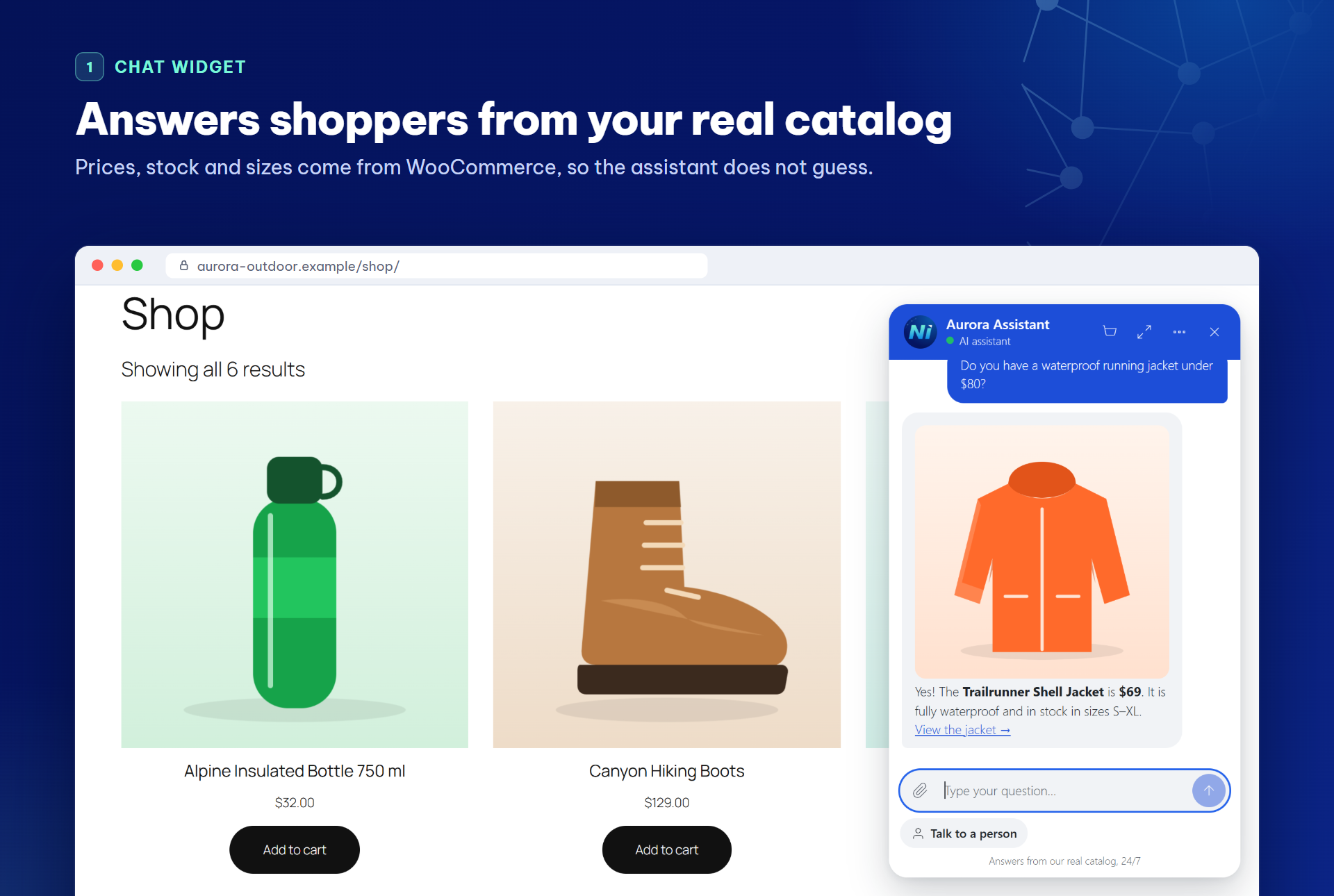
The AI chatbot on a WooCommerce shop page, answering a price, stock and size question from the real catalog.
AI Value & Performance: what the assistant cost, how many orders followed a chat and how conversations ended, each with its sample size.

Inbox: every chatbot conversation with its status; take over from the bot and reply as a person.
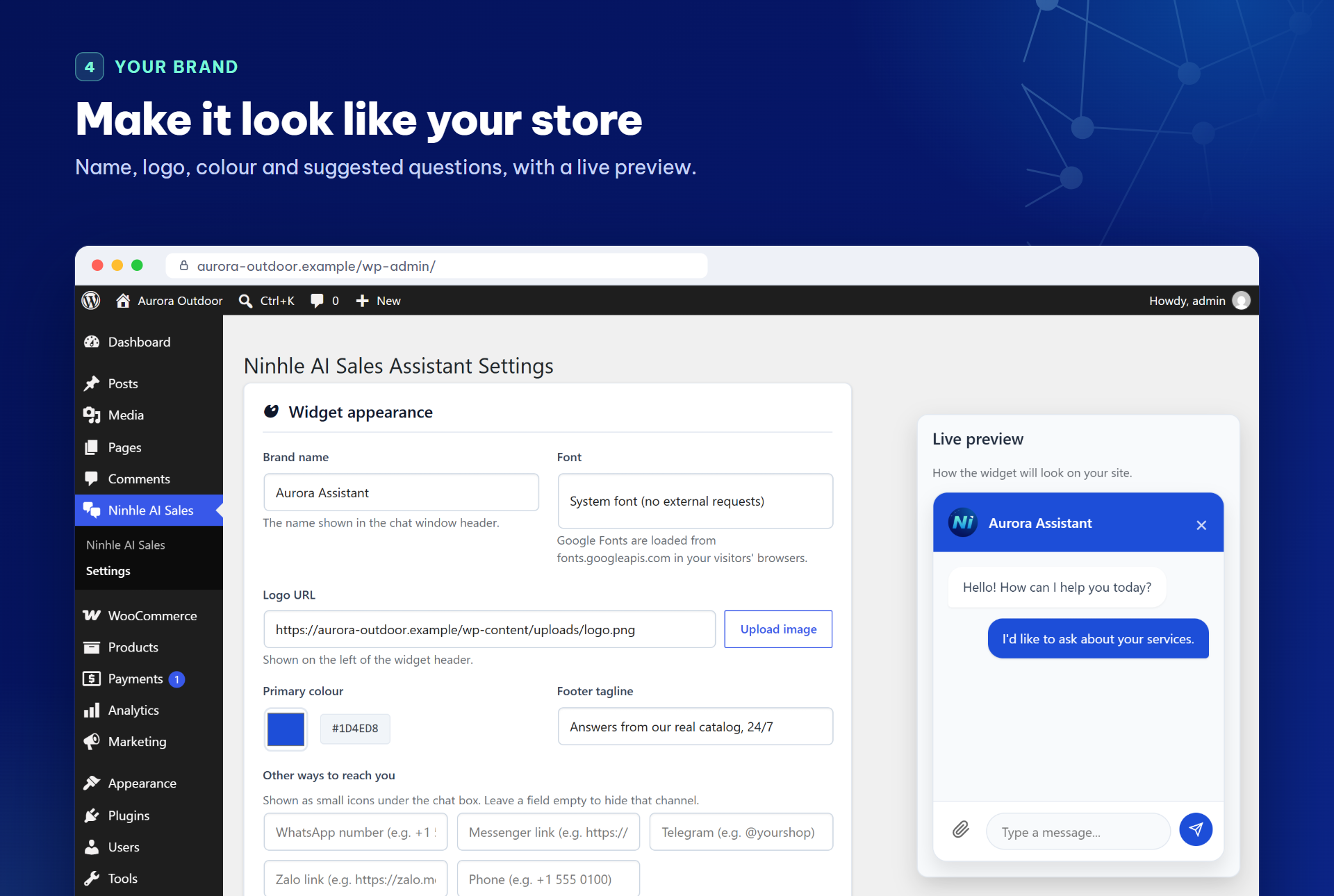
Settings: brand name, logo, colour, footer tagline and suggested questions, with a live preview.
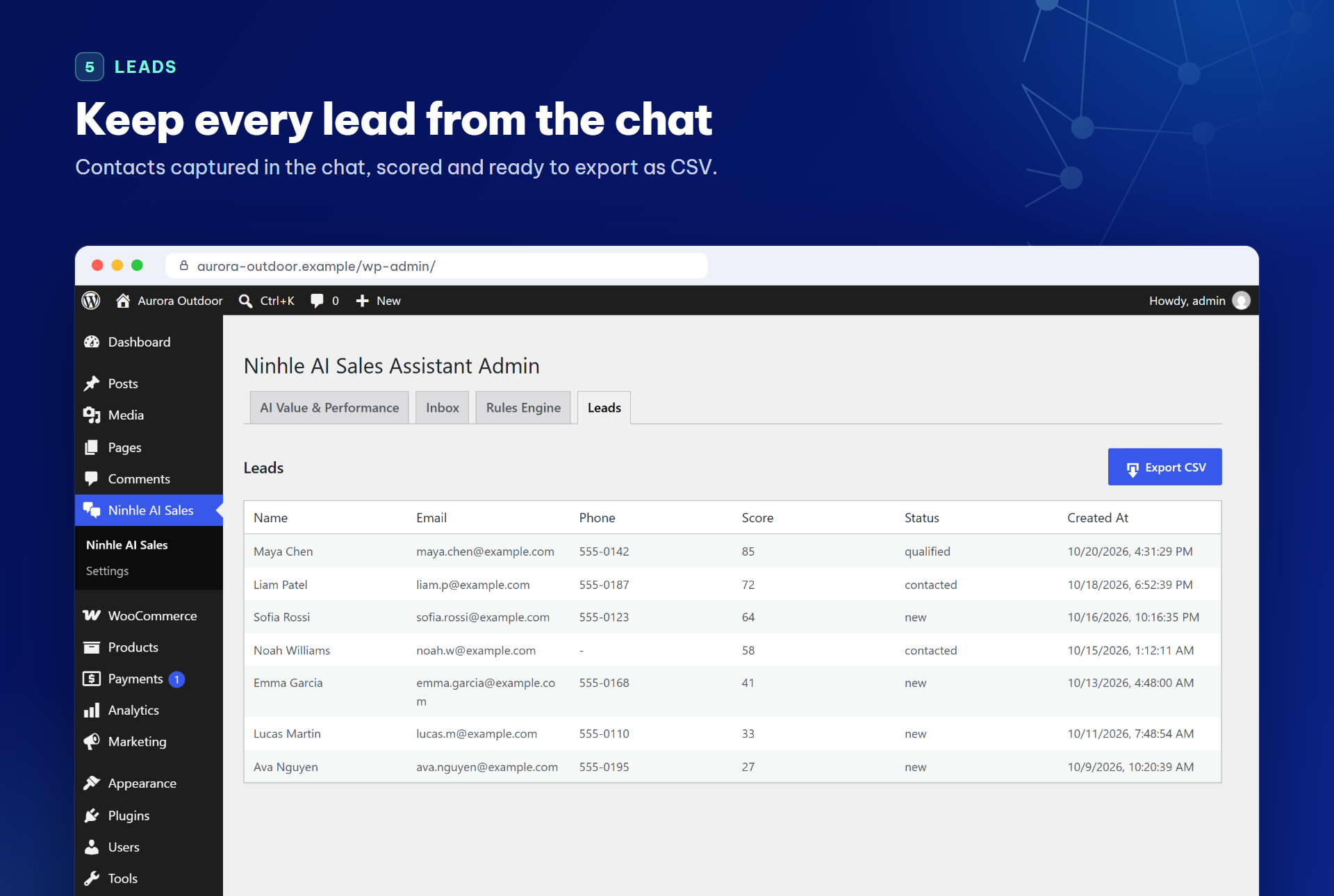
Leads captured in the chat, with score and status, ready to export as CSV.
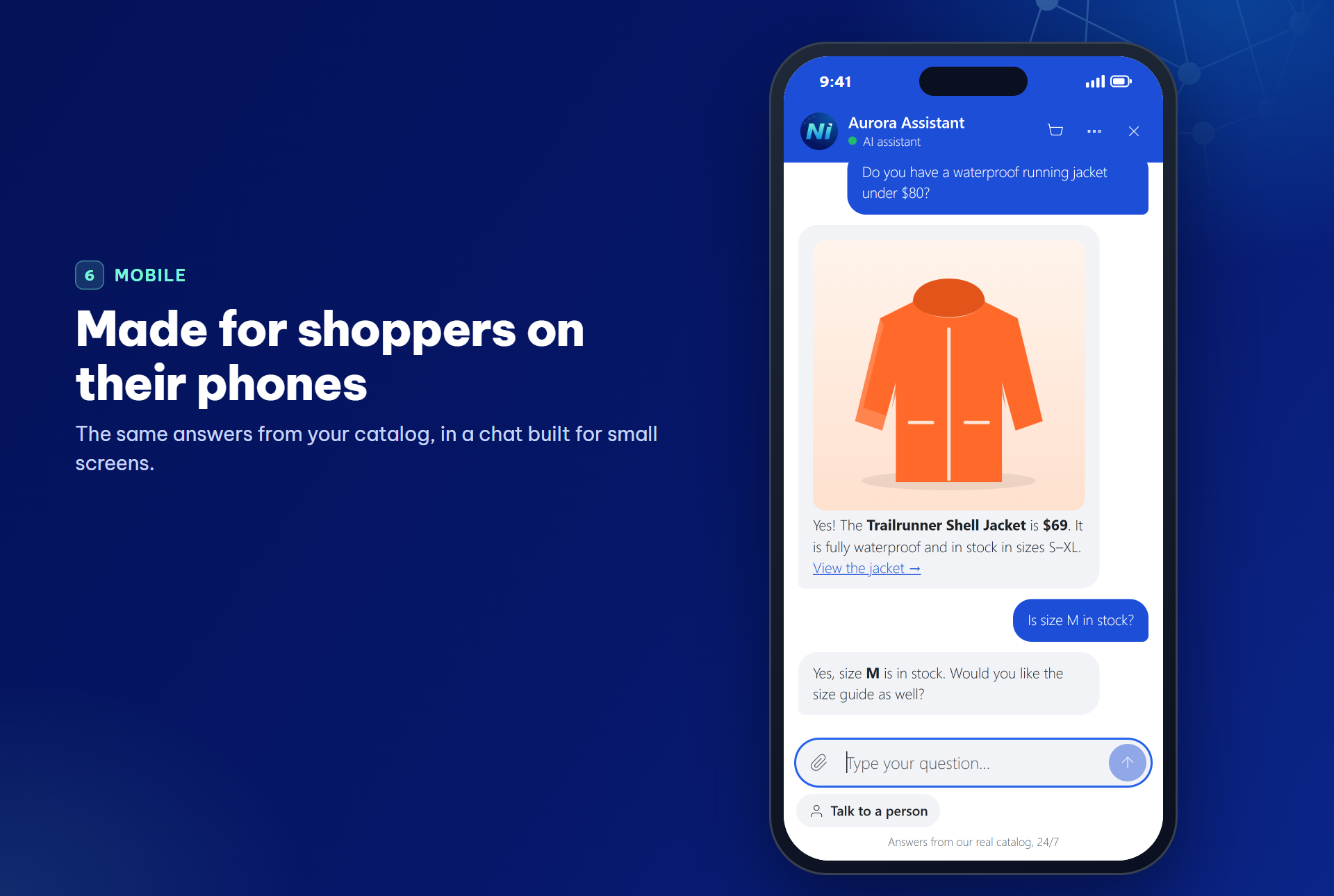
The chat on a phone.