
Omea Analytics measures your WordPress site without sending anything to third parties – the data stays in your own database. Without consent it is cookieless (the same approach as Matomo’s cookieless mode); with a visitor’s Statistics consent it also recognises returning visitors and credits conversions to the campaign that first brought them.
It is built to be the fastest analytics plugin for WordPress: a 1.8 KB tracker (gzip) that sends two requests per page, a collector that stores hits without loading WordPress, and reports read from daily rollups – a 30-day dashboard on a busy site loads in milliseconds, and history stays exact after visit-level data is deleted.
What you get
- Visits, visitors, pageviews, bounce and engagement rate, time on page and scroll depth, in your site’s time zone.
- Channels aligned with GA4 – including AI Assistants (ChatGPT, Perplexity, Gemini, Copilot, Claude) – plus source, medium, campaign, term and content, referring domains and ad click IDs (Google, Microsoft, Meta, TikTok, LinkedIn, X).
- Entry and exit pages, page detail with where visitors came from and went next.
- Goals and conversions from page visits, clicks, forms and custom events (
omea.trackEvent(),data-omea-event), with conversion rate and revenue per goal and channel. WooCommerce purchases, checkouts and add-to-carts are recorded on the server – a purchase counts even when the buyer never returns to the thank-you page. - Countries, regions and cities from a local database on your server; browsers, operating systems (including Windows 11) and screen sizes.
- New vs returning visitors and visit frequency for visitors who gave Statistics consent.
- Bot traffic filtered before anything is stored – crawlers, scripts, automated browsers and vulnerability scanners – with a counter of what was filtered.
- Automatic outbound-link, download, email/phone-click and site-search tracking, pages not found (404), and Content reports by author, category and post type.
- AI crawlers: how often GPTBot, ClaudeBot, PerplexityBot and others fetch your pages – next to the visits AI assistants send you.
- Core Web Vitals from real visitors (sampled): LCP, INP, CLS and TTFB per page.
- Import your history from Koko Analytics, WP Statistics, Burst Statistics, Independent Analytics, Statify, Slimstat, Jetpack Stats, Plausible or Google Analytics 4.
- CSV export of every report, chart notes, saved segments, a weekly email report, a dashboard widget, a Views column, a Popular posts block, WP-CLI, a read-only Reporting API (Google Sheets, Looker Studio) and MCP abilities for AI assistants.
- View-only access for the roles you choose; multisite network overview.
- A “Get set up” checklist that tells you when something needs attention: geolocation database, tracking, collector, visitor IP behind a CDN, consent setup, conversions, privacy policy.
Privacy
Without consent (default): cookieless. No cookies, no localStorage, nothing in the browser. A visit is recognised on your server by a one-way hash of the IP address (the /64 network for IPv6), browser, language and site under a random key that is replaced every day; the old key is deleted half an hour after midnight, so visits can’t be linked across days or traced back to an IP address. The IP address is never stored. Many data protection authorities, such as France’s CNIL, accept cookieless audience measurement like this without consent – check the guidance in your country. If you prefer, choose “Record nothing before consent” (enforced on the server too).
With Statistics consent: returning visitors. When a visitor explicitly accepts Statistics in Omea Consent or a plugin that uses the WordPress Consent API, the server sets a first-party HttpOnly cookie omea_vid holding a random ID (13 months by default; 1–25 months, or turn it off). Only a keyed hash of that ID is stored. Withdrawing consent removes the cookie.
What is stored: page path (no query string), referrer host and path, UTM parameters, the type of ad click ID (never its value), coarse device type, OS and browser family, screen-size bucket, ISO country code, region and city. No IP addresses, no coordinates. Server-side events (purchases, sign-ups) never store user, order or contact IDs.
Retention: visit-level hits are deleted after 30 days and visits after 395 days by default (both configurable); daily reports without visitor data are kept.
External services
Omea Analytics makes no external requests while it measures – visits are recognised on your server, and locations come from a local database file or your host’s/CDN’s headers.
- DB-IP City Lite (default geolocation) – After activation, when you select DB-IP, and once a month when a new release is published, the plugin downloads the free DB-IP City Lite database from https://download.db-ip.com/free/ via WP-Cron. Only the download request is made: no visitor data and no site address is sent. Lookups then run locally. The file is stored in a private, randomly named folder in uploads. Choose “Proxy / CDN headers only” in Settings › Geolocation to avoid this. IP geolocation by DB-IP (https://db-ip.com), licensed under CC BY 4.0.
-
MaxMind GeoLite2 / GeoIP2 (optional) – Only when selected and your own MaxMind account ID and licence key are entered: the database is downloaded from https://download.maxmind.com/ and refreshed weekly. MaxMind’s licence requires using a release no older than 30 days, so a copy that cannot be updated for 30 days is removed. Terms: https://www.maxmind.com/en/geolite2/eula
-
Jetpack Stats import (optional) – Only when an administrator starts an import from Jetpack Stats on a site connected to WordPress.com: the plugin asks WordPress.com, through Jetpack’s own connection, for that site’s daily views, visitors, top posts, referrers and countries. Nothing else is sent. WordPress.com terms: https://wordpress.com/tos/ – privacy: https://automattic.com/privacy/
- Upgrade to Pro checkout (optional) – The “Upgrade to Pro” admin page and the dashboard’s Pro card offer the paid Omea Analytics Pro add-on (or the Omea Pro bundle). Clicking “Start free trial” opens a window (or, as a fallback, a new tab) with the checkout page at account.cultmetrics.com (operated by Cultmetrics Oy), where payment is handled by Stripe. The page receives the site’s domain, the admin address it was opened from and the plugin version, so it can show the new license key in that window. Nothing is loaded or sent until an administrator clicks the button; card details are entered only in Stripe’s fields, never inside WordPress. Hide the upsell with the
omea_analytics_show_pro_upsellfilter. Cultmetrics terms of sale: https://www.cultmetrics.com/terms/ – privacy: https://www.cultmetrics.com/privacy-policy/ – Stripe terms: https://stripe.com/legal – Stripe privacy: https://stripe.com/privacy
Files the plugin writes
omea-analytics-collect.phpin the site root – a few lines that pass tracker hits to the plugin’s collector without loading WordPress (the same approach as other fast analytics plugins). It is removed when the plugin is deactivated. If the site root isn’t writable, or on multisite, hits go to the plugin’s REST endpoint instead. DefineOMEA_ANALYTICS_NO_COLLECTORto turn it off.wp-content/omea-analytics/– the collector’s settings and a short-lived buffer of hits (stored into the database every minute), in randomly named files that deny web access.wp-content/uploads/omea-analytics/– the geolocation database.
Screenshots
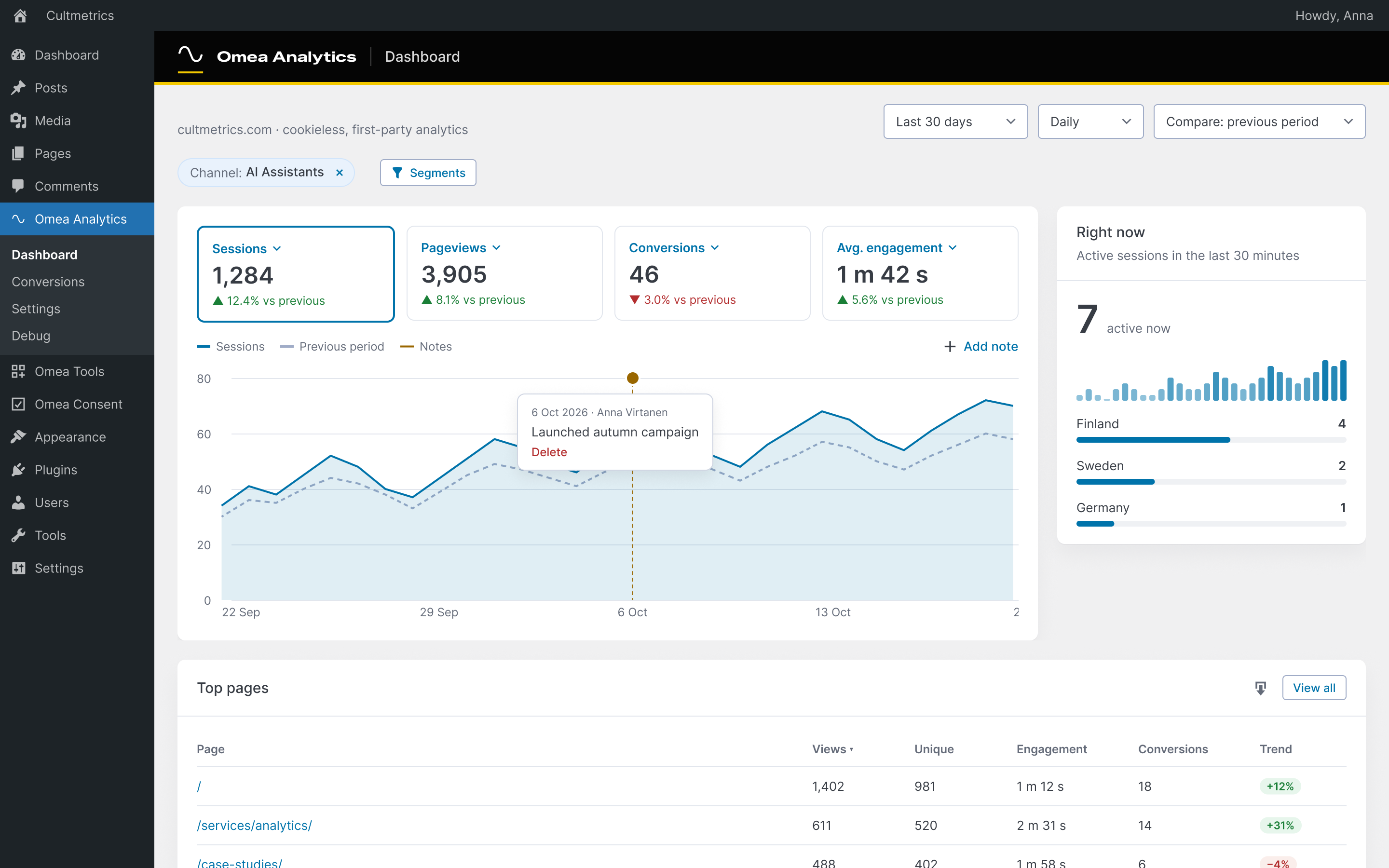
Dashboard: visits, pageviews, conversions and engagement against the previous period, top pages, channels, devices and countries.
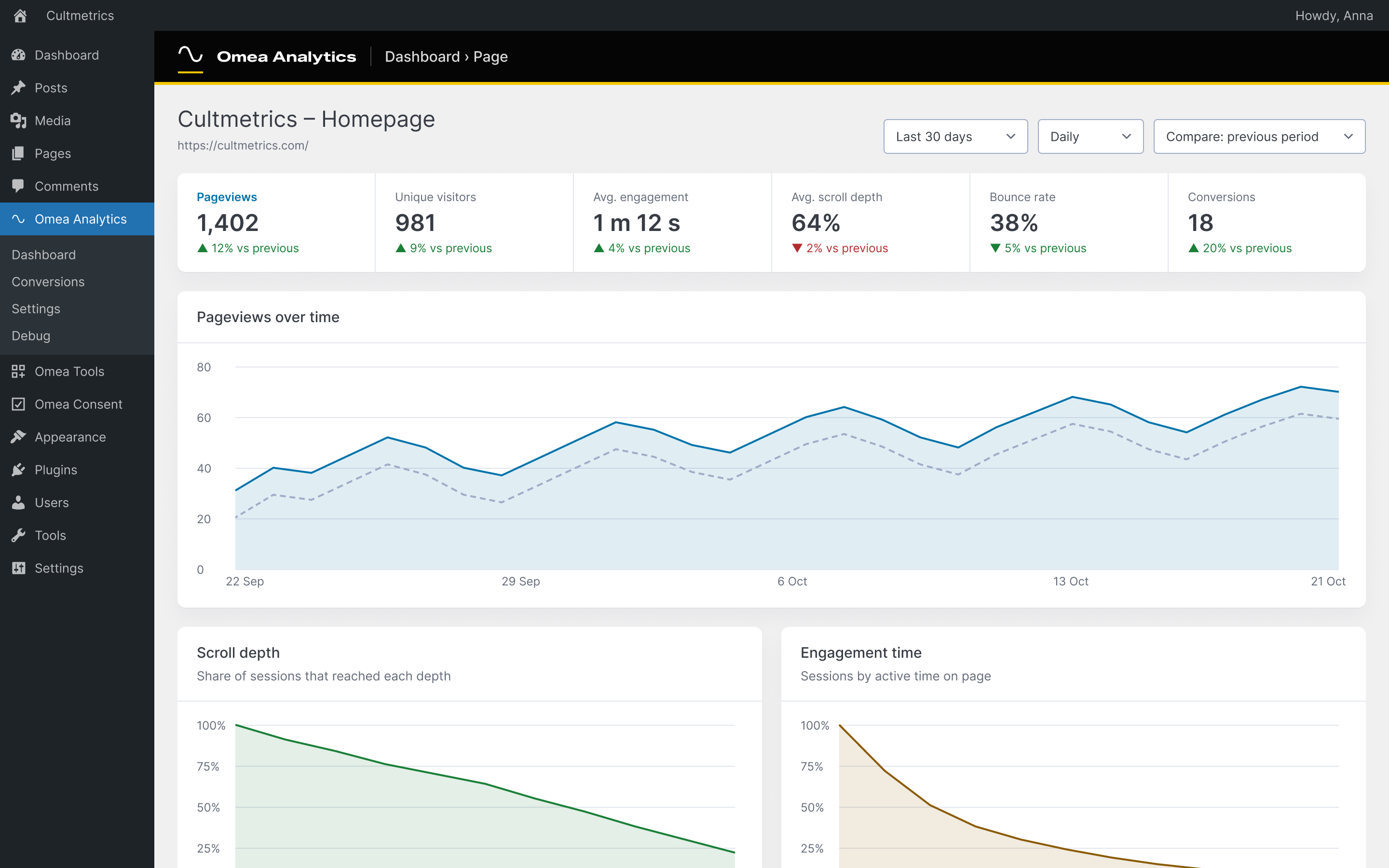
Page stats: pageviews over time, scroll depth, engagement time, where visitors came from and went next.

Conversions: goals from page visits, clicks, forms and custom events, events seen on your site and server-side WordPress events.