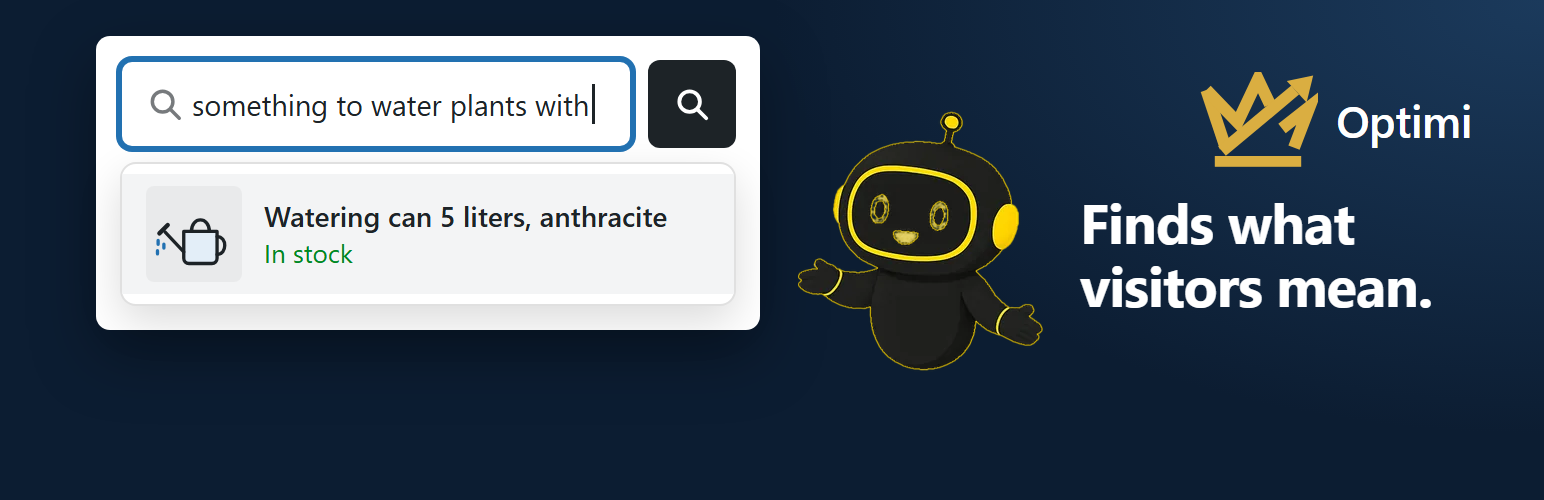
A visitor types “something to water plants with”. Your store’s own search finds nothing. Optimi AI Search shows your watering cans first. A typo like “rain jaket” still finds your rain jackets. And a Dutch visitor who types “regenjas” sees your rainwear.
Free, for good. The Free plan has no end date and needs no payment details. Paid plans add products, searches, and tools. You see every plan in the plugin before you sign up.
Safe to try. The plugin changes nothing in your theme. When Optimi can’t answer, your store’s own search answers. Visitors never see an error.
Your data, your choice. Only the text of your products goes to Optimi. Prices, stock, orders, and customers never leave your website. You choose where it is processed: the EU or Global.
Works for a WooCommerce store, and for posts and pages on any WordPress website. Several stores? Each gets its own license key, all managed in the Optimi Portal.
See it on your own products
The setup guide’s step “See the difference” shows your store’s own search beside Optimi’s. You use your own products, before you pay anything. The “Try it” tab compares again at any time.
What your visitors get
- Results while typing. Product names appear with every letter. After a short pause, Optimi adds its best matches.
- Your theme’s own box. The same list shows under it. Pressing Enter shows Optimi’s matches in your theme’s look.
- A word only your description holds. The search reads the descriptions, not only the name.
- The language of the page. With WPML or Polylang, a search goes out in the language of the page.
- Popular searches. Before a visitor types, the box can show your store’s most searched words.
Measured, not promised. On our test catalogs, the right product came first in 47 of 47 searches. In a second set, 81 of 82. Unrelated products in the first ten answers went from 78% to 8%.
What you get
- A setup guide. Seven steps, each ending in a check mark. You need no developer.
- One sentence on Home. It says whether search works on your store.
- “Check my store”. It opens your store as a visitor does and says what works. It runs once a day too.
- The Optimi search box. One press places a floating button, a menu icon, or a bar. “Match my website” gives it your look.
- The search log. The words searched most, and the words that found nothing. Never who searched.
- Synonyms, redirects, and pinned products. “mug” also searches “cup”. “returns” opens your returns page.
- Uptime. “Plan and connection” shows the share of searches Optimi answered in the last 30 days.
Free, and the paid plans
The Free plan is free, for good. Before you sign up, the plugin shows how many products and searches it includes. When Optimi offers a trial, it comes on top. After the trial, your store simply continues on the Free plan.
Paid plans add more products and searches. Depending on the plan, they also add the search log, popular searches, synonyms, redirects, and pinned products. You subscribe, buy credits, and find your invoices in the Optimi Portal. Every price there is excl. VAT. Cancel anytime: your plan runs through the end of the period.
Safe to try
- Your theme stays yours. The plugin never changes the markup of your theme’s search box.
- Your own search as the safety net. A results page waits at most 3 seconds for Optimi. Then your own search answers.
- Easy to remove. An uninstall deletes the plugin’s data and asks Optimi to delete your catalog text.
What the plugin never does
- It never shows a visitor an error or a message from Optimi.
- It never sends who a visitor is: no IP address, no user, nothing about the device.
- It never stores anything on a visitor’s device: no cookie, no local storage.
- It never sends a draft, a private or scheduled item, or an item with a password.
- It never sends a product you hid from search in WooCommerce (catalog visibility “Hidden” or “Shop only”). It takes no place in your plan.
- It never sells anything. Buying happens in the Optimi Portal.
- It never contacts Optimi before you choose the EU or Global in the setup guide. Opening that first page sends nothing.
Works with
- WooCommerce products, and posts, pages, and your own content types when you switch them on.
- WPML and Polylang. A product in three languages takes one place in your plan.
- Page builders: Elementor, Divi, WPBakery, Beaver Builder, Bricks, Oxygen, and Breakdance.
- Extra fields from ACF or another plugin, when you select them.
- Every theme, through the block, the widget, a menu item, or the shortcode
[optimi_search].
Languages
The plugin’s screens come in English, Dutch, German, Spanish, French, Portuguese, and Italian, included in the plugin. A regional variant reads its language: Belgian Dutch reads Dutch, Austrian German reads German, Brazilian Portuguese reads Portuguese. Each admin picks a language with the flag at the top right. Visitors see the search box’s words in the language of the page. When your website has a community translation of the plugin from translate.wordpress.org for a language, WordPress uses that one instead.
Requirements
WordPress 6.4 or later, PHP 8.1 or later, and an email address. WooCommerce for products; posts and pages work without it.
Start
Install the plugin, choose the EU or Global, and press “Start for free”. Then compare both searches on your own products.
External services
This plugin connects to Optimi AI Search, a service of Optimi (https://optimi.nl), at https://apps.optimi.nl. The search runs there. Every request carries the plugin’s name and version. Nothing is sent until you choose the EU or Global on the setup guide’s first page.
- The plans: when the plugin’s pages open and the plans are over 10 minutes old. Only the plugin’s version.
- The signup: when you press “Start for free” or “Sign up”. Your email address, home URL, and EU or Global choice. When Optimi knows the address, also the 6-digit code it emailed you.
Once a license key is saved, every request carries it and your home URL. Optimi also notes the IP address your server connects from.
- Your content: the text of your published products, and of posts, pages, and content types you switch on. For a product: title, descriptions, categories, SKU, and the attributes, variation SKUs, and brands you choose. Also its language, a fingerprint, and a rank from sales and publish date. Sent in batches when an item is added, changed, or removed.
- A search: the words a visitor typed, at most 200 characters, and the page’s language. Nothing about the visitor.
- Your rules and popular searches: your synonyms, redirects, and pinned products, when you open or save them. Once a day, the popular searches per language.
- The search log: when you open the Searches tab, the period you chose.
- The connection check: whether the license key works, your plan, searches, credits, and the newest plugin version. When you open the plugin (at most every 10 minutes), press “Check connection”, and once a day.
- Your data choice: EU or Global, once, when the service has none yet.
- A ticket or a suggestion: what you typed on the Help tab, when you press “Send”.
- The weekly check: how many items Optimi holds; when that differs, item numbers and fingerprints.
- Disconnecting: on deactivation or when you remove the license key. Your reason and note, if you give them.
- Uninstalling: a request to delete your catalog text, and a disconnect.
Optimi keeps your catalog text while your service runs. A search is kept as a hash and a vector, never as readable text. With the search log or popular searches on, the words are counted per day and language, never who searched. Those counts are deleted after 90 days. Optimi processes all of this in the EU, or with Global in the Optimi location closest to your store.
- Terms and conditions: https://portal.optimi.nl/terms
- Privacy statement: https://portal.optimi.nl/privacy
Screenshots
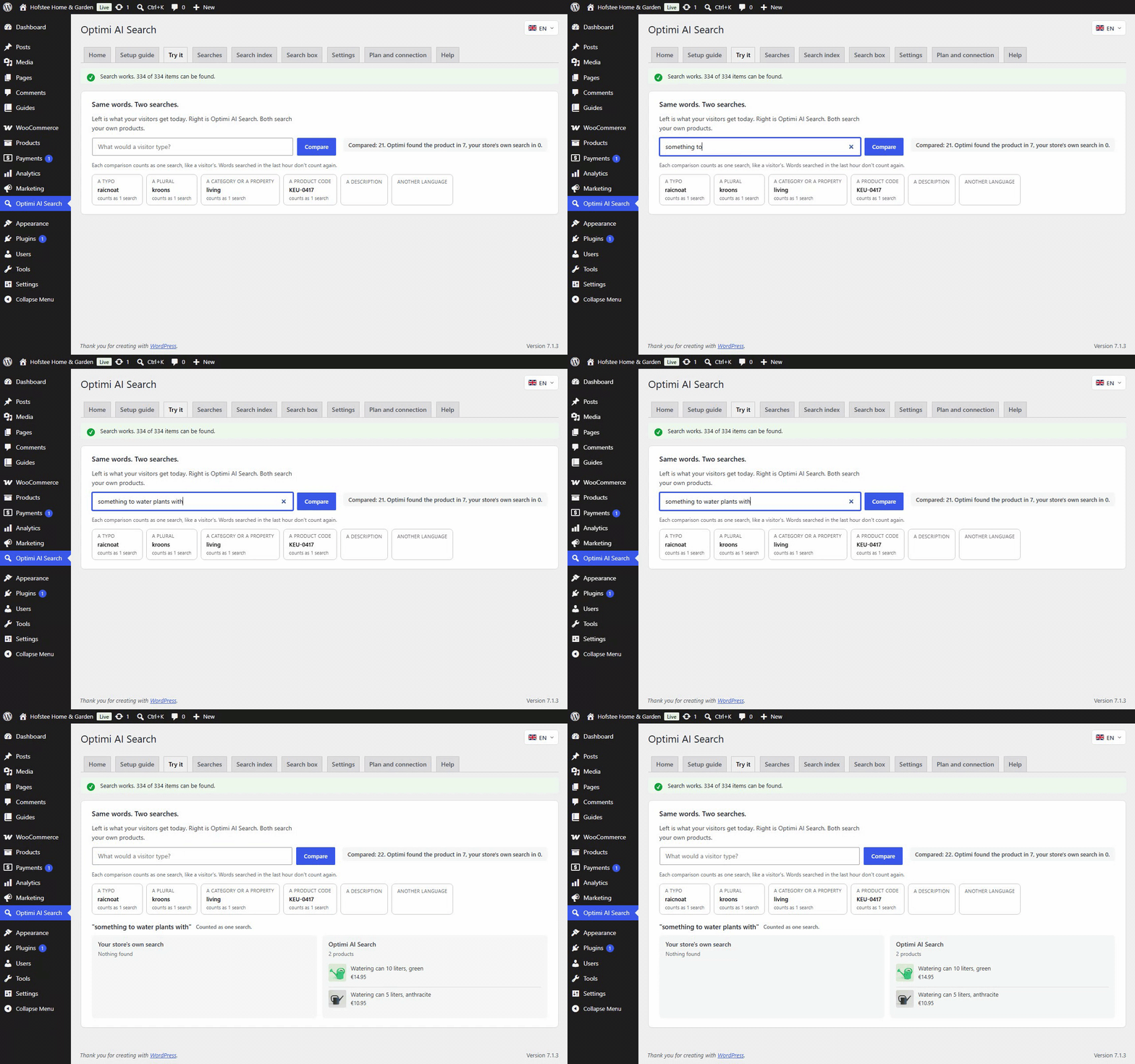
Your search beside Optimi's. Compare both on your own products before you decide.
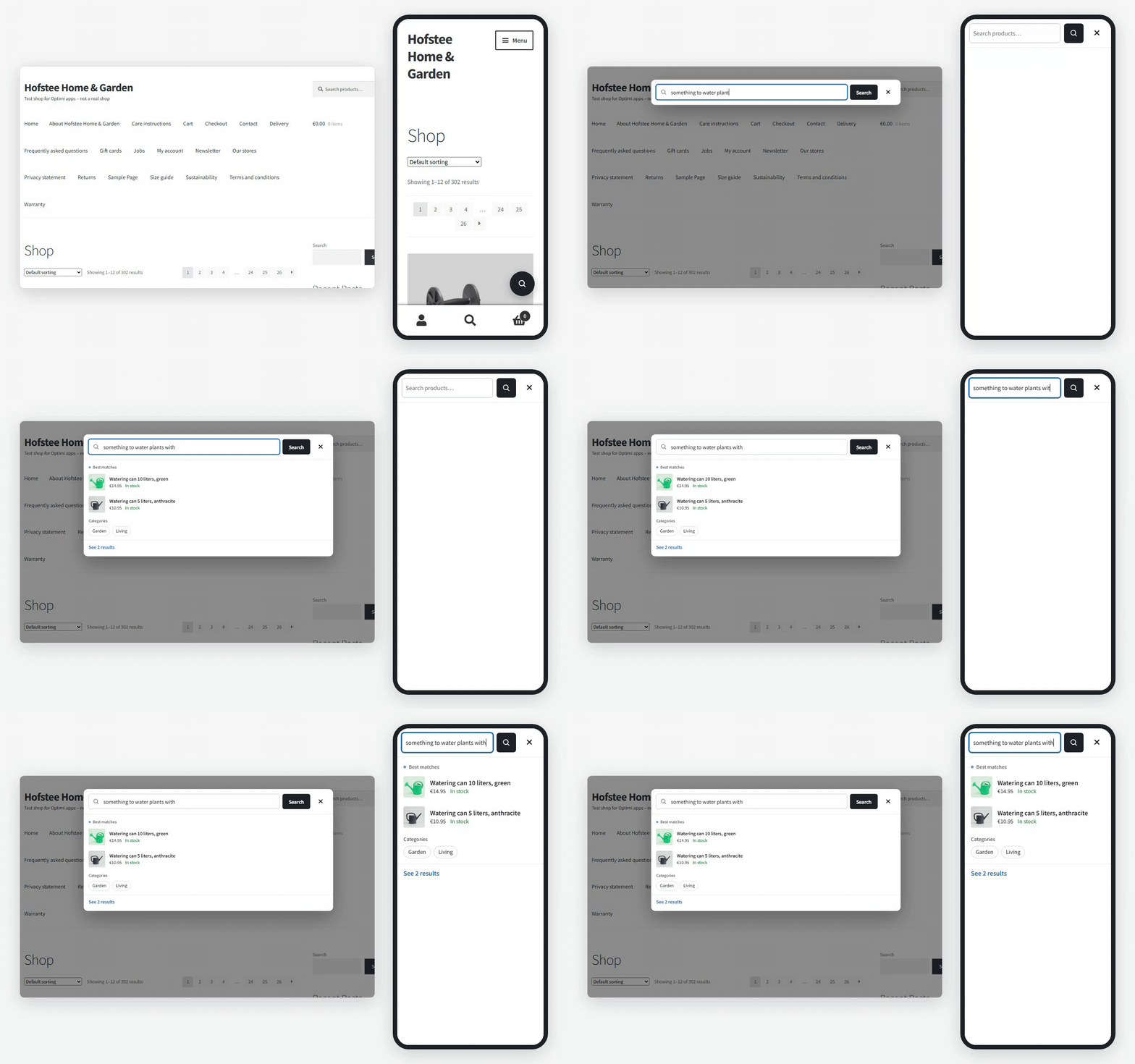
Products while visitors type. In the Optimi search box, styled like your store.
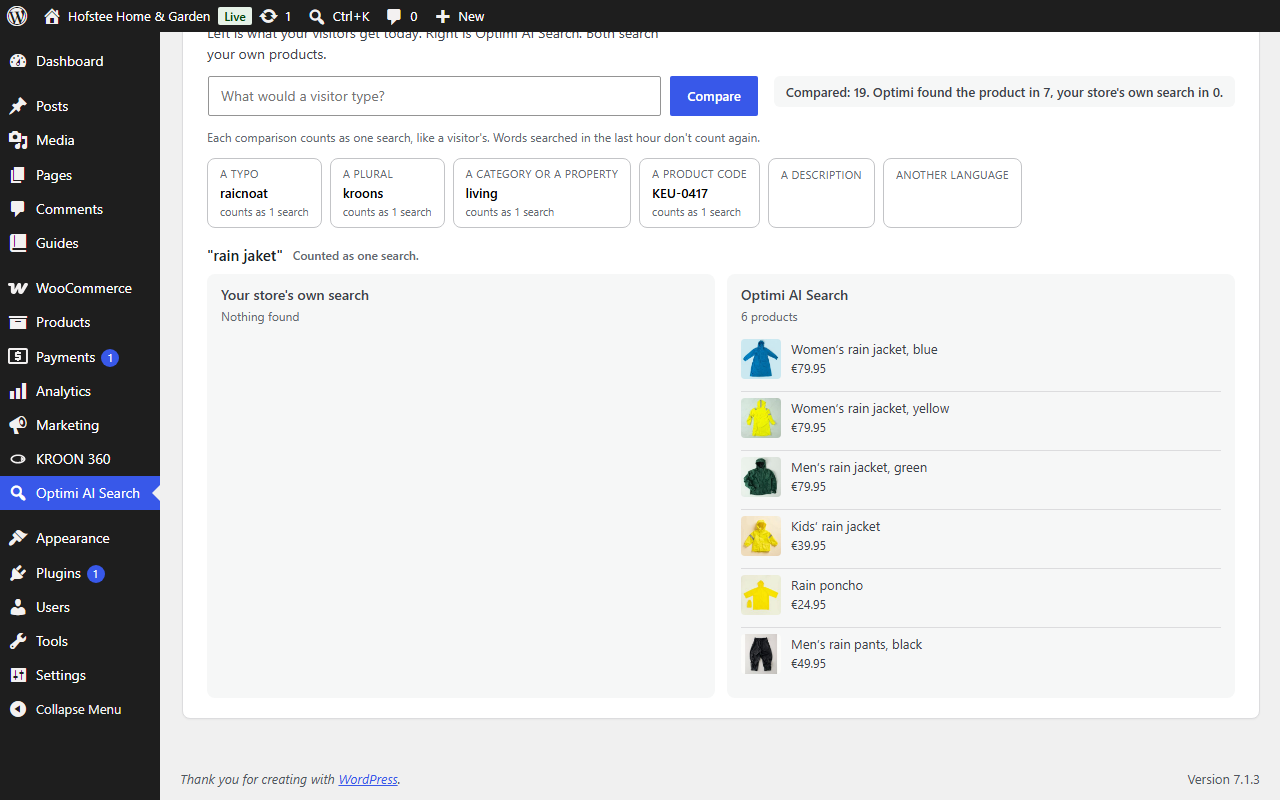
A typo still finds it. "rain jaket" shows your rain jackets first.
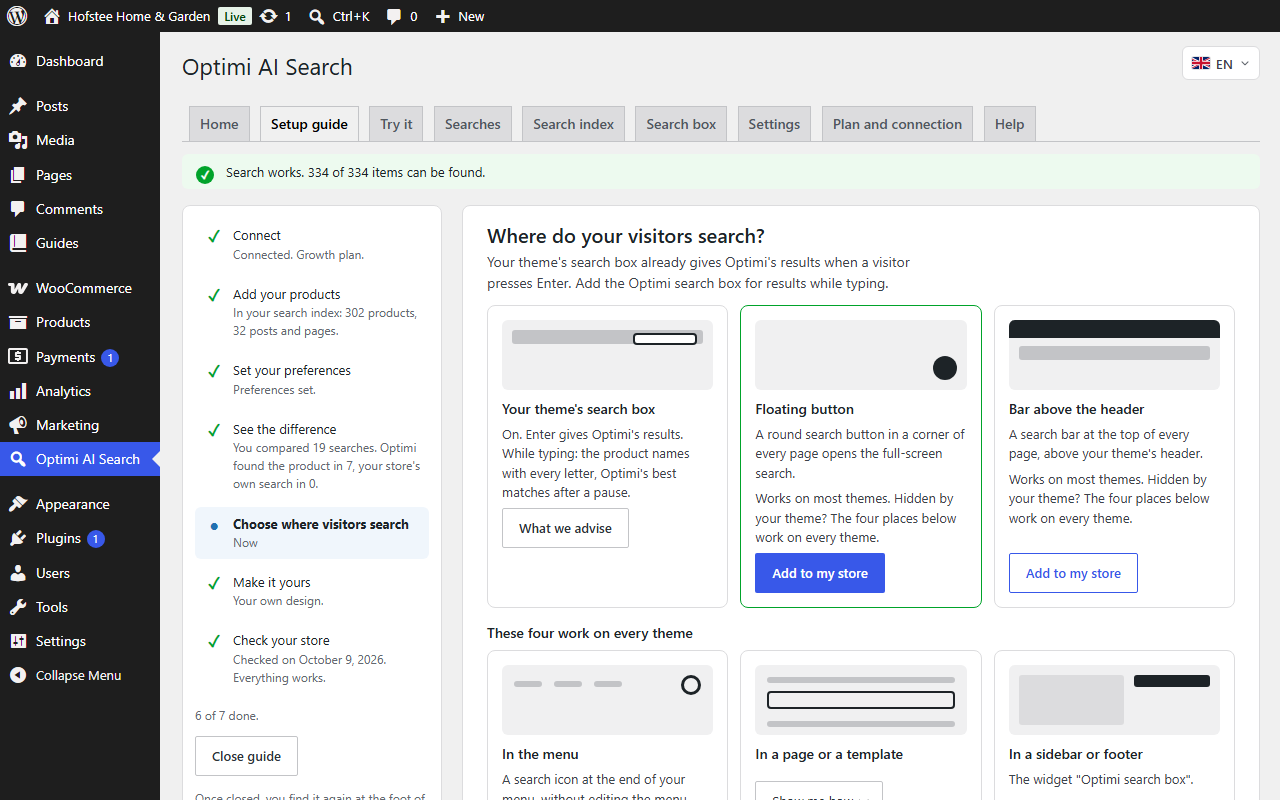
Seven steps, each with a check mark. You set it up without a developer.
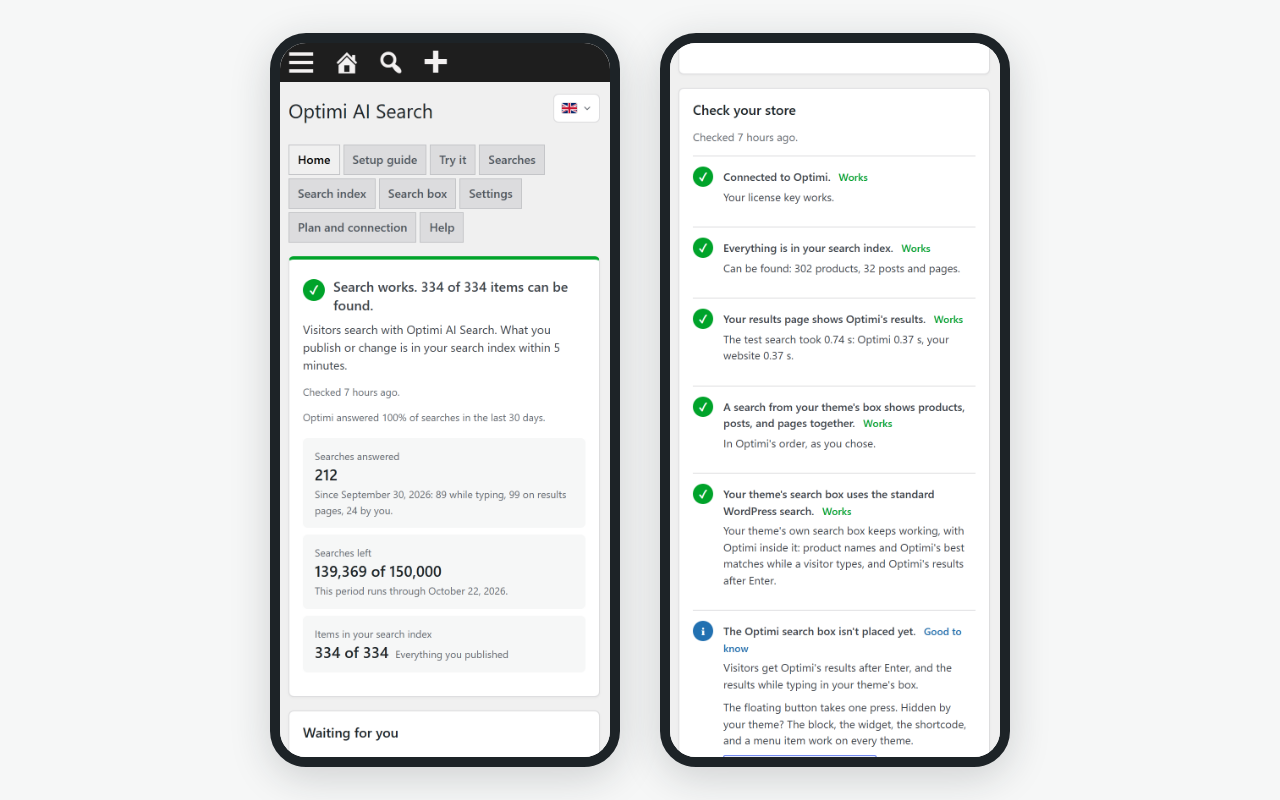
One sentence on Home. It says whether search works, every day.
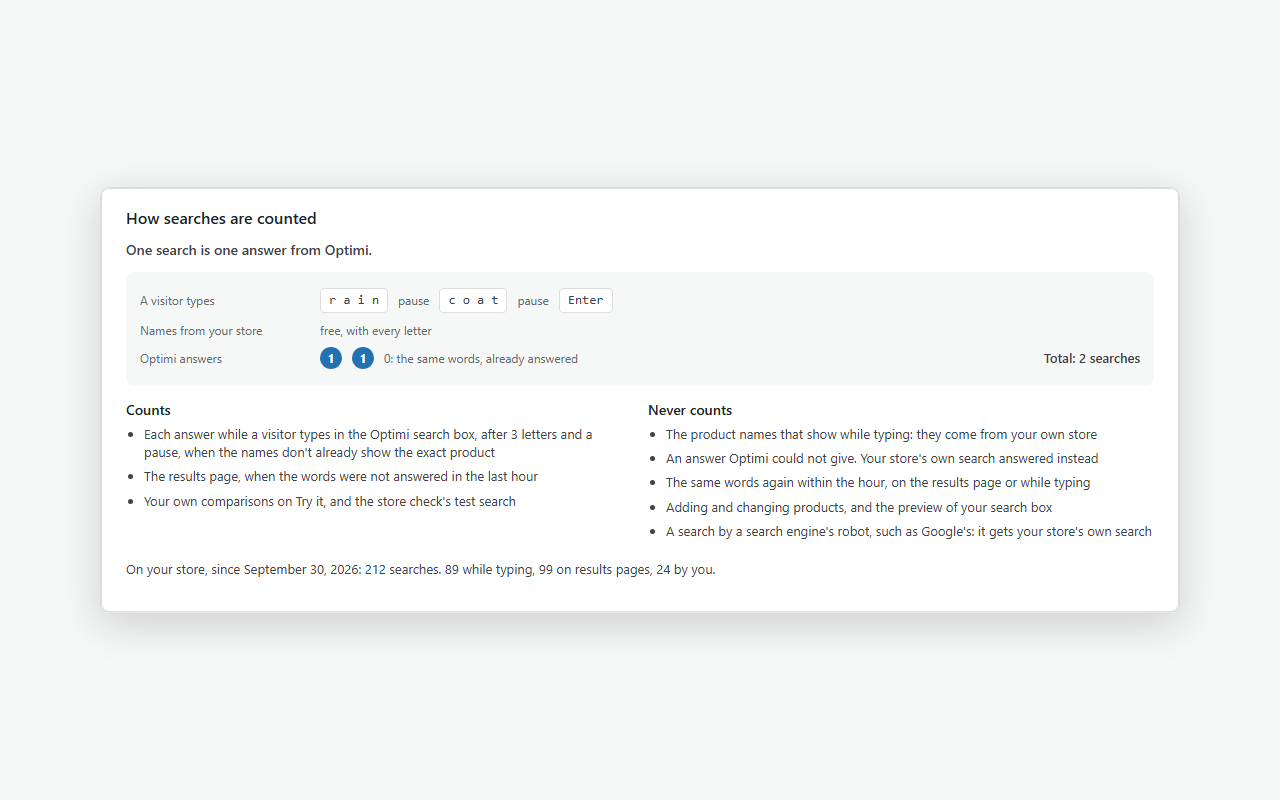
How searches are counted. Your own numbers, and what never counts.
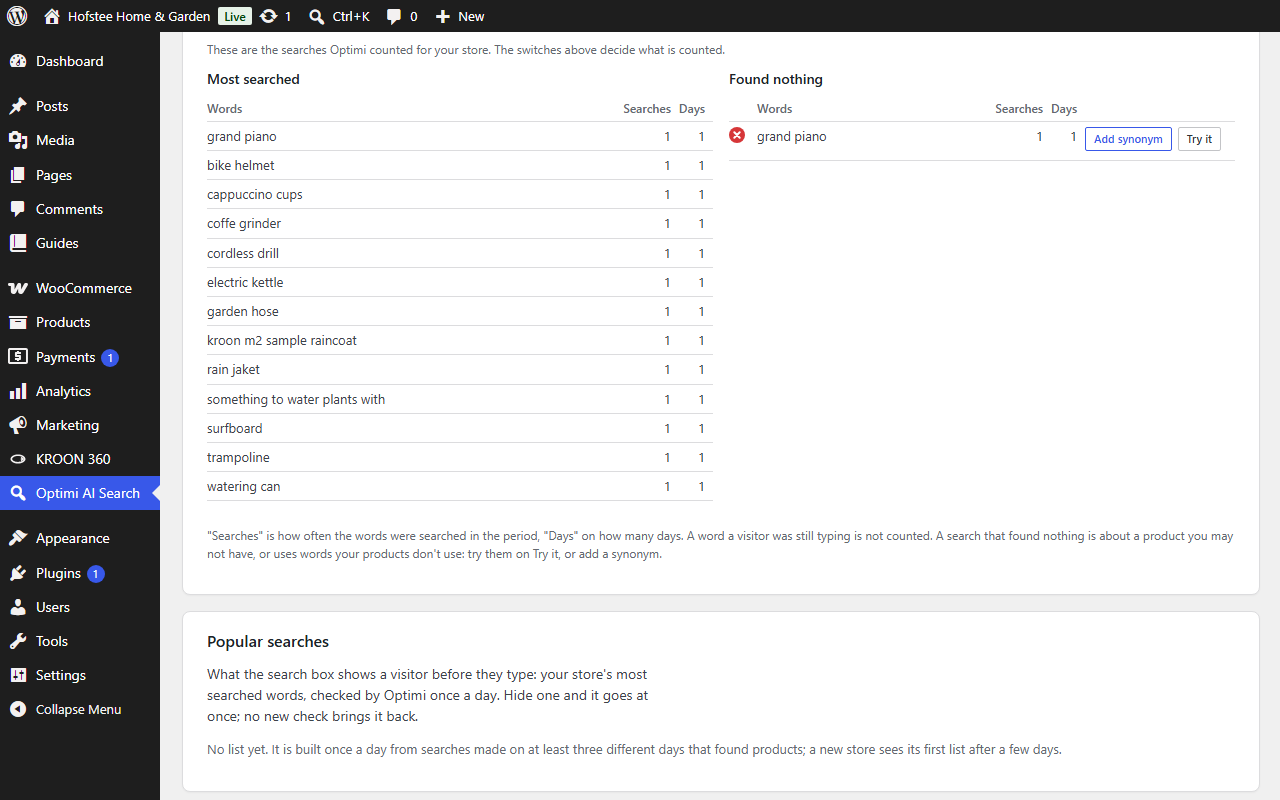
What visitors can't find. Add a synonym with one press.
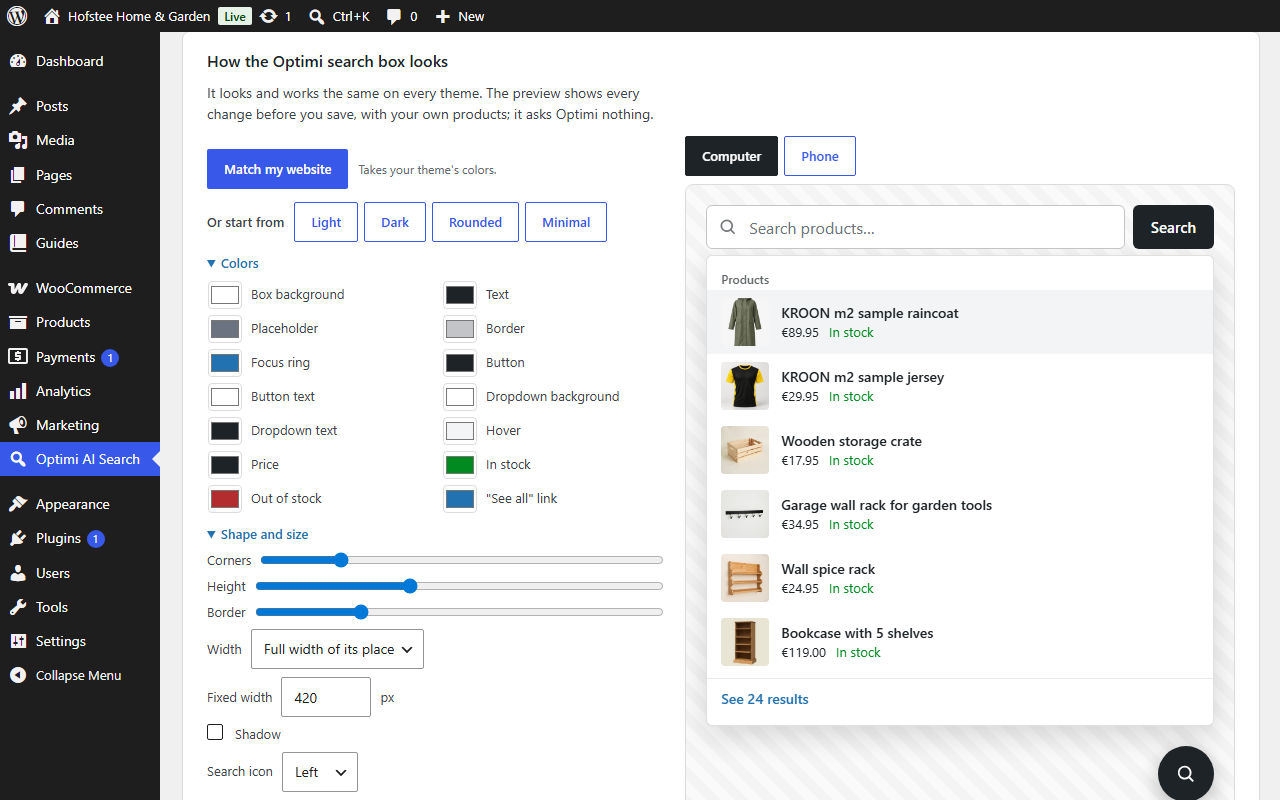
The search box designer. Colors, shape, and words, with a live preview.