A customer pays, and then hears nothing. The goods are late: a supplier backorder, an item
made to order, a busy season. No shipping label exists yet, so no tracking email goes out.
After a week or two the customer asks “where is my order?”, opens a payment dispute or
leaves a poor review. One honest email would have prevented all three.
WooCommerce sends emails when something happens to an order. “Nothing happened” is not an
event, so nothing is sent. This plugin closes that gap.
The rule, in one sentence
Every morning the plugin looks at paid orders that are still waiting to ship; if an order
has no tracking 12 days after payment, the customer gets a first notice, 7 days later a
second one, and 7 days after that your staff get an alert to contact the customer, unless
the order has shipped in the meantime. All three numbers are yours to change.
What it does
- Sends two notices to the customer and one alert to your staff, each step on its own
schedule and each one switchable. - Stops the moment the order ships. It reads the tracking of Advanced Shipment Tracking
(free and Pro), WooCommerce Shipment Tracking and Shiptastic (the shipments of
Germanized), or any order meta key you name. Without a tracking plugin, an order counts as
shipped when it leaves the “Processing” and “On hold” statuses, for example when you mark
it as completed. - Never emails your order history. Only orders paid after you first activated the plugin
are considered, unless you set an earlier start date yourself, and a preview shows what
that would send before you save. - Shows a preview of what the next check would send, on its settings tab and in WP-CLI,
without sending anything. - Sends at most one email per order per day, so a long-delayed order never receives three
emails at once. - Leaves out local pickup, orders without shipping and any shipping method you exclude.
- Adds an order note for every email it sends, and writes one log line per order to
WooCommerce, Status, Logs. - Uses real WooCommerce emails. You edit subject, heading and text under WooCommerce,
Settings, Emails, like any other WooCommerce email, and your theme can override the
templates. - Handles large shops in batches through WooCommerce’s Action Scheduler, and declares
compatibility with High-Performance Order Storage.
The default emails are friendly and honest, and they promise no delivery date. If you know
a date, add it in the email settings.
For shops in Germany, Austria and Switzerland
A delivery delay (Lieferverzögerung) is where shops lose trust fastest, and the customer
notice is a matter of good service. A complete German translation is available, in the
formal (Sie) and the informal (du) form. WordPress loads it from translate.wordpress.org.
Until the language pack is published there, German shops see the English text and can
change the email texts in the WooCommerce email settings.
What it deliberately does not do
It does not phone home, does not require an account, and does not hold a feature back for a
paid tier. It is not a legal tool: whether and how you must inform customers about a delay
is a question for your legal advisor.
For developers
Add a tracking source with the opusdd_tracking_adapters filter, add or change steps
with opusdd_steps, leave orders out with opusdd_skip_reason, move a due date
with opusdd_step_due_at, and react to a send with the opusdd_step_sent action.
The full list is in the plugin’s source.
Screenshots
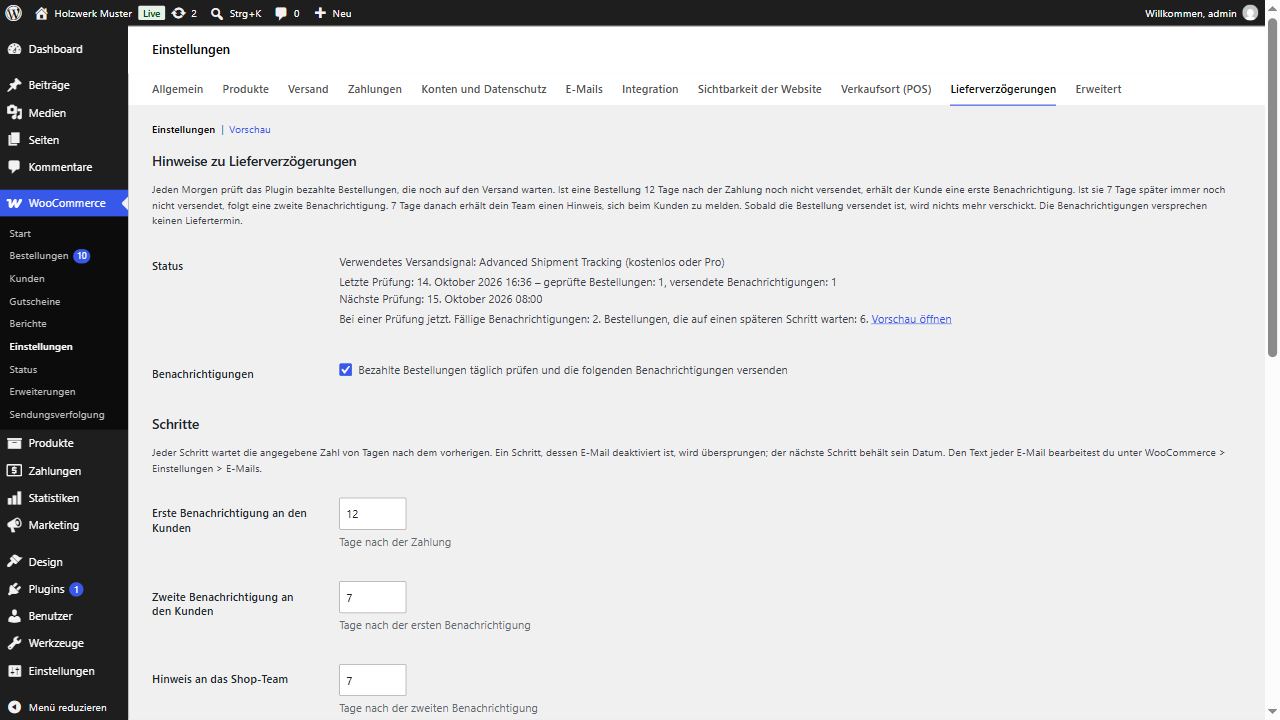
The settings tab: the rule in one sentence, the status of the daily check and the steps.
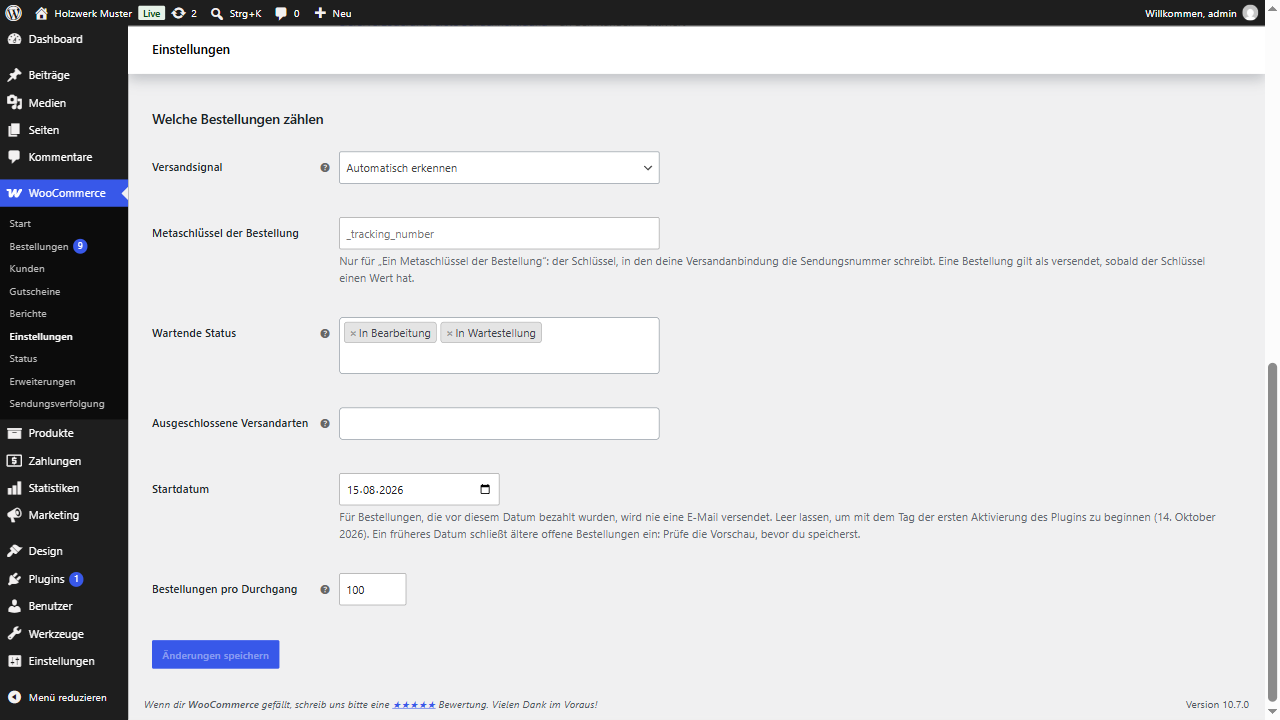
Which orders count: the shipped signal, waiting statuses, excluded shipping methods and start date.
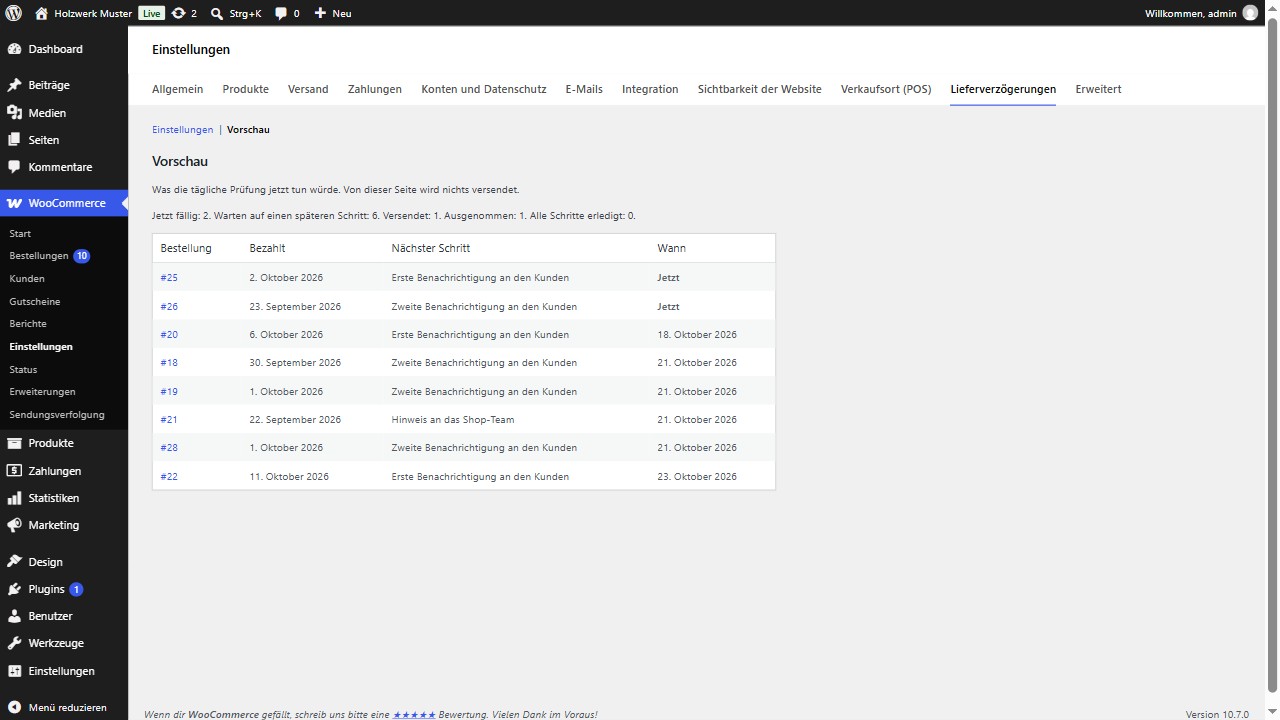
The preview: orders due now and orders waiting for a later step.
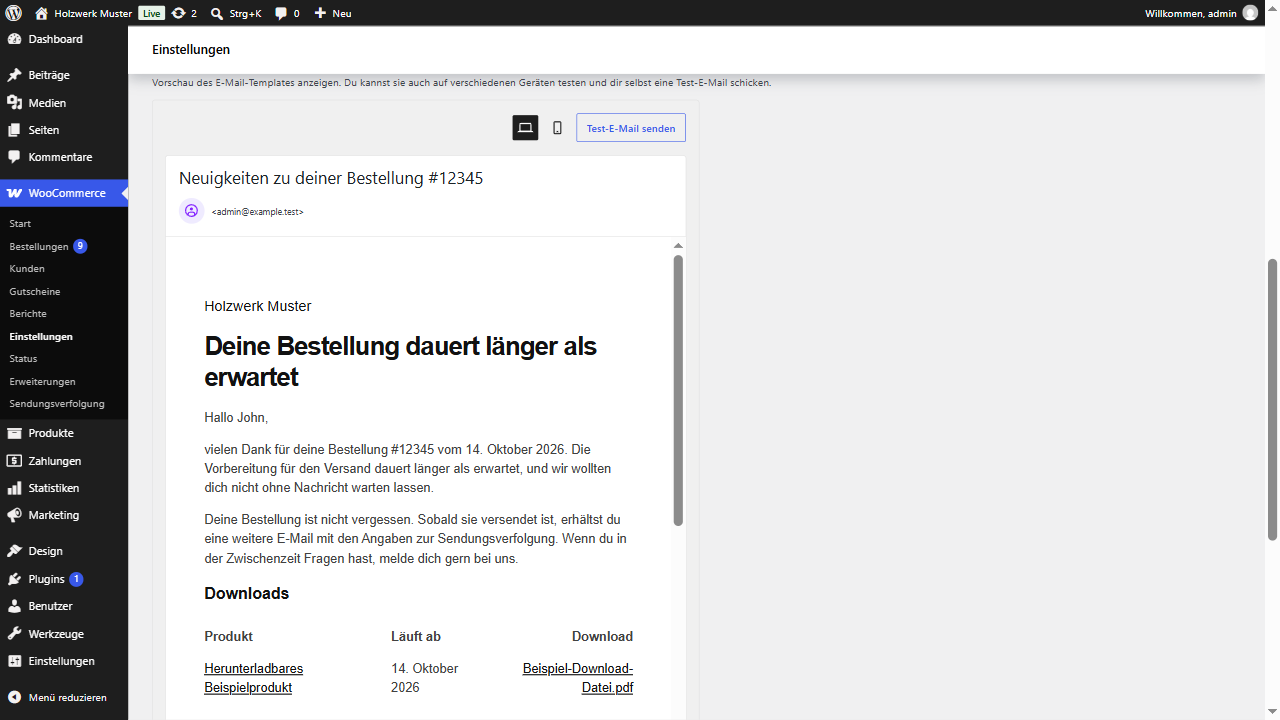
The first notice in the WooCommerce email settings.
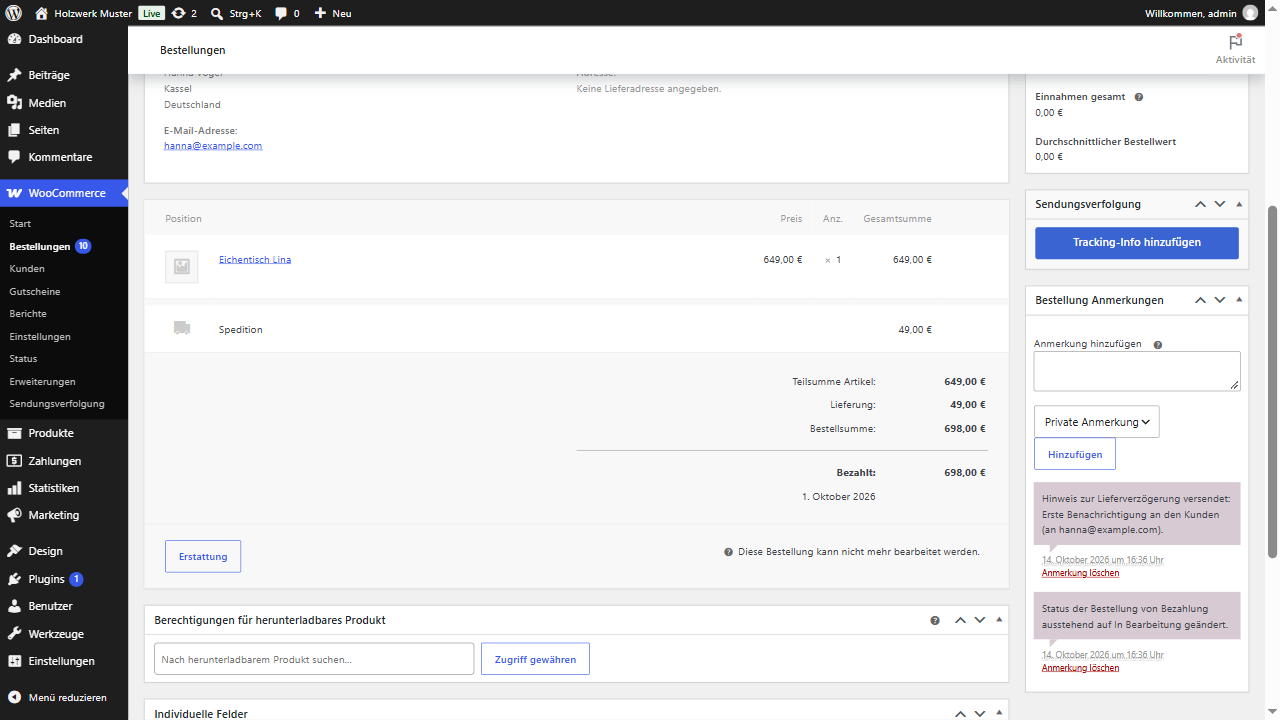
An order note written for each email sent.