BACK TO DIRECTORY
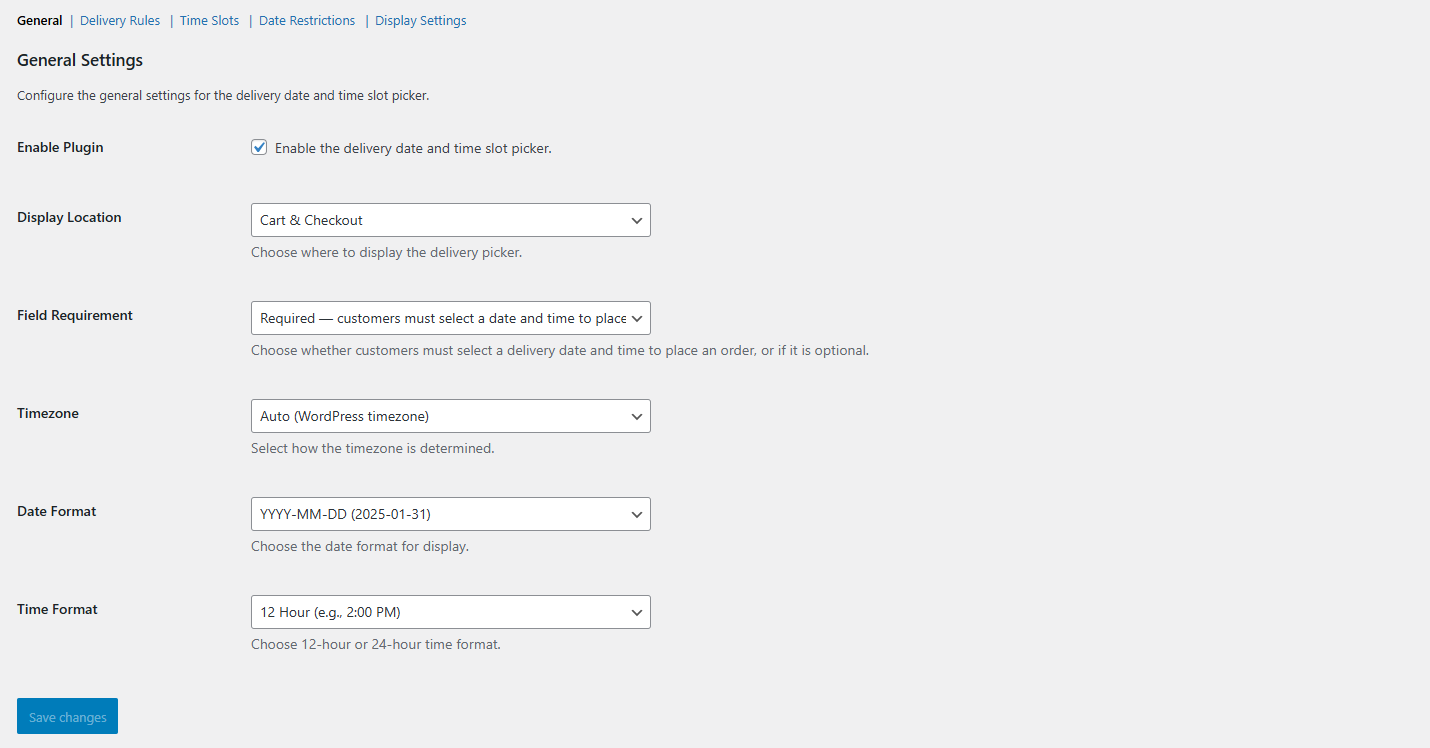
Orders Date Time Slot Picker By SolCoders gives your WooCommerce store a professional delivery scheduling system. Customers can choose their preferred delivery date and time slot directly on the Cart page, Checkout page, or both.
Key Features
- Flexible Display — Show the picker on Cart, Checkout, or both pages.
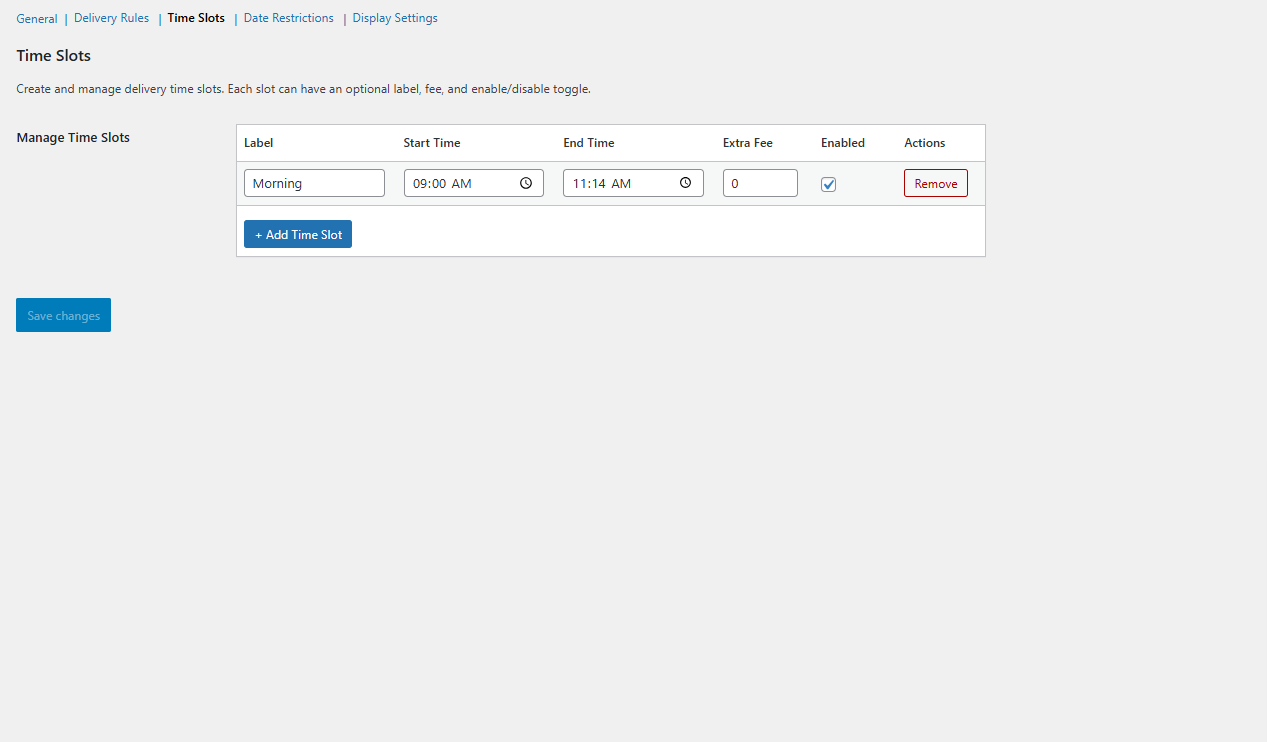
- Time Slot Management — Create unlimited time slots with optional labels and extra fees.
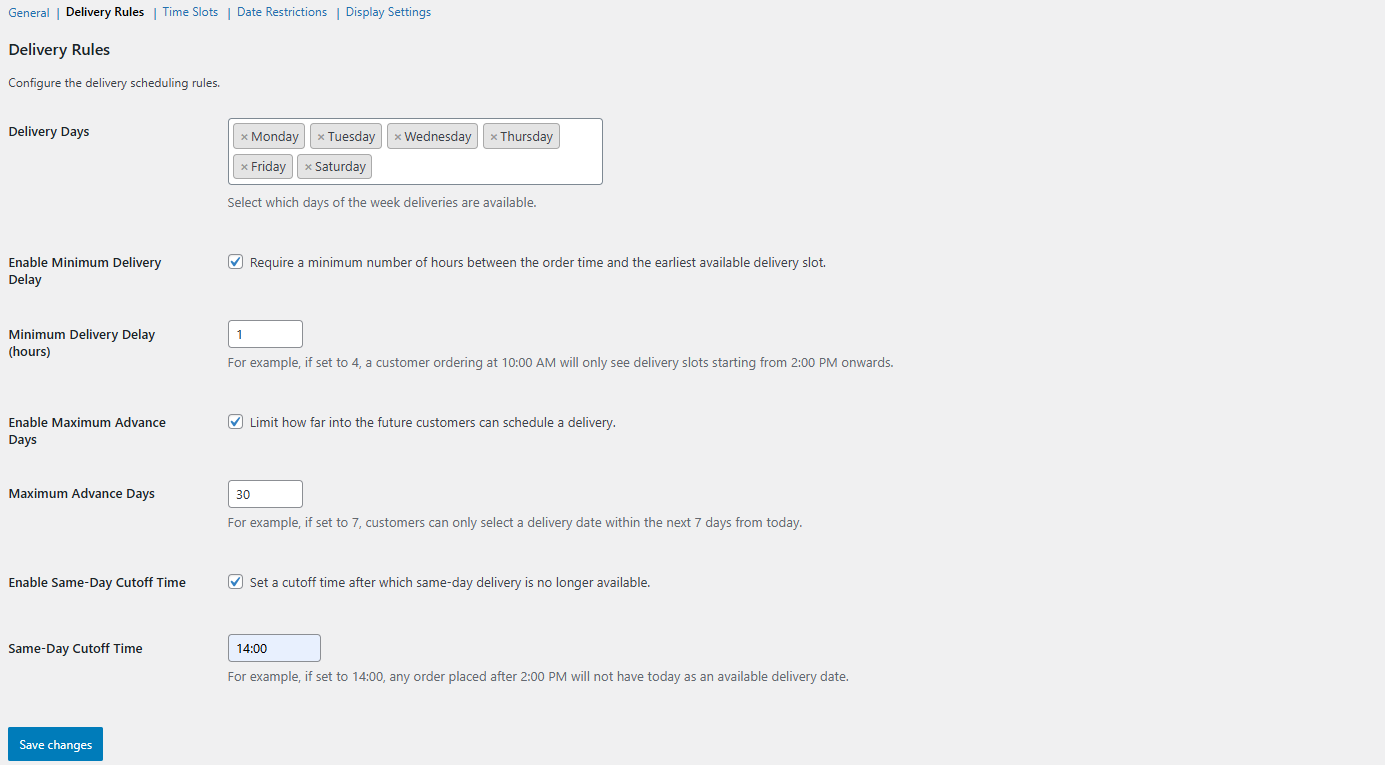
- Delivery Rules — Set minimum delay, maximum advance days, same-day cutoff, and allowed delivery days.
- Date Restrictions — Block specific dates (holidays, blackout periods).
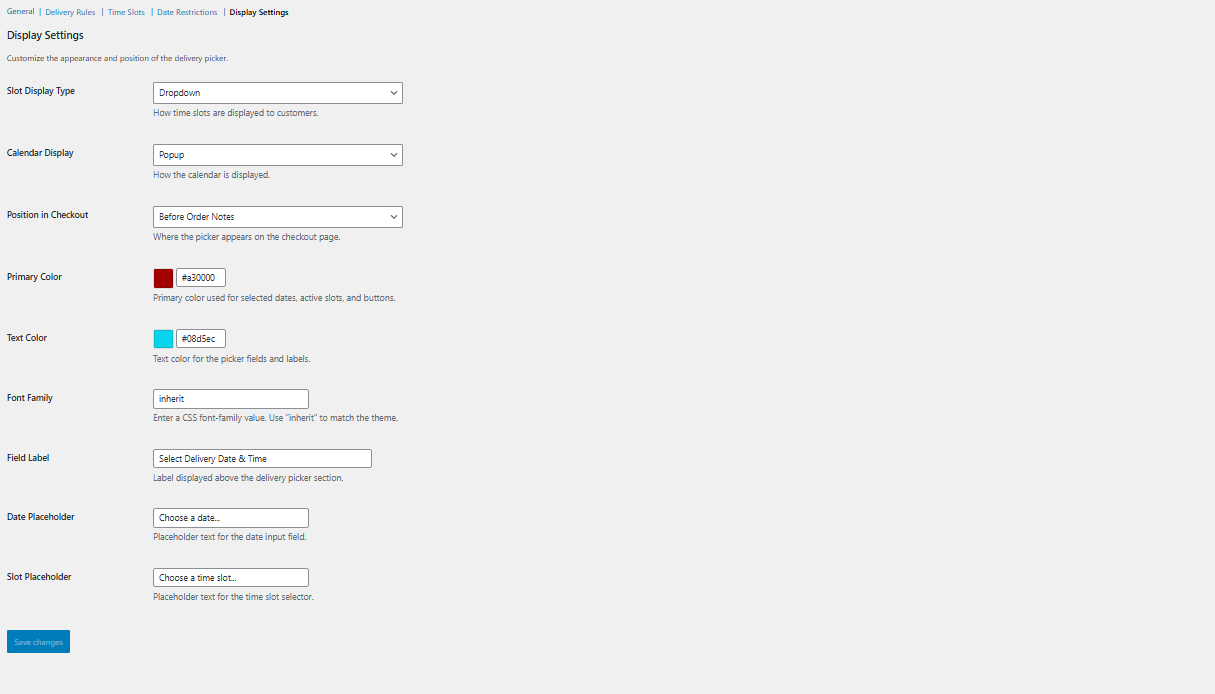
- Display Customization — Choose dropdown or button-style slots, inline or popup calendar, custom colors, fonts, and text.
- Classic & Blocks Support — Works with both WooCommerce shortcode checkout and the new Blocks-based checkout.
- Order Integration — Delivery details appear on admin order pages, customer emails, and the Thank You page.
- Session Persistence — Selections carry from Cart to Checkout seamlessly.
- Translation Ready — Fully internationalized with i18n support.
How It Works
- Configure delivery days, time slots, and rules in WooCommerce Settings Delivery Slots.
- Customers see a date picker (powered by Flatpickr) on the Cart or Checkout page.
- After selecting a date, available time slots load dynamically via AJAX.
- The selection is validated, saved to the order, and displayed everywhere it matters.
Requirements
- WordPress 5.8 or higher
- WooCommerce 6.0 or higher
- PHP 7.4 or higher
Screenshots
Admin Settings — General configuration panel.
Delivery Rules.
Customize Frontend Display.
Delivery Time Slots managmenet.
Plugin Details
Active Installs
0Total Downloads
1,224Version
1.0.3Requires WP
5.8Requires PHP
7.4Tested Up To
6.9.11Added
2026-04-15Last Updated
2026-04-16 4:57pm GMTRatings
5
0
4
0
3
0
2
0
1
0