BACK TO DIRECTORY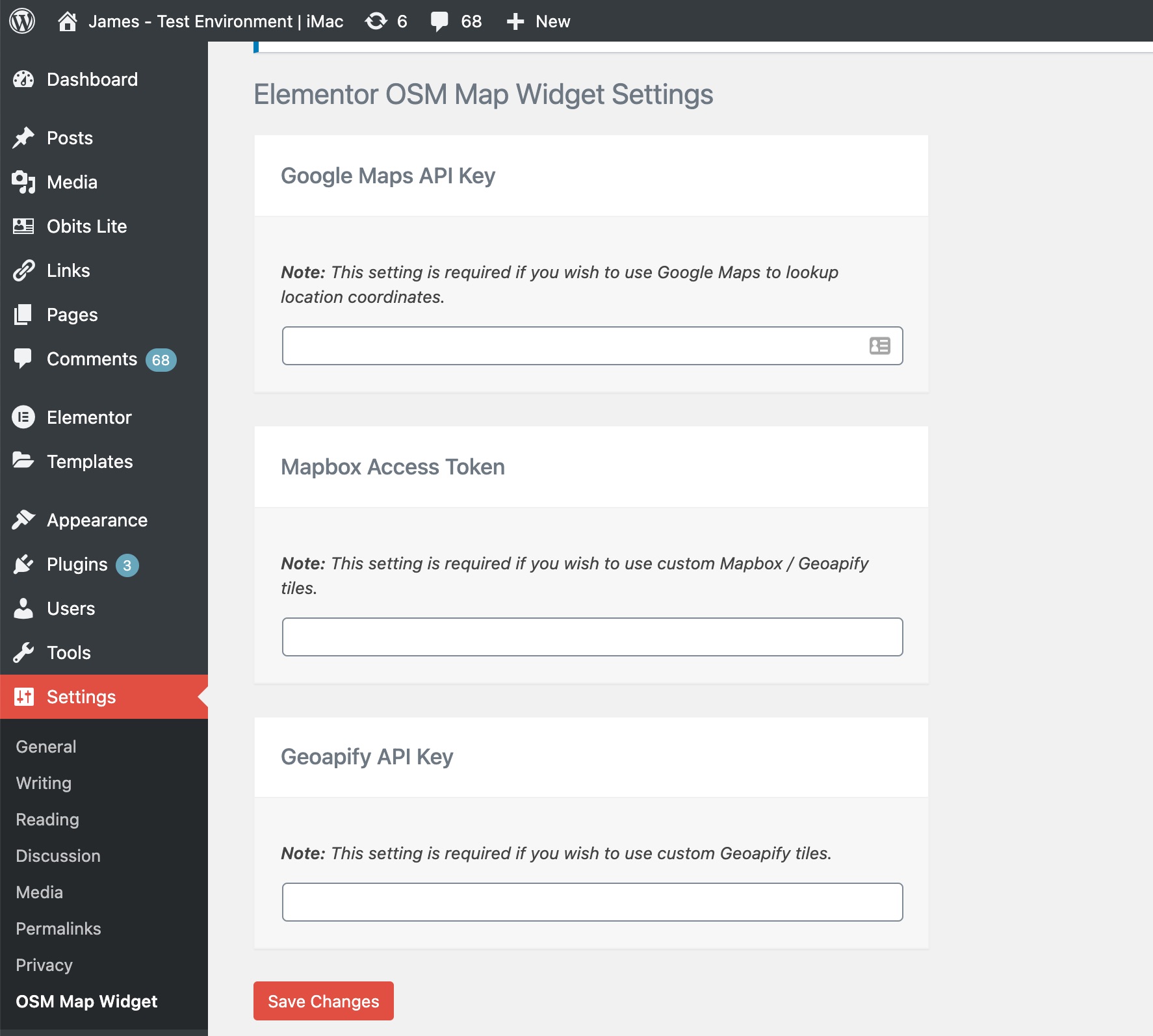


A free Elementor Map Widget that utilizes Open Street Map. Comes with features like adding multiple markers, and choosing from a library of custom tiles to change the look and feel. Requires Elementor Page Builder Plugin Version: 3.5+
This plugin is open sourced so feel free to contribute to it by:
1. Adding a topic/issue here
2. Submitting a pull request with any well-written code that implements the desired feature.
Usage
- Make sure that Elementor plugin is installed
- Add optional API Keys to the settings page:
- Google Maps API Key (Used to autocomplete and update the coordinates of markers in a map. Need help to get a Google map API key? Read this resource)
- Mapbox Access Token (Used for custom tiles. Need help to get a Mapbox Access Token? Read this resource)
- Geoapify API Key (Used for custom tiles. Need help to get a Geoapify API key? Read this resource)
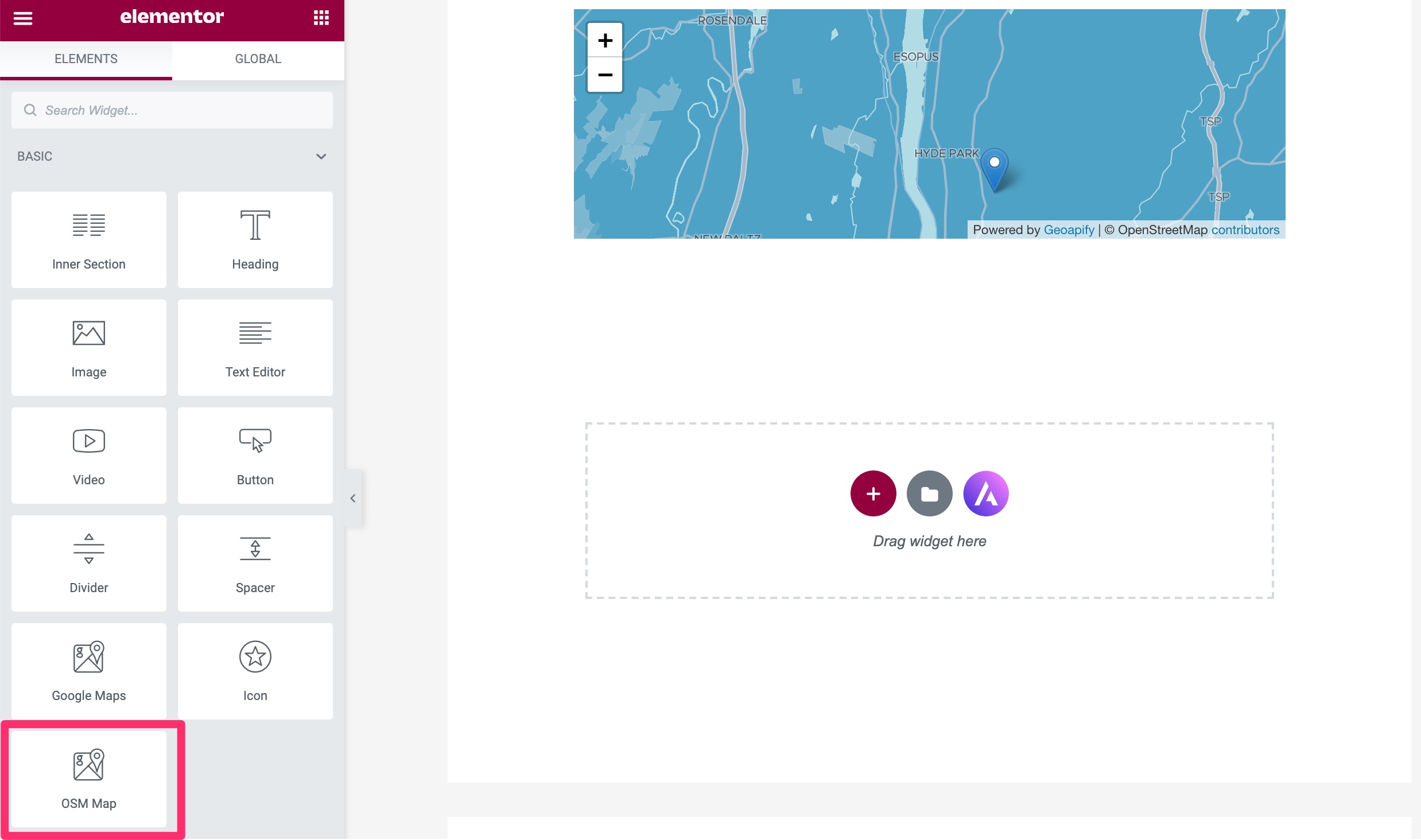
- Add OSM Map widget to your elementor page and have fun 🙂
- Find OSM Map widget from elements listing and add it to your elementor page
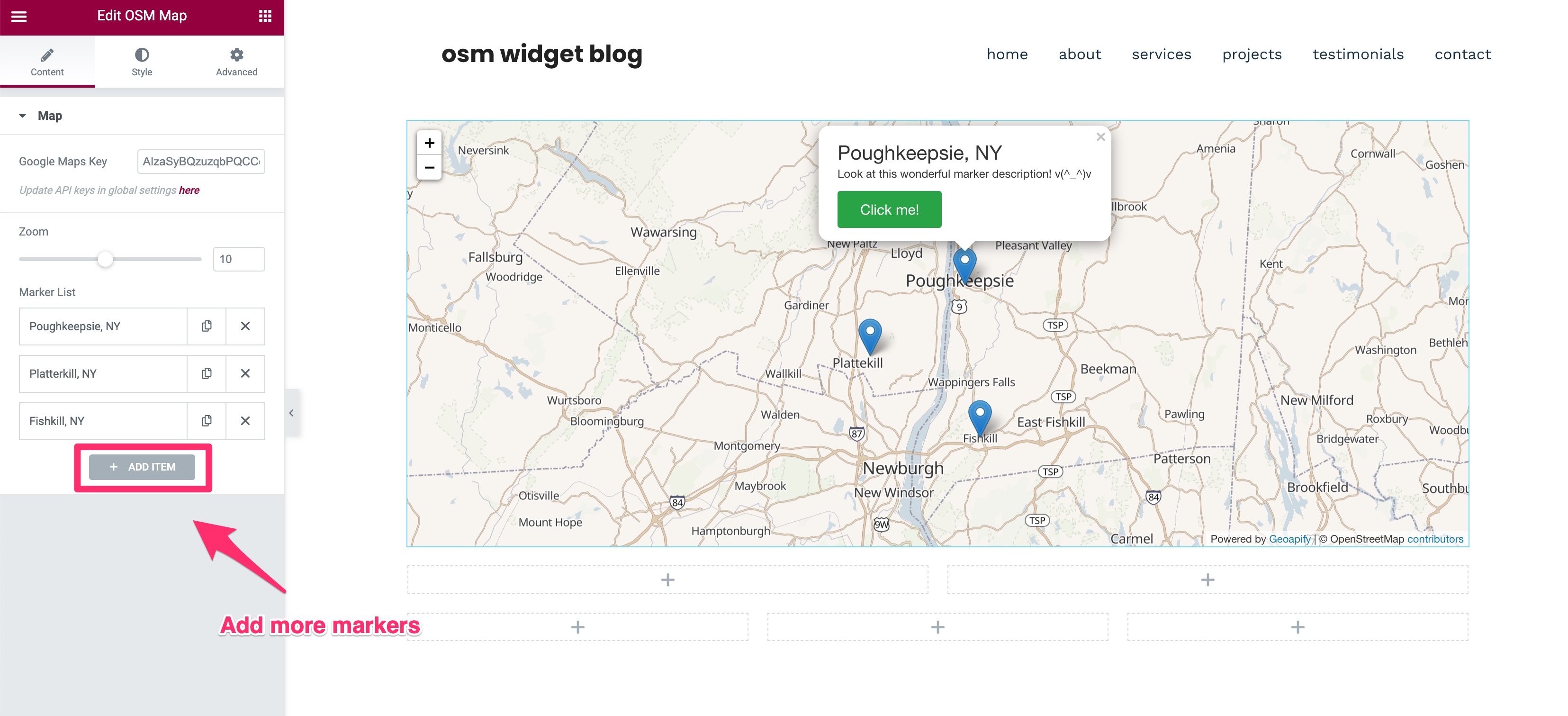
- Add multiple markers, change Zoom level style them accordingly
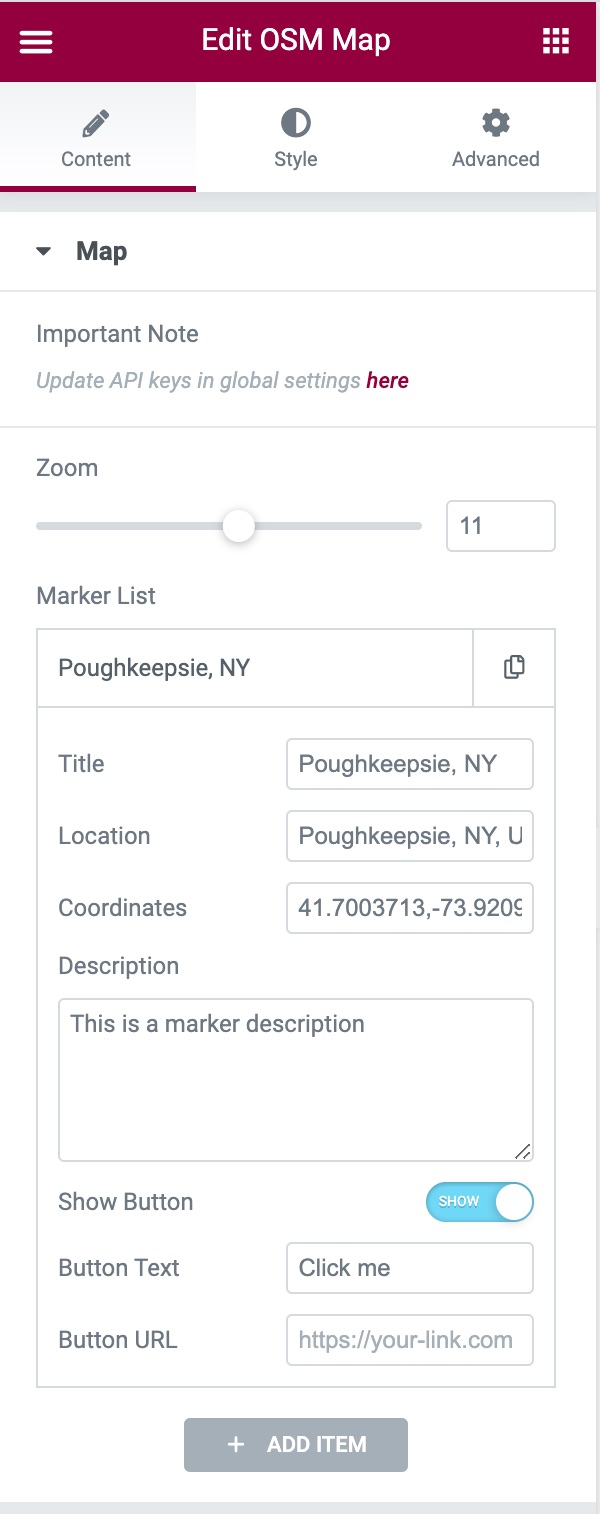
- Editing the markers: A marker’s settings contains Title, Location, Coordinates, Description, Button Text, and Button URL fields. Of those fields, only the Coordinates field is required to render a marker on the map. If you have a Google Maps API key added, you’ll be able to automatically populate the coordinates field without manually doing so.
- Change Tiles from style section requires Mapbox Access Token and Geoapify API Key
Screenshots
Update optional API keys
Add widget to your elementor page
Add multiple markers & style them accordingly
Edit the marker's coordinates to render them in the map
Choose from 14 different custom tiles
NEW: Add custom marker icons. Available Icon types: Default, Font Awesome and Custom Image.
Plugin Details
Active Installs
8K+Total Downloads
71,949Version
1.3.1Requires WP
6.0Requires PHP
7.3Tested Up To
6.8.11Added
2020-09-08Last Updated
2025-09-05 5:49am GMTRatings
5
7
4
0
3
0
2
0
1
1