
Let customers pay your WooCommerce store in crypto, and get paid for real. Oxialink tracks every payment to on-chain confirmation, credits a wallet you control, and marks the order paid by itself. No chargebacks, no rolling reserves, no card network in between. Processing starts at 0.2% per payment, with a free account and no KYC to get started.
How it works
- The customer picks “Cryptocurrency” at checkout and chooses a coin from the ones you offer.
- They land on a hosted payment page with the exact amount, a QR code, and a live confirmation count. It works on desktop, on mobile wallets, and inside Telegram.
- Oxialink watches the chain. When the payment confirms, a signed webhook marks the order Processing (or Completed, your choice) and the customer is sent back to your thank-you page.
- The funds sit in your Oxialink wallet. Withdraw to your own address whenever you like, or let auto-withdraw do it for you.
What you get
- 14 coins across 6 networks: USDT on TON, Tron, BSC, Solana and Ethereum, USDC, Bitcoin, Ethereum, Litecoin, Dogecoin, Dash, BNB, TRX and Toncoin. You choose which ones to offer.
- Prices in 39 store currencies, converted at the live rate at the moment of checkout.
- Classic checkout and the block-based checkout, with the same coin picker on both. HPOS compatible.
- Orders complete automatically. Webhooks are HMAC-signed and verified byte-exactly before an order is touched, and an hourly status poll catches a webhook that never arrived.
- Underpayments put the order on hold with a note saying how much arrived. Expired invoices cancel the order.
- Merchant controls: order status after payment, invoice expiry, minimum order total, and a multiplier for a crypto surcharge or discount.
- Sandbox mode: one checkbox points the gateway at test networks, so you can take a full order through checkout with free faucet coins before going live. Every sandbox order is labelled as such in the admin.
- Failures are written to WooCommerce > Status > Logs, so you can see what the service actually said.
- No customer personal data leaves your store. The customer pays on the hosted page without entering a name, email or address there.
Who it is for
Digital goods, SaaS and licence sellers, hosting and domain resellers, stores with international customers, and any merchant tired of chargebacks and payouts held for weeks. If your customers already hold USDT or Bitcoin, this is the shortest path from their wallet to your order list.
This plugin connects your store to the Oxialink payment service. A free Oxialink account is required; Oxialink charges a processing fee per payment as published at https://oxialink.com/fees. All plugin functionality is included with the free plan.
Try it first: the demo store at https://woocommerce.oxialink.com runs this exact plugin against the live service.
Oxialink Crypto Payments for WooCommerce is developed and maintained by Oxialink (https://oxialink.com). It is an independent plugin and is not affiliated with, endorsed by, or sponsored by Automattic Inc. “WooCommerce” and “WordPress” are trademarks of their respective owners and are used here only to describe what this plugin is compatible with.
External services
This plugin talks to the Oxialink API (https://oxialink.com) to process payments. It is required for the plugin to work.
What is sent, and when:
- When a customer chooses Oxialink at checkout and places the order, the plugin sends the order total, store currency, chosen cryptocurrency, an order description (store name and order number), and your store’s callback and return URLs to api endpoint /api/v1/invoice/create, authenticated with your API key.
- Once per hour, for orders still awaiting payment, the plugin sends the invoice code to /api/v1/invoice/get to check the payment status.
- At most once every 10 minutes, the plugin reads the list of coins your account has wallets for from /api/v1/wallet/coins, authenticated with your API key, so the checkout offers only those. No order or customer data is sent with that request.
- At most once every 12 hours, the plugin reads the list of store currencies the service can invoice in from /api/public/currencies. No data about your store is sent with that request; the list is cached, and a built-in copy of it is used if the request fails.
- No customer personal data (name, email, address) is ever sent to Oxialink by this plugin.
With sandbox mode enabled the same two requests go to the Oxialink sandbox at https://sandbox.oxialink.com instead. It is the same service running against public test networks; nothing there moves real money. Sandbox mode is off unless you turn it on.
The service is provided by Oxialink: terms of service https://oxialink.com/terms and privacy policy https://oxialink.com/privacy.
Screenshots
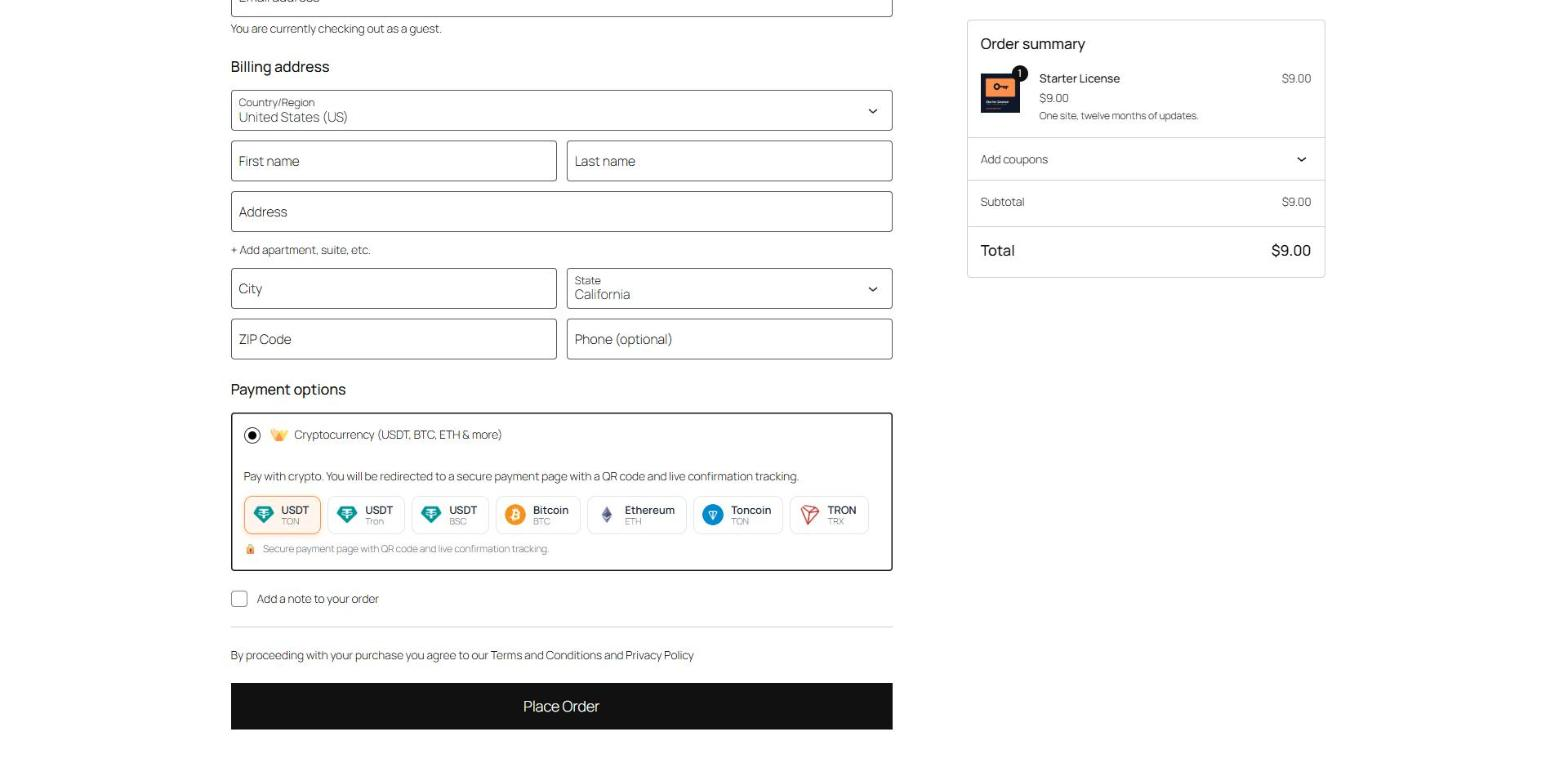
The coin picker at checkout. Customers choose "Cryptocurrency" and pick one of the coins you offer.
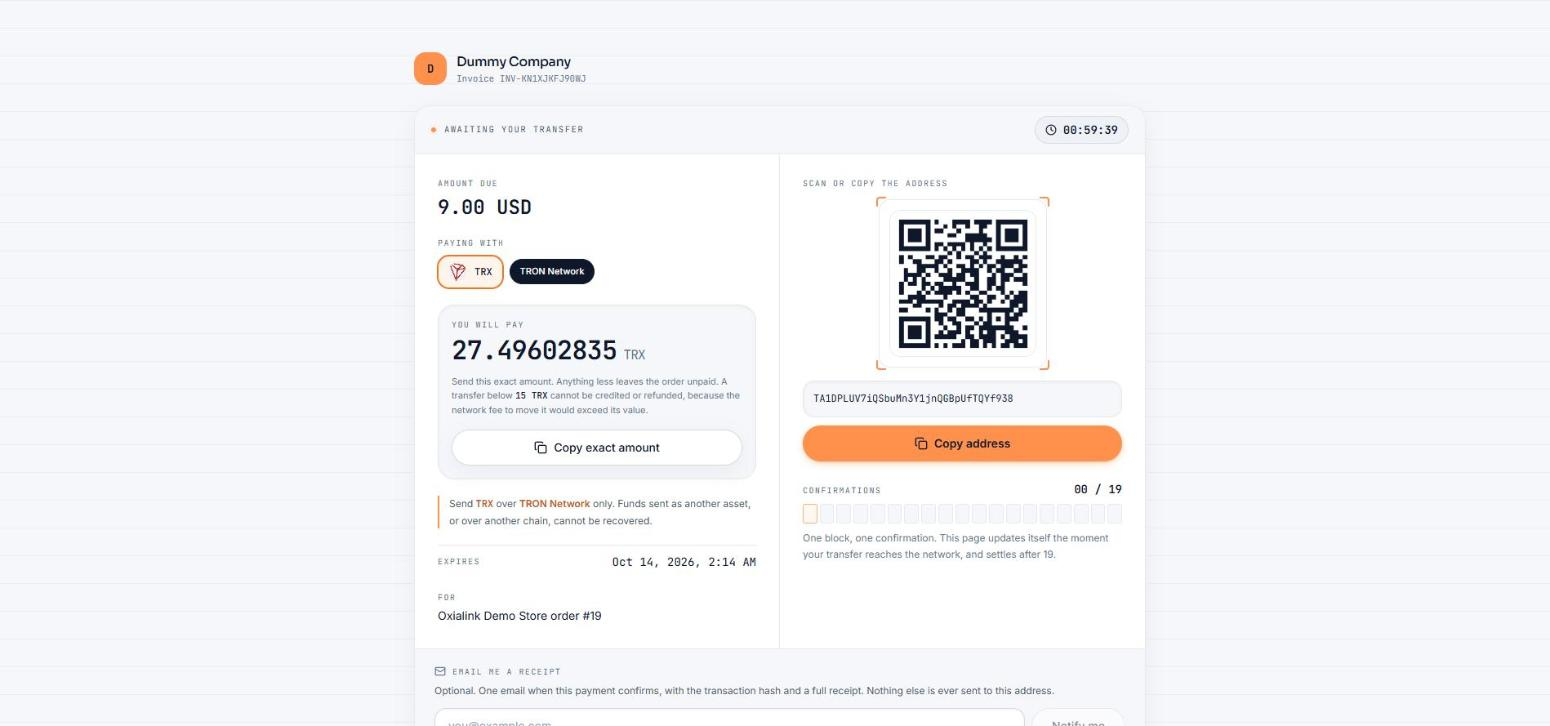
The hosted payment page: exact amount, QR code, address, and a live confirmation count.
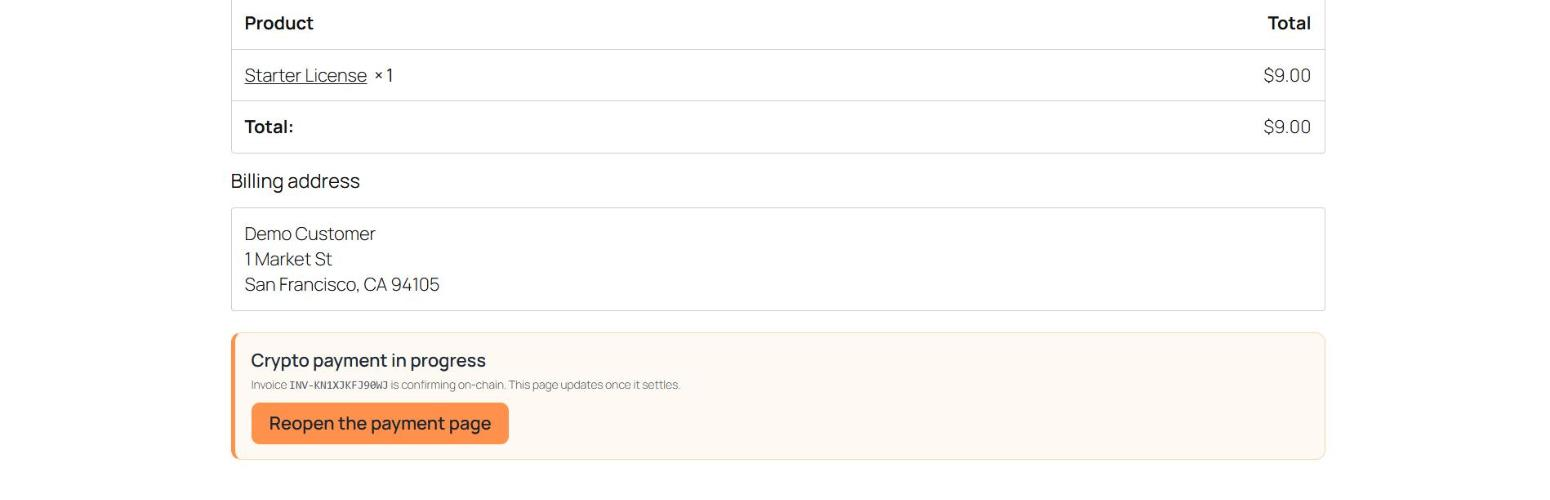
The thank-you page while the payment confirms on-chain, with a link back to the payment page.