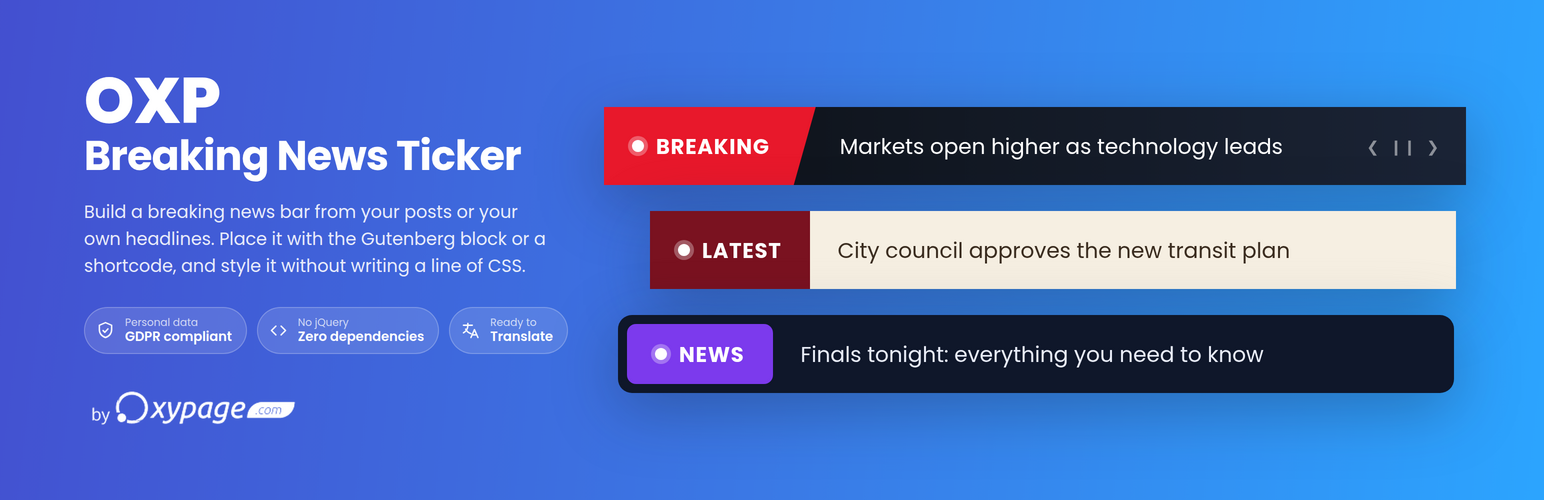
OXP Breaking News Ticker builds scrolling news bars for WordPress: a breaking news strip across the header, a quieter marquee of latest posts in the footer, whatever the site needs. You set each one up in the admin and place it with the Gutenberg block or a shortcode.
Headlines are typed by hand or pulled from your own posts. Pick a post type, filter it by taxonomy, term or keyword, and load the matches in one click. They are saved as a snapshot, so the ticker runs no database queries when somebody visits.
Every ticker is a saved preset: edit it once and every page it appears on follows. Switch any of them on or off from the list with a single click, no page reload and no code.
Features
Content
- Add news items manually (title + URL + optional date) and reorder them with drag and drop.
- Optional display date per item: items loaded from posts capture their publication date, manual items take the date you pick. Choose where it sits (before or after the headline), how it reads (site format, short, day and month, long, relative, or your own pattern), and give it its own typography and opacity.
- Dynamic items (Premium): add a WP Query as an item and it stays live. Instead of freezing the posts it finds, the ticker stores the search and runs it again on every render, so a new post appears on its own and a deleted one goes. Pick the post type, filter by taxonomy, terms or keyword, choose how many and in what order. It sits wherever you drag it, between your hand-written headlines, and each result brings its own title, link and publication date. The editor shows how many posts the query matches right now, and says so plainly when the answer is none.
- Dynamic items stay fresh behind a page cache. A cached page keeps the headlines it was built with; the ticker notices when the page it is on is not fresh and quietly fetches the current ones. No cache plugin integration and nothing to configure.
- Schedule any item (Premium): a clock on the item row opens “from” and “until”, both optional, both inclusive, and each with an optional time of day. A start alone shows the item from then on, an end alone shows it until then. A scheduled item adds one thin line to its row naming the state (running, upcoming, past) and the dates, in traffic-light colour.
- “Load from posts” snapshot picker: browse any post type, filter by taxonomy and terms, search by keyword, and load matching posts as items in one click. Each post is captured as a snapshot, so there are no database queries at render time and no performance cost for your visitors.
- Link options per ticker: open in new tab; custom rel attribute (Premium).
- Display limit: show only the first N items from a longer list (Premium).
- Per-ticker internal description (Premium).
- JSON import / export of tickers from the list screen (all or selected).
- The ticker list shows each ticker as it really looks: a live miniature of the bar with its own theme, palette, label and first headline, beside its item count, its shortcode and an on/off switch. Tickers that are switched off are greyed out, so you can see at a glance what is running on the site.
Design
- Eight structural themes. Four are free: Classic, Modern, Breaking News and Minimalist. Four are Premium and each paints a texture of its own across the bar, tinted from the palette rather than in a colour of its own:
- Comic: impact rays behind the label, halftone shading across the bar, and a skewed label pasted onto the corner with a hard ink shadow.
- Capsule: one soft capsule, fully rounded end to end, with a lit rim and light pooling gently along the bar.
- Galaxy: nebula clouds and filaments in the palette’s own colours, over a field of stars.
- Sketch: drawn by hand. A pen outline traced twice, hatched ink shading instead of a blur, and the label circled rather than boxed.
- Seventeen hand-tuned color palettes, plus a fully custom palette with gradients. The Premium palettes carry a gradient of their own on the bar and on the label; the free ones are flat. Six are free (Breaking, Aurora, Coffee, Editorial, Arctic and Caribbean) and eleven are Premium (Forest, Sunset, Blossom, Lagoon, Graphite, Gold, Silver, Bronze, Neon, Oxypage and Superhero). The custom palette is free.
- Every palette works in a dark and a light mode, switchable per ticker: the mode sets the background, the headline text, and the control buttons (hover included), while the palette keeps its accent color.
- Color fields accept anything CSS does: hex (#1a1a2e), named colors (red, orange, rebeccapurple), rgb()/rgba() and hsl()/hsla(), in the old comma syntax or the modern one. Paste what your design tool copied.
- Right-to-left reading direction: the label moves to the other end of the bar, its icon and the headline dots move to the other side, and the themes and gradients are mirrored to match.
- Independent typography for news text, label, and item date, in a tab of its own: font family, weight, size, style, decoration, and text transform (plus opacity for the date).
- Google Fonts are self-hosted at save time, so no request reaches a Google server while somebody is browsing your site (GDPR-compliant).
- Show or hide individual elements per ticker: the label, its text and its icon, the per-headline pulse dot, the shadows, the edge fade, and the previous, next and play-pause buttons.
- Swap the label’s pulse dot for one of twenty-two icons (Premium): megaphone, globe, sparkle, speech bubble, envelope, bell, flame, lightning and more. The icon takes the pulse dot’s colour.
- Optional edge fade: headlines fade out at the sides of the news area.
- Configurable height and max-width.
Behavior
- Three free movement modes: Slide (one headline at a time), Fade (crossfade in place),
and Continuous (endless marquee strip with configurable scroll speed). - Three Premium movement modes: Flip (the headline turns over like a split-flap board), Glitch (the line tears apart and comes back through the noise) and Retype (the headline resolves letter by letter, using the ticker’s own characters).
- Scroll direction: left, right, up, or down (left/right in Continuous mode; Fade, Glitch and Retype change the headline in place).
- Speed, easing, inter-item delay, and scroll offset.
- Autoplay, loop, pause on hover or tap, pause when the browser tab loses focus.
- Optional blinking pulse dot before each headline.
Placing the ticker
- Shortcode
[oxpbnt_ticker id="X"], with one-click copy from the ticker list and from the editor. - Native Gutenberg block: search for “Breaking News Ticker”, pick a saved ticker from the selector, and see it previewed right on the canvas. If you have none yet, the block offers a “Create your first ticker” button. Supports wide and full alignment.
- Elementor widget (Premium): “Breaking News Ticker”, under the Oxypage category. Pick a saved ticker and it renders live on the canvas.
- Oxygen Builder element (Premium): “Breaking News Ticker”, under the Oxypage category, for Oxygen 6 and up.
- Divi, Beaver Builder and Bricks are on the way.
- All of them point at the same saved ticker, so editing it updates every place it was inserted.
- Settings lists every editor found on your site and lets you turn each one on or off. The shortcode is always available; unchecking the block removes it from the inserter without touching pages that already use it.
Accessibility and performance
- ARIA live regions, keyboard navigation, and
prefers-reduced-motionsupport. - Assets load only on pages that contain a ticker, or globally. Your choice, in Settings.
- AJAX activation toggle from the ticker list.
- Optional clean uninstall that removes all plugin data.
External services
This plugin connects to Freemius, the service that handles licensing, payments and Premium updates for OXP Breaking News Ticker. Freemius is only contacted in the situations listed below.
When you activate the plugin. You are shown an opt-in screen. Nothing is sent until you accept it, and you can skip it: the plugin works exactly the same either way. If you accept, your WordPress user name and email address, the site URL and basic environment data (WordPress version, PHP version, plugin version, site language and time zone) are sent so the site can be registered and so you can be notified of security and update releases.
When you use a Premium license. The license key and the site URL are sent each time the license is activated, deactivated, validated or renewed, and whenever WordPress checks for an update of the Premium version. This is what makes the license work on your site and what delivers the paid updates.
When you deactivate the plugin. An optional feedback form may be shown. Sending it is voluntary, and nothing is sent if you close it.
The free version on wordpress.org contacts Freemius only if you opted in, or if you activate a license on it.
This service is provided by Freemius, Inc. Terms of service: https://freemius.com/terms/ Privacy policy: https://freemius.com/privacy/
Screenshots


