
Move a WordPress page from staging to live with PageFerry, a free export and import plugin for the WordPress block editor (Gutenberg). Bring the page and its images together in one ZIP, review it on the destination site, then create a draft or update an existing page.
Use PageFerry to publish a landing page built on staging, transfer a blog post with its images, or copy a Gutenberg page to another WordPress site. You can also export from a local development site: the destination imports the files from your ZIP without connecting to the source site.
Create a new draft or update a page you choose. Before importing, you can edit the title, URL slug and excerpt, choose a featured image and page template, and select media, categories and tags. The page content and supported custom field values are imported together.
PageFerry updates image references and links to the source site so they work on the destination. Media files already in the destination Media Library are reused when their contents match exactly. Files with the same name but different contents are imported separately.
Supported custom post types, custom categories and tags, and Advanced Custom Fields (ACF) values can move too. Install the plugins or theme that provide those content types, blocks and fields on the destination site first. ACF field definitions are not included in the ZIP.
The result screen and Import log help you check what was saved. Before updating existing content, PageFerry saves a recovery snapshot of the previous version. You can read the snapshot and restore the values manually in WordPress.
PageFerry moves one page at a time. It does not transfer an entire website, themes, plugins, site settings, SEO metadata or a whole Media Library. Pages made with unsupported page builders are refused. Bulk imports, direct site-to-site transfers and multisite migrations are outside its scope.
Small ZIPs upload in one request. If a ZIP exceeds the site’s upload limit, PageFerry prepares it in your browser and uploads its media files one at a time. Both methods use the same import checks. Individual file and total-size limits still apply; see the FAQ.
PageFerry is free and open source. No account, license key or external import service is required.
Screenshots
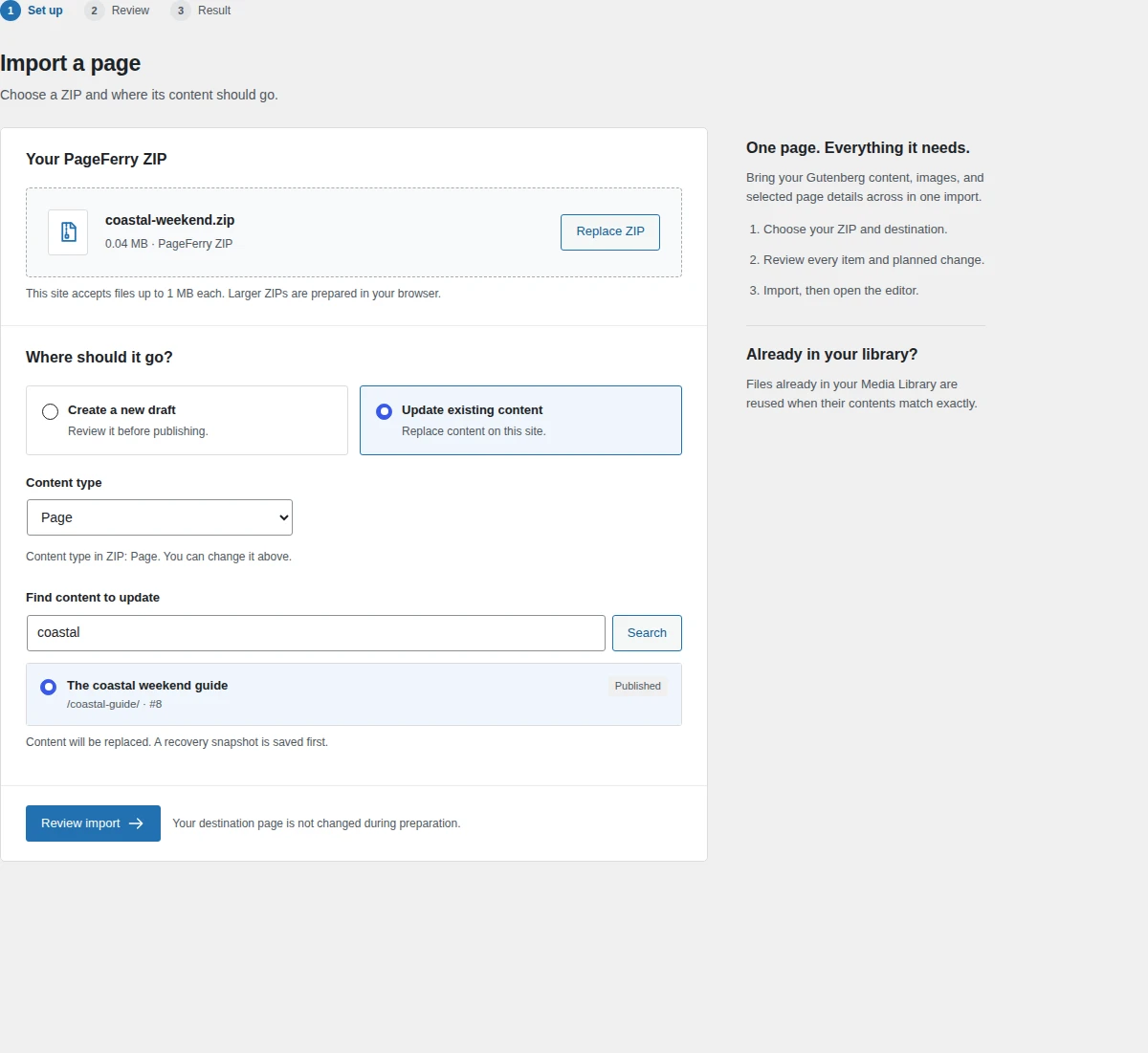
Choose a ZIP and create a draft or select an existing page to update.
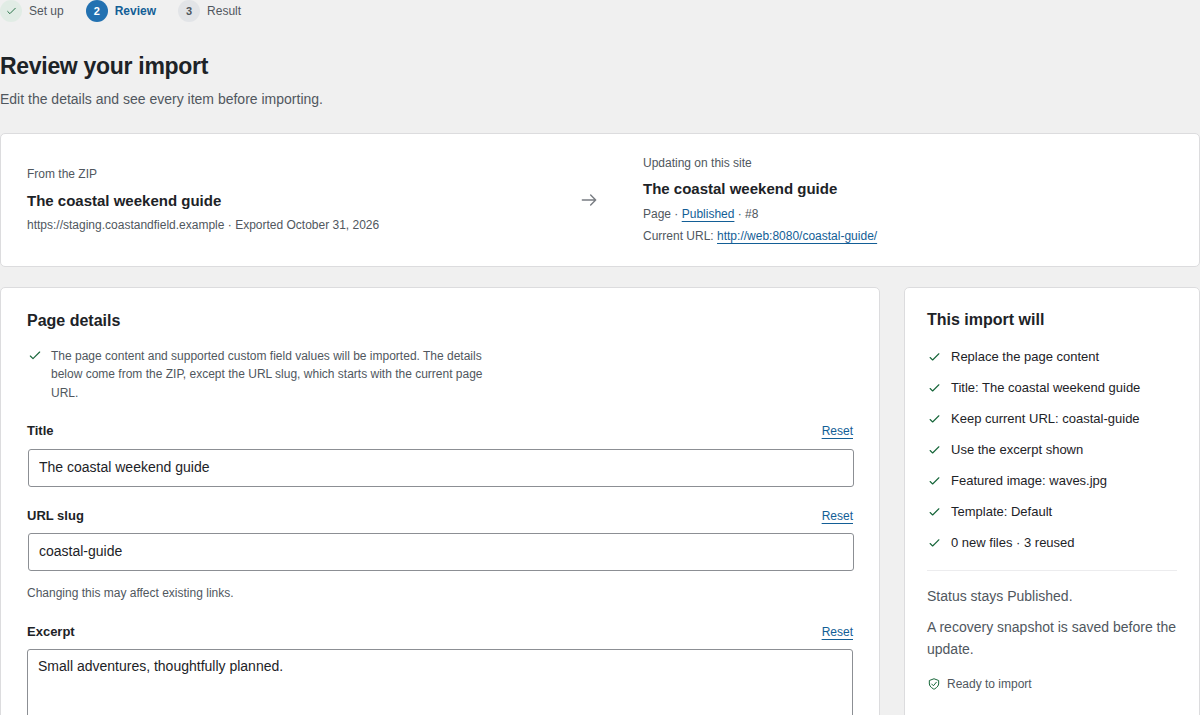
Review page details and planned changes before importing.
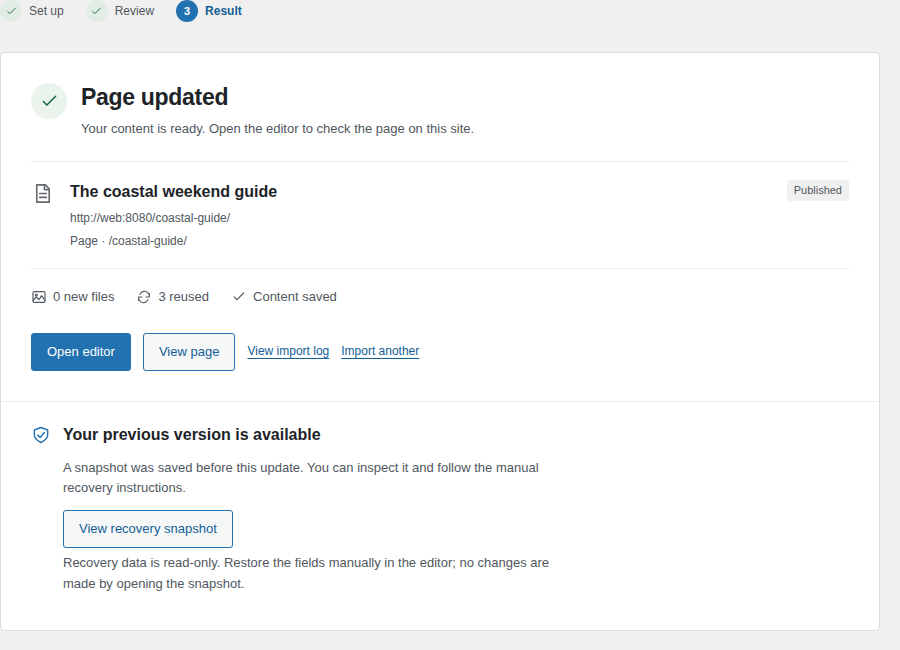
Open the imported page and check what was saved.
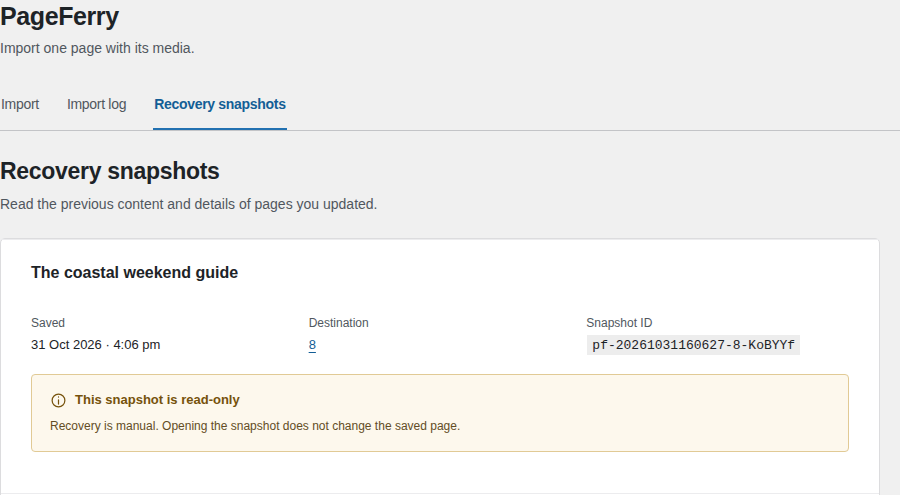
Read a recovery snapshot saved before updating a page.