
PallasMark records how every WooCommerce order is packed, on the phones your team already has,
and turns it into evidence a buyer, a bank or a marketplace can check: video and photos tied to
that exact order, sealed with a SHA-256 fingerprint, with a public verification page that needs no
account.
Connect in one click. After activation PallasMark opens with one button: Connect with
PallasMark. Already a customer? Sign in and approve. New? Your account is created on the way with
your store details filled in; you only choose a password. Orders sync and proof shows on your orders
automatically, with no keys or codes to copy.
How it works
- A new order arrives in PallasMark on its own.
- The packer scans the packing slip or shipping label; the right order opens.
- Packers manually capture proof: the item, its condition, the label and the box closing, in one
take. The file is sealed on upload. - The proof status and link appear on the WooCommerce order.
- When an order is questioned, share the verification link or an evidence PDF.
What you get
- Video and photo proof per order on iPhone, Android or a browser. No cameras, no pack-station
PC, no per-station fees. - Tamper evidence. A SHA-256 fingerprint on every stored file and a public page that re-checks
it whenever someone opens it. - Buyer approval before dispatch. Send the sealed recording with one tap; the buyer watches in
the browser (seven languages) and approves or reports an issue. Watch time is recorded. - Return evidence. One tap asks the buyer to film the returned item and its packaging.
- Dispute-ready PDF with stills from each video, fingerprints, approval and return evidence,
for Stripe, PayPal, WooPayments or a carrier claim. Dispute forms take documents, not video. - Proof on the order. A private order note, hidden order meta and buyer-visible links when you
choose to optionally share them. - Warehouses and 3PLs. Receiving, packing and loading records per shipment, pallet, lot,
facility and client brand, with AI label reading on the Scale plan.
Video tutorials
- PallasMark in 40 seconds
- Set up packing video proof in 5 minutes
- Record your first packing proof on your phone
- Packing video that counts as evidence: 7-point checklist
- “The box was empty”: how sellers prove what they packed
- All videos
What the plugin adds to WooCommerce
- A PallasMark admin page: one-click connect, a live checklist (order sync, proof on orders,
first proof) with a one-click fix for each item, app QR codes and video tutorials. order.created/order.updatedwebhooks (wp_api_v3) registered without duplicates.- A read-only PallasMark evidence panel on classic and HPOS order screens, customer order
links and the[pallasmark_order_evidence]shortcode. - Authenticated exact lookup for order numbers, tracking values, SKUs and barcodes (SHA-256 lookup
hashes).
External service disclosure: PallasMark is a hosted Software as a Service product. This plugin
talks to it in two distinct ways:
- Support telemetry (optional). It is off by default. If a store manager opts in, at most once
every 24 hours the plugin sends this site’s public URL and plugin/WordPress/WooCommerce version
numbers. It sends no order, customer, or product data and can be turned off at any time. - Store connection (explicit, your click). Connect with PallasMark opens PallasMark with
this site’s URL, site name and your email to fill in sign-in or sign-up. After you approve, the
plugin exchanges a one-time token for a webhook secret, configures WooCommerce order webhooks
and gives PallasMark a read/write WooCommerce REST key (to write proof onto orders). Webhook
payloads can include customer, billing, shipping, product, and order-status data.
Use of the service is subject to the
PallasMark Terms of Service and
Privacy Policy.
Privacy
This plugin sends data to the PallasMark URL configured on its settings page (the default is
https://app.pallasmark.com) in the situations described above:
- Only after optional support telemetry is enabled: a throttled daily heartbeat containing this
site’s URL (home_url()) and plugin/WordPress/WooCommerce version numbers only. - After you click “Connect with PallasMark”: site URL, site name and your email (to prefill the
form), the one-time token exchange, a read/write REST key for PallasMark and, while connected,
WooCommerce order webhook payloads that can include order/customer data. - When PallasMark searches after a scan: the scanned identifier is sent in an authenticated
request body. The plugin’s local lookup table stores only its SHA-256 hash; the identifier is
not put in request URLs or stored as plain text by the index.
Deactivation, uninstall, and the explicit Disconnect action remove this plugin’s WooCommerce
webhooks and local connection credentials, stopping new order delivery. Existing evidence in
PallasMark is retained. Uninstall also removes the optional telemetry preference.
Screenshots
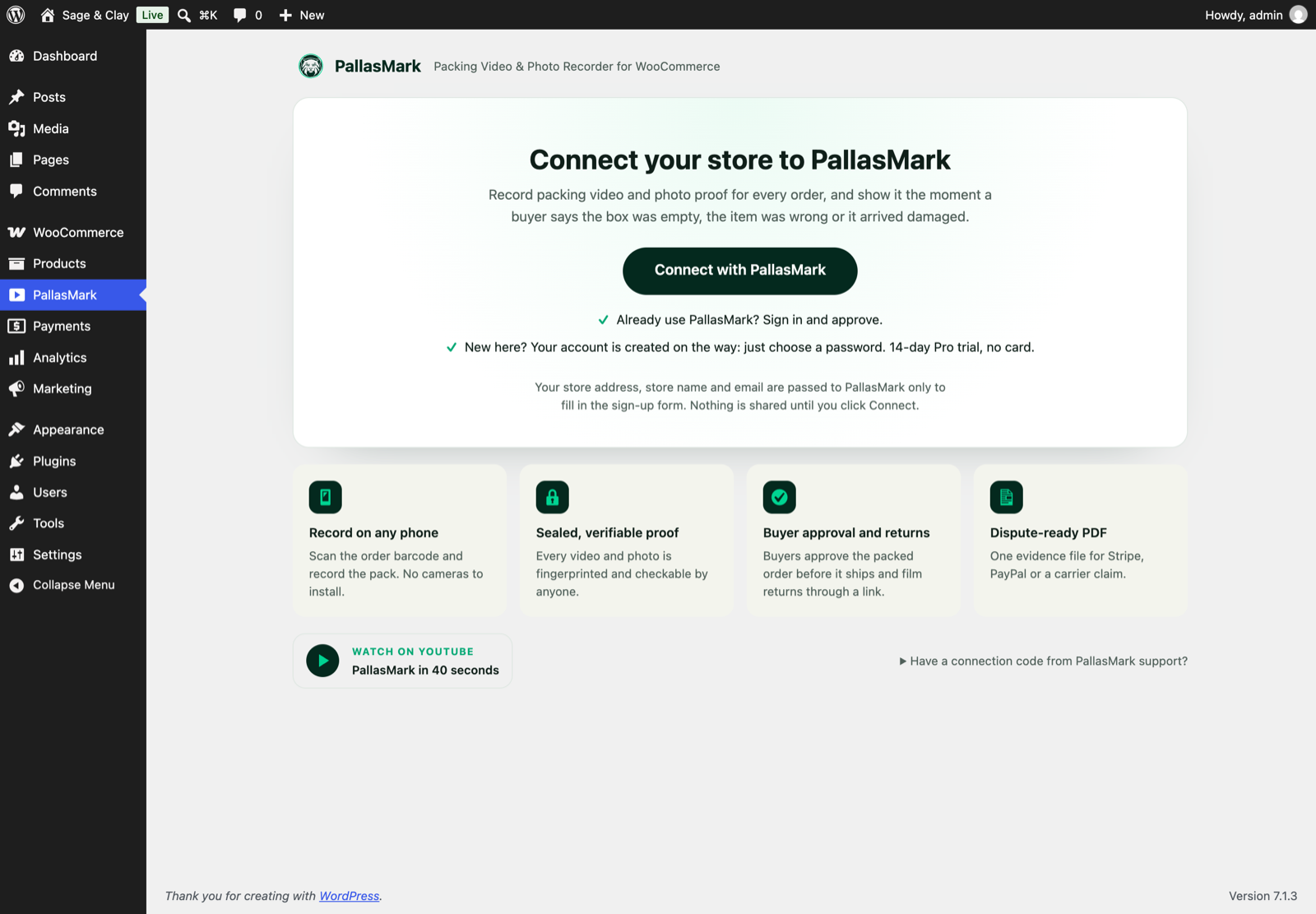
One button connects your store; new merchants get an account on the way.
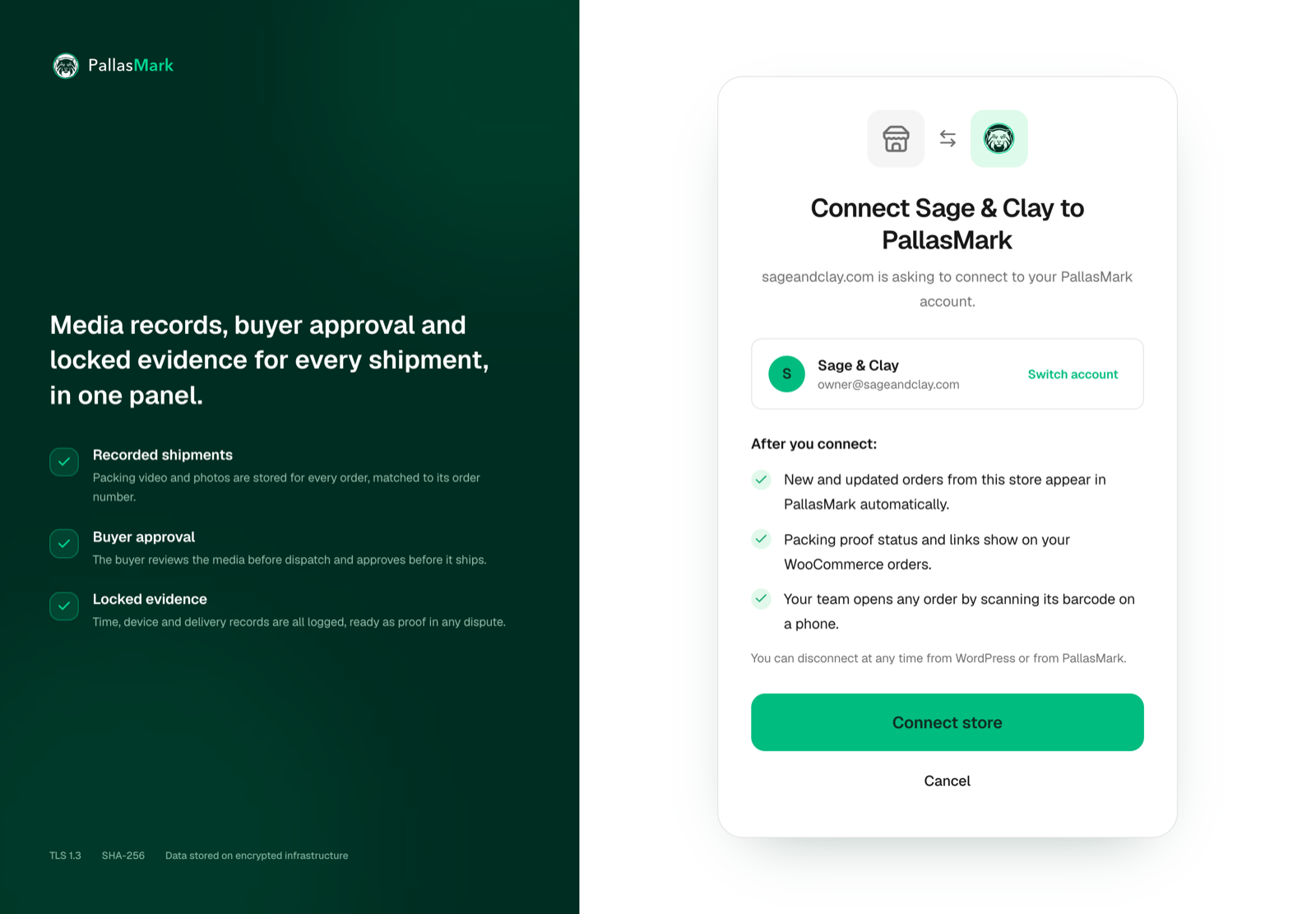
Approve the connection on PallasMark; your store details are already filled in.
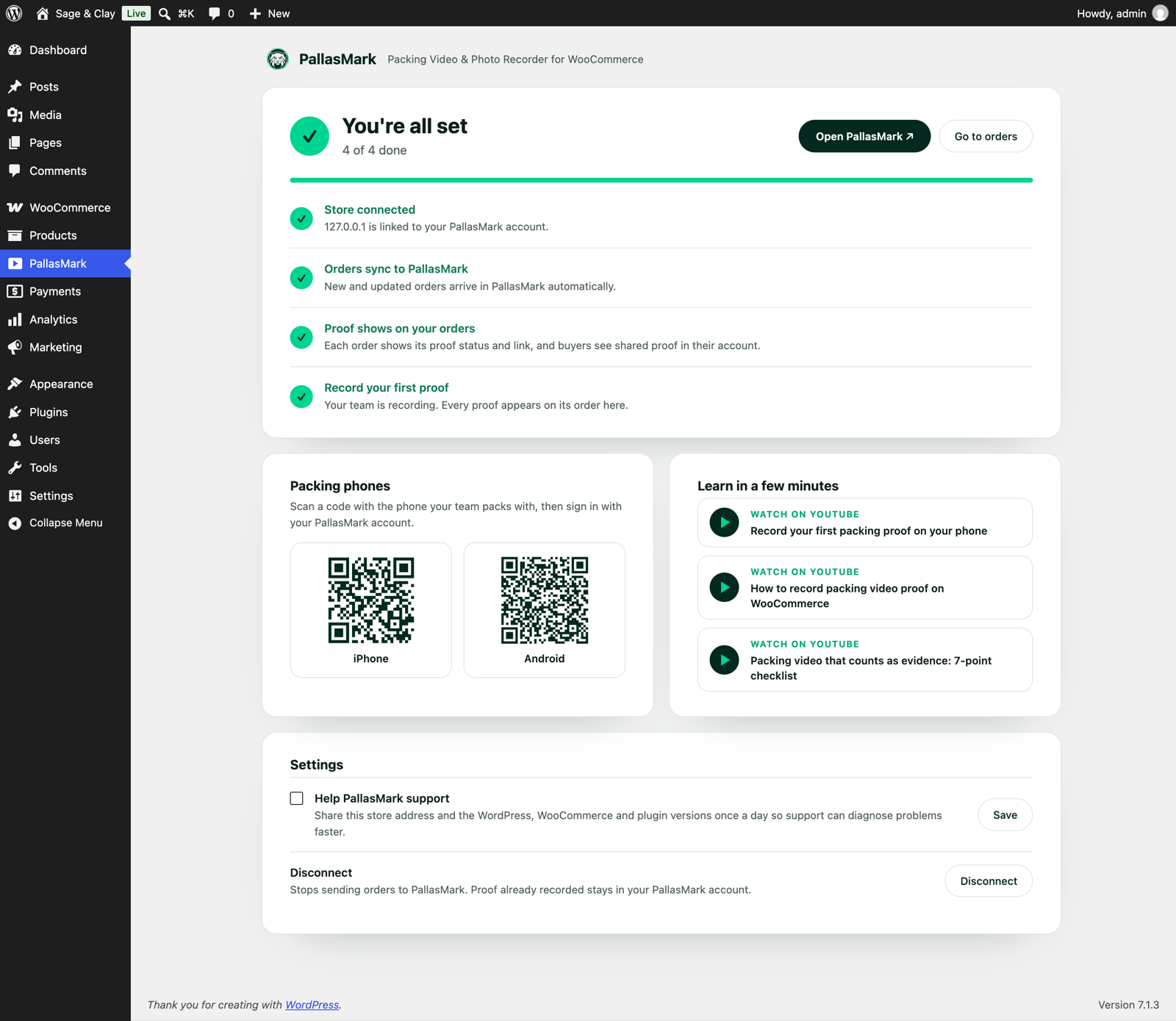
One page shows what works, what's left (one click each) and the phone apps.
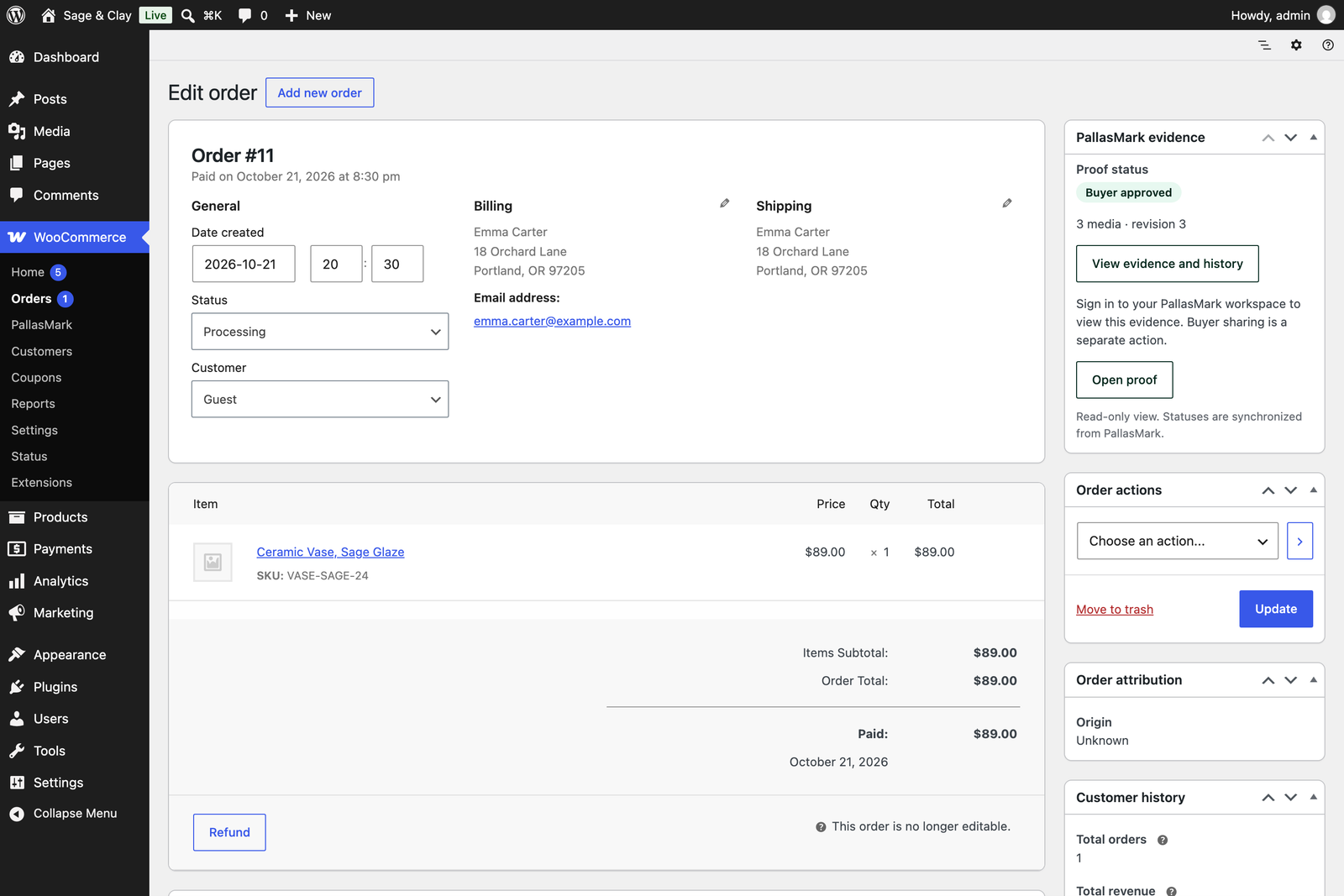
Proof status and links on the WooCommerce order, in the PallasMark evidence panel.
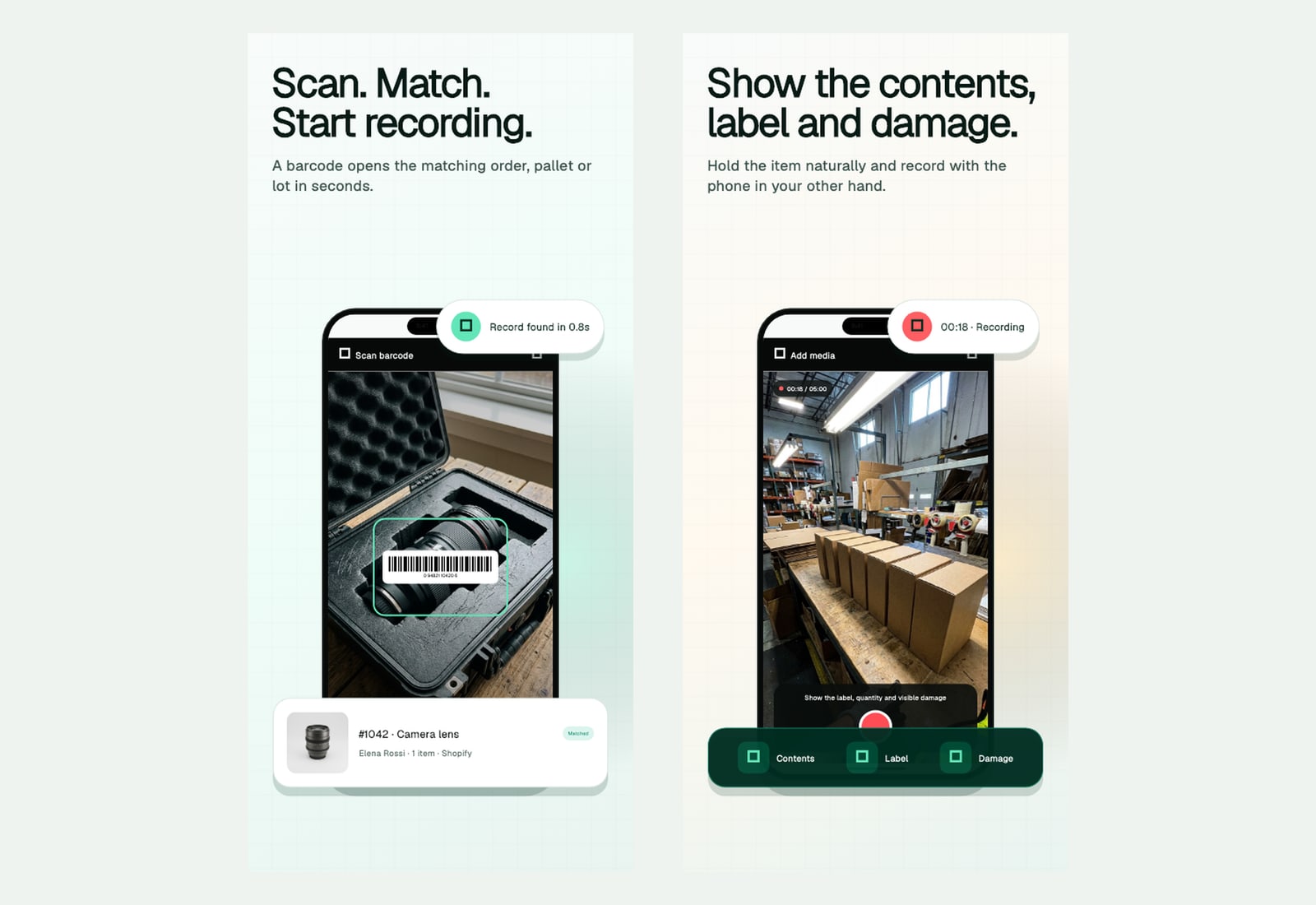
Scan the order barcode, then record the item, label and seal on any phone.
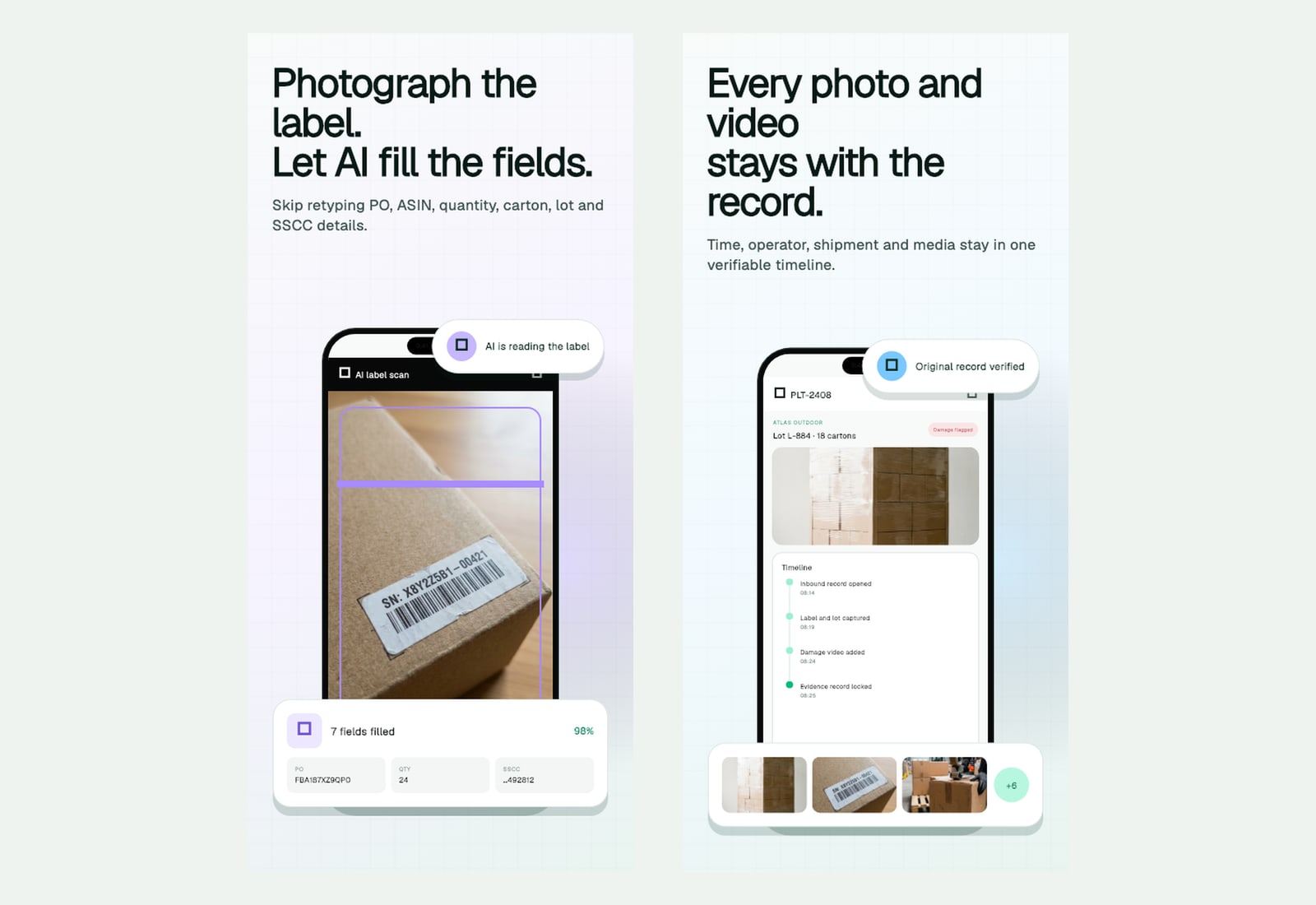
Photograph a label to fill the fields; every photo and video stays on one verifiable timeline.
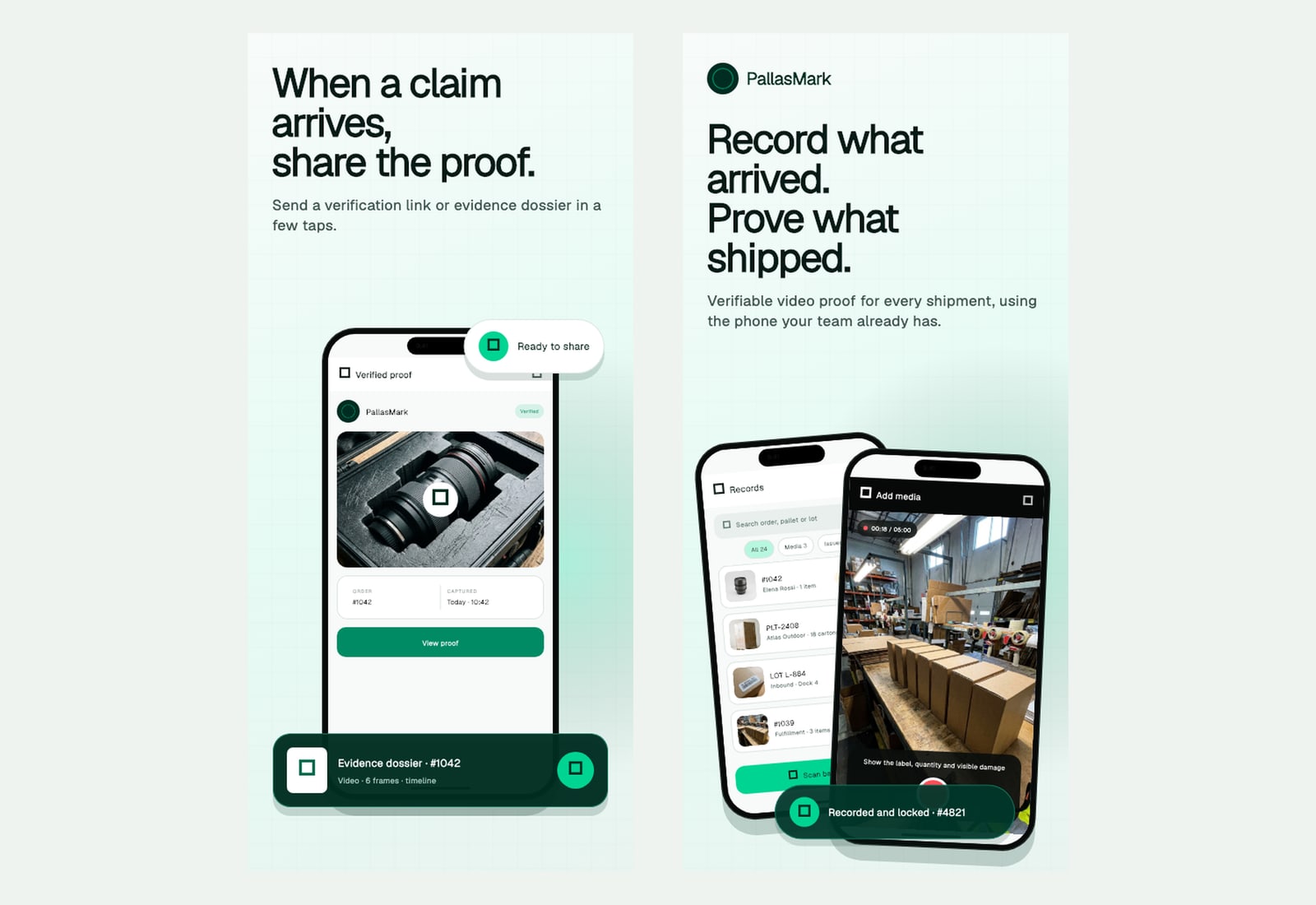
Share the verified proof or an evidence dossier when a claim arrives.