
ParsiGate is a professional WooCommerce payment gateway plugin designed for Iranian online stores. With ParsiGate, you can easily connect your WooCommerce store to Iranian payment providers and offer your customers a simple, secure, and reliable online payment experience.
Built with WordPress and WooCommerce standards in mind, ParsiGate focuses on performance, compatibility, and ease of use. Whether you run a small online shop, a digital product store, an educational website, or a growing ecommerce business, ParsiGate helps you manage your online payments with confidence.
Features
- Connect WooCommerce stores to Iranian payment gateways
- Easy gateway configuration from WordPress dashboard
- Secure transaction verification
- Automatic customer redirection after payment
- Lightweight and performance-friendly architecture
- Compatible with modern WooCommerce stores
- Developer-friendly structure with WordPress standards
- Regular updates and improvements
Supported Gateways:
- Bank gateways: Mellat, Parsian, Pasargad, Sadaad, Melli, Behpardakht, Asan Pardakht, Saman, Saderat, Eghtesad Novin, Iran Kish, Sepehr
- Installment gateways: SnappPay, Tara, Digipay, Azki, ZarinPlus
- Intermediary gateways: Zibal, Zarinpal, PayPing, ParsPal, Jibit, Vandar, Aghayepardakht, Shepa
- Offline gateways: Card to Card (customer uploads the payment receipt, the order is put on hold for manual review)
- Test gateway for simulating purchases without a bank account
- Unified settings interface integrated with the Parsidate plugin
Requirements:
- Parsidate plugin must be installed and active
- WooCommerce version 4.0 or higher
Screenshots
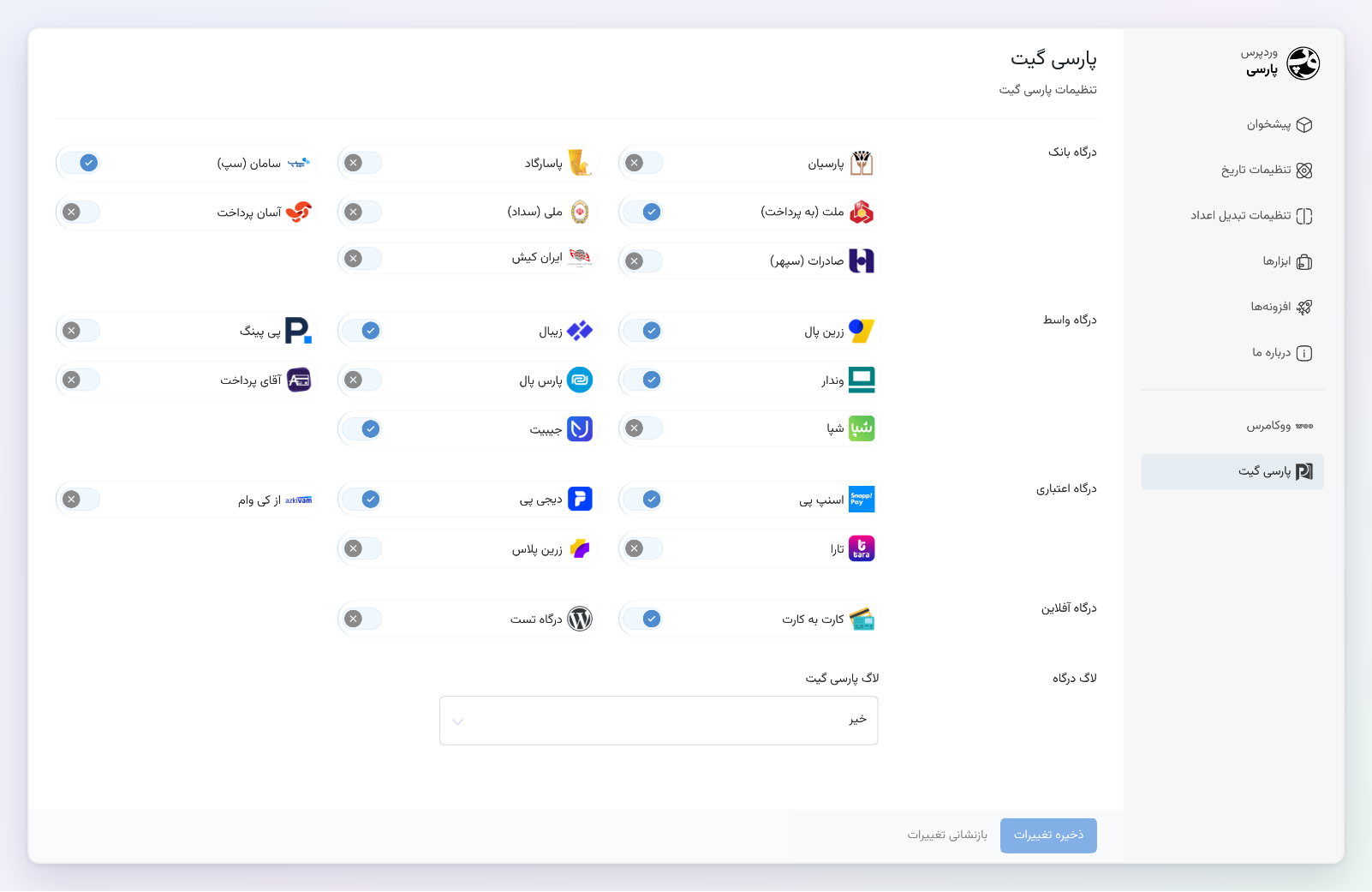
Enable the gateways you need from the Parsidate settings, grouped into bank, intermediary, installment and offline gateways.
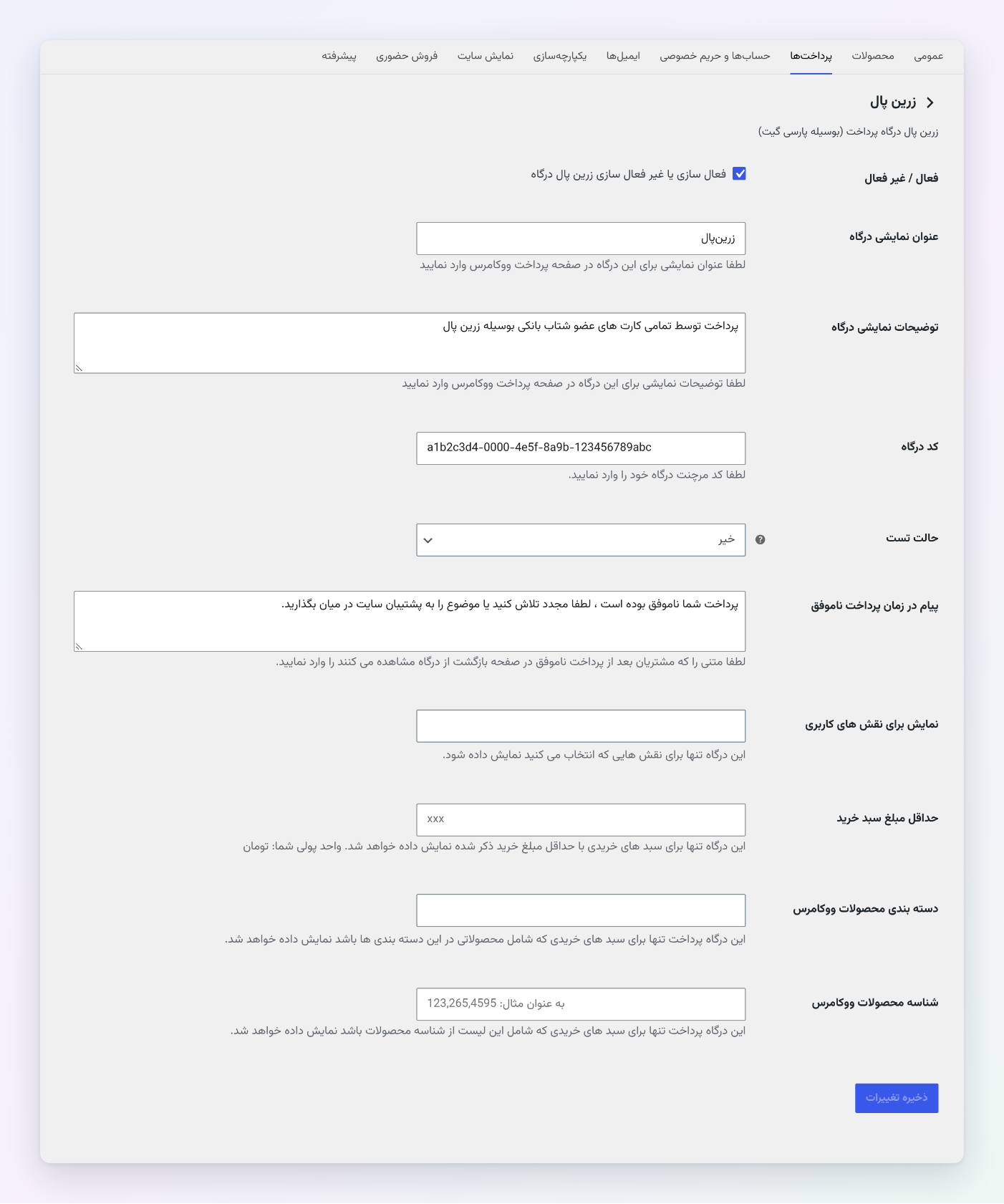
Each gateway's WooCommerce settings: title, description, merchant code, test mode, failure message and display rules (user roles, minimum cart total, categories, products).
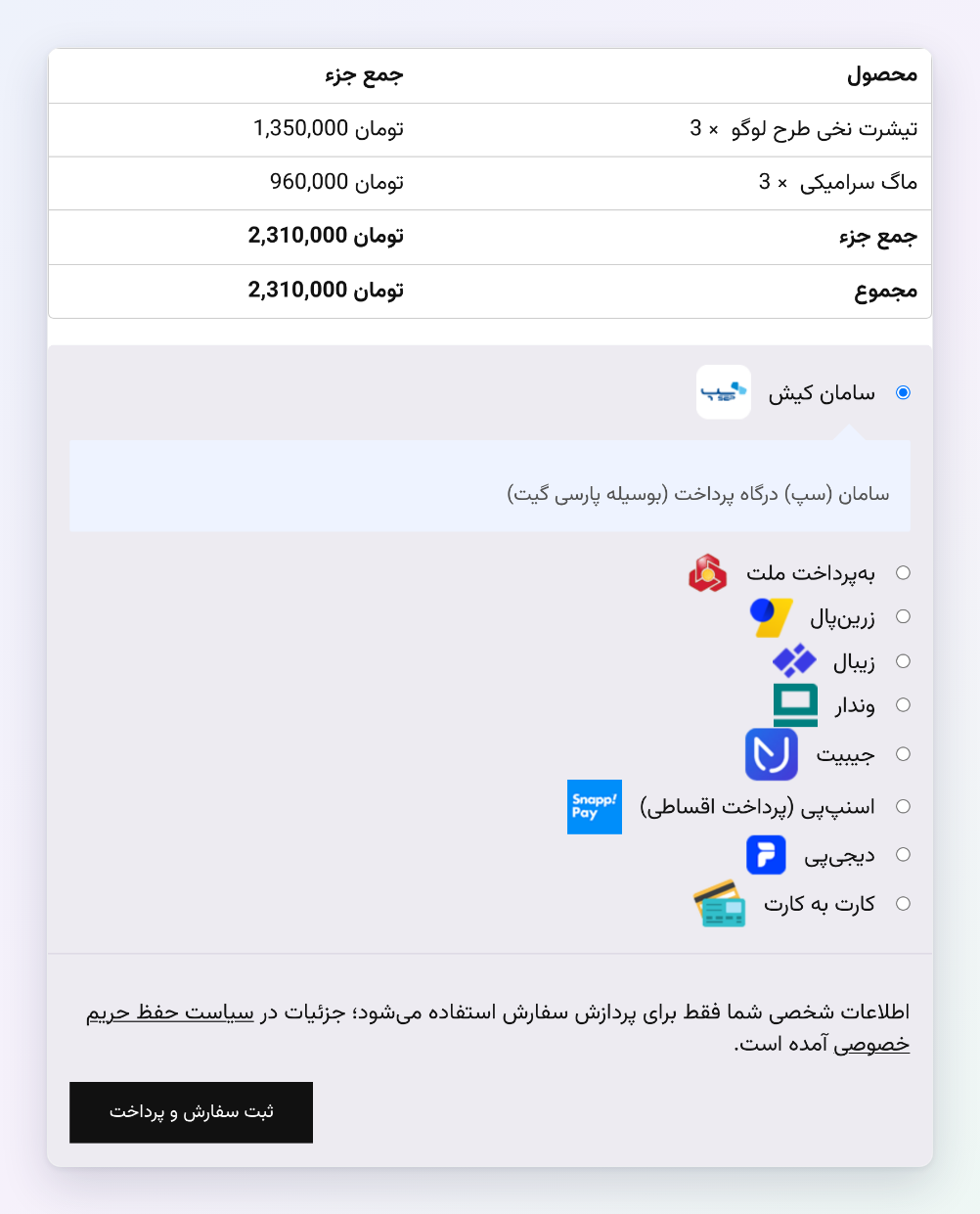
Enabled gateways with their logos on the checkout page.
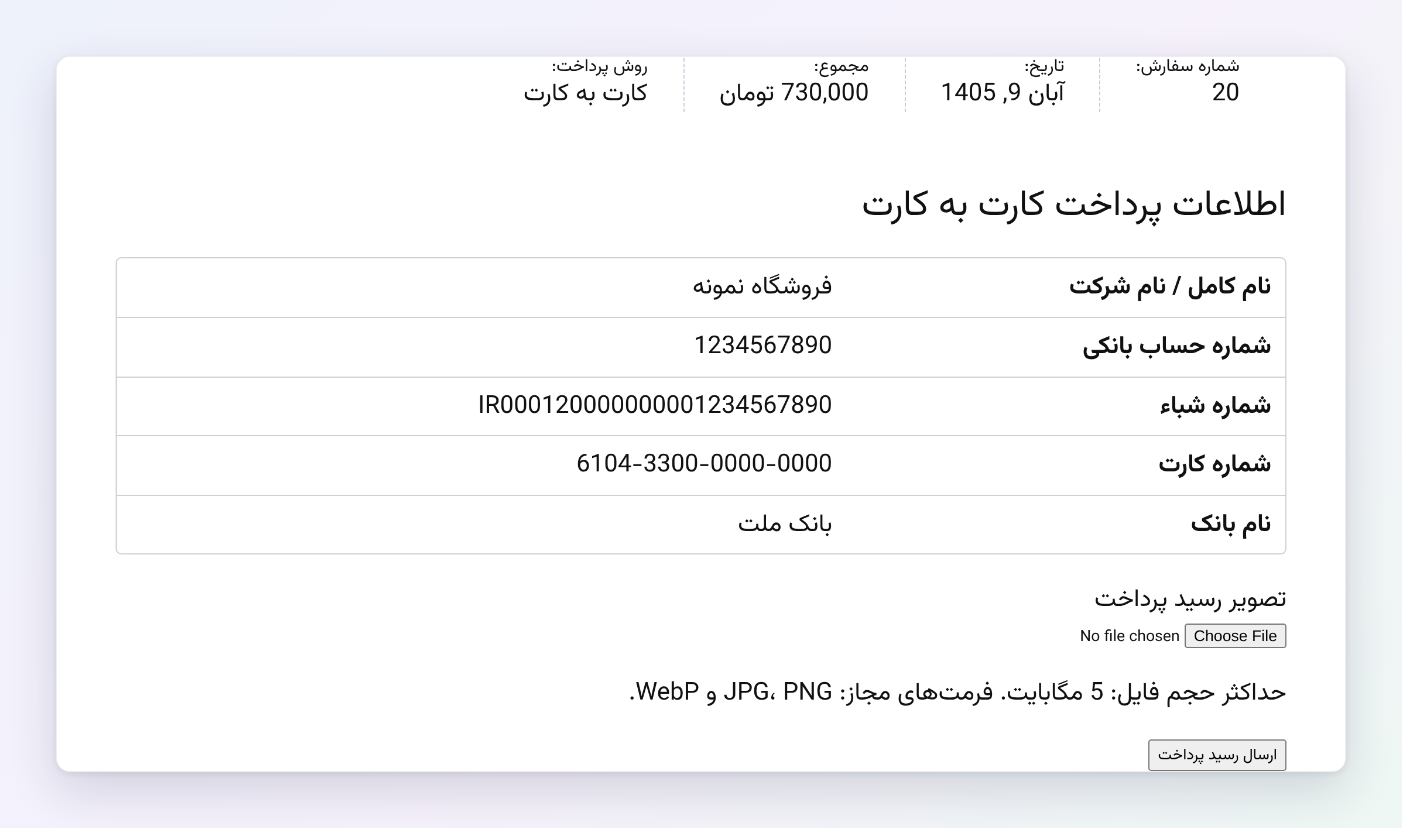
Card to Card: the customer sees your bank details and uploads the payment receipt.
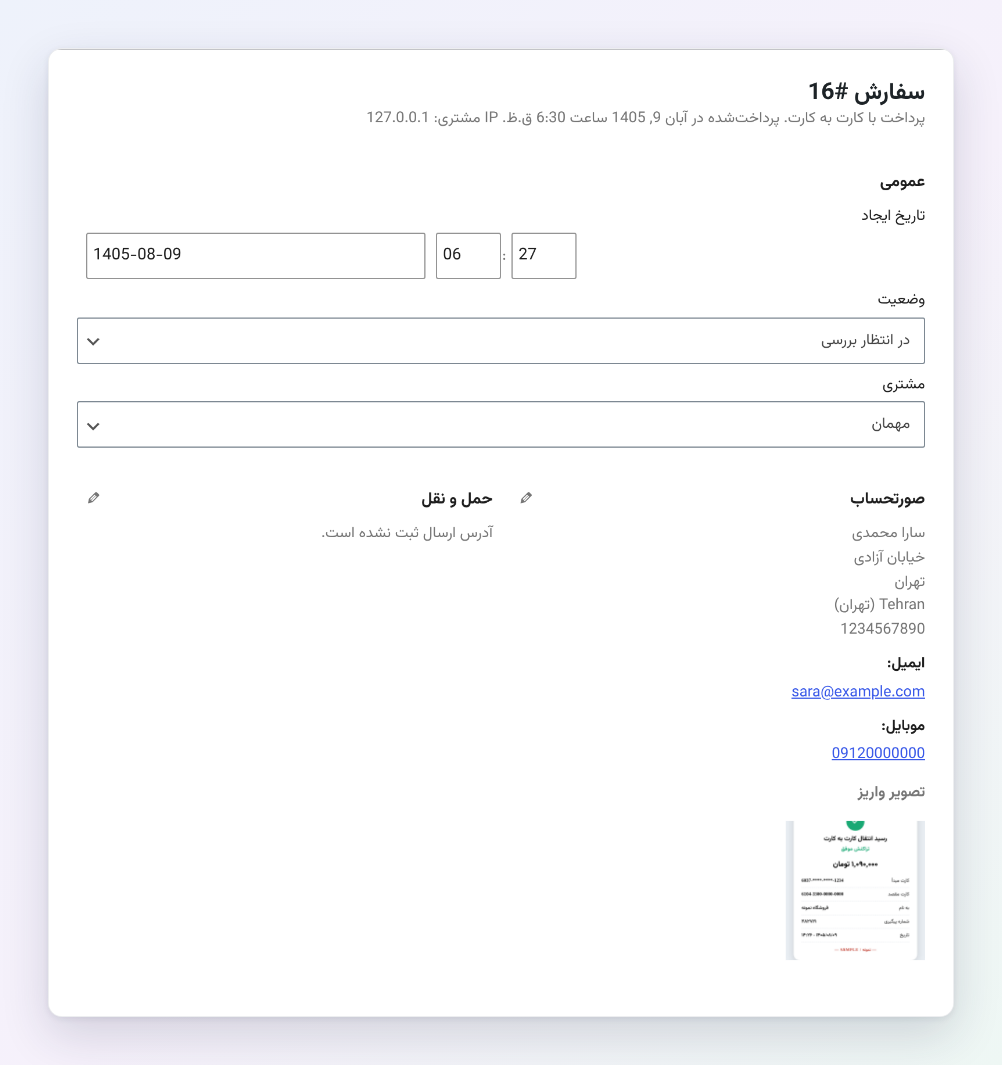
Card to Card: the uploaded receipt on the order screen; the order is put on hold for your review.