
Payexa Gateway for WooCommerce connects a WooCommerce store to the Payexa payment service. It lets merchants send customers to Payexa for payment, verify completed transactions, and update WooCommerce orders based on the verification result.
The plugin includes sandbox support, callback verification, WooCommerce logging, block checkout support, and a Persian RTL presentation for merchants who operate Persian-language stores.
Features:
- Sends payment requests to Payexa and redirects the customer to the hosted payment page.
- Verifies the transaction before marking the WooCommerce order as paid.
- Supports an explicit production or sandbox payment environment.
- Stores transaction details in WooCommerce order meta for support and reconciliation.
- Adds frontend checkout assets only on checkout and order received pages.
- Supports the classic WooCommerce checkout and the WooCommerce blocks checkout.
- Provides a Persian RTL interface for checkout and plugin settings.
- Automatically detects the WooCommerce store currency and converts Toman amounts to Rial before sending to the gateway. The currency setting can also be set manually.
How it works:
- The plugin creates a payment request through the Payexa API.
- The customer is redirected to Payexa to complete payment.
- Payexa returns the customer to WooCommerce through the callback endpoint.
- The plugin verifies the transaction with Payexa and updates the order status.
Requirements:
- WordPress 6.4 or newer
- WooCommerce 8.0 or newer
- A Payexa merchant account and API key for live payments
Third-Party Services
This plugin connects to the external Payexa payment service to create and verify payment transactions.
What the service is used for:
- Creating payment requests for WooCommerce orders
- Redirecting the customer to the Payexa hosted payment page
- Verifying completed transactions before the order is marked as paid
What data is sent when a customer starts payment:
- Order amount
- Callback URL
- A unique merchant-side order reference
What data is sent when the plugin verifies a payment:
- Payexa request order ID returned by the payment request API
- The unique verification token returned by Payexa as amount_unique
When data is sent:
- A payment request is sent when the customer places an order and chooses this gateway.
- A verification request is sent after Payexa returns the customer to the WooCommerce callback URL.
Service endpoints used by the plugin:
- https://pay.pexn.ir/v1/payment/request
- https://pay.pexn.ir/v1/payment/verify
- https://sandbox.pexn.ir/v1/payment/request
- https://sandbox.pexn.ir/v1/payment/verify
Merchant API keys are stored in WordPress and sent server-to-server in the X-API-KEY header.
Provider policies:
- Terms of service: https://pexn.ir/terms
- Privacy policy: https://pexn.ir/privacy
Screenshots

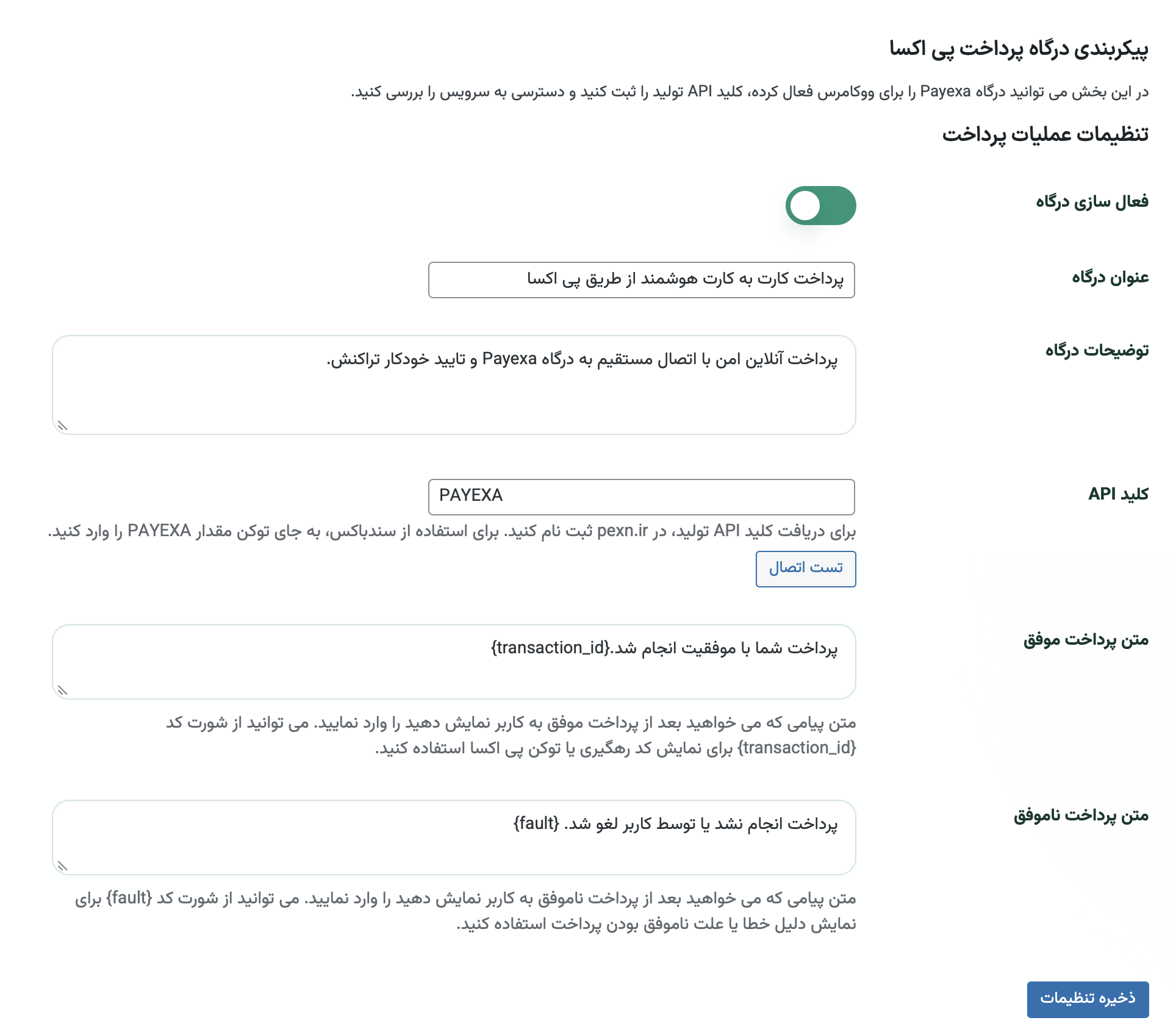
Payexa gateway settings page in WooCommerce admin
Payexa payment method during WooCommerce checkout

Successful return to the WooCommerce order received page after verification

Failed or canceled payment return flow