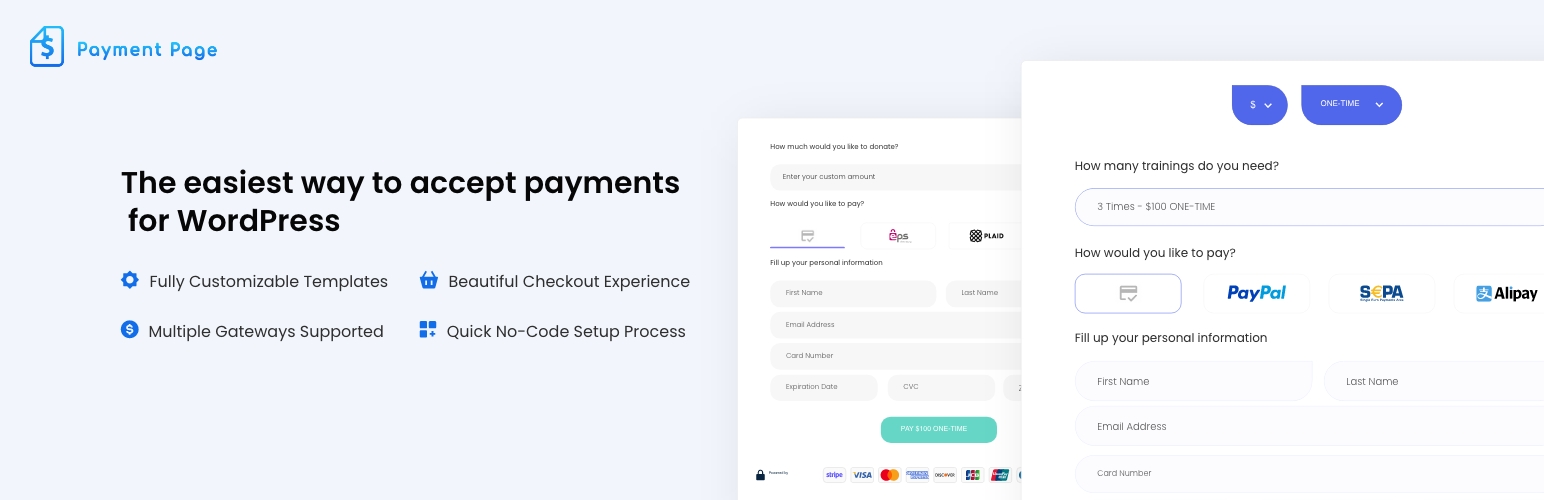
Payment Page – Stripe Payment Forms for Donations, Subscriptions & Recurring Payments
by Brandon Ernst
Payment Page builds Stripe payment forms on WordPress without requiring WooCommerce. Create one-time or recurring forms, connect an eligible Stripe account, and publish a form with the plugin shortcode or native Elementor widget.
🎯 BUILT FOR
- Freelancers invoicing clients and collecting retainer deposits
- Coaches & Consultants taking deposits and selling session packages
- Yoga, Fitness & Wellness studios selling memberships and class packs
- Nonprofits accepting one-time and recurring donations
- Agencies invoicing monthly maintenance and managing client billing
- Creators & Educators selling courses, gated content, and subscriptions
⚡ KEY FEATURES
- One-page Stripe forms: cards, SEPA Direct Debit, Apple Pay, and Google Pay support eligible one-time and recurring configurations; Alipay and WeChat Pay are one-time only. Account, country, currency, browser, device, and provider eligibility still apply.
- Order bumps (new in 1.6): offer one-click add-ons at checkout on one-time payments
- Products with quantities (new in 1.6): let buyers add extra items, each with its own quantity, to a one-time payment
- One-click upsell (new in 1.6): after a one-time card payment, offer an add-on on the confirmation step and charge the same card with one click
- Duplicate forms (new in 1.6): copy any payment form from the Payment Forms list
- Payment-form templates: a gallery synced from our live demo site, with 26 free templates at the 1.6.0 release; new templates appear without a plugin update, and 10 starter templates bundled with the plugin cover sites that cannot reach the gallery
- 11 separate Elementor full-page layouts: page designs are distinct from the payment-form templates
- Stripe Connect onboarding: start the released OAuth onboarding flow from WordPress without copying API keys into the plugin settings
- One-time and recurring plans: one-time, daily, weekly, monthly, quarterly, every six months, annually, and every three years
- Donation forms & custom amounts: let customers choose the amount for donations or invoices
- Custom form fields: collect additional information relevant to the payment
- Prefill form fields: pass values into a form via query strings
- Elementor widget and shortcode: place a released payment form in a page layout
- Post-payment actions: configure confirmation emails, a success redirect, success/failure messages, and an HTTP POST. Email and HTTP actions run from verified successful gateway callbacks.
- PayPal Standard Checkout: an alternative one-time gateway with no Payment Page platform fee
💰 PRICING: FREE TO START, ONLY PAY WHEN YOU EARN
The free version includes the core plugin and applies a 2% Payment Page platform fee to Stripe transactions. Stripe’s own processing fees and terms still apply. Payment Page does not apply that platform fee to PayPal payments.
Upgrade to Pro to:
- Remove the 2% Payment Page platform fee: Stripe processing fees and terms still apply
- Unlock ACH Direct Debit through Stripe Financial Connections, subject to Stripe eligibility
- Analytics (new in 1.6): per-form views, conversion rate, revenue, and average order value
- Abandoned-cart recovery (new in 1.6): reminder emails to buyers who entered an email address but did not pay
- Premium template pack (new in 1.6): six additional form designs in the synced gallery
- Priority support
See pricing . Review the governing EULA and the terms shown at checkout before purchasing; the marketing listing does not state a refund duration while public summaries are being reconciled.
🔌 INTEGRATES WITH
- Stripe: Stripe Connect integration for cards, SEPA Direct Debit, Apple Pay, Google Pay, Alipay, and WeChat Pay; ACH Direct Debit is Pro. Availability depends on the connected account and transaction.
- PayPal: Standard Checkout for one-time payments
- Elementor: native payment-form widget
- HTTP endpoints: send a configurable HTTP request after payment
🔒 SECURITY
Stripe card fields are rendered with Stripe Elements rather than ordinary WordPress inputs. The amount charged, including order bumps, products, and upsell offers, is worked out on the server from the prices saved in the form, so a price changed in the browser is rejected. Payment Page bundles its own copy of the Stripe PHP library under a private namespace, so another plugin’s copy of that library cannot replace it. Site owners still remain responsible for securing WordPress, restricting access, keeping software updated, showing required notices, and completing the compliance steps that apply to their business and integration.
🆚 WHY CHOOSE PAYMENT PAGE
Payment Page focuses on standalone WordPress payment forms when a WooCommerce cart and catalog are unnecessary. Order bumps, products with quantities, and one-click upsells let a single form raise the order value without a full store.
Read the documentation · See pricing
External services
Payment Page connects to these services:
- Stripe (terms, privacy): processes Stripe payments. The buyer’s card or bank details go from their browser to Stripe; the site sends Stripe the amount, currency, buyer email and form details when a payment is made.
- Payment Page API, api.paymentpageplugin.com (terms, privacy): runs Stripe Connect onboarding, and on the Free plan creates each Stripe payment on your connected account with the 2% platform fee, so it receives that payment’s details and the site’s Stripe key (encrypted). It also supplies the admin notices shown in Payment Page, checked once a day.
- Template gallery, demo.paymentpageplugin.com (privacy): lists the form templates when you add a form. No personal data is sent.
- PayPal (terms, privacy): processes PayPal payments when you turn PayPal on.
- Freemius (terms, privacy): licensing, updates for Pro, and usage data only if you opt in.
Screenshots
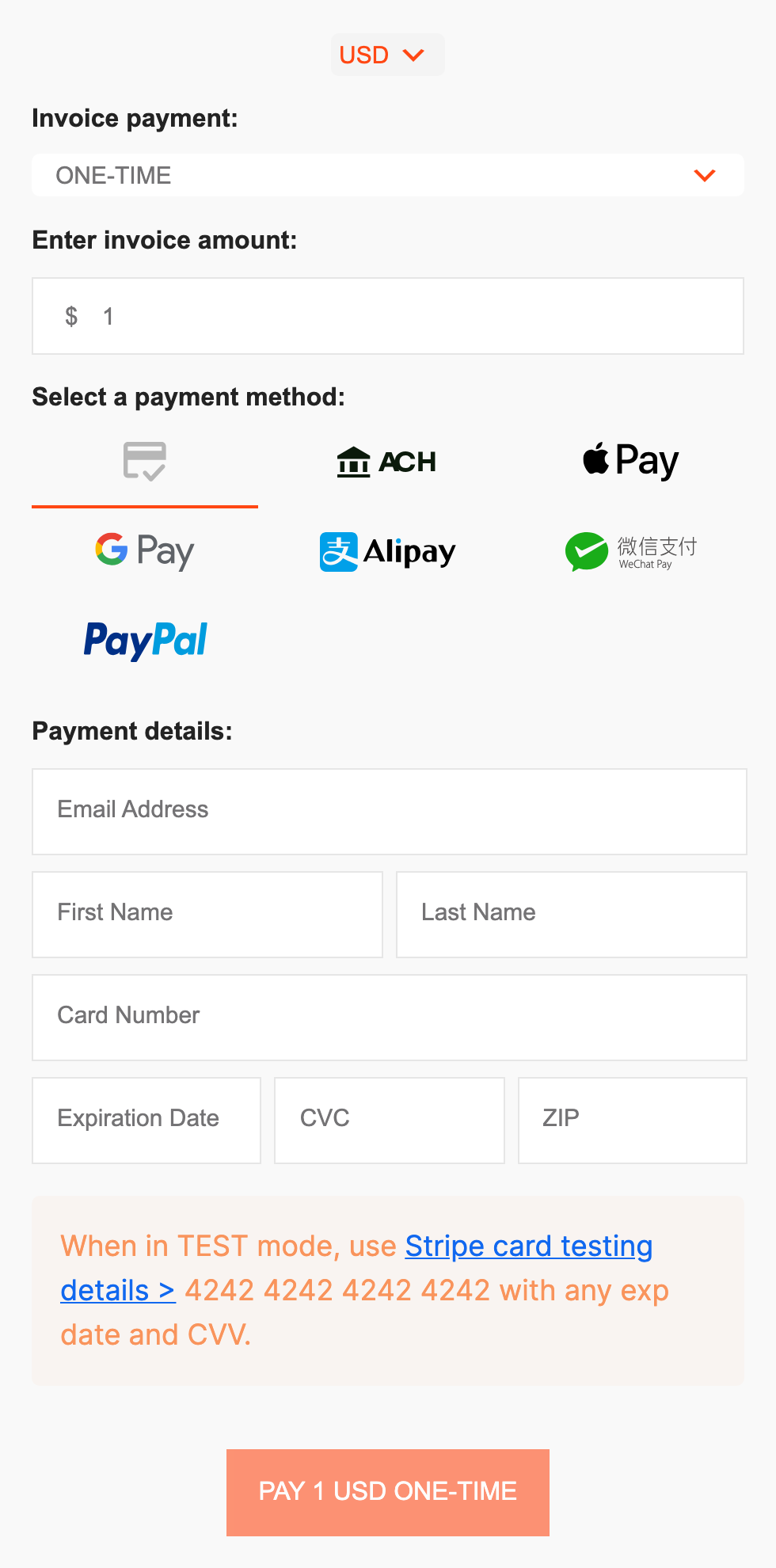
A published payment form with a currency switch, plan choice, payment methods and buyer details.
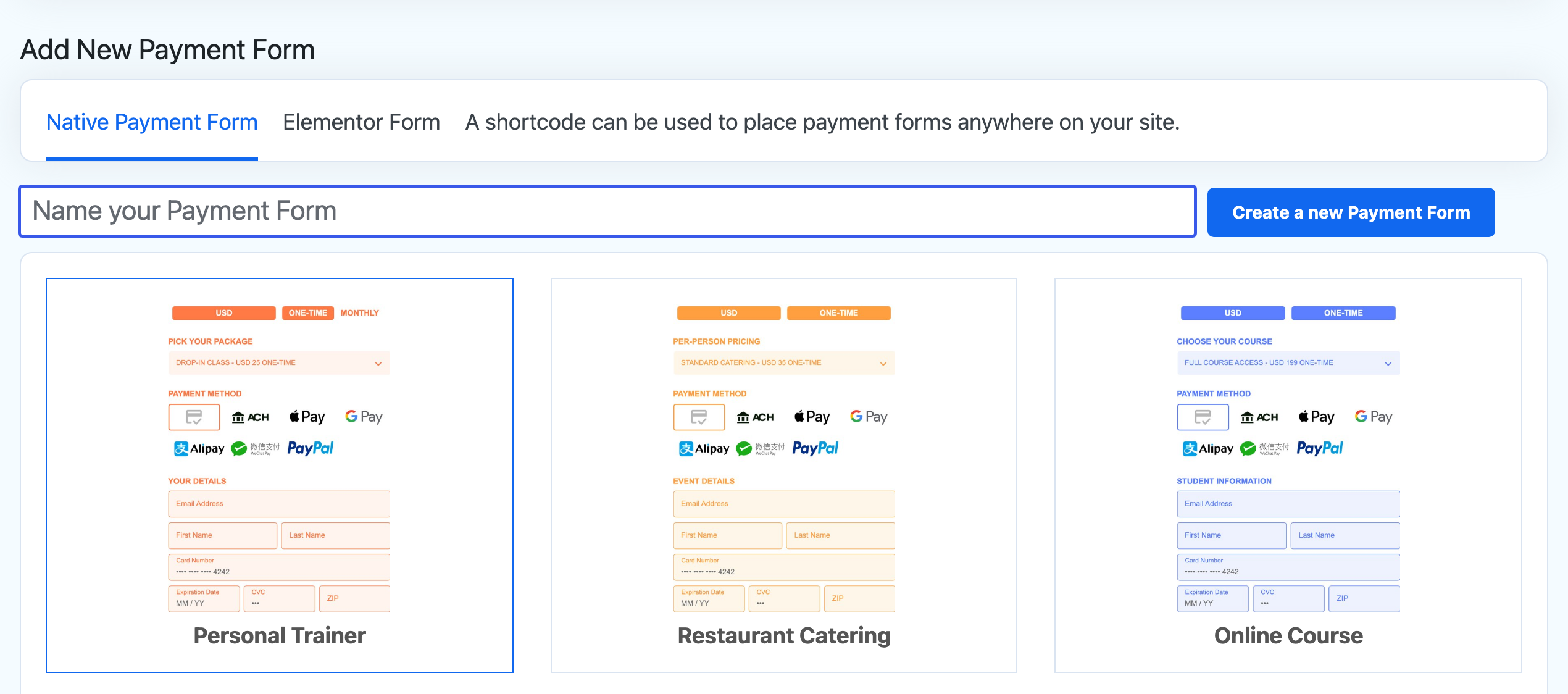
Create a payment form from a ready-made template.
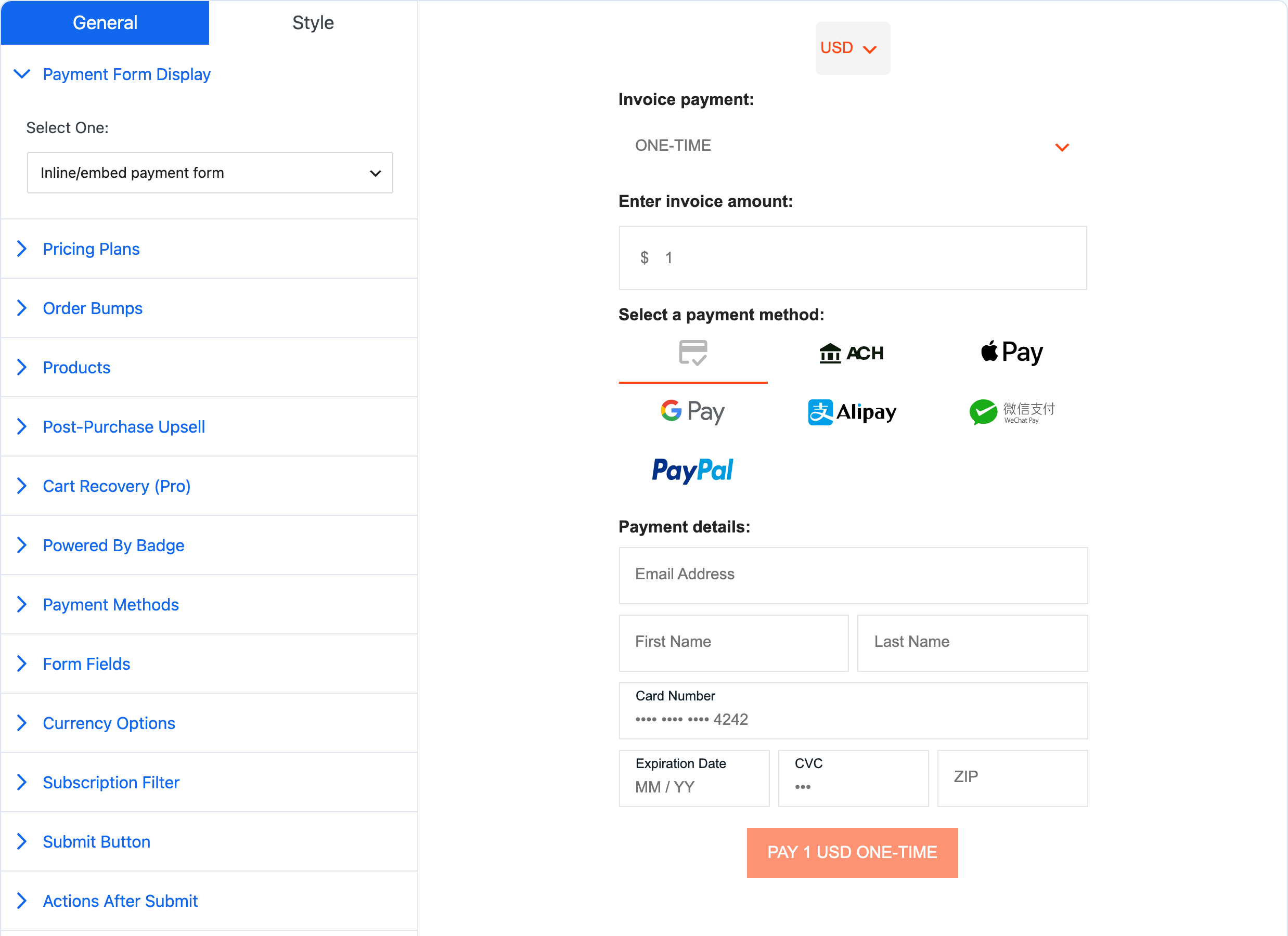
The form builder with its live preview.
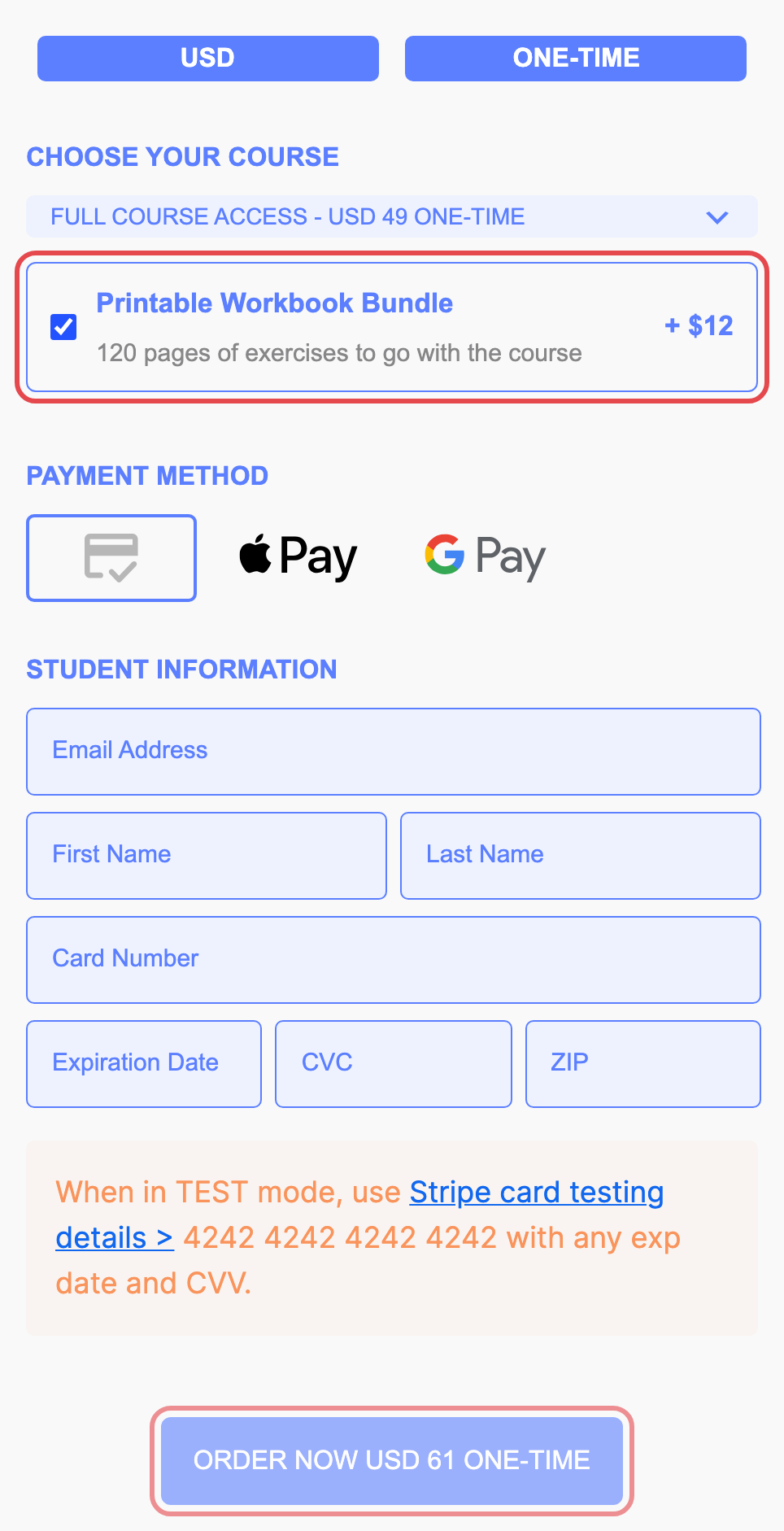
An order bump ticked at checkout adds to the total.
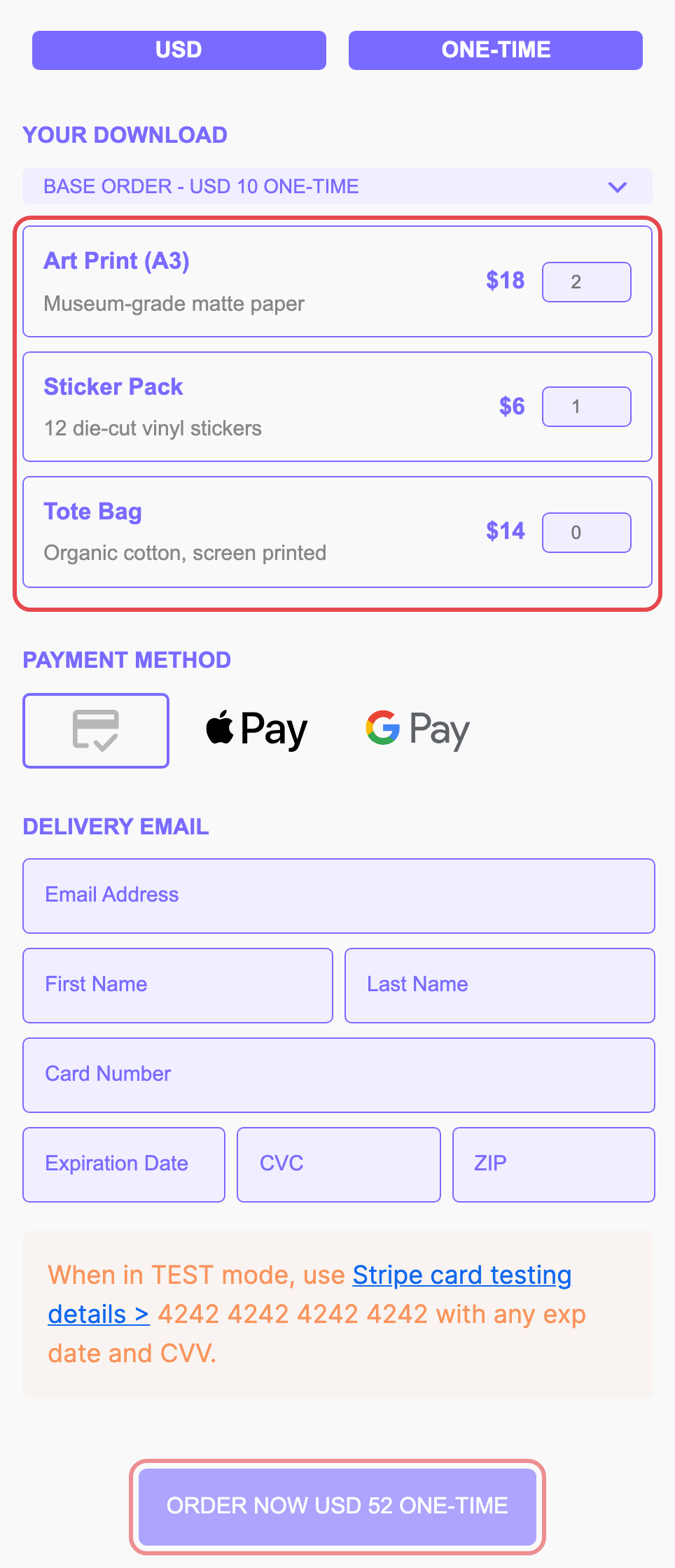
Products with quantities, each with its own price.
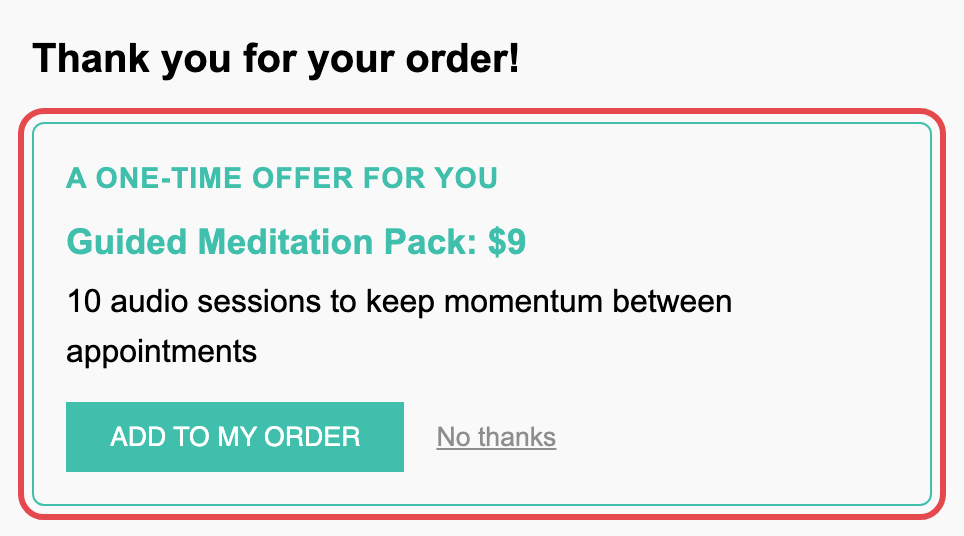
A one-click upsell offer after a card payment.
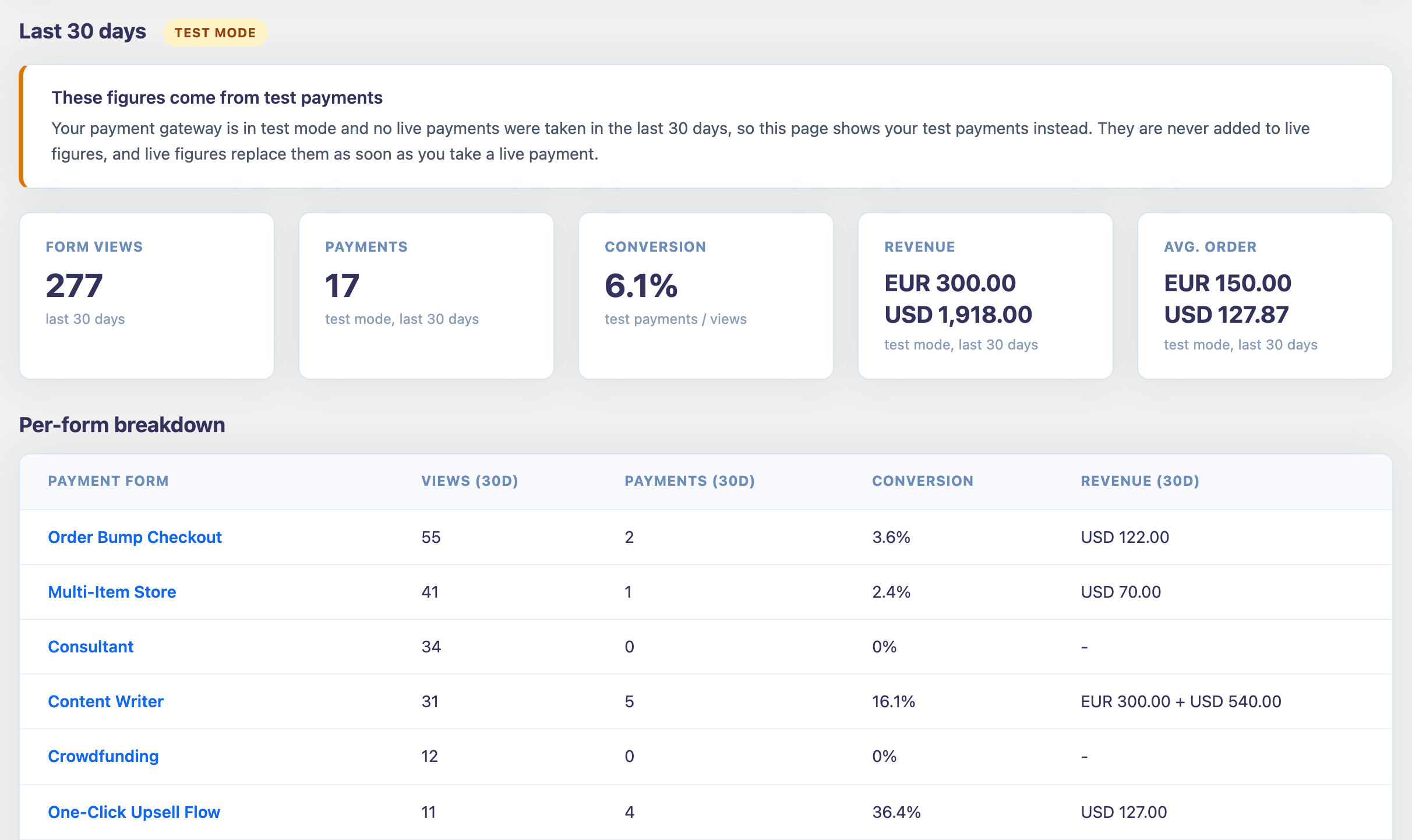
Pro analytics: views, payments, conversion and revenue for every form.
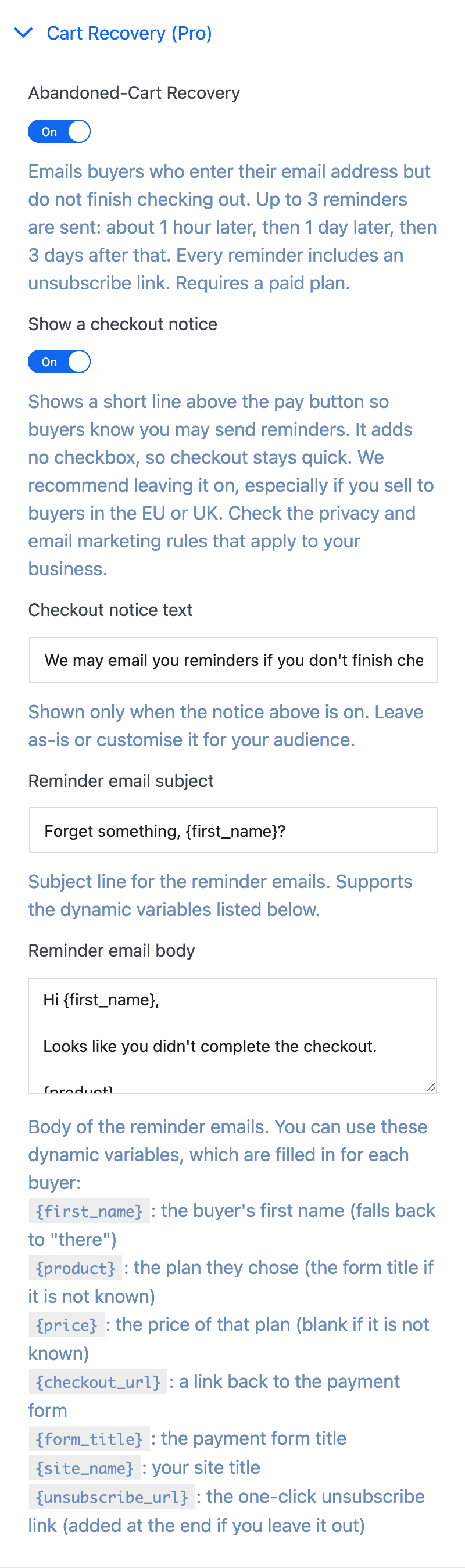
Pro abandoned-cart reminders with your own email copy.
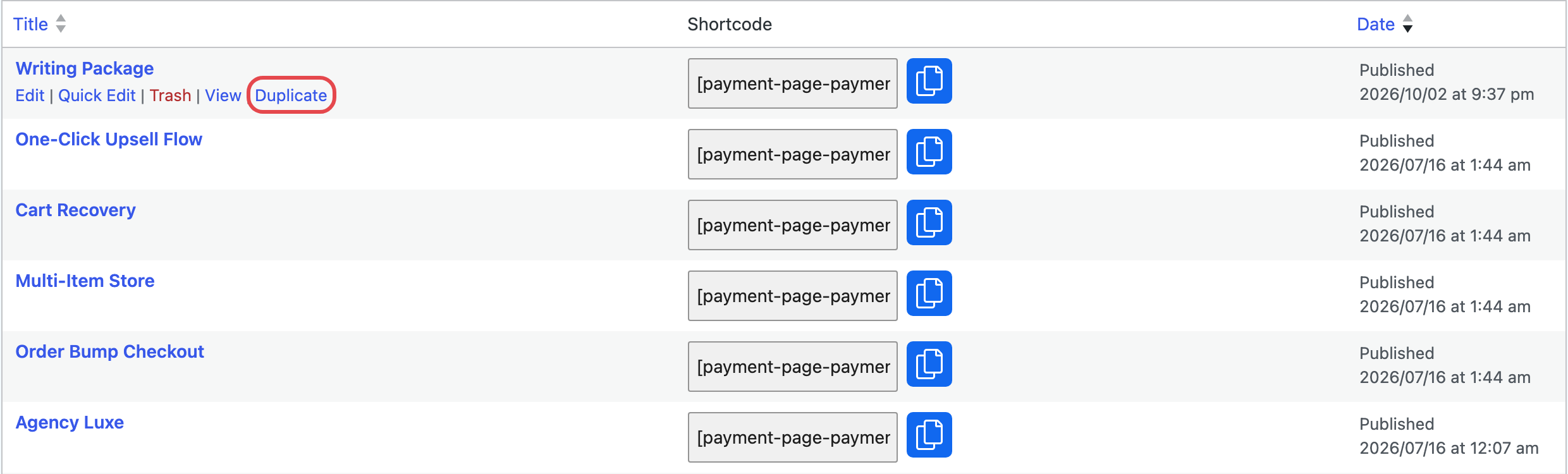
Duplicate any payment form from the Payment Forms list.
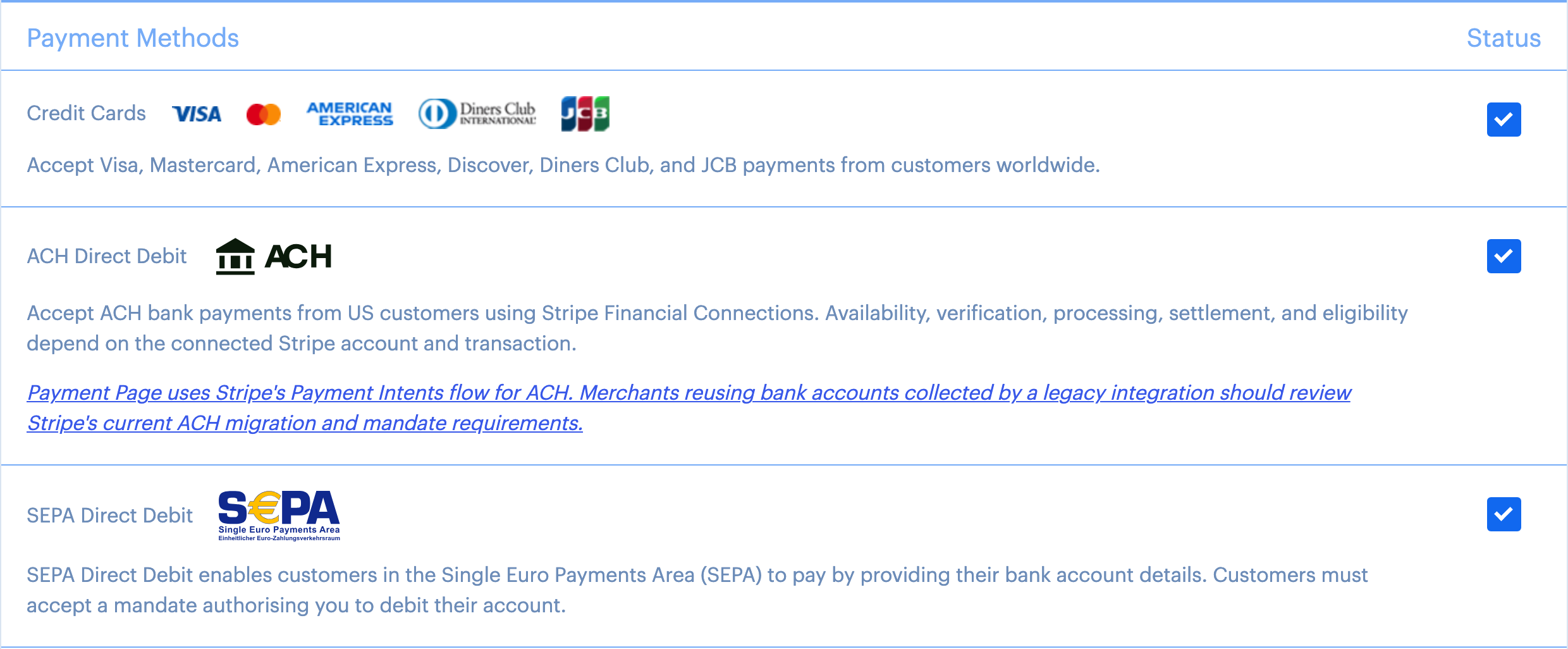
Stripe payment methods: cards, ACH Direct Debit, SEPA Direct Debit and more.