BACK TO DIRECTORY
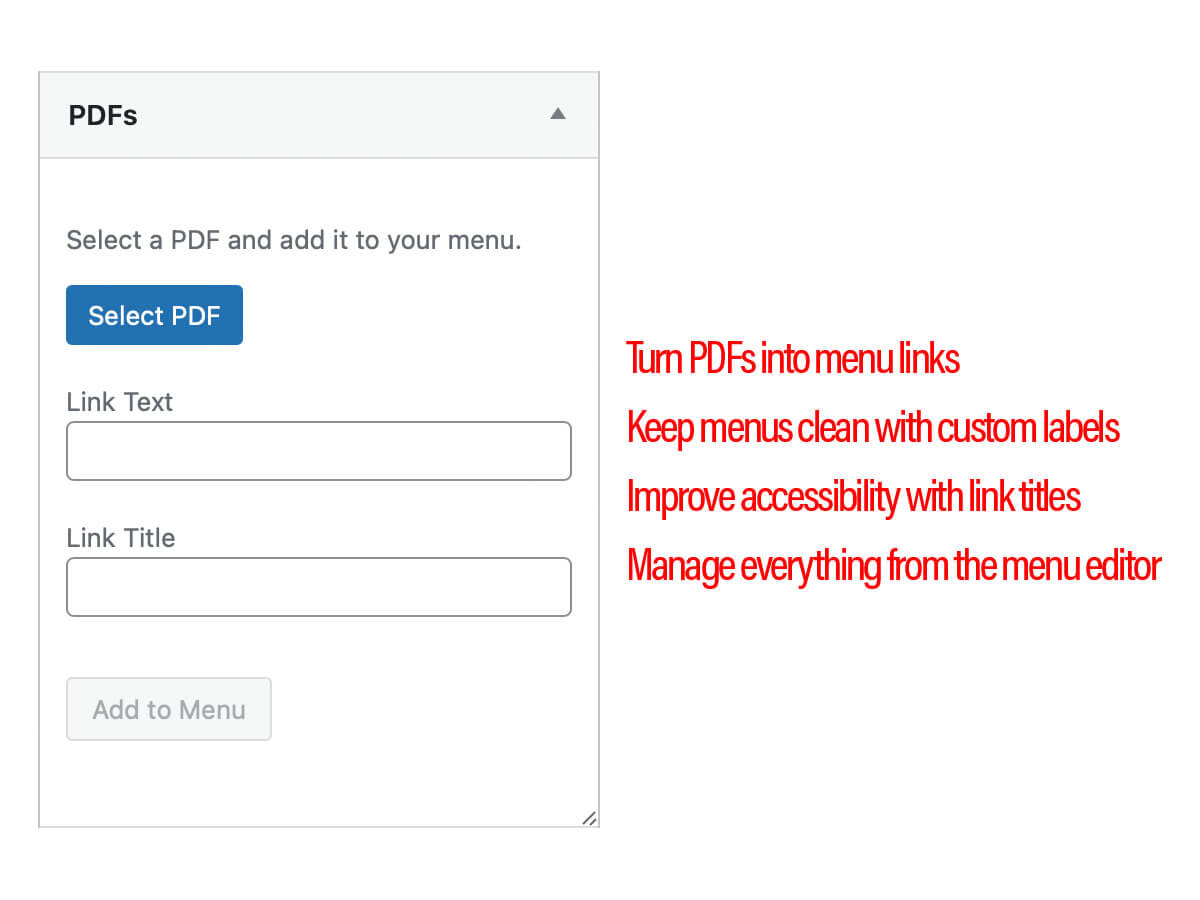
PDF Menu Linker is a small admin-only plugin that makes it easy to add and manage PDF links in navigation menus.
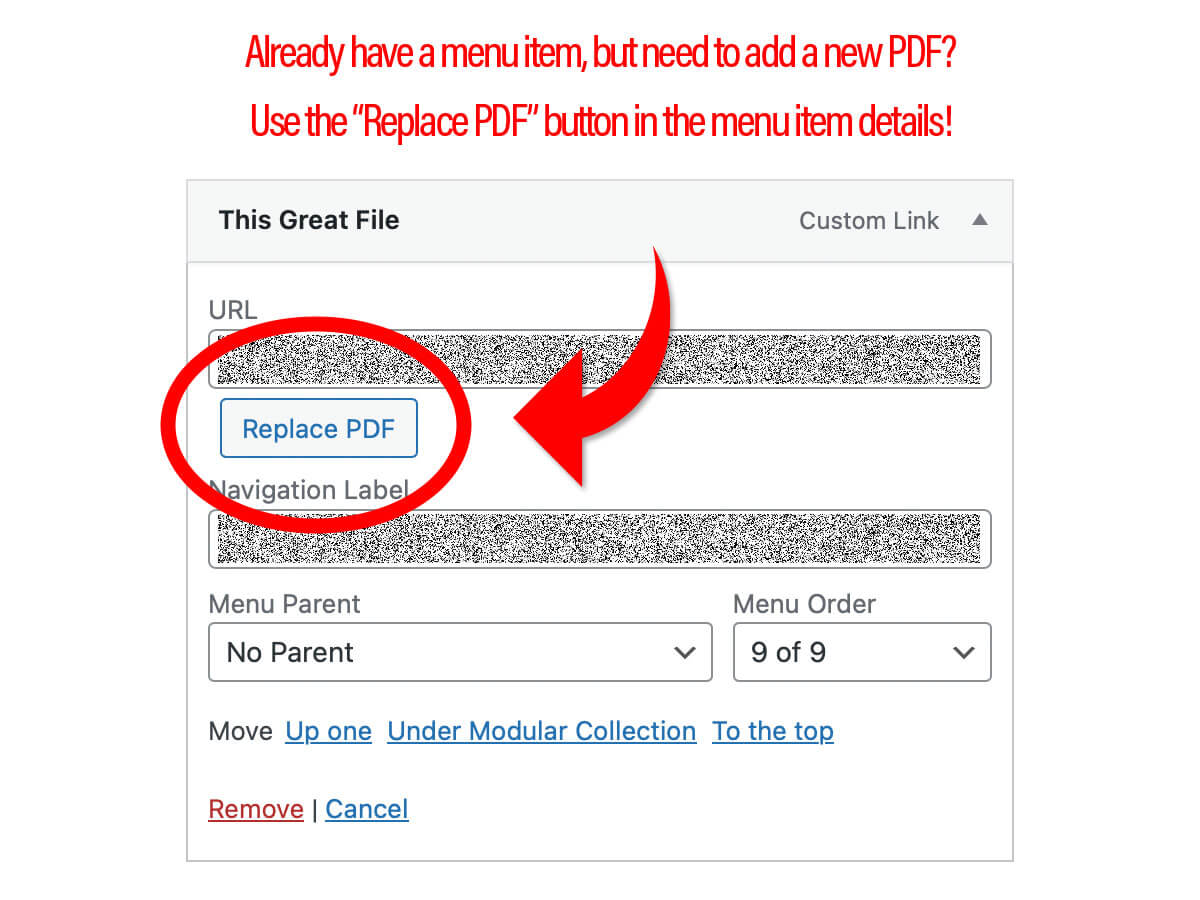
It adds a dedicated PDFs panel to Appearance Menus, and a Replace PDF control on PDF menu items, so you can swap files without recreating menu items or touching URLs manually.
Features
- PDFs panel on the Menus screen – Select a PDF from the Media Library and add it directly to any navigation menu.
- Automatic link text and title – Link Text and Link Title fields default from the PDF filename (without the extension), and can be edited before adding.
- One-click Add to Menu – Creates a standard custom menu item that opens the PDF in a new tab, using WordPress core menu APIs.
- Replace PDF on existing items – For custom links that point to a
.pdf, a Replace PDF button appears next to the URL field so you can change the file without changing labels. - Native WordPress UX – Uses WordPress’ Media Library, menu editor, styling, permissions, and nonces. No custom tables or front‑end changes.
Requirements
- WordPress 6.0 or higher
- PHP 7.4 or higher
- A user role with permission to manage menus (typically users who can
edit_theme_options).
Usage
Add a new PDF menu item
- In the WordPress admin, go to Appearance Menus.
- Ensure a menu is selected (or create one and save it).
- In the Add menu items column, open the PDFs panel.
- Click Select PDF and choose a file from the Media Library (PDFs only).
- Optionally adjust Link Text and Link Title.
- Click Add to Menu.
- A new Custom Link pointing at the PDF will appear at the bottom of the menu structure and will open in a new tab on the front end.
Replace the PDF for an existing menu item
- In Appearance Menus, locate a Custom Link whose URL ends with
.pdf. - Expand the menu item.
- Click Replace PDF next to the URL field.
- Choose a new PDF from the Media Library and confirm.
- The URL field updates to the new PDF, while Navigation Label and Title Attribute remain unchanged.
Screenshots
Plugin Details
Active Installs
10Total Downloads
492Version
1.0Requires WP
6.0Requires PHP
7.4Tested Up To
6.9.11Added
2025-12-30Last Updated
2025-12-30 5:32pm GMTRatings
5
1
4
0
3
0
2
0
1
0