
Peak Publisher is one place for all your plugins, wherever they are hosted. Plugins on wordpress.org are published by dropping the plugin folder — Peak Publisher talks to SVN for you, builds the tag, sets the Stable tag and commits once. Plugins for clients, teams and products are self‑hosted: your WordPress site becomes their update server, and installed copies receive updates directly from you via a standard Update URI.
Both channels share one task‑focused admin UI: add plugins and releases via drag & drop, let every upload be validated, decide with one switch which release your sites receive, manage icons, banners, screenshots and the Live Preview, keep Tested up to current, and see installations, downloads and ratings in one list.
Publish your first plugin in minutes — to wordpress.org or to your own update server — and every next release with a single drop.
KEY FEATURES
🚀 Clean admin UI with a guided “Add New Plugin” flow
The flow starts with the channel and asks only what is still needed: for wordpress.org where your plugin stands (not submitted yet, approved, or already published — then it is imported with its releases and assets), for self‑hosted the headers and the bootstrap code to add.
☝️ Drag & drop a ZIP or simply the whole plugin folder
You can drop a ZIP file, but the easiest way is to drop the raw plugin folder or the folder’s contents — anywhere in Peak Publisher. It recognizes whether the drop is a new plugin or a new version of an existing one.
📦 Publish to wordpress.org without an SVN client
Peak Publisher reads trunk and the tags, creates the new tag as a copy of trunk or the previous tag plus what changed, updates trunk, writes the Stable tag and commits once — large plugins in seconds, not minutes. Every commit is recorded with its revision and links to its changeset on Trac.
✅ Automatic validation with a checklist that explains itself
Headers, version format, Update URI, Tested up to, Requires Plugins, readme.txt — every finding is a line of the checklist with what it means and, where you have a choice, a decision to confirm.
🎯 The current release is a decision, not a status
On every upload a switch says whether the new version is what sites receive. “Make current release” promotes or rolls back any version later. On wordpress.org this is the Stable tag — written for you, never forgotten — and the current release cannot be deleted by accident.
🖼️ Assets by wordpress.org’s rules — on both channels
Icons, banners and screenshots with the right names, sizes and byte limits; screenshot captions come from the current release’s readme. On wordpress.org, your changes collect in a working copy and go up in one commit; changes made elsewhere are shown side by side instead of being overwritten.
▶️ Live Preview
Edit the blueprint of your wordpress.org plugin with fields for landing page, theme and plugins — or as JSON — and test it in WordPress Playground before you commit. The required plugins of the current release are kept in the preview, and a status line tells you whether wordpress.org has imported the file and whether the preview is public.
🧪 Tested up to per release
See which version was tested with which WordPress, raise it with one click, and let the next upload carry the highest known value. A status column in the plugin list shows what needs attention.
📈 Figures for both channels
Self‑hosted: unique installations of the last 24 hours and downloads per day. wordpress.org: active installs, downloads and rating from the directory, refreshed daily — the download history is kept beyond the directory’s window.
🧽🫧 Auto‑cleanup of workspace artifacts (e.g. .git, node_modules)
To provide clean packages and reduce package size, Peak Publisher removes development files and operating system artifacts from your uploads using patterns that you can configure. (optional)
🔐 Optional restriction via IP, CIDR or domain whitelist
Self‑hosted packages are stored in a private, server‑protected directory with no direct web access. By default the API is reachable from anywhere; with a whitelist of IP addresses, CIDR ranges or domain names you restrict access to update metadata and downloads.
🔑 Encrypted wordpress.org credentials
The SVN password is stored encrypted (AES‑256‑GCM) with a key outside the database — see the FAQ.
Some More Features
📄 Readme.txt: Provide your users with a description, changelog, screenshots, tested up to and more — the “View details” popup of a self‑hosted plugin looks like the one of a wordpress.org plugin.
🧭 Standalone mode: Turn a dedicated site into a pure update server — frontend and unneeded admin menus off, with a redirect URL of your choice.
📋 Operations log: Every write Peak Publisher makes to your published plugins is recorded — on wordpress.org every commit with its account and revision.
HOW IT WORKS
Self‑hosted
- Install Peak Publisher
on a dedicated WordPress site (recommended)
or any site you control. - Follow the “Add New Plugin” flow
choose Self‑hosted, then add theUpdate URIheader and the bootstrap code to your plugin. - Upload your plugin
drag & drop the zipped plugin or the plugin folder. - Read the checklist
Peak Publisher validates your upload and shows you the result. - Click “Add new plugin”
to finish the process. - Drop your next release with an increased version number
once you have one ready — the switch “Set as current” decides whether sites receive it.
wordpress.org
- Connect your wordpress.org account
under Settings wordpress.org with your username and SVN password. - Follow the “Add New Plugin” flow
choose wordpress.org and say where your plugin stands: not submitted yet (the flow takes you to the submission page), approved but nothing published yet, or already published. - Import or upload
a published plugin is imported with its releases, assets and figures; an approved one is published with its first upload. - Drop your next release
Peak Publisher creates the tag, updates trunk, writes the Stable tag and commits once. - Manage the rest in the editor
assets and the Live Preview, Tested up to, “Make current release” — each a commit under your account.
WHO IS IT FOR?
- Plugin developers who publish on wordpress.org and want to leave the SVN client behind
- Agencies that deliver custom plugins to multiple clients
- Product teams with private/proprietary extensions
- Anyone with plugins on both sides who wants them in one list
External services
Peak Publisher contacts wordpress.org as soon as you connect a wordpress.org account or import a wordpress.org plugin — for exactly those plugins, and only then. Without an account and without wordpress.org plugins in Peak Publisher, it contacts no external service, with the one exception of embedded videos named below. Client sites of your self‑hosted plugins talk to your Peak Publisher site only.
wordpress.org
Operated by the WordPress Foundation and Automattic. Privacy policy: https://wordpress.org/about/privacy/ — the terms for publishing plugins: https://developer.wordpress.org/plugins/wordpress-org/detailed-plugin-guidelines/
When your server contacts it:
- api.wordpress.org — the plugin directory’s info API, to notice changes made elsewhere and to fetch the figures of your wordpress.org plugins: every 5 minutes while someone looks at the plugin list, during import, and for the Live Preview the listings of other plugins and themes; the download statistics once a day.
- plugins.svn.wordpress.org — the plugin repository. Reads without credentials during import and whenever the directory shows that something changed. Writes with your username and SVN password: publishing a release, “Make current release”, deleting a release, committing assets and the Live Preview, setting Tested up to.
- wordpress.org — the plugin page, to check whether the Live Preview is public, when you look at the Live Preview; and the profile avatar lookup when you connect, edit or test the account.
- core.svn.wordpress.org — the default theme of the current WordPress branch, once per branch, when you look at a Live Preview.
What is sent: the slugs of your plugins, the files you publish (plugin files, assets, the blueprint), your account’s username and — only to plugins.svn.wordpress.org, over HTTPS — its SVN password, and your server’s IP address. Every request identifies itself as “PeakPublisher/{version}”; your site’s address is never part of a request.
In your browser: the admin UI loads plugin icons from s.w.org and ps.w.org, theme screenshots from ts.w.org and the account’s avatar from secure.gravatar.com (Gravatar, by Automattic — terms: https://wordpress.com/tos/, privacy: https://automattic.com/privacy/). These servers see your browser’s IP address and, as referrer, your site’s domain. The Live Preview’s “Test” button opens playground.wordpress.net with the blueprint, and the download of a wordpress.org release comes from downloads.wordpress.org.
Embedded videos in a readme
When the readme.txt of a self‑hosted plugin contains a video URL alone on a line, Peak Publisher asks the provider’s oEmbed endpoint for the embed code — exactly as wordpress.org does, limited to its providers (YouTube, Vimeo, WordPress.com, WordPress.tv, Vine, SoundCloud, Instagram, Mixcloud, Cloudup) and without any account. The provider sees your server’s IP address and the video URL. Change the list with the filter pblsh_readme_oembed_providers.
Privacy
Peak Publisher does not track users and sends no telemetry. The only external service it talks to is wordpress.org, for the plugins you keep there, as described under “External services”. For self‑hosted plugins, all communication happens between the client sites and your Peak Publisher site.
About the client sites of a self‑hosted plugin, Peak Publisher stores two things: the installation count keeps, per site, a salted and non‑reversible hash of its home URL, the installed version and when it was last seen — for 24 hours, and only while the count is switched on under Settings Self‑hosted; the download count keeps one number per day. All files are stored on your server in a protected directory.
Screenshots
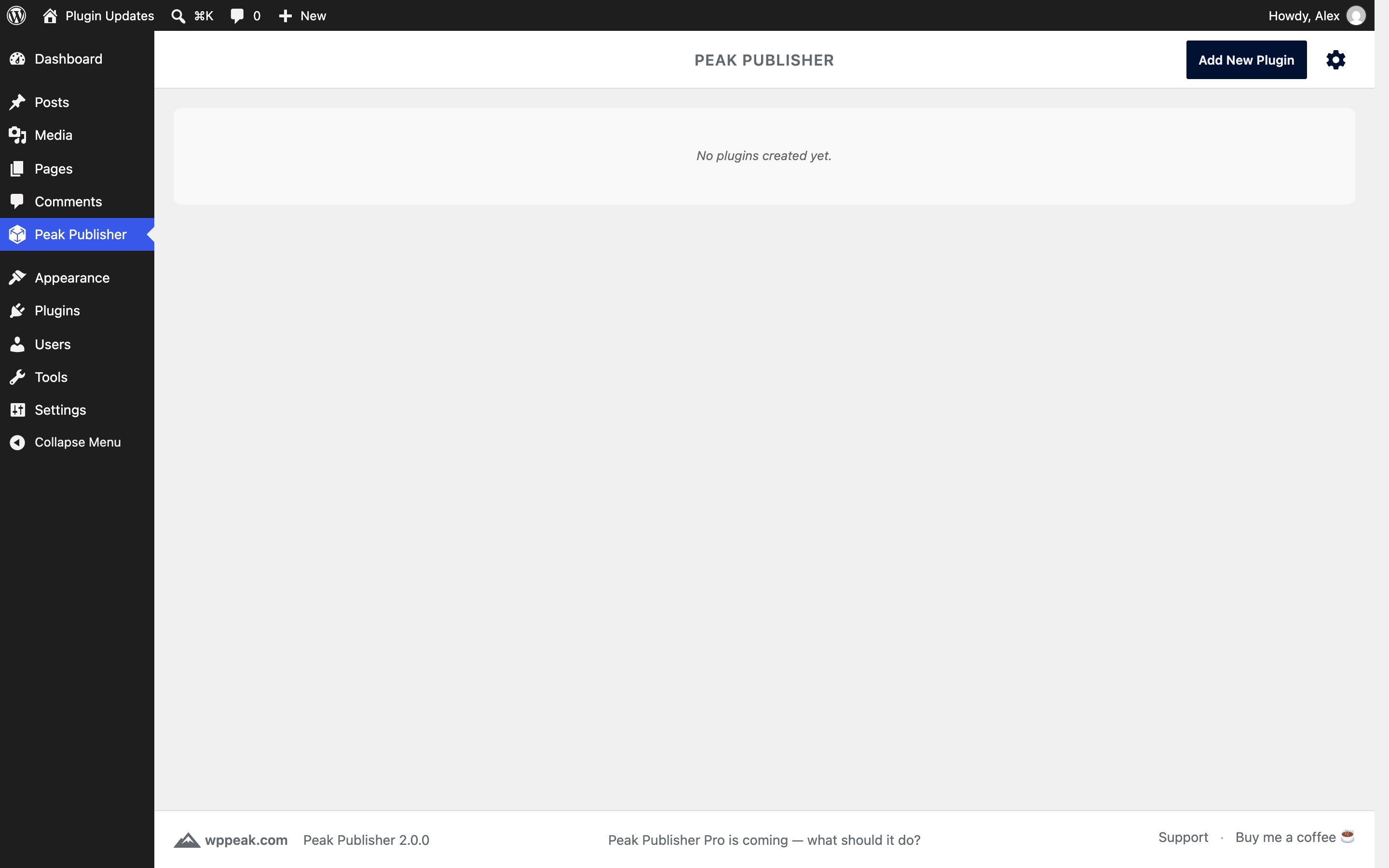
A fresh installation: no plugins yet, the full WordPress menu still in place.
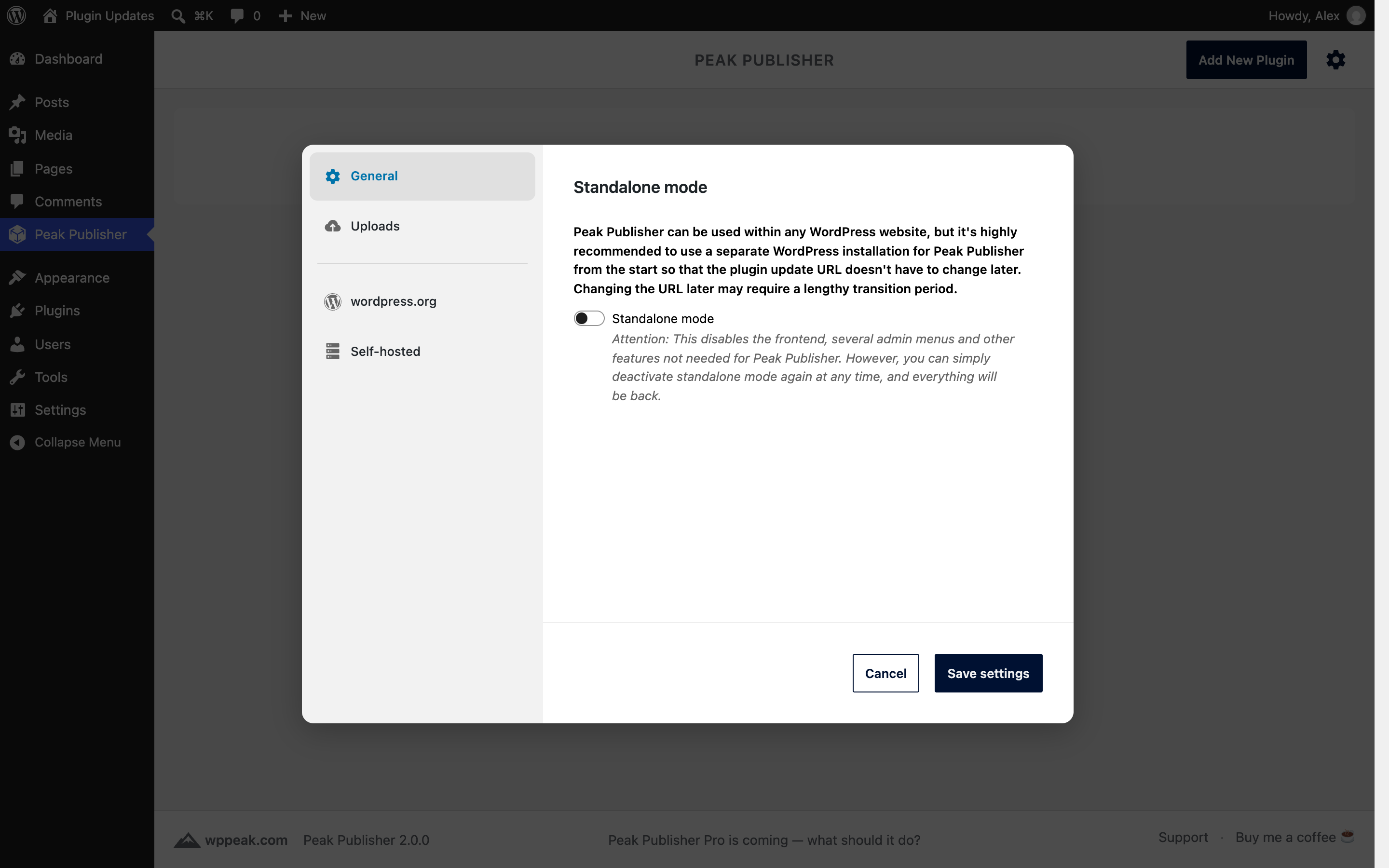
Settings: the recommended first step is standalone mode, which turns the site into a pure update server.
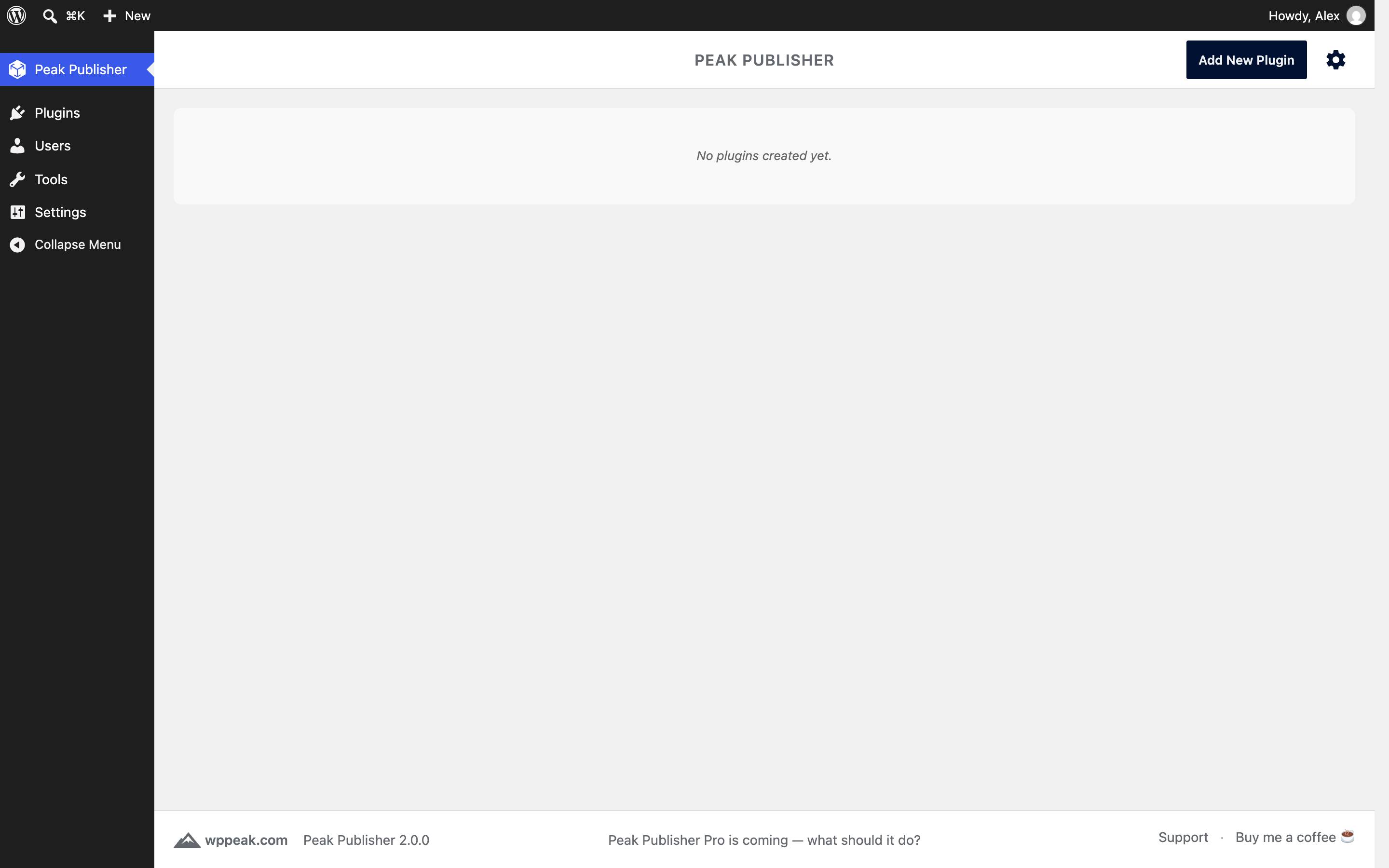
Standalone mode on: the front end and the menus Peak Publisher does not need are gone.

"Add New Plugin" starts with the channel — wordpress.org or self‑hosted — and what each means for your users.
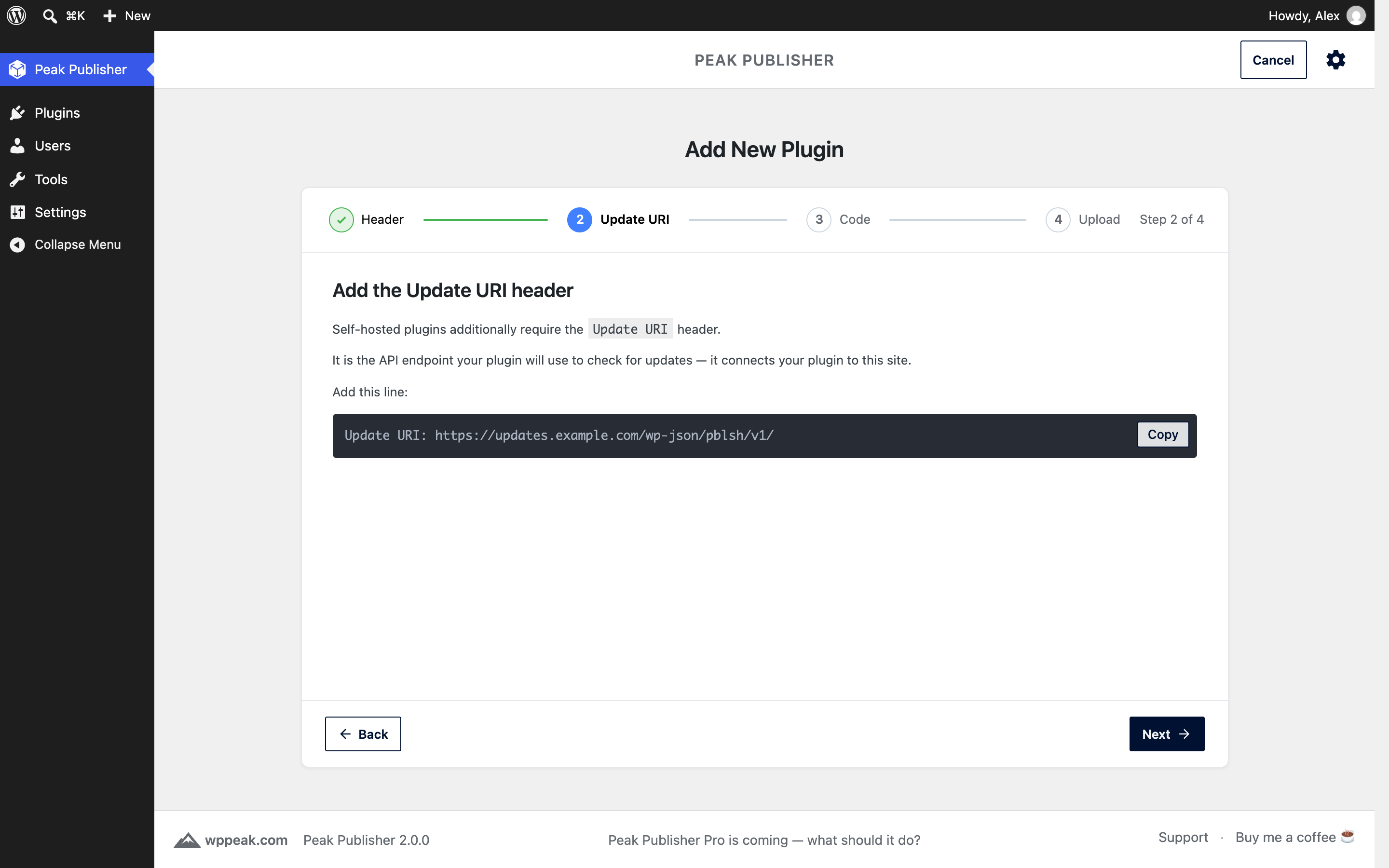
Self‑hosted plugins need the Update URI header: the flow shows the exact line, with a copy button.
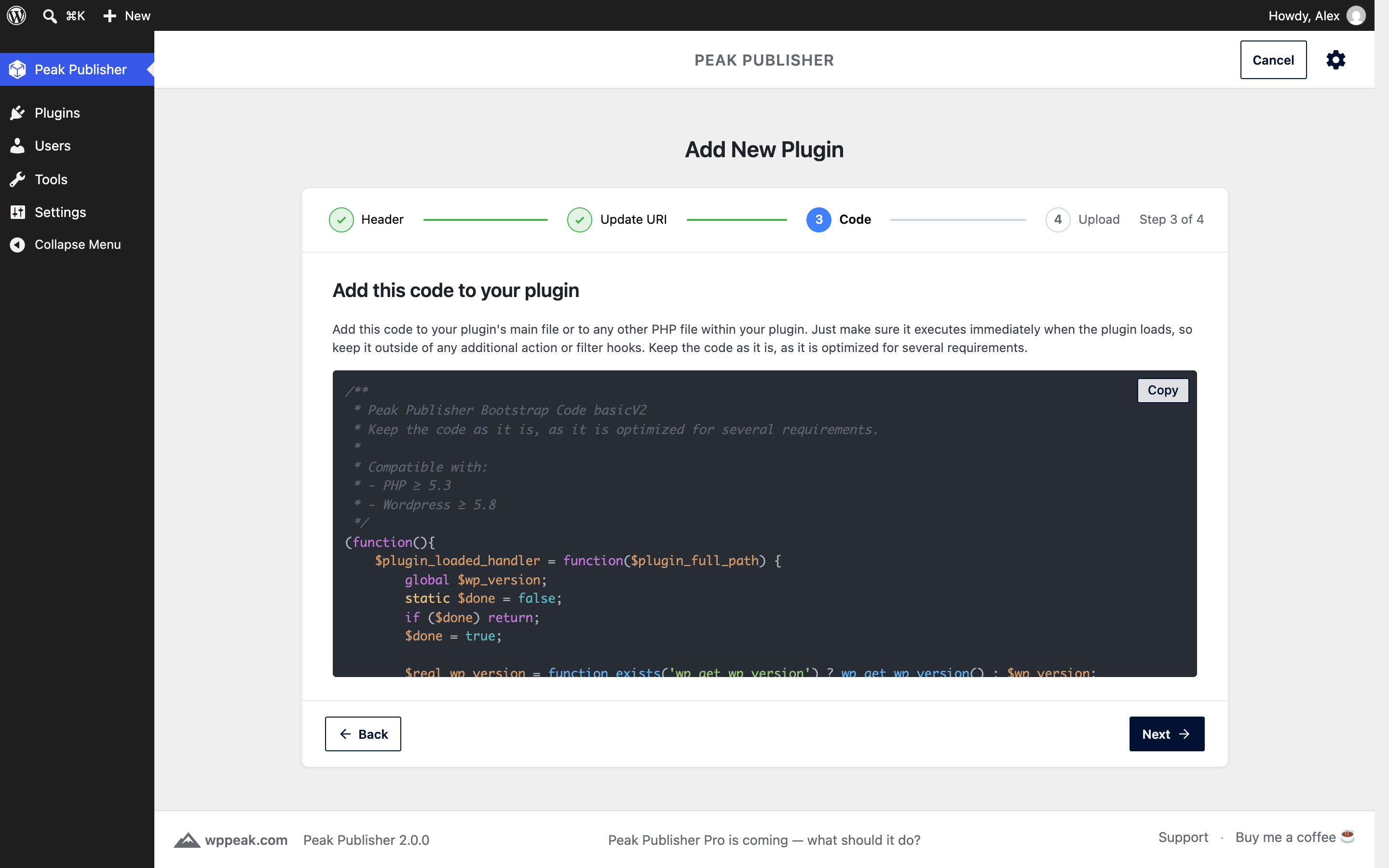
The bootstrap code that lets installed copies ask your site for updates, ready to copy.

The upload step: drop a ZIP, the plugin folder or the folder's files.

The upload runs with a progress bar, so large plugins stay transparent.
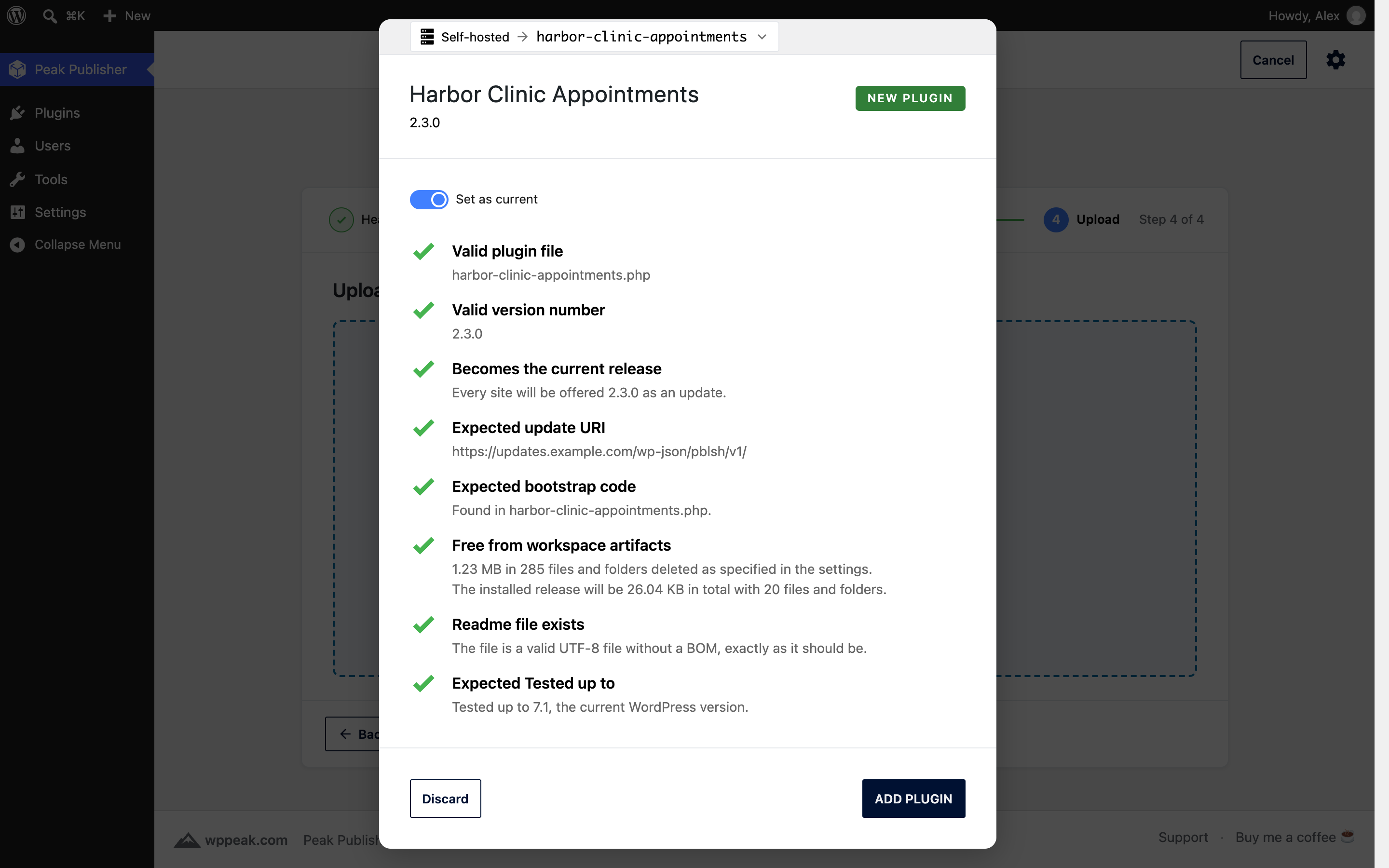
The checklist of the first upload: every finding explained, workspace artifacts cleaned, and "Set as current" decides what sites receive.
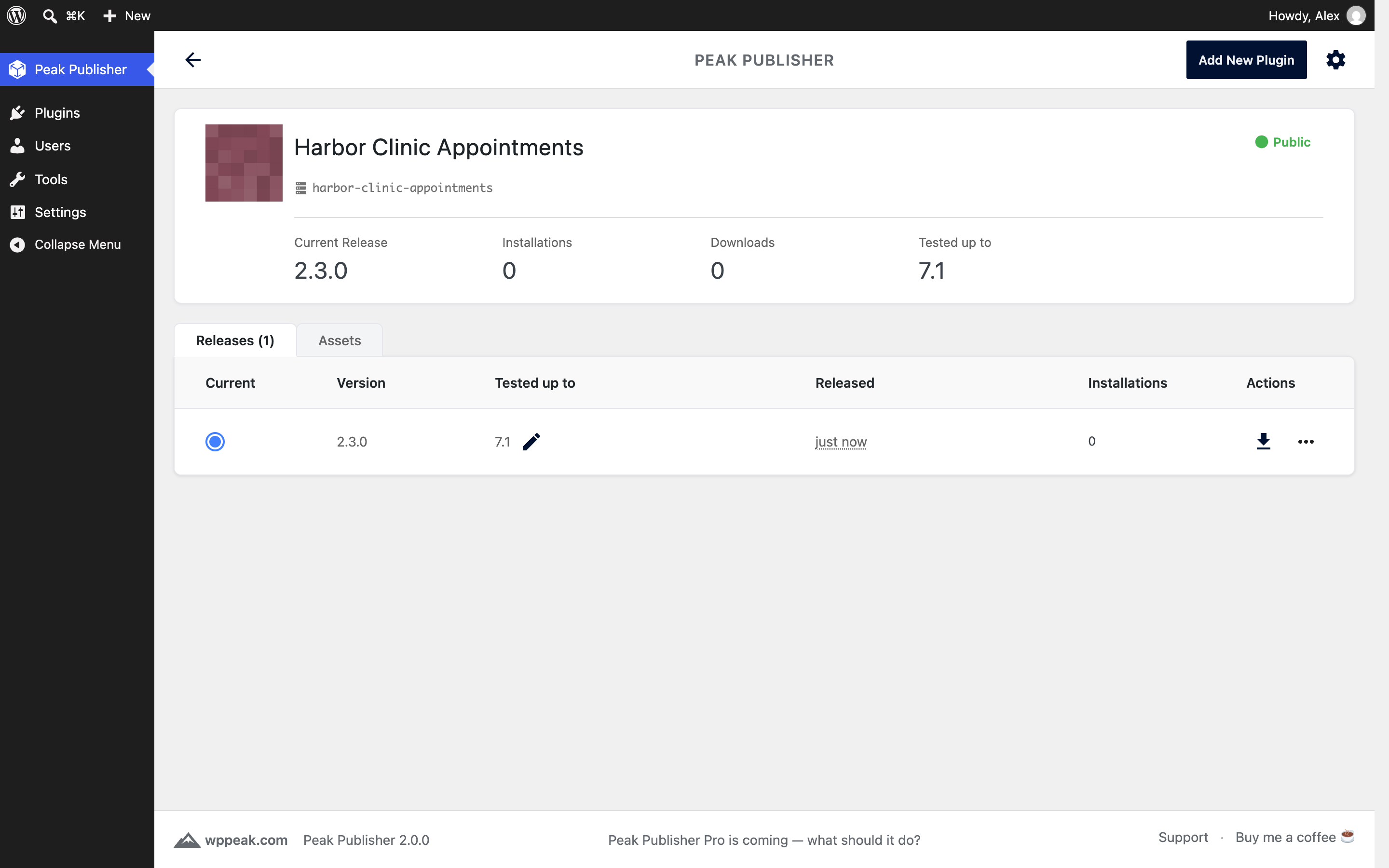
The plugin editor right after the first release: current release, installations, downloads and Tested up to in the header.
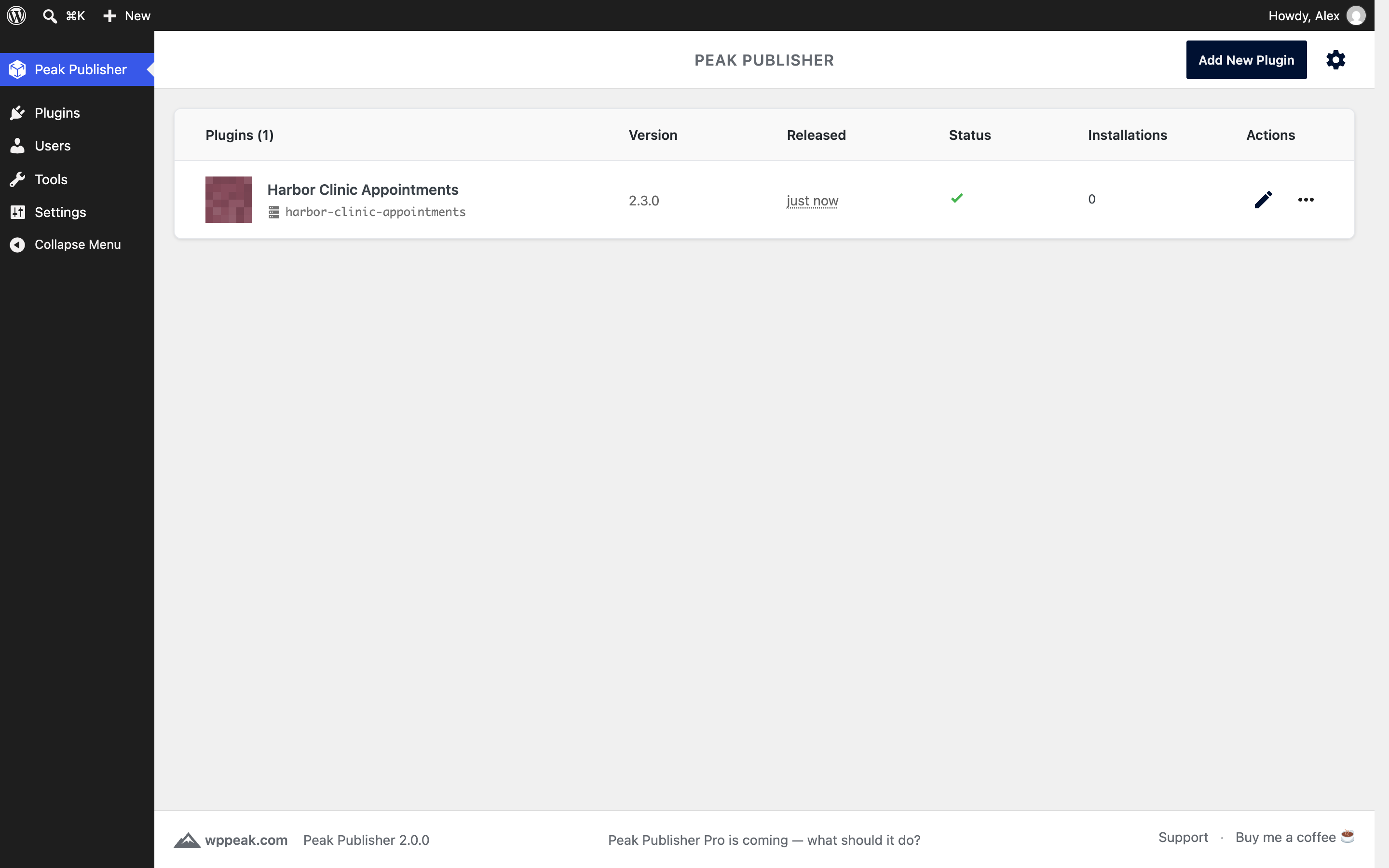
The plugin list with the first plugin.
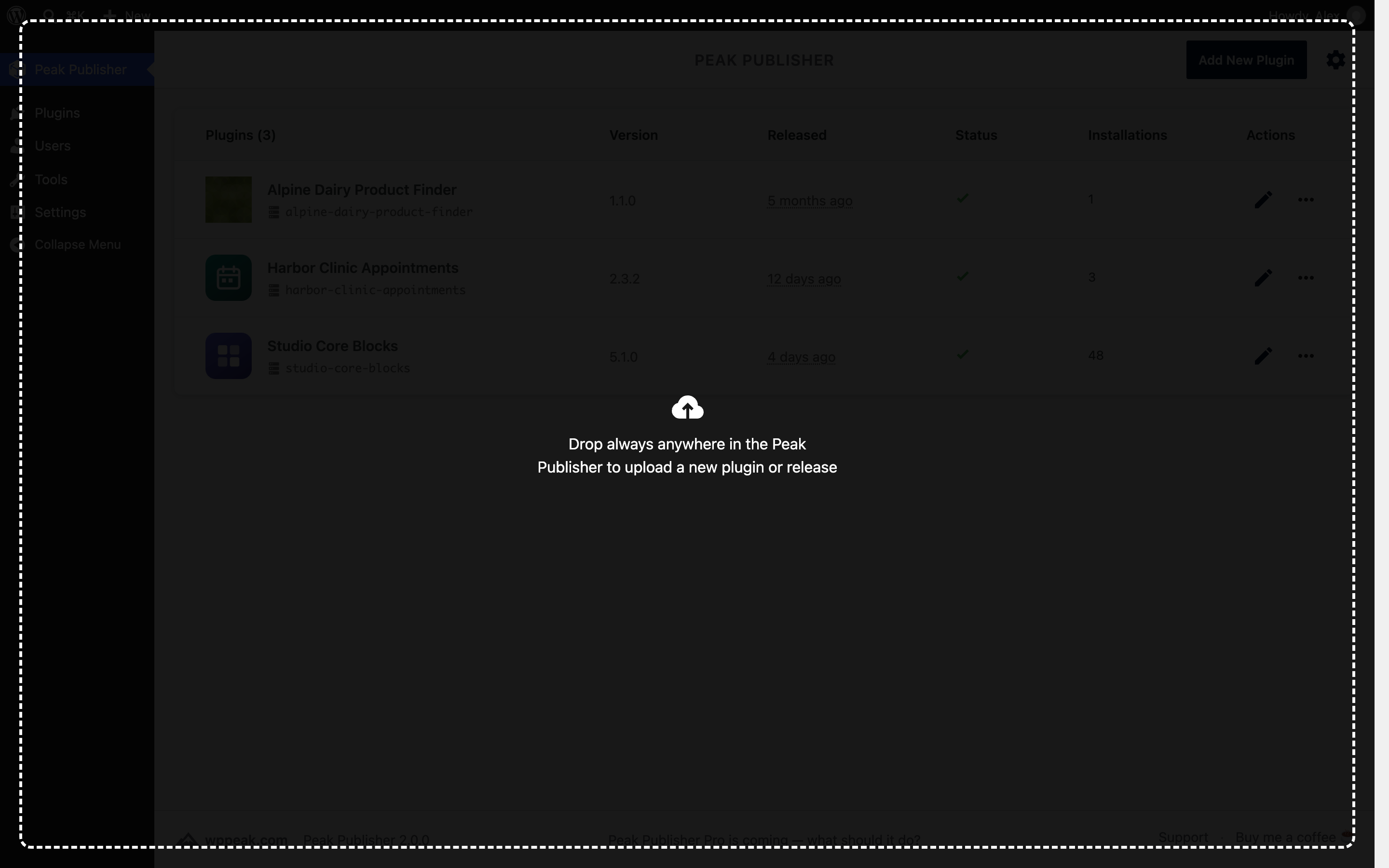
From now on, drop anywhere in Peak Publisher to upload a new plugin or release.
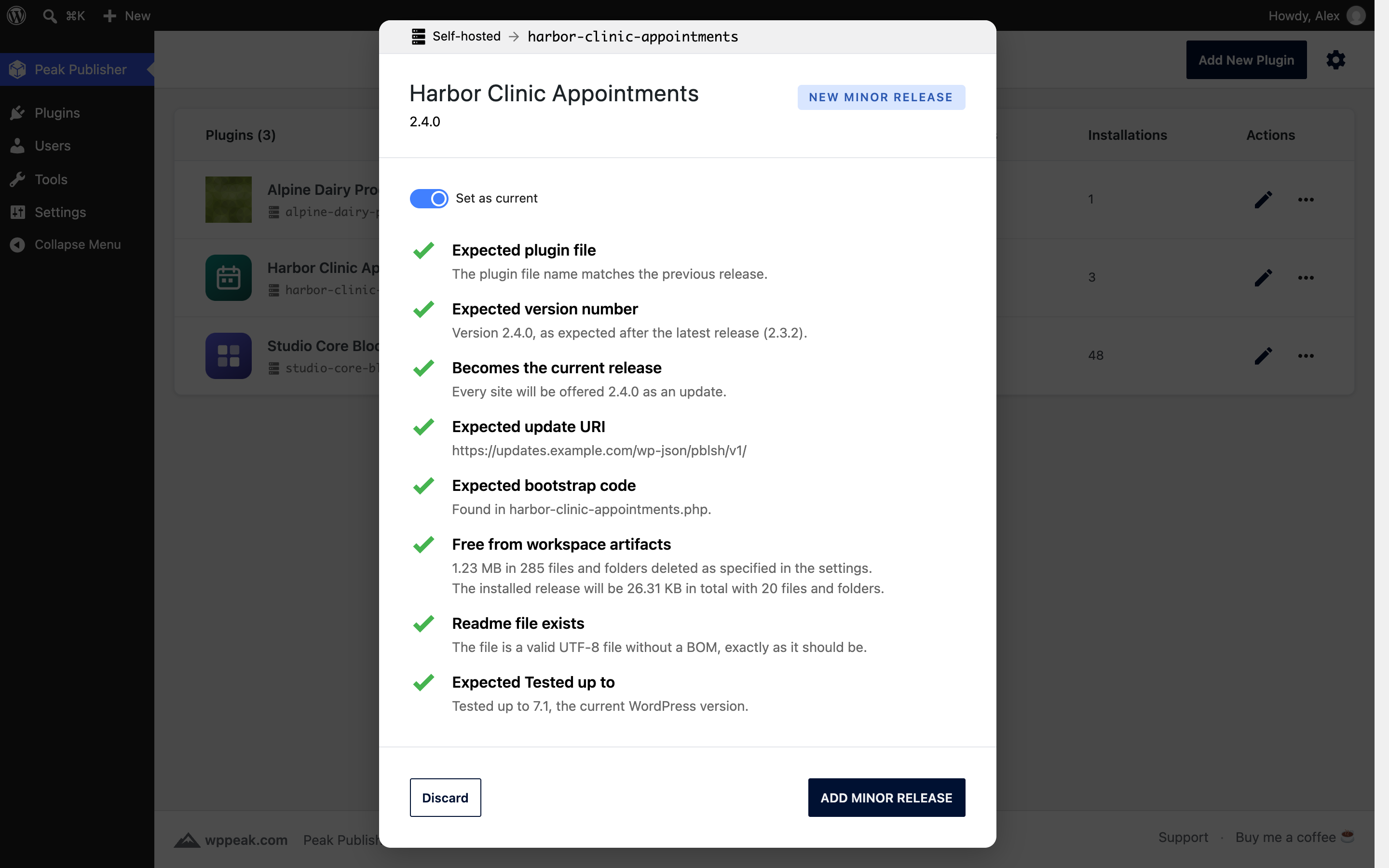
The next release: the checklist recognizes the version step and shows what the installed release will be.

Every release listed and downloadable by version; the filled ring marks the current release.
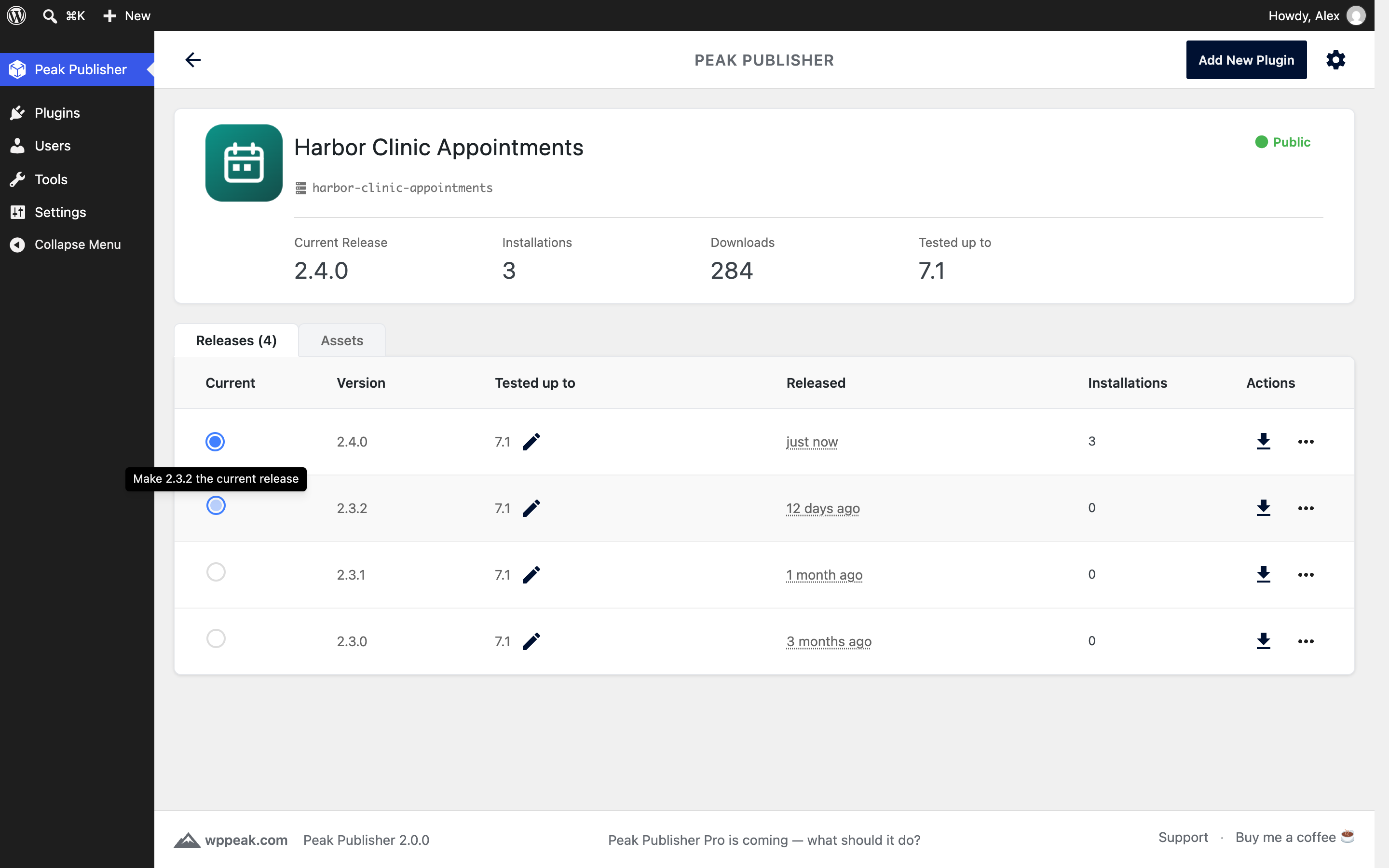
"Make current release" promotes or rolls back any version with one click.
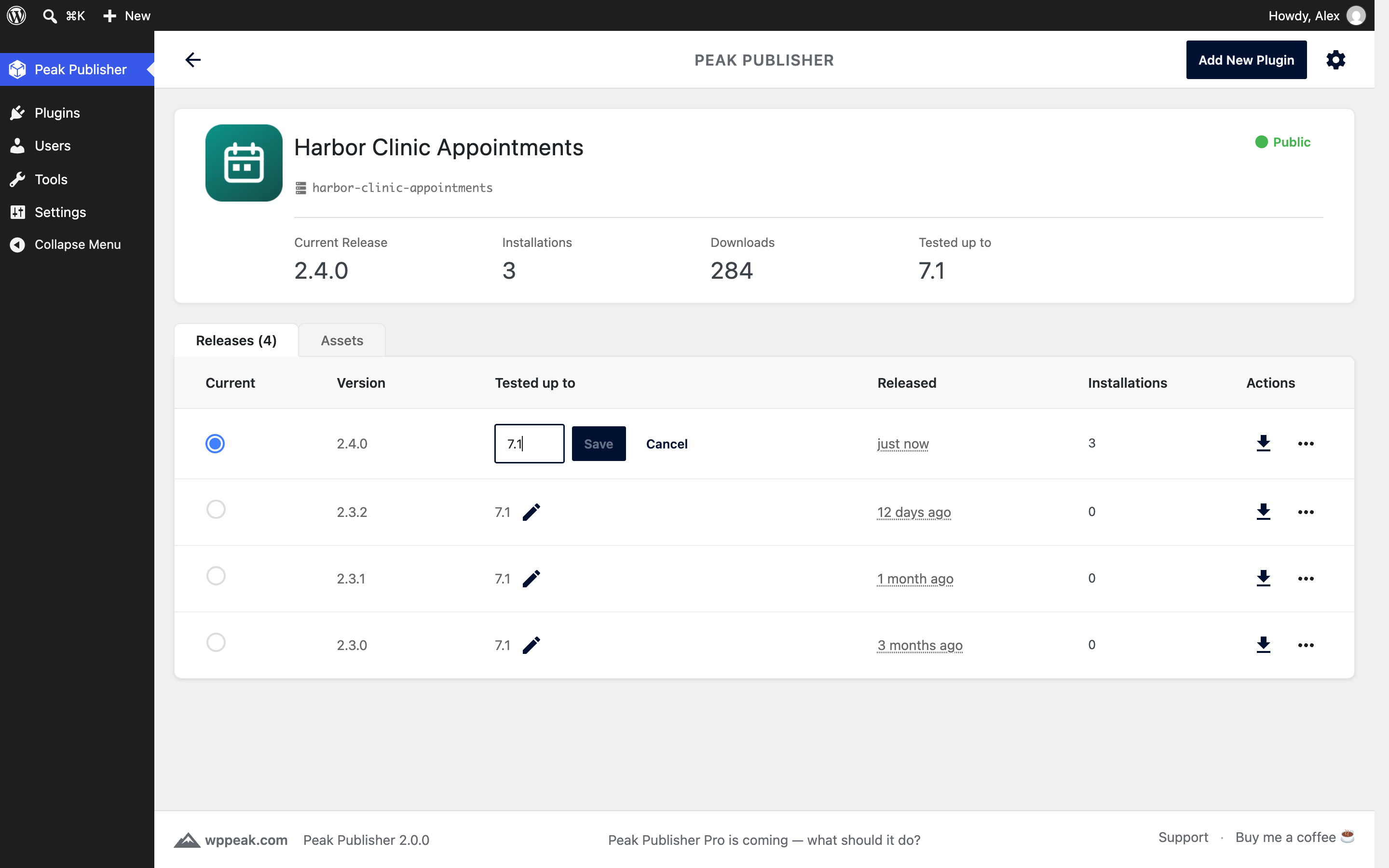
Tested up to per release: raise it with the pencil, right in the row.

Connect your wordpress.org account with its SVN credentials; the password is stored encrypted on your server.
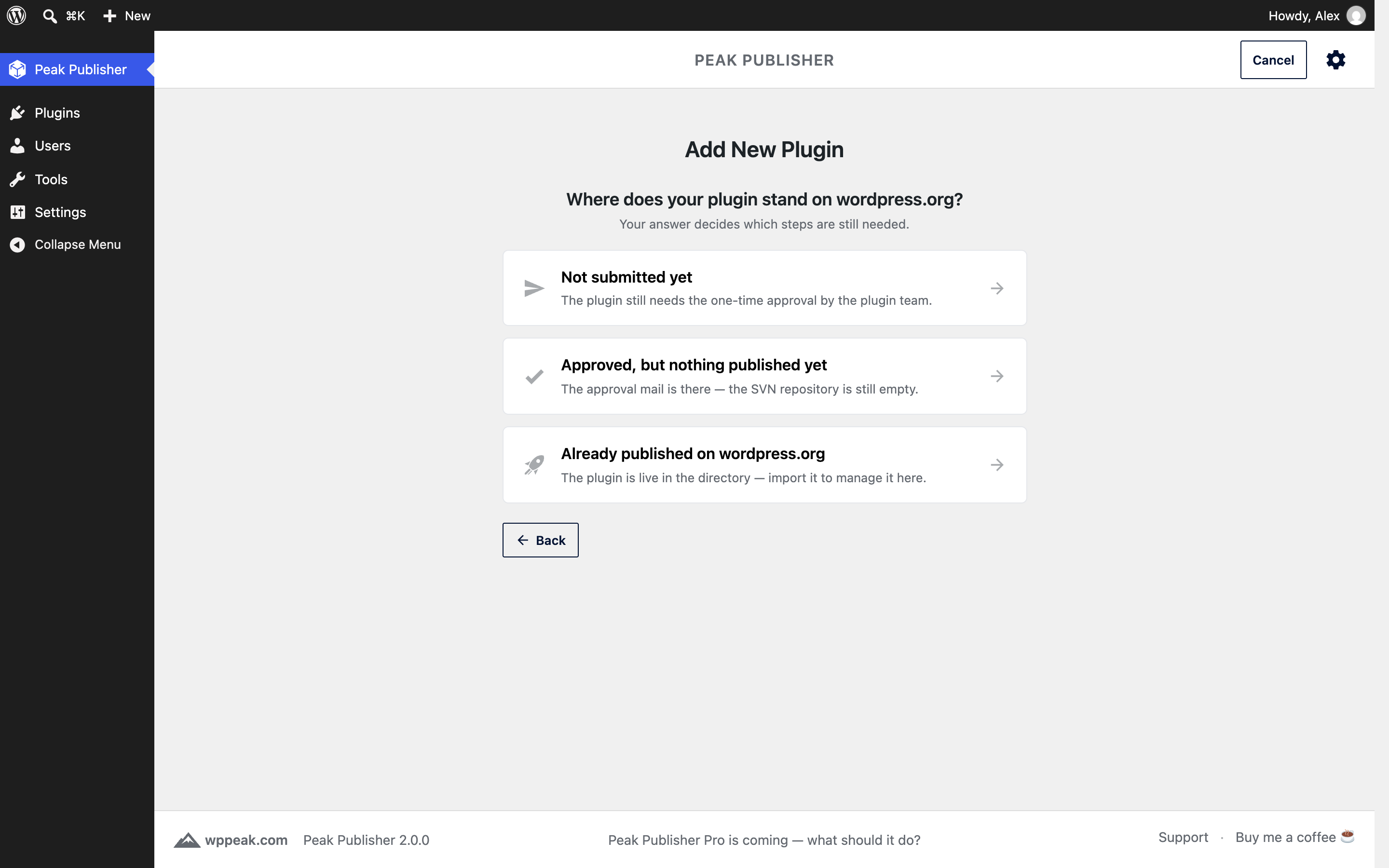
For wordpress.org, say where your plugin stands: not submitted yet, approved, or already published.

Import your published wordpress.org plugins with their releases, assets and figures.
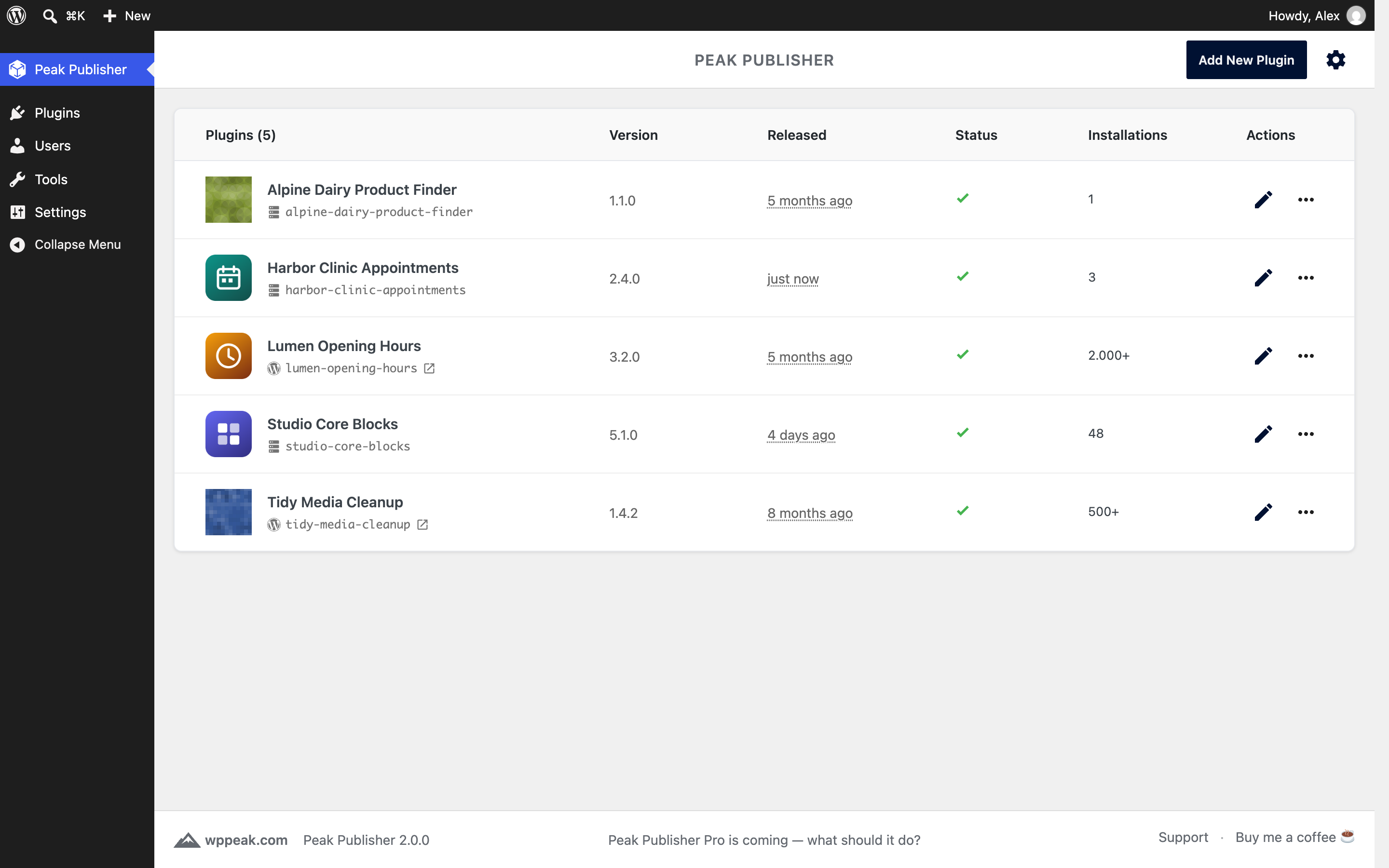
Self‑hosted and wordpress.org plugins side by side, each with its channel, current release, figures and a status column.
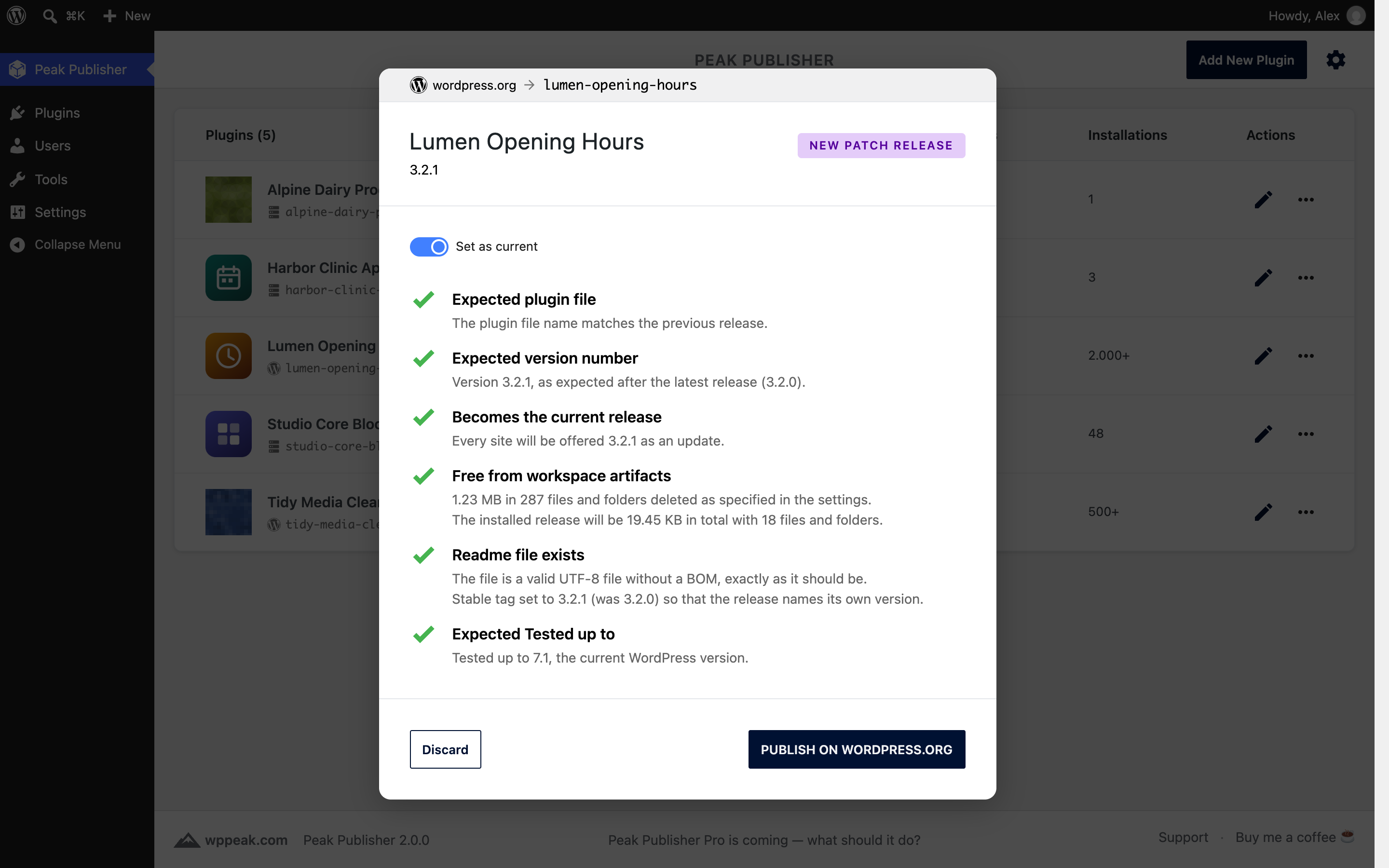
A wordpress.org release: the same drop, the same checklist, and the Stable tag set for you.

Publishing to wordpress.org shows its steps — reading, sending, saving — with no SVN client involved.

The editor of a wordpress.org plugin: active installs, downloads, Tested up to and rating from the directory.
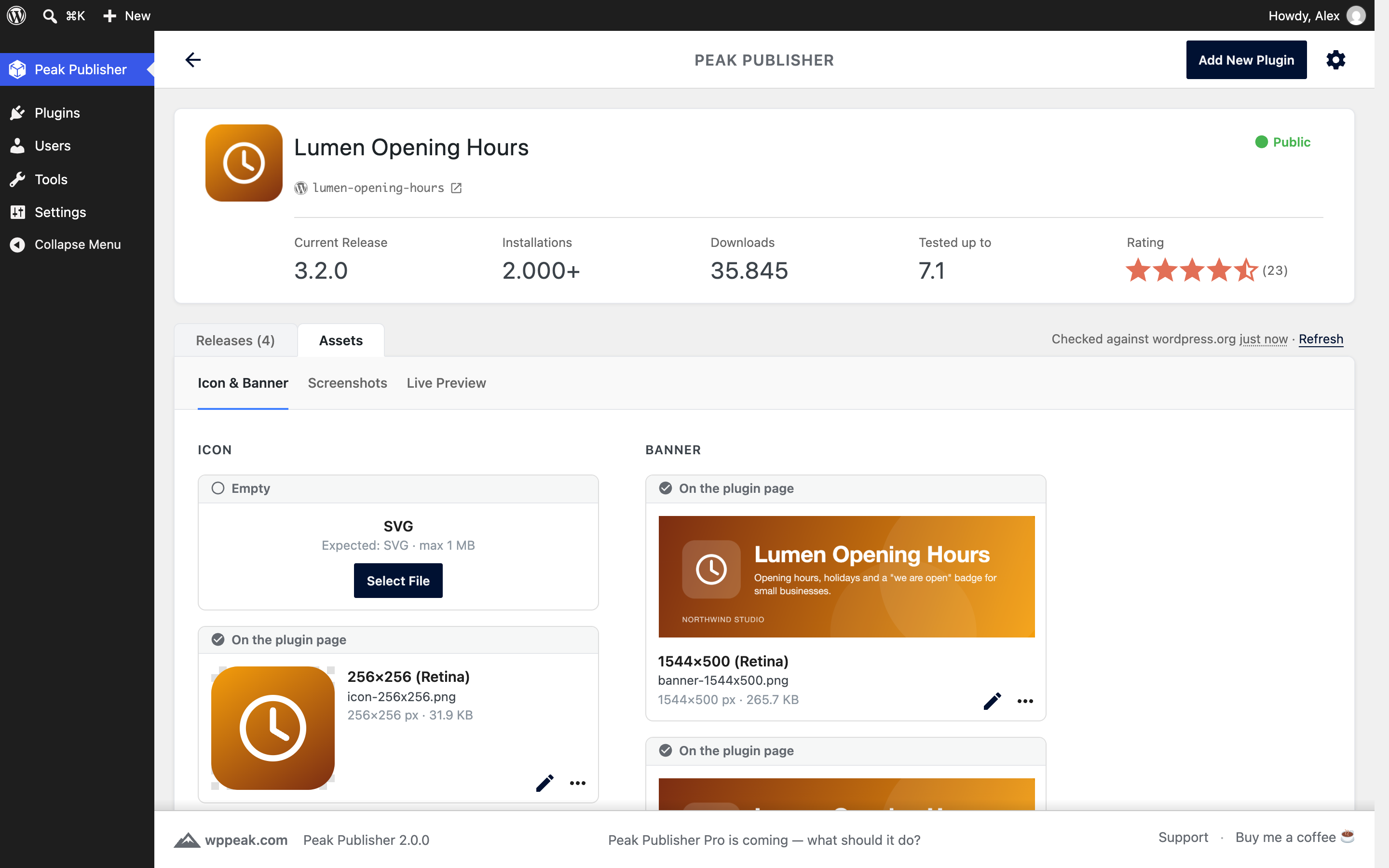
Assets by wordpress.org's rules: icon, banner and screenshots, each with its place on the plugin page; pending changes go up in one commit.

Live Preview: landing page, theme and plugins as fields, the JSON in expert mode, and a Test button that opens Playground.
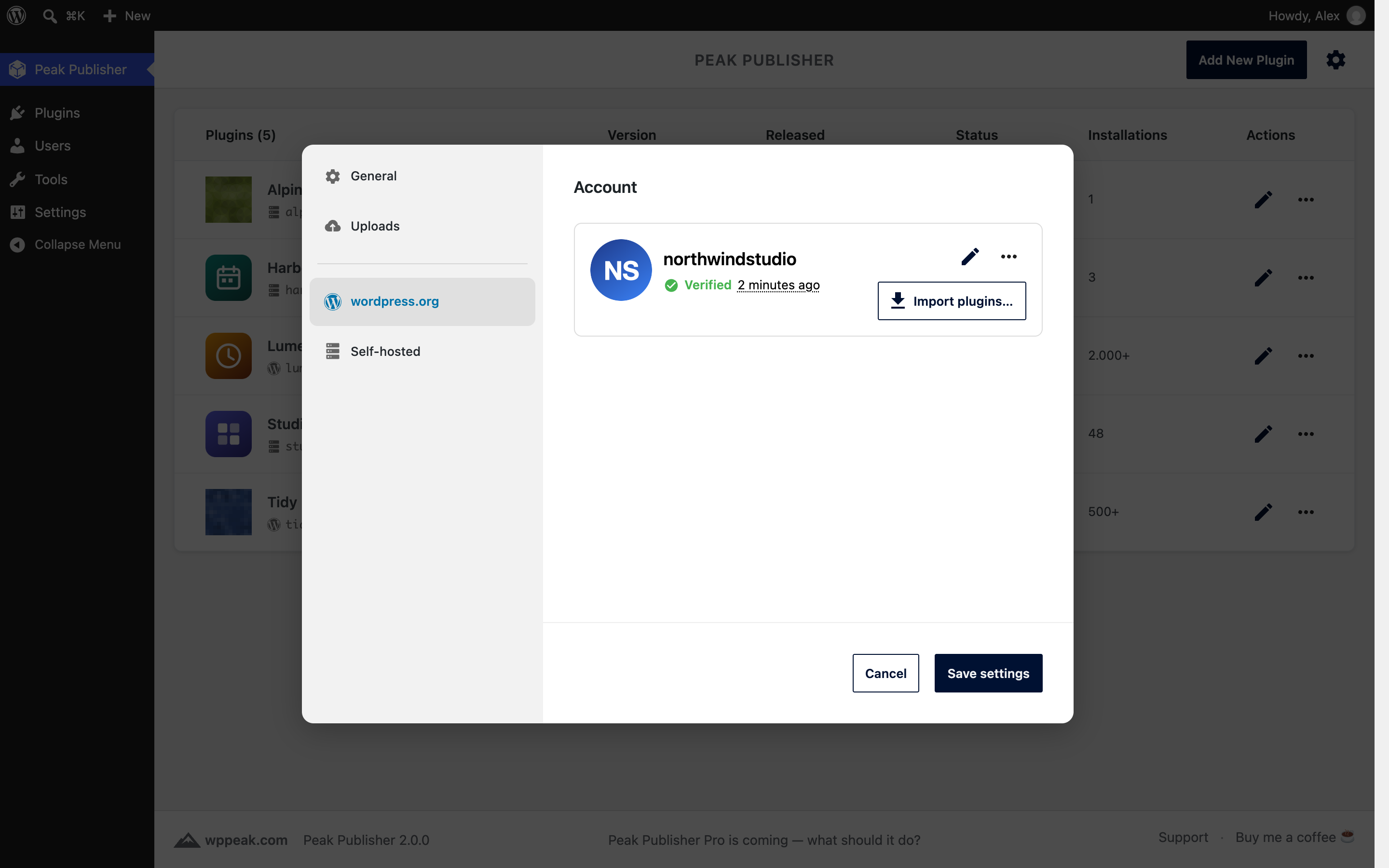
Settings: the wordpress.org account, verified, beside the self‑hosted options for the installation count and the whitelist.