On multilingual sites the ALT text is usually written once, in the main language, and then forgotten. Visitors on the German or French version get English ALT text, or none at all. Pewit AI Alt Translator translates image ALT text and captions into every WPML or Polylang language, and shows you the result before anything is saved.
What you get for free
- Translate ALT and caption per image – side-by-side preview of the original and the translation, applied only when you click Apply.
- WPML and Polylang support – target languages are detected automatically (falls back to the site locale).
- Glossary – keep brand and product names unchanged in every language.
- Language Mismatch Radar – finds images in translated content whose ALT text is empty or in the wrong language, with a CSV export.
- Your choice of AI – OpenAI, Anthropic Claude or Google Gemini with your own key, or WordPress 7.0+ Connectors.
- Works with metadata written by Pewit AI Media Toolkit in the default language.
What Pro adds
Pro is a separate plugin from pewitlabs.com, with a 14-day free trial.
- Bulk translation of the whole media library in the background.
- Review queue – approve or reject translations in bulk before anything is written.
- One-click fix for everything the Mismatch Radar found.
- Media Library bulk action “Translate ALT”.
- Job control – pause, resume and cancel, with a live log and an email when the job finishes.
- Agency plan – unlimited sites, white-label admin and priority support.
The free version does not contain Pro code. Upgrading means installing the Pro plugin, not unlocking hidden features.
External services
This plugin connects to third-party services to translate image metadata. Please review this before use.
You choose the AI provider in the plugin settings and use your own API key (BYOK), or on WordPress 7.0+ use the site-wide AI connectors (Settings Connectors) via the core AI Client. No data is sent to any provider until you trigger a translation. Requests go directly from your site to the selected provider under your own credentials and that provider’s terms. Nothing is sent to the plugin author.
WordPress AI Client (WordPress 7.0+, when connectors are configured):
* What and when: translation uses wp_ai_client_prompt() so credentials stay in core (Settings Connectors). Source ALT/caption text and your translation instructions are sent to whichever provider the site administrator configured.
OpenAI API (https://openai.com):
* What and when: when you translate (or bulk-translate) image ALT text and captions and OpenAI is the selected provider (BYOK fallback), the source text and your translation instructions are sent to OpenAI to produce the translated text.
* Data sent: the ALT/caption text, optional context and glossary you configure, the target language and the selected model name.
* Terms: https://openai.com/policies/terms-of-use — Privacy: https://openai.com/policies/privacy-policy
Anthropic (Claude) API (https://www.anthropic.com):
* What and when: only if you select Claude as the provider (BYOK fallback) — when you translate ALT text and captions, the source text and your translation instructions are sent to Anthropic to produce the translated text.
* Data sent: the ALT/caption text, optional context and glossary you configure, the target language and the selected model name.
* Terms: https://www.anthropic.com/legal/consumer-terms — Privacy: https://www.anthropic.com/legal/privacy
Google Gemini API (https://ai.google.dev):
* What and when: only if you select Gemini as the provider (BYOK fallback) — when you translate ALT text and captions, the source text and your translation instructions are sent to Google’s Generative Language API to produce the translated text.
* Data sent: the ALT/caption text, optional context and glossary you configure, the target language and the selected model name.
* Terms: https://ai.google.dev/gemini-api/terms — Privacy: https://policies.google.com/privacy
Freemius (licensing & checkout — https://freemius.com):
* What and when: used for license activation, updates and (for optional paid plans) checkout as Merchant of Record. Opt-in is optional.
* Terms: https://freemius.com/terms/ — Privacy: https://freemius.com/privacy/
Source code
All JavaScript and CSS shipped in this plugin (in assets/js and assets/css) is the original, hand-written, human-readable source. Nothing is minified, compiled, transpiled or generated by a build tool, so no separate source files are required — what you read in the plugin is the source. The only bundled third-party library is the Freemius SDK (vendor/freemius), whose source is available at https://github.com/Freemius/wordpress-sdk
1.1.6
- Changed: Tested up to WordPress 7.1.
- Fixed: hide third-party admin notices (license nags from other plugins) on PEWIT admin screens.
1.1.5
- Fixed: Plugin Check i18n — text domain in shared PEWIT Labs hub must be a string literal (
pewit-labs).
1.1.4
- Added: shared PEWIT Labs AI settings hub when 2+ suite plugins are active (provider, API key, model, global context).
Screenshots
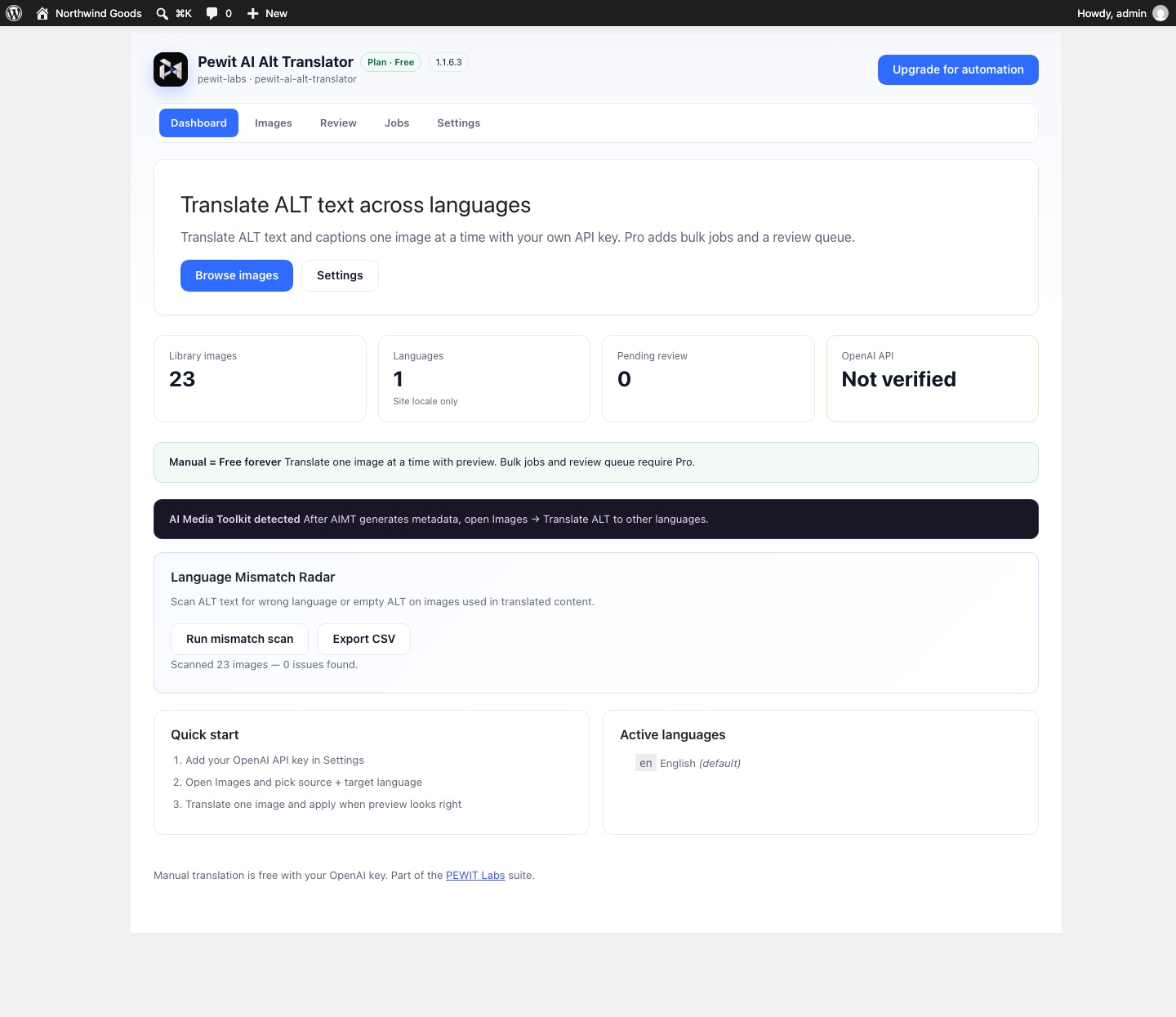
Dashboard with the Language Mismatch Radar.
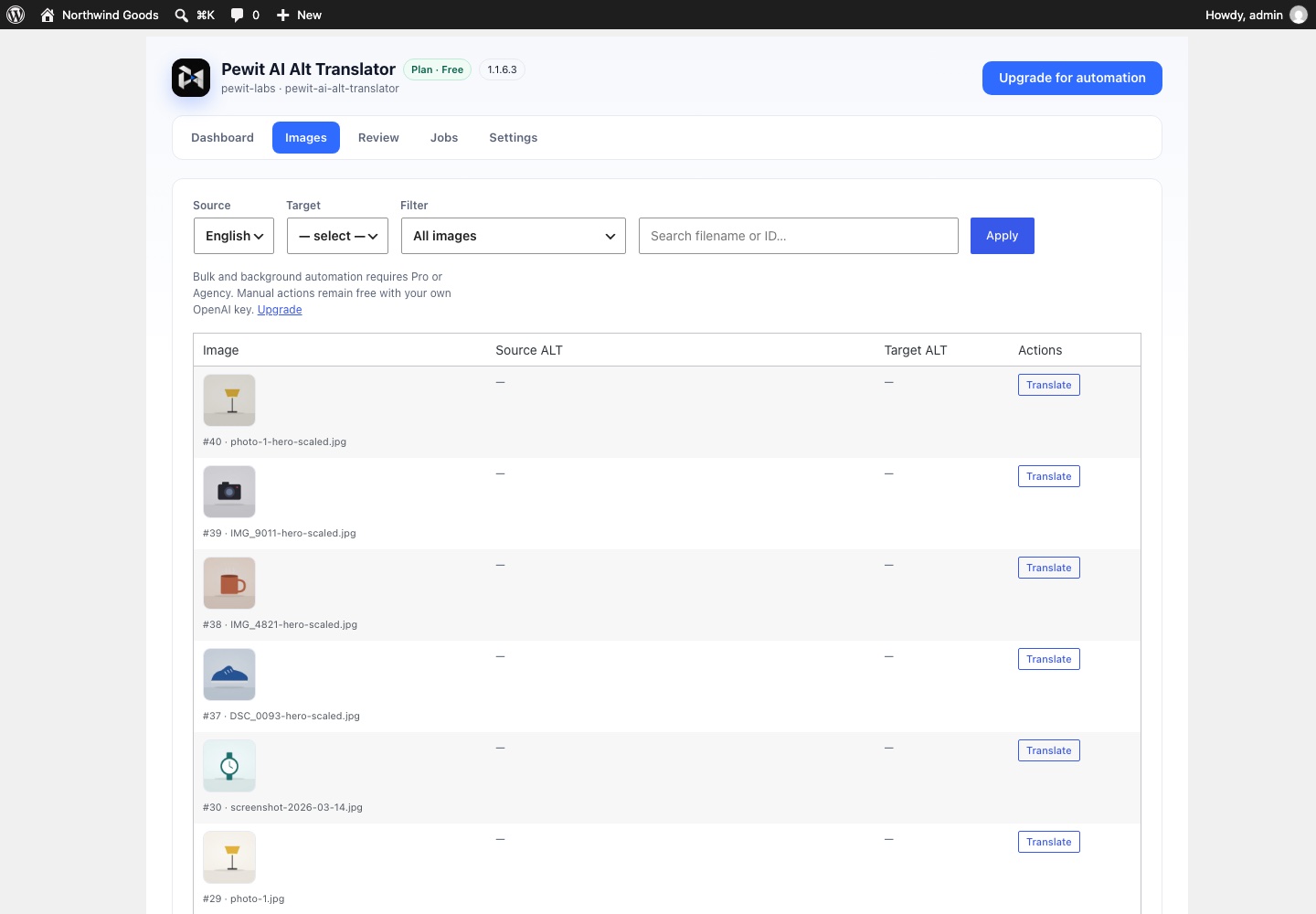
Images list with source and target ALT text and a Translate button per image.