Generic AI writing tools do not know what is already on your site. Pewit AI Content Assist does: it indexes your posts and pages and uses them when it drafts paragraphs, writes summaries and suggests internal links. The result reads like your site, and links point to content that actually exists.
What you get for free
- Editor sidebar (Gutenberg) – draft a paragraph, summarize a post or get internal link suggestions without leaving the editor.
- Grounded in your content – suggestions come from your own content index, not from generic filler.
- Content index with FAQ detection – see which pages already answer common questions.
- Orphan & Link Gap Map – find pages nothing links to and topics that should be linked together.
- Your choice of AI – OpenAI, Anthropic Claude or Google Gemini with your own key, or WordPress 7.0+ Connectors.
What Pro adds
Pro is a separate plugin from pewitlabs.com, with a 14-day free trial.
- Bulk meta descriptions and excerpts generated in the background for existing content.
- Automatic re-index when you publish or update a post, so suggestions are always current.
- Email notification when a bulk job finishes.
- Agency plan – unlimited sites, white-label admin and priority support.
The free version does not contain Pro code. Upgrading means installing the Pro plugin, not unlocking hidden features.
AI providers
- WordPress 7.0+ AI Client (Settings Connectors) when configured, with your own key as a fallback.
- OpenAI, Anthropic (Claude) and Google Gemini with your own API key. You pay your provider directly.
- Configurable model (default gpt-4o-mini) and a key test button.
External services
This plugin connects to third-party services to generate text and content suggestions. Please review this before use.
You choose the AI provider in the plugin settings and use your own API key (BYOK), or on WordPress 7.0+ use the site-wide AI connectors (Settings Connectors) via the core AI Client. No data is sent to any provider until you trigger an action. Requests go directly from your site to the selected provider under your own credentials and that provider’s terms. Nothing is sent to the plugin author.
WordPress AI Client (WordPress 7.0+, when connectors are configured):
* What and when: drafting, summaries and link suggestions use wp_ai_client_prompt() so credentials stay in core (Settings Connectors). Selected text, prompts and grounding context are sent to whichever provider the site administrator configured.
OpenAI API (https://openai.com):
* What and when: when you draft, expand, summarize or request internal-link suggestions, or run a bulk meta/excerpt job, and OpenAI is the selected provider (BYOK fallback), the selected text and prompt are sent to OpenAI to produce the requested text.
* Data sent: the text you select or write, optional global context you configure, titles/snippets of indexed posts used for grounding, and the selected model name.
* Terms: https://openai.com/policies/terms-of-use — Privacy: https://openai.com/policies/privacy-policy
Anthropic (Claude) API (https://www.anthropic.com):
* What and when: only if you select Claude as the provider (BYOK fallback) — when you run a text action, your text prompt and context are sent to Anthropic to produce the requested text.
* Data sent: the text prompt, optional global context you configure, grounding snippets, and the selected model name.
* Terms: https://www.anthropic.com/legal/consumer-terms — Privacy: https://www.anthropic.com/legal/privacy
Google Gemini API (https://ai.google.dev):
* What and when: only if you select Gemini as the provider (BYOK fallback) — when you run a text action, your text prompt and context are sent to Google’s Generative Language API to produce the requested text.
* Data sent: the text prompt, optional global context you configure, grounding snippets, and the selected model name.
* Terms: https://ai.google.dev/gemini-api/terms — Privacy: https://policies.google.com/privacy
Freemius (licensing & checkout — https://freemius.com):
* What and when: used for license activation, updates and checkout for paid Pro / Agency plans as Merchant of Record. Opt-in is optional.
* Terms: https://freemius.com/terms/ — Privacy: https://freemius.com/privacy/
Source code
All JavaScript and CSS shipped in this plugin (in assets/js and assets/css) is the original, hand-written, human-readable source. Nothing is minified, compiled, transpiled or generated by a build tool, so no separate source files are required — what you read in the plugin is the source. The only bundled third-party library is the Freemius SDK (vendor/freemius), whose source is available at https://github.com/Freemius/wordpress-sdk
Screenshots
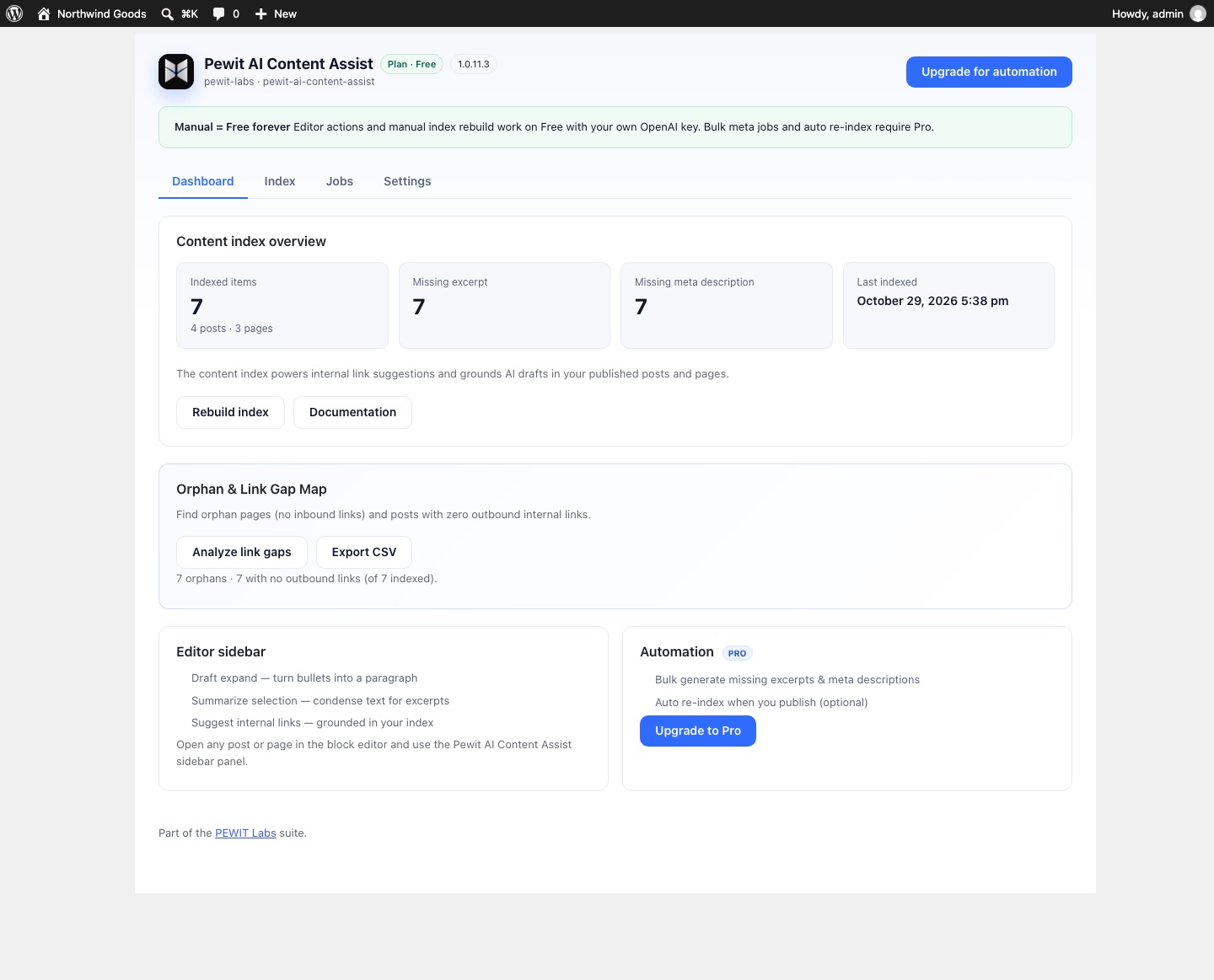
Content index overview and the Orphan & Link Gap Map.