Most media libraries are full of files called IMG_4821.jpg with no ALT text, no title and no caption. That hurts accessibility, image search and the way AI assistants understand your pages. Pewit AI Media Toolkit finds those images and writes the missing metadata for you with an OpenAI vision model, using your own API key.
The free version is a complete single-image workflow. Pro is for sites where doing it image by image would take days.
What you get for free
- Library scan – find images with missing ALT, incomplete metadata, bad filenames or broken thumbnail sizes, with filters and search.
- AI metadata, one image at a time – ALT, title, caption and description written by a vision model that actually looks at the picture.
- Three generation modes – Balanced, SEO (keyword-aware) and WCAG (strict accessibility wording).
- Language and context – metadata in your site language, with optional brand and page context so ALT text matches what the image is used for.
- AI featured image generator for posts that have none.
- Duplicate and quality analysis with a CSV report.
No account, no locked buttons and no time limit. You pay OpenAI directly for what you use (usually a fraction of a cent per image with gpt-4o-mini).
What Pro adds
Pro is a separate plugin from pewitlabs.com, with a 14-day free trial.
- Bulk generation – process the whole library, or everything matching a filter, in a background queue you can pause and resume.
- SEO filename rename – rename IMG_4821.jpg to terracotta-coffee-mug.jpg while keeping the same attachment ID and updating image URLs in your content.
- Backups and one-click rollback – automatic snapshots before any change.
- Used-Only Autopilot – generate metadata on upload and run scheduled scans with email summaries.
- Repair tools – replace a file, regenerate thumbnails, fix broken sizes.
- Agency plan – unlimited sites, white-label admin and priority support.
The free version does not contain Pro code. Upgrading means installing the Pro plugin, not unlocking hidden features.
Who it is for
Store owners with hundreds of product photos, bloggers who never filled in ALT text, and agencies cleaning up client sites before an SEO or accessibility audit.
External services
This plugin connects to third-party services to generate image metadata. Please review this before use.
You choose the AI provider in the plugin settings and use your own API key (BYOK). No data is sent to any provider until you trigger a generation. Requests go directly from your site to the selected provider under your own key and that provider’s terms. Nothing is sent to the plugin author.
OpenAI API (https://openai.com):
* What and when: when you generate image metadata (vision), generate an image (DALL·E), or run a text task, the image data/URL and/or text prompt are sent to OpenAI to produce ALT text, title, caption, description or image output.
* Data sent: the image data/URL, optional context text you configure, and the selected model name.
* Terms: https://openai.com/policies/terms-of-use — Privacy: https://openai.com/policies/privacy-policy
Anthropic (Claude) API (https://www.anthropic.com):
* What and when: only if you select Claude as the text provider — when you run a text generation task, your text prompt (and image data, for vision-capable models) is sent to Anthropic to produce the requested text.
* Data sent: the text prompt, optional context text you configure, and the selected model name.
* Terms: https://www.anthropic.com/legal/consumer-terms — Privacy: https://www.anthropic.com/legal/privacy
Google Gemini API (https://ai.google.dev):
* What and when: only if you select Gemini as the text provider — when you run a text generation task, your text prompt (and image data, for vision-capable models) is sent to Google’s Generative Language API to produce the requested text.
* Data sent: the text prompt, optional context text you configure, and the selected model name.
* Terms: https://ai.google.dev/gemini-api/terms — Privacy: https://policies.google.com/privacy
Freemius (licensing & checkout — https://freemius.com):
* What and when: used for license activation, updates and (for paid plans) checkout as Merchant of Record. Opt-in is optional.
* Terms: https://freemius.com/terms/ — Privacy: https://freemius.com/privacy/
Source code
All JavaScript and CSS shipped in this plugin (in assets/js and assets/css) is the original, hand-written, human-readable source. Nothing is minified, compiled, transpiled or generated by a build tool, so no separate source files are required — what you read in the plugin is the source. The only bundled third-party library is the Freemius SDK (vendor/freemius), whose source is available at https://github.com/Freemius/wordpress-sdk
Screenshots
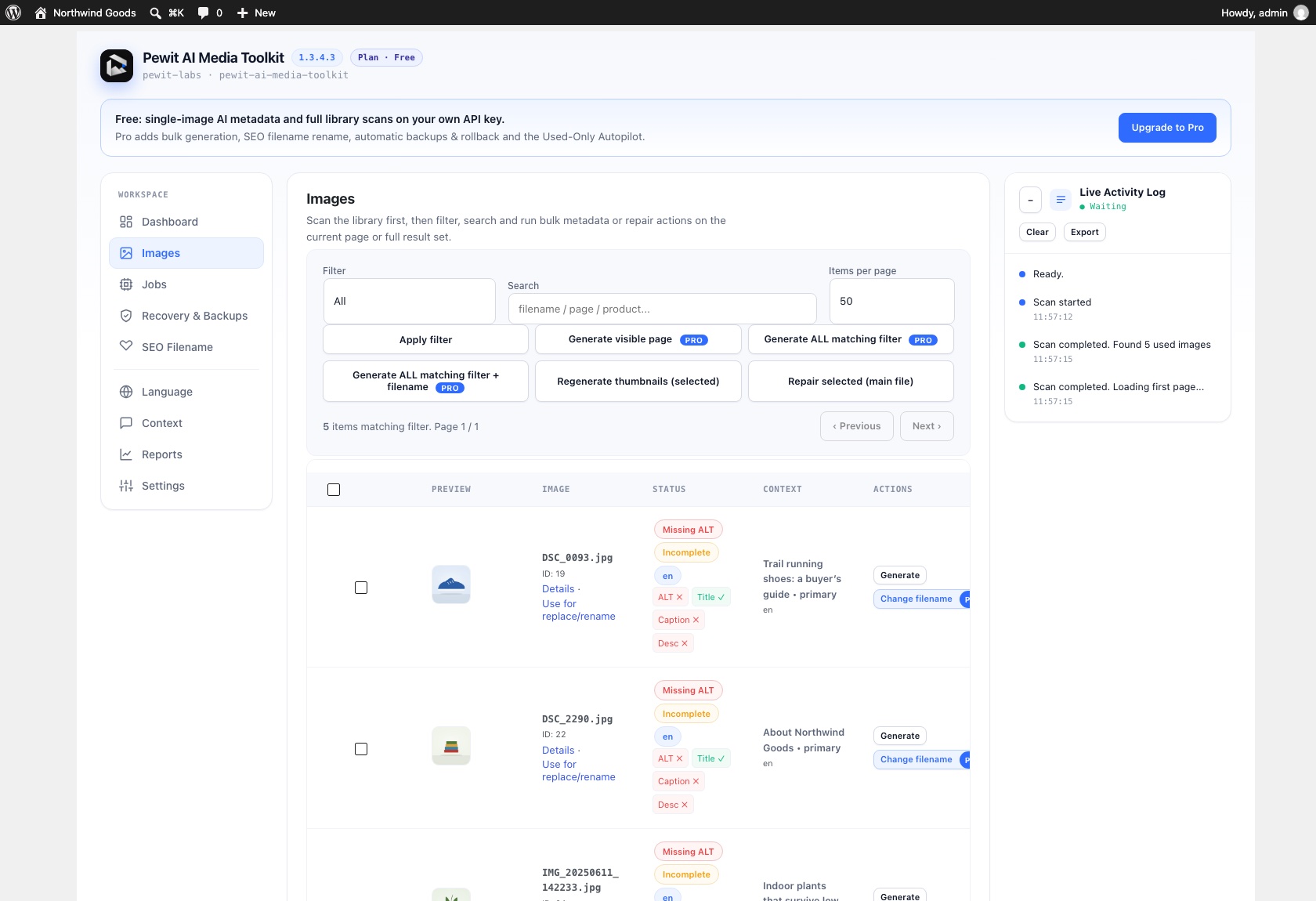
Library scan: every image with its missing ALT, title, caption and description, plus the page it is used on.
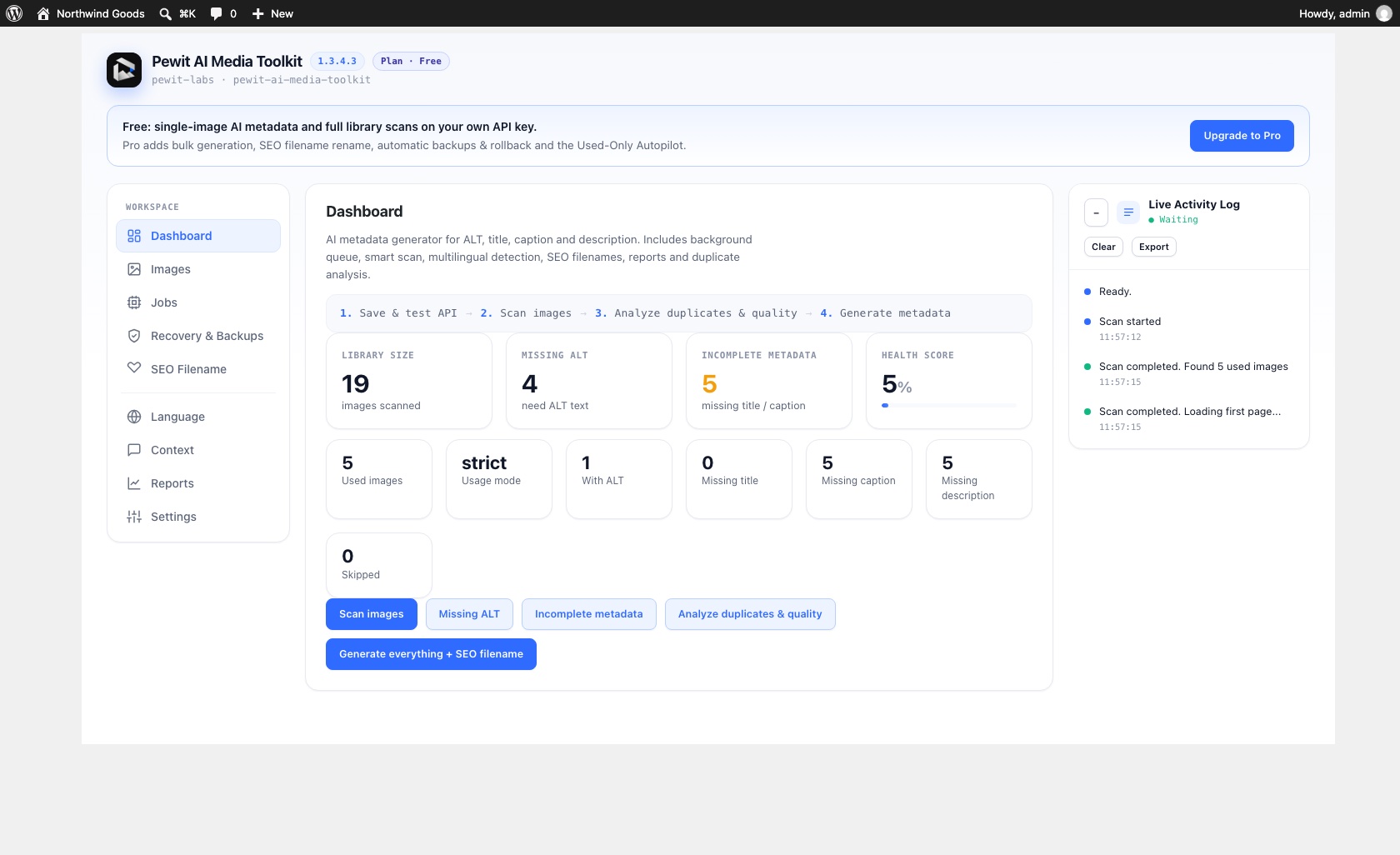
Dashboard after a scan: library size, missing ALT, incomplete metadata and a health score.