Machine translation credits in WPML and Polylang add up quickly. Pewit AI Multilingual Translator translates your content with an AI model you already pay for: your own OpenAI key, or the AI connectors built into WordPress 7.0+. You keep your existing WPML or Polylang workflow and pay the provider’s API price instead of per-word credits.
What you get for free
- WPML – translate XLIFF packages and Translation Management jobs.
- Polylang – translate a post into another language, one post at a time.
- Glossary – terms that must stay the same, or must be translated a specific way.
- Review queue – check translations before they are applied or downloaded.
- Cost estimate before you translate.
- OpenAI with your own key, or WordPress 7.0+ Connectors.
What Pro adds
Pro is a separate plugin from pewitlabs.com, with a 14-day free trial.
- Bulk translation for Polylang and WPML Translation Management as background jobs.
- Automatic XLIFF import back into WPML when a job is done.
- Claude and Gemini as additional providers.
- Agency plan – unlimited sites, white-label admin and priority support.
The free version does not contain Pro code. Upgrading means installing the Pro plugin, not unlocking hidden features.
Your keys, your provider
Requests go directly from your site to the provider you choose, under that provider’s terms. PEWIT Labs does not see your content or your key.
External services
This plugin connects to third-party AI providers to translate your content. Please review this before use.
You choose the AI provider in the plugin settings and use your own API key (BYOK), or on WordPress 7.0+ use the site-wide AI connectors (Settings Connectors) via the core AI Client. No data is sent to any provider until you trigger a translation or test the connection. Requests go directly from your site to the selected provider under your own credentials and that provider’s terms. Nothing is sent to the plugin author.
WordPress AI Client (WordPress 7.0+, when connectors are configured):
* What and when: translation uses wp_ai_client_prompt() so credentials stay in core (Settings Connectors). Source text, optional site context/glossary and translation instructions are sent to whichever provider the site administrator configured.
OpenAI API (https://openai.com):
* What and when: when you test the API connection or translate content (XLIFF segments or Polylang post fields) with OpenAI selected as the provider (BYOK fallback), the source text to translate, your optional site context/glossary and the selected model name are sent to OpenAI to produce the translation. Endpoints: https://api.openai.com/v1/responses and https://api.openai.com/v1/chat/completions.
* Data sent: the source text, optional context/glossary you configure, and the selected model name.
* Terms: https://openai.com/policies/terms-of-use — Privacy: https://openai.com/policies/privacy-policy
Anthropic (Claude) API (https://www.anthropic.com):
* What and when: only if you select Claude as the provider (BYOK fallback) — when you test the connection or translate content, the source text, optional context/glossary and the selected model name are sent to Anthropic to produce the translation. Endpoint: https://api.anthropic.com/v1/messages.
* Data sent: the source text, optional context/glossary you configure, and the selected model name.
* Terms: https://www.anthropic.com/legal/consumer-terms — Privacy: https://www.anthropic.com/legal/privacy
Google Gemini API (https://ai.google.dev):
* What and when: only if you select Gemini as the provider (BYOK fallback) — when you test the connection or translate content, the source text, optional context/glossary and the selected model name are sent to Google’s Generative Language API to produce the translation. Endpoint: https://generativelanguage.googleapis.com/v1beta/models/.
* Data sent: the source text, optional context/glossary you configure, and the selected model name.
* Terms: https://ai.google.dev/gemini-api/terms — Privacy: https://policies.google.com/privacy
Freemius (licensing & updates — https://freemius.com):
* What and when: used for plugin updates and optional anonymous usage diagnostics. Opt-in is optional.
* Terms: https://freemius.com/terms/ — Privacy: https://freemius.com/privacy/
Source code
All JavaScript and CSS shipped in this plugin (in assets/js and assets/css) is the original, hand-written, human-readable source. Nothing is minified, compiled, transpiled or generated by a build tool, so no separate source files are required — what you read in the plugin is the source. The only bundled third-party library is the Freemius SDK (vendor/freemius), whose source is available at https://github.com/Freemius/wordpress-sdk
Screenshots
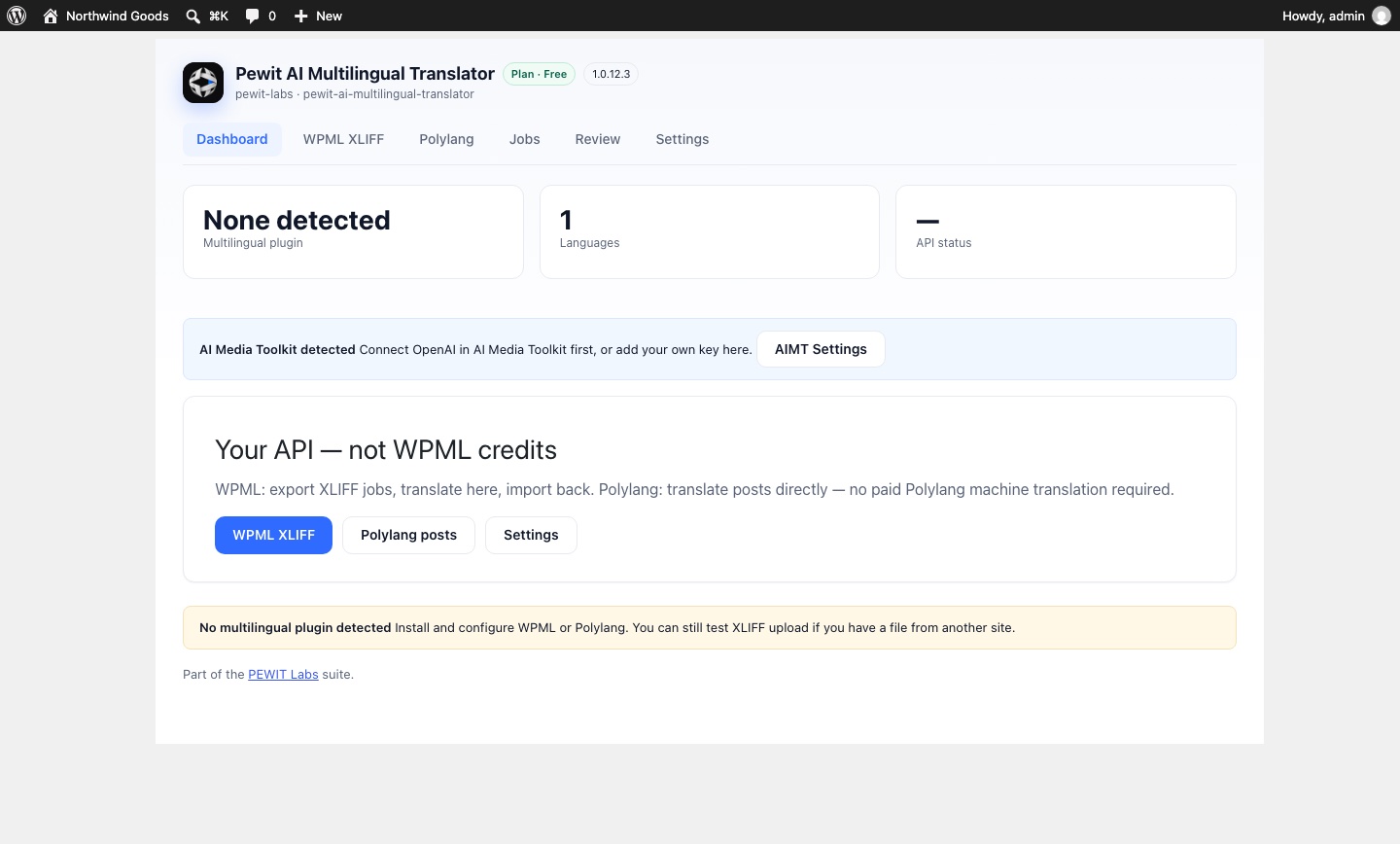
Dashboard: detected multilingual plugin, languages and API status.