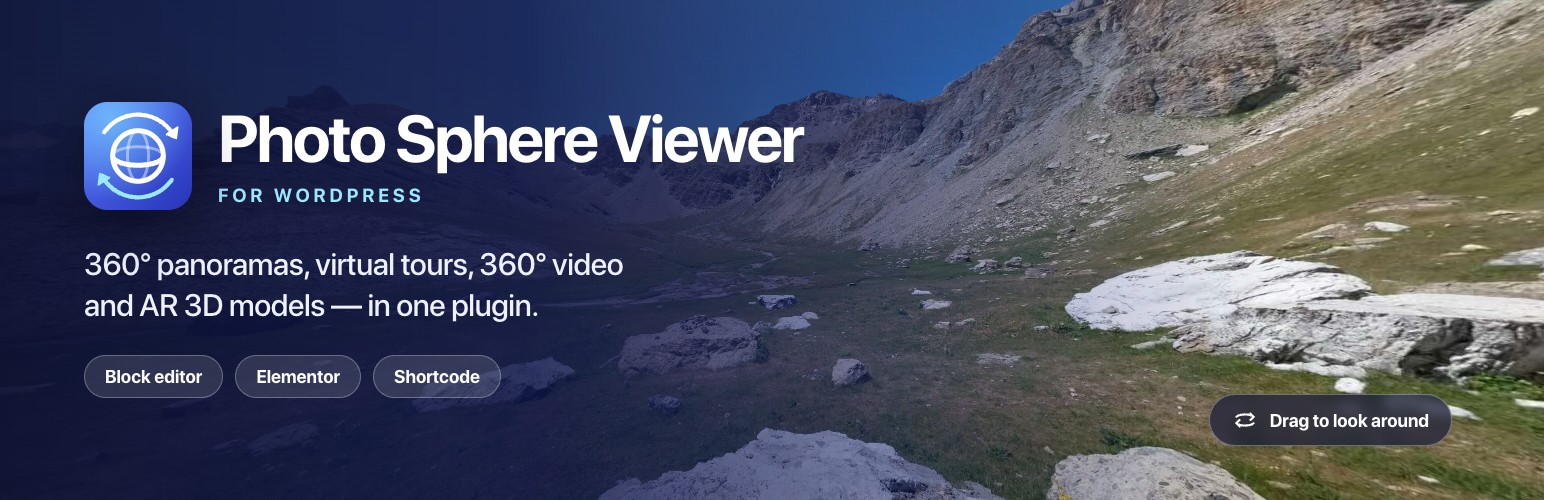
Photo Sphere Viewer is a WordPress plugin that embeds interactive 360° content — panoramas, multi-scene virtual tours, 360° video and AR-ready 3D models — directly in your pages. Visitors drag, pinch and zoom to look around. You add a viewer with a block-editor block, an Elementor widget or a shortcode. Everything is hosted on your own site: no iframes, no third-party embed account, no watermark.
The free version has no limit on panoramas, tour scenes, videos or models, and includes info hotspots, auto-rotation, gyroscope viewing on phones and 360° video autoplay. Photo Sphere Viewer Pro adds unlimited hotspots with photos, a scene gallery and compass for tours, and full-resolution image loading for drone panoramas.
Try it before you install: click Live Preview above to open a working panorama with hotspots and a three-scene virtual tour in your browser.
At a glance
- What it shows: 360° panoramas (equirectangular JPEG/PNG), virtual tours, 360° video (MP4) and 3D models (.glb / .gltf) with an AR button on phones
- How you add it: the 360° Panorama and 360° Virtual Tour blocks, four Elementor widgets, or the
[psv],[psv_tour],[psv_video]and[psv_ar]shortcodes - Who it is for: real estate agents, hotels and vacation rentals, 360° and drone photographers, museums and campuses, WooCommerce stores, architects
- Works with: any stitched equirectangular image — DJI, Ricoh Theta, Insta360, GoPro MAX, Qoocam, Kandao, Google Street View and Android Photo Sphere exports
- Price: free. An optional Pro add-on adds unlimited hotspots, tour navigation and full-resolution loading, with a 30-day money-back guarantee
Four viewers in one plugin
360° panorama viewer — Upload an equirectangular photo and visitors look around it on desktop or mobile. Add info hotspots that label what they are looking at, let it auto-rotate, and set the field of view, zoom limits, movement speed and starting angle. The toolbar carries zoom, auto-rotate, caption, download, fullscreen and a gyroscope button for phones.
Virtual tour builder — Link as many scenes as you want with 3D arrows. In the block editor you place each arrow by clicking on the photo where the doorway is. Each scene has its own caption and starting view, and you choose which scene opens first. A good fit for property walkthroughs, hotel tours and museum floor plans.
360° video player — The same look-around interaction for an equirectangular MP4, with play/pause, seek and volume controls, plus muted autoplay and loop.
AR 3D model viewer — Embed a .glb or .gltf model with Google’s <model-viewer>. Visitors rotate it in the page, and phones that support AR get a button to place it in their room. Set a poster image, auto-rotate, shadow intensity, HDR environment lighting, a skybox background and alignment.
How to add a 360° panorama to WordPress
- Install and activate Photo Sphere Viewer.
- Upload your equirectangular photo to the Media Library.
- Add it to a page in whichever editor you use:
- Block editor (Gutenberg): insert the 360° Panorama block, pick the photo, then set the caption, height, toolbar and hotspots in the sidebar. For a walk-through, insert the 360° Virtual Tour block and pick several photos.
- Elementor: drag the Photo Sphere Viewer widget into your layout and choose the image.
- Anywhere else: open Photo Sphere Viewer in the admin menu, choose Shortcode, build one visually and paste it into a post, widget area or WooCommerce product description.
- Publish. The viewer is responsive and touch-ready by default.
Tours, 360° video and 3D models work the same way through their own Elementor widgets (PSV Virtual Tour, PSV 360° Video, AR 3D Viewer) or the Shortcode Builder.
What you get for free
- All four viewers, with unlimited panoramas, tour scenes, videos and 3D models
- No watermark on your viewers
- Info hotspots — up to five per panorama, each with a label on hover and a panel with text and a link
- Auto-rotation on panoramas and tours, with an option to start on load
- Gyroscope viewing — phone visitors look around by moving their device
- Zoom, caption, download and fullscreen toolbar buttons
- Virtual tours with 3D navigation arrows and per-scene captions and starting angles
- 360° video with play, seek and volume controls, muted autoplay and loop
- 3D models with a mobile AR button, poster image, auto-rotate, shadows, HDR lighting and a skybox
- The 360° Panorama and 360° Virtual Tour blocks — place hotspots and tour arrows by clicking on the photo — four Elementor widgets and a visual Shortcode Builder
- Field of view, starting yaw and pitch, mouse-wheel zoom, drag, two-finger touch and fisheye options
- Styling for the toolbar background, caption colour, typography and alignment
- Width and height in px, %, vh or vw
- Translation-ready, and works with WPML and Polylang
What Pro adds
Upgrade when a tour has to sell — a listing, a hotel, a venue:
- Unlimited info hotspots, with a photo in each panel — label every room and feature, and show the floor plan, the view or the finish right where the visitor is looking
- Full-resolution originals — WordPress downsizes any upload over 2560px to a
-scaledcopy. Pro loads the original instead, so a 40MP drone panorama keeps its detail - Scene gallery bar and compass overlay for virtual tours — visitors jump straight to a room and see which way they face
- Panorama gallery, on-screen move buttons and a description panel
- Restricted viewing angle to hide a tripod, ceiling or anything else out of frame
- Custom camera orbit and gesture locks for 3D models
- Priority email support from the WPXERO team
Pro is an add-on to this plugin, so everything you have already built keeps working. It comes with a 30-day money-back guarantee.
Built for real camera gear
- DJI and other drone panoramas — high-megapixel aerial panoramas are exactly what WordPress’s 2560px
-scaledcopy damages. Pro’s full-resolution loading serves the original upload - Ricoh Theta, Insta360, GoPro MAX, Qoocam, Kandao — any properly stitched equirectangular JPEG or PNG works without a special export
- Google Street View and Android Photo Sphere — upload the file and go
Who uses it
- Real estate — property walkthroughs and listing tours
- Hotels and vacation rentals — show rooms before guests book
- 360° and drone photographers — portfolios that keep their detail
- Museums, campuses and venues — self-guided tours
- WooCommerce stores — 360° product views and AR models in product descriptions
- Architects and interior designers — spaces clients can explore
Compatibility
Works with the block editor, Elementor and Elementor Pro, WooCommerce, Yoast SEO, Rank Math, WPML, Polylang, WP Rocket, LiteSpeed Cache and W3 Total Cache. The viewer scripts load only on pages that contain a viewer.
How It Works
Using the block editor
Add the 360° Panorama block, choose an equirectangular photo, and set the caption, height, toolbar buttons and info hotspots in the sidebar. Click Place on panorama to position a hotspot by pointing at the photo.
Add the 360° Virtual Tour block and choose several photos at once — they are linked in order straight away. Click Place arrow on any link to put it where the doorway is, and Set starting view to choose what visitors see first. For 360° video and 3D models, build a shortcode with the Shortcode Builder and paste it into a Shortcode block.
Using Elementor
Open the Elementor editor and search the widget panel for Photo Sphere Viewer, PSV Virtual Tour, PSV 360° Video or AR 3D Viewer. Drag one into your layout, choose your image, video or model, then set the toolbar and styling options. Widgets you don’t use can be switched off from the plugin’s admin screen.
Using shortcodes
Build a shortcode visually with the Shortcode Builder in the admin menu, or write one by hand:
[psv image="https://example.com/panorama.jpg" caption="Living room"]

[psv_video src="https://example.com/360-video.mp4"]

[psv_ar src="https://example.com/model.glb"]<h3>External services</h3>
Google Hosted Libraries — <model-viewer>
The AR 3D Viewer loads Google’s model-viewer web component from https://ajax.googleapis.com/ajax/libs/model-viewer/3.4.0/model-viewer.min.js. It is requested by the visitor’s browser only on pages that actually contain an AR 3D Viewer widget or a [psv_ar] shortcode; pages without one make no request. Loading a script from Google’s CDN exposes the visitor’s IP address and user agent to Google, as any externally hosted asset does. No other data is sent, and the plugin sends nothing to this service itself.
Google Hosted Libraries terms: https://developers.google.com/terms
Google privacy policy: https://policies.google.com/privacy
If another plugin has already registered the psv-ar-model-viewer script handle, this plugin defers to it and makes no request of its own.
Freemius
Licensing, updates and the optional usage-data opt-in are handled by Freemius. Nothing is sent unless you opt in during activation. Terms: https://freemius.com/terms/ — Privacy: https://freemius.com/privacy/
Screenshots
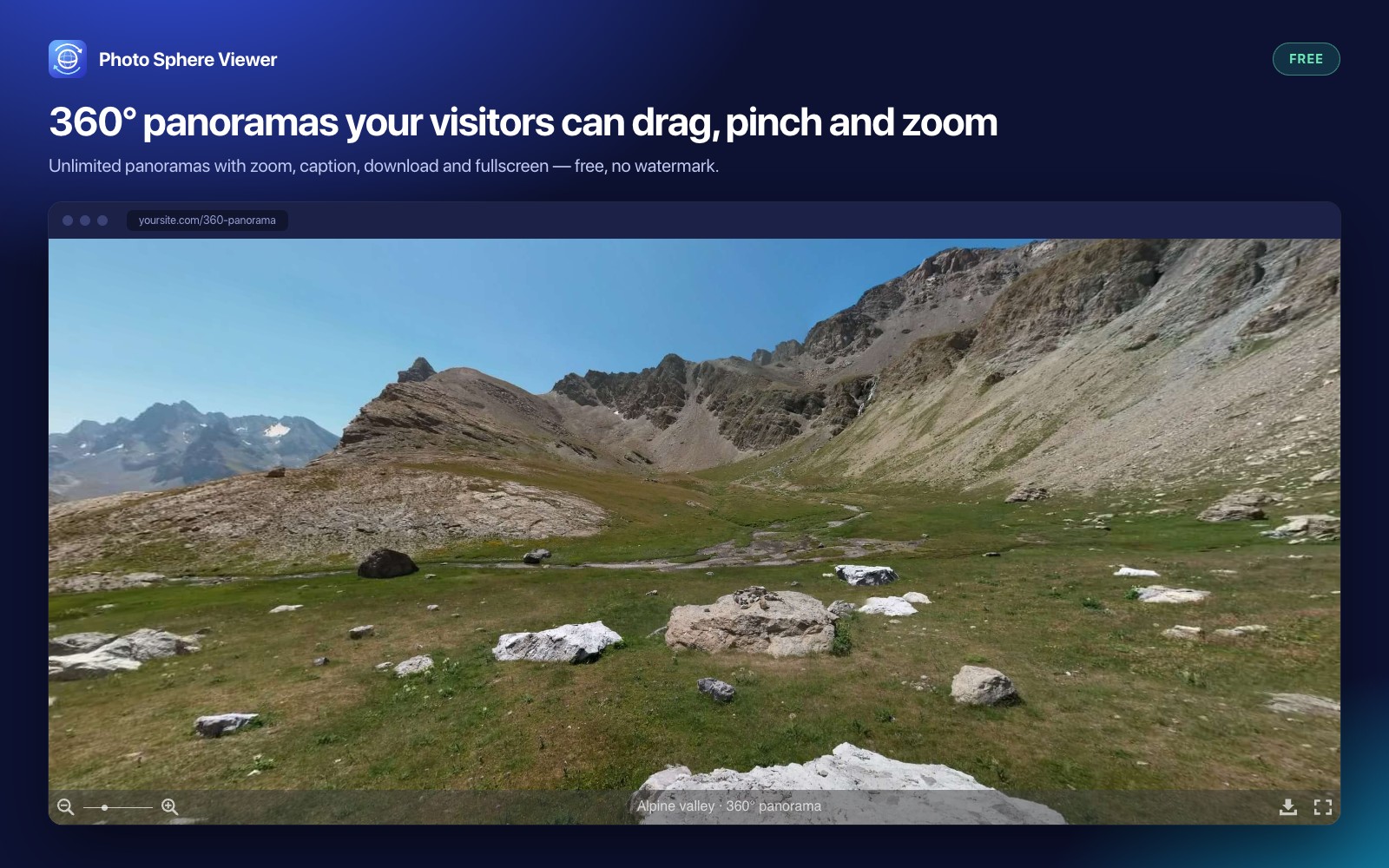
360° panorama viewer with zoom, caption, download and fullscreen controls (free)
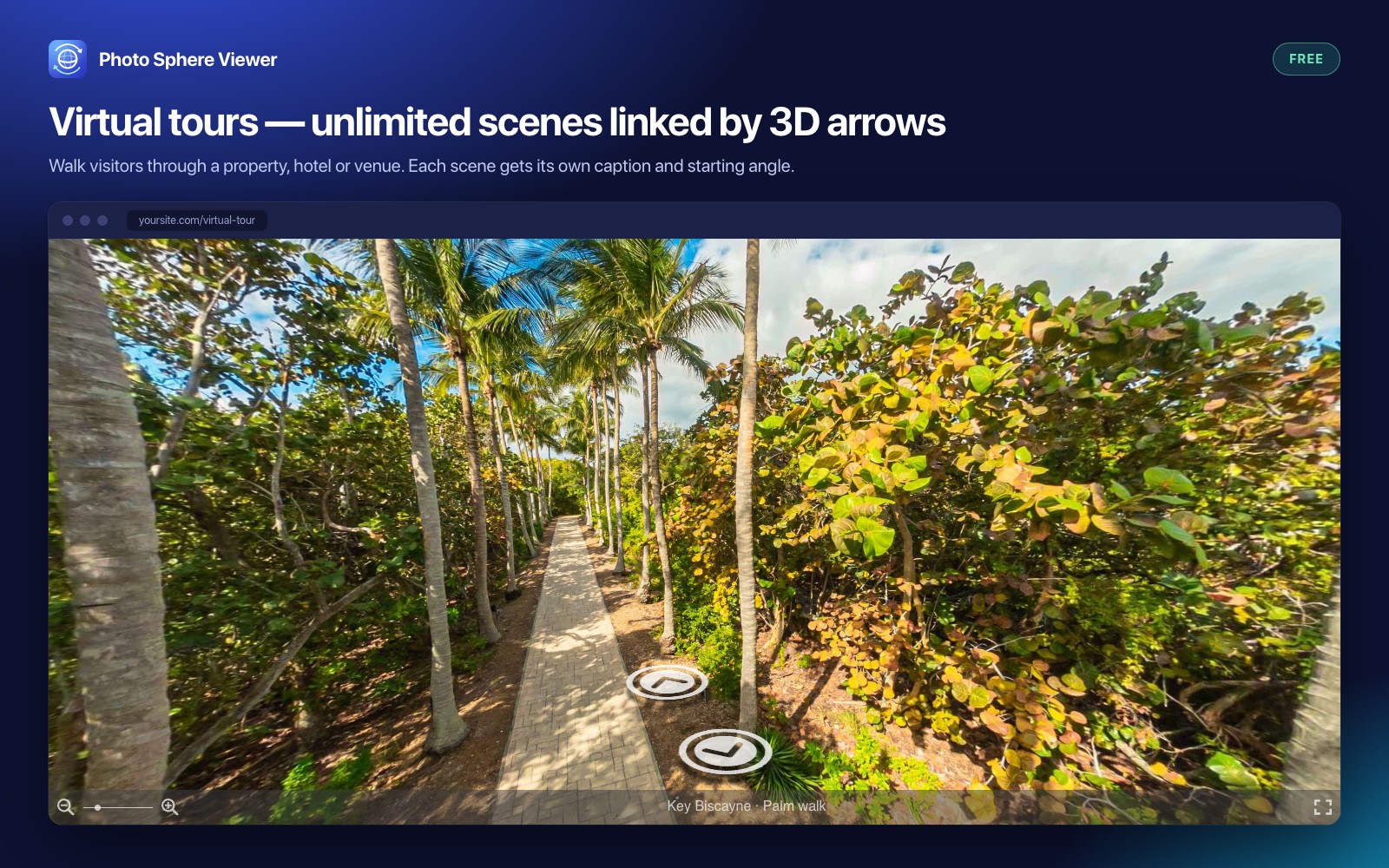
Virtual tour with 3D arrows linking unlimited scenes (free)
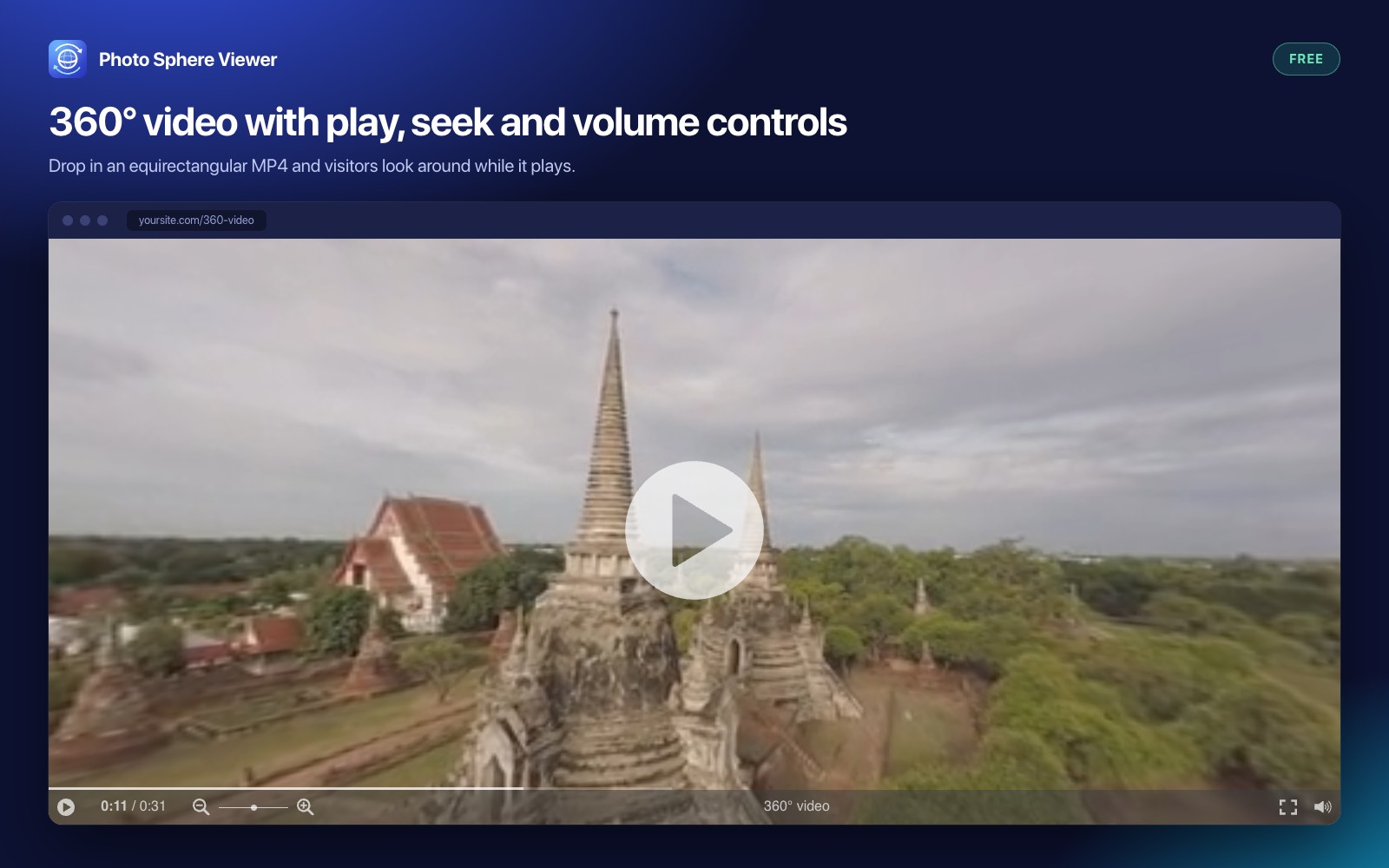
360° video player with play, seek and volume controls (free)
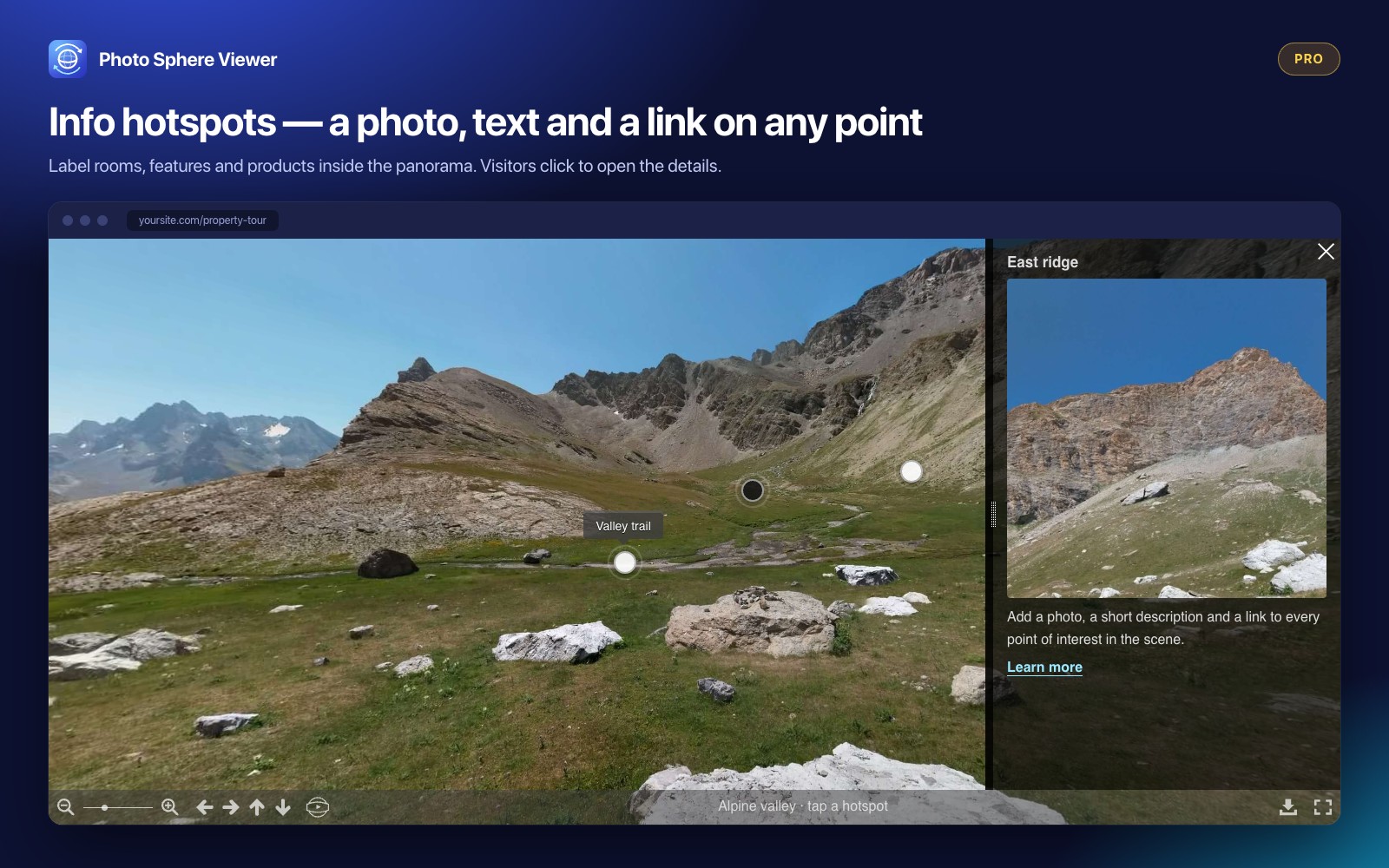
Info hotspots that open a panel with text and a link — photos in the panel with Pro
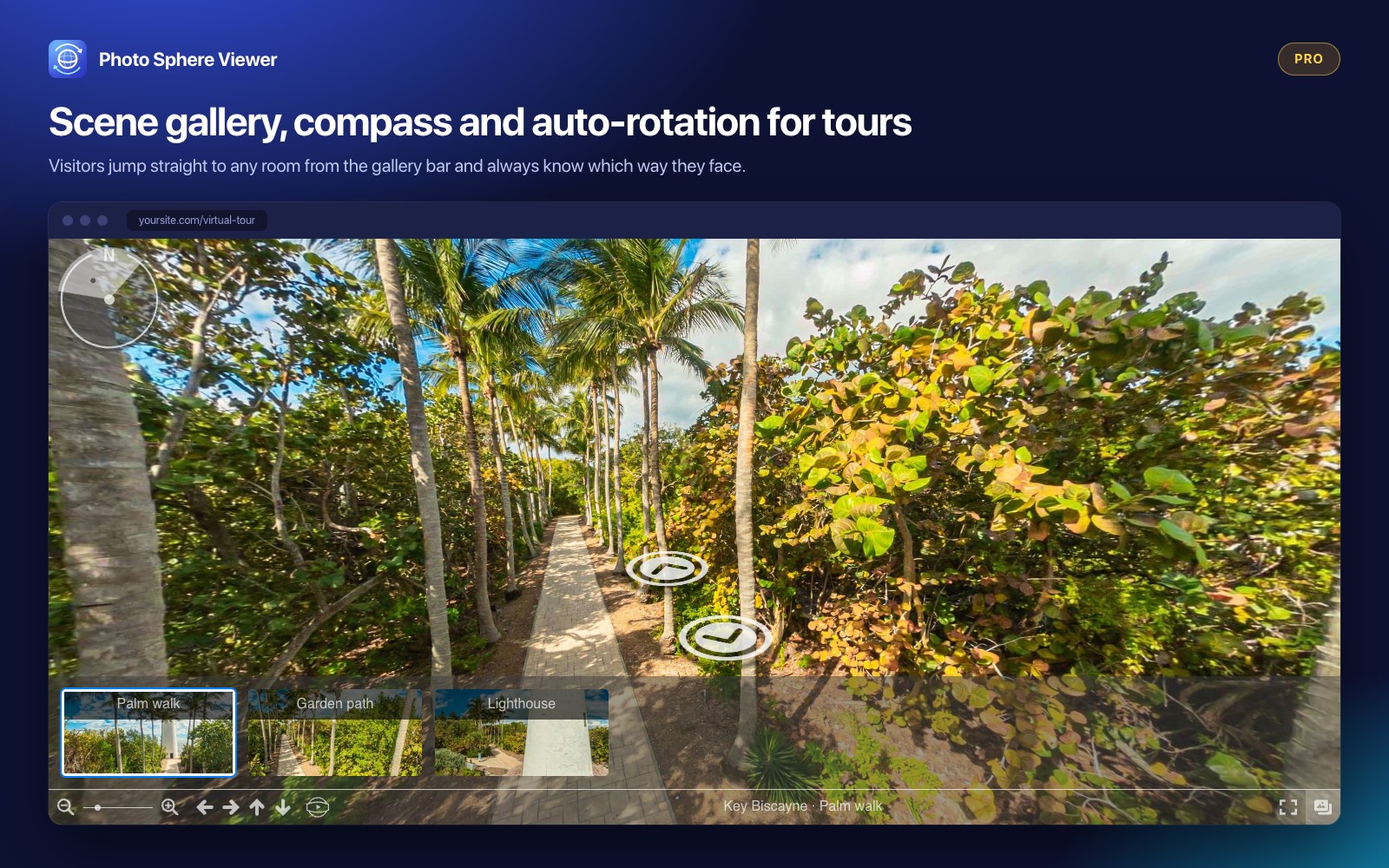
Scene gallery bar and compass overlay for virtual tours (Pro)
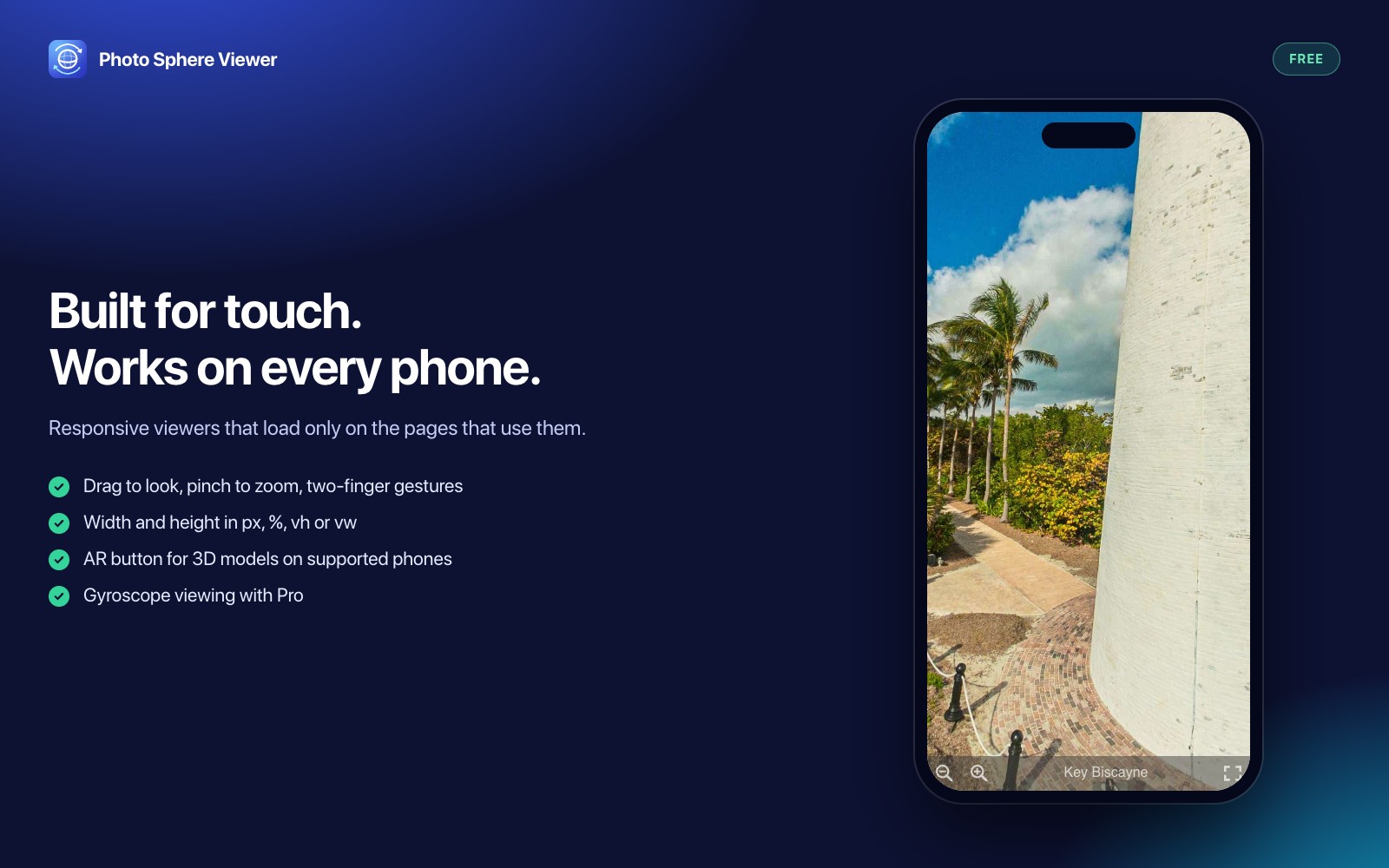
Touch-ready viewer on a phone — drag to look, pinch to zoom
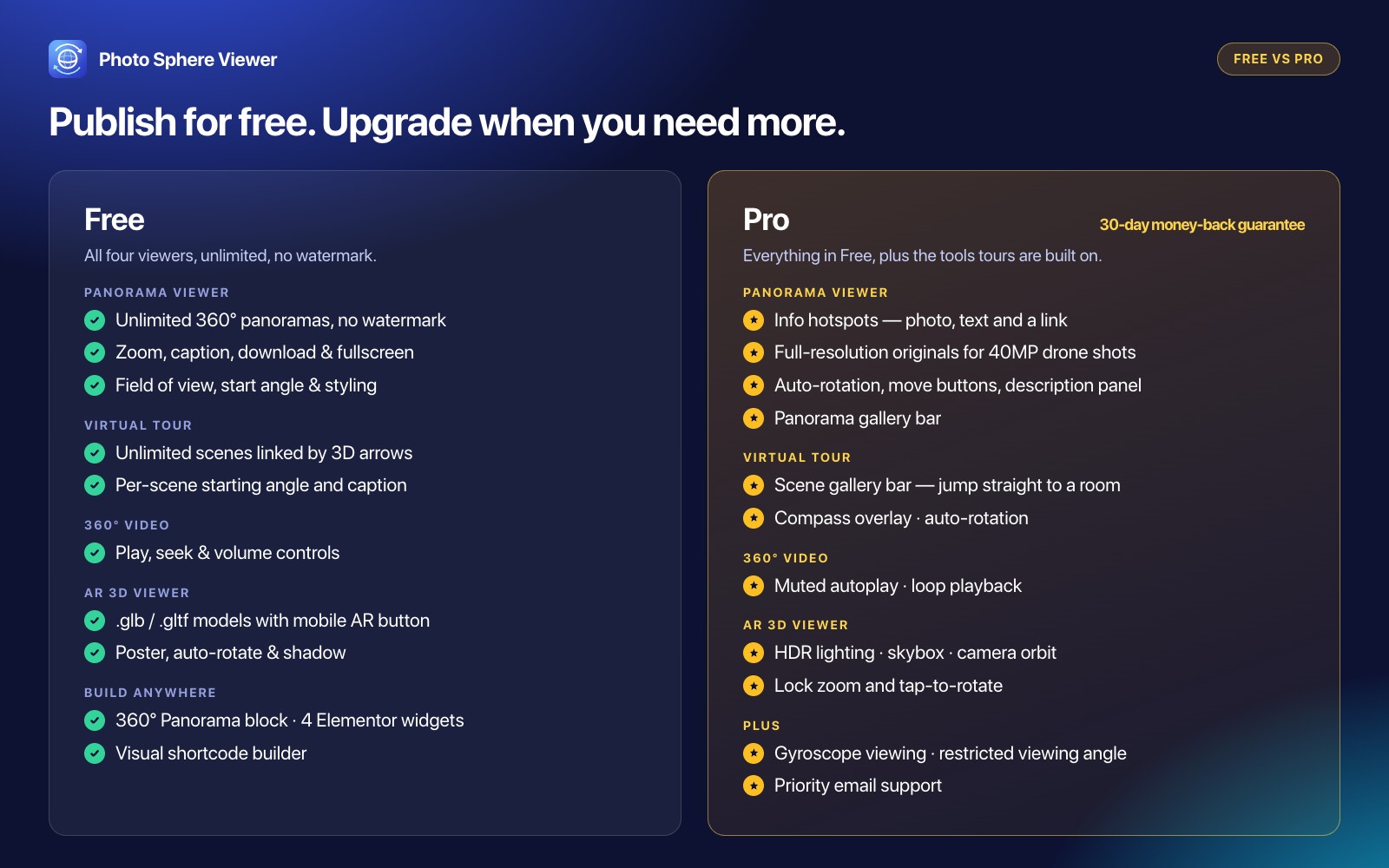
Free vs Pro feature comparison