BACK TO DIRECTORY
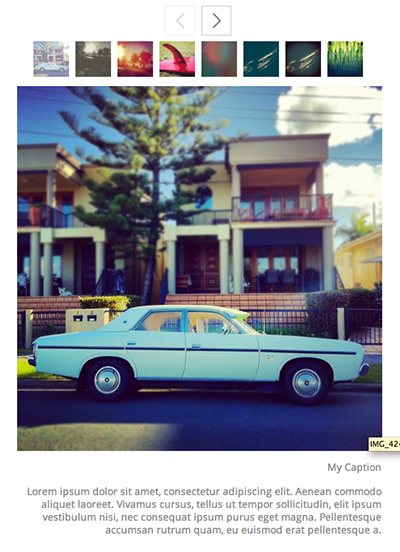
Based on the Galleriffic gallery, Photospace takes advantage of the built in gallery features of WordPress.
Then simply use the WordPress admin to create a gallery and insert it in the page. You may need to adjust the size of the gallery to suit your theme in the settings.
Since WordPress 5 you need to embed the gallery using the classic editor.
Make a note of your settings as with the last major update, you will need re-save your settings.
The Photospace gallery plugin allows you to:
- Upload multiple images at once
- Easily order images via drag and drop
- Add a title, caption and description
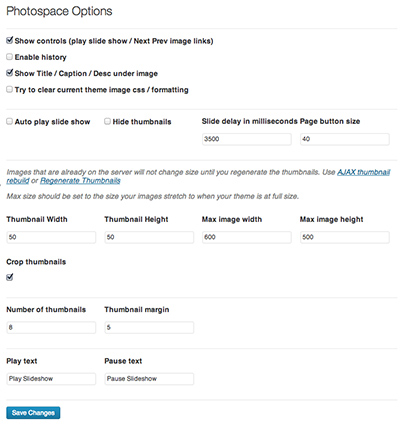
Via the options panel you can modify:
- Thumbnail number, size and shape
- Size of the main image
- The width of the main images
Some other features include:
- Keyboard control
- Pagination
- Supports multiple galleries (Displayed via multiple posts)
See a demo here
Screenshots
Screenshot Default gallery layout
Screenshot Admin Area
Plugin Details
Active Installs
800Total Downloads
46,674Version
2.2.3Requires WP
3.0Requires PHP
—Tested Up To
7.1.4Added
2013-03-11Last Updated
2026-10-13 11:57pm GMTRatings
5
9
4
1
3
1
2
0
1
0