
Turn product photos into videos for product pages and marketing. Connect Picsart, choose your media, approve the credit quote and review the result before saving to WordPress.
Learn more about Picsart Commerce.
Create, review and use your media
- Turn a product photo into an AI video; choose a style, model, duration and resolution.
- Generate images from text, edit photos with AI, remove backgrounds and enhance images.
- Choose source images from uploads, the WordPress Media Library or Picsart Drive.
- Review results before saving a copy to WordPress or applying it to supported content.
- Crop, resize, rotate, adjust colour, export and watermark local image copies in your browser.
Works with standard WordPress, WooCommerce product media and All in One SEO social-image pickers.
Cloud tools use your Picsart account and credits, with price approval before each operation. Local browser processing uses no generation credits. A Picsart connection is currently required to access all tools.
External services and privacy
Cloud access requires each user’s consent and Picsart authorization. Picsart receives account/credit and Drive requests, selected images and prompts. An image-based quote uploads a copy to Picsart Drive before generation. Generated results remain in Picsart until separately copied to WordPress.
Picsart operates these services:
* Authentication: https://auth.picsart.com/ and https://accounts.picsart.com/
* Account, models, pricing, generation and Drive: https://api.picsart.com/
* Selected image uploads: https://upload.picsart.com/
Terms, Privacy Policy and Generative AI Additional Terms apply. Manage cloud files and account settings on Picsart. The plugin does not set Picsart’s cloud retention policy.
Account credentials, history and recovery receipts are encrypted in the site’s database. History is retained until uninstall; archiving is not deletion. WordPress media copies can have public upload URLs. See the FAQs for disconnect, uninstall and security details.
Optional live chat connects to Picsart’s HubSpot support portal only when requested. HubSpot receives browser connection information and messages you enter; photos, prompts and account details are not automatically attached. The widget presents cookie controls. Status emails are separately opt-in and use the site mail system and WordPress profile address; mail-system acceptance does not prove delivery. No analytics or advertising trackers are bundled.
Source and build tools
Readable source, lockfile and build instructions are in source/. PHP and native JavaScript are readable; WordPress supplies React. Licences: THIRD-PARTY-NOTICES.txt and source/vendor/gifenc/LICENSE.md.
Screenshots
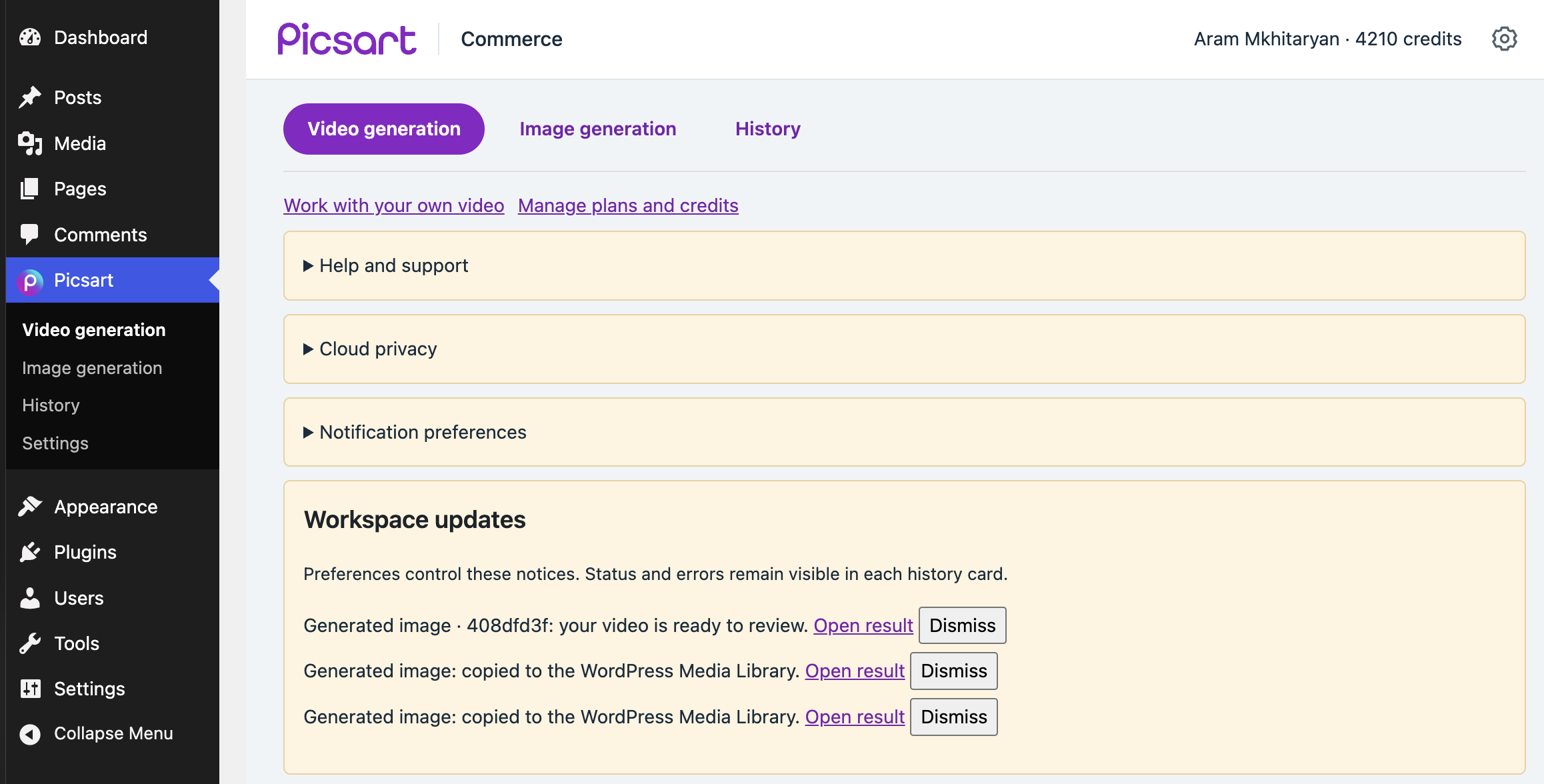
Workspace navigation and updates.
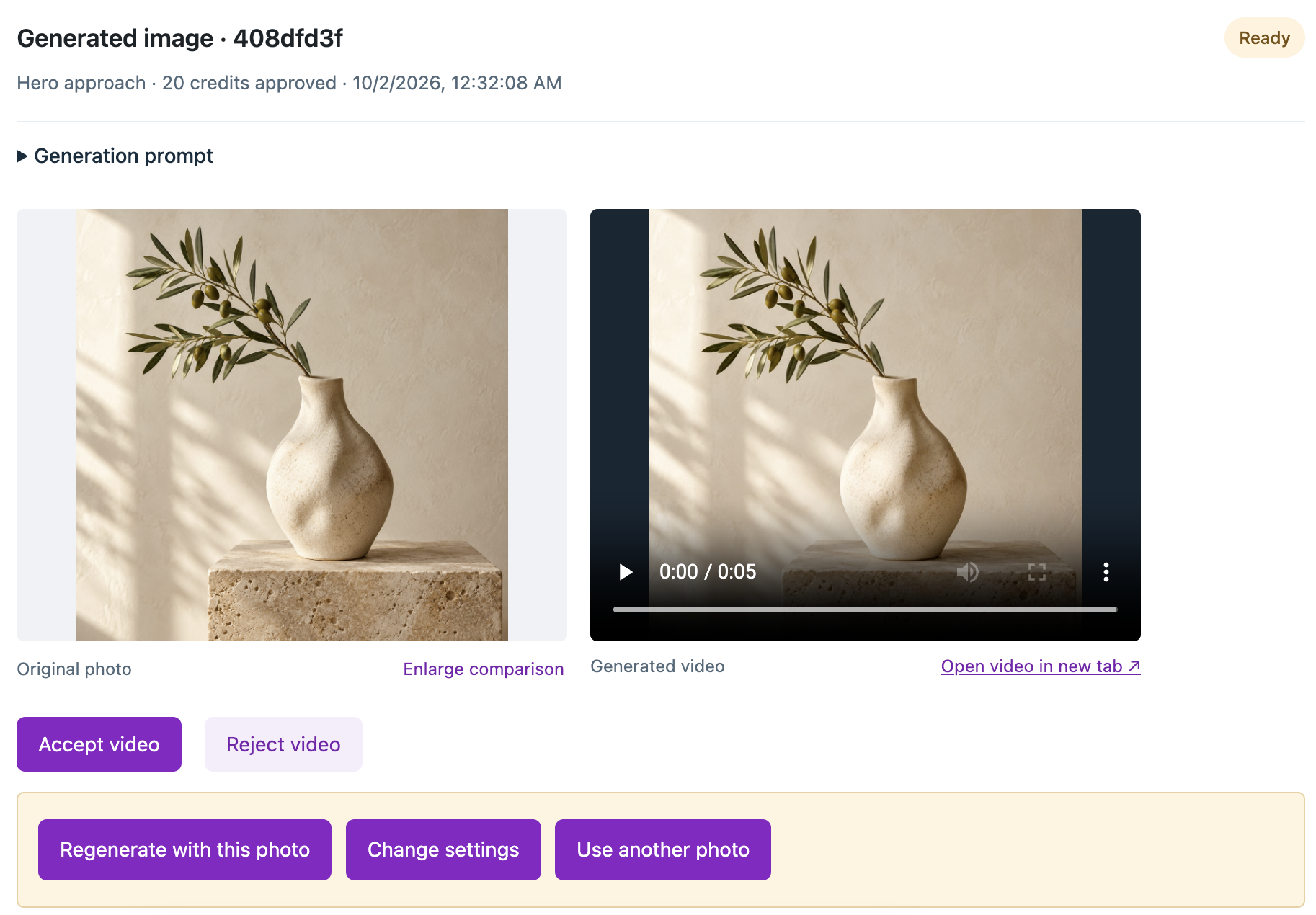
Review and accept or reject a generated video.

A generated image saved to the WordPress Media Library.
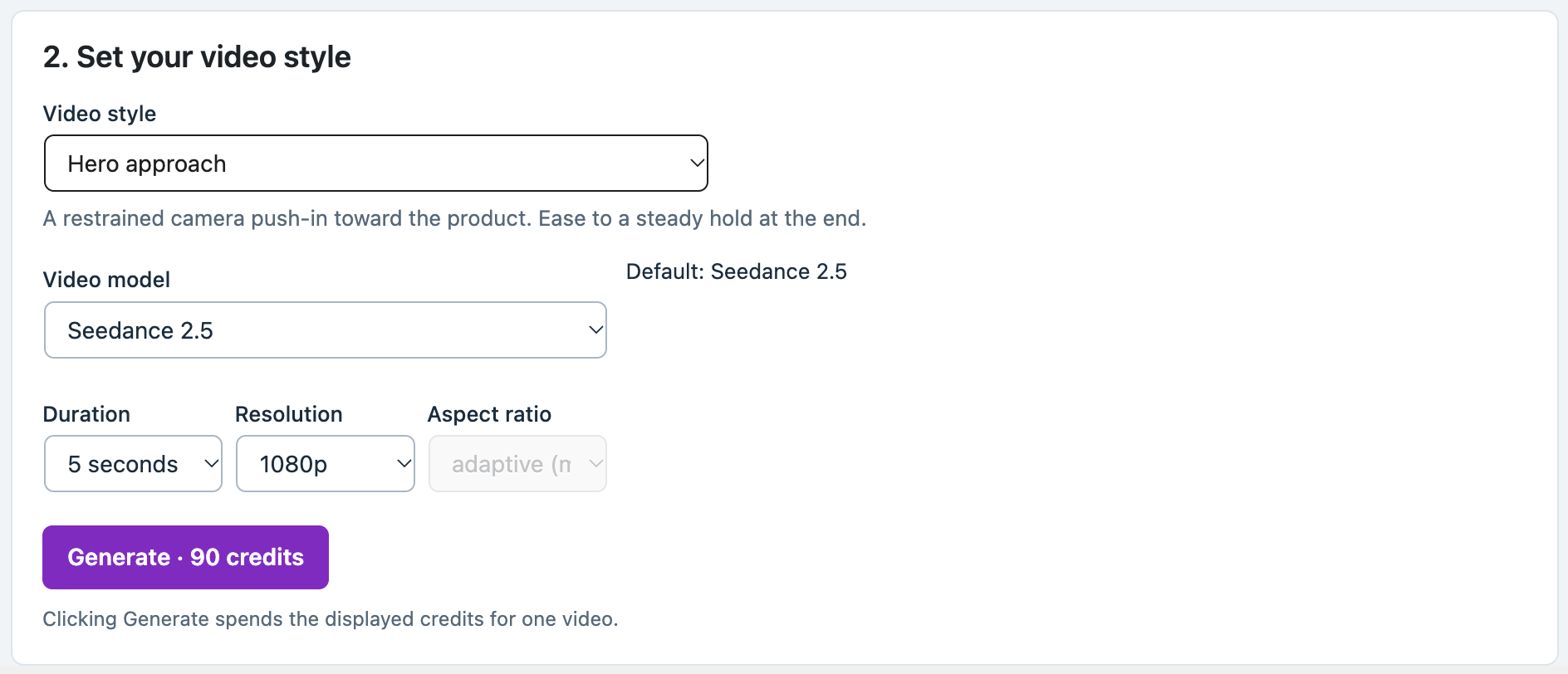
Video settings and credit quote.
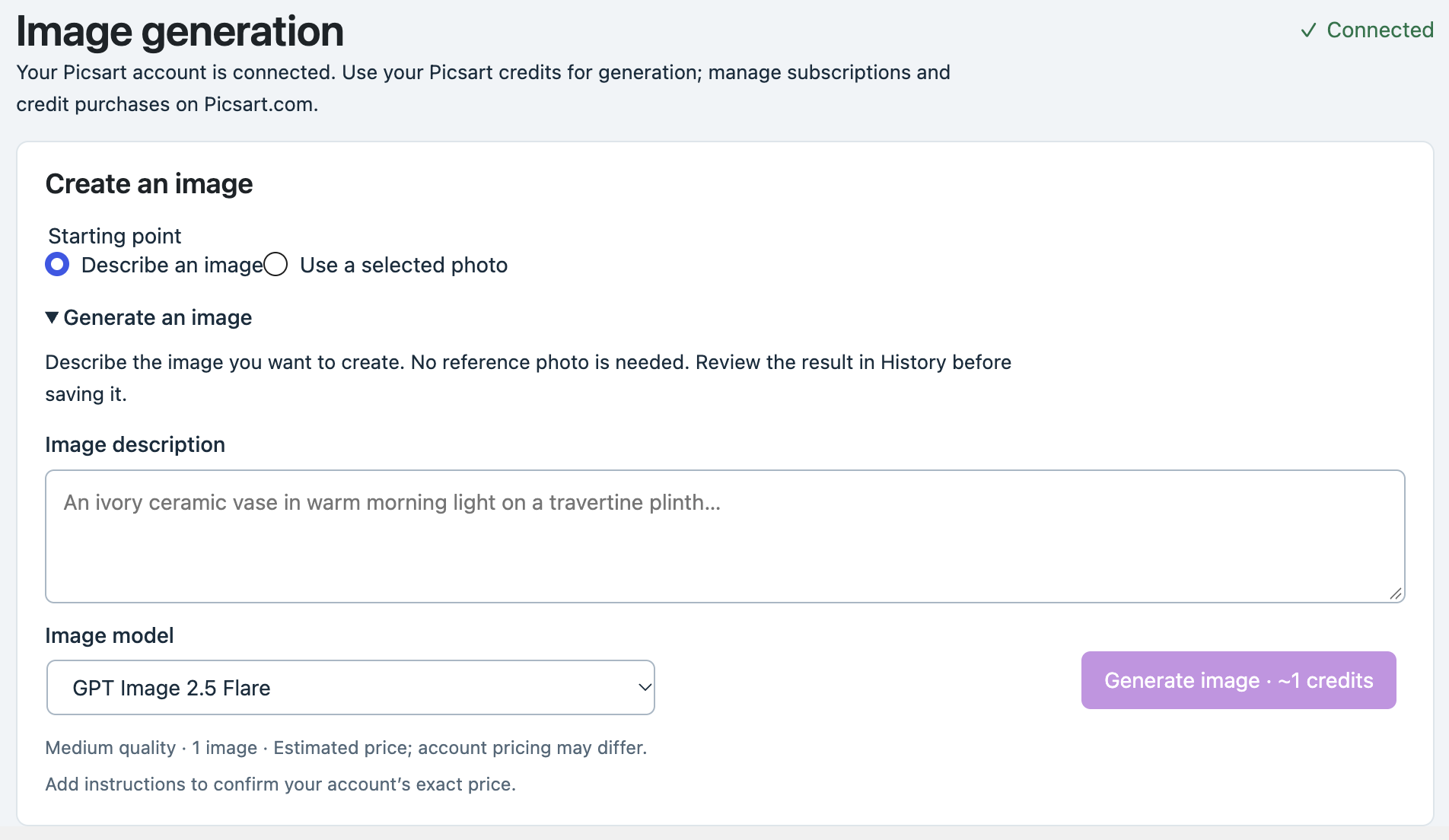
Generate an image from a text description.
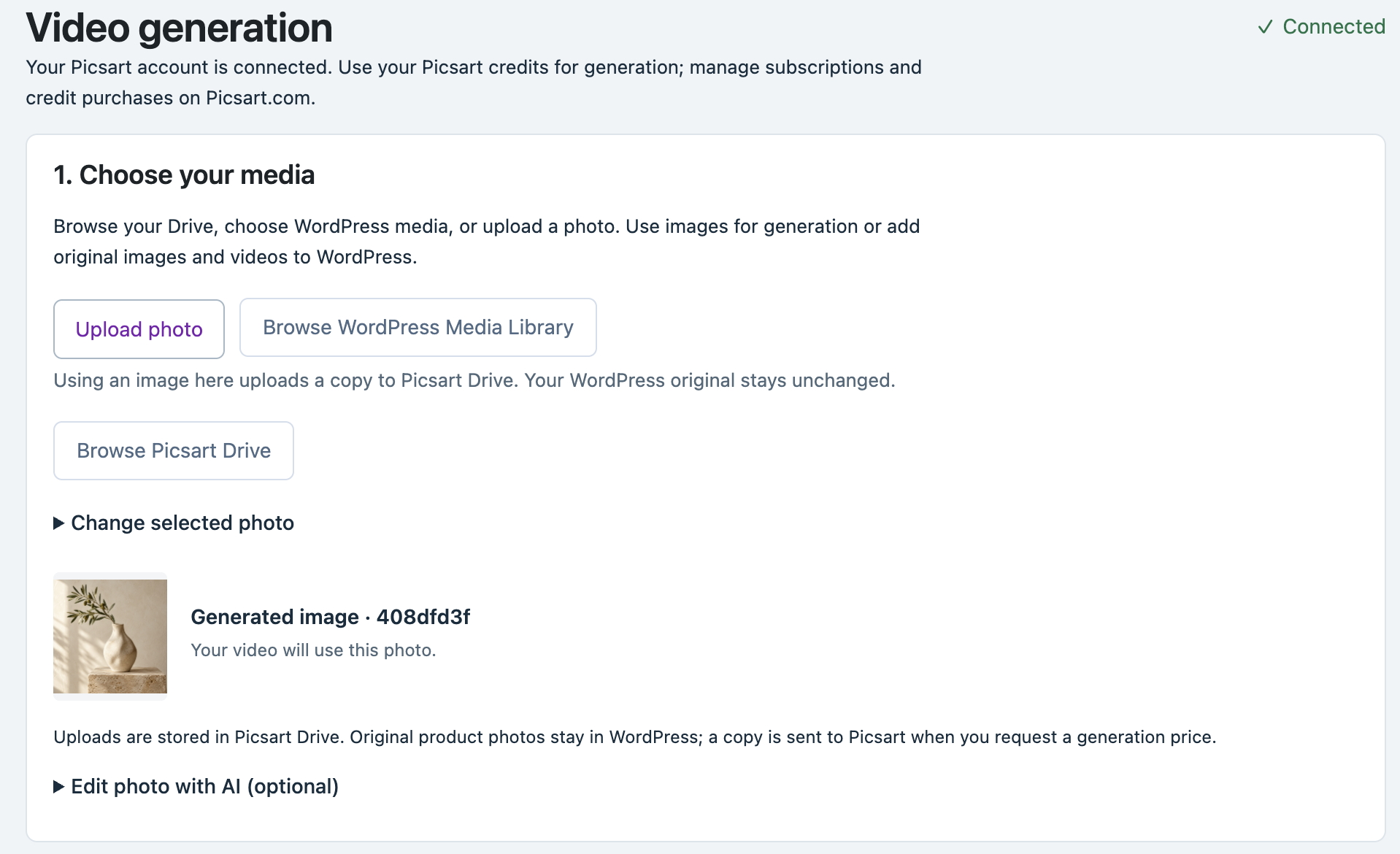
Upload, Media Library and Picsart Drive sources.
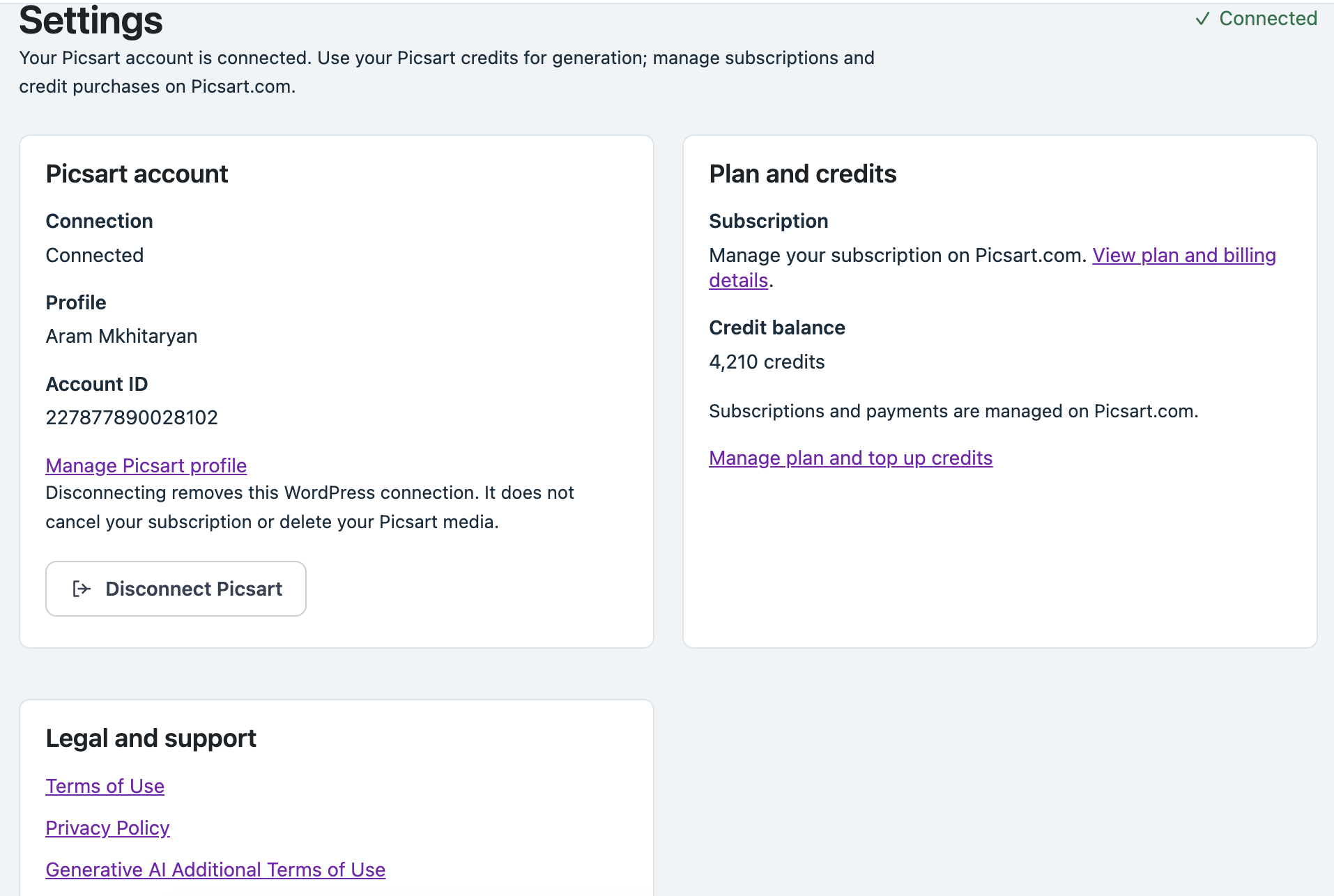
Connected Picsart account settings, credit balance and support links.