By default WordPress hands email to whatever the web server provides, which on most hosts is unauthenticated and quietly filtered as spam. Pigeon Mail sends through a real SMTP server instead — your host’s, your mailbox provider’s, or a dedicated sending service.
It does one job and stays out of the way.
What it does
- Sends WordPress email through the SMTP server you choose, with one-click presets for Google (Gmail and Workspace), Resend, SendGrid, Postmark, Mailgun and Brevo
- Sets a consistent From address and name across every plugin on the site
- Sends a test message and shows you the server’s actual reply when it fails
- Warns you in the admin when a message could not be delivered
Why the test matters
“Could not send email” tells you nothing. Pigeon Mail shows the conversation with your mail server — the refused login, the blocked port, the rejected sender — which is usually the whole answer. Credentials are stripped from that transcript, so it is safe to paste into a support request.
Privacy
Pigeon Mail contacts nothing except the mail server you configure. It does not phone home, collect usage data, or require an account. Your messages go from your site to your server.
Source code
The settings screens are built with @wordpress/scripts. The compiled files are in build/settings/; the readable source they are built from is in src-js/settings/, with package.json and package-lock.json at the plugin’s root. To rebuild: npm install then npm run build.
Screenshots
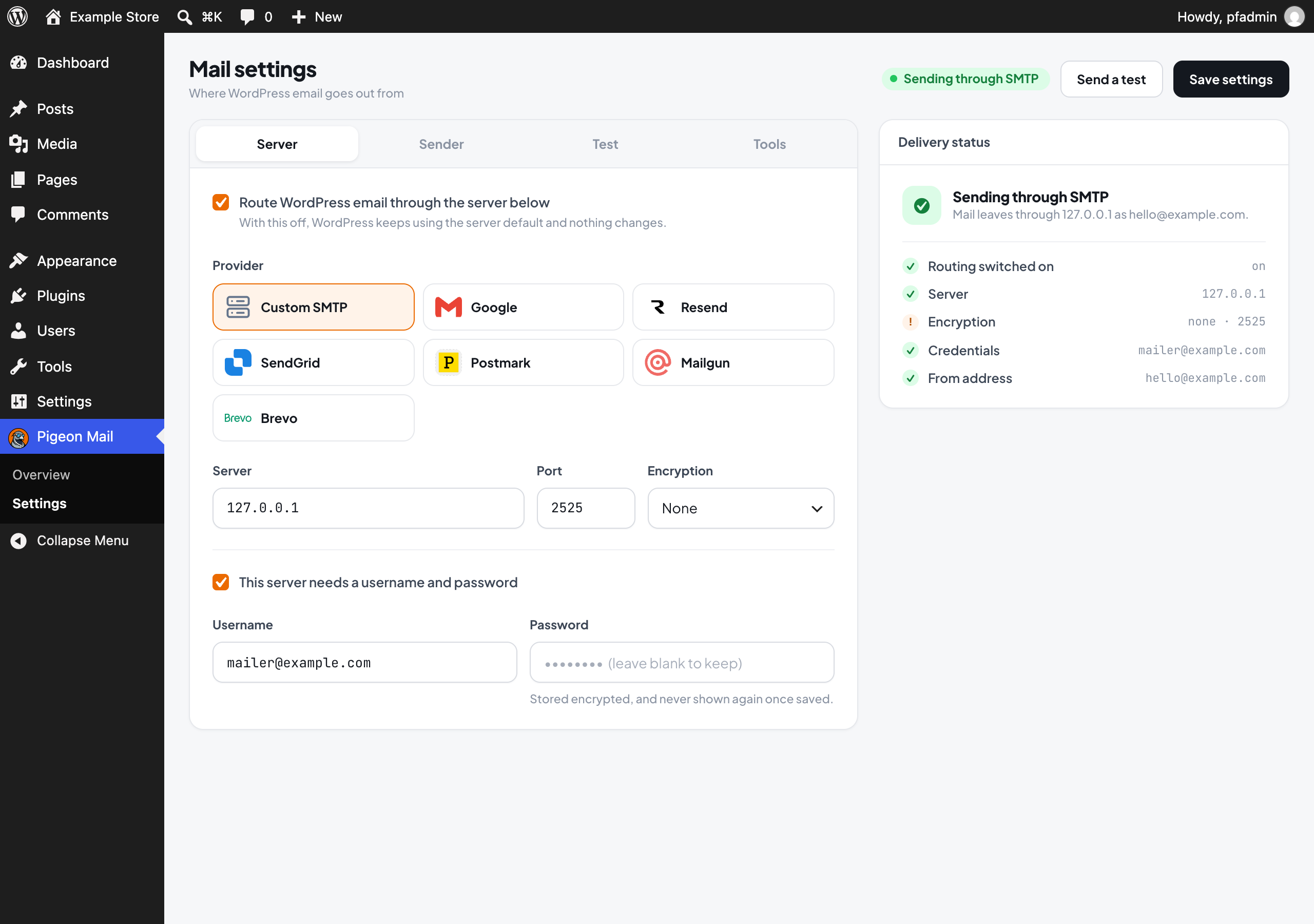
Settings screen with connection status
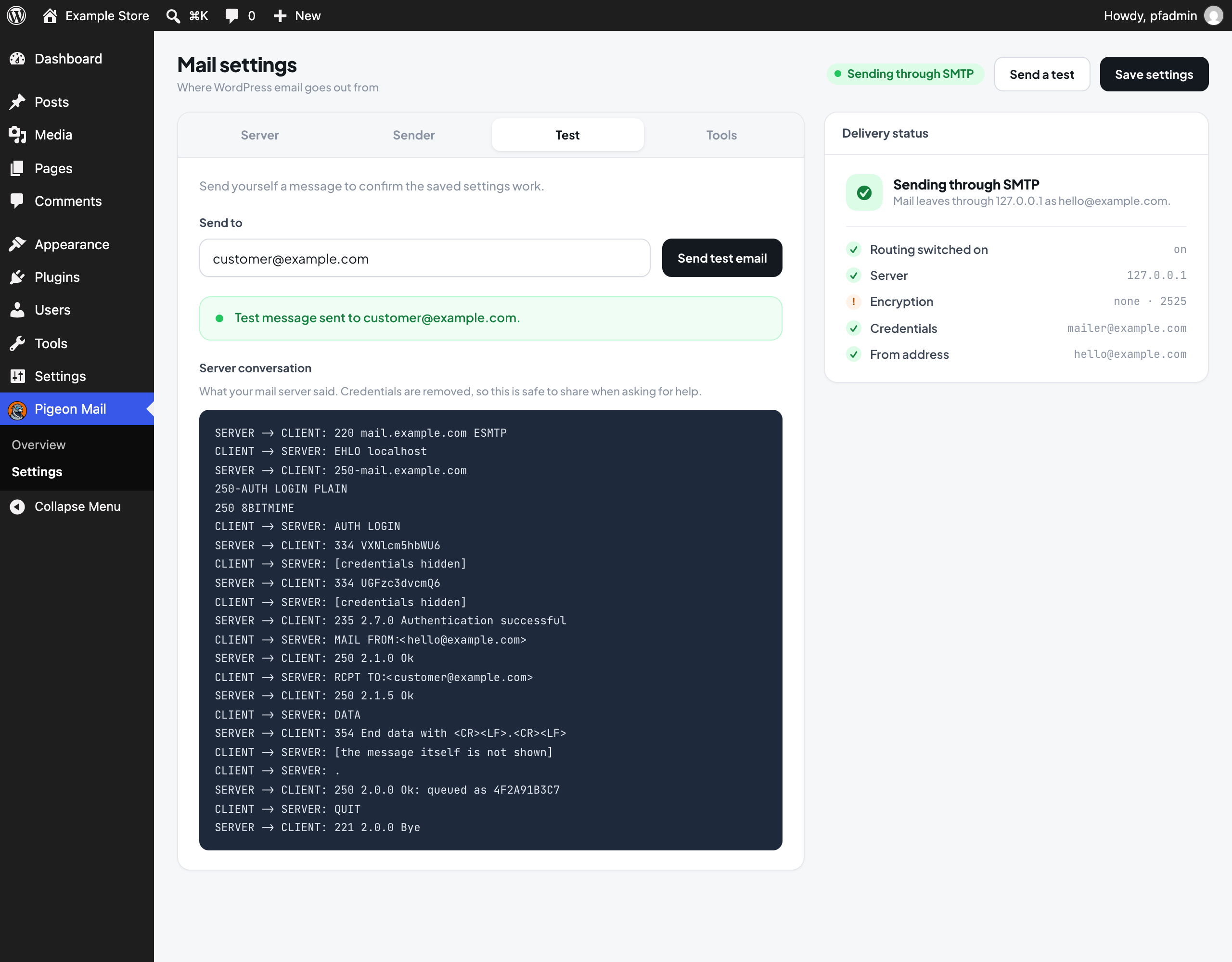
Test send showing the server conversation