BACK TO DIRECTORY
PixelCraft with WebP helps speed up your site by creating WebP copies of images you upload (and optionally replacing originals). It uses WordPress image APIs (GD or Imagick) with sensible PHP fallbacks when a host mis-reports WebP support.
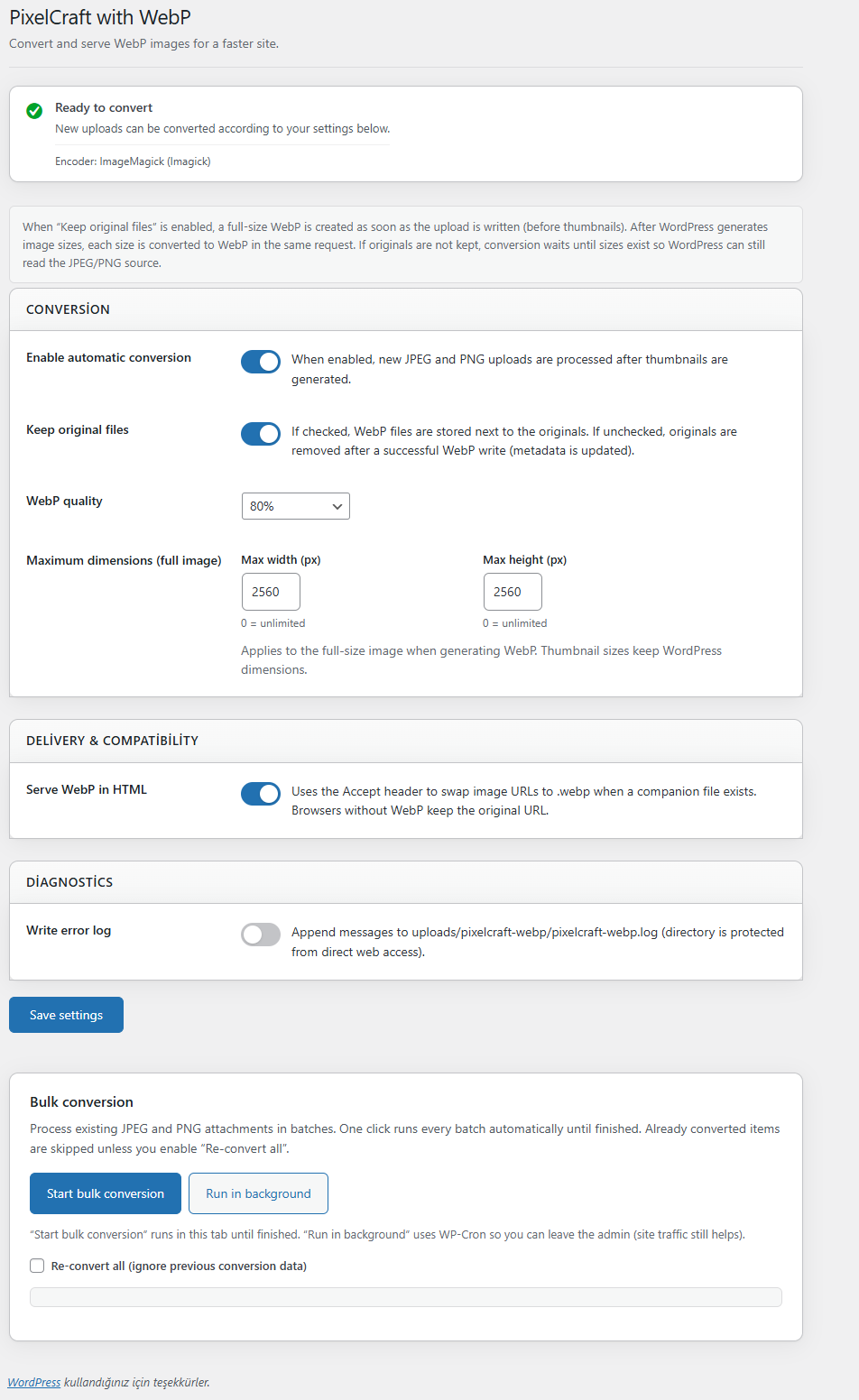
- Automatic conversion on upload for JPEG and PNG (after WordPress generates thumbnails).
- Keep originals or replace them after a successful WebP write (your choice).
- Quality preset and max width/height for the full-size WebP.
- Bulk conversion in the admin (batched AJAX, optional WP-Cron background queue).
- Savings report per attachment (stored in attachment meta).
- Settings under Settings PixelCraft with WebP.
- Media list column showing optimization status.
- Frontend delivery: when enabled, image URLs can switch to
.webpfor clients that sendAccept: image/webp(compatible with WooCommerce product images that use core attachment APIs). - No external services — conversion runs on your server only.
- Our Plugins tab — discover other free Adbear Digital tools (SEO, media, WooCommerce, TOC, 3D viewer, and more) on the PixelCraft settings screen.
Trademark notice: WordPress is a registered trademark of the WordPress Foundation. This plugin is not affiliated with or endorsed by WordPress or the WordPress Foundation.
More info: wordpressplugin.adbear.cloud
Privacy
This plugin does not collect, store, or transmit personal data to third parties. Conversion and logging (if enabled) occur on your server. See the FAQ for details.
Screenshots
screenshot-1.png — Settings screen: conversion, delivery, diagnostics, and bulk conversion.
Plugin Details
Active Installs
500Total Downloads
4,858Version
2.1.4Requires WP
6.0Requires PHP
8.0Tested Up To
7.1.4Added
2026-04-24Last Updated
2026-10-17 12:32pm GMTRatings
5
3
4
0
3
0
2
0
1
0