Plainclause EU Withdrawal Button & Legal Guarantee Notice for WooCommerce
by plainclause
Two EU consumer-law changes now apply to most online shops that sell to consumers in the EU:
- Online withdrawal function (Article 11a of Directive 2011/83/EU, inserted by Directive (EU) 2023/2673, applicable from 19 June 2026). Consumers must be able to withdraw from an online contract through a clearly labelled function, a short withdrawal statement and a “confirm withdrawal” step, and must receive an acknowledgement of receipt on a durable medium.
- Harmonised notice on the legal guarantee of conformity (Directive (EU) 2024/825 and Commission Implementing Regulation (EU) 2025/1960, applicable from 27 September 2026). Traders inform consumers about the legal guarantee with an official notice that must not be edited.
This plugin adds both to WooCommerce, with no external services and no tracking.
The button goes by different names across the EU: Widerrufsbutton (German), bouton de rétractation (French), herroepingsknop (Dutch), botón de desistimiento (Spanish), pulsante di recesso (Italian). The labels are editable, so you can use the wording your country prescribes.
Why this one
- Both new EU duties in one plugin. The withdrawal function (from 19 June 2026) and the legal guarantee notice (from 27 September 2026), set up on one settings tab.
- The two-step flow the directive describes. Statement form, then a separate “Confirm withdrawal” step, then an acknowledgement email with the date and time of submission.
- A typo never blocks a withdrawal. Statements are always accepted and recorded; unmatched order numbers or emails are flagged for you instead of rejected.
- A record you can show. Every statement is logged under WooCommerce > Withdrawals and added to the order as a note.
- Private by design. No external services, no tracking, no data leaves your site.
Withdrawal function
- A withdrawal page is created on activation, labelled “Withdraw from contract here” (editable, translatable).
- Two steps, as the directive describes: the consumer enters or confirms their name, the order and the email for the confirmation, then presses “Confirm withdrawal”.
- An acknowledgement email with the content of the statement and the date and time of submission is sent immediately (editable under WooCommerce > Settings > Emails).
- The shop gets a notification email, an order note, and a list of all statements under WooCommerce > Withdrawals with a “Mark processed” action.
- Logged-in customers pick their order from a list. Guests type the order number.
- The button appears in the site footer, on eligible orders in My Account and in customer order emails (each optional), and anywhere with the
[ewbgn_withdrawal_button]shortcode. - Statements are always accepted and recorded. Late statements are flagged for you, not blocked.
- Works with High-Performance Order Storage and sequential order number plugins.
Legal guarantee notice
- Shows the official notice image you select on product pages, the cart, the checkout or as a footer link, or anywhere with
[ewbgn_guarantee_notice]. - Display as a thumbnail or text link that opens the full notice in one click, or as the full notice.
- Links to the official EUR-Lex language versions of the notice so you can pick the right language.
Pro add-on (optional)
A separate paid add-on, sold through Freemius, bundles the 24 official notice images and shows each visitor the notice in their language, and adds CSV export of withdrawal statements. Everything in this plugin works without it.
Important
This plugin is a tool, not legal advice. It does not make your shop compliant by itself: check the wording and the withdrawal period that apply in the countries you sell to, and your own terms. Some Member States prescribe specific wording for the button; you can change the labels in the settings.
Screenshots
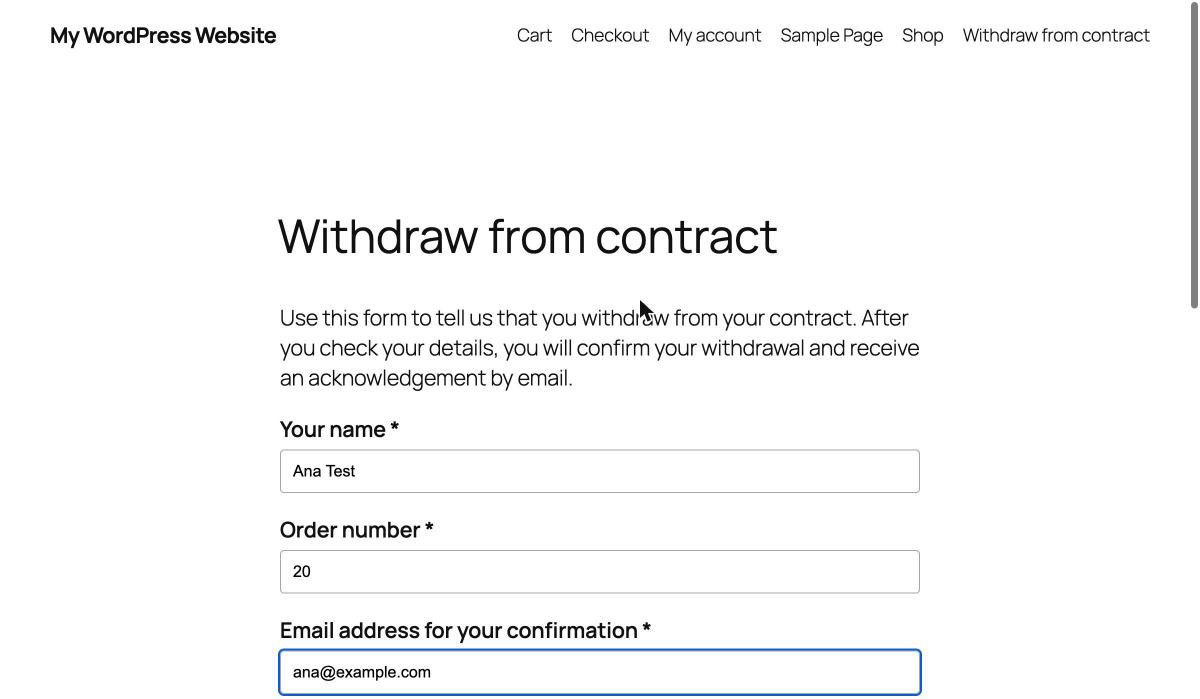
Step 1: the withdrawal statement form. Logged-in customers pick their order; guests type the order number.
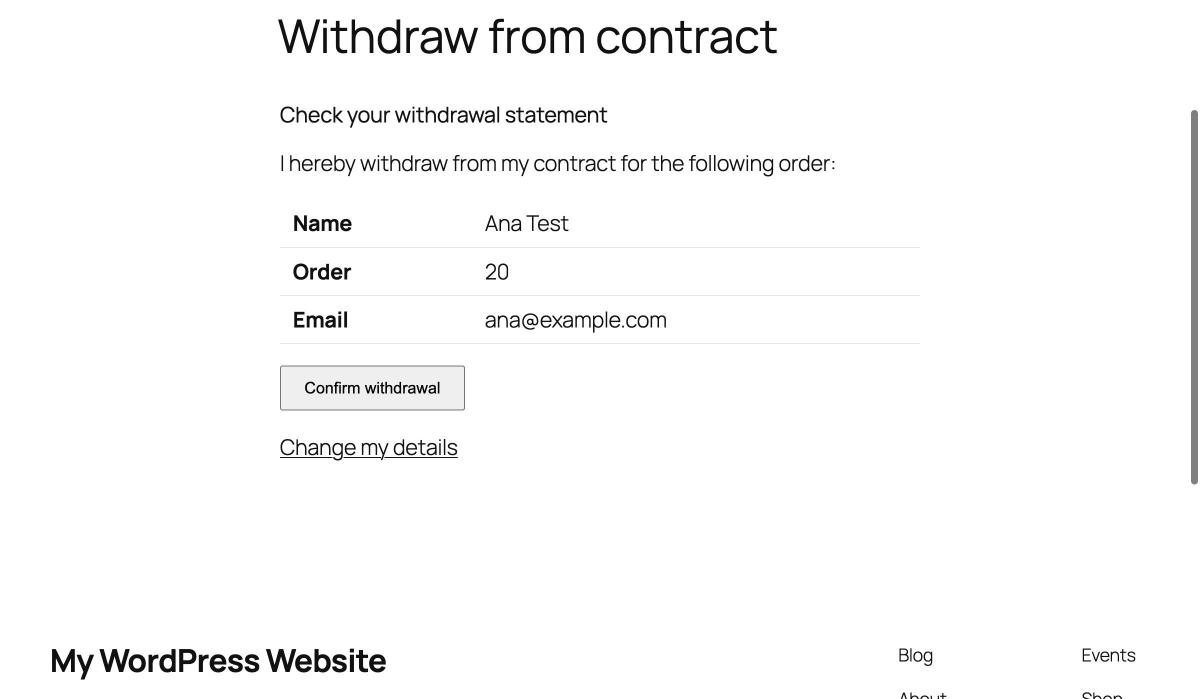
Step 2: the separate "Confirm withdrawal" step.

The receipt shown after confirmation. The same details go out by email immediately.
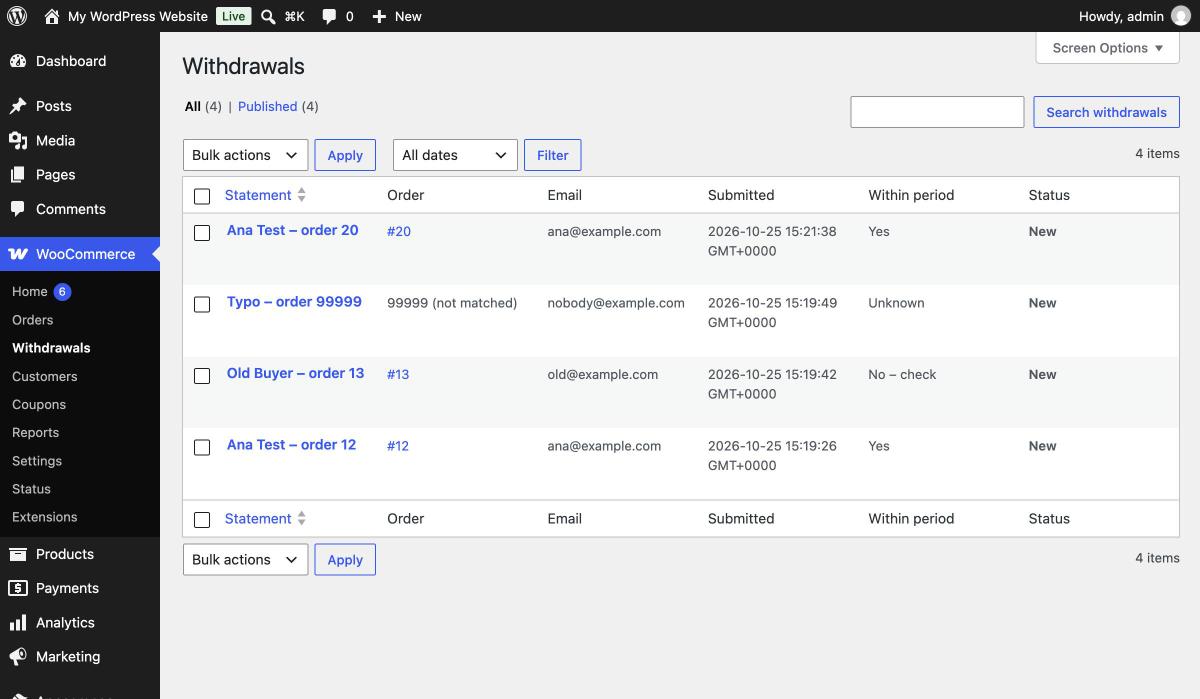
Every statement is logged under WooCommerce > Withdrawals, with a "Mark processed" action.
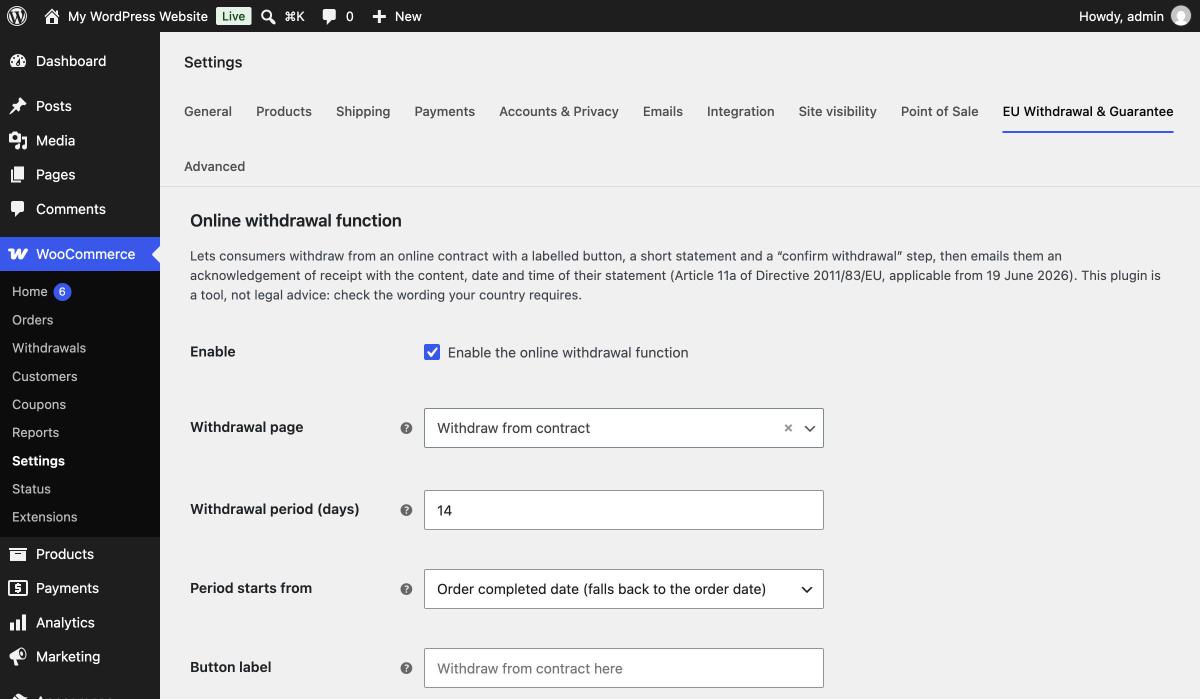
Settings: labels, withdrawal period, where the button appears, and the guarantee notice.
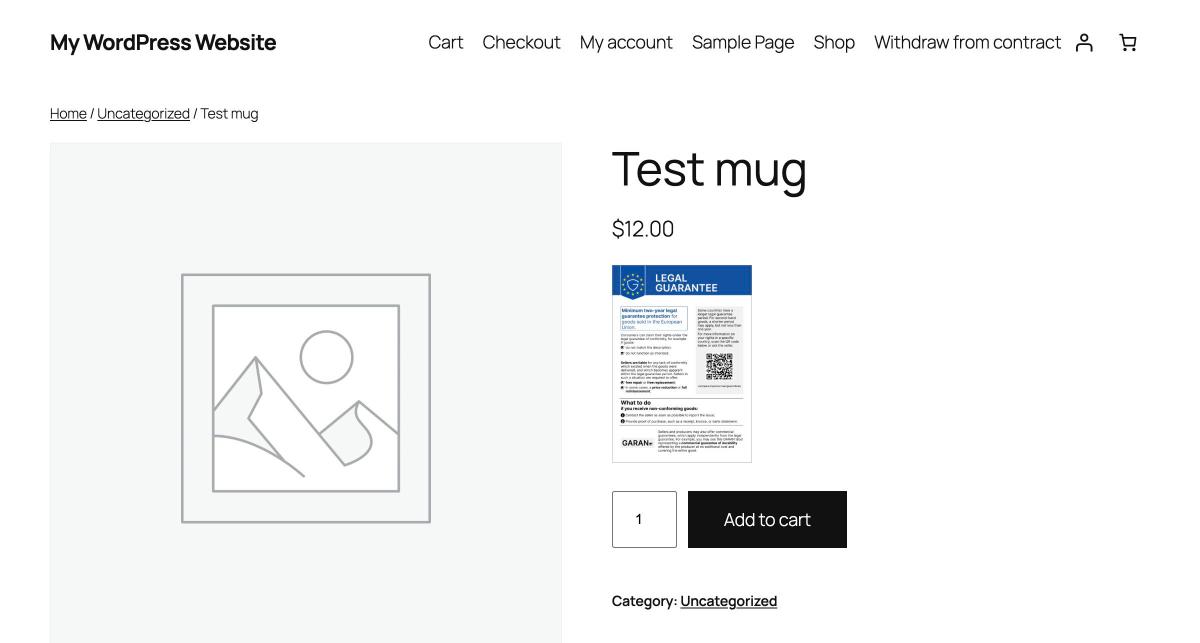
The EU legal guarantee notice on a product page, as a thumbnail.
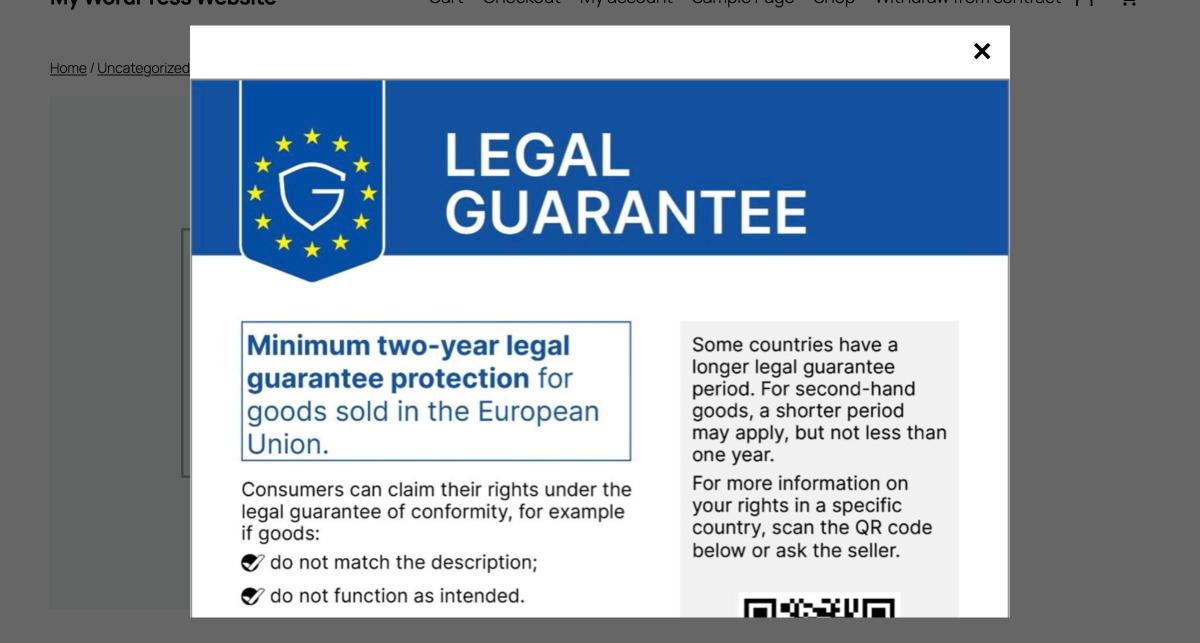
The full official notice opens in one click.