
Recover captures WooCommerce carts that shoppers leave behind and emails them a secure, one-click link that puts every item straight back into their cart so they can finish checking out. It runs entirely on your own site: no third-party service, no data leaves your store.
Because everything happens on your own server, you can read exactly what it does. The full source lives at github.com/wppoland/plogins-recover, which is also where to file a bug or request a feature.
How it works
- As soon as a shopper has items in the cart, Recover saves a private snapshot of that cart.
- The customer email is captured early, automatically for logged-in customers, and (with consent) from the checkout email field for guests.
- If checkout is not completed within a window you choose, the cart is marked abandoned.
- On the next scheduled run, Recover emails a recovery message containing a secure, tokenised restore link.
- One click on that link repopulates the cart and sends the shopper back to checkout. Recovered carts are tracked separately so you can see your recovery rate.
A few things worth knowing
Emails go out through your own WordPress mailer (wp_mail), and cart data lives in a single custom table ({prefix}_recover_carts) in your database. Nothing is sent to an external service.
Guest email capture only happens after the shopper ticks a consent checkbox, and you can edit the wording or turn the requirement off. Restore links carry an unguessable 64-character random token and nothing else: no customer id, no email in the URL. From the carts screen you can wipe every stored cart for a single email address in one click.
On the implementation side, all output is escaped and all input sanitised, every admin form and AJAX request is nonce-checked, and the admin pages need the manage_woocommerce capability. Early email capture uses a small vanilla-JavaScript snippet (no jQuery) loaded in the footer; the recovery worker runs on WordPress cron and is idempotent, so a re-run never sends a second email for the same cart. Deleting the plugin drops its table, removes its two options, and clears the scheduled task.
Features
- Automatic cart snapshots whenever the cart changes
- Early email capture for logged-in customers and (consent-gated) guests
- Configurable abandonment window and email delay
- Secure, tokenised one-click restore link that repopulates the cart
- Recovery email sent on a WordPress cron schedule via
wp_mail - Abandoned / recovered / pending cart list with a recovery-rate summary
- Customisable email subject, heading, body and button text
- GDPR-friendly consent checkbox and one-click per-email data wipe
- Compatible with WooCommerce HPOS (Custom Order Tables) and Cart/Checkout Blocks
Recover Pro
Recover Pro is a separate paid plugin that extends Recover.
Included in Recover:
- Automatic snapshots
- Early email capture
- Configurable timing and reminder count
- Tokenised restore link
- Cron-driven emails
Recover Pro adds:
- Per-step sequence control
- Discount codes
- Conversion analytics
The free edition is not a trial and its features stay available without a time limit.
- Recover Pro – plogins.com/plogins-recover-pro/
- Compare editions and pricing – plogins.com/plogins-recover-pro/pricing/
- PRO documentation – plogins.com/plogins-recover-pro/docs/
External Services
Recover does not connect to any external services. Recovery emails are sent through your own site’s WordPress mailer (wp_mail), and all cart data stays in your WordPress database.
Translations
Plogins Recover is fully translatable and ships the plogins-recover.pot template. Translations are delivered by WordPress.org language packs from translate.wordpress.org, which is where Polish, German and Spanish are being contributed; the package itself carries no compiled translation files.
Screenshots
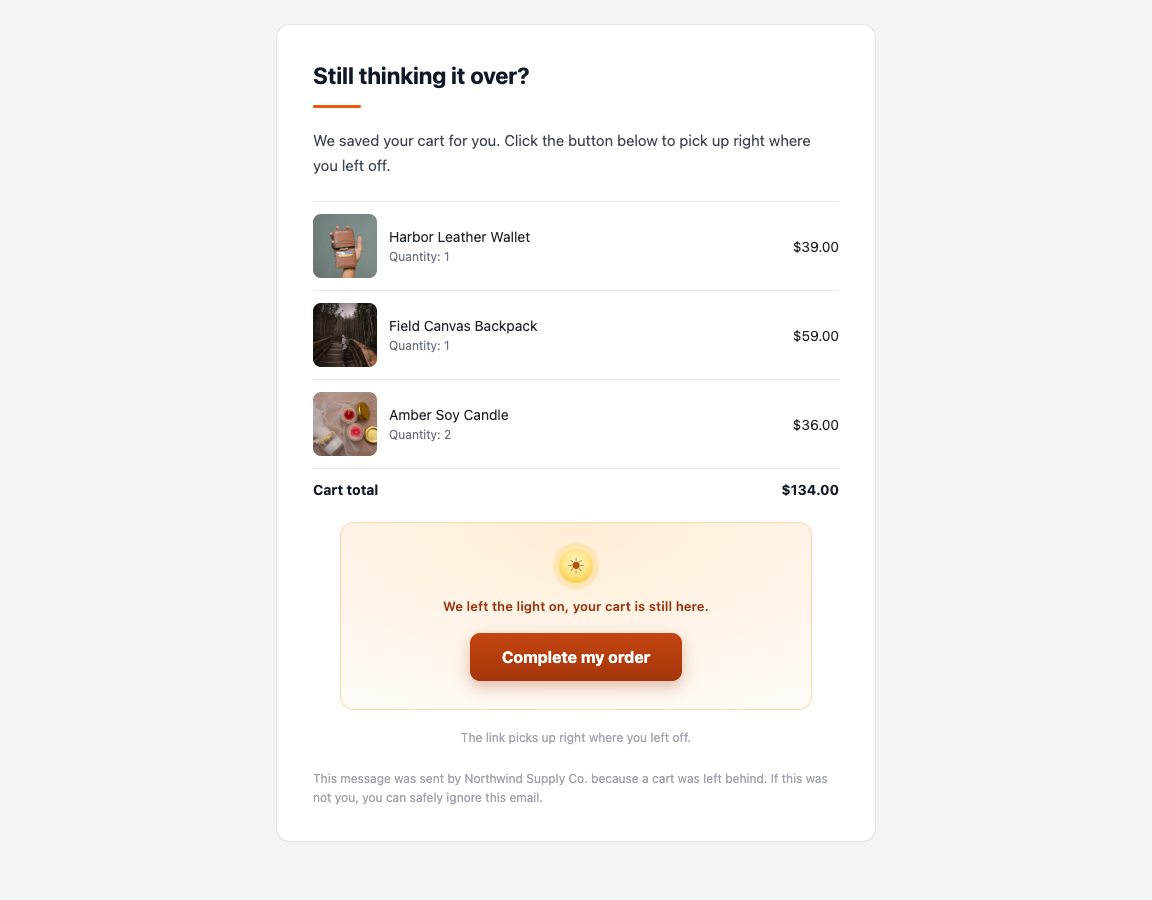
The recovery email as the shopper gets it: each product with its photo, quantity and price, the cart total and a button back to checkout.
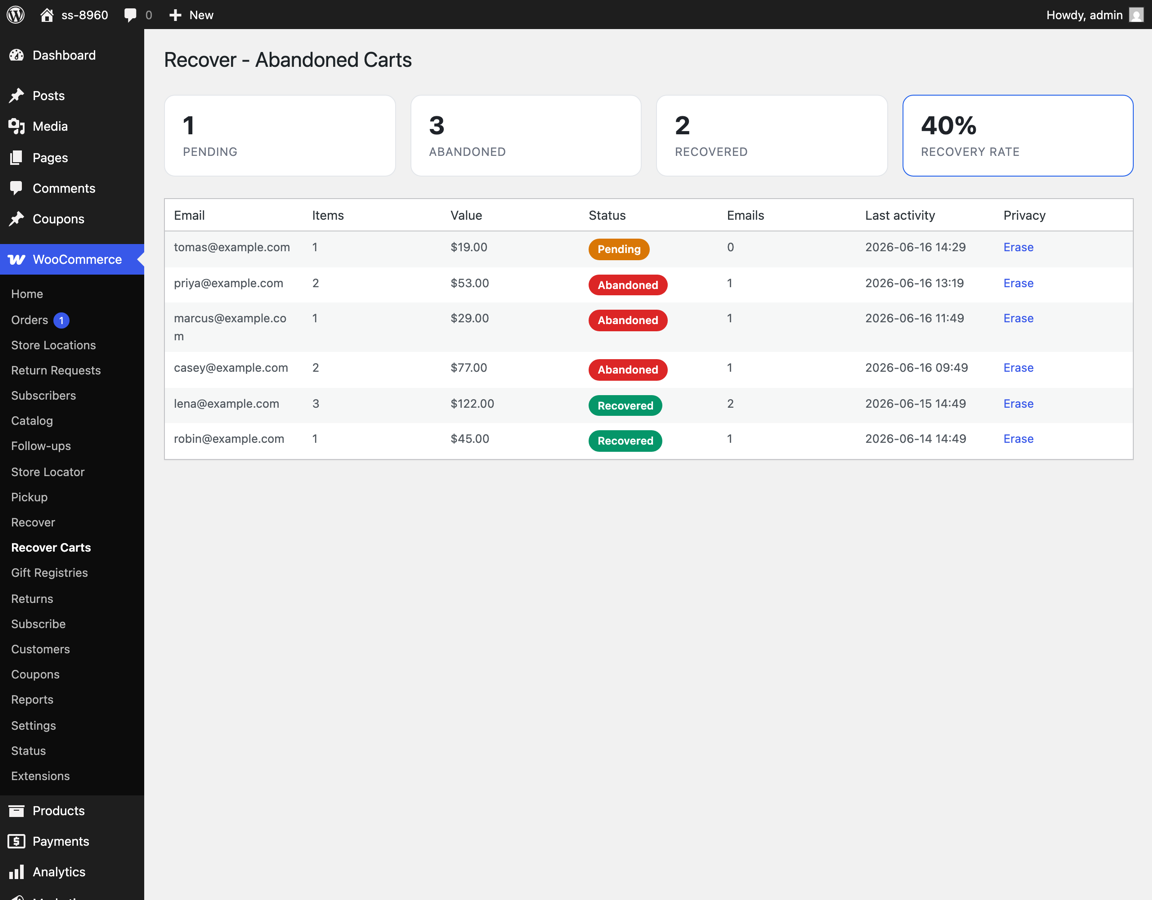
Abandoned cart list with pending / abandoned / recovered counts and recovery rate.
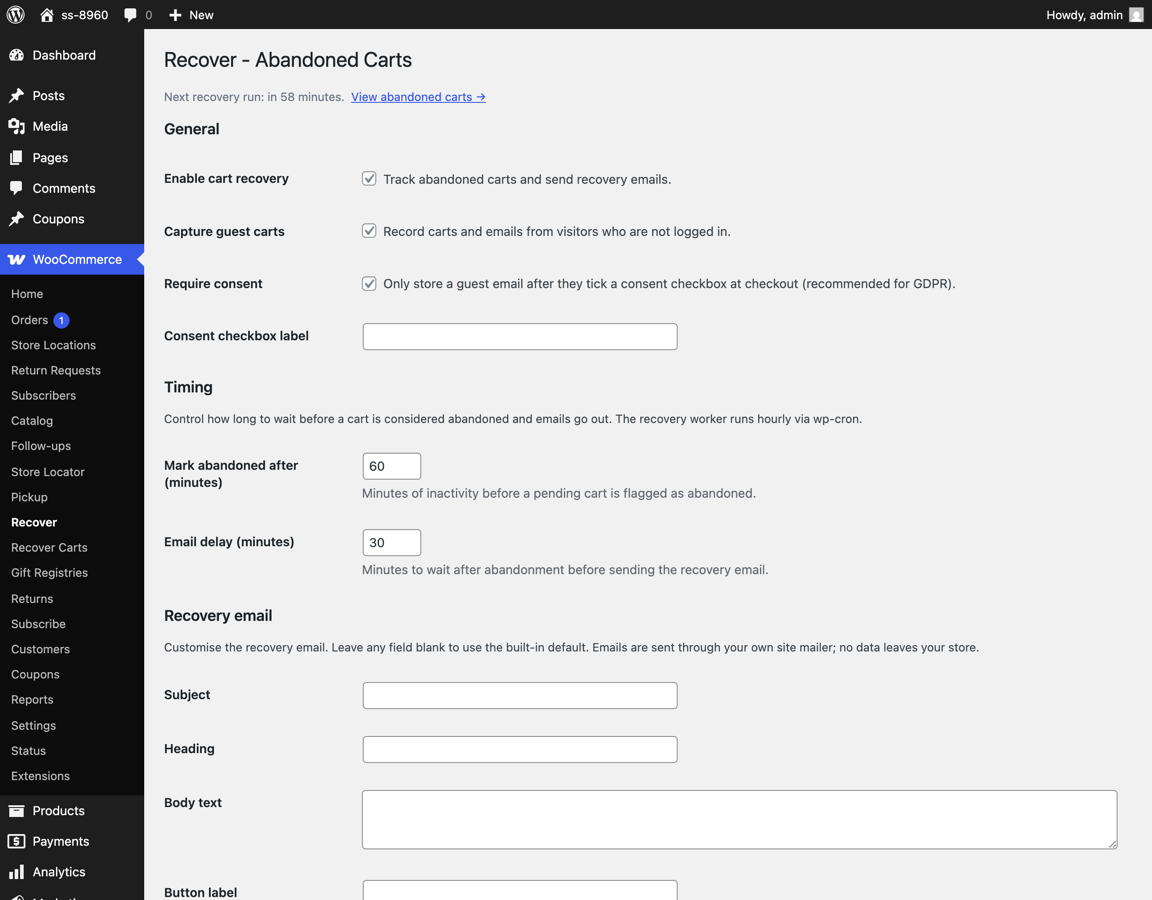
The settings screen: when a cart counts as abandoned, when the email goes out, and the wording of the email itself.