
Reel upgrades the WooCommerce single product gallery with product image zoom, an accessible gallery lightbox and a featured product video:
- Hover zoom. Gallery images magnify on hover at a zoom scale you set (1.0× to
3.0×). The transform is clipped to the gallery frame, so the rest of the page
stays put. On touch screens, two fingers pinch the image to zoom; a double tap
or moving to another slide puts it back, and one finger still scrolls and swipes. - Accessible lightbox. Click, or press Enter/Space, on any gallery image to
open its full-size file full screen. Arrow buttons, the Left and Right keys or a
swipe step through every gallery image, with an “Image 2 of 5” counter read out
to screen readers. Tab stays inside the lightbox so focus can’t slip behind the
overlay, Escape closes it, and focus returns to the image you opened. It’s a fixed overlay that starts hidden, so it
reserves no space until used. - Featured video. Show a per-product video, a self-hosted MP4/WebM file or a
YouTube/Vimeo (oEmbed) URL, after the gallery, before the product summary, or
in the gallery itself as the last slide with a play thumbnail.
The video sits in a 16:9 frame sized withaspect-ratio, so its space is held
before it loads. YouTube and Vimeo show a poster and a play button; the player
loads only when the shopper presses play, and YouTube plays from
youtube-nocookie.com.
The markup is built in PHP and progressively enhanced by vanilla JavaScript (no
jQuery), deferred and loaded in the footer: the gallery script on the single
product page, and a small click-to-play script only where a YouTube or Vimeo
video is shown.
Settings live under a top-level Reel admin menu. Each of the three features
has its own on/off switch; you can also set the zoom scale and skip it on touch
devices, show an alt-text caption in the lightbox, relabel the open-image control
for screen readers, and choose the video’s position, autoplay, heading and intro
text. The per-product video URL is set on the Reel tab in the product editor,
with an optional heading for that product.
To place the video somewhere other than the gallery area, drop the [reel_video]
shortcode (it takes id and title attributes) into any product content. It
renders the current product’s video in the same 16:9 frame.
Source and issue tracker: github.com/wppoland/plogins-reel, the plugin is
developed in the open, so bug reports and pull requests are welcome there.
Documentation and links
- Documentation: plogins.com/plogins-reel/docs/
- Plugin page: plogins.com/plogins-reel/
- Source code: github.com/wppoland/plogins-reel
- Bug reports and feature requests: github.com/wppoland/plogins-reel/issues
- Reel Pro: plogins.com/plogins-reel-pro/
Features
- Gallery image hover zoom with a configurable scale.
- Two-finger pinch zoom on touch screens.
- Accessible, keyboard-operable full-screen lightbox (Escape / backdrop close).
- Featured product video (self-hosted or oEmbed) with selectable position.
- Click-to-play poster for YouTube and Vimeo, so the player loads only on demand.
[reel_video]shortcode to place the video anywhere.- Optional lightbox caption from the image alt text.
- Skip hover zoom on touch devices (where hover is unreliable).
- Custom accessible label for the open-in-lightbox control.
- Default video heading and optional intro paragraph.
- Reserved-space markup throughout, so no Cumulative Layout Shift.
- No jQuery; deferred, in-footer scripts loaded only where they are needed.
- Independent on/off toggle for each feature.
- “Settings” link on the plugins list; clean uninstall removes plugin options.
- Fully translatable: ships the
plogins-reel.pottemplate, with Polish, German and Spanish delivered by the WordPress.org language pack. - HPOS and cart/checkout blocks compatible.
Reel Pro
Reel Pro is a separate paid plugin that extends Reel.
Included in Reel:
- Hover zoom
- Accessible lightbox
- Featured video
- Reserved space
- No jQuery
Reel Pro adds:
- Per-variation gallery
- 360-degree spin
- Video autoplay rules
- CDN & lazy media
The free edition is not a trial and its features stay available without a time limit.
- Reel Pro – plogins.com/plogins-reel-pro/
- Compare editions and pricing – plogins.com/plogins-reel-pro/pricing/
- PRO documentation – plogins.com/plogins-reel-pro/docs/
External Services
Reel makes no API calls or analytics requests of its own; the zoom, lightbox and self-hosted video features run entirely on your site, and the only data Reel stores is the reel_settings and reel_db_version options plus each product’s _reel_video_url and _reel_video_title meta.
The one exception is when you set a product’s video URL to a YouTube, Vimeo or other oEmbed link. In that case WordPress core’s own wp_oembed_get() fetches the embed markup from that provider, sending the video URL to the provider you chose so it can return the player; Reel caches the result in a transient to avoid repeat requests. No request is made for self-hosted (MP4/WebM) videos.
YouTube and Vimeo videos start as a poster image. For YouTube the shopper’s browser loads that poster from YouTube’s image server (i.ytimg.com); for Vimeo your site fetches the thumbnail address once from Vimeo’s oEmbed endpoint and caches it for a week. The player itself, from youtube-nocookie.com or player.vimeo.com, loads only after the shopper presses play. Use of those providers is governed by their own terms and privacy policies, e.g. YouTube (https://www.youtube.com/t/terms, https://policies.google.com/privacy) and Vimeo (https://vimeo.com/terms, https://vimeo.com/privacy).
Translations
Plogins Reel is fully translatable and ships the plogins-reel.pot template. Translations are delivered by WordPress.org language packs from translate.wordpress.org, which is where Polish, German and Spanish are being contributed; the package itself carries no compiled translation files.
Screenshots
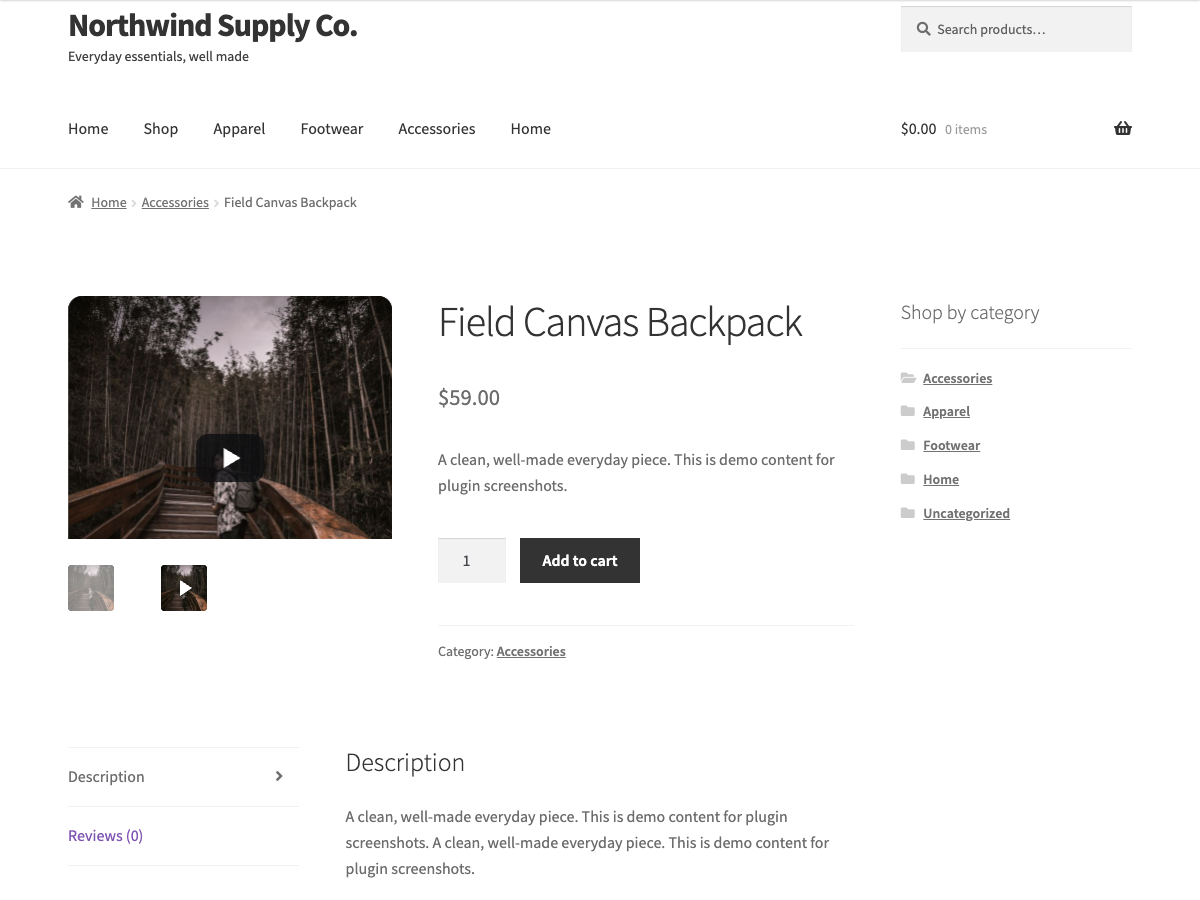
The product video inside the gallery: its thumbnail carries a play glyph, and the main frame shows a poster that loads the player only on click.
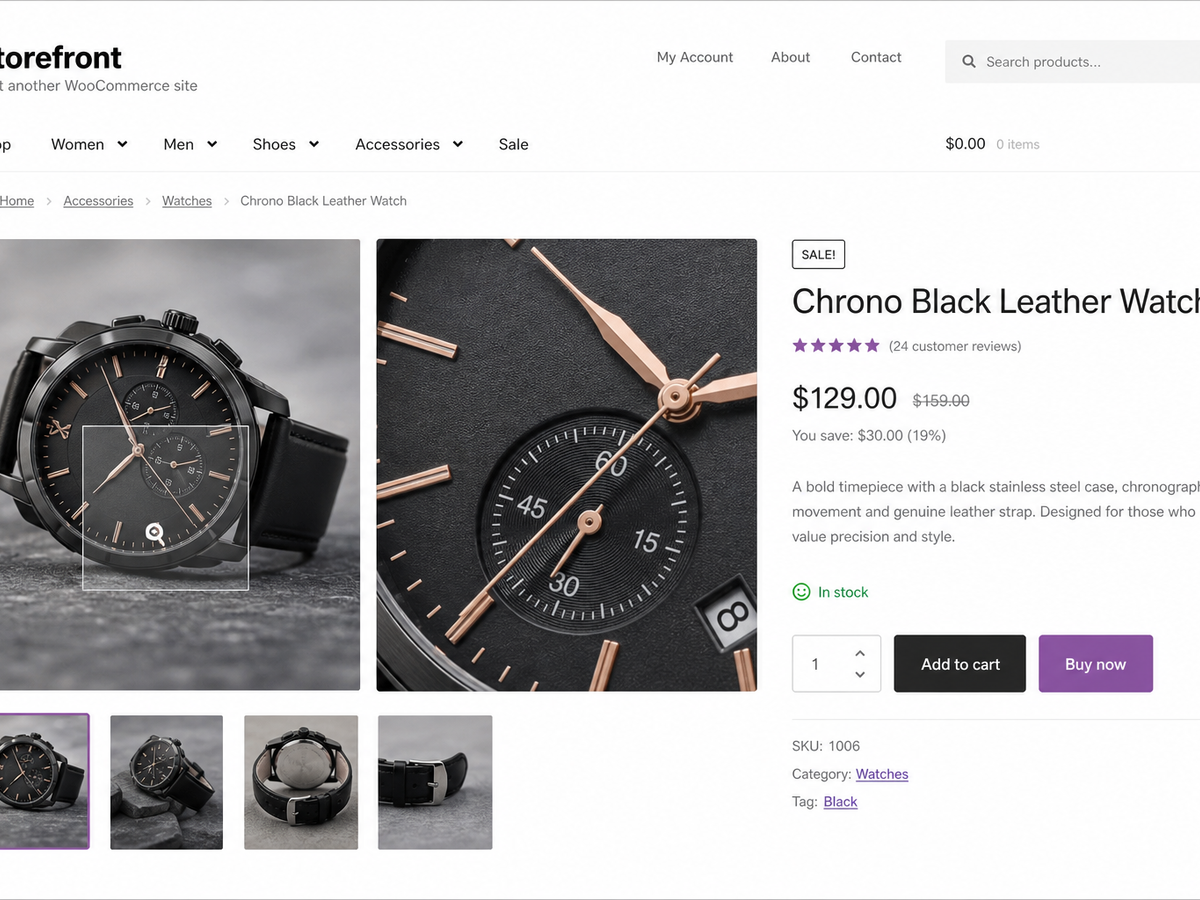
Gallery hover zoom on a single product page.
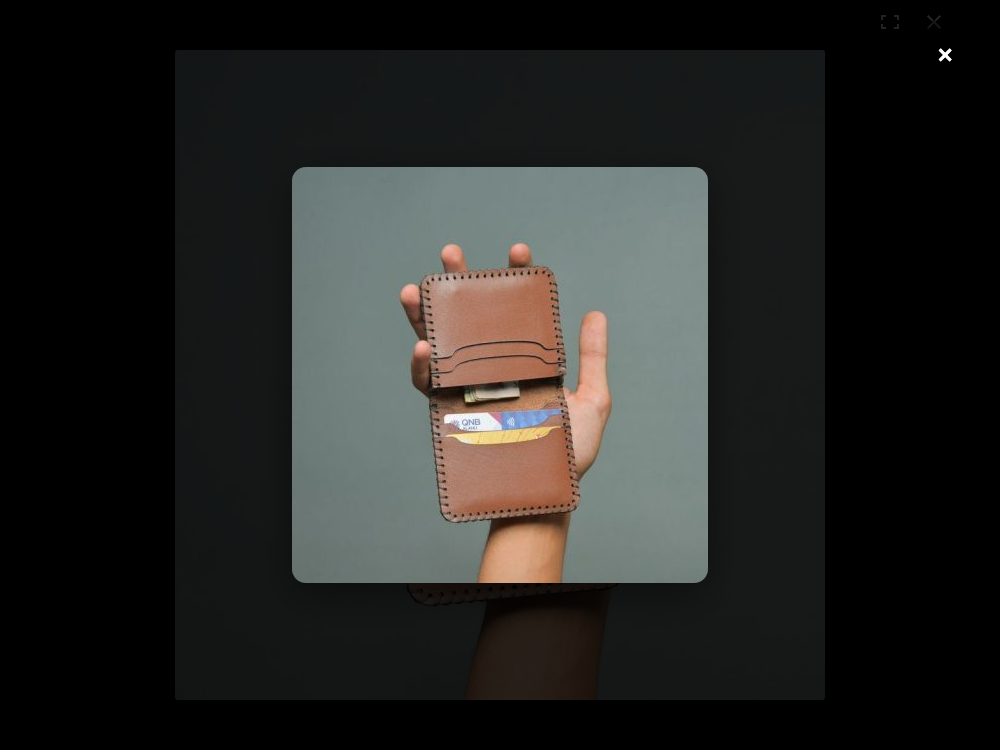
The accessible full-screen lightbox.
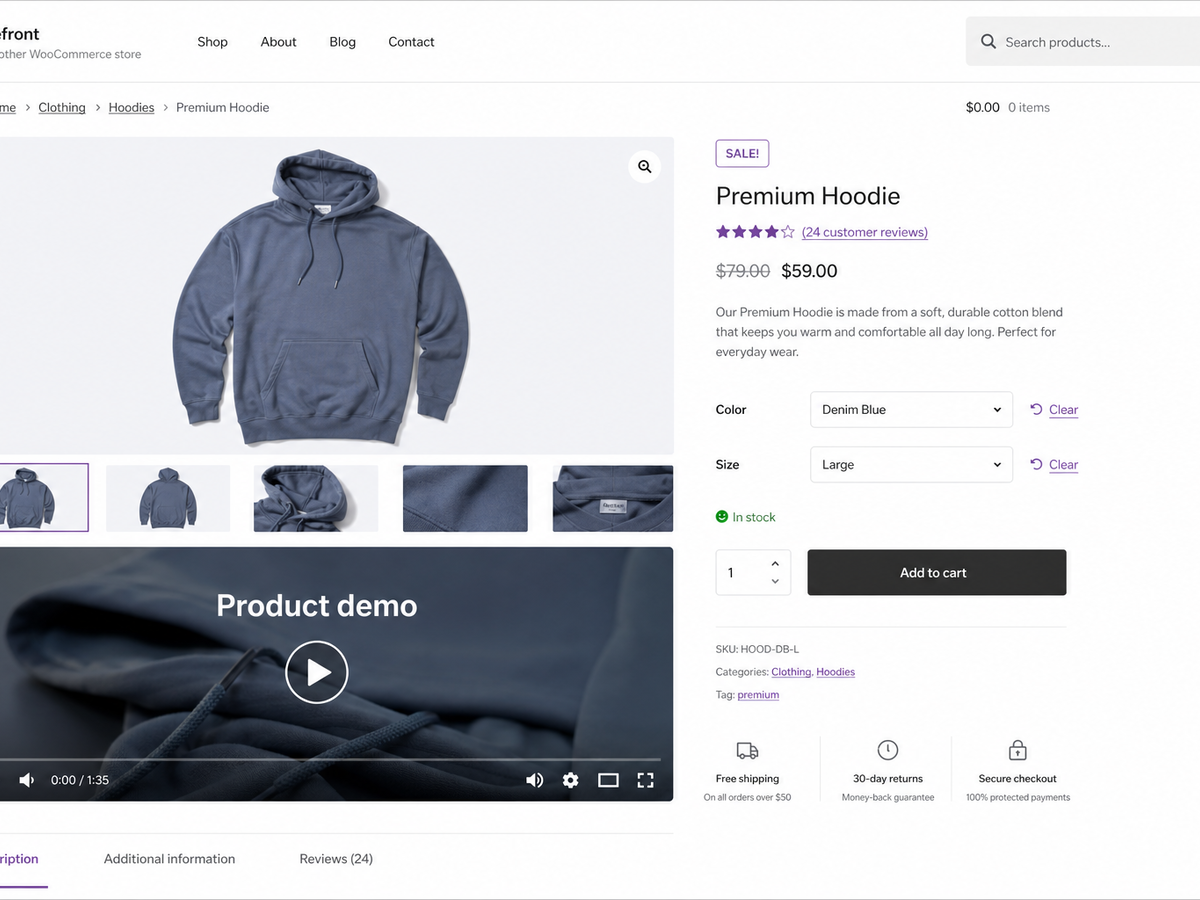
A featured product video below the gallery.
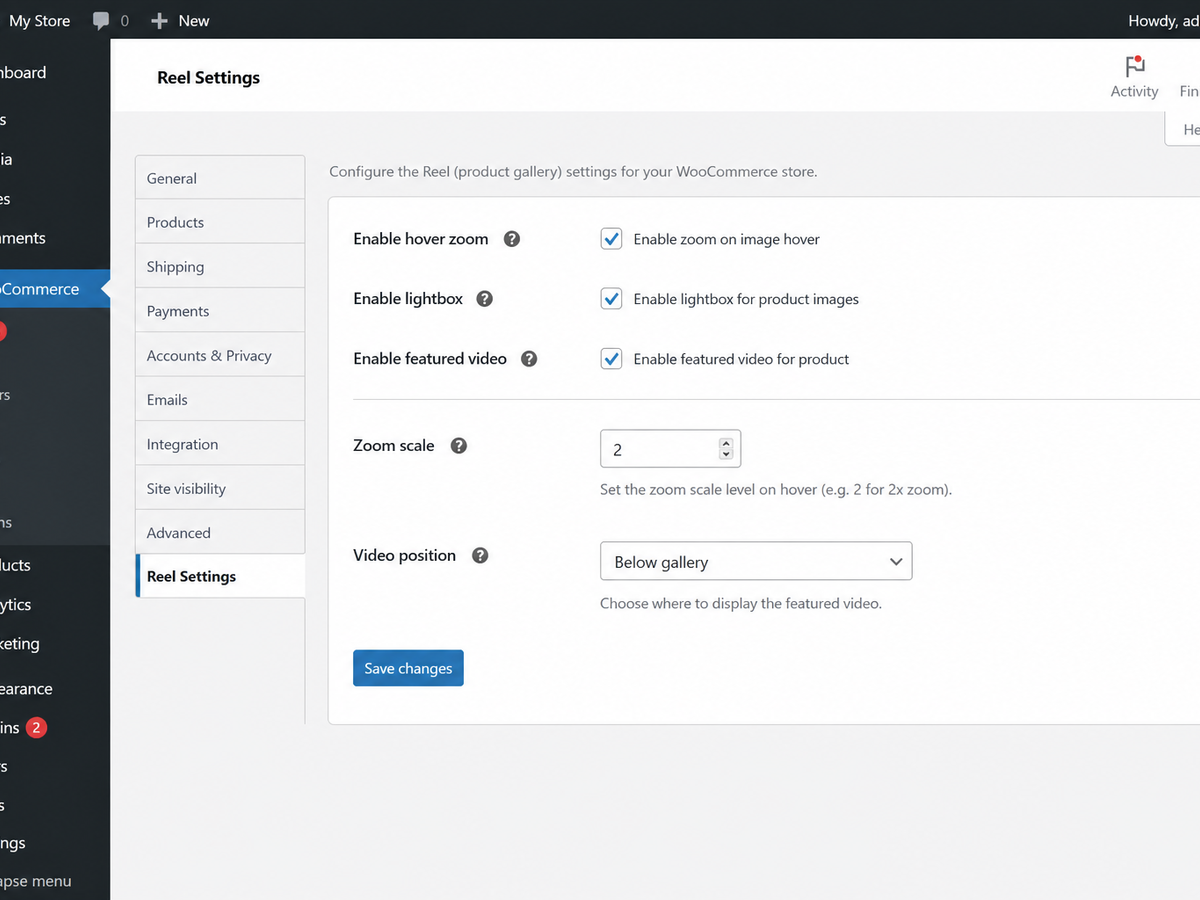
The Reel settings screen.
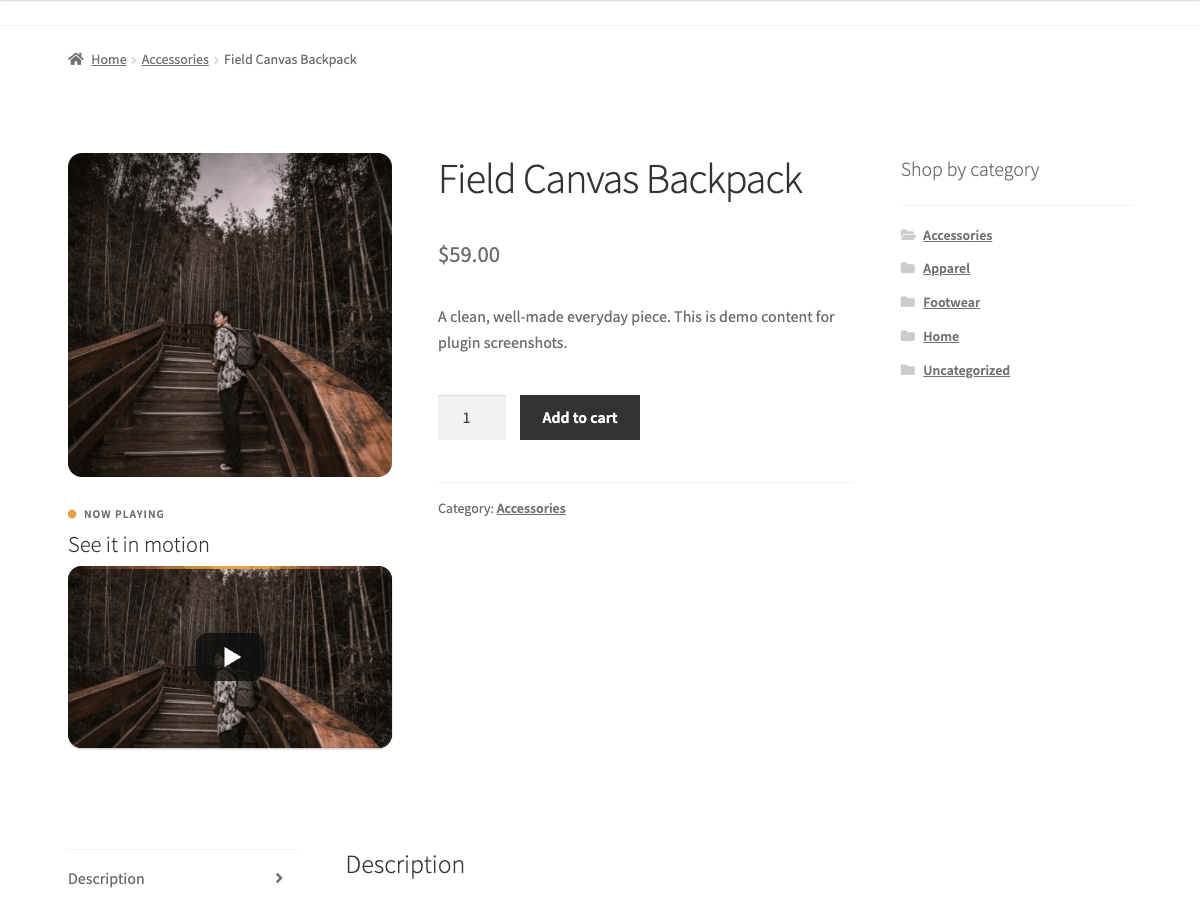
A YouTube featured video below the gallery, shown as a poster with a play button until the shopper clicks it.