BACK TO DIRECTORY
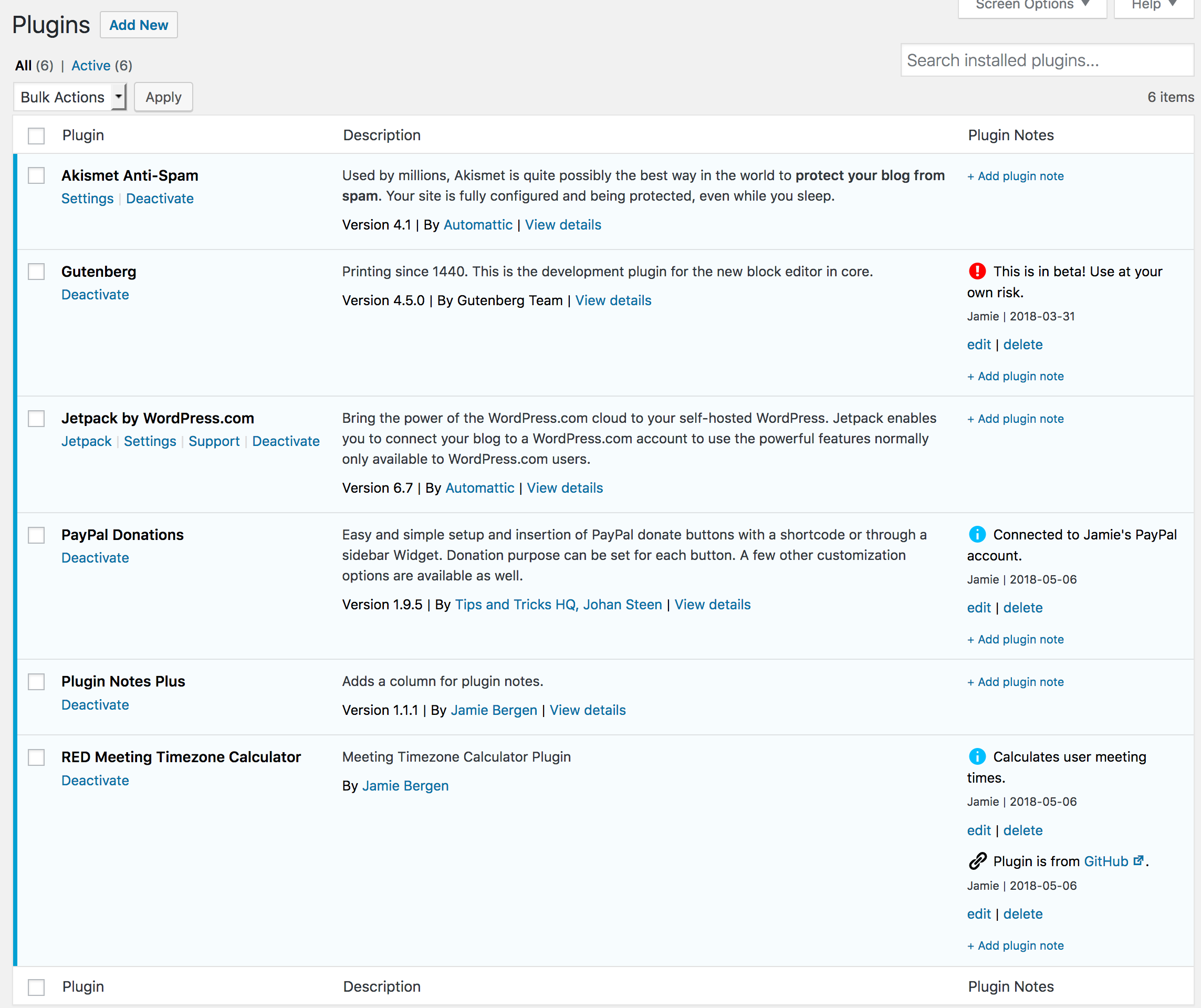
Have you ever returned to a site that you built a while back and asked, “Why did I install this plugin?” This plugin provides an extra column on the Plugins page that enables you to add, edit, or delete notes about the plugins you have installed on a particular site. These notes are intended to provide documentation regarding why a particular plugin was installed and how or where it’s being used.
Features
- Add as many or as few notes as you need for each plugin.
- Edit or delete notes as desired.
- Select an icon to go with each note to quickly convey what type of content it contains (e.g., info, warning, link, etc.)
- Format notes using basic HTML tags if desired.
- Any links included in the note will be automatically converted to
target="_blank" - Notes are added and updated via Ajax, avoiding slow page reloads.
- Notes also display on the WordPress Updates page for any plugins that need to be updated.
- A filter is provided if you would like to display notes beneath the plugin description instead of in a separate column.
- A filter is available to selectively hide or display plugin notes in the admin.
Screenshots
Upon activating the plugin, you will see a new column on the Plugins page that enables you to add, edit, or delete notes about the plugins you have installed on a particular site.
Plugin Details
Active Installs
9K+Total Downloads
78,225Version
1.2.10Requires WP
6.2Requires PHP
5.6Tested Up To
7.0.7Added
2018-02-13Last Updated
2026-07-23 7:19pm GMTRatings
5
62
4
0
3
0
2
0
1
0