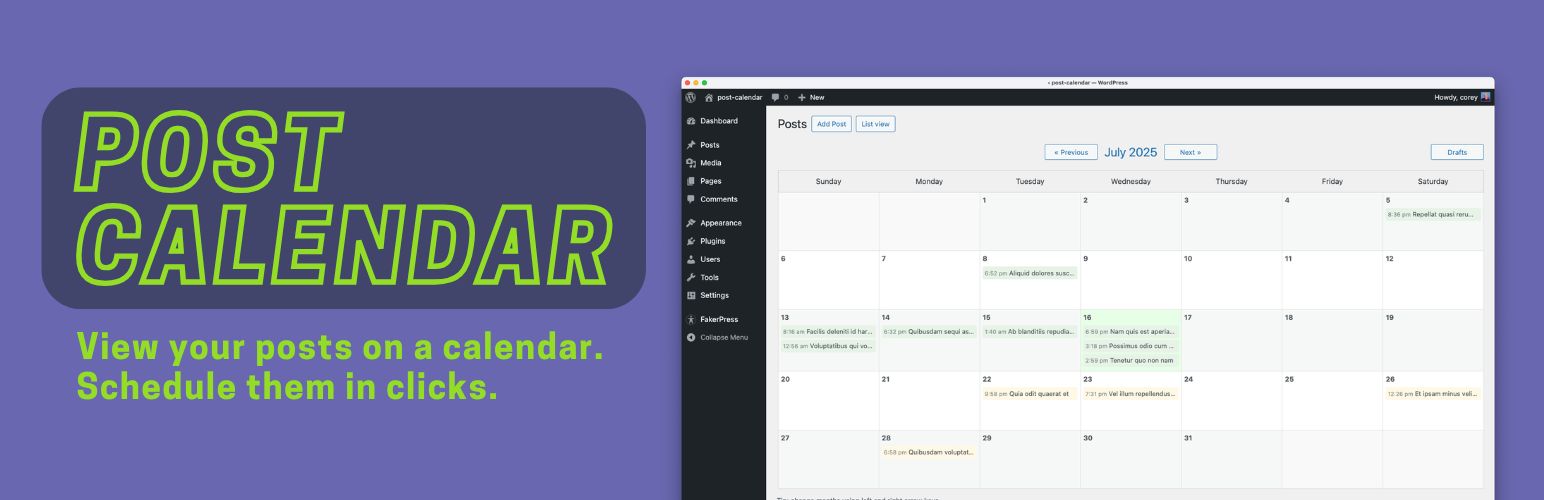
The Post Calendar plugin replaces the standard WordPress post list with a calendar view, so you can see your published and scheduled posts laid out by date.
Why You’ll Like the Post Calendar plugin
See your publishing schedule at a glance instead of scrolling a long list. Rescheduling is one click: click any post on the calendar, pick a new date and time from the popup, and you’re done.
A “Post Schedule” widget on the WordPress dashboard lists everything published last month and everything scheduled ahead, across all your enabled post types, color-coded by type. Click any post in it to reschedule it right from the dashboard.
Have unscheduled drafts? The “Drafts” button shows them all in one place so you can quickly assign each a publish date. The plugin is a good fit for bloggers, content marketers, news sites, or anyone managing an active content calendar. Settings let you choose which post types get the calendar view and whether to add a calendar link to the admin menu.
Screenshots

The new "Calendar View" button.

The calendar view of your posts. Use this to see all of your posts by date.

Click on a post to reschedule the date and time for publishing.

See all of your unscheduled "draft" posts. Click on each to set a date and time for publishing.

On the settings screen, set which post types should have a calendar, and whether to add a menu item.