
Design Your LearnDash Course Pages with Divi 4 or Divi 5
Take control of your LearnDash course-page design.
By default, LearnDash places its course progress bar at the top of the course page and the course content list at the bottom. This can make it difficult to create a layout that matches the rest of your website.
Course Page Builder for LearnDash and Divi gives that control back to you.
This free plugin removes LearnDash’s default course-page elements and gives you a clean, full-width page to design with Divi. Decide where to place your course information, enrollment button, and curriculum — and build a layout that fits your website.
How It Works
Activate the plugin and start building. No additional configuration is required.
- Divi 5: Use three native modules — Course Info Bar, Course Action Button, and Course Content — directly in the Visual Builder.
- Divi 4: Use the included shortcodes and LearnDash’s native course content shortcode to position the elements within your design.
The plugin also removes the extra spacing and the theme’s default title and sidebar from course pages.
🎁 Free Divi LearnDash Course Page Layouts
Don’t want to start from a blank page? Start with a design.
Get four free Divi course page layouts designed to work with the plugin. Import a layout, customize it to match your brand, and use it as a starting point for your own course pages. Available for both Divi 4 and Divi 5.
👉 Get the four free course page layouts
Native Divi 5 Modules
If you’re using Divi 5, the plugin adds three native modules you can insert directly into the Visual Builder:
- Divi Learndash Course Info Bar — displays the course information and status bar (status, price, and the progress bar once enrolled).
- Divi Learndash Course Action Button — displays the relevant course action, such as logging in, enrolling, or purchasing.
- Divi Learndash Course Content — displays the course curriculum: lessons, topics, and quizzes.
Customize their content and appearance directly in Divi using the modules’ own design settings.
Customize Your Course Pages
Place your course information, enrollment or purchase button, and course curriculum wherever you want. Build your own sections, add content, and style your course page to match the rest of your website.
Using Divi 4? The plugin includes these shortcodes:
[powdcopa_course_infobar]— displays the course information and status bar.[powdcopa_course_action_button]— displays the course action button independently, when applicable.[course_content]— LearnDash’s native shortcode for displaying lessons, topics, and quizzes.
The shortcodes use basic styling so they won’t fight your theme’s design. You can customize their appearance with CSS or Divi’s design options.
👉 Follow our step-by-step styling guide
Want a Complete LearnDash Website?
If you’d rather start with a professionally designed website instead of building everything yourself, explore Divi eLearn for LearnDash — our premium Divi child theme for course creators.
With Divi eLearn, you get:
- Ready-made homepage designs with hero sections, course grids, and opt-in sections.
- Designed course pages that bring together course information, enrollment actions, and the curriculum.
- Matching website pages — About, Contact, archive, and blog, all designed to fit.
- A complete WooCommerce experience — styled cart, checkout, mini cart, and account pages.
Your homepage, course pages, lessons, blog, and checkout are designed to work together as one coherent website.
Start free with Course Page Builder, or explore Divi eLearn for the complete designed experience.
👉 Explore Divi eLearn for LearnDash
Documentation
All of our documentation can be found in our Knowledgebase.
Additional helpful links:
If you have any questions about this plugin, you can post a thread in the WordPress.org forum. Please search existing threads before starting a new one.
Requirements
- WordPress
- Divi 4 or Divi 5 (Divi Theme or Divi Builder)
- LearnDash LMS
To restore the standard LearnDash course-page layout, simply deactivate the plugin.
Screenshots
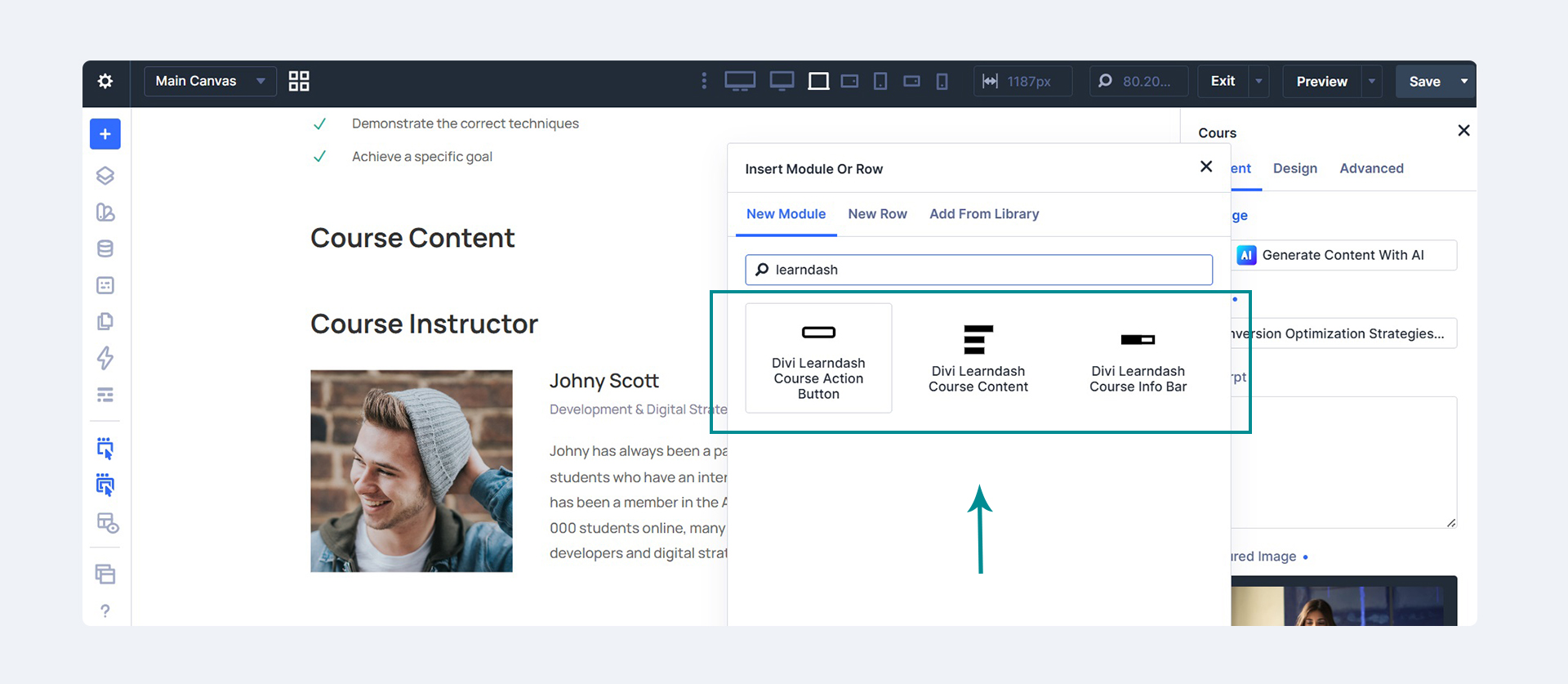
The three native Divi 5 modules — Course Action Button, Course Content, and Course Info Bar — in the Visual Builder's module library.
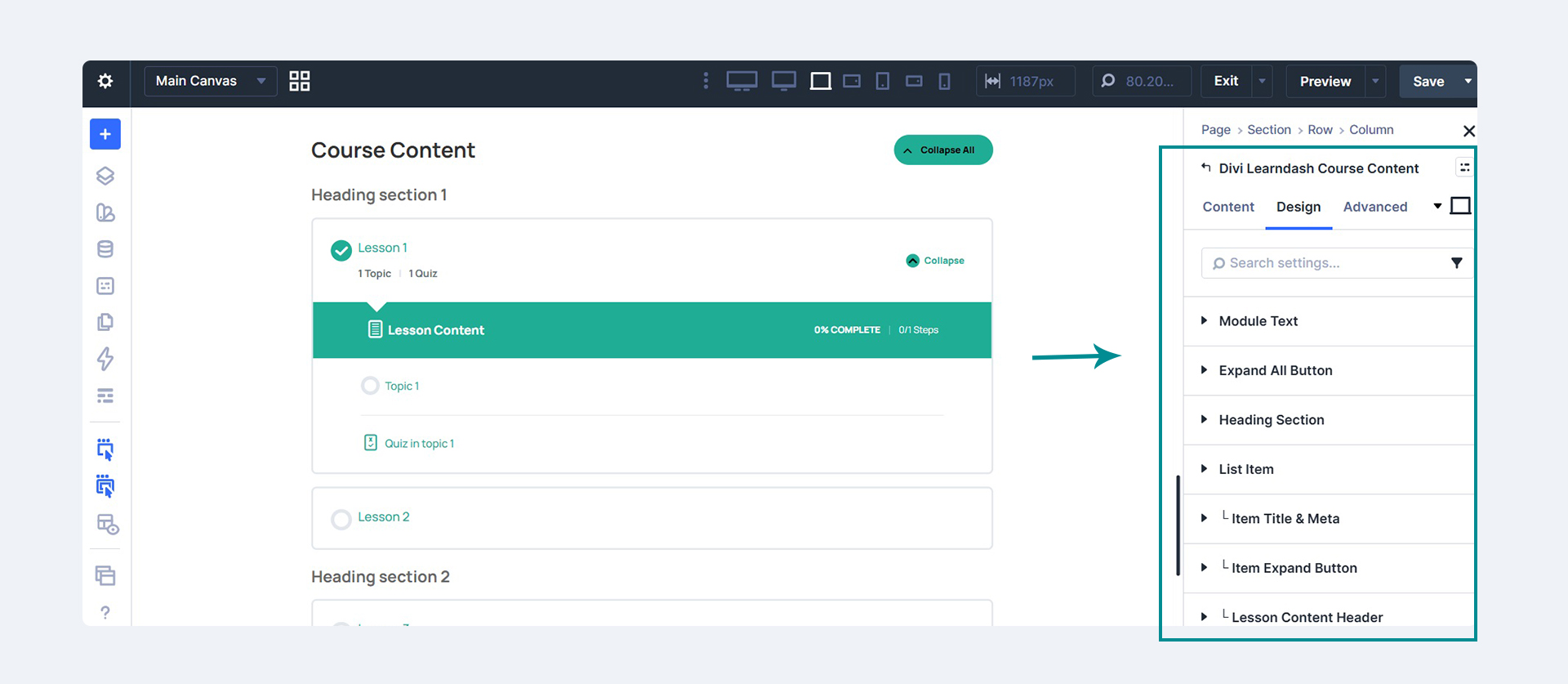
The Divi Learndash Course Content module with its Design settings for the module text, expand button, heading sections, list items, and lesson content header.
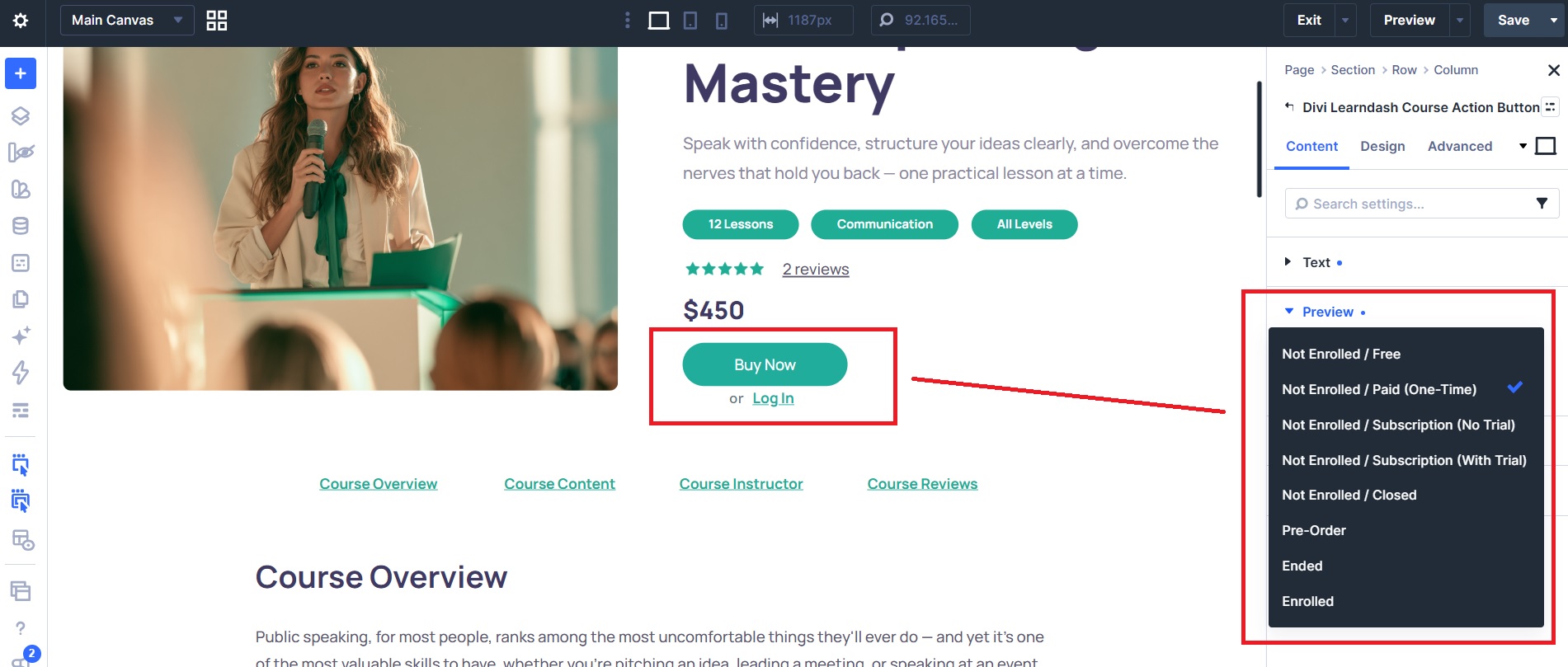
The Divi Learndash Course Action Button module, with Preview states to view the button for each enrollment and access type while you design.
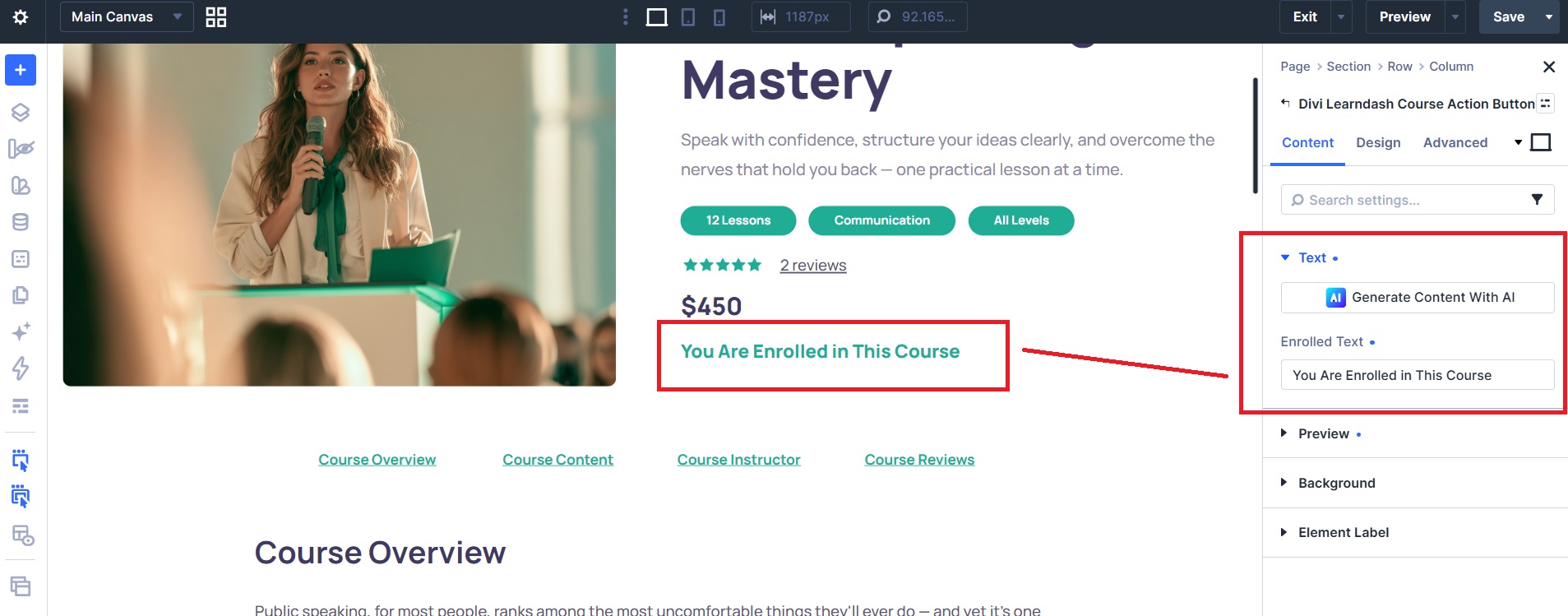
The Course Action Button's editable Enrolled Text, shown to users who already have access to the course.
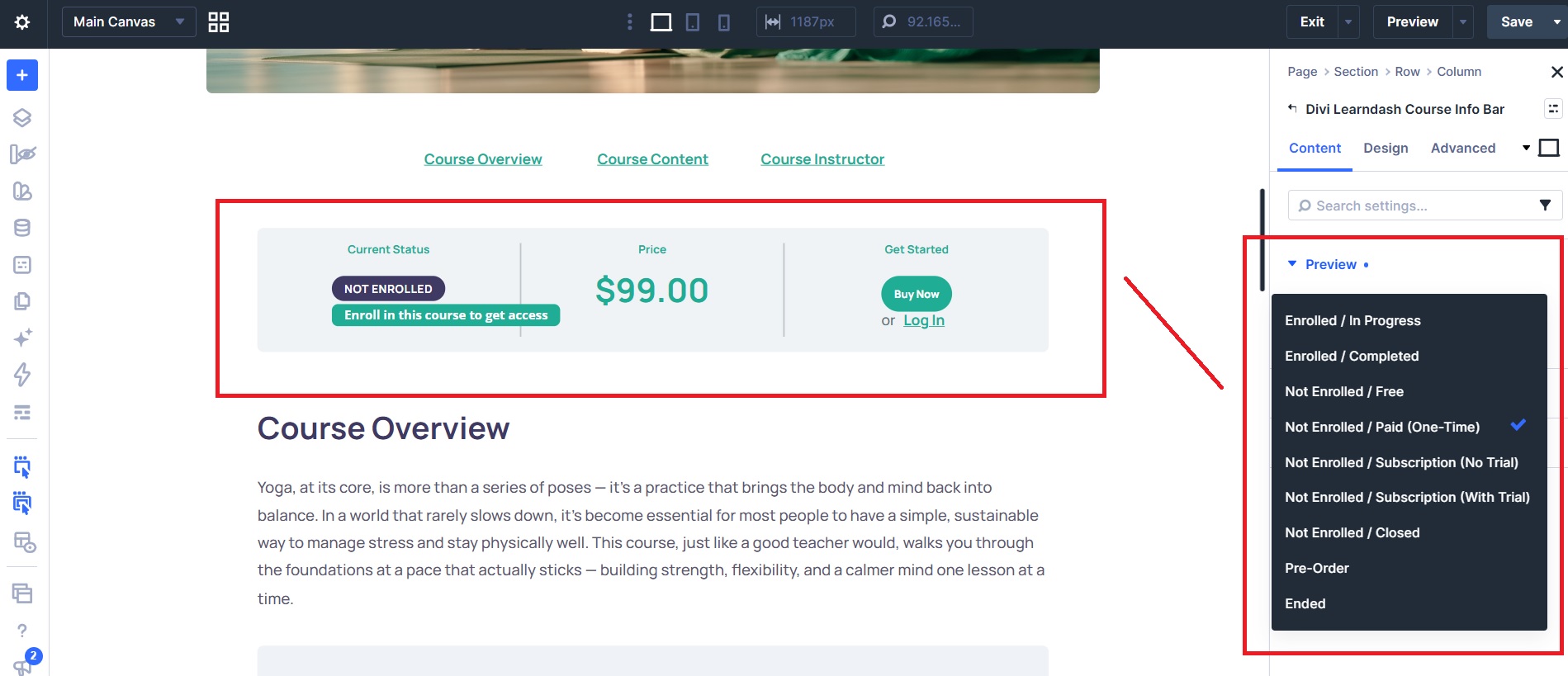
The Divi Learndash Course Info Bar module showing status, price, and the action button, with Preview states for every enrollment and access type.
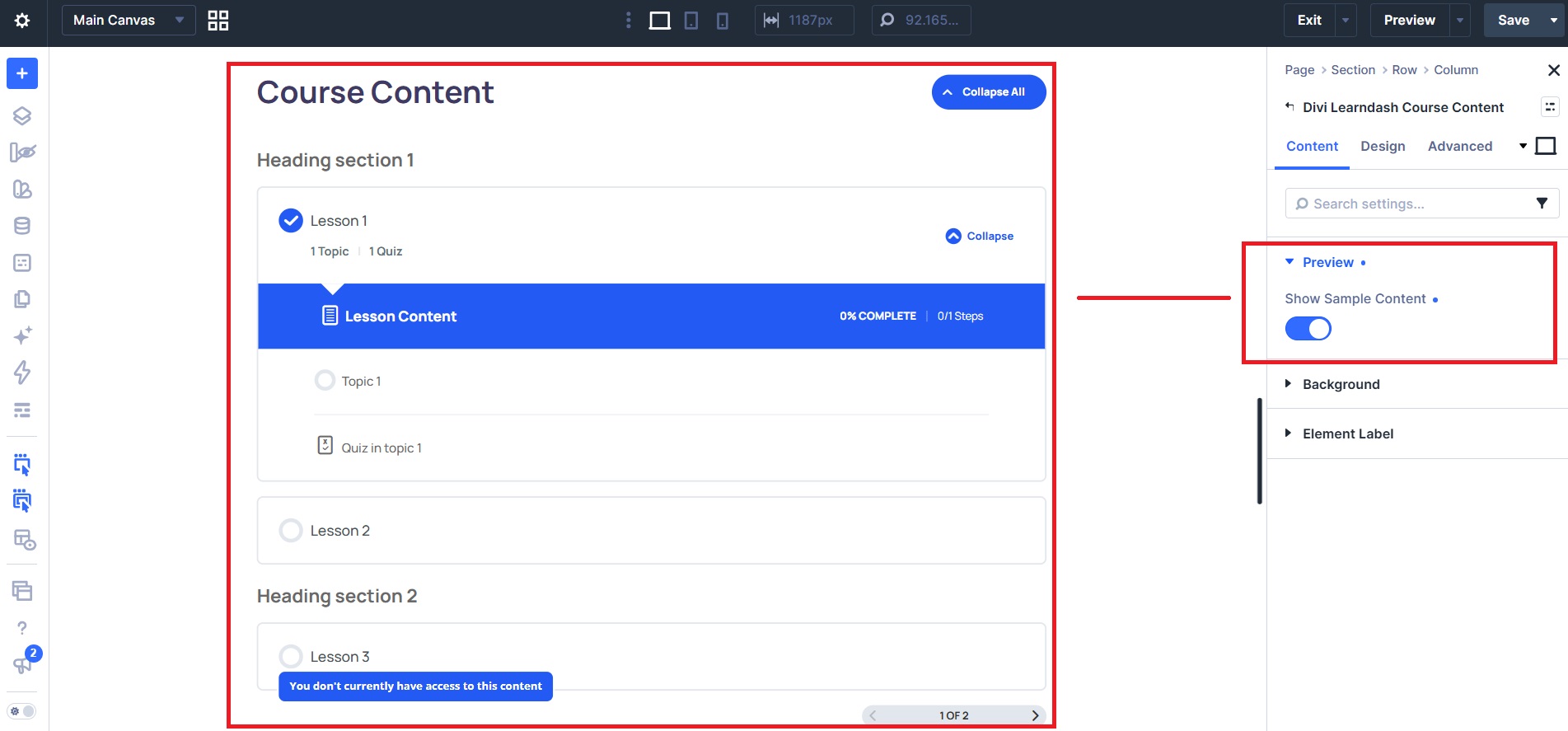
The Divi Learndash Course Content module with its Show Sample Content preview toggle.
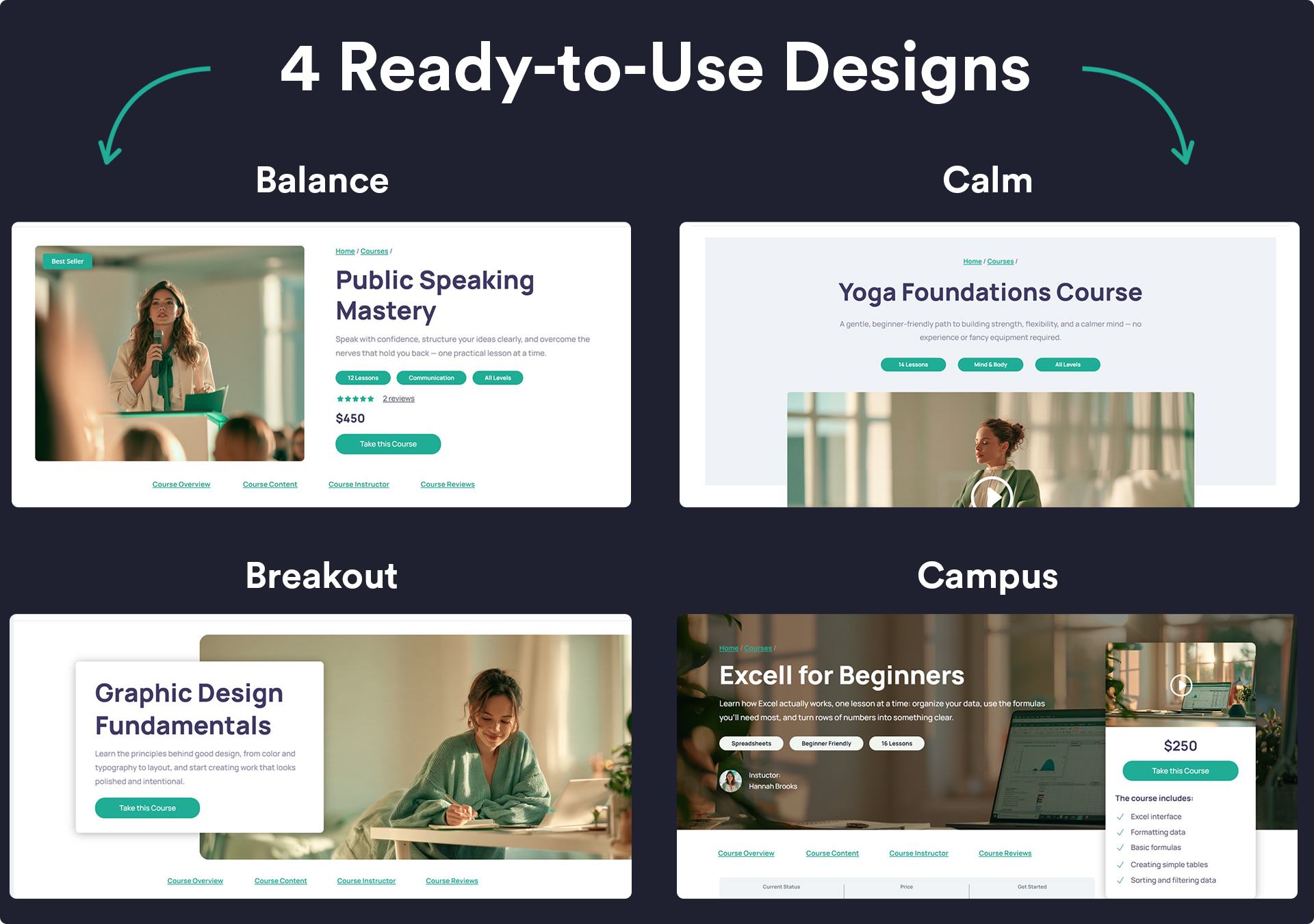
Four free, ready-to-use Divi course page layouts: Balance, Calm, Breakout, and Campus.
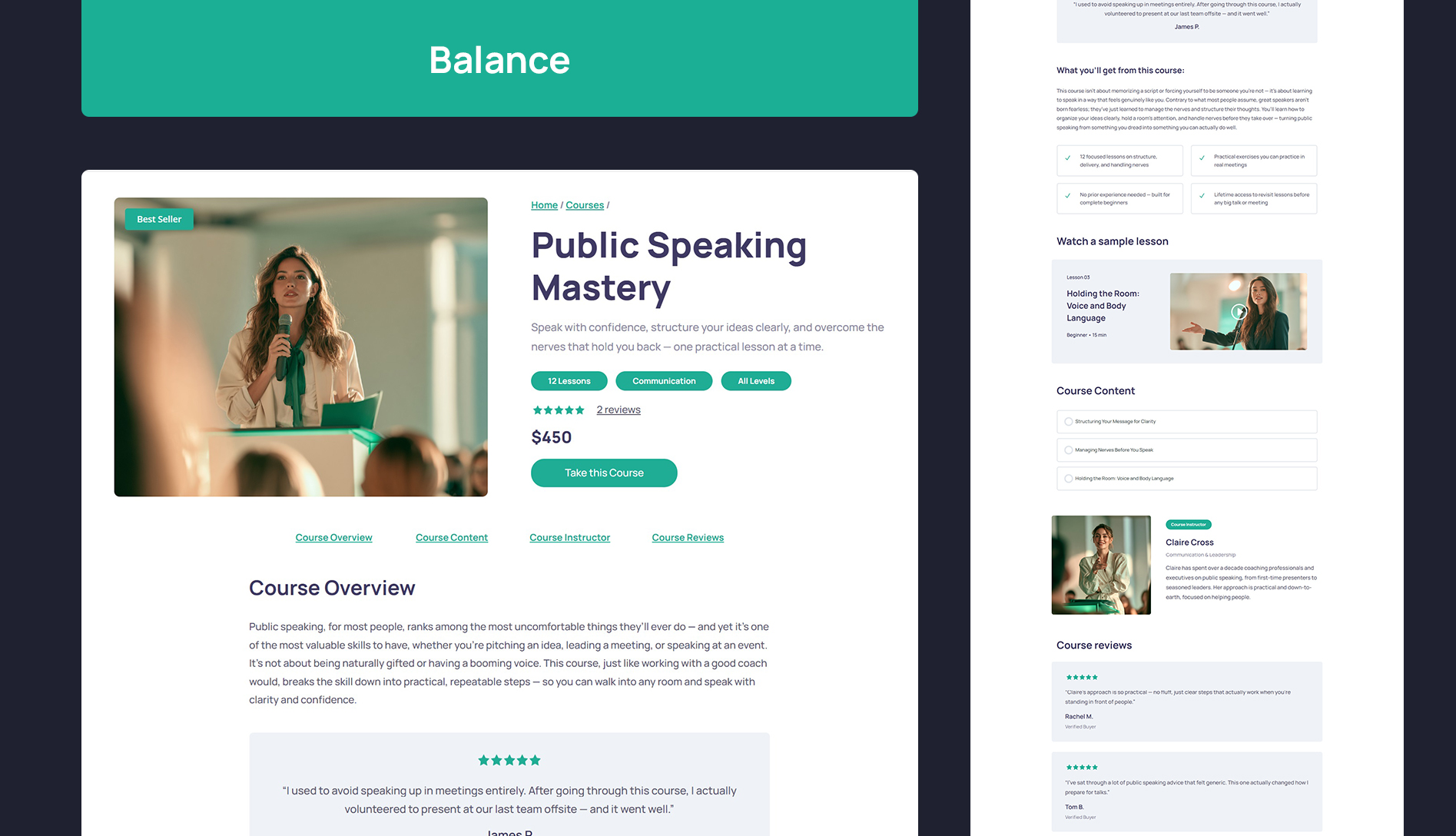
The Balance course page layout.
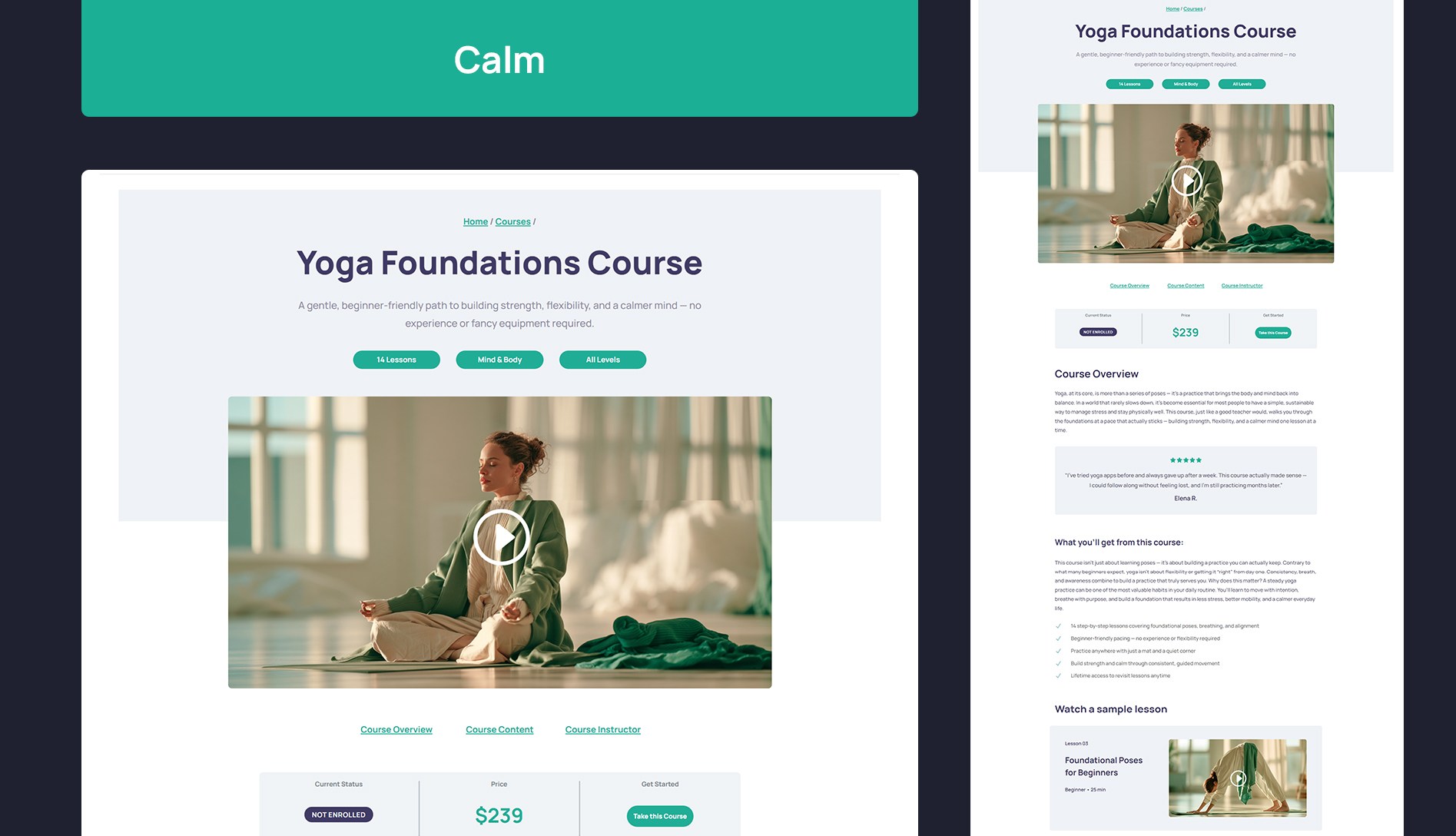
The Calm course page layout.
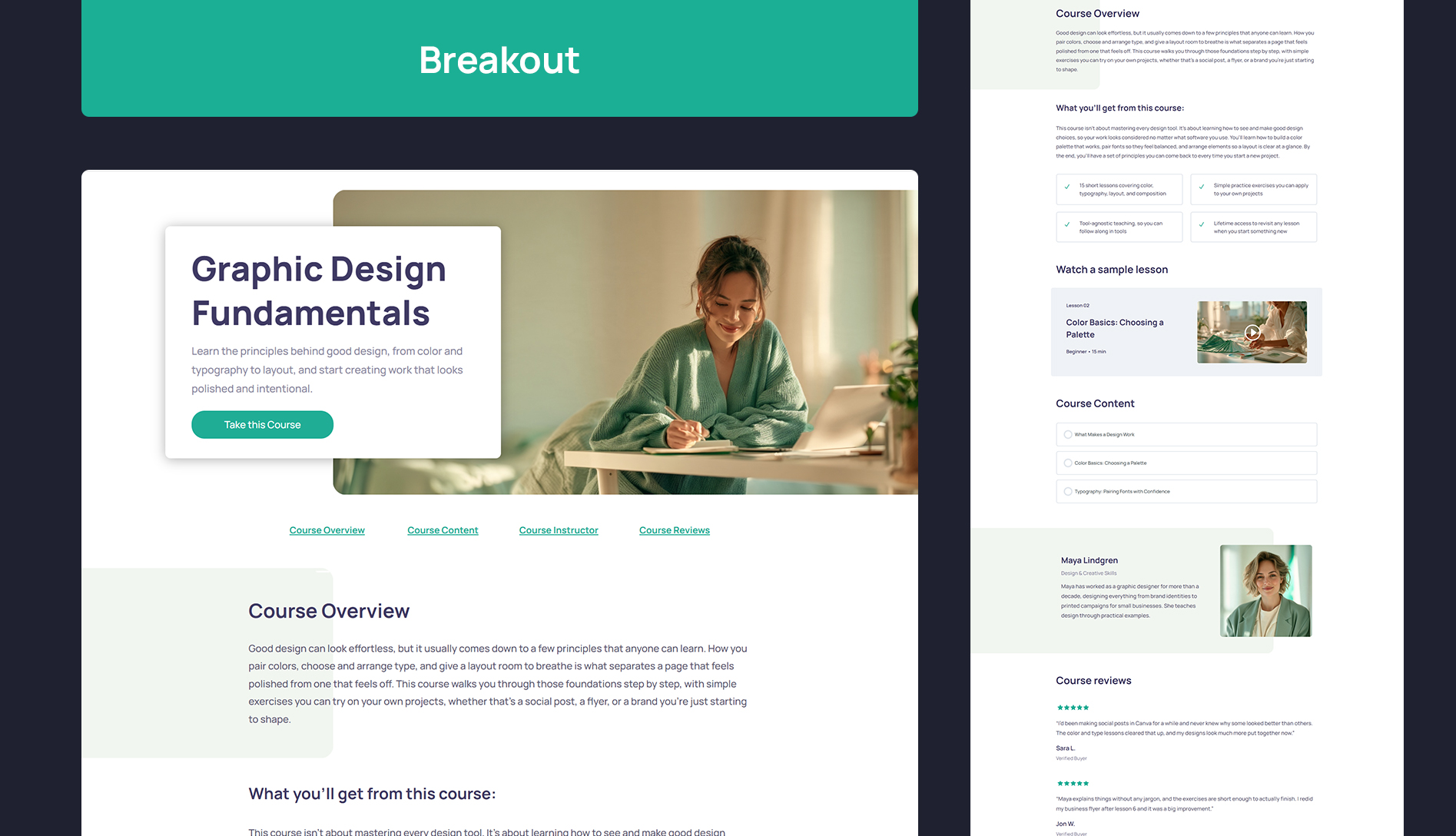
The Breakout course page layout.
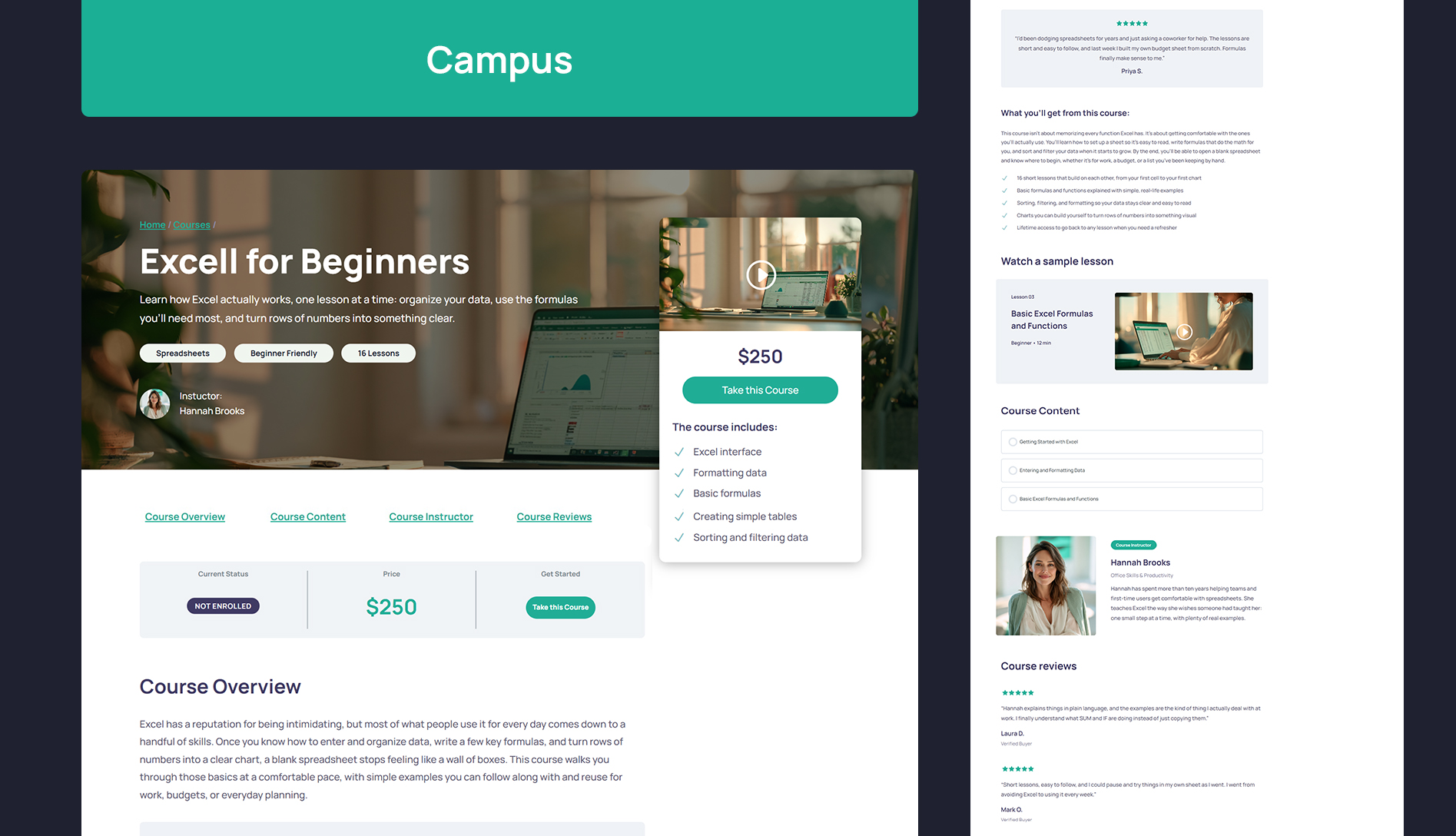
The Campus course page layout.