
Precise Expressions Admin Menu Reorganizer Lite helps administrators make the WordPress dashboard easier to navigate. It moves selected top-level menu items into flyout groups while retaining access to their original screens.
Lite features
- Create up to two effective custom menu rules.
- Move Comments under Posts (built in).
- Add the WooCommerce Catalog Hub with links to common product and store screens.
- Rename moved menu items and retain their capabilities.
- Preserve saved historical rules beyond the Lite two-rule entitlement, so upgrading, downgrading, or a Pro license change never deletes those rules.
Pro add-on
Admin Menu Reorganizer Pro is an add-on for this Lite plugin. Keep Lite active; Pro extends its settings page with an unlimited rule builder, detected top-level menu suggestions, optional icon selection, alphabetical sorting, presets, and WooCommerce cleanup. Lite remains usable if Pro is inactive, unlicensed, expired, or removed.
Data retention
Deactivation never removes menu rules. Lite retains its saved menu-rule data by default on uninstall. An administrator can explicitly choose Delete Lite menu-rule data when uninstalled in the settings page when permanent removal is wanted.
Screenshots
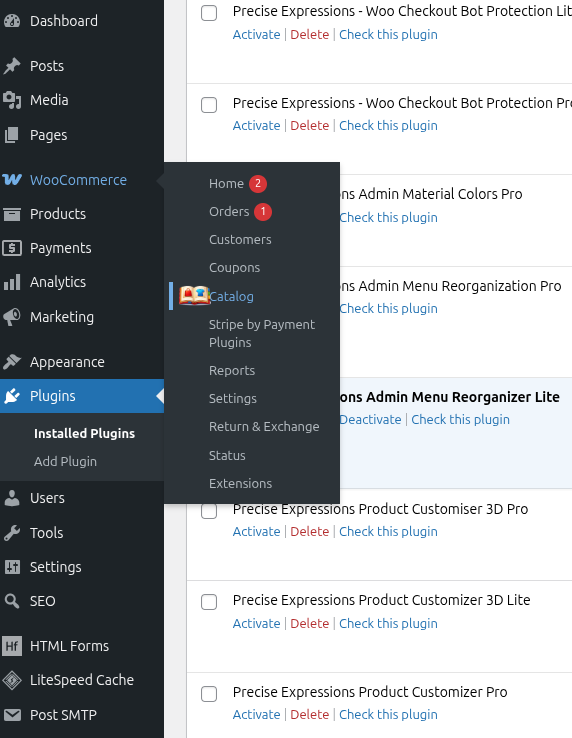
The WooCommerce admin menu with the built-in Catalog Hub flyout open alongside other menu items.
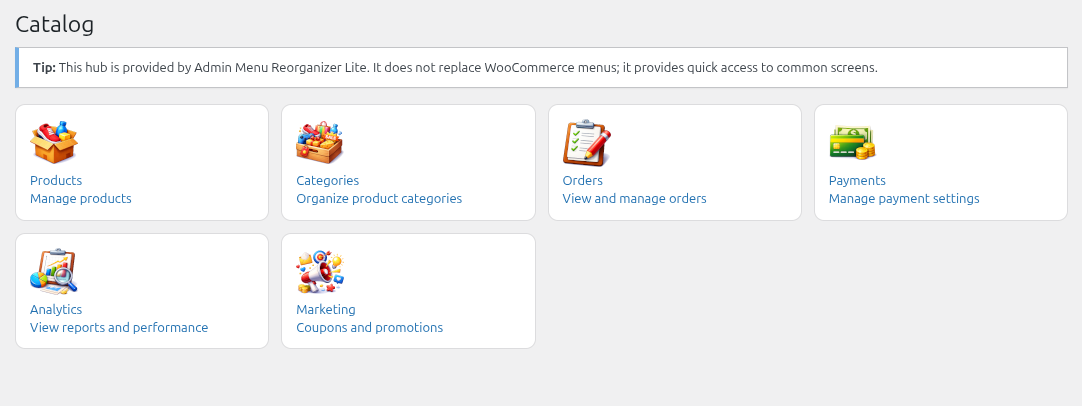
The Catalog Hub page: one-click links to Products, Categories, Orders, Payments, Analytics, and Marketing.
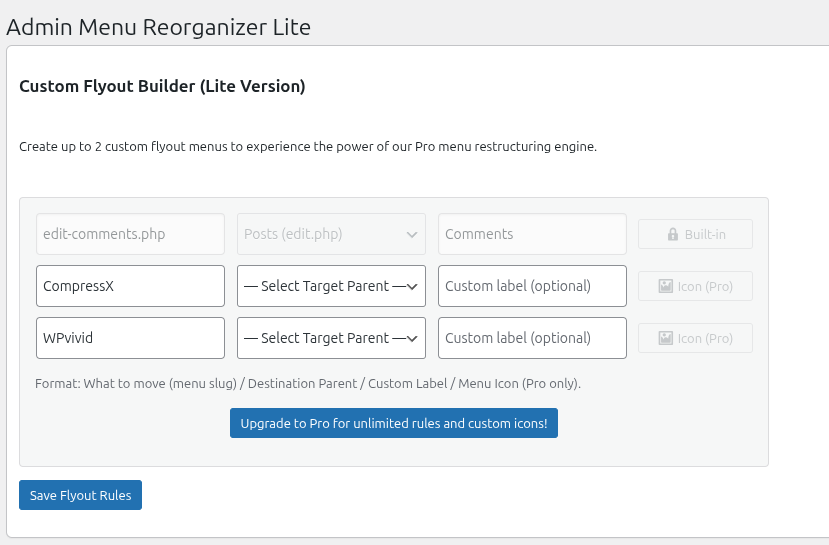
The Lite Custom Flyout Builder, showing two configured rules that move other plugins' menu items into a named flyout group.