Pressria is a web-to-print product designer for WooCommerce that connects
product personalization with print-ready file production.
Customers add their own images and text on your existing product pages, preview
the result on the product’s own mockup, and order with their design attached.
When a personalized order is paid, Pressria generates the production PDF, with
cut lines for supported die-cut products.
Built for stores selling custom stickers, acrylic goods, keychains, apparel and
other personalized print products, Pressria cuts down the repeated
back-and-forth of collecting customer artwork and preparing it for print. The
customer sees the result before ordering, and the production file is generated
from the design they approved.
Try it before you install
These sample products open the same editor your customers would use, in a new
tab, with no account and nothing to install. The keychain and sticker samples
show what goes beyond simple image placement: products that need a cut line.
- Acrylic keychain
- Die-cut sticker
- Free-form kiss-cut sticker pack
- Kiss-cut seal pack
- T-shirt
- Phone case
- Canvas shoes
All twelve sticker formats – circle, square, rounded and free-form, as die-cut,
single kiss-cut and kiss-cut packs – are on the
sticker demo page. More products,
including a tote bag and a mug, are on the
Pressria demo page.
What you get
Customers design and order
- The editor opens from an Edit Design button next to Add to Cart on your
existing product pages. No separate storefront, no theme rebuild, no page
builder. - Images and text, previewed on each product’s own mockup, kept inside the
printable area you define. - Variable products: the editor opens with the variation the customer selected,
and design templates are matched to that option. - The design follows the line item into the cart, checkout, order pages, order
emails and the WordPress admin order screen.
You receive the production file
- A print-ready production PDF for every paid personalized order.
- Cut lines applied automatically for die-cut products such as stickers,
sticker sheets, acrylic goods and keychains. - Production files can be downloaded from Order PDF Download in the Pressria
admin.
You reuse the artwork you already have
- Upload text, image and clipart content and design templates, and offer them in
the editor by category. - Pressria’s free Illustrator plugin uploads .ai and .eps files as editable
templates in bulk, generating thumbnails and design areas automatically.
It is optional – every product can be set up without design software. - Bulk product sync sends your existing WooCommerce catalog to Pressria in one
pass.
Order handoff is built to be reliable: if a paid, cancelled or refunded order
fails to reach Pressria, the plugin retries in the background through Action
Scheduler and records the result as an order note.
How it works
- Connect your store. A Pressria account is created from the plugin settings
screen and the Free plan is applied. - Enable a product in the Product Manager and define its printable area and
mockup. - Optionally add templates and content, by hand or from Illustrator.
- Customers design on the product page and check out as usual.
- When the order is paid, the production PDF is generated, with cut lines for
die-cut products, and is ready to download from the Pressria admin.
What you need
- WordPress 6.5 or later with WooCommerce active.
- A Pressria account, created from the plugin settings screen.
- For each product you enable: a product image or mockup and its printable area.
- Optional: existing design files in Adobe Illustrator, if you want to turn them
into templates.
Which products can customers design?
Apparel, phone cases, footwear, keychains, acrylic goods, and die-cut stickers
and sticker sheets. The list is not fixed: any WooCommerce product can be
enabled once you define its printable area and mockup.
Before and after the editor: Illustrator and Bridge
Two separate Pressria tools sit on either side of the plugin. Neither is
required to use it.
- Before customers design – the Illustrator plugin (free) turns your existing
Illustrator artwork into templates and content for the editor.
Get it on Adobe Exchange - After the order – Pressria Bridge, a Windows desktop app with its own Free and
Pro plans, nests production files onto sheets for printing and cutting. Hot
folder automation is part of Bridge Pro. Bridge is separate from this plugin
and its plans. Details at pb.pressria.com.
Pricing
You are charged per completed design: one personalized order line that
produces one print file. A design is counted once, when its print file is
produced – however many images, sides or pages it holds, and whatever quantity
is ordered. A later order of the same design is a new order with a new print
file, so it counts as a new design.
The Free plan has no monthly fee and no setup fee. The first 20 designs in each
billing cycle are free; after that, a payment method is needed and each design
costs 5% of its order line total. The paid plans – Studio, Scale and Pro – add a
monthly fee in exchange for a lower rate. No design is charged more than $5.00
on any plan. Full rates are in the FAQ.
External services
This plugin relies on Pressria to provide its web-to-print functionality and
cannot work without it. Requests from your site go to the Pressria API at
pod.pressria.com over HTTPS, and finished design images are loaded by your
visitors’ browsers from cdn.pressria.com.
- Activation and connection: site URL and a randomly generated install token on
activation, plus shop name, administrator email address, shop logo URL and
language when you connect, so the shop can be registered. - Products: product ID, name, status, type, thumbnail URL, categories, permalink
and, for variable products, the option names and values, sent when a product is
created, updated, deleted or synced; the product ID alone is checked on a
product page view. No prices, stock levels or customer data. - Design editor: site URL, product ID, a timestamp and a signature, sent when a
customer opens the editor. The editor loads from Pressria in a frame and stores
the content the customer adds to the design. - Orders: order ID and number, status, currency, order total, payment date and,
per line item, the product, quantity, line total and design references, sent
when an order is paid, cancelled, refunded or restored. Line amounts are used
to calculate the usage-based fee described under Pricing.
Customer personal data – name, email address, phone number and shipping address –
is never transmitted.
Pressria is a third-party service, independent of WordPress.org. By connecting a
shop and using these features you agree to Pressria’s terms and privacy policy:
- Terms of Service: https://goods.pressria.com/terms/
- Privacy Policy: https://goods.pressria.com/privacy/
Screenshots
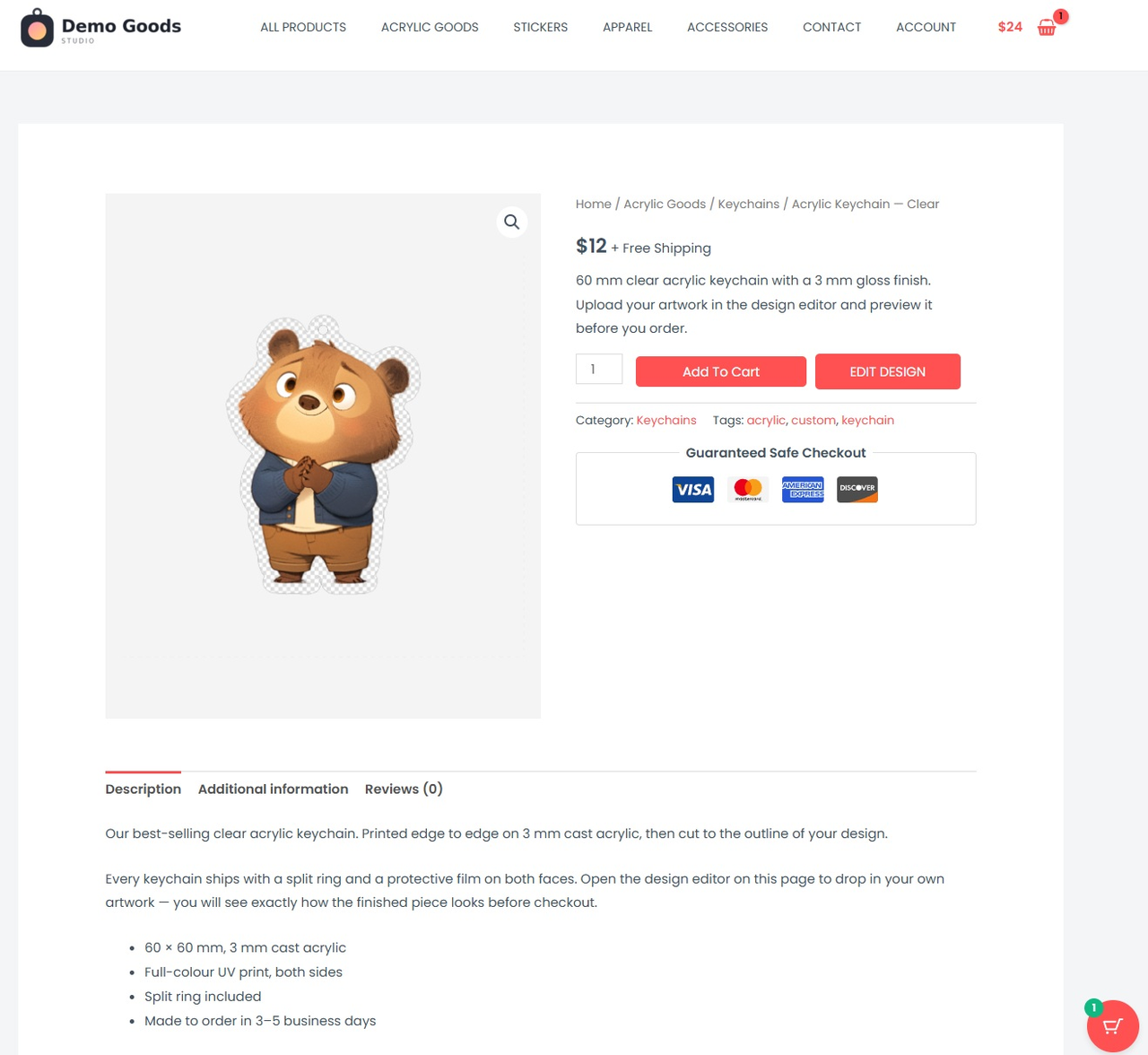
Your WooCommerce product page gets an Edit Design button next to Add to Cart.
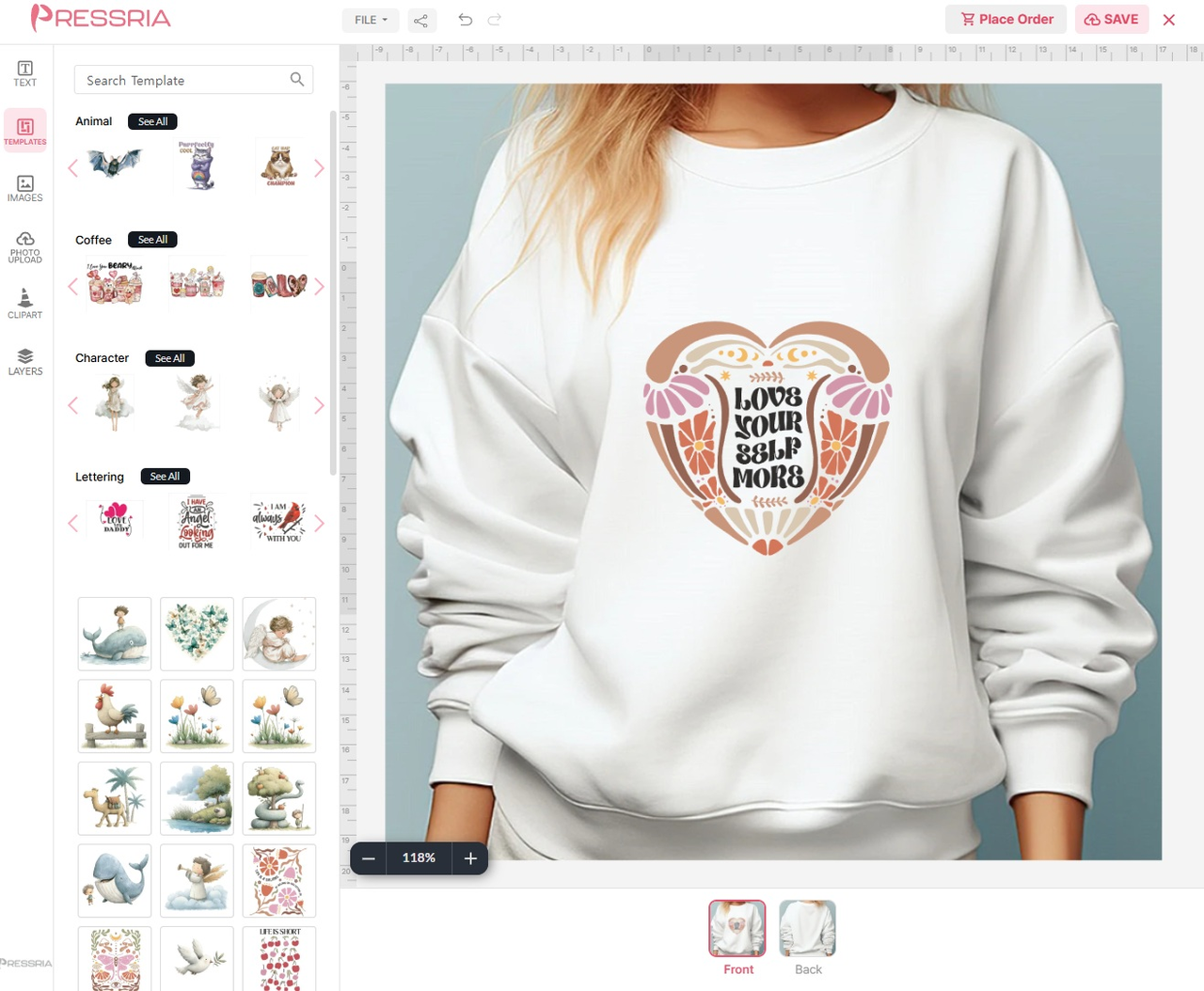
Apparel - the customer places a design and previews it on a product mockup, front and back.
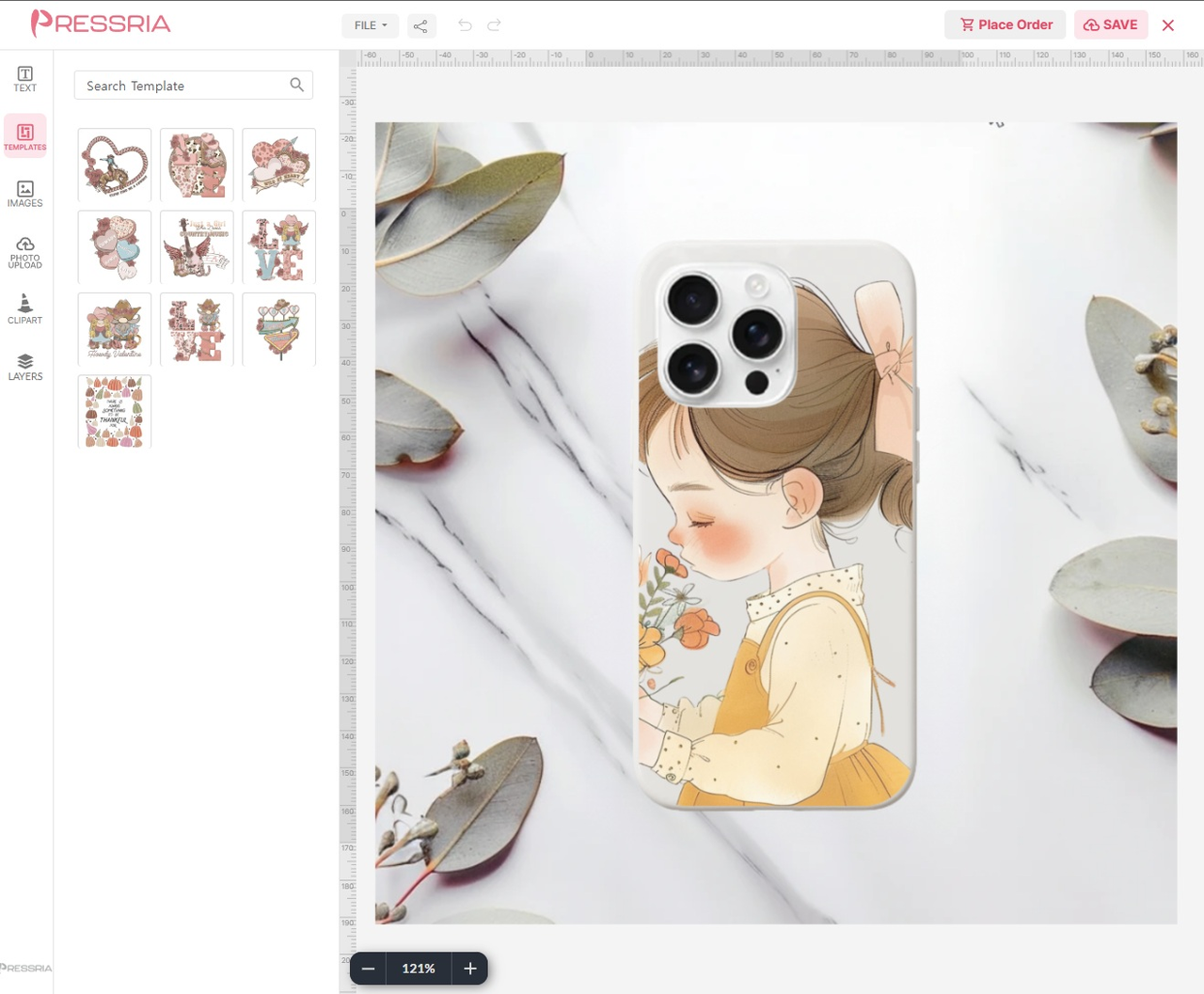
Phone case - the same editor adapts to each product, with that product's own mockup.
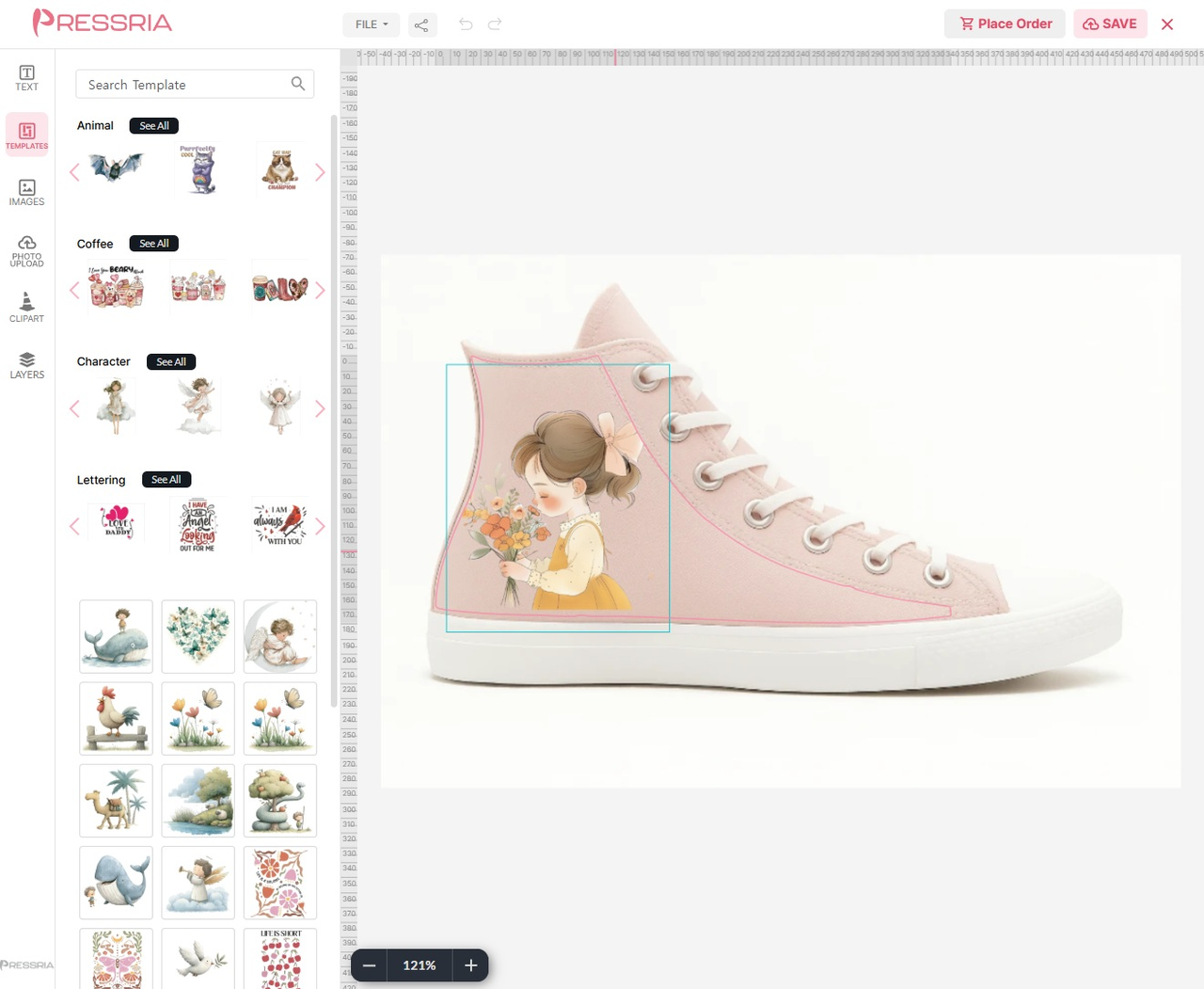
Footwear - print guides keep the artwork inside the printable area of the product.
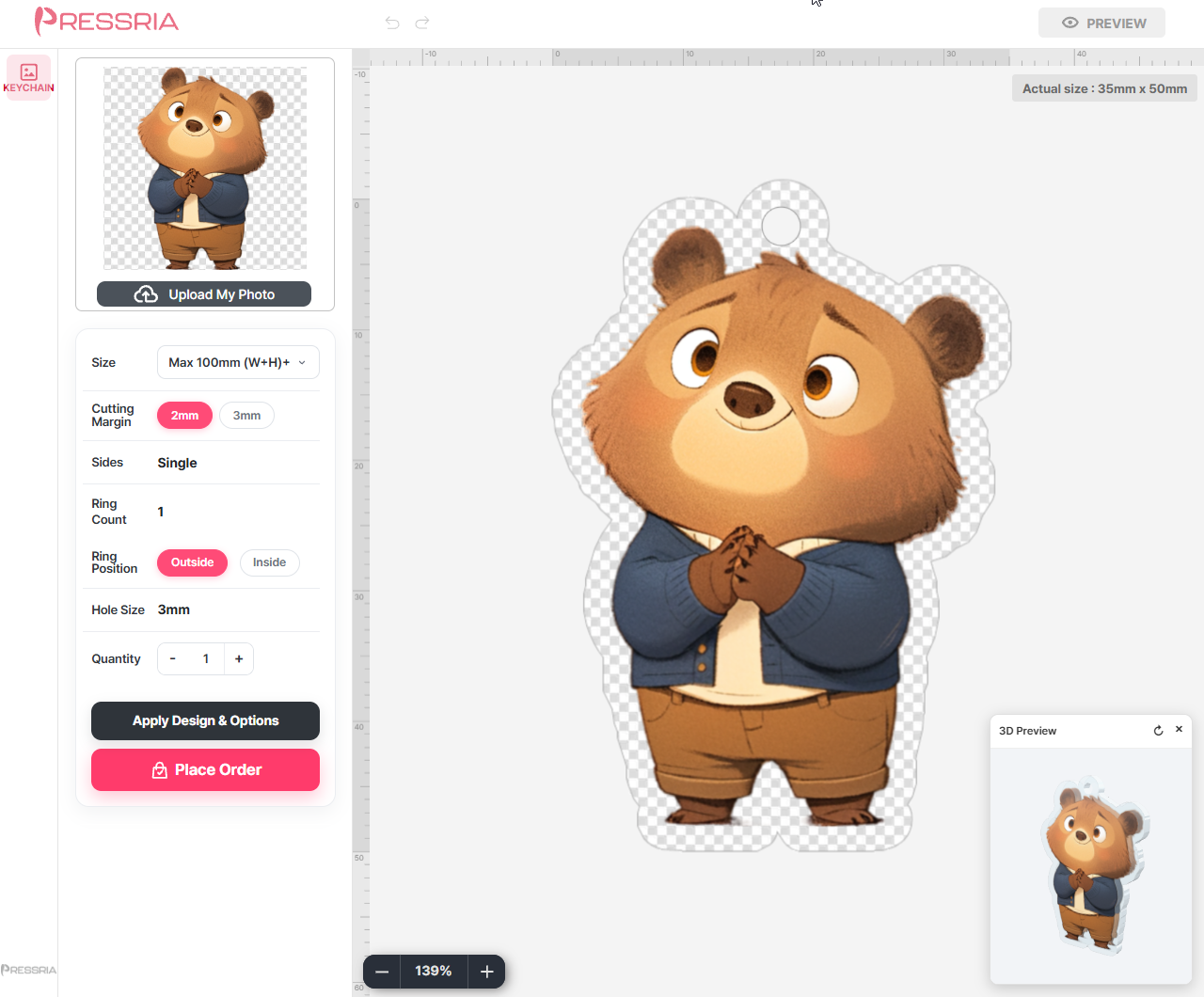
Keychain - production options such as size, cutting margin, ring position and hole size, with a 3D preview.
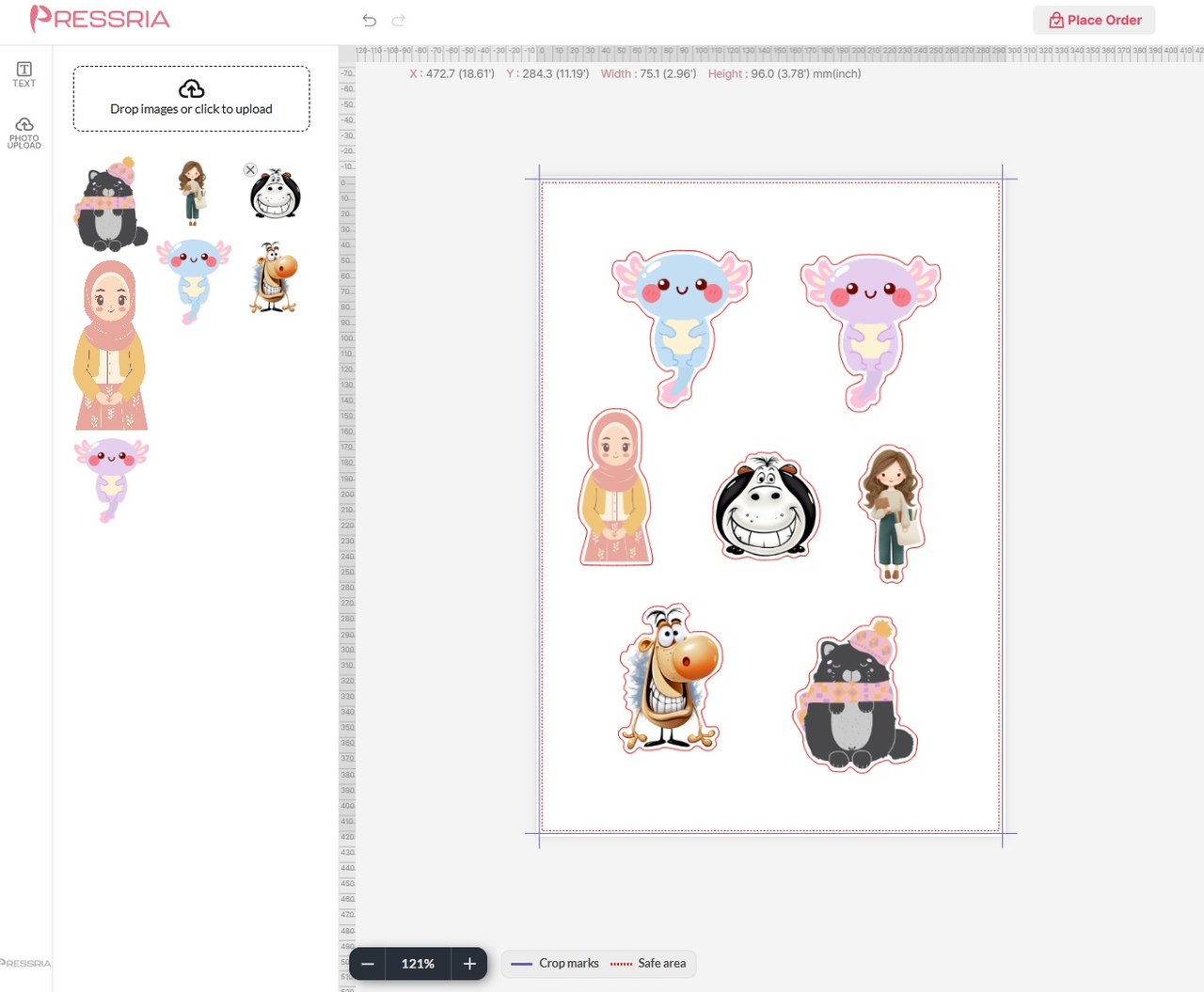
Sticker sheet - die-cut layout with crop marks and a safe area.
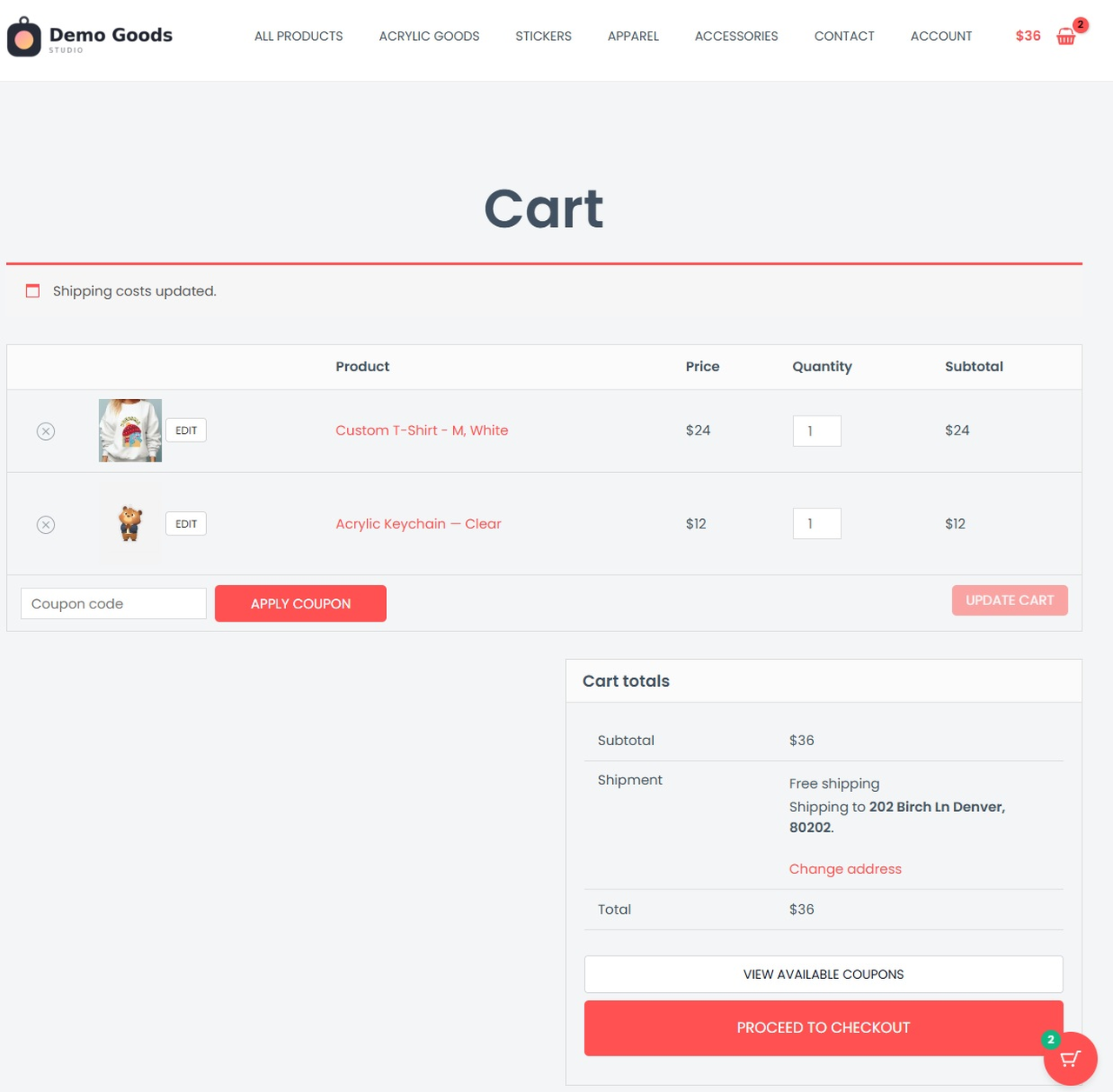
The finished design travels with the line item into the cart, and can be reopened from there.
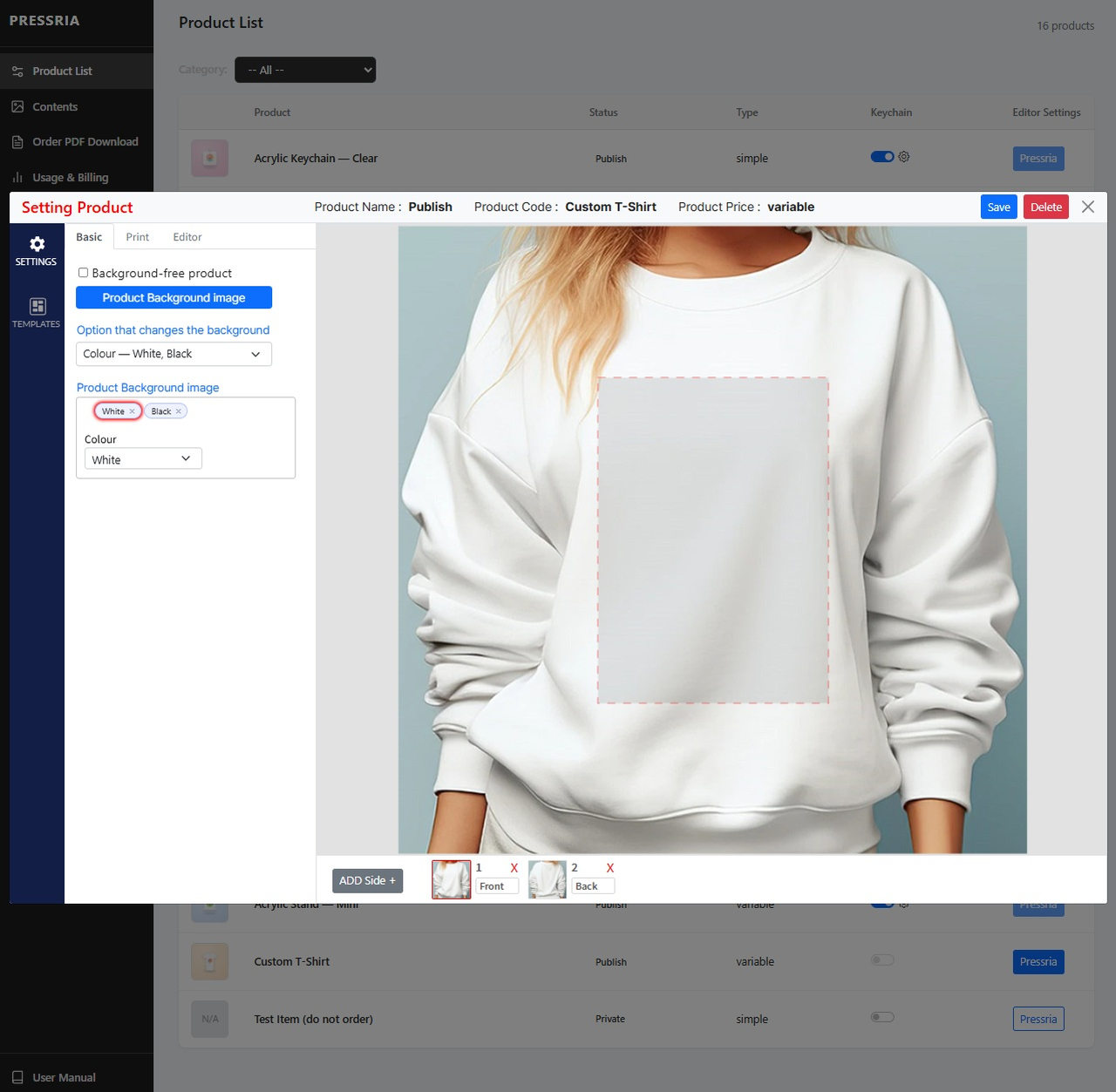
Product setup in the Pressria admin - product mockup, background per variation, front and back sides and the printable area.
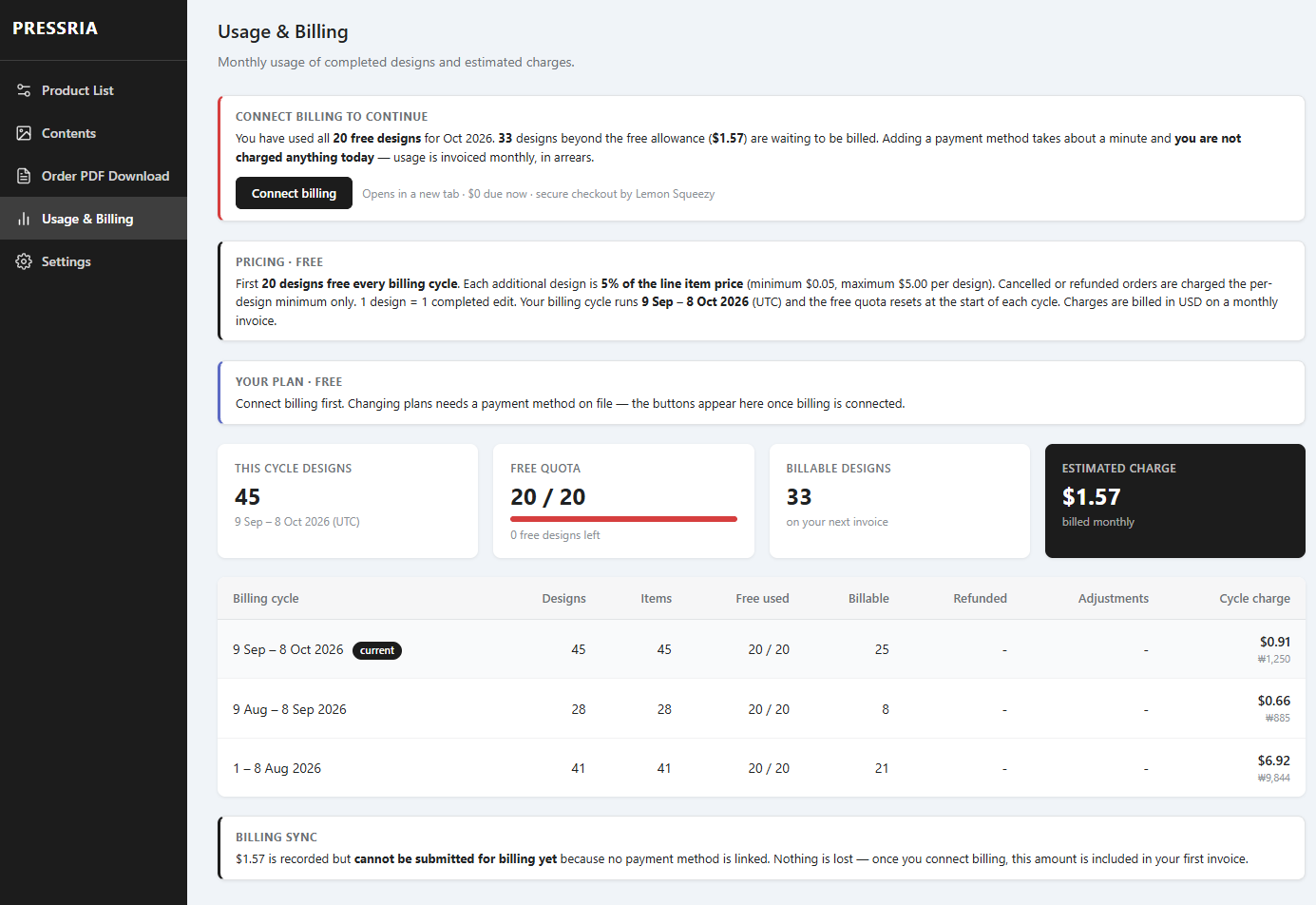
Usage & Billing - free allowance, per-design charges and the estimated amount on your next invoice.